Introduction
Network Inventory Tools are specialized software solutions designed to automatically discover, track, and manage every asset connected to an organization’s IT network. At its core, these tools act as a “digital ledger,” identifying hardware like servers, routers, switches, and workstations, as well as software licenses and virtual assets. Instead of IT administrators manually typing serial numbers into a spreadsheet, these tools use protocols like SNMP, WMI, and SSH to scan the network and build a live database of what exists, where it is located, and its current health status.
Understanding your network inventory is the foundation of effective IT management. Without it, you cannot secure what you don’t know exists. These tools are vital for Security Auditing (identifying unauthorized devices), License Compliance (avoiding legal fines for over-using software), and Capacity Planning (knowing when to upgrade hardware). Real-world use cases include preparing for a hardware refresh cycle, tracking mobile devices in a “Bring Your Own Device” (BYOD) environment, and troubleshooting connectivity issues by viewing device dependencies. When choosing a tool, you should evaluate the accuracy of its discovery engine, the depth of technical data collected, the quality of its reporting, and how well it scales as your company grows.
Best for: System administrators, IT managers, and Network Operations Center (NOC) teams in mid-to-large enterprises benefit most from these tools. They are particularly essential for industries with strict compliance needs, such as healthcare, finance, and government. Not ideal for: Very small businesses with fewer than ten devices that can be easily managed manually, or home users who only need to see who is connected to their Wi-Fi.
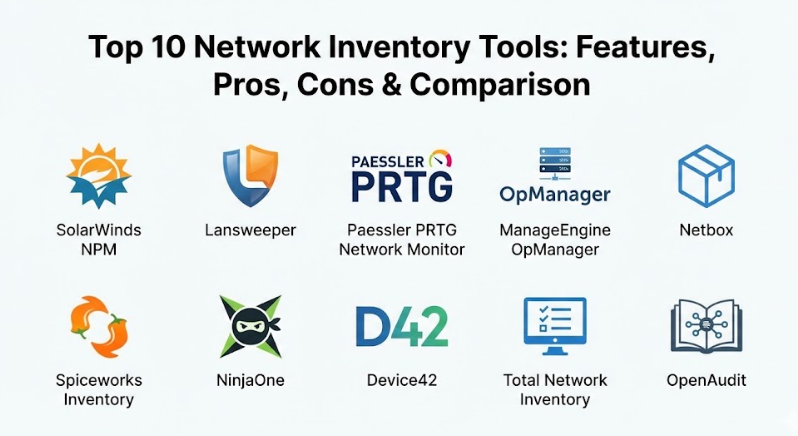
Top 10 Network Inventory Tools
1 — SolarWinds Network Performance Monitor (NPM)
SolarWinds NPM is a comprehensive flagship product designed for enterprise-level network discovery and monitoring. It is built for deep visibility into multi-vendor environments.
- Automated Device Discovery: Continually scans the network to find new hardware and map its location.
- Intelligent Mapping: Creates dynamic, color-coded network topology maps that show relationships between devices.
- Multi-Vendor Support: Recognizes hardware from hundreds of manufacturers like Cisco, HP, and Dell.
- Hardware Health Monitoring: Tracks temperature, fan speed, and power supply status of critical equipment.
- Wireless Monitoring: Provides detailed views of Access Points and client signal strength.
- Advanced Alerting: Sends notifications based on complex nested triggers to reduce “alert fatigue.”
Pros:
- The interface is highly customizable, allowing admins to see exactly what matters to their specific role.
- It provides some of the most detailed hardware-level information available in the industry.
Cons:
- The software is resource-heavy and usually requires a dedicated, powerful server to run smoothly.
- The pricing model is complex and can become very expensive for high-device counts.
Security & compliance: Includes SSO (Single Sign-On), role-based access control, encryption for data at rest/transit, and detailed audit logs.
Support & community: Excellent documentation, a massive user community (THWACK), and 24/7 technical support for enterprise customers.
2 — Lansweeper
Lansweeper is an agentless discovery tool that is widely praised for its ability to find almost anything with an IP address, from computers to smart coffee machines.
- Agentless Discovery: Scans the network without needing to install software on every single individual device.
- Software Asset Management (SAM): Tracks software versions, licenses, and installation dates across the fleet.
- Vulnerability Assessment: Cross-references your inventory with known security threats to highlight weak points.
- Hardware Warranty Tracking: Automatically retrieves warranty end-dates from manufacturers like Dell and Lenovo.
- Active Directory Integration: Syncs with your user database to show which employee is using which device.
- Custom Reporting: Features a powerful report builder with hundreds of pre-built templates.
Pros:
- Extremely easy to set up; you can often get a full inventory of a mid-sized network within an hour.
- The “Single Source of Truth” approach helps keep data consistent across different IT teams.
Cons:
- The interface, while functional, can feel a bit cluttered and “dated” compared to newer cloud-native apps.
- Performance can lag when scanning very large, geographically dispersed networks.
Security & compliance: SOC 2 Type II compliant, GDPR ready, and supports encrypted credential storage.
Support & community: High-quality documentation, a responsive help desk, and an active online forum.
3 — Paessler PRTG Network Monitor
PRTG is a flexible tool based on “sensors”—individual units that monitor specific aspects of a device. It is a favorite for administrators who want a visual and modular approach.
- Sensor-Based Discovery: Uses over 200 specialized sensors for SNMP, WMI, traffic analysis, and more.
- Auto-Discovery: Automatically scans network segments and sets up appropriate sensors for found devices.
- Integrated Maps: Allows users to create custom “Sunburst” charts and dashboards for high-level overviews.
- Distributed Monitoring: Uses “Remote Probes” to monitor multiple office locations from one central screen.
- Mobile App: Provides a full-featured mobile app with push notifications for inventory changes.
- No-Database Setup: Uses its own internal data storage, making the installation process very simple.
Pros:
- The licensing is very simple: you pay for the number of sensors you use, regardless of the tool’s features.
- The visual dashboards are excellent for displaying on large monitors in a network operations center.
Cons:
- If you want to monitor everything on a single device, you might use 10+ sensors, which can eat through your license quickly.
- Not as deep in “Software Asset Management” as tools like Lansweeper.
Security & compliance: Supports SSL encryption, multi-level user rights, and detailed event logging.
Support & community: Great video tutorials, a comprehensive knowledge base, and solid email support.
4 — ManageEngine OpManager
OpManager provides a robust, all-in-one network management platform that excels at discovering and visualizing physical and virtual infrastructure.
- Automatic Network Discovery: Performs scheduled scans to identify new devices and their technical specifications.
- Virtualization Support: Offers deep inventory and monitoring for VMware, Hyper-V, and Citrix environments.
- Rule-Based Configuration: Automatically applies monitoring profiles to devices based on their type.
- Layer 2/3 Mapping: Provides detailed diagrams showing how switches and routers are physically linked.
- Mobile Management: Allows admins to check inventory and acknowledge alerts from a smartphone.
- Storage Monitoring: Tracks the health and capacity of RAID arrays and Tape Libraries.
Pros:
- Very strong at managing virtualized environments and high-end data center equipment.
- Offers a “one-stop-shop” feel if you use other ManageEngine products for helpdesk or security.
Cons:
- The initial configuration can be complex and may require some trial and error with discovery rules.
- User support response times can be inconsistent depending on your region.
Security & compliance: HIPAA and GDPR compliant features, SSO support, and encrypted communication protocols.
Support & community: Extensive documentation, frequent webinars, and a dedicated user forum.
5 — Netbox
Netbox is an “Infrastructure Resource Modeler” that acts as a specialized database for network professionals. It is unique because it focuses on “what should be” versus just “what is.”
- IP Address Management (IPAM): Tracks every IP address and subnet in your organization with precision.
- Rack Elevations: Provides a visual view of how hardware is arranged inside your server racks.
- Circuit Tracking: Manages information about your internet service providers and physical fiber links.
- Cable Management: Tracks exactly which cable connects Port A on a switch to Port B on a server.
- Power Tracking: Manages power distribution units (PDUs) and total power draw per rack.
- API-First Design: Extremely easy to integrate with automation scripts and other IT tools.
Pros:
- It is the best tool for documentation-heavy environments that need to track physical cables and racks.
- Being open-source, it has a very transparent development process and a loyal following.
Cons:
- It does not “auto-scan” your network in the traditional sense; it requires more manual entry or custom scripting.
- Requires a fair bit of Linux knowledge to install and maintain properly.
Security & compliance: Varies / Open-source based; relies on the underlying server configuration and basic user permissions.
Support & community: Massive GitHub community, Slack channel, and professional support available through Netbox Labs.
6 — Spiceworks Inventory
Spiceworks is a free, ad-supported inventory tool that has been a staple for small-to-midmarket IT teams for years due to its simplicity.
- Cloud-Based Discovery: Scans local networks via a small gateway installed on a single computer.
- Software Tracking: Identifies installed applications and flags unauthorized software.
- Hardware Specs: Collects detailed information on CPU, RAM, and Disk space for every found computer.
- Alerting: Notifies admins when disk space is low or if a server goes offline.
- Integrated Help Desk: Links your inventory directly to IT support tickets for faster troubleshooting.
- Cloud Asset Discovery: Basic tracking for assets in environments like Azure and AWS.
Pros:
- It is completely free, making it perfect for non-profits or startups with zero budget.
- The social community is one of the friendliest and most helpful in the IT world.
Cons:
- Because it is free, the interface contains advertisements for IT products.
- It lacks the advanced mapping and deep enterprise features of paid competitors.
Security & compliance: Varies; provides basic encryption and user roles, but lacks high-end enterprise certifications.
Support & community: Incredible peer-to-peer community support and a large knowledge base.
7 — NinjaOne (formerly NinjaRMM)
NinjaOne is a modern, cloud-native platform that focuses on “Remote Monitoring and Management.” It is designed for IT teams that manage many different office locations.
- Universal Discovery: Finds and manages Windows, Mac, Linux, and SNMP devices from one screen.
- Cloud-First Architecture: No need to maintain your own server; the inventory is accessible from anywhere.
- Automated Patch Management: Not only finds devices but ensures their software is updated.
- Endpoint Protection: Integrates security tools directly into the device inventory.
- Real-Time Data: Updates device status within seconds, providing a very “live” feel.
- Policy-Based Management: Automatically organizes devices into groups based on their location or type.
Pros:
- The interface is incredibly clean and modern, making it a joy to use daily.
- Perfect for “Remote Work” eras because it tracks laptops no matter where the employee is located.
Cons:
- Pricing is based on a “per-endpoint” model, which can become expensive for large networks.
- Not as deep in physical “rack and cable” tracking as a tool like Netbox.
Security & compliance: SOC 2 Type II, GDPR, HIPAA compliant, and features mandatory MFA (Multi-Factor Authentication).
Support & community: Highly rated customer support, personalized onboarding, and regular feature updates.
8 — Device42
Device42 is an enterprise tool that focuses on “Continuous Discovery.” It is particularly strong at mapping the complex dependencies in modern data centers.
- Application Dependency Mapping: Shows exactly which software depends on which server and database.
- Cloud Auto-Discovery: Seamlessly discovers assets in AWS, Azure, Google Cloud, and OpenStack.
- IT Asset Management (ITAM): Tracks the full lifecycle of hardware from purchase to disposal.
- Power and Environmental: Tracks heat and power consumption at the rack and device level.
- IPAM & DNS: Includes full IP address management and integration with DNS servers.
- Password Vault: Securely stores credentials used for network discovery.
Pros:
- The dependency mapping is world-class, making it essential for planning data center migrations.
- It covers physical, virtual, and cloud assets in a single, unified interface.
Cons:
- The software is very powerful, which means the learning curve can be steep for new users.
- Pricing is aimed at the mid-to-high enterprise market.
Security & compliance: SOC 2 Type II, HIPAA, and GDPR compliant with built-in audit logging.
Support & community: Excellent professional support, training videos, and detailed technical documentation.
9 — Total Network Inventory (TNI)
Total Network Inventory is a straightforward, “no-nonsense” tool that focuses on providing a fast and clear inventory of Windows, Mac, and Linux machines.
- Centralized Discovery: Scans computers without needing to install agents on each one.
- Hardware Audit: Provides a detailed breakdown of every internal component in a PC.
- Software Audit: Lists every piece of software and tracks license keys.
- Change Tracking: Keeps a history of every time a hardware component or software app is changed.
- Report Builder: Allows for the creation of complex, multi-page PDF or Excel reports.
- Scan Scheduling: Set the tool to automatically scan your network every night or weekend.
Pros:
- It is very lightweight and runs on almost any basic Windows computer.
- The pricing is a “one-time purchase” for some versions, which is great for budget predictability.
Cons:
- It lacks the real-time “live” monitoring and alerting of tools like SolarWinds or PRTG.
- Not ideal for tracking complex network hardware like high-end routers or fiber switches.
Security & compliance: N/A; primarily focuses on local network auditing and relies on host OS security.
Support & community: Responsive email support and a clear online manual.
10 — OpenAudit
OpenAudit is an open-source (with a professional version) tool that focuses on telling you exactly “what is on your network” and “how it is configured.”
- Comprehensive Discovery: Uses a variety of scripts to pull data from Windows, Linux, and network devices.
- Configuration Tracking: Records detailed settings like open ports, running services, and user accounts.
- Historical Data: Shows how a device’s configuration has evolved over months or years.
- License Management: Helps track and reconcile software licenses against installations.
- Web-Based Interface: Accessible from any device on the local network.
- Database Export: Easily move your inventory data into other formats or tools.
Pros:
- The free version is very capable and provides deep technical data that rivals paid tools.
- Extremely customizable for users who know how to write simple scripts.
Cons:
- The interface is functional but lacks the “polish” and ease of use found in NinjaOne or PRTG.
- Support for the free version is limited to community forums.
Security & compliance: GDPR ready; professional version includes enhanced audit logs and user permissions.
Support & community: Professional support available via FirstWave, alongside a strong community forum.
Comparison Table
| Tool Name | Best For | Platform(s) Supported | Standout Feature | Rating |
| SolarWinds NPM | Large Enterprises | Windows Server | Intelligent Topology Mapping | N/A |
| Lansweeper | Accurate Asset Tracking | Windows / Cloud | Agentless IT Asset Discovery | N/A |
| PRTG | Visual Monitoring | Windows | Sensor-Based Customization | N/A |
| OpManager | Data Center Management | Windows / Linux | Virtualization Depth | N/A |
| Netbox | Network Documentation | Linux / Docker | Rack and Cable Management | N/A |
| Spiceworks | Small Businesses | Cloud / Windows | 100% Free & Community-Driven | N/A |
| NinjaOne | Remote IT Teams | Cloud-Native | Automated Patching + Inventory | N/A |
| Device42 | Data Center Migrations | Virtual Appliance | Application Dependency Mapping | N/A |
| Total Network Inv. | Lightweight Auditing | Windows | Hardware/Software Change Log | N/A |
| OpenAudit | Configuration Auditing | Windows / Linux | Deep Config History Tracking | N/A |
Evaluation & Scoring of Network Inventory Tools
To provide an objective comparison, we have evaluated these tools against a weighted scoring rubric that reflects the priorities of modern IT departments.
| Category | Weight | Evaluation Criteria |
| Core Features | 25% | Accuracy of discovery, depth of hardware/software data, and mapping quality. |
| Ease of Use | 15% | Speed of setup, intuitiveness of the interface, and learning curve. |
| Integrations | 15% | Ability to talk to Active Directory, Cloud providers, and Help Desk software. |
| Security & Compliance | 10% | Support for SSO, MFA, encryption, and compliance reporting (HIPAA, GDPR). |
| Performance | 10% | Impact on network traffic during scans and speed of the management console. |
| Support & Community | 10% | Quality of documentation, technical support, and user forums. |
| Price / Value | 15% | Transparency of pricing and overall return on investment for the user. |
Which Network Inventory Tool Is Right for You?
Choosing the right tool is a balance between your technical needs, your team’s skills, and your available budget.
Solo Users vs SMB vs Mid-Market vs Enterprise
- Solo Users/Startups: If you have under 50 devices, Spiceworks or the free version of Lansweeper are perfect. They give you professional-level data for zero cost.
- SMBs (50–500 devices): Total Network Inventory or PRTG are excellent. They offer great visibility without requiring a team of experts to manage the software.
- Mid-Market (500–2,000 devices): NinjaOne is the standout choice if you have remote workers. If your team is all in one building, Lansweeper provides incredible asset depth.
- Enterprise (2,000+ devices): SolarWinds NPM, ManageEngine, and Device42 are built for this scale. They handle the complexity of global networks and large data centers.
Budget-Conscious vs Premium Solutions
If budget is your main concern, OpenAudit and Spiceworks provide high value. However, if you are a “time-poor” IT manager, a premium solution like NinjaOne or SolarWinds pays for itself by automating tasks that would otherwise take hours of manual work every week.
Feature Depth vs Ease of Use
If you want a tool that “just works” out of the box, PRTG and Lansweeper are very intuitive. If you are a “power user” who wants to document every single cable and power port in a server rack, you will find the extra effort of setting up Netbox or Device42 to be well worth it.
Integration and Scalability Needs
If you plan to grow quickly, look for cloud-native tools like NinjaOne. They scale effortlessly because you don’t have to buy more hardware to run the management software. If you use a specific CRM or Help Desk, check the “Integrations” list to ensure your inventory data can flow into your support tickets.
Frequently Asked Questions (FAQs)
1. Does network inventory software slow down my network?
Generally, no. Most modern tools are designed to use very little bandwidth. They send small “packets” of data and usually perform deep scans during off-hours or at set intervals rather than constantly.
2. What is the difference between “Agent” and “Agentless” discovery?
“Agentless” tools scan the network remotely using built-in protocols like SNMP. “Agent” tools require you to install a small piece of software on every computer. Agentless is easier to set up, but Agent-based provides more data for remote devices.
3. Can these tools find devices that are turned off?
No tool can “scan” a device that has no power. However, many tools keep a “Last Seen” record, showing you the device’s information based on when it was last turned on and connected.
4. Are free tools safe to use?
Reputable free tools like Spiceworks or OpenAudit are safe, but always ensure you download them from the official source. Be aware that free tools often lack the high-end security features like Single Sign-On found in paid versions.
5. How often should I scan my network?
For most businesses, a full scan once every 24 hours is enough. However, for high-security environments, you might want “Real-Time” discovery that alerts you the second a new, unknown device is plugged into a switch.
6. Can I track software licenses with these tools?
Yes, tools like Lansweeper and Total Network Inventory are excellent at this. They can tell you how many copies of Office or Photoshop are installed and alert you if you are over your limit.
7. Do I need special hardware to run these tools?
Cloud-native tools like NinjaOne need nothing but a web browser. On-premise tools like SolarWinds or ManageEngine usually require a dedicated Windows or Linux server with a decent amount of RAM.
8. Can these tools manage cloud assets like AWS or Azure?
Yes, most enterprise-level tools (Device42, SolarWinds, NinjaOne) have built-in connectors to pull inventory data from major cloud providers so you can see your physical and virtual assets in one place.
9. What is SNMP and why do I need it?
SNMP stands for Simple Network Management Protocol. It is the “universal language” that printers, routers, and switches use to talk to inventory tools. Most tools require you to enable SNMP on your hardware to find it.
10. How much do these tools cost?
It varies widely. Free tools cost $0. Mid-market tools range from $500 to $5,000 per year. Enterprise solutions can cost $20,000+ depending on the number of devices and the features you need.
Conclusion
In conclusion, a robust Network Inventory Tool is the “eyes and ears” of your IT department. Whether you choose the visual modularity of PRTG, the deep asset intelligence of Lansweeper, or the remote-first power of NinjaOne, the goal is the same: absolute visibility.
When choosing your tool, remember that the “best” software is the one that fits your current team’s skills and your future growth plans. Start with a clear list of what you need to track—is it just laptops, or every cable in your data center?—and use a free trial to ensure the tool’s discovery engine is as accurate as it claims to be. By moving from spreadsheets to a professional inventory tool, you aren’t just saving time; you are building a more secure and reliable foundation for your entire business.