Introduction
Model Risk Management (MRM) Software is a specialized category of technology designed to help organizations track, monitor, and manage the risks associated with mathematical models. In today’s world, banks, insurance companies, and even tech firms rely on complex models to make decisions—like who gets a loan, how to price an insurance policy, or how to detect fraud. If these models are wrong, the company can lose millions or face legal trouble. MRM software provides a central “library” or inventory where every model is recorded, tested, and watched to ensure it is working exactly as it should.
This software is important because it brings order to what is often a chaotic process. Without it, companies might keep track of their models in scattered spreadsheets, making it impossible to see the big picture. Key use cases include automated model validation, ensuring compliance with strict financial regulations (like SR 11-7), and monitoring “model drift”—which is when a model becomes less accurate over time because the world has changed. When choosing a tool, users should look for strong inventory management, clear reporting dashboards, and the ability to handle the entire “life cycle” of a model, from the day it is built to the day it is retired.
Best for: Large financial institutions, insurance providers, and highly regulated industries (like healthcare or energy) that use hundreds of predictive models. It is essential for Risk Officers, Model Validators, and Compliance Managers who need a “single source of truth.”
Not ideal for: Small businesses or startups that only use one or two basic models. For these users, a simple internal tracking document or a general project management tool is usually enough and much more cost-effective.
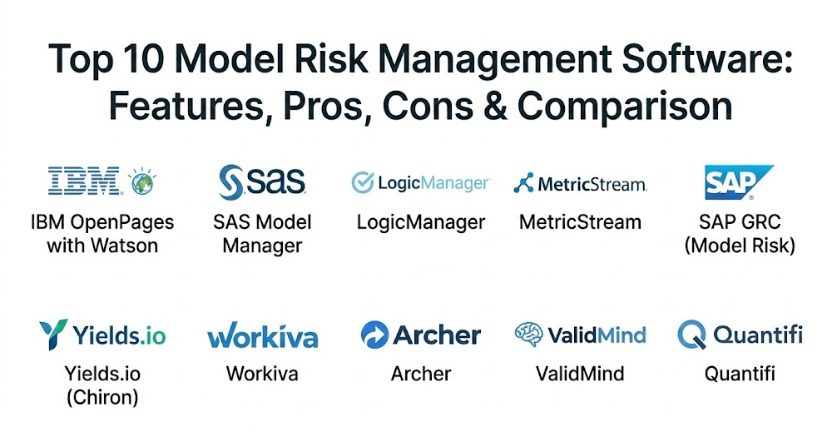
Top 10 Model Risk Management Software Tools
1 — IBM OpenPages with Watson
IBM OpenPages is a powerhouse in the governance and risk space. Its Model Risk Management module uses artificial intelligence to help organizations manage their model inventory and perform deep evaluations of model health.
- Key features:
- Centralized model inventory with detailed documentation tracking.
- AI-powered workflows that guide users through the validation process.
- Integration with Watson OpenScale for real-time monitoring.
- Highly customizable reporting for regulatory examinations.
- Automated alerts for model performance issues or expired validations.
- Global view of model risk across different business units.
- Pros:
- Exceptionally strong at handling massive amounts of data for global enterprises.
- The AI features help identify risks that human eyes might miss during manual checks.
- Cons:
- The setup process is very long and usually requires professional consultants.
- The user interface can feel overwhelming due to the sheer number of options.
- Security & compliance: SOC 2, GDPR, HIPAA compliant, includes SSO, and robust audit trails.
- Support & community: Enterprise-grade 24/7 support, extensive documentation, and a large global user network.
2 — SAS Model Manager
SAS is a legend in the world of analytics, and their Model Manager tool is designed specifically to help teams move models from the laboratory into the real world while keeping them under strict control.
- Key features:
- Support for both SAS and open-source models (like Python and R).
- Automated performance monitoring with “champion” and “challenger” testing.
- Detailed version control for every model iteration.
- Workflow automation for the entire model life cycle.
- Built-in reporting for model decay and accuracy tracking.
- Pros:
- Excellent for companies that already use the SAS ecosystem for data science.
- It makes it very easy to compare two versions of a model to see which is better.
- Cons:
- It can be very expensive compared to smaller, specialized MRM tools.
- Users who don’t know the SAS environment may find the learning curve steep.
- Security & compliance: HIPAA, GDPR, and ISO certified; features role-based access and encryption.
- Support & community: Dedicated account managers, massive online community, and world-class training.
3 — LogicManager
LogicManager offers a more “all-in-one” approach to risk. Their MRM software is part of a larger Enterprise Risk Management (ERM) platform, making it a great choice for companies that want to see how model risk affects the rest of the business.
- Key features:
- Taxonomy-based approach that links models to specific business risks.
- Automated task reminders for model owners and validators.
- Pre-built templates for common regulatory requirements.
- Intuitive dashboards for “at-a-glance” risk reporting.
- Strong document management for storing validation reports.
- Pros:
- Very easy to use compared to the “heavy” legacy systems.
- Provides great context by showing how a failing model impacts a company’s goals.
- Cons:
- May lack some of the deep technical “coding” integrations of more math-focused tools.
- The reporting is great for managers but might feel limited for deep-dive data scientists.
- Security & compliance: SOC 2 Type II, GDPR, SSO support, and full audit logs.
- Support & community: Award-winning customer success teams and a helpful “Risk Maturity” community.
4 — MetricStream
MetricStream is known for its “ConnectedGRC” philosophy. Their model risk tool is designed to break down silos between different departments, ensuring that everyone from IT to Finance is looking at the same model data.
- Key features:
- Comprehensive model inventory with multi-dimensional risk scoring.
- Collaborative workflows for model developers and independent validators.
- Integration with external data sources for real-time risk assessment.
- Mobile-ready dashboards for executives.
- Automated evidence collection for auditors.
- Pros:
- Excellent for very large organizations with complex, global structures.
- The software is very good at proving “independence” in the validation process.
- Cons:
- The complexity of the system means it requires significant internal training.
- Performance can sometimes be slow if the model inventory is exceptionally large.
- Security & compliance: ISO 27001, GDPR, HIPAA, and SOC 2; features strong data encryption.
- Support & community: Extensive knowledge base, global support centers, and annual user conferences.
5 — SAP GRC (Model Risk)
For organizations that run their entire business on SAP, using the SAP Governance, Risk, and Compliance module for model risk is a logical and efficient step.
- Key features:
- Integration with the broader SAP S/4HANA ecosystem.
- Centralized policy management for model usage.
- Continuous monitoring of model controls.
- Automated risk assessments based on transaction data.
- High-level executive reporting on compliance status.
- Pros:
- No need for a separate platform if your data already lives in SAP.
- Very strong for financial reporting and internal control auditing.
- Cons:
- It feels more like a “compliance” tool than a “data science” tool.
- Can be rigid and difficult to customize for non-standard models.
- Security & compliance: Enterprise-grade security, GDPR compliant, and deep audit history.
- Support & community: Massive global support network and specialized SAP consultants.
6 — Yields.io (Chiron)
Yields.io is a modern, specialized player in the MRM space. Their platform, Chiron, is built specifically for the “automated” age, focusing on using algorithms to check other algorithms.
- Key features:
- Automated model validation scripts that run in the background.
- Real-time monitoring of model drift and data quality.
- Support for Python, R, C++, and MATLAB.
- “Self-service” validation for model developers.
- Interactive reports that allow users to “drill down” into model errors.
- Pros:
- Much more “tech-forward” than traditional risk management software.
- Significantly speeds up the validation process through automation.
- Cons:
- It is a specialized tool, so you may still need another system for general risk.
- The focus is very technical, which might be hard for non-data staff to grasp.
- Security & compliance: SOC 2 compliant, encryption at rest and in transit.
- Support & community: High-touch technical support and specialized onboarding for data teams.
7 — Workiva
Workiva is widely loved for its “connected reporting” capabilities. While it started in financial reporting, its MRM solution is perfect for companies that care most about the documentation and audit side of models.
- Key features:
- Real-time collaboration on model validation documents.
- Linking technology that ensures a data change in one place updates everywhere.
- Direct evidence collection for regulators.
- Strong workflow management for sign-offs and approvals.
- Full version history of every single document and spreadsheet.
- Pros:
- The best tool on the market for creating “audit-ready” reports.
- Very easy to learn because it feels similar to modern cloud office suites.
- Cons:
- It doesn’t “run” or “monitor” the math of the models itself.
- It relies heavily on the quality of the data you feed into it.
- Security & compliance: SOC 1 & 2, ISO 27001, GDPR, HIPAA, and FedRAMP authorized.
- Support & community: 24/7 support and a very active user forum for reporting specialists.
8 — Archer (formerly RSA Archer)
Archer is one of the “grandfathers” of risk management. Its Model Risk Management solution is highly structured and focuses on the rigorous standards required by the banking industry.
- Key features:
- Standardized model inventory following regulatory templates.
- Clear separation of duties between model owners and validators.
- Risk-based prioritization for model reviews.
- Integration with other Archer modules (like Third-Party Risk).
- Comprehensive audit trails for every change made to a model record.
- Pros:
- Tried and tested by the world’s largest banks for decades.
- The framework is already aligned with major global regulations.
- Cons:
- The interface can feel dated and less “snappy” than modern cloud tools.
- Configuration usually requires a specialist Archer administrator.
- Security & compliance: SOC 2, ISO 27001, and deep compliance with financial regulations.
- Support & community: Large ecosystem of partner consultants and a massive knowledge base.
9 — ValidMind
ValidMind is a newer, fast-growing tool that focuses on the “Model Inventory and Documentation” part of the process, specifically for teams using AI and Machine Learning.
- Key features:
- Automated documentation generation from model code.
- Developer-centric design that integrates with GitHub and Jupyter.
- Centralized tracking of model testing results.
- Collaborative environment for validators and developers.
- Templates specifically for AI/ML ethics and bias testing.
- Pros:
- It makes the “boring” parts of model risk (documentation) much faster for developers.
- Great for modern companies that use a lot of open-source libraries.
- Cons:
- Being newer, it may lack the broader GRC features of a tool like IBM or SAP.
- Best suited for data-heavy companies rather than traditional legacy firms.
- Security & compliance: SOC 2 Type II and GDPR compliant.
- Support & community: Direct access to engineering support and a growing community of AI risk experts.
10 — Quantifi
Quantifi specializes in the financial markets. Their MRM tool is built for people who deal with complex trading models, derivatives, and fast-moving market data.
- Key features:
- Deep support for quantitative finance models.
- Independent valuation and stress testing capabilities.
- Real-time risk analytics dashboards.
- Integration with market data providers.
- Specific modules for credit, market, and counterparty risk.
- Pros:
- The “gold standard” for companies that deal with high-finance and trading.
- The people who build the tool are experts in financial math.
- Cons:
- Too specialized for companies outside of the investment and banking space.
- The pricing reflects its status as a high-end niche tool.
- Security & compliance: Varies / N/A (Standard encryption and audit logs are included).
- Support & community: Highly specialized enterprise support with deep subject matter expertise.
Comparison Table
| Tool Name | Best For | Platform(s) Supported | Standout Feature | Rating |
| IBM OpenPages | Global Enterprises | Cloud, On-Premise | AI-Driven Workflows | N/A |
| SAS Model Manager | Data Science Teams | Cloud, On-Premise | Champion/Challenger Testing | N/A |
| LogicManager | Integrated Risk (ERM) | Cloud (SaaS) | Risk-to-Goal Mapping | N/A |
| MetricStream | Large Complex Orgs | Cloud (SaaS) | Connected GRC Framework | N/A |
| SAP GRC | SAP Users | On-Premise, Cloud | Ecosystem Integration | N/A |
| Yields.io | Automated Validation | Cloud, On-Premise | Code-level Auto-Testing | N/A |
| Workiva | Regulatory Reporting | Cloud (SaaS) | Connected Documentation | N/A |
| Archer | Traditional Banking | Cloud, On-Premise | Regulatory Frameworks | N/A |
| ValidMind | AI & ML Teams | Cloud (SaaS) | Auto-Documentation | N/A |
| Quantifi | Financial Markets | Cloud, On-Premise | Quant Math Expertise | N/A |
Evaluation & Scoring of Model Risk Management Software
When selecting a tool, it is helpful to look at it through the lens of a weighted scoring rubric. This ensures you aren’t just picking the one with the best “look,” but the one that actually performs.
| Category | Weight | Evaluation Criteria |
| Core Features | 25% | Model inventory, life cycle tracking, and validation tools. |
| Ease of Use | 15% | Interface intuitiveness and staff training requirements. |
| Integrations | 15% | Ability to connect with Python, R, SAS, and GRC systems. |
| Security & Compliance | 10% | HIPAA/GDPR status, encryption, and audit history. |
| Performance | 10% | System uptime, calculation speed, and responsiveness. |
| Support & Community | 10% | Documentation quality and 24/7 help availability. |
| Price / Value | 15% | Cost of ownership versus efficiency gains. |
Which Model Risk Management Software Tool Is Right for You?
Choosing an MRM tool is not a “one size fits all” decision. Your choice depends heavily on your technical needs, your budget, and who will be using the software every day.
Solo Users vs SMB vs Mid-Market vs Enterprise
If you are a solo consultant or a very small business, you likely don’t need dedicated MRM software; a well-managed cloud spreadsheet is often better. For the Mid-Market, tools like LogicManager or ValidMind are excellent because they are easier to set up and don’t require a whole department to run. Enterprises with thousands of models should look at IBM OpenPages, SAS, or MetricStream, as these tools are built to handle the sheer scale of global operations.
Budget-Conscious vs Premium Solutions
If budget is your main concern, look for tools that offer modular pricing. Workiva is often a great mid-range choice because it focuses so well on the reporting side. On the Premium end, Quantifi and SAS offer incredible depth and math capabilities but come with a price tag that reflects that expertise.
Feature Depth vs Ease of Use
If your priority is getting your data scientists to actually use the tool, go for something developer-friendly like ValidMind or Yields.io. These tools speak the language of coders. If your priority is satisfying an auditor or a board of directors, you might choose a more “rigid” but comprehensive tool like Archer or MetricStream, which prioritize “structure” over “speed.”
Integration and Scalability Needs
Consider what you are already using. If you are an SAP shop, start there. If you do everything in Python, look for a tool with a strong API. As your model inventory grows from 10 to 100 to 1,000, you need a system that won’t slow down. Cloud-native (SaaS) solutions generally offer better scalability than older, on-premise installations.
Security and Compliance Requirements
If you are in the US banking sector, you need a tool that specifically understands SR 11-7. If you are in Europe, GDPR is non-negotiable. Always ensure the tool provides an “immutable audit trail”—this means once a record is changed, the history of that change is locked forever, which is exactly what regulators want to see.
Frequently Asked Questions (FAQs)
1. What exactly is a model in “Model Risk Management”?
In this context, a model is a quantitative method or system that applies theories and data to produce an estimate or a prediction. It can be as simple as a formula or as complex as a deep-learning AI.
2. Is MRM software only for banks?
While banks were the first to use it due to strict laws, any company that uses AI or data-driven models to make big decisions (like insurance, healthcare, or retail) can benefit from it.
3. Can I just use Excel for model risk management?
You can, but it is risky. Excel lacks an audit trail, doesn’t handle versions well, and it is very easy for someone to accidentally delete a formula. MRM software is much safer.
4. How long does it take to implement an MRM system?
A small, cloud-based system can be set up in a few weeks. A massive enterprise system for a global bank can take 6 to 12 months to fully integrate.
5. What is “Model Drift” and does the software catch it?
Model drift happens when the data the model was trained on no longer matches reality. Yes, most good MRM tools (like Yields.io or SAS) monitor this and send an alert when accuracy drops.
6. Does the software do the model validation for me?
The software provides the tools for validation, like workflow and testing scripts, but you still need a qualified person (a “Validator”) to review the results and make the final call.
7. Is cloud-based (SaaS) risk software secure?
Yes. Modern SaaS providers use bank-level encryption and go through strict security audits (like SOC 2) to ensure your data is even safer than it might be on your own servers.
8. What is the biggest mistake companies make when buying MRM software?
The biggest mistake is buying the most expensive tool but having no “process” to go with it. Software is just a tool; you still need clear rules on how models should be built and checked.
9. Do these tools handle AI and Machine Learning models?
Yes, newer tools like ValidMind and Yields.io are built specifically for AI. Older tools are also updating their features to handle the unique risks of “black box” models.
10. How much does MRM software usually cost?
It varies widely. Small companies might pay $10,000 to $20,000 a year, while large global banks can pay hundreds of thousands of dollars for full enterprise licenses.
Conclusion
Managing model risk is no longer just a “nice to have” for big banks; it is a critical safety measure for any modern business that relies on data. The right Model Risk Management Software acts as a safeguard, ensuring that the math driving your company isn’t leading it off a cliff.
When choosing a tool, remember that there is no “universal winner.” A data science team at a startup will have very different needs than a compliance team at a 100-year-old bank. Focus on what matters most to you: is it the automation of the math (like Yields.io), the rigor of the compliance (like Archer), or the ease of the reporting (like Workiva)?
By picking a system that fits your team’s culture and your company’s scale, you turn “risk” into “certainty.” Start with a clear inventory of what you have, define your validation steps, and choose the software that makes that process feel like a help rather than a hurdle.