Introduction
Mailroom management tools are digital software systems that help businesses track and organize every piece of mail or package that enters their building. In simple terms, they replace the old-fashioned pen-and-paper logbooks with a smart system that uses cameras and apps to keep everything in order. When a package arrives at an office or an apartment building, these tools allow the staff to quickly scan the label, identify who it belongs to, and send an automatic notification to that person. This makes the entire process much faster and ensures that no one has to wonder where their important delivery has gone. These tools are designed to handle the high volume of packages that modern workplaces receive, especially with the rise of online shopping and remote work materials being shipped to central hubs.
Using a mailroom management tool is important because it stops the clutter and confusion that happens when hundreds of boxes pile up in a lobby or a small mailroom. Without a digital system, things get lost, people get frustrated, and mailroom staff spend hours searching through piles to find one specific envelope. In the real world, these tools are used by large corporate offices to handle employee deliveries, by university dorms to manage student mail, and by residential building managers to keep track of resident orders. They are also very helpful for “virtual mailrooms” where physical mail is scanned and turned into digital files for remote workers. When you are looking for a tool like this, you should check how easy it is to use on a mobile phone, whether it can read messy handwriting on labels, and if it keeps a clear record of who picked up what and when.
Best for: These tools provide the most benefit to office managers, receptionists, and facilities teams who have to deal with more than twenty packages a day. They are excellent for mid-sized and large companies with many employees, as well as for coworking spaces and high-rise apartments. Any industry that deals with sensitive documents, such as law firms or healthcare offices, will also find them very useful for creating a digital paper trail for every delivery.
Not ideal for: A very small business that only gets one or two packages a week probably does not need to pay for a dedicated system; a simple whiteboard or a group chat might work just as well. They are also not a great fit for companies that are 100% remote and have no physical office at all. If your mail is already managed by a third-party logistics company that handles everything off-site, adding your own software might just create double the work for no real reason.
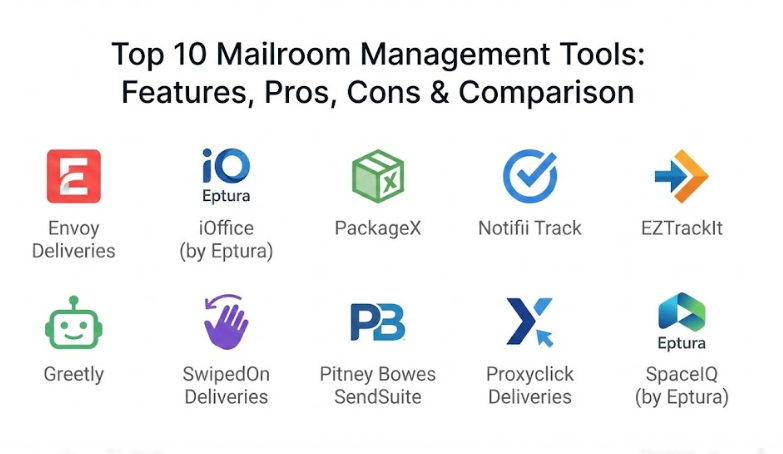
Top 10 Mailroom Management Tools
1 — Envoy Deliveries
Envoy Deliveries is a popular tool that focuses on making the front desk experience as smooth as possible for both staff and visitors. It is designed for modern offices that want a sleek, high-tech way to handle incoming mail without a lot of complicated training for the people using it. The software works by taking a simple photo of a package label and using smart technology to match the name to an employee directory.
- Key features:
- Automatic label scanning that reads names and tracking numbers instantly from a photo.
- Instant notifications sent to employees via Slack, Microsoft Teams, or email.
- A photo-based log that shows exactly what the package looked like when it arrived.
- Reminders that automatically nudge people to pick up their items if they forget.
- Easy-to-use dashboard that shows how much mail is currently waiting in the mailroom.
- Simple one-click “picked up” confirmation to clear items from the list.
- Detailed reporting that helps managers see which days are the busiest for deliveries.
- Pros:
- It is incredibly simple for anyone to pick up and start using with almost zero training time.
- The integration with office chat tools means employees see their alerts right away where they are already working.
- Cons:
- It can be a bit more expensive than basic tracking tools if you only need very simple features.
- Some users find that it works best only when paired with other Envoy products rather than as a standalone.
- Security & compliance: Offers secure data encryption, SOC 2 compliance, and keeps a detailed audit log of every person who handles a package.
- Support & community: Provides very high-quality online documentation, a helpful chat support team, and a large community of office managers who share tips.
2 — iOffice (by Eptura)
iOffice is a more powerful, enterprise-level tool that is part of a larger system for managing entire buildings. It is built for large corporations that need to track mail across multiple floors or even different buildings in a city. This tool is designed for professional mailroom staff who need to manage high volumes and perhaps even move mail between different company locations.
- Key features:
- Advanced tracking that follows a package from the loading dock to the employee’s desk.
- Barcode printing for internal mail so you can track items that didn’t come from a big carrier.
- Digital signature capture so you have proof of exactly who accepted the delivery.
- Chain of custody reporting which is vital for legal or high-security documents.
- Inventory management features for office supplies that are stored in the mailroom.
- Asset tracking to keep an eye on company equipment being shipped back and forth.
- Customizable alerts that can be tailored to different departments or sensitivity levels.
- Pros:
- It is very robust and can handle the needs of a massive company with thousands of employees.
- The ability to capture signatures provides a high level of accountability and stops packages from “disappearing.”
- Cons:
- The software is quite complex and will require some time for your staff to fully learn all the buttons.
- Because it is a professional-grade tool, the setup process can be longer than simpler apps.
- Security & compliance: Meets high enterprise standards including GDPR and SOC 2, and offers SSO (Single Sign-On) for better access control.
- Support & community: Offers dedicated account managers for big clients and a very deep library of training videos and manuals.
3 — PackageX
PackageX is a modern, mobile-first tool that uses advanced artificial intelligence to read labels better than almost any other software. It is designed for businesses that want to get rid of old scanning hardware and just use the smartphones their employees already have in their pockets. It is very fast and focuses on “touchless” operations, which has become very popular in recent times.
- Key features:
- AI-powered scanning that can read messy handwriting and damaged labels easily.
- Support for “Digital Mailroom” features where you can scan the inside of envelopes for users.
- No special hardware required; it works on any standard smartphone or tablet.
- Multi-language support which is great for international offices with diverse staff.
- Automated workflows that can route packages to specific lockers or storage areas.
- Real-time analytics that show how long packages typically sit before being collected.
- Bulk scanning allows a worker to scan ten boxes in a row without stopping.
- Pros:
- The scanning technology is top-tier and saves a lot of time by not failing on difficult labels.
- It is very flexible and can be used for offices, residential buildings, or even retail warehouses.
- Cons:
- Some of the advanced AI features might feel like overkill for a very small, simple office.
- The interface has many options, which might be slightly confusing for someone who just wants to scan a single letter.
- Security & compliance: Uses end-to-end encryption for all data and is compliant with standard privacy laws like GDPR.
- Support & community: Provides a very responsive help desk and regular updates that add new features based on what users ask for.
4 — Notifii Track
Notifii Track is a dedicated package tracking software that is built for speed and high-volume environments like apartment complexes and university mailrooms. It is designed to solve the specific problem of “package piles” by making the notification and pickup process as fast as a few seconds. It is a very reliable tool that has been a favorite in the property management industry for a long time.
- Key features:
- Rapid-fire scanning that lets you process a whole delivery truck’s worth of mail quickly.
- Custom email and text message alerts that can include a photo of the package.
- “Proof of Pickup” feature that lets people sign with their finger on a screen.
- Automated “aged package” reports that tell you which boxes have been sitting for too long.
- Kiosk mode that allows residents or employees to check themselves out.
- Simple search tool to find any package in the system by name, date, or carrier.
- Support for multiple locations so a manager can see all their buildings in one place.
- Pros:
- It is very focused on doing one thing—tracking packages—and it does that one thing extremely well.
- The text message alerts are very effective at getting people to come and get their mail quickly.
- Cons:
- It does not have as many “fancy” office integrations (like Slack) as some of the newer competitors.
- The design of the app is more functional than beautiful, which might matter to some modern offices.
- Security & compliance: Offers secure login options and keeps data safe in the cloud with regular backups and audit trails.
- Support & community: Known for having very friendly and helpful customer support that answers the phone quickly when you have a problem.
5 — EZTrackIt
EZTrackIt is a cloud-based mailroom system that was built by people who actually worked in mailrooms. Because of this, it is very practical and avoids a lot of the “fluff” that other software might include. It is designed to work in the toughest environments where speed is the most important factor and where the staff might not be “tech experts.”
- Key features:
- A “no-look” scanning feature that lets pros work through a pile without constantly checking the screen.
- Flexible label printing if you need to add your own internal tracking numbers.
- Works on any device with a web browser, meaning you don’t always need a specific app.
- Detailed history for every recipient so you can see their entire delivery record.
- High-level customization for the alerts you send out to your team or residents.
- Very fast data entry that minimizes the amount of typing a mailroom clerk has to do.
- Ability to handle “outbound” mail tracking as well as incoming packages.
- Pros:
- It is built for high-speed work, making it a favorite for university mail centers that get thousands of items.
- The setup is very straightforward and you can be up and running in a single afternoon.
- Cons:
- The user interface looks a bit older than some of the newer, “startup-style” apps on this list.
- It might lack some of the deep building management features that a tool like iOffice offers.
- Security & compliance: Uses secure SSL encryption for all data and offers role-based permissions to keep information private.
- Support & community: Offers excellent training sessions and has a very strong reputation for sticking with customers until they are successful.
6 — Greetly
Greetly is primarily a visitor management system, but it has a very strong mailroom module that is perfect for offices that want one tool to handle both guests and deliveries. It is a “kiosk-first” platform, meaning it is often used on an iPad at the front desk where delivery drivers can actually check themselves in.
- Key features:
- Self-service delivery mode where the driver scans the package at the front desk.
- Instant notifications to employees via phone call, text, email, or chat apps.
- Fully customizable screens so you can put your company logo on the check-in kiosk.
- No need for a full-time receptionist to manage every single delivery that walks in.
- Digital logbook that records every visitor and every package in one single place.
- Highly secure data storage that automatically deletes information after a set time if requested.
- Very simple “package left at front desk” or “signature required” options.
- Pros:
- It saves money by allowing the mailroom to run itself without needing a person standing there at all times.
- Having one app for both visitors and mail makes the front desk area look much cleaner and more organized.
- Cons:
- If you have a very high volume of mail (like 100+ items a day), a self-service kiosk might cause a “traffic jam” at the door.
- It is not as deep in “mailroom-specific” features like internal barcoding or warehouse management.
- Security & compliance: Very strong on privacy, offering SOC 2 compliance and features that help businesses stay compliant with local laws.
- Support & community: Offers 24/7 support for many plans and has a very easy-to-follow setup guide for beginners.
7 — SwipedOn Deliveries
SwipedOn is another tool that started with visitor management and added a brilliant deliveries feature. It is famous for being incredibly pretty and easy to look at, which makes it a popular choice for creative agencies, tech startups, and high-end coworking spaces that care about their brand image.
- Key features:
- A beautiful, clean interface that looks great on an iPad at your entrance.
- Simple “Snap and Send” feature where you just take a photo of the label to notify the owner.
- Batch scanning that allows you to process multiple items for the same person at once.
- Employee directory sync that keeps your list of names updated automatically.
- Option to require a photo of the person picking up the package for extra security.
- Carbon footprint tracking to see the environmental impact of your office deliveries.
- Multi-site management that lets you see mail status for all your different office locations.
- Pros:
- It is widely considered one of the most user-friendly designs in the entire industry.
- The setup is “plug and play,” meaning you don’t need an IT expert to help you get it started.
- Cons:
- It is a bit more of a “generalist” tool, so it might lack the very deep logistical features of iOffice.
- The price is based on the number of employees, which can get expensive for very large companies.
- Security & compliance: Fully GDPR compliant and uses secure cloud storage with high-level encryption for all recipient data.
- Support & community: They have a very high customer satisfaction rating and offer great live chat support that usually responds in minutes.
8 — Pitney Bowes SendSuite
Pitney Bowes is a legendary name in the world of mail, and SendSuite is their modern digital solution. This tool is built for serious mailrooms that handle high volumes of critical mail, such as government offices, hospitals, and large financial institutions. It is less of an “app” and more of a professional logistics system.
- Key features:
- Integration with professional handheld scanners for high-speed, accurate data entry.
- Detailed tracking of internal movements, showing every person who touched the mail.
- Automated desktop receiving that links directly into your company’s existing databases.
- High-level reporting that can track costs and efficiency across the entire organization.
- Capability to manage both incoming and outgoing mail within the same interface.
- Strong focus on “Chain of Custody” for legal and medical compliance.
- Support for multi-carrier environments (UPS, FedEx, DHL, and local couriers).
- Pros:
- This is the most “professional” tool on the list and can handle an almost unlimited amount of mail.
- Because the company has been around for decades, they understand the complex needs of very large organizations.
- Cons:
- It is much more expensive than the simple apps used by smaller startups.
- The software can feel a bit corporate and “heavy,” requiring more training for the average user.
- Security & compliance: Enterprise-grade security that meets the needs of government and healthcare regulations, including HIPAA.
- Support & community: Offers professional on-site installation, training, and 24/7 enterprise-level technical support.
9 — Proxyclick Deliveries
Proxyclick is a high-end tool that focuses on “The People Flow.” It is designed for large, global companies that want to manage how people, visitors, and packages move through their buildings safely and efficiently. It is a very polished tool that prioritizes security and a premium experience for employees.
- Key features:
- Smart matching that uses advanced logic to find the right employee even if the label is slightly wrong.
- Integration with physical access control (like badge readers) to verify who is picking up mail.
- Customizable workflows that can send different alerts for “perishable” or “urgent” items.
- Detailed analytics that help facility managers plan how much space they need for mail storage.
- A mobile app for employees that lets them manage their own delivery preferences.
- Support for “Smart Lockers” where the software can open a locker door automatically.
- Global settings that allow a company to have the same mail process in New York as they do in London.
- Pros:
- It offers a very high level of security and integration with other building systems.
- The user experience is very smooth and feels like a modern, high-quality piece of software.
- Cons:
- It is definitely a “premium” product with a price tag that reflects its advanced features.
- It might be too much software for a company that just wants to track a few boxes every day.
- Security & compliance: Excellent security credentials, including ISO 27001, SOC 2, and very strong GDPR privacy protections.
- Support & community: Offers global support in multiple languages and a dedicated success team for their larger clients.
10 — SpaceIQ (by Eptura)
SpaceIQ is a tool that looks at the mailroom as part of the overall “office space.” It is designed to help companies understand how they are using their physical space and how mail services can be made more efficient. It is part of the same family as iOffice but focuses more on the planning and layout side of facilities management.
- Key features:
- Visual mapping that shows where mail storage areas are located within the office plan.
- Tracking of package “dwell time” to see how long items are taking up space in the mailroom.
- Integration with other workplace tools to provide a single view of all office operations.
- Simple scanning and notification system that is easy for anyone to use.
- Reporting tools that help managers decide if they need a bigger mailroom or more staff.
- Ability to track internal assets and equipment as they move between different departments.
- Cloud-based system that ensures data is accessible from anywhere in the world.
- Pros:
- It is excellent for companies that are currently redesigning their offices or moving to a “hybrid” model.
- The data it provides helps businesses save money by using their physical office space more effectively.
- Cons:
- It is part of a larger suite of tools, so it might feel a bit complex if you only care about mail.
- Some of the visual features require you to set up your office floor plans in the system first.
- Security & compliance: High-level enterprise security including data encryption and compliance with international privacy standards.
- Support & community: Offers a very helpful knowledge base and professional services to help companies get their systems set up correctly.
Comparison Table
| Tool Name | Best For | Platform(s) Supported | Standout Feature | Rating |
| Envoy | Modern Offices | iOS, Android, Web | Slack/Teams Integration | 4.7 / 5 |
| iOffice | Enterprise Logistics | Web, Mobile | Barcode Printing | 4.4 / 5 |
| PackageX | AI-driven Scanning | iOS, Android, Web | AI Handwriting Recognition | 4.8 / 5 |
| Notifii Track | Apartment Buildings | iOS, Android, Web | Rapid SMS Alerts | 4.6 / 5 |
| EZTrackIt | High-Volume Mail | Web-Based | “No-Look” Scanning | 4.5 / 5 |
| Greetly | Self-Service Lobby | iPad, Web | Driver Self-Check-in | 4.3 / 5 |
| SwipedOn | Creative Agencies | iPad, Web | Carbon Footprint Tracking | 4.7 / 5 |
| Pitney Bowes | Critical Compliance | Specialized Hardware | Chain of Custody | 4.2 / 5 |
| Proxyclick | Global Corporations | iOS, Android, Web | Smart Locker Integration | 4.6 / 5 |
| SpaceIQ | Facilities Planning | Web, Mobile | Space Utilization Maps | 4.4 / 5 |
Evaluation & Scoring of Mailroom Management Tools
To help you understand how we look at these tools, we use a scoring system that weights different parts of the software. This helps you see why a “simple” tool might actually be better than a “complex” one depending on your needs.
| Evaluation Criteria | Weight | What We Look For |
| Core Features | 25% | Scanning accuracy, notification speed, and pickup tracking. |
| Ease of Use | 15% | How quickly a new employee can learn to scan a package. |
| Integrations | 15% | Does it work with Slack, Teams, and your employee list? |
| Security & Compliance | 10% | Data privacy, encryption, and keeping names safe. |
| Performance | 10% | Does the app crash or is it fast and reliable? |
| Support & Community | 10% | Is there someone to call when the scanner stops working? |
| Price / Value | 15% | Does the cost make sense for the number of items tracked? |
Which Mailroom Management Tool Is Right for You?
Making the final decision can be tough because many of these tools look similar at first. Here is a simple guide to help you find your match.
Solo Users vs SMB vs Mid-Market vs Enterprise
If you are an individual managing a small shared space, you want something like SwipedOn or Greetly because they are easy and don’t cost too much for a few users. Small and Medium Businesses (SMBs) should look at Envoy or PackageX for their balance of features and modern design. Mid-market companies often prefer Notifii or EZTrackIt because they are reliable workhorses. Huge enterprises with thousands of people need the power of iOffice, Pitney Bowes, or Proxyclick to stay organized.
Budget-Conscious vs Premium Solutions
If saving money is your main goal, look for tools that offer “pay as you go” or basic plans like Notifii. If you have a larger budget and want a “luxury” experience that makes your office look amazing, Proxyclick or Envoy are the way to go. Remember that a “cheap” tool might cost you more in the long run if it is slow and wastes your staff’s time.
Feature Depth vs Ease of Use
If your mailroom staff are not very tech-savvy, choose a tool that is famous for its simplicity, like Envoy or SwipedOn. If your staff are professional logistics workers who need every single piece of data possible, go for a “deep” tool like Pitney Bowes.
Integration and Scalability Needs
Think about the future. If you plan to open five more offices next year, you need a tool that can grow with you, like PackageX or SpaceIQ. Also, check if the tool talks to the software you already use. If you use Slack all day, a tool without a Slack integration will just feel like extra work.
Frequently Asked Questions (FAQs)
1. Do I need to buy a special scanner to use these tools?
Most modern tools like PackageX or Envoy work perfectly on any smartphone or tablet. However, for extremely high volumes, you might want a professional handheld scanner to speed things up even more.
2. Can these tools handle “Digital Mail” where you scan the contents?
Yes, some tools like PackageX offer a feature where staff can scan the inside of a letter and send it to the recipient as a PDF. This is perfect for remote workers who can’t come into the office.
3. What happens if a label is torn or the handwriting is very bad?
Advanced tools use artificial intelligence to “guess” the name based on the letters they can see and the list of people in your company. If it still can’t figure it out, most tools let you type the name in manually very quickly.
4. Are these systems secure for sensitive information?
Yes, high-quality tools use encryption to keep names and tracking numbers private. They also offer “audit logs,” which means you can see exactly which employee handled a package and when it was picked up.
5. How do I get my employees to actually pick up their packages?
The best way is to use tools that send “reminders.” If someone hasn’t picked up their box in 24 hours, the system can send them another friendly text or email to nudge them.
6. Can I use these tools for residential apartments?
Absolutely. Tools like Notifii Track are specifically built for apartment managers to handle the hundreds of boxes that residents order every day.
7. Is it possible to track “Outbound” mail too?
Some of the more professional tools like Pitney Bowes or EZTrackIt have features to track mail you are sending out, but many of the simpler apps focus mostly on incoming deliveries.
8. Do these tools work without an internet connection?
Most require an internet connection to send out the notifications. However, some apps will let you “save” the scans and send them all at once as soon as you get back on Wi-Fi.
9. How long does it take to set up one of these systems?
For the simple apps, you can usually be ready in about 30 minutes. For larger enterprise systems that need to link to your company’s internal databases, it might take a few days or even weeks.
10. What is the most common mistake people make when choosing a tool?
The biggest mistake is choosing a tool that is too complicated for the staff to use. If it takes too long to scan a package, the staff will stop using it and go back to writing things down on paper.
Conclusion
Finding the right mailroom management tool is about more than just picking a piece of software; it is about making your daily office life smoother and more organized. These tools help eliminate the stress of lost packages and the clutter of a messy lobby, allowing your team to focus on their real work instead of hunting for boxes. By moving to a digital system, you create a clear record of every delivery, which builds trust with your employees and residents while also saving hours of time every single week.
The best tool for your business depends entirely on your specific situation. A small tech startup will likely love the beautiful design and simple notifications of a tool like SwipedOn, while a massive hospital or government building will need the high-level security and deep tracking features of Pitney Bowes. There is no one “perfect” winner that fits everyone, but there is certainly a perfect fit for your unique team.
When you are ready to choose, take advantage of the free trials many of these companies offer. Let the people who actually handle the mail try the app for a few days to see if they find it helpful. If they can scan packages quickly and the alerts go out without any trouble, you have likely found the winner. In the end, a great mailroom tool is one that works so quietly and efficiently in the background that people almost forget it is there—until they get that happy notification that their package has arrived.