Introduction
Mac management tools, often referred to as Mobile Device Management (MDM) solutions for Apple hardware, are specialized software platforms designed to deploy, configure, and secure macOS devices. As Mac computers become increasingly common in the workplace, IT administrators need a way to manage these machines at scale without manually touching every laptop. These tools use Apple’s native management framework to send commands over the air, allowing teams to enforce security policies, install software, and track hardware inventory from a single central dashboard.
The importance of these tools has skyrocketed with the rise of remote work. Without a management tool, ensuring that a remote employee’s MacBook is encrypted and running the latest security patches is nearly impossible. Real-world use cases include “Zero-Touch Deployment,” where a new hire receives a shrink-wrapped Mac at their house, and the moment they connect to Wi-Fi, the management tool automatically installs their email, Slack, and security software. Other uses include remotely wiping a lost laptop or enforcing FileVault encryption across an entire fleet to meet legal compliance standards.
When evaluating Mac management tools, users should look for Apple-first design, the speed at which the vendor supports new macOS versions (Zero-Day support), the depth of their software packaging capabilities, and how well the tool handles “remediation”—automatically fixing a device when it falls out of compliance.
Who Benefits Most and Who Might Not Need It
Best for:
These tools are essential for IT Managers, Systems Administrators, and Security Officers. They are most beneficial for growing startups that need to secure their first 20–50 laptops and large enterprises managing thousands of global devices. Industries with high security requirements, such as Fintech, Healthcare, and Software Development, benefit the most because these tools provide the “proof of security” needed for audits like SOC 2 or HIPAA.
Not ideal for:
Small businesses or families with only two or three Macs likely do not need the complexity or cost of an enterprise management tool. In these cases, Apple’s built-in “Screen Time” or simple manual configuration is usually sufficient. Additionally, companies that are strictly Windows-based and only have one “rogue” Mac user might find that a cross-platform tool they already own is better than buying a specialized Mac-only solution.
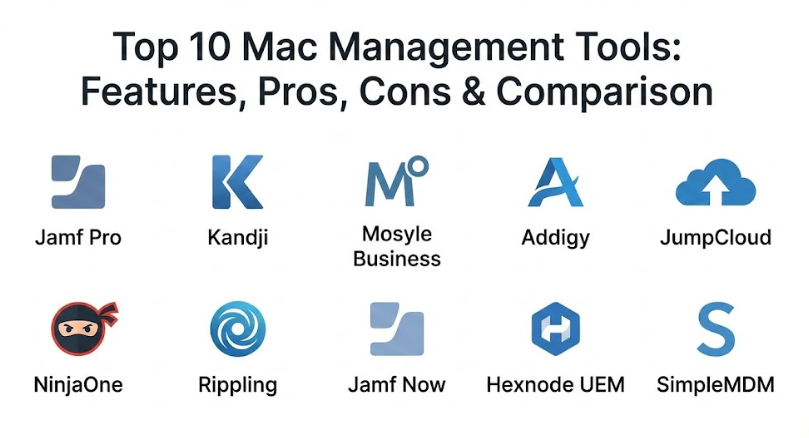
Top 10 Mac Management Tools
1 — Jamf Pro
Jamf Pro is widely considered the gold standard for Apple management. It is a deep, highly customizable platform designed for IT professionals who need total control over every aspect of the macOS environment.
- Key features:
- Comprehensive Smart Groups for automated device targeting.
- Self Service app store for user-driven software installations.
- Advanced policy engine for complex scripting and configuration.
- Patch management for third-party software applications.
- Deep integration with Apple Business Manager (ABM).
- Pros:
- Most powerful feature set available for Apple-only environments.
- Zero-day support for every new Apple OS release.
- Cons:
- Steep learning curve for new administrators.
- Higher price point compared to more basic MDM solutions.
- Security & compliance: SOC 2, GDPR, ISO 27001, and HIPAA compliant.
- Support & community: Famous “Jamf Nation” community with over 100,000 members and world-class enterprise support.
2 — Kandji
Kandji is a modern, cloud-native Mac management platform that focuses on automation and “one-click” compliance. It is designed for teams that want enterprise power without the complexity of old-school tools.
- Key features:
- 150+ pre-built “Blueprints” for instant security configurations.
- Automated remediation that fixes settings if a user changes them.
- Kandji Agent for deep, offline management capabilities.
- Zero-touch deployment support via Apple Business Manager.
- Elegant, user-friendly interface for non-technical admins.
- Pros:
- Saves massive amounts of time through pre-configured templates.
- Beautiful user interface that makes management tasks feel effortless.
- Cons:
- Less flexible for “edge cases” that require custom, complex scripting.
- Lacks some of the older legacy support features found in Jamf.
- Security & compliance: SOC 2 Type II, GDPR, and FedRAMP ready.
- Support & community: High-quality documentation and very responsive technical support.
3 — Mosyle Business
Mosyle has gained a massive following by offering a very powerful feature set at a significantly lower price point than many of its competitors. It is perfect for fast-growing companies that need to be budget-conscious.
- Key features:
- Automated macOS application installation and updates.
- Integrated endpoint security (antivirus) within the MDM agent.
- Strong “Single Sign-On” (SSO) integration for Mac login.
- Multi-tenant management for managing different branch offices.
- Comprehensive hardware and software inventory reporting.
- Pros:
- Exceptional value for money; often half the price of Jamf.
- Includes security features that usually require a separate purchase.
- Cons:
- The interface can be slightly more technical and less “polished.”
- Support response times can vary on the lower-tier plans.
- Security & compliance: SOC 2, GDPR, and HIPAA compliant.
- Support & community: Solid documentation and a growing community of IT professionals.
4 — Addigy
Addigy is a multi-tenant Mac management platform that is particularly popular among Managed Service Providers (MSPs) and companies that need real-time interaction with their devices.
- Key features:
- Live desktop and terminal access for immediate troubleshooting.
- Real-time monitoring and alerting for hardware health.
- Community-sourced “Facts” and “Scripts” library.
- Automated software patching for dozens of common Mac apps.
- Multi-tenant architecture for managing multiple separate clients.
- Pros:
- The best tool for “Live” management and remote troubleshooting.
- Very strong community-driven library of management scripts.
- Cons:
- Can feel a bit “busy” or cluttered for simple, single-company needs.
- Pricing can be complex depending on the number of features used.
- Security & compliance: SOC 2, GDPR, and enterprise encryption standards.
- Support & community: Highly active user community and strong partner support.
5 — JumpCloud
JumpCloud is a “directory platform” that combines Mac management with identity management. It is designed for companies that want to replace Active Directory and manage their Macs in one place.
- Key features:
- Combined MDM and Cloud Directory (Identity) services.
- Cross-platform support (Mac, Windows, and Linux).
- Zero-touch deployment and automated disk encryption.
- Policy-based management for system-wide security settings.
- Integrated Cloud RADIUS for secure Wi-Fi access.
- Pros:
- Great for managing the “User” and the “Device” in a single tool.
- Saves money by eliminating the need for a separate identity provider.
- Cons:
- Mac management features are not as deep as Mac-only tools like Jamf.
- Reporting capabilities for hardware inventory are somewhat basic.
- Security & compliance: SOC 2 Type II, GDPR, and HIPAA compliant.
- Support & community: Extensive knowledge base and 24/7 support for enterprise tiers.
6 — NinjaOne
NinjaOne is a broad IT management platform (RMM) that has recently invested heavily in its Mac management capabilities. It is ideal for IT teams managing a mix of Windows and Mac machines.
- Key features:
- Unified dashboard for Mac, Windows, and server management.
- Built-in remote control for hands-on support.
- Automated patch management for macOS and third-party apps.
- Detailed alerting for disk space, CPU usage, and battery health.
- Integrated cloud backup for Mac workstations.
- Pros:
- Best-in-class for teams that want one tool to rule all hardware.
- Very fast and lightweight agent that doesn’t slow down the Mac.
- Cons:
- MDM-specific features are still maturing compared to Apple-only tools.
- User interface is more geared toward “monitoring” than “deployment.”
- Security & compliance: SOC 2 Type II, GDPR, and ISO 27001.
- Support & community: Consistently rated as having the best customer support in the industry.
7 — Rippling
Rippling is an “Employee Management” platform that links Mac management directly to HR data. It is a unique solution for companies that want to automate onboarding and offboarding based on payroll events.
- Key features:
- Automatically orders and ships hardware to new employees.
- Installs apps and security profiles based on an employee’s job title.
- Instant offboarding: lock a Mac as soon as an employee is terminated in HR.
- Automated inventory tracking linked to the employee directory.
- Simple “App Store” for managing software licenses.
- Pros:
- Unmatched automation for onboarding and offboarding.
- Extremely easy to use for HR and non-technical founders.
- Cons:
- You generally have to use Rippling for HR/Payroll to get the full benefit.
- Limited advanced “under-the-hood” Mac configuration options.
- Security & compliance: SOC 2, GDPR, and HIPAA compliant.
- Support & community: Fast, modern support via chat and email for administrators.
8 — Jamf Now
Jamf Now is the “little brother” to Jamf Pro. It is a simplified, streamlined version of the platform designed for small businesses that need basic security without the complexity.
- Key features:
- Blueprints for quick device setup.
- Automated enrollment via Apple Business Manager.
- Remote wipe and lock for lost or stolen devices.
- Simple app distribution through the Volume Purchase Program (VPP).
- Email and Wi-Fi configuration profiles.
- Pros:
- Very easy to set up—can be running in less than 30 minutes.
- Extremely affordable for very small teams (first 3 devices free).
- Cons:
- Lacks advanced scripting, packaging, and custom smart groups.
- No support for managing “non-Apple” hardware.
- Security & compliance: SOC 2 and GDPR compliant.
- Support & community: Excellent chat-based support and a clean documentation portal.
9 — Hexnode UEM
Hexnode is a Unified Endpoint Management (UEM) tool that offers a vast array of features across all platforms, including specialized “Kiosk” modes for macOS.
- Key features:
- Comprehensive Kiosk mode for public-facing Macs.
- Dynamic grouping based on dozens of hardware parameters.
- Remote view and remote control for troubleshooting.
- Deep compliance engine with automated email alerts.
- Support for Apple TV and iPad management alongside Macs.
- Pros:
- Very flexible for unique setups like digital signage or kiosks.
- Support for almost every type of device imaginable (including IoT).
- Cons:
- The interface can be overwhelming due to the sheer number of options.
- Mac-specific feature updates can sometimes lag behind Apple-first rivals.
- Security & compliance: ISO 27001, SOC 2, GDPR, and HIPAA compliant.
- Support & community: 24/5 support and a highly detailed help center.
10 — SimpleMDM
SimpleMDM is exactly what it sounds like: a clean, fast, and powerful MDM that follows Apple’s native protocols to the letter. It is favored by “purist” admins who like clean APIs.
- Key features:
- Support for Munki (open-source software deployment) integration.
- Clean, well-documented API for custom automation.
- Shared iPad and macOS support.
- Automated OS updates and security patch enforcement.
- Real-time hardware and software inventory.
- Pros:
- No unnecessary “fluff”—it is fast, reliable, and strictly follows Apple standards.
- Excellent integration with popular open-source Mac admin tools.
- Cons:
- No built-in remote desktop or advanced identity features.
- Requires some knowledge of Mac admin “best practices” to use effectively.
- Security & compliance: SOC 2 Type II and GDPR compliant.
- Support & community: Highly technical and responsive support team.
Comparison Table
| Tool Name | Best For | Platform(s) Supported | Standout Feature | Rating (TrustReviewnow) |
| Jamf Pro | Enterprise Power | Apple (macOS, iOS, tvOS) | Smart Groups & Scripting | 4.8 / 5 |
| Kandji | Automated Compliance | Apple (macOS, iOS, tvOS) | Pre-built Blueprints | 4.7 / 5 |
| Mosyle Business | Budget-Conscious | Apple (macOS, iOS, tvOS) | Integrated Endpoint Security | 4.6 / 5 |
| Addigy | Real-time Troubleshooting | Apple (macOS, iOS, tvOS) | Live Terminal & Desktop | 4.5 / 5 |
| JumpCloud | Directory Integration | Mac, Windows, Linux | Integrated Identity Management | 4.6 / 5 |
| NinjaOne | Mixed Fleets | Mac, Windows, Linux | Unified RMM Dashboard | 4.8 / 5 |
| Rippling | HR-led Automation | Mac, Windows | Payroll/HR Integration | 4.5 / 5 |
| Jamf Now | Small Businesses | Apple (macOS, iOS) | Ease of Setup | 4.4 / 5 |
| Hexnode UEM | Kiosk & Digital Signage | Mac, Windows, iOS, Android | Multi-platform Kiosk Mode | 4.3 / 5 |
| SimpleMDM | MDM Purists | Apple (macOS, iOS, tvOS) | Munki Integration | 4.6 / 5 |
Evaluation & Scoring of Mac Management Tools
Choosing the right tool requires weighing technical power against ease of use and price. The scores below reflect the general consensus of IT professionals in the current market.
| Evaluation Category | Weight | Industry Average Score | Weighted Score |
| Core MDM Features | 25% | 9.0 / 10 | 2.25 |
| Ease of Use | 15% | 8.0 / 10 | 1.20 |
| Integrations & Ecosystem | 15% | 7.5 / 10 | 1.13 |
| Security & Compliance | 10% | 9.5 / 10 | 0.95 |
| Performance & Reliability | 10% | 9.0 / 10 | 0.90 |
| Support & Community | 10% | 8.5 / 10 | 0.85 |
| Price / Value | 15% | 7.0 / 10 | 1.05 |
| Total Weighted Score | 100% | N/A | 8.33 / 10 |
Which Mac Management Tool Is Right for You?
The “best” tool depends entirely on your specific organizational structure and future plans.
Solo Users vs SMB vs Mid-Market vs Enterprise
If you are a solo user or a tiny startup, Jamf Now or the free tier of Mosyle is the place to start. For mid-market companies (50–500 employees), Kandji and Mosyle Business offer the best balance of speed and power. Large enterprises with complex security requirements and legacy scripts will likely find that only Jamf Pro or Addigy provides the depth they need.
Budget-Conscious vs Premium Solutions
If saving money is your primary goal, Mosyle is nearly impossible to beat for the features it provides. However, if “time is money” and you want to automate everything so you never have to think about it again, a premium automation tool like Kandji or an HR-integrated tool like Rippling is worth the extra investment.
Feature Depth vs Ease of Use
If you love writing scripts and customizing every pixel of the user experience, you will enjoy the depth of Jamf Pro or SimpleMDM. If you want a tool that “just works” out of the box with pre-made templates, you will be much happier with Kandji or Jamf Now.
Integration and Scalability Needs
Consider your other tools. If you are a Windows-heavy shop, NinjaOne or JumpCloud will save you from having to learn two different systems. If you are an Apple-only creative agency, stick with a specialized Apple-first tool like Jamf or Kandji to ensure you always have the latest macOS features on day one.
Frequently Asked Questions (FAQs)
1. What is Apple Business Manager (ABM)?
ABM is a free web-based portal from Apple. It is not an MDM tool itself, but it is the “foundation” that allows your Mac management tool to automatically enroll and manage devices.
2. Can these tools manage iPhones and iPads too?
Yes, almost every tool on this list can manage iOS and iPadOS devices alongside your Macs, as they use the same underlying Apple management framework.
3. What is “Zero-Touch Deployment”?
This is a process where a company buys a Mac from a vendor, and it is shipped directly to the employee. The employee opens it, connects to Wi-Fi, and the MDM tool automatically configures everything without an IT person ever touching the machine.
4. Can I manage Macs without a management tool?
You can, but it is very difficult at scale. You would have to manually set up every user, manually check for updates, and you would have no way to remotely lock or wipe a lost device.
5. Do these tools slow down the Mac?
Modern MDM tools use Apple’s built-in framework, which is extremely lightweight. Unlike old-school Windows antivirus, you will typically not notice any performance impact.
6. Can employees see what IT is doing on their Mac?
Most tools are transparent. On macOS, users can see that a “Management Profile” is installed in System Settings, and tools like Jamf have a “Self Service” app that users can see.
7. How much do these tools usually cost?
Pricing usually ranges from $1 to $7 per device per month. Some offer “per user” pricing, which is better if one employee has both a MacBook and an iPad.
8. Can I switch from one MDM tool to another later?
It is possible, but it can be a headache. It usually requires “un-enrolling” from the old tool and “re-enrolling” in the new one, which sometimes requires user interaction.
9. What happens if I lose a managed Mac?
From your management dashboard, you can send a “Remote Lock” or “Remote Wipe” command. The next time that Mac connects to the internet, it will be instantly erased.
10. Do these tools work with non-Apple software like Microsoft Office?
Yes. These tools can push out almost any software package, including Office 365, Adobe Creative Cloud, Slack, and Zoom.
Conclusion
The days of managing Macs with spreadsheets and manual updates are long gone. Whether you have 10 Macs or 10,000, a Mac management tool is no longer a luxury—it is a security requirement. Choosing the right one is about finding the sweet spot between technical power, ease of use, and your budget.
If you want the absolute most power, Jamf Pro remains the king. If you want the most modern, automated experience, Kandji is the rising star. And if you need to manage a mixed environment of Windows and Mac, NinjaOne or JumpCloud will be your best friends. Ultimately, the best tool is the one that empowers your employees to do their best work while keeping your company data safe and compliant.