Introduction
Linux Fleet Management Tools are specialized software solutions designed to automate the deployment, configuration, monitoring, and security patching of Linux-based systems at scale. These tools provide a centralized “cockpit” where administrators can push updates, enforce security policies, and ensure that every machine in the network is healthy and compliant without ever having to log into a single terminal manually.
The importance of fleet management has skyrocketed with the rise of DevOps and IoT. In the real world, these tools are used to manage massive web server clusters, coordinate software updates for thousands of point-of-sale (POS) systems, and maintain security across globally distributed edge computing nodes. When evaluating these tools, users should look for robust automation capabilities, support for diverse Linux distributions (like Ubuntu, CentOS, and Debian), detailed auditing logs, and the ability to scale without performance lag. A good fleet management tool doesn’t just save time; it acts as a safeguard against human error and security vulnerabilities.
Best for: System administrators, DevOps engineers, and Site Reliability Engineers (SREs) in mid-market to enterprise companies. It is essential for industries like telecommunications, finance, and software development that rely on large-scale Linux infrastructure.
Not ideal for: Hobbyists with one or two servers or small businesses with a very limited IT footprint. For these users, basic shell scripts or simple built-in tools like Cron and SSH are more than enough and avoid the complexity of a full management platform.
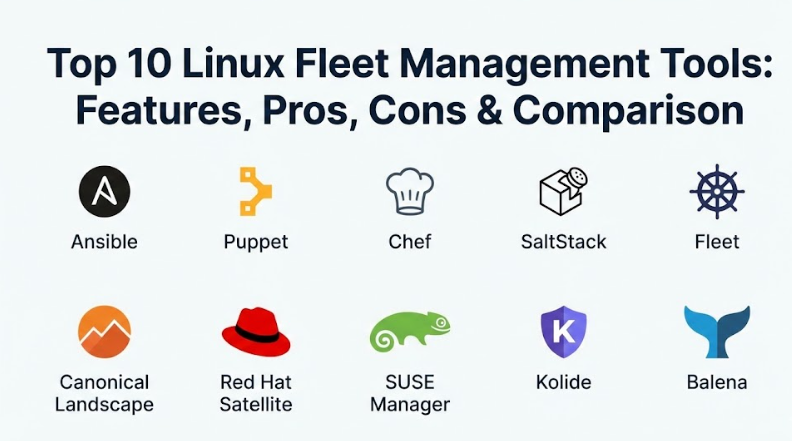
Top 10 Linux Fleet Management Tools
1 — Ansible
Ansible is an open-source automation engine that simplifies complex IT tasks. It is “agentless,” meaning it doesn’t require software to be installed on the managed nodes, making it one of the easiest tools to deploy across a Linux fleet.
- Key features:
- Agentless architecture using standard SSH for communication.
- Uses YAML-based “Playbooks” which are easy for humans to read and write.
- Idempotent nature ensures that the system state is only changed if necessary.
- Huge library of modules for managing everything from users to cloud resources.
- Ansible Tower (AWX) provides a web-based UI and role-based access control.
- Strong integration with CI/CD pipelines.
- Pros:
- Very low barrier to entry for beginners because of its simple syntax.
- Since there are no agents to manage, there is less overhead on the target servers.
- Cons:
- Performance can slow down significantly when managing thousands of nodes simultaneously.
- Lacks a “pull” mode by default, which can be a limitation for edge devices that aren’t always online.
- Security & compliance: Supports SSO through Ansible Tower, SSH-based encryption, and full audit logs for playbook execution.
- Support & community: Backed by Red Hat with a massive community, extensive documentation, and paid enterprise support.
2 — Puppet
Puppet is one of the “old guard” of configuration management. It uses a declarative language to define the state of a system and an agent-based model to ensure that servers stay in that state, automatically correcting any “drift.”
- Key features:
- Declarative DSL (Domain Specific Language) for defining system configurations.
- Agent-based architecture that checks in regularly with a central master.
- Automatic drift correction—if a user manually changes a file, Puppet changes it back.
- Puppet Forge offers thousands of pre-built modules for various tasks.
- Detailed reporting on which nodes are compliant and which are not.
- Support for “Bolt,” an agentless task runner for quick ad-hoc commands.
- Pros:
- Excellent for long-term stability and maintaining a strict “source of truth” for server states.
- Very mature and battle-tested in massive enterprise environments.
- Cons:
- The learning curve for Puppet’s custom DSL is quite steep for new users.
- Managing the Puppet Master server can be a complex task in itself.
- Security & compliance: Role-based access control (RBAC), SSL/TLS for all communication, and SOC 2 compliance for enterprise versions.
- Support & community: High-quality enterprise support, a professional certification path, and a very active community forum.
3 — Chef
Chef treats infrastructure as code, allowing developers to write “Recipes” and “Cookbooks” in Ruby. It is highly flexible and powerful, making it a favorite for organizations with strong development teams.
- Key features:
- Infrastructure as Code (IaC) using Ruby-based definitions.
- Chef Infra Client runs on each node to pull configurations from the server.
- Chef InSpec for automated compliance and security testing.
- Chef Habitat for packaging applications and their configurations together.
- Powerful search capabilities to find specific nodes based on attributes.
- Integration with all major cloud providers for automated scaling.
- Pros:
- The use of Ruby allows for incredibly complex and logical configuration scripts.
- Great for “Compliance as Code,” making it easy to pass security audits.
- Cons:
- Requires Ruby knowledge, which can be a hurdle for traditional system admins.
- Can feel “over-engineered” for simpler fleet management tasks.
- Security & compliance: Integrates with SSO, uses encrypted data bags for secrets, and follows CIS benchmarks.
- Support & community: Strong corporate backing from Progress (formerly Chef Software), with extensive training and enterprise support.
4 — SaltStack (Salt)
SaltStack is built for speed and scale. It uses a high-speed communication bus to send commands to thousands of servers in seconds, making it the preferred choice for massive cloud infrastructures.
- Key features:
- High-speed ZeroMQ-based communication bus for near-instant execution.
- Supports both agent-based (Minions) and agentless (SSH) modes.
- Event-driven automation—Salt can react to system events in real-time.
- Uses Python and YAML for configuration, making it very accessible.
- Salt Pillars for securely managing sensitive information like passwords.
- Orchestration features to coordinate tasks across multiple tiers of servers.
- Pros:
- Unmatched performance when it comes to the sheer speed of command execution.
- The event-driven system allows for “self-healing” infrastructure.
- Cons:
- The configuration can become very complex as you scale into advanced features.
- Documentation has historically been seen as less organized than Ansible or Puppet.
- Security & compliance: AES encryption for all traffic, RBAC, and integration with VMware’s security suite.
- Support & community: Now owned by VMware, offering high-end enterprise support and a large open-source community.
5 — Fleet (Fleet Device Management)
Fleet is a modern, open-source tool built specifically for managing distributed devices and servers using osquery. It is designed to give you a live, searchable view of your entire Linux fleet.
- Key features:
- Built on top of osquery, allowing you to “query” your servers like a database.
- Real-time visibility into running processes, logged-in users, and hardware status.
- Policy enforcement—check if all servers have disk encryption or specific patches.
- Lightweight agent that has minimal impact on system performance.
- Web-based UI and powerful CLI for managing nodes.
- Native support for Linux, macOS, and Windows.
- Pros:
- The best tool for getting instant answers to questions like “Which servers have this vulnerability?”
- Very easy to deploy and use for security and compliance monitoring.
- Cons:
- It is primarily a monitoring and auditing tool, not a full configuration engine like Ansible.
- You might need to pair it with another tool to actually fix the issues it finds.
- Security & compliance: SSO integration, encrypted communication, and detailed audit logs of every query run.
- Support & community: Growing community, excellent documentation, and paid enterprise support with advanced features.
6 — Canonical Landscape
Landscape is the official management tool for Ubuntu. If your fleet is primarily running Ubuntu, Landscape provides a deeply integrated way to manage updates, monitoring, and compliance.
- Key features:
- Centralized dashboard for managing Ubuntu desktops, servers, and cloud instances.
- Automated package management and security patching.
- Grouping features to apply policies to specific subsets of the fleet.
- Monitoring of CPU, memory, and disk usage with alert triggers.
- Support for managing “Snaps” (packaged applications).
- Can be run on-premise or as a hosted service.
- Pros:
- Provides the most seamless experience for Ubuntu-specific features and kernels.
- Very straightforward to set up for teams already familiar with the Ubuntu ecosystem.
- Cons:
- Limited usefulness for fleets that use a mix of different Linux distributions (like RHEL or Suse).
- The UI feels a bit dated compared to some modern SaaS management tools.
- Security & compliance: HIPAA and GDPR compliance features, SSO, and secure patch management.
- Support & community: Direct support from Canonical, the makers of Ubuntu.
7 — Red Hat Satellite
For organizations that rely on Red Hat Enterprise Linux (RHEL), Satellite is the gold standard. It provides a complete lifecycle management system for RHEL environments, from provisioning to patching.
- Key features:
- Manages RHEL subscriptions and software repositories centrally.
- Provisioning on physical, virtual, and cloud infrastructure.
- Integration with Ansible for configuration management.
- Detailed drift analysis and compliance reporting.
- Content “Views” to control exactly which patches go to which servers.
- Support for “Capsules” to manage remote sites and reduce bandwidth.
- Pros:
- Essential for managing complex RHEL licensing and software versions at scale.
- Extremely robust security and patch management for mission-critical systems.
- Cons:
- Very high cost, as it requires RHEL subscriptions and its own licensing.
- Can be very complex to learn and requires a dedicated administrator for large setups.
- Security & compliance: SOC 2, HIPAA, and GDPR compliant; integrated with Red Hat Insights for proactive risk management.
- Support & community: World-class enterprise support from Red Hat.
8 — SUSE Manager
SUSE Manager is an open-source infrastructure management solution designed to help IT teams reduce complexity and regain control over their IT assets, even if they aren’t all running SUSE Linux.
- Key features:
- Manages multiple Linux distributions (SUSE, RHEL, Ubuntu, CentOS).
- Automated patching and configuration using SaltStack.
- Compliance auditing based on OpenSCAP standards.
- Provisioning for bare metal, VMs, and containers.
- Graphical visualization of your entire infrastructure.
- Integrated monitoring and alerting.
- Pros:
- One of the best “multi-distro” managers, allowing you to manage RHEL and Ubuntu from one place.
- Built-in Salt integration makes it very powerful for automation.
- Cons:
- The interface is functional but can be overwhelming due to the number of features.
- Like Red Hat Satellite, it can be a significant financial investment.
- Security & compliance: Strong focus on security with OpenSCAP and automated CVE (vulnerability) patching.
- Support & community: Enterprise support from SUSE and a solid community around the Uyuni project (its open-source base).
9 — Kolide
Kolide is a “user-first” fleet management and security tool. While it works across Linux, it is unique because it focuses on involving the users of the machines to help solve security problems.
- Key features:
- Slack-based notifications for security and health issues.
- “Honest Security” approach—tells users why a check is being run and how to fix it.
- Real-time queries of the fleet using osquery.
- Checks for things like plain-text passwords, outdated browsers, and missing updates.
- Inventory tracking for hardware and software across the fleet.
- Beautiful, modern web UI for administrators.
- Pros:
- Incredible user experience; it feels like a modern SaaS app, not an old IT tool.
- Excellent for remote teams where you need to manage laptops and workstations.
- Cons:
- Not designed for managing backend “headless” servers or massive cloud clusters.
- The “user-focused” approach might not fit strict, traditional corporate IT cultures.
- Security & compliance: SOC 2 Type II compliant, SSO, and privacy-focused design.
- Support & community: Fast, friendly support and a very high-quality blog/documentation site.
10 — Balena (BalenaCloud)
Balena is a specialized fleet management tool for IoT and Edge devices running Linux. If your “fleet” consists of thousands of Raspberry Pis or industrial computers, Balena is the leader.
- Key features:
- Container-based deployment (Docker) for edge devices.
- Robust “over-the-air” (OTA) updates that are fail-safe.
- balenaOS—a lightweight Linux distro optimized for edge reliability.
- Centralized dashboard to see the status and logs of every device.
- Remote terminal access for troubleshooting devices in the field.
- Support for a wide range of hardware (RPi, Jetson, NUC).
- Pros:
- Solves the hardest problem in IoT: updating software on remote devices without “bricking” them.
- The container approach makes it very easy to move from development to production.
- Cons:
- Very specific to IoT/Edge; not a general-purpose tool for managing data center servers.
- You are largely tied into the Balena ecosystem for the best experience.
- Security & compliance: Secure boot support, encrypted communication, and SOC 2 compliance.
- Support & community: Very active developer community and tiered support plans for businesses.
Comparison Table
| Tool Name | Best For | Platform(s) Supported | Standout Feature | Rating |
| Ansible | Quick Automation | Almost All (Agentless) | Human-readable YAML | 4.8 |
| Puppet | State Stability | Major Distros | Automated Drift Correction | 4.5 |
| Chef | Developers / IaC | Major Distros | Infrastructure as Ruby Code | 4.4 |
| SaltStack | Large Scale Speed | Major Distros | High-speed Event Bus | 4.6 |
| Fleet | Live Auditing | Linux, macOS, Win | osquery SQL-based Queries | 4.7 |
| Landscape | Ubuntu Fleets | Ubuntu Only | Native Ubuntu Integration | 4.2 |
| RH Satellite | RHEL Environments | RHEL Only | Lifecycle/Sub Management | 4.5 |
| SUSE Manager | Multi-Distro Fleets | SUSE, RHEL, Ubuntu | OpenSCAP Compliance | 4.4 |
| Kolide | User Devices | Linux, macOS, Win | Slack-based Remediation | 4.9 |
| Balena | IoT & Edge | Linux (balenaOS) | Fail-safe OTA Updates | 4.8 |
Evaluation & Scoring of Linux Fleet Management Tools
Choosing the right tool requires balancing several competing priorities. We have evaluated these tools based on the following weighted rubric:
| Category | Weight | Evaluation Criteria |
| Core Features | 25% | Automation, patching, monitoring, and provisioning power. |
| Ease of Use | 15% | Installation complexity and learning curve for daily tasks. |
| Integrations | 15% | How well it fits with cloud providers, CI/CD, and CRMs. |
| Security & Compliance | 10% | Audit logs, SSO, encryption, and compliance standards. |
| Performance | 10% | Speed of execution and impact on system resources. |
| Support & Community | 10% | Quality of help, docs, and size of the user ecosystem. |
| Price / Value | 15% | Total cost of ownership vs. time saved and risks reduced. |
Which Linux Fleet Management Tools Tool Is Right for You?
Solo Users vs SMB vs Mid-Market vs Enterprise
If you are a Solo User or a small startup, Ansible is the runaway winner due to its simplicity and agentless nature. For Mid-Market companies with mixed environments, Fleet or SUSE Manager provide a great balance of visibility and control. Enterprises with strict regulatory needs and huge RHEL or Ubuntu footprints should look at Red Hat Satellite or Canonical Landscape for the deep, vendor-supported integration.
Budget-Conscious vs Premium Solutions
If budget is your primary concern, Ansible (open source) and SaltStack (open source) are the most powerful free tools available. If you have a larger budget and need a “premium” experience with 24/7 support and high-end security features, Red Hat Satellite or Kolide are worth the investment.
Feature Depth vs Ease of Use
If you want something that “just works” out of the box with a beautiful UI, Kolide or Landscape are excellent. However, if you need Feature Depth—the ability to rebuild a server from scratch with a single command—you should invest the time to learn Chef or SaltStack.
Integration and Scalability Needs
For those running massive cloud infrastructures, SaltStack is the king of scalability. If your fleet is distributed at the edge (IoT), Balena is the only logical choice. Always consider how the tool connects to your current stack; for instance, if you live in Slack, Kolide will feel like a natural extension of your team.
Security and Compliance Requirements
If your main goal is passing a security audit (like SOC 2 or HIPAA), tools like Fleet and Chef (with InSpec) are specifically designed to turn compliance into an automated process. They don’t just manage the fleet; they prove to auditors that the fleet is secure.
Frequently Asked Questions (FAQs)
1. What is the difference between “agentless” and “agent-based”?
Agentless tools (like Ansible) use standard protocols like SSH to talk to servers, so you don’t need to install extra software. Agent-based tools (like Puppet) require a small “agent” program to run on every server to manage tasks locally.
2. Can I use these tools for Windows servers too?
Most of these tools (Ansible, Puppet, Salt, Fleet) have support for Windows, but their “heart and soul” is Linux. If your fleet is 90% Windows, you might look at Microsoft-specific tools like Intune or SCCM instead.
3. Does fleet management help with security?
Yes, immensely. These tools allow you to push security patches to thousands of machines at once and monitor for “drift” where a server’s security settings have been accidentally changed.
4. How long does it take to learn these tools?
Ansible can be learned in a few days. Tools like Chef or Puppet, which require learning a specific coding language or DSL, can take several weeks or months to master.
5. Is fleet management expensive?
Open-source versions are free to use. However, for enterprise features like web UIs, role-based access, and support, you will typically pay a per-node annual fee.
6. What is “drift”?
Drift happens when the actual state of a server changes from its intended state—for example, if a developer manually edits a configuration file. Good fleet tools detect this and automatically fix it.
7. Can I manage IoT devices with these tools?
Standard tools like Salt can work for IoT, but specialized tools like Balena are much better because they handle the unique challenges of weak internet connections and power failures.
8. Do these tools work in the cloud?
Yes, all of them are “cloud-aware.” They can automatically find new servers as they are created in AWS, Google Cloud, or Azure and begin managing them immediately.
9. What is “Infrastructure as Code”?
It is the practice of managing your servers using configuration files (like YAML or Ruby) instead of clicking buttons in a UI. This allows you to track changes using versions, just like software code.
10. What is the most common mistake when starting?
The biggest mistake is trying to automate everything at once. Start small—automate just your user accounts or your security patches—and grow from there as you get comfortable with the tool.
Conclusion
Managing a Linux fleet doesn’t have to be a source of stress. Whether you are looking after ten servers or ten thousand, there is a tool designed to make your life easier. For those who want speed and modern queries, Fleet and osquery are changing the game. For those who need rock-solid enterprise stability, Red Hat Satellite and Puppet remain the standard-bearers.
What matters most is choosing the tool that fits your team’s skills and your organization’s specific needs. Don’t buy a Ferrari if you only need to drive to the grocery store—similarly, don’t pick SaltStack for two servers if Ansible can do the job in half the time.
By automating your Linux fleet management, you are not just saving time; you are building a more secure, more predictable, and more professional IT infrastructure.