Introduction
Knowledge-Centered Support (KCS) Tools are specialized platforms designed to integrate the creation and maintenance of knowledge directly into the support workflow. Instead of treating documentation as an afterthought, KCS tools allow support agents to capture new information while they are solving a problem, reuse existing solutions to speed up response times, and evolve the collective intelligence of the organization in real time.
The importance of these tools lies in their ability to break down information silos and reduce the “reinvention of the wheel.” When an agent solves a unique problem, the KCS tool ensures that the solution is immediately available to every other agent. Real-world use cases include reducing onboarding time for new hires, powering self-service portals that deflect simple tickets, and maintaining a high level of consistency across global support teams. When evaluating these tools, organizations should prioritize ease of integration with existing help desks, robust search capabilities powered by AI, and features that support the “Double Loop” process—ensuring both the quality of individual articles and the health of the entire knowledge system.
Best for: Customer support managers, IT service desks, and enterprise-level customer success teams who deal with high ticket volumes and complex technical queries. It is ideal for companies in the SaaS, Telecommunications, and Financial Services industries where information changes rapidly.
Not ideal for: Very small teams with a low volume of simple, unchanging requests. If your “knowledge base” consists of five static FAQs that haven’t changed in two years, a full KCS platform may be overkill, and a simple shared document or basic wiki would be more cost-effective.
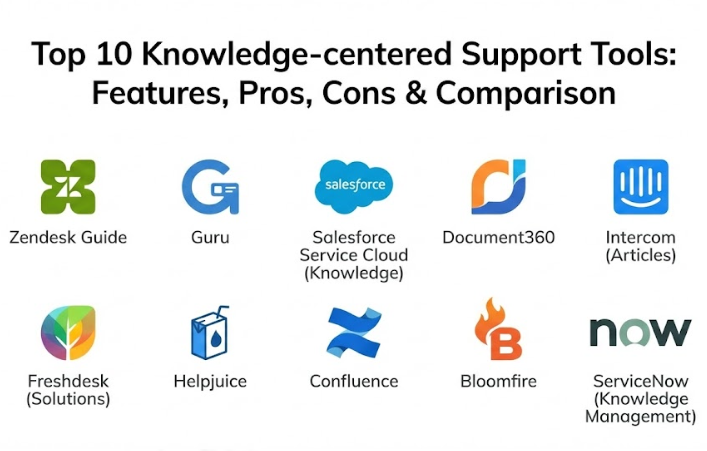
Top 10 Knowledge-Centered Support Tools
1 — Zendesk Guide
Zendesk Guide is the built-in knowledge management module for the widely used Zendesk support suite. It is designed to work seamlessly with Zendesk Support, allowing agents to pull in articles directly into tickets and turn ticket resolutions into new knowledge base entries.
Key features:
- Knowledge Capture app that allows agents to search and link articles within a ticket.
- Answer Bot which uses AI to automatically respond to customers with relevant articles.
- Community forums for user-generated content and peer-to-peer support.
- Multi-language support with specialized translation workflows.
- Content Cues which use machine learning to suggest which articles to create or update.
- Detailed analytics on article performance and search trends.
- Theme-based customization for branded self-service portals.
Pros:
- Deep integration with the Zendesk ecosystem makes it incredibly easy for existing users to adopt.
- Excellent AI-driven ticket deflection capabilities that lower support costs over time.
Cons:
- Advanced AI features and reporting are often locked behind the higher-priced Enterprise tiers.
- Customizing the look and feel beyond basic themes can require knowledge of HTML/CSS.
Security & compliance: SOC 2, GDPR compliant, HIPAA support (on specific plans), ISO 27001, and SSO integration.
Support & community: Extensive documentation, a massive global user community, 24/7 technical support, and specialized onboarding for enterprise clients.
2 — Guru
Guru is a knowledge management solution that focuses on “bringing knowledge to where you work.” It uses a browser extension and Slack integration to ensure that support agents never have to leave their active window to find an answer.
Key features:
- Browser extension that overlays knowledge on top of any CRM or support tool.
- Slack integration that captures knowledge directly from chat conversations.
- Verification workflow that ensures every card has an owner and an expiration date.
- AI-powered search that understands natural language queries.
- Knowledge triggers that automatically surface relevant info based on the page an agent is viewing.
- Robust analytics to see which knowledge is actually being used.
- Syncing capabilities to pull in knowledge from external sources like Google Docs or Confluence.
Pros:
- The “verification” system ensures that knowledge doesn’t become stale or outdated.
- Eliminates the “context switching” that slows down agents when they have to open a separate portal.
Cons:
- Not a full-service help desk; you still need a separate tool for ticketing.
- The “Card” format may feel restrictive for long-form, complex technical documentation.
Security & compliance: SOC 2 Type II, GDPR, encryption at rest and in transit, and SAML SSO support.
Support & community: High-quality knowledge base, responsive customer success teams, and an active Slack community for users.
3 — Salesforce Service Cloud (Knowledge)
Salesforce Knowledge is the integrated knowledge management component of the world’s most powerful CRM. It is built for large-scale enterprises that need their support knowledge to live right next to their customer data.
Key features:
- Deep integration with Salesforce cases, allowing for one-click article attaching.
- Einstein AI which recommends articles to agents and customers based on case details.
- Advanced permission sets to control who can view, create, or publish content.
- Support for multiple article types (e.g., FAQs, Troubleshooting Guides, Product Manuals).
- Global search that indexes both internal knowledge and external data sources.
- Automated translation workflows for multi-national support teams.
- Versioning and archiving to keep a history of every knowledge change.
Pros:
- Provides a 360-degree view of the customer and the information used to solve their issues.
- Highly scalable and customizable to meet the needs of the most complex organizations.
Cons:
- Steep learning curve and complex setup often require a certified Salesforce administrator.
- High total cost of ownership, as it requires a Salesforce license for every user.
Security & compliance: FedRAMP, HIPAA, SOC 1/2/3, ISO 27001/27017/27018, and GDPR compliant.
Support & community: World-class support ecosystem, Trailhead learning paths, and massive global community events.
4 — Document360
Document360 is a standalone knowledge base platform that excels at both internal knowledge management and public self-service portals. It is designed for teams that want a dedicated, high-performance space for their documentation.
Key features:
- Markdown and WYSIWYG editors to accommodate different writing styles.
- Category Manager for organizing complex hierarchies of information.
- Version control and rollback capabilities for every article.
- Knowledge Base Assistant (widget) that can be embedded into any website or app.
- Private knowledge bases with SSO and IP address restriction.
- Real-time search that provides results as the user types.
- Localization support for creating documentation in multiple languages.
Pros:
- The interface is incredibly clean and intuitive, making it a favorite for technical writers.
- Fast setup; you can have a professional-looking knowledge base live in a few hours.
Cons:
- Pricing can escalate quickly based on the number of projects and versions.
- Fewer native help desk integrations compared to Zendesk or Salesforce.
Security & compliance: SOC 2 Type II compliant, GDPR, data encryption, and support for Okta and Azure AD SSO.
Support & community: Detailed documentation, personalized onboarding, and 24/5 customer support.
5 — Intercom (Articles)
Intercom Articles is a modern knowledge management tool designed to work with Intercom’s messenger-based support platform. It is focused on speed, chat-based resolution, and proactive support.
Key features:
- Seamless integration with Intercom Messenger for chat-based article delivery.
- Resolution Bot that uses AI to deflect common questions using articles.
- Integrated feedback loop (emojis) to measure article helpfulness.
- Smart “search-to-article” analytics that show what customers are looking for but not finding.
- Multi-language support with automatic browser language detection.
- Simple, visually appealing article layouts that look great on mobile.
- Team inbox integration for agents to quickly search and send links during a chat.
Pros:
- Perfect for companies that rely on a “chat-first” support philosophy.
- The feedback loop makes it very easy to identify which articles need improvement.
Cons:
- Very limited customization for those who want a traditional, full-page knowledge base.
- The tool is heavily tied to the Intercom ecosystem and doesn’t stand well alone.
Security & compliance: SOC 2 Type II, GDPR, encryption, and HIPAA support (on specific plans).
Support & community: Excellent in-app support, a large community of “Intercom Champions,” and a comprehensive Help Center.
6 — Freshdesk (Solutions)
Freshdesk Solutions is the KCS component of the Freshworks suite. It focuses on affordability and ease of use, making it an excellent choice for mid-market companies that need professional knowledge management.
Key features:
- Convert ticket replies into knowledge base articles with one click.
- Freddy AI for article suggestions and automated customer responses.
- Multi-product support, allowing one team to manage knowledge for multiple brands.
- Community forums integrated directly with the knowledge base.
- Advanced SEO controls to ensure public help articles rank in search engines.
- Solution article approvals to ensure content quality before publishing.
- Detailed reports on “helpful” vs “unhelpful” ratings.
Pros:
- Highly intuitive interface that requires almost zero training for new agents.
- Offers one of the most generous free tiers for small businesses starting their KCS journey.
Cons:
- The AI features are not as mature as those found in Salesforce or Zendesk.
- Advanced customization options are somewhat limited compared to enterprise rivals.
Security & compliance: ISO 27001, SOC 2, GDPR, HIPAA, and data encryption.
Support & community: Responsive customer support, active user forums, and a vast library of “how-to” videos.
7 — Helpjuice
Helpjuice is a high-performance, standalone knowledge base software known for its incredibly powerful search and “custom-made” approach to customer portals. It is built for companies that want a premium, high-converting self-service experience.
Key features:
- Advanced search that claims to be as fast as Google for internal data.
- Custom theme design; the Helpjuice team will design your portal for you.
- Intelligent AI that suggests relevant articles to authors as they write.
- Detailed “search-to-action” analytics showing exactly what users do after a search.
- Collaborative editing features similar to Google Docs.
- Unlimited versions for every article with easy comparison tools.
- API and multiple native integrations with tools like Slack and Chrome.
Pros:
- The search functionality is among the best in the industry, finding results in seconds.
- Their “design as a service” offering takes the burden of portal branding off your IT team.
Cons:
- Expensive compared to simple integrated modules in help desk software.
- Lacks a built-in community forum or ticketing system.
Security & compliance: SOC 2, HIPAA support, GDPR, and enterprise-grade SSO.
Support & community: Personalized onboarding, 24/7 support, and a high-quality technical blog.
8 — Confluence (with Service Management)
Atlassian Confluence, when paired with Jira Service Management, creates a KCS powerhouse for technical teams. It is designed for IT and software development organizations where internal and external knowledge overlap.
Key features:
- Direct link between Jira tickets and Confluence knowledge articles.
- Powerful “Page Templates” to ensure consistency across technical documentation.
- Macros for including live Jira data or code snippets in articles.
- Collaborative workspaces for team-based article drafting and review.
- Integrated “Internal” vs “External” viewing permissions.
- Advanced versioning and page history for audit compliance.
- Marketplace with thousands of apps to extend functionality (e.g., Draw.io for diagrams).
Pros:
- The best solution for organizations already using the Atlassian stack (Jira, Bitbucket).
- Extremely powerful for complex, collaborative, and highly technical documentation.
Cons:
- The interface can be overwhelming and “noisy” for non-technical users.
- Pricing can be complex, requiring both Jira and Confluence licenses for full KCS loops.
Security & compliance: SOC 2/3, ISO 27001/27018, HIPAA, FedRAMP, and GDPR compliant.
Support & community: Massive global user groups, “Atlassian University” for training, and an extensive third-party consultant network.
9 — Bloomfire
Bloomfire is a knowledge engagement platform that focuses on “social” knowledge sharing. It is designed for large organizations where information is often trapped in videos, slide decks, and whitepapers rather than just text articles.
Key features:
- Deep indexing of video and audio content, allowing users to search for spoken words.
- Social features like “Following” topics and “Liking” or “Commenting” on posts.
- AI-powered auto-tagging to help categorize content without manual effort.
- Q&A engine that captures questions and stores answers for future use.
- Customizable “Communities” for different departments or product lines.
- Integration with major cloud storage providers like Box and OneDrive.
- Robust analytics to identify “Knowledge Leaders” within the company.
Pros:
- Excellent for multi-media knowledge, making video tutorials as searchable as text.
- Encourages a culture of sharing rather than just static consumption.
Cons:
- Not specifically built for support ticketing; it is a broader knowledge tool.
- The “social” aspect requires a certain company culture to be successful.
Security & compliance: SOC 2 Type II, GDPR, data encryption, and SAML SSO.
Support & community: High-touch customer success, personalized training, and regular webinars.
10 — ServiceNow (Knowledge Management)
ServiceNow is the gold standard for IT Service Management (ITSM). Its knowledge management module is built on the KCS v6 standards, making it the top choice for organizations that want to follow the official methodology to the letter.
Key features:
- KCS v6 verified workflows for creating, reviewing, and evolving knowledge.
- Integrated “Knowledge Demand” feature to identify gaps based on search failures.
- Advanced versioning with “Translation Task” automation.
- AI Search that uses contextual information to provide personalized results.
- Built-in quality checklists to ensure articles meet KCS standards.
- Seamless integration with Incident, Problem, and Change Management modules.
- Portal and Mobile app support for end-user self-service.
Pros:
- The most rigorous adherence to professional KCS standards in the industry.
- Designed for massive, global enterprises with millions of daily support interactions.
Cons:
- Extremely expensive and complex; implementation can take months and require specialized consultants.
- The user interface is more “utilitarian” and less modern than tools like Intercom or Guru.
Security & compliance: FedRAMP High, HIPAA, SOC 1/2, ISO 27001, and extensive global regulatory compliance.
Support & community: Global enterprise support, ServiceNow Community forums, and extensive professional certification paths.
Comparison Table
| Tool Name | Best For | Platform(s) Supported | Standout Feature | Rating |
| Zendesk Guide | High-volume CS teams | Web, Mobile | AI Content Cues | 4.4 / 5 |
| Guru | Real-time agent support | Web, Slack, Extension | Browser Overlay | 4.6 / 5 |
| Salesforce | Large Enterprise Data | Web, Mobile, Cloud | Einstein AI Integration | 4.3 / 5 |
| Document360 | Technical Writers | Web | Markdown/WYSIWYG Dual Editor | 4.5 / 5 |
| Intercom | Messenger-based support | Web, iOS, Android | Resolution Bot | 4.4 / 5 |
| Freshdesk | Mid-market affordability | Web, Mobile | One-click Article Creation | 4.2 / 5 |
| Helpjuice | Fast, high-end search | Web | Design-as-a-Service | 4.5 / 5 |
| Confluence | Software/IT Teams | Web, Desktop | Jira Service Management Sync | 4.4 / 5 |
| Bloomfire | Video/Social knowledge | Web, Mobile | Searchable Video Content | 4.3 / 5 |
| ServiceNow | IT/KCS V6 Compliance | Web, Mobile, On-Prem | KCS v6 Verified Workflows | 4.1 / 5 |
Evaluation & Scoring of Knowledge-Centered Support Tools
Selecting the right tool requires an objective assessment of your organization’s maturity and specific pain points. We have evaluated these tools based on the following weighted criteria:
| Criteria | Weight | What We Looked For |
| Core Features | 25% | AI search, KCS loop support, article versioning, and feedback loops. |
| Ease of Use | 15% | Agent-facing UI, editor quality, and search speed. |
| Integrations | 15% | Native help desk connectors and open API robustness. |
| Security & Compliance | 10% | SOC 2, HIPAA, GDPR, and SSO support. |
| Performance | 10% | Uptime, search accuracy, and mobile responsiveness. |
| Support | 10% | Documentation quality and technical support speed. |
| Price / Value | 15% | Cost-to-feature ratio and ROI for different team sizes. |
Which Knowledge-Centered Support Tool Is Right for You?
The “best” tool doesn’t exist; there is only the best tool for your current situation.
Solo Users vs SMB vs Mid-Market vs Enterprise
If you are an SMB, tools like Freshdesk or Document360 offer a professional experience without the enterprise price tag. Mid-Market companies often find the best value in Zendesk Guide or Guru, where AI begins to play a larger role in deflection. For Enterprises, the choice is usually between Salesforce, Confluence, or ServiceNow, depending on whether you are focused on sales data, technical development, or IT service standards.
Budget-Conscious vs Premium Solutions
If budget is the primary concern, Freshdesk and Zendesk’s lower tiers provide a great entry point. If you are looking for a premium, custom-branded experience where cost is secondary to performance and search speed, Helpjuice is the gold standard.
Feature Depth vs Ease of Use
If your primary goal is to get information to agents immediately while they are in the middle of a chat, Guru is the winner for ease of use. However, if you need deep features like automated translation tasks, complex permission hierarchies, and full KCS v6 compliance, ServiceNow offers unmatched depth.
Integration and Scalability Needs
Always start with what you already use. If your developers live in Jira, go with Confluence. If your sales team lives in Salesforce, stick with Salesforce Knowledge. The cost of “fighting” the integration between two different ecosystems is usually higher than the license cost itself.
Frequently Asked Questions (FAQs)
1. What is the difference between a Knowledge Base and KCS?
A Knowledge Base is a place to store information. KCS (Knowledge-Centered Support) is a methodology where that information is created, updated, and improved during the support process rather than as a separate documentation project.
2. How do KCS tools deflect tickets?
They use AI and self-service portals to show relevant articles to customers before they can submit a ticket. This allows customers to solve their own problems instantly, reducing the load on your support team.
3. Is KCS only for IT teams?
No. While it started in IT, KCS is now used by customer success, HR, and even sales teams to ensure that the entire company has access to the most accurate information.
4. Can I migrate my existing documentation to these tools?
Yes. Most tools offer import features for Word, PDF, or CSV files. Some, like Helpjuice and Zendesk, offer professional services to help you migrate from legacy systems.
5. How long does it take to see an ROI?
Most companies see a reduction in “Average Handle Time” within 3-6 months. Ticket deflection ROI usually takes slightly longer, as it requires building up a robust article library.
6. Do I need a technical writer to use these tools?
Not necessarily. KCS is built on the idea that every support agent is a writer. However, many companies use “Knowledge Coaches” or technical editors to review articles before they go public.
7. Can these tools handle video content?
Yes. Tools like Bloomfire are specialized for video, while most others allow you to embed videos from YouTube, Vimeo, or Wistia directly into articles.
8. What is the “Double Loop” in KCS?
The “Solve Loop” is the process of agents creating and reusing knowledge. The “Evolve Loop” is the management process of looking at search data and analytics to improve the whole system.
9. Are these tools mobile-friendly?
Most modern tools like Intercom and Zendesk are mobile-responsive out of the box. ServiceNow and Salesforce offer dedicated mobile apps for internal staff.
10. How much do KCS tools cost?
Integrated modules can cost $15–$50 per agent/month. Standalone premium tools like Helpjuice or enterprise platforms like ServiceNow can cost significantly more, often requiring custom quotes.
Conclusion
The evolution of Knowledge-Centered Support Tools has turned the support desk from a cost center into a knowledge engine. By choosing a tool that aligns with your team’s workflow—whether that’s the chat-first approach of Intercom, the technical depth of Confluence, or the official standards of ServiceNow—you are investing in the long-term intelligence of your company.
The most important factor isn’t the number of features, but how easily your agents can contribute to the knowledge loop. A tool that is too hard to use will remain empty, while a simple tool that agents love will quickly become your company’s most valuable asset. Choose wisely, focus on adoption, and let your collective knowledge do the heavy lifting.