Introduction
An IT Helpdesk Chatbot is a specialized conversational artificial intelligence (AI) designed to act as the first point of contact for technical support within an organization. Unlike general-purpose chatbots, these tools are trained specifically on IT terminology, troubleshooting workflows, and software environments. They function by understanding employee queries—ranging from “How do I reset my password?” to “Why isn’t the VPN connecting?”—and providing instant solutions or automating the necessary backend tasks to resolve the issue.
The importance of these chatbots lies in their ability to eliminate “ticket fatigue” for IT departments. By resolving up to 80% of routine, repetitive inquiries instantly, they allow human IT staff to focus on complex security threats and infrastructure projects. Real-world use cases include automated password resets, software installations, hardware troubleshooting guides, and seamless ticket creation when a human intervention is eventually required. When choosing a tool, users should evaluate the bot’s Natural Language Understanding (NLU), its ability to integrate with existing ITSM (IT Service Management) tools, and how easily it can perform “actions” (like unlocking an account) rather than just providing links to documentation.
Best for: IT Helpdesk Chatbots are most beneficial for mid-to-large scale enterprises and rapidly growing tech companies with high employee counts. They are essential for IT Managers, Chief Information Officers (CIOs), and HR departments looking to improve internal employee experience and operational efficiency across various industries like Finance, Healthcare, and SaaS.
Not ideal for: Very small businesses with fewer than 50 employees may not see a significant return on investment, as the volume of IT tickets may not justify the implementation cost. In such cases, a well-organized internal FAQ page or a simple ticketing email system might be a more practical and cost-effective alternative.
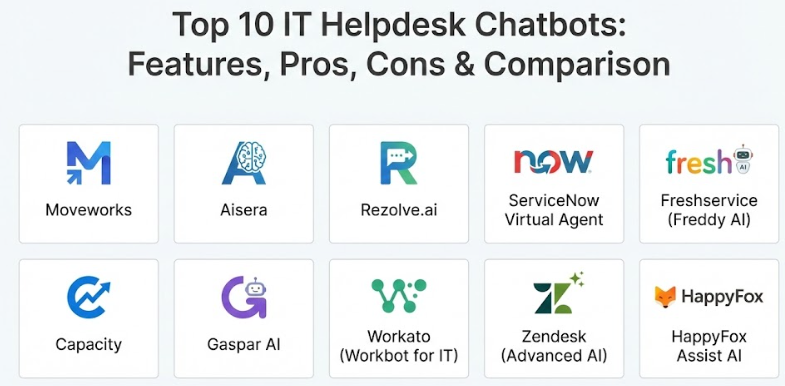
Top 10 IT Helpdesk Chatbots Tools
1 — Moveworks
Moveworks is an AI-first platform that uses advanced Natural Language Understanding to resolve IT, HR, and finance issues autonomously. It is designed for large enterprises that want a “hands-off” approach where the AI learns from the company’s unique knowledge base and ticket history.
- Key features:
- Autonomous resolution of IT tickets without human intervention.
- Deep integration with Slack, Microsoft Teams, and major ITSM tools.
- Advanced NLU that understands complex, multi-part technical queries.
- Automatic knowledge gap identification to suggest new help articles.
- Real-time employee communications and mass notifications.
- Predictive analytics to identify emerging IT trends.
- Cross-departmental support (IT, HR, Finance, Facilities).
- Pros:
- It requires very little “manual training” compared to traditional rule-based bots.
- Significantly reduces the “Mean Time to Resolution” (MTTR) by solving problems in seconds.
- Cons:
- The pricing is geared toward large enterprises and can be quite high.
- Implementation requires a high volume of historical data to be truly effective.
- Security & compliance: SOC 2 Type II, GDPR, HIPAA, ISO 27001, and SAML-based SSO.
- Support & community: Dedicated customer success managers, extensive technical documentation, and 24/7 enterprise support.
2 — Aisera
Aisera is an AI-driven Service Management (AISM) platform that automates tasks and workflows for IT, HR, and Customer Service. It focuses on a “self-learning” model that improves its troubleshooting accuracy over time.
- Key features:
- Conversational AI and RPA (Robotic Process Automation) integration.
- Automated ticket categorization and intelligent routing.
- Support for over 70 languages natively.
- Multi-channel support across web, mobile, email, and chat apps.
- Pre-built workflows for common IT issues like password resets.
- Real-time user sentiment analysis to escalate frustrated users.
- Advanced analytics dashboard for tracking deflection rates.
- Pros:
- Excellent at handling complex workflows that require multi-step approvals.
- The self-learning engine reduces the long-term maintenance burden on IT staff.
- Cons:
- Initial setup and configuration can be complex for smaller IT teams.
- Some users report that the administrative interface is slightly less intuitive than competitors.
- Security & compliance: SOC 2, HIPAA, GDPR, and FedRAMP (for government entities).
- Support & community: Comprehensive onboarding, technical webinars, and global enterprise support.
3 — Rezolve.ai
Rezolve.ai is a modern IT service desk chatbot that lives entirely within Microsoft Teams and Slack. It is designed to provide “Invisible Helpdesk” services by meeting employees where they already work.
- Key features:
- Deep, native integration with Microsoft Teams and Slack.
- Skills-based routing to ensure complex tickets reach the right specialist.
- Automated “task-bot” for hardware requests and software access.
- Built-in Knowledge Management system to turn docs into chat responses.
- Live chat transition for seamless handoffs to human agents.
- Micro-learning modules to train employees on new software.
- Out-of-the-box integration with Jira, Freshservice, and ServiceNow.
- Pros:
- Extremely high adoption rates because employees don’t have to leave their chat app.
- Very fast deployment time, often going live in just a few weeks.
- Cons:
- Heavily reliant on the organization using Teams or Slack as their primary tool.
- Reporting features are good but less granular than “heavyweight” enterprise platforms.
- Security & compliance: SOC 2, GDPR, and data encryption at rest and in transit.
- Support & community: Strong focus on customer success, active user community, and 24/7 help desk.
4 — ServiceNow Virtual Agent
The Virtual Agent is an integral part of the ServiceNow platform, designed for companies that already use ServiceNow for their ITSM. It provides a highly customizable conversational interface for all employee needs.
- Key features:
- Native integration with the ServiceNow Dataverse and CMDB.
- Natural Language Understanding (NLU) tailored for IT workflows.
- Visual “Designer” tool for building custom conversation flows without code.
- Predictive Intelligence to suggest the best resolution path.
- Multi-channel support (Teams, Slack, Web, Facebook Workplace).
- Integrated “Agent Chat” for a unified workspace for human agents.
- Automatic language translation for global workforces.
- Pros:
- If you already use ServiceNow, the integration is seamless and requires no external data bridges.
- Highly powerful customization options for organizations with unique IT processes.
- Cons:
- Can be overwhelmingly complex for organizations that don’t need a full ITSM suite.
- Requires specialized ServiceNow knowledge to configure and maintain effectively.
- Security & compliance: SOC 1/2, ISO 27001, HIPAA, GDPR, and FedRAMP.
- Support & community: Massive global ecosystem, “ServiceNow Community” forums, and extensive training through Now Learning.
5 — Freshservice (Freddy AI)
Freddy AI is the intelligent assistant for Freshservice (by Freshworks). It is designed to be a “plug-and-play” solution for mid-market and enterprise companies looking for an easy-to-use AI.
- Key features:
- Automated ticket deflection through a smart knowledge base.
- Generative AI capabilities for summarizing long ticket histories.
- Simple “no-code” bot builder for custom troubleshooting paths.
- Integration with major communication platforms like Teams and Slack.
- Intelligent ticket field suggester for human agents.
- Automated “Thank You” detector to prevent ticket re-opening.
- Solution article suggester for faster manual resolutions.
- Pros:
- Known for its extremely user-friendly interface and fast setup.
- Great balance between “power” and “simplicity” for mid-sized organizations.
- Cons:
- Generative AI features often require higher-tier “Pro” or “Enterprise” plans.
- Less advanced than Moveworks or Aisera in terms of autonomous “action-taking.”
- Security & compliance: ISO 27001, SOC 2, HIPAA, and GDPR compliant.
- Support & community: Excellent online academy, 24/7 email/phone support, and a vibrant user community.
6 — Capacity
Capacity is an AI-powered support automation platform that connects your entire tech stack to answer questions and automate repetitive tasks for both employees and customers.
- Key features:
- A “Knowledge Base” that can ingest PDFs, websites, and cloud files.
- Deep integration with over 400 apps via its own integration platform.
- Guided conversations for complex troubleshooting (e.g., VPN setup).
- Workflow automation builder to trigger actions across different apps.
- Co-pilot features to assist human agents with real-time suggestions.
- Developer-friendly API for highly custom internal tools.
- Centralized help center for non-chat based self-service.
- Pros:
- Its ability to connect to hundreds of different apps makes it a powerful automation hub.
- Very strong at mining existing company documents to generate answers.
- Cons:
- The vast amount of integrations can lead to a longer “mapping” and setup period.
- Some users find the initial learning curve for the workflow builder to be steep.
- Security & compliance: SOC 2 Type II, HIPAA, and GDPR.
- Support & community: High-touch implementation support and detailed documentation.
7 — Gaspar AI
Gaspar AI is a specialized IT helpdesk chatbot designed to automate the employee support experience within Slack and Microsoft Teams. It focuses specifically on the “Internal IT” use case.
- Key features:
- Automated password resets and account unlocking natively in chat.
- Instant answers sourced from Confluence, Notion, and help docs.
- One-click ticket creation and tracking within the chat interface.
- “Employee 360” view to help agents understand the user’s context.
- Automated onboarding and offboarding workflows.
- Smart notifications for IT outages or maintenance.
- Multi-ITSM support (Jira, ServiceNow, Zendesk, Freshservice).
- Pros:
- Highly focused on the IT niche, so it doesn’t have “feature bloat” from other departments.
- Very affordable pricing model for mid-market companies.
- Cons:
- Smaller ecosystem compared to giants like ServiceNow or Salesforce.
- Does not support as many “non-standard” communication channels (like custom web apps).
- Security & compliance: SOC 2 Type II, GDPR, and ISO standards.
- Support & community: Personalized onboarding and responsive customer support teams.
8 — Workato (Workbot for IT)
Workbot by Workato is less of a standalone bot and more of an “enterprise automation” interface. It allows IT teams to build complex, cross-platform workflows that employees can trigger via chat.
- Key features:
- Ability to build custom “Recipe” workflows across 1,000+ apps.
- Enterprise-grade security and governance controls.
- Support for “verified” actions that require multi-factor authentication.
- Dynamic menus and forms within Slack and Microsoft Teams.
- Intelligent ticket triage based on sentiment and urgency.
- Automated provisioning of software licenses (SaaS management).
- Real-time sync between the bot and the backend ITSM system.
- Pros:
- Unmatched flexibility; you can automate almost any technical process imaginable.
- Excellent for companies that need to connect legacy systems with modern chat apps.
- Cons:
- Not a “pre-trained” bot; you have to build out most of the workflows yourself.
- Pricing is based on “recipes” and can become expensive for complex organizations.
- Security & compliance: SOC 2 Type II, GDPR, HIPAA, and ISO 27001.
- Support & community: Massive library of pre-built community recipes and 24/7 technical support.
9 — Zendesk (Advanced AI)
Zendesk provides an AI-powered portal and chatbot experience that focuses on ease of deployment and customer-centric support principles, adapted for internal IT.
- Key features:
- “Answer Bot” for instant deflection of routine help articles.
- Generative AI tools to change the tone of agent responses (expand/friendly).
- Integrated “Knowledge Management” to keep help docs current.
- Advanced ticket routing based on agent expertise and availability.
- Side Conversations to allow IT to talk to vendors without leaving the ticket.
- Marketplace with 1,000+ integrations for IT-specific tools.
- Multi-brand support for large holding companies.
- Pros:
- A great choice for companies that want one platform for both internal IT and external customer support.
- The interface is incredibly polished and requires minimal user training.
- Cons:
- Deep IT automation (like password resets) usually requires third-party app integrations.
- Can become pricey as you add “AI” add-on licenses to your base subscription.
- Security & compliance: ISO 27001, SOC 2, HIPAA, and GDPR compliant.
- Support & community: Global presence, 24/7 support, and extensive online training through Zendesk Relate.
10 — HappyFox Assist AI
Assist AI by HappyFox is a simple yet powerful conversational AI built specifically for internal teams using Slack, Microsoft Teams, and Zoom.
- Key features:
- Direct integration with Slack and Teams as an “App.”
- Answers queries by scanning Confluence, Jira, and HappyFox Knowledge Base.
- Simple ticket creation and status checking for employees.
- Easy handoff to human agents with full conversation context.
- Out-of-the-box support for IT, HR, and Operations.
- Sentiment analysis to prioritize critical issues.
- Dashboard to track deflection rates and common un-answered questions.
- Pros:
- Very low barrier to entry for smaller IT teams.
- The setup is “set it and forget it” for basic knowledge-based queries.
- Cons:
- Lacks the deep “robotic process automation” (RPA) found in enterprise tools.
- Not ideal for highly complex, multi-stage infrastructure troubleshooting.
- Security & compliance: GDPR and SOC 2 compliant; data encryption.
- Support & community: Dedicated support for paid plans and a straightforward knowledge base.
Comparison Table
| Tool Name | Best For | Platform(s) Supported | Standout Feature | Rating |
| Moveworks | Large Enterprises | Slack, Teams, Web | Fully Autonomous Resolution | 4.8 / 5 |
| Aisera | Workflow Automation | Web, Mobile, Chat | AISM Self-Learning Engine | 4.6 / 5 |
| Rezolve.ai | Teams/Slack Users | Teams, Slack | “Invisible Helpdesk” UX | 4.7 / 5 |
| ServiceNow | ServiceNow Orgs | Web, Teams, Slack | Native CMDB Integration | 4.5 / 5 |
| Freshservice | Mid-Market Ease | Web, Teams, Slack | Generative AI Summaries | 4.5 / 5 |
| Capacity | Complex Integrations | Web, Teams, Mobile | 400+ Direct App Connections | 4.3 / 5 |
| Gaspar AI | Pure IT Focus | Teams, Slack | Native IT Password Resets | N/A |
| Workato | Custom Workflows | Slack, Teams, API | Recipe-based Automation | N/A |
| Zendesk AI | Unified Support | Web, Teams, Social | Polished, Multi-use CX | 4.4 / 5 |
| Assist AI | Fast Deployment | Slack, Teams, Zoom | Simple Slack/Teams App Setup | N/A |
Evaluation & Scoring of IT Helpdesk Chatbots
To provide an objective overview, we have scored the overall IT Helpdesk Chatbot category based on industry standards and user feedback.
| Evaluation Category | Weight | Score (1-10) | Explanation |
| Core Features | 25% | 9.0 | Advanced NLP and ticket deflection are now standard in top-tier tools. |
| Ease of Use | 15% | 7.5 | While setup is getting easier, enterprise tools still require technical skill. |
| Integrations | 15% | 8.5 | Connectivity with Slack, Teams, and ITSMs is excellent across the board. |
| Security & Compliance | 10% | 10.0 | High security standards are non-negotiable for IT-facing tools. |
| Performance | 10% | 8.5 | Response times are generally sub-second, though NLU accuracy varies. |
| Support & Community | 10% | 8.0 | Established players offer great resources, though niche bots vary. |
| Price / Value | 15% | 7.0 | Enterprise AI is expensive, though ROI through deflection is high. |
Which IT Helpdesk Chatbots Tool Is Right for You?
Selecting an IT chatbot is less about finding the “best” AI and more about finding the one that matches your current tech stack and team size.
Solo Users vs SMB vs Mid-Market vs Enterprise
If you are an SMB with limited IT staff, look for “plug-and-play” solutions like Freshservice or HappyFox Assist AI. These tools allow you to provide a professional support experience without needing an AI engineer. Mid-market companies with complex software stacks should consider Rezolve.ai or Gaspar AI. For massive Global Enterprises, the only realistic choices are Moveworks, ServiceNow, or Aisera, which can handle the sheer volume and security requirements of thousands of employees.
Budget-Conscious vs Premium Solutions
If budget is the primary driver, HappyFox and Zendesk offer predictable, per-agent pricing that is easier for Finance departments to swallow. However, if your goal is massive ROI through labor reduction, “Premium” solutions like Moveworks are often worth the high cost because they resolve issues autonomously, potentially saving the salary of several full-time IT agents.
Feature Depth vs Ease of Use
There is a classic trade-off here. Workato and ServiceNow offer infinite depth but are difficult to master. Conversely, HubSpot-style simplicity found in Freshservice is great for getting started quickly, but you might find yourself hitting a “wall” if you need to build a highly specific, custom automation for a legacy piece of software.
Frequently Asked Questions (FAQs)
1. Can an IT chatbot actually reset my password?
Yes. Modern chatbots (like Moveworks or Gaspar AI) connect directly to Active Directory or Okta. Once the user’s identity is verified, the bot triggers a script to reset the password without any human help.
2. Do I need to write a thousand FAQs before the bot works?
No. Advanced bots can “crawl” your existing documents (like SharePoint, Notion, or Confluence) and generate answers on the fly using AI. You only need to build specific “flows” for complex actions.
3. Will employees actually use a chatbot?
Adoption is usually highest when the bot lives in Slack or Microsoft Teams. If employees can get an answer in the app they already have open, they are 3x more likely to use the bot than to visit a web portal.
4. How long does it take to set up?
A basic bot can be live in 2–4 weeks. A deeply integrated enterprise bot that automates software provisioning and hardware requests typically takes 3–6 months to fully mature.
5. Does the chatbot replace human IT staff?
No. It replaces the boring tasks. By handling password resets and “Where is the printer?” questions, the bot frees up your human staff to work on high-value security and infrastructure projects.
6. Is my company’s data safe?
Yes. Leading IT chatbots are built with “Enterprise Grade” security. They use encryption, follow GDPR/HIPAA rules, and allow you to control exactly which documents the AI is allowed to read.
7. Can the bot tell if a user is getting angry?
Yes. This is called “Sentiment Analysis.” If the bot detects frustration or repeated failed attempts, it can automatically “escalate” the chat to a live human agent with a summary of the problem.
8. What happens if the bot doesn’t know the answer?
The best bots will say “I’m not sure,” and then offer to create a ticket for you. They will then pull the relevant information (user ID, error message, computer model) into the ticket to save the IT agent time.
9. Can these bots handle non-English speakers?
Most top-tier bots (like Aisera or ServiceNow) support dozens of languages. They can translate a query from Spanish to English, allow the agent to respond in English, and translate it back to the user instantly.
10. What is the most common mistake when launching a bot?
Trying to do too much at once. The best practice is to start by automating the top 3 most common issues (like password resets, VPN help, and Wi-Fi access) and then expanding over time.
Conclusion
The introduction of AI into the IT helpdesk is no longer a futuristic concept—it is a modern operational necessity. A high-quality IT Helpdesk Chatbot does more than just answer questions; it acts as a digital nervous system that connects your employees to the resources they need to stay productive. While the “best” tool depends on whether you value deep ITSM integration (ServiceNow), autonomous resolution (Moveworks), or chat-native simplicity (Rezolve.ai), the outcome is the same: a faster, more efficient workplace.
When making your final choice, prioritize the Employee Experience. If the bot is easy to talk to and actually solves problems instead of just linking to long articles, your team will embrace it. Start small, focus on your most common tickets, and let the AI grow alongside your organization.