Introduction
An intranet platform is a private and secure network that only people within a specific company can access. Think of it like a private version of the internet where employees can go to find company news, talk to their teammates, and get the documents they need to do their jobs. It is a central digital home for everything happening inside a business. These platforms are used to make sure everyone is on the same page, especially when people are working from different offices or from their own homes. Without a good intranet, important messages can get lost in too many emails, and employees might feel disconnected from the company culture.
Having a strong intranet is important because it builds a sense of community and makes daily work much smoother. Real-world examples include a large hospital using an intranet to share new health policies with nurses, or a retail company using one to send out weekly sales updates to thousands of store workers at once. It is also used as a place to store employee handbooks, request time off, and celebrate team wins. When you are looking for a tool like this, you should check how easy it is for everyone to use, if it works well on mobile phones, and if it can connect to the other software your team already uses every day. You want a tool that makes people’s lives easier rather than adding another complicated task to their plate.
Best for: Intranet platforms are most helpful for medium and large companies that have many departments or people working in different locations. They are perfect for HR teams who want to improve company culture and for internal communication leaders who need to send out reliable information. If your company has hundreds or thousands of workers, these tools help keep everything organized.
Not ideal for: Very small teams of five or ten people might find these platforms to be too much. If everyone is in the same room every day and you already talk all the time, a simple group chat or a shared folder might be enough. Also, companies that don’t need to share much news or documentation may not see the value in paying for a full intranet system.
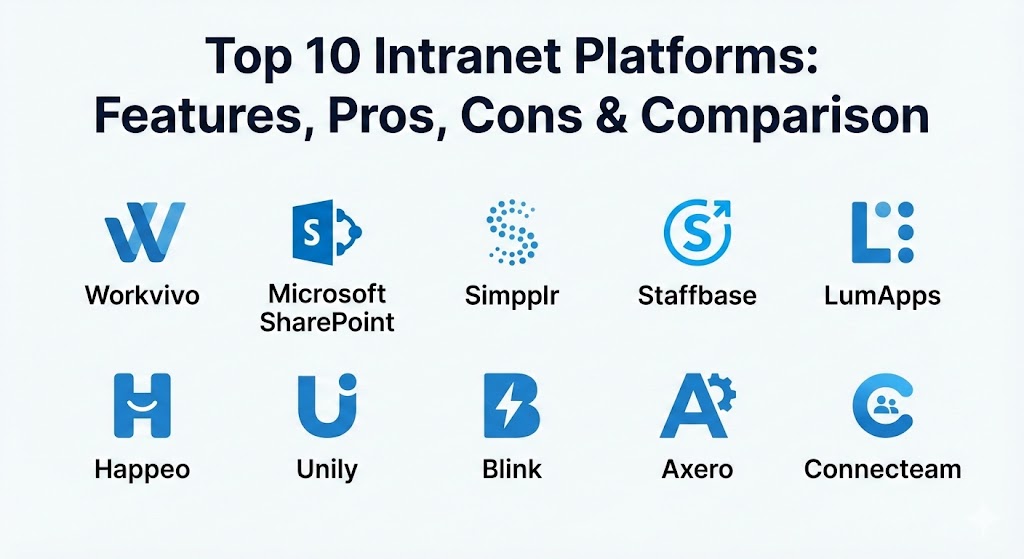
Top 10 Intranet Platforms Tools
1 — Workvivo
Workvivo is a social intranet platform that is designed to look and feel like the social media apps we use in our personal lives. It focuses on making employees feel engaged and connected by giving them a space to share updates, give shout-outs, and see what is happening across the whole company.
- Key features:
- A personalized activity feed that shows company news and peer posts.
- Internal podcasts and video broadcasting for leadership updates.
- Employee recognition tools to say “thank you” to coworkers publicly.
- Pulse surveys to quickly check how employees are feeling.
- A central space for all company documents and links.
- Dedicated spaces for different teams or interest groups to chat.
- Pros:
- The interface is very easy to learn because it feels like a social network.
- It does a great job of making remote workers feel like they belong to the team.
- Mobile app quality is high, making it easy to stay updated on the go.
- Cons:
- It might feel a bit too informal for companies that prefer a strictly professional look.
- The document management features are not as deep as some other platforms.
- Security & compliance: This tool provides Single Sign-On (SSO), data encryption, and regular audit logs. It is compliant with GDPR and holds SOC 2 Type II certification to keep company data safe.
- Support & community: Users get access to a helpful knowledge base and video guides. For larger companies, they offer a dedicated account manager to help with setup and long-term planning.
2 — Microsoft SharePoint
Microsoft SharePoint is a powerful tool used for managing documents and building internal websites. It is the go-to choice for businesses that already use Microsoft tools like Word, Excel, and Teams, as it fits perfectly into that ecosystem.
- Key features:
- Highly advanced document storage with version control and easy sharing.
- Customizable site templates for departments or specific projects.
- Deep integration with all Microsoft 365 applications.
- Powerful search engine that finds files and information across the company.
- Automated workflows to handle tasks like document approvals.
- Granular permission settings to control exactly who sees what.
- Pros:
- It offers more power and customization than almost any other intranet tool.
- If you already pay for Microsoft 365, you likely already have access to it.
- It handles very large amounts of data and complex file structures easily.
- Cons:
- It can be quite difficult and time-consuming to set up without expert help.
- The user interface can feel clunky and “robotic” compared to modern social intranets.
- Security & compliance: As a Microsoft product, it meets the highest global standards including ISO, GDPR, HIPAA, and SOC 2. It offers top-tier encryption and advanced security monitoring.
- Support & community: Because so many people use it, there is a massive community of experts and endless online tutorials. Microsoft also provides direct technical support for business accounts.
3 — Simpplr
Simpplr is an AI-powered intranet platform that aims to make the employee experience as simple as possible. It uses smart technology to show employees the most relevant information for their specific role, so they don’t get overwhelmed by noise.
- Key features:
- AI-driven search that understands what employees are actually looking for.
- Personalized homepages that change based on an employee’s location and department.
- Smart newsletters that can be sent out to specific groups of people.
- Analytics that show which content is popular and which is being ignored.
- Easy integration with popular HR systems and cloud storage tools.
- A clean and modern design that requires very little training to use.
- Pros:
- It is very fast to set up and start using compared to traditional systems.
- The AI helps keep the intranet clean by identifying old or useless content.
- Employees generally like using it because it looks like a modern website.
- Cons:
- It offers less flexibility for deep custom coding if you want a unique look.
- Some of the advanced AI features are only available on higher-priced plans.
- Security & compliance: Simpplr is SOC 2 Type II compliant and follows GDPR rules. It uses modern encryption and offers secure login options to protect user privacy.
- Support & community: They provide a dedicated customer success manager to help companies launch the platform. There is also a robust help center with clear, step-by-step instructions.
4 — Staffbase
Staffbase is an intranet platform built specifically with mobile users and “deskless” workers in mind. It is perfect for companies where many employees don’t sit at a computer all day, like those in manufacturing, retail, or healthcare.
- Key features:
- A high-quality mobile app that can be fully branded with your company’s logo.
- The ability to send push notifications for urgent company updates.
- Support for multiple languages, which is great for global teams.
- Digital signage integration to show news on screens in breakrooms.
- Employee surveys and feedback tools built directly into the app.
- A simple way for managers to create and publish news without IT help.
- Pros:
- It is probably the best tool for reaching workers who only use their phones.
- The “Front Door” experience makes it easy for employees to find all their work apps in one place.
- Strong focus on internal communication and high-impact news delivery.
- Cons:
- It is not as strong for complex document collaboration or project management.
- Setting up the branded app can involve a bit more technical work at the start.
- Security & compliance: Staffbase holds ISO 27001 certification and is fully GDPR compliant. It features end-to-end encryption for all messages and data transfers.
- Support & community: They offer an “Academy” where users can learn best practices for internal communication. Their support team is known for being responsive and helpful during the onboarding phase.
5 — LumApps
LumApps is a global employee experience platform that works well for very large organizations. It is designed to act as a bridge between your work tools, your company news, and your employees, providing a unified digital workspace.
- Key features:
- Deep integration with both Google Workspace and Microsoft 365.
- Advanced content targeting that shows different news to different regions.
- Employee “journeys” that guide new hires through their first weeks.
- Internal communities where employees can share knowledge and interests.
- A powerful mobile app for staying connected outside the office.
- Detailed reporting on how employees are interacting with the platform.
- Pros:
- Excellent for large, global companies that need to manage many different languages.
- It allows for a lot of customization to match your company’s exact branding.
- The search feature is very strong and pulls results from across your entire company.
- Cons:
- The platform can be quite complex to manage and usually requires a dedicated administrator.
- Smaller companies might find it too expensive or complicated for their needs.
- Security & compliance: LumApps is SOC 2 compliant and follows strict data protection laws like GDPR. It offers secure authentication and detailed logs for security audits.
- Support & community: They have a large network of partners who can help with implementation. They also provide regular webinars and training sessions for their customers.
6 — Happeo
Happeo is a social intranet designed specifically for companies that use Google Workspace. It combines the structure of a traditional intranet with the social features of a modern collaboration tool, all while sitting right on top of Google’s ecosystem.
- Key features:
- Seamless integration with Google Drive, Gmail, and Google Calendar.
- Customizable “Channels” for news, announcements, and social talk.
- Dynamic pages that are easy to build with a drag-and-drop editor.
- A searchable employee directory that pulls info from Google profiles.
- Analytics to track engagement and see which departments are most active.
- Shared folders that stay in sync with Google Drive automatically.
- Pros:
- If your team uses Google, there is almost no learning curve because it feels familiar.
- It is very good at breaking down silos and helping people from different teams talk.
- Setup is much faster than traditional enterprise intranets.
- Cons:
- It is not a good fit for companies that don’t use Google Workspace.
- The page design options can feel a little limited if you want a very complex layout.
- Security & compliance: Happeo is ISO 27001 certified and SOC 2 Type II compliant. Since it uses Google’s infrastructure, it benefits from high-level cloud security and GDPR protections.
- Support & community: They offer a clear help center and a community forum where users can ask questions. Support is available via email and chat for all customers.
7 — Unily
Unily is a high-end intranet platform used by some of the biggest brands in the world. It focuses on providing a beautiful, professional, and highly customized digital experience that can scale to hundreds of thousands of users.
- Key features:
- A world-class design engine that lets you build a truly unique intranet.
- Personalized experiences that change based on an employee’s behavior and role.
- Multi-channel publishing to send news to the web, mobile, and email.
- Advanced analytics that give deep insights into employee sentiment.
- Extensive integration options with almost any enterprise software.
- A mobile app that is just as powerful as the desktop version.
- Pros:
- The platform looks incredibly professional and high-quality.
- It can handle the most complex organizational structures without slowing down.
- The personalization features are some of the best in the industry.
- Cons:
- The price tag is usually quite high, making it a “premium” choice.
- Because it has so many features, it can take a long time to learn everything.
- Security & compliance: Unily takes security very seriously, with SOC 2, ISO 27001, and GDPR compliance. It includes advanced features like multi-factor authentication and data residency options.
- Support & community: Customers get access to “Unily Universe,” a dedicated portal for learning and networking. They also provide 24/7 global support for enterprise clients.
8 — Blink
Blink is often described as a “mobile-first” employee app. It is designed to be the single place where frontline workers go to see their schedule, talk to their manager, and get the latest company news, all from their phone.
- Key features:
- A unified “Feed” that combines company news with personal messages.
- A secure chat feature that replaces the need for using personal apps like WhatsApp.
- A digital “Hub” for quick access to payslips, schedules, and handbooks.
- Instant push notifications for important or emergency alerts.
- Mandatory read receipts to make sure people actually see important news.
- The ability to integrate with legacy systems used in stores or factories.
- Pros:
- It has extremely high adoption rates among workers who don’t have a desk.
- The interface is very simple and looks like a modern messaging app.
- It is very effective at making frontline workers feel like they are part of the company.
- Cons:
- It is not a full-featured intranet for deep document editing or complex wikis.
- Management of large amounts of static content can be a bit difficult.
- Security & compliance: Blink is SOC 2 and GDPR compliant. It focuses heavily on keeping chat data private and secure, ensuring company information doesn’t leak into personal channels.
- Support & community: They provide excellent onboarding support to help launch the app to large workforces. There is also a wealth of online documentation and a responsive support team.
9 — Axero
Axero is an all-in-one intranet platform that focuses on collaboration and knowledge management. It is a very flexible tool that can be used for everything from a company news site to a customer support portal or a project management hub.
- Key features:
- A powerful wiki and knowledge base system for storing company info.
- Team workspaces where people can collaborate on specific projects.
- Built-in forums and discussion boards to encourage sharing ideas.
- A drag-and-drop page builder that makes it easy to create beautiful sites.
- An employee directory with rich profiles and skills tracking.
- Task management and shared calendars for keeping teams on track.
- Pros:
- It is very flexible and can be customized to fit many different business needs.
- The pricing is often more affordable for medium-sized companies than larger rivals.
- It combines social features with real productivity tools in a balanced way.
- Cons:
- The wide range of features can be a bit overwhelming for some users at first.
- The user interface is functional but might not feel as “trendy” as some newer apps.
- Security & compliance: Axero provides SOC 2 and HIPAA compliance options, making it a good choice for healthcare companies. It uses standard encryption and secure login protocols.
- Support & community: They offer detailed video tutorials and a massive online guide. Their technical support is frequently praised for being knowledgeable and easy to reach.
10 — Connecteam
Connecteam is more than just an intranet; it is an all-in-one platform for managing a deskless workforce. While it has great communication features, it also handles things like time tracking, shift scheduling, and digital forms.
- Key features:
- An internal newsfeed with comments, likes, and social interactions.
- A built-in time clock with GPS tracking for workers in the field.
- Shift scheduling that lets employees see when they work from their phones.
- Digital forms and checklists to replace paper-based processes.
- An in-app training and onboarding center with quizzes and videos.
- A searchable directory and group chat for easy team communication.
- Pros:
- It solves many problems at once (comms, scheduling, and tracking).
- The mobile app is incredibly easy for non-technical workers to use.
- The pricing is very transparent and often based on a flat fee for the whole company.
- Cons:
- It might have too many operational features if you only want a news site.
- It is not designed for heavy, long-form document collaboration like SharePoint.
- Security & compliance: Connecteam is GDPR compliant and uses ISO 27001 certified data centers. It offers secure data storage and role-based permissions to keep employee records safe.
- Support & community: They offer 24/7 support and a very helpful “Help Center.” They also provide free training sessions to help companies get the most out of the platform.
Comparison Table
| Tool Name | Best For | Platform(s) Supported | Standout Feature | Rating |
| Workvivo | Company Culture & Social Engagement | Web, iOS, Android | Social-style activity feed | 4.8 / 5 |
| SharePoint | Document Management & M365 Users | Web, Windows, Mac, Mobile | Deep Microsoft integration | 4.1 / 5 |
| Simpplr | AI-Driven Employee Experience | Web, iOS, Android | Smart, personalized search | 4.7 / 5 |
| Staffbase | Mobile Frontline Communication | Web, iOS, Android | Branded employee mobile app | 4.6 / 5 |
| LumApps | Large Global Organizations | Web, iOS, Android | Multi-ecosystem connectivity | 4.4 / 5 |
| Happeo | Google Workspace Teams | Web, iOS, Android | Native Google Drive sync | 4.5 / 5 |
| Unily | Premium Enterprise Customization | Web, iOS, Android | Advanced design engine | 4.6 / 5 |
| Blink | Deskless & Field Workers | iOS, Android, Web | Unified mobile-first hub | 4.7 / 5 |
| Axero | Mid-Market All-in-One | Web, iOS, Android | Flexible wikis and workspaces | 4.3 / 5 |
| Connecteam | Operational Workforce Management | iOS, Android, Web | Time clock and scheduling | 4.8 / 5 |
Evaluation & Scoring of Intranet Platforms
The following table shows how these tools are evaluated based on the most important factors for a business. Each category is weighted to show its impact on the final score.
| Evaluation Category | Weight | Description of What is Measured |
| Core Features | 25% | The quality of news, document storage, and social tools. |
| Ease of Use | 15% | How simple it is for employees and admins to learn. |
| Integrations | 15% | How well it connects to tools like Slack, Teams, or Google. |
| Security & Compliance | 10% | Certifications like SOC 2 and how they handle privacy. |
| Performance | 10% | The speed of the platform and how reliable it is daily. |
| Support & Community | 10% | The quality of the help desk and documentation. |
| Price / Value | 15% | Whether the features justify the cost of the software. |
Which Intranet Platforms Tool Is Right for You?
Choosing the right tool depends mostly on who your employees are and what they do every day. If you have a large group of people who work in a factory or out in the field, a mobile-first tool like Blink or Connecteam is likely your best bet. These tools focus on quick messages and easy access to things like payslips or schedules. On the other hand, if your team spends all day at a computer using Word and Excel, Microsoft SharePoint is a natural choice because it will keep all your work in one place.
Budget is another big factor. If you are a smaller company looking for a professional but affordable solution, Axero or Simpplr offer a great balance of features without the massive price tag of enterprise systems like Unily. You also need to think about how much help you have to set it up. Tools like Simpplr and Happeo are known for being “plug-and-play,” meaning you can get them running quickly. But if you have a complex company with many different regions and languages, you might need the power of LumApps or Unily, even if they take longer to build. Always remember to check if the tool is safe and meets the legal rules for your industry before you make a final decision.
Frequently Asked Questions (FAQs)
What is the main difference between an intranet and the internet?
The internet is a public space that anyone in the world can visit to look at websites. An intranet is a private space that only employees of one specific company can access with a secure password.
Do we really need an intranet if we already use email?
Email is great for one-on-one talk, but it is easy to lose important news in a crowded inbox. An intranet provides a permanent home for announcements and documents that everyone can find at any time.
Are these intranet platforms hard to set up?
It depends on the tool you choose. Some modern options can be set up in a few days, while older or more complex systems might take several months to fully customize and launch.
Can my employees use the intranet on their personal phones?
Yes, most modern platforms have high-quality mobile apps. Many companies use these apps to reach workers who don’t have a work computer, though you should check your company’s privacy policy first.
Is it safe to store sensitive company documents on an intranet?
Most top-tier platforms use very strong encryption and security standards like SOC 2. As long as you choose a reputable provider and use strong passwords, your data is very safe.
How much do these platforms usually cost?
Pricing varies a lot. Some tools charge a few dollars per user each month, while enterprise-level systems might cost thousands of dollars a year. Most vendors will give you a custom quote based on your size.
What is the biggest mistake companies make when choosing an intranet?
The biggest mistake is choosing a tool based only on features and forgetting about the employees. If the platform is too hard to use, people will simply ignore it and go back to using old methods.
Can an intranet help with employee onboarding?
Absolutely. Many platforms have special sections where new hires can find their training videos, sign documents, and read about the company culture to help them get started faster.
Will an intranet replace tools like Slack or Microsoft Teams?
Not usually. Chat tools are for quick, “real-time” talking, while an intranet is for more permanent information, news, and official documents. Most companies find that they need both.
How do I know if our intranet is successful?
You should look at the analytics provided by the platform. If a high percentage of employees are logging in every day and reading the news, then your intranet is doing its job well.
Conclusion
Finding the right intranet platform is one of the best things you can do to make your company feel more connected and organized. Whether you want a social space that feels like a community, a powerhouse for managing thousands of documents, or a simple mobile app for your frontline workers, there is a tool on this list that will fit your needs perfectly. The goal is to create a digital home where your employees feel informed, valued, and ready to do their best work.
When you are ready to choose, take the time to talk to your team and find out what they really need. Sometimes the simplest tool is the most effective because it is the one people will actually use every day. There is no single “winner” that works for every company, so focus on what matters most for your specific culture and daily tasks. By choosing a tool that is secure, easy to use, and helpful, you are setting your business up for much smoother communication and a happier workforce in the long run.