Introduction
An Insurance Broker Management System (often called an Agency Management System or AMS) is the central engine of a modern insurance business. It acts as a dedicated database where brokers can store client details, manage policy lifecycles, and track interactions with insurance carriers. Instead of jumping between different carrier websites and messy spreadsheets, brokers use these systems to get a single, clear view of their entire book of business.
Why It Is Important
The insurance world moves fast. Clients expect instant answers about their coverage, and regulators require strict record-keeping. These systems are vital because they automate the manual but essential parts of the job—like sending out renewal reminders or calculating monthly commissions. This automation frees up brokers to focus on giving expert advice and building relationships. Without a proper management system, a brokerage risks falling behind competitors who can provide faster, more accurate service.
Key Real-World Use Cases
- Policy Lifecycle Management: Tracking a policy from the initial quote through to issuance, endorsements, and eventual renewal.
- Client Relationship Management (CRM): Storing communication history so any team member can pick up where another left off.
- Commission Tracking: Automatically calculating and reconciling payments from multiple carriers to ensure the brokerage is paid correctly.
- Document Storage: Keeping ACORD forms, certificates of insurance, and signed applications in a secure, searchable digital file.
What to Look For
When choosing a tool, you should look for an intuitive interface that your team will actually enjoy using. Integration is also key; the system should talk to your rating tools and email platform. Finally, look for robust reporting features so you can see exactly where your business is growing and where you might be losing clients.
Best for: Independent insurance agencies, mid-market brokerages, and large insurance enterprises handling multiple lines of business like Property & Casualty (P&C) or Life & Health.
Not ideal for: Individual agents who only sell one type of policy for a single carrier, or very small startups that do not yet have enough clients to justify the monthly subscription costs.
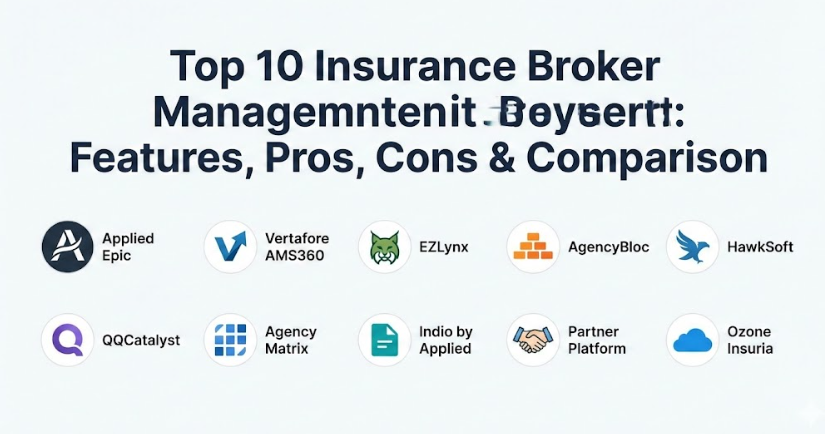
Top 10 Insurance Broker Management Systems Tools
1 — Applied Epic
Applied Epic is one of the most widely used systems in the industry, built for agencies that need a high level of detail and power. It is designed to handle every role in a large brokerage, from the front-desk service staff to the back-office accountants.
- Key features:
- Single view of all lines of business including P&C and Benefits.
- Browser-native architecture for easy access from any location.
- Automated back-office accounting and financial reporting.
- Integrated sales automation to track new opportunities.
- Open API for connecting to various third-party applications.
- Deep document management with full version control.
- Pros:
- Extremely powerful for large agencies with complex needs.
- Consolidates multiple disconnected systems into one platform.
- Cons:
- The learning curve can be steep for new staff members.
- Higher cost compared to entry-level management systems.
- Security & compliance: SOC 2 Type II compliant, with robust encryption and role-based access.
- Support & community: Extensive training through Applied University and a very active user group.
2 — Vertafore AMS360
A long-standing veteran in the space, AMS360 focuses on helping independent agencies boost productivity. It is particularly strong for P&C brokers who want to automate their daily workflows and improve customer retention.
- Key features:
- Customizable dashboards tailored for different staff roles.
- Automated certificate of insurance management.
- Built-in pipeline management for tracking sales leads.
- Real-time carrier connectivity for policy downloads.
- Integrated document management with drag-and-drop features.
- Mobile app for agents working outside the office.
- Pros:
- Excellent for managing high-volume Property & Casualty books.
- Strong focus on agency efficiency and time-saving automation.
- Cons:
- The interface can feel a bit dated to some modern users.
- Occasional slow loading times when handling large databases.
- Security & compliance: High-level encryption, SSO support, and regular security audits.
- Support & community: Phone and email support with a large library of self-help articles.
3 — EZLynx
EZLynx is famous for its comparative rater, but its management system is equally impressive. It is a cloud-based solution that aims to give brokers one login for everything, making it a favorite for smaller to mid-sized teams.
- Key features:
- Unified “One Platform” approach for rating and management.
- Automated renewal management workflows.
- Integrated e-signature capabilities for faster closing.
- Client portal for 24/7 self-service access.
- Deep integration with over 300 different carriers.
- Communication tools for text and email within the system.
- Pros:
- Very user-friendly and modern interface.
- Great value for agencies that need both a rater and a management tool.
- Cons:
- Primarily focused on Personal Lines; Commercial features are still growing.
- Initial setup can take some time to get exactly right.
- Security & compliance: HIPAA compliant and uses multi-factor authentication (MFA).
- Support & community: Strong onboarding program and a library of video tutorials.
4 — AgencyBloc
If your brokerage focuses on Life and Health insurance, AgencyBloc is often the top recommendation. It is built specifically for the unique needs of health insurance agents, such as tracking group benefits and complex commission splits.
- Key features:
- Specialized CRM for Life and Health client data.
- Advanced commission processing and reconciliation.
- Automated workflow for lead nurturing and follow-ups.
- Group benefit tracking and enrollment tools.
- Customizable reporting for policy-to-product ratios.
- Relationship linking to connect families and groups.
- Pros:
- Widely considered a top tool for commission management.
- Very easy to learn for staff used to health insurance terms.
- Cons:
- Not as strong for Property & Casualty (P&C) lines.
- Customization options for some reports can be limited.
- Security & compliance: Secure data centers with regular penetration testing.
- Support & community: High-quality customer service and live training webinars.
5 — HawkSoft
HawkSoft is known for being built by agents, for agents. It prides itself on having an interface that mirrors the actual way an agent works, which leads to high user satisfaction and low frustration.
- Key features:
- Action Menu system for fast, one-click documentation.
- Unified client file that puts all info on one screen.
- Automatic “Retention Alerts” for at-risk policies.
- HawkLink browser for pushing data to carrier websites.
- Integrated text messaging with full audit trails.
- Virtual printer to save any document into a client file.
- Pros:
- Incredibly easy to learn, often requiring just a few days of training.
- Excellent customer support with very fast response times.
- Cons:
- The visual look of the software is more functional than modern.
- Fewer built-in marketing automation tools than some competitors.
- Security & compliance: Local or cloud-hosted options with full data ownership.
- Support & community: Highly praised support and local user group meetings.
6 — QQCatalyst
Owned by Vertafore, QQCatalyst is a flexible, cloud-based system that is great for agencies that want a simple but effective way to organize their business without the complexity of a massive enterprise system.
- Key features:
- Clean interface with stackable tabs for multitasking.
- Centralized repository for all files and notes.
- Pre-filled ACORD forms to save time on applications.
- Carrier download abilities to keep policy data current.
- Built-in task management and staff reminders.
- Customizable agency dashboards.
- Pros:
- Affordable pricing for growing agencies.
- Easy to navigate without a lot of technical knowledge.
- Cons:
- Email integration is not as deep as some users would like.
- Does not have a built-in invoicing system.
- Security & compliance: Data encryption at rest and in transit.
- Support & community: Help center access and email/phone support.
7 — Agency Matrix
Agency Matrix is a cloud-based solution that aims to keep agencies organized and paperless. It is particularly popular with smaller operations that need a straightforward way to manage their documents and commissions.
- Key features:
- Robust document management system.
- Integrated commission tracking for agents and carriers.
- Automated task reminders for staff.
- Customizable templates for letters and emails.
- Basic reporting on agency productivity.
- Mobile accessibility for remote work.
- Pros:
- One of the most affordable options on the market.
- Very straightforward setup and implementation process.
- Cons:
- Lacks an open API for custom integrations.
- Reporting features are more basic than higher-end systems.
- Security & compliance: Standard data protection with role-based permissions.
- Support & community: Online knowledge base and phone support.
8 — Indio by Applied
Indio is unique because it focuses specifically on the application process. It is an application and submission management platform that works alongside or inside other management systems.
- Key features:
- Digital map of over 10,000 insurance forms and apps.
- Simple experience for clients filling out forms.
- Auto-population of data from previous years during renewals.
- Secure document exchange and storage.
- Integrated e-signatures for all applications.
- Real-time activity tracking for client logins.
- Pros:
- Drastically reduces the time spent on manual data entry.
- Provides a professional, modern experience for the client.
- Cons:
- It is a specialized tool, not a full accounting or AMS system.
- Can be expensive if added on top of a primary management system.
- Security & compliance: Highly secure document portal with audit logs.
- Support & community: Direct enterprise support and detailed documentation.
9 — Partner Platform (Partner XE)
Partner Platform is built for agencies that value simplicity and community. It offers a wide range of features without the extra complexity that often comes with larger corporate-owned software.
- Key features:
- Unified system for sales, marketing, and accounting.
- Integrated text messaging and digital phone systems.
- Agency-branded mobile app for clients.
- Automated workflow for policy renewals and servicing.
- Data analytics and business intelligence tools.
- Centralized client database with 360-degree views.
- Pros:
- Transparent pricing with no long-term contracts.
- A very personal approach to customer service.
- Cons:
- The user guide can sometimes be out of sync with software updates.
- May have occasional speed issues for very large data sets.
- Security & compliance: SOC 2 compliant data centers and secure encryption.
- Support & community: Live support and very active user forums.
10 — Ozone Insuria
Ozone Insuria is a comprehensive solution that focuses heavily on streamlining workflows and providing real-time data analytics. It is designed to scale with a business as it moves from a small office to a large enterprise.
- Key features:
- Real-time data analytics and performance dashboards.
- Automated policy issuance and claims management.
- Integrated CRM and marketing automation tools.
- Multi-currency and multi-branch support for large agencies.
- Role-based access control for security.
- Cloud-based deployment for global accessibility.
- Pros:
- Strong focus on modern automation and data integrity.
- Scalable enough for international operations.
- Cons:
- Can be overwhelming for very small, single-location agencies.
- The interface takes some time to master due to many features.
- Security & compliance: Robust audit trails and compliance tracking.
- Support & community: Online support and dedicated onboarding teams.
Comparison Table
| Tool Name | Best For | Platform(s) Supported | Standout Feature | Rating (Gartner/Other) |
| Applied Epic | Large, multi-line agencies | Cloud, Web-based | Open API & deep accounting | 4.2 / 5 |
| Vertafore AMS360 | Independent P&C agencies | Cloud, Web, Mobile | Automated certificate mgmt | 4.0 / 5 |
| EZLynx | Small to mid-sized teams | Cloud-only | Unified rating & management | 4.1 / 5 |
| AgencyBloc | Life & Health brokers | Cloud, Web | Commission tracking/splits | 4.7 / 5 |
| HawkSoft | User-friendly workflows | Cloud or Local | One-click Action Menu | 4.8 / 5 |
| QQCatalyst | Growing, agile agencies | Cloud, Web | Simple, stackable interface | 3.8 / 5 |
| Agency Matrix | Budget-conscious agencies | Cloud-only | Affordable document mgmt | 3.7 / 5 |
| Indio | Application & renewals | Cloud, Web | Digital submission forms | N/A |
| Partner Platform | Community-focused agencies | Web-based | Integrated agency-branded app | 4.5 / 5 |
| Ozone Insuria | Enterprise & SMB | Cloud, Web | Advanced data analytics | N/A |
Evaluation & Scoring of Systems
To help you compare these tools more objectively, we have evaluated them based on a weighted rubric that reflects what matters most to a busy brokerage.
| Evaluation Category | Weight | Score (Avg) | Analysis |
| Core Features | 25% | 9 / 10 | Most tools cover the basics, but depth in accounting varies. |
| Ease of Use | 15% | 8 / 10 | Modern cloud systems score higher than legacy platforms. |
| Integrations | 15% | 7 / 10 | Systems with open APIs offer much more flexibility. |
| Security & Compliance | 10% | 9 / 10 | Standard across the industry due to strict regulations. |
| Performance | 10% | 8 / 10 | Cloud systems are generally reliable and fast. |
| Support | 10% | 8 / 10 | Dedicated communities and forums are a major plus. |
| Price / Value | 15% | 7 / 10 | Higher-end systems are expensive but offer high ROI. |
Which Insurance Broker Management System Is Right for You?
Choosing the right system is not about finding the “best” one on the list, but finding the one that fits your specific business needs.
Solo Users vs SMB vs Enterprise
If you are a solo user, you probably do not need the massive financial engine of Applied Epic. A tool like EZLynx or QQCatalyst might be better because they are easier to set up and manage alone. On the other hand, a large enterprise with multiple locations needs the “single view” and deep reporting that only the major players like Vertafore or Applied can provide.
Budget-Conscious vs Premium Solutions
For those on a tight budget, Agency Matrix is often the most accessible entry point. However, remember that a cheaper option can sometimes cost more in lost time if the system does not automate enough. Premium solutions like Partner Platform or HawkSoft cost more upfront but often pay for themselves through better client retention and staff happiness.
Feature Depth vs Ease of Use
If your staff is not very tech-savvy, prioritize Ease of Use. Systems like HawkSoft are famous for having a short learning curve. If you have a dedicated IT person and need every possible report, prioritize Feature Depth and look for systems with an open API that can connect to other software.
Frequently Asked Questions (FAQs)
1. What is the average cost of an insurance management system?
Pricing varies widely. Some systems start as low as $60–$100 per user per month, while enterprise systems can cost thousands per month plus significant implementation fees.
2. Can I switch systems easily if I change my mind later?
It is possible, but data migration is a major task. Always ask a vendor about their data conversion process and if they allow you to take your data with you if you leave.
3. Do I need a separate CRM if I have a management system?
Many modern systems have built-in CRMs. However, some large agencies still use a separate tool like Salesforce for advanced marketing and connect it to their management system.
4. Is my client data safe in the cloud?
Yes, most top-tier systems use bank-level encryption and secure data centers. Ensure the tool you choose is SOC 2 compliant or offers multi-factor authentication.
5. Does the system help with compliance like HIPAA?
Many systems are built with these regulations in mind, providing audit trails and secure storage. However, you are still responsible for how your staff uses the tool daily.
6. Can these systems handle both Personal and Commercial lines?
Most can, but some are better at one than the other. For example, EZLynx is highly regarded for Personal Lines, while Applied Epic excels at complex Commercial accounts.
7. How long does it take to train staff on a new system?
It can take anywhere from a few days for simpler systems to several months for full enterprise transitions. Continuous training is usually required to get the most out of the tool.
8. Can I access the system from my phone?
Most modern cloud-based systems offer either a mobile-responsive website or a dedicated app for iOS and Android devices.
9. Will the software help me find new clients?
Many systems include marketing automation or lead tracking to help you nurture prospects, though they are primarily designed for managing existing clients and policies.
10. Do I have to sign a long-term contract?
This depends on the vendor. Some offer month-to-month subscriptions, while others require one-to-three-year commitments in exchange for better monthly pricing.
Conclusion
Finding the right Insurance Broker Management System is one of the most important decisions you will make for your business. The right tool will act as a silent partner, handling the repetitive administrative tasks so you can focus on providing the best possible coverage for your clients.
When making your final choice, remember that the “best” tool is the one that your team will actually use every day. Whether you prioritize deep accounting features, specialized health insurance tracking, or a simple interface that gets out of your way, the tools on this list represent the gold standard of the industry. Take advantage of demos and trials to see how each system feels in practice before you commit.