Introduction
Infrastructure as Code, often called IaC, is a way to manage and set up computer hardware and software using configuration files. In the past, if a company needed a new server or a database, a person had to log into a dashboard and click many buttons or physically plug in cables. This was slow and led to many mistakes. IaC changes this by allowing developers to write down what they need in a simple text file. The IaC tool then reads that file and builds the entire system automatically. It is like having a recipe for a kitchen; instead of cooking every meal from scratch by memory, you follow the written instructions to get the exact same result every single time.
This approach is important because it makes setting up technology much faster and more reliable. Since the instructions are written in code, they can be checked for errors before anything is built. It also saves money because you can turn off parts of your system when they aren’t being used and turn them back on instantly with the code. Key real-world use cases include setting up hundreds of web servers in minutes, moving an entire business setup from one cloud provider to another, and ensuring that a “testing” environment is an exact copy of the “live” environment. When choosing an IaC tool, users should look for things like which clouds it supports, how easy the language is to learn, how it handles changes to existing systems, and if there is a large community to help when things go wrong.
Best for: These tools are most beneficial for DevOps engineers, system administrators, and software developers working in medium to large companies. They are essential for industries like finance, healthcare, and e-commerce where systems need to be safe, consistent, and able to grow quickly.
Not ideal for: You likely do not need these tools if you are running a single simple website or a personal blog. If your setup never changes and you only have one or two servers, the time it takes to learn and set up an IaC tool might be more than the time you would save.
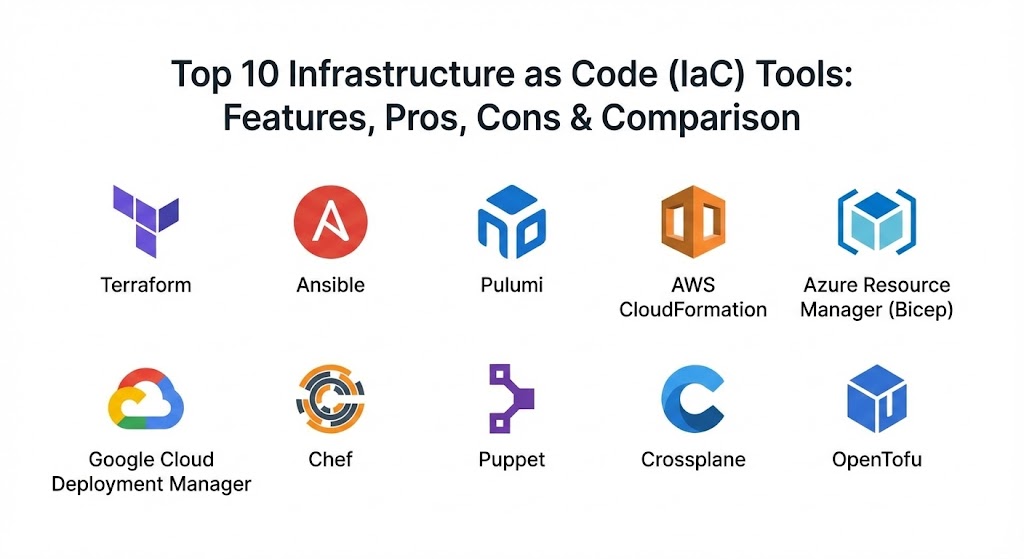
Top 10 Infrastructure as Code (IaC) Tools
1 — Terraform
Terraform is widely considered the leader in the IaC world. It was created to work with almost any cloud provider, such as Amazon, Google, or Microsoft. It uses a very readable language called HCL (HashiCorp Configuration Language) that describes what the final setup should look like, rather than the steps to get there.
- Key features:
- It works with hundreds of different service providers, not just the big clouds.
- It uses a “state file” to remember exactly what it has built in the past.
- It provides a “plan” command that shows you exactly what it will change before it does it.
- It allows you to break your code into “modules” so you can reuse small parts of your setup.
- It has a very large library of pre-made templates shared by other users.
- It handles complex relationships between different parts of your system automatically.
- It can manage both hardware (like servers) and software services (like email providers).
- Pros:
- Since it works with so many different clouds, you only have to learn one tool to manage everything.
- The community is so large that you can find an answer to almost any problem on the internet.
- Cons:
- The “state file” can become a problem if multiple people try to change it at the same time without the right setup.
- It is very powerful, which means a small mistake in the code can accidentally delete a lot of work.
- Security & compliance: Supports encryption for sensitive data, integrates with common login systems (SSO), and provides detailed logs of every change.
- Support & community: Excellent documentation and a massive community. Professional support is available for large businesses through a paid version.
2 — Ansible
Ansible is a very popular tool that is known for being “agentless.” This means you don’t have to install any special software on the servers you are managing. It uses a simple language called YAML, which looks like a plain list of items, making it very easy for beginners to read and write.
- Key features:
- It connects to servers using standard secure methods that are already built into most computers.
- It is great at both setting up new hardware and managing the software inside it.
- It uses “Playbooks” to list the tasks that need to be done.
- It includes thousands of ready-to-use “modules” for common tasks.
- It is very lightweight and does not take up much space on your computer.
- It can be used to manage old-fashioned physical servers and modern cloud systems at the same time.
- It allows you to group your servers into “inventories” to run different tasks on different groups.
- Pros:
- It is very easy to get started because the language is so simple and human-like.
- Since you don’t need to install software on the target servers, it is much faster to set up than other tools.
- Cons:
- It can be slower than other tools when managing thousands of servers at once.
- It is more focused on “doing tasks” than “describing the final state,” which can sometimes lead to inconsistent results.
- Security & compliance: Includes a feature called “Vault” to keep passwords secret and follows standard industry security rules.
- Support & community: Backed by a major technology company (Red Hat) with professional support and a very active group of users online.
3 — Pulumi
Pulumi is a newer tool that takes a different path. Instead of making you learn a new language like HCL or YAML, it lets you use the programming languages you already know, like Python, JavaScript, or Go. This makes it a favorite for software developers who want to manage their own infrastructure.
- Key features:
- It supports standard programming languages, allowing you to use “if” statements and “loops.”
- It provides a very modern dashboard to see all your resources in one place.
- it handles many different clouds including Amazon, Microsoft, and Google.
- It includes a search feature to find specific parts of your setup across different clouds.
- It provides a “testing” framework so you can check your infrastructure code just like regular software.
- It allows for very fine-grained control over how resources are named and organized.
- Pros:
- You can use all the tools you already use for writing software, like auto-complete and error-checking.
- It makes it much easier for developers and infrastructure teams to work together using the same language.
- Cons:
- Because it uses real programming code, it can be easier to write “messy” code that is hard for others to read.
- The community is smaller than Terraform, so it might take longer to find help for specific problems.
- Security & compliance: Offers enterprise-grade security including secret management, audit logs, and compliance with SOC 2 standards.
- Support & community: High-quality documentation and a very helpful community on chat platforms. Professional support plans are available for companies.
4 — AWS CloudFormation
CloudFormation is the official IaC tool for Amazon Web Services (AWS). It is designed specifically for people who do all their work inside the Amazon cloud. It is very stable and is usually the first tool to support new features that Amazon releases.
- Key features:
- It uses JSON or YAML files to describe your Amazon resources.
- It organizes everything into “Stacks,” making it easy to delete a whole group of resources at once.
- It includes a “drift detection” feature to see if someone changed something manually without using the code.
- It allows you to use “StackSets” to set up resources across many different Amazon accounts at once.
- It is completely free to use (you only pay for the servers you build).
- It handles all the complex dependencies between Amazon services automatically.
- It provides a visual tool to drag and drop resources to create your code.
- Pros:
- It is deeply integrated with everything Amazon offers, making it very reliable for AWS users.
- You don’t have to manage any “state files” yourself; Amazon handles all of that in the background.
- Cons:
- It only works with Amazon Web Services; you cannot use it for other clouds.
- The files can become very long and difficult to read for very large projects.
- Security & compliance: Highly secure as it is part of the official Amazon platform. It meets almost all global compliance standards (GDPR, HIPAA, etc.).
- Support & community: Huge amount of documentation from Amazon and a massive user base. You can get professional help directly from Amazon’s support team.
5 — Azure Resource Manager (Bicep)
For companies that use the Microsoft Azure cloud, Azure Resource Manager (ARM) is the native tool. Microsoft recently released a new version called Bicep, which makes the language much simpler and easier to use than the older version.
- Key features:
- Bicep uses a simple syntax that is much cleaner than traditional JSON files.
- it provides immediate support for any new feature that Microsoft adds to Azure.
- It breaks your code into “modules” so you can share parts of your setup with your team.
- It includes an extension for common code editors that helps you write the code without errors.
- It provides a way to “preview” what will happen before you run the code.
- It is built into the Azure portal, so you can see your code results right in the dashboard.
- Pros:
- It is the most natural and well-supported way to manage Microsoft Azure.
- Since it is a Microsoft product, it works perfectly with other Microsoft tools like Active Directory.
- Cons:
- It only works for Microsoft Azure, so it is not a good choice if you use multiple clouds.
- It is newer than some other tools, so some older projects might still be using the more difficult ARM templates.
- Security & compliance: Excellent security features that are built into the Microsoft cloud, meeting all major international standards.
- Support & community: Professional support from Microsoft and a large group of users who focus on Azure technology.
6 — Google Cloud Deployment Manager
This is the official tool for people using Google Cloud. It allows users to specify all the resources needed for an application in a declarative format. It is designed to make managing Google Cloud resources feel very organized and simple.
- Key features:
- It uses YAML files and Python or Jinja2 templates for more complex needs.
- It allows you to create “configuration” files that can be reused across different projects.
- It handles the creation and updating of resources in a specific order automatically.
- It provides a “preview” mode to see changes before they are finalized.
- It is integrated with the Google Cloud console for easy monitoring.
- It supports a wide range of Google services, from databases to networking.
- Pros:
- It is the most direct way to manage Google Cloud and is usually very fast.
- Using Python templates allows for very flexible and powerful setups for advanced users.
- Cons:
- It is limited strictly to Google Cloud.
- Google has started encouraging users to use Terraform for some tasks, so it may not get as many new features as other tools.
- Security & compliance: Fully compliant with Google’s high security and privacy standards (GDPR, SOC, etc.).
- Support & community: Strong support from Google’s documentation team and a focused community of Google Cloud experts.
7 — Chef
Chef is a tool that focuses heavily on “configuration management,” which means it is great at managing the software and settings inside a server. It uses the Ruby programming language and is often used by companies that have very strict rules about how their servers must be set up.
- Key features:
- It uses “Recipes” and “Cookbooks” to organize the steps for setting up a server.
- it has a very powerful “compliance” feature that checks if your servers are following safety rules.
- It uses a “client-server” model where a central server keeps track of all the other computers.
- It is excellent at managing thousands of servers at once with very complex settings.
- It provides a tool called “Knife” to manage your setup from the command line.
- It can manage servers in the cloud, in your own office, or even on your own laptop.
- Pros:
- It is one of the best tools for ensuring your servers are secure and follow the law.
- It is very flexible and can handle almost any technical requirement.
- Cons:
- It has a very steep learning curve; you need to know or learn the Ruby language to use it well.
- The setup is more complex than “agentless” tools like Ansible.
- Security & compliance: One of the strongest tools for compliance, offering detailed audit logs and safety checks.
- Support & community: Professional support is available from the company that makes Chef (Progress), and there is a long-established community of users.
8 — Puppet
Puppet is another long-standing tool that is great at keeping servers in a specific state. It is known for being very “declarative,” which means you tell it exactly how you want the server to look, and it works constantly to make sure the server stays that way.
- Key features:
- It uses its own simple language that is designed specifically for managing infrastructure.
- It has a “Puppet Forge” with thousands of pre-made modules for common tasks.
- it checks your servers every 30 minutes to make sure nothing has changed incorrectly.
- It provides a “reporting” dashboard to see the health of all your servers.
- it is very strong at managing “legacy” systems (older computers) as well as the cloud.
- It uses a “Master” server to push out settings to all the other computers.
- Pros:
- It is excellent at “enforcing” your rules; if someone changes a setting manually, Puppet will change it back automatically.
- It is very stable and has been used by large companies for many years.
- Cons:
- It requires you to install a small piece of software (an agent) on every server you want to manage.
- The language can be a bit difficult to learn for people who are used to standard programming.
- Security & compliance: Offers robust security features, including encrypted communication and compliance reporting.
- Support & community: Professional enterprise support and a large, helpful community that has shared many solutions over the years.
9 — Crossplane
Crossplane is a unique tool because it is built to run on top of Kubernetes. It allows you to manage your cloud resources (like databases or storage) using the same commands you use to manage your containers. It is perfect for teams that are already “all-in” on Kubernetes.
- Key features:
- It turns your Kubernetes cluster into a “control plane” for your entire cloud.
- It allows you to create “compositions” that combine multiple cloud resources into one simple package.
- It works with all the major clouds (Amazon, Google, Microsoft).
- It uses the same YAML language that Kubernetes users already know.
- It constantly checks to make sure your cloud resources match what you wrote in your code.
- It allows you to build your own “internal cloud platform” for your developers to use.
- Pros:
- If you already use Kubernetes, this is the most natural way to manage the rest of your cloud.
- It is very modern and fits perfectly into “GitOps” workflows where every change is tracked in code.
- Cons:
- It is very complex to set up and requires you to have a Kubernetes cluster running first.
- It is not a good choice for smaller teams or those not using Kubernetes.
- Security & compliance: Inherits the strong security and access control features of Kubernetes.
- Support & community: A fast-growing community and professional support available from several companies in the Kubernetes space.
10 — OpenTofu
OpenTofu is a brand-new tool that was created by the community. It is a “fork” of Terraform, which means it started from the same code but is now being managed by a different group of people. It was created to ensure that there would always be a completely open-source version of this technology.
- Key features:
- It is almost 100% compatible with existing Terraform code and modules.
- It is managed by a group of different companies to ensure it stays free for everyone.
- It includes many of the same features as Terraform, like state files and providers.
- it aims to be faster and more open to new ideas from the community.
- It works with all the same clouds and services that Terraform does.
- It is very easy to switch from Terraform to OpenTofu.
- Pros:
- It is truly open-source and will never change its license to make you pay for basic features.
- Since it is based on Terraform, it already has a massive ecosystem of tools and help available.
- Cons:
- It is very new, so some people might be worried about how it will grow in the future.
- It does not yet have all the “extra” features that the paid version of Terraform offers.
- Security & compliance: Follows the same security standards as Terraform and is being audited by the community.
- Support & community: Very active community of developers and companies who want to keep the tool open and free.
Comparison Table
| Tool Name | Best For | Platform(s) Supported | Standout Feature | Rating |
| Terraform | Multi-cloud teams | All Major Clouds | Huge ecosystem & HCL language | 4.8 / 5 |
| Ansible | Quick configuration | All Clouds & On-site | No software agents needed | 4.6 / 5 |
| Pulumi | Software Developers | All Major Clouds | Uses standard languages (Python) | 4.5 / 5 |
| CloudFormation | AWS-only users | Amazon (AWS) | Deep Amazon integration | 4.3 / 5 |
| Bicep (Azure) | Azure-only users | Microsoft Azure | Modern Azure-native syntax | 4.4 / 5 |
| Google DM | Google-only users | Google Cloud (GCP) | Native Google integration | N/A |
| Chef | Compliance & Config | All Clouds & On-site | Ruby-based “Cookbooks” | 4.1 / 5 |
| Puppet | Enforcing state | All Clouds & On-site | Constant state checking | 4.2 / 5 |
| Crossplane | Kubernetes teams | All Major Clouds | Manage infra like K8s | N/A |
| OpenTofu | Open-source fans | All Major Clouds | Truly free Terraform alternative | N/A |
Evaluation & Scoring of IaC Tools
To help you understand how we chose these tools, we have scored them based on several key factors. We have given more “weight” to the things that matter most to everyday users.
| Category | Weight | Score (out of 10) | Why it matters |
| Core Features | 25% | 9 | Does the tool have the power to do the job well? |
| Ease of Use | 15% | 7 | How long does it take for a new person to learn it? |
| Integrations | 15% | 8 | Does it work with all the clouds and services you use? |
| Security & Compliance | 10% | 9 | Does it help keep your company’s data safe? |
| Performance | 10% | 8 | Is the tool fast and reliable when making changes? |
| Support & Community | 10% | 9 | Is there a lot of help available if you get stuck? |
| Price / Value | 15% | 9 | Is it affordable for most businesses? |
Which IaC Tool Is Right for You?
Choosing the right tool is a big decision that depends on your current skills and what your company needs.
- For Solo Users & Small Teams: If you are just starting, Ansible is a great choice because it is very easy to read and you don’t have to set up much to make it work. If you only use one cloud, the native tools like CloudFormation or Bicep are also excellent starting points because they are free and well-documented.
- For Software Developers: If you hate learning new “configurations” and just want to write code, Pulumi is perfect. It allows you to use the languages you already love, making the process feel very natural.
- For Multi-Cloud Enterprises: If your business uses Amazon and Google and Microsoft, Terraform is the clear winner. It is the only tool that has the massive support needed to manage everything in one place. OpenTofu is also a great choice if you want to stay strictly with open-source software.
- For Kubernetes-Focused Teams: If your entire world revolves around containers and Kubernetes, Crossplane is the smartest choice. It lets you manage everything using the tools you are already using for your apps.
- For High-Compliance Industries: If you work in a bank or a hospital and need to prove that your servers are perfectly configured and safe, Chef or Puppet are the strongest options. They were built from the ground up to enforce rules and keep things consistent.
- Budget-Conscious Teams: Almost all the core tools are free to use. However, remember to factor in the “cost of time.” A tool that is hard to learn might end up costing more in the long run than a paid tool that is easy to use.
Frequently Asked Questions (FAQs)
1. What is the difference between Terraform and Ansible?
Terraform is best at “provisioning,” which means building the hardware like servers and networks. Ansible is best at “configuration management,” which means setting up the software and settings inside those servers once they are built.
2. Do I need to be a programmer to use IaC?
No, but it helps. Tools like Ansible and Terraform use very simple languages that feel more like writing a list than writing a computer program. However, you should be comfortable using a text editor and a command line.
3. Is Infrastructure as Code safe?
Yes, it is often safer than manual setup. Because everything is written down, you can review it for errors. However, you must be careful not to put passwords or secrets directly into your code files.
4. Can I use these tools with my old on-site servers?
Yes. Tools like Ansible, Chef, and Puppet are excellent at managing physical servers in your own office as well as modern cloud systems.
5. What is “State” in IaC?
State is how the tool remembers what it has built. For example, if you tell Terraform you want 3 servers, it checks its “state” to see if it already built them. If it only sees 2, it knows it needs to build 1 more.
6. Which tool is the easiest to learn?
Ansible is generally considered the easiest because it uses YAML, which is very close to plain English. Bicep and Pulumi are also very user-friendly for people with specific backgrounds.
7. Is IaC expensive?
Most of the tools are open-source and free to download. You usually only pay if you want “Enterprise” features like a fancy dashboard, professional support, or advanced team collaboration tools.
8. Can I move from one tool to another?
It is difficult. Each tool uses its own language and logic. While it is possible to “migrate,” it usually involves rewriting all your code from scratch in the new tool.
9. What is “Immutable Infrastructure”?
This is a modern idea where instead of changing an existing server, you simply delete it and build a new one with the updated code. Tools like Terraform and CloudFormation are perfect for this.
10. Do I need an internet connection to use IaC?
Yes. These tools need to talk to the cloud providers to build your resources. While you can write the code offline, you must be online to actually “run” the code and build your infrastructure.
Conclusion
Infrastructure as Code is not just a trend; it is the modern way that all technology should be built. It brings organization, safety, and speed to the often messy world of computer hardware and software. Whether you choose the massive ecosystem of Terraform, the simplicity of Ansible, or the developer-friendly approach of Pulumi, the most important step is to simply start.
The “best” tool is the one that fits your team’s skills and your company’s goals. If you are all-in on Amazon, use CloudFormation. If you want a tool that can grow with you across any cloud, choose Terraform or OpenTofu. By turning your infrastructure into code, you are making your business more stable, more efficient, and ready for whatever the future brings.