Introduction
High-Performance Computing (HPC) Job Schedulers, often referred to as workload managers or batch systems, are the traffic controllers of the supercomputing world. In a typical HPC environment, you have a massive cluster of servers (nodes) shared by many researchers, engineers, and data scientists. Since everyone cannot use all the resources at once, the job scheduler manages the queue. It takes “jobs”—which are essentially computational tasks—and decides when and where they should run based on available CPU, GPU, memory, and priority rules.
The importance of these tools lies in maximizing resource utilization. Without a scheduler, expensive hardware would sit idle while users manually argued over access. Real-world use cases include weather forecasting, drug discovery simulations, aerospace engineering design, and training large language models in AI. When choosing a tool, you should look for scalability (can it handle thousands of nodes?), fair-share policies (can it balance different users’ needs?), and robust support for modern technologies like containers and cloud bursting.
Best for: System administrators at research universities, R&D departments in pharmaceutical or automotive companies, and cloud architects managing large-scale AI training clusters. It is essential for any organization where computational demand exceeds a single machine’s capability.
Not ideal for: Small businesses running standard web applications or basic database tasks. If your workload fits on a single powerful server or can be managed by simple container orchestrators like standard Kubernetes without complex resource sharing, the overhead of a full HPC scheduler might be unnecessary.
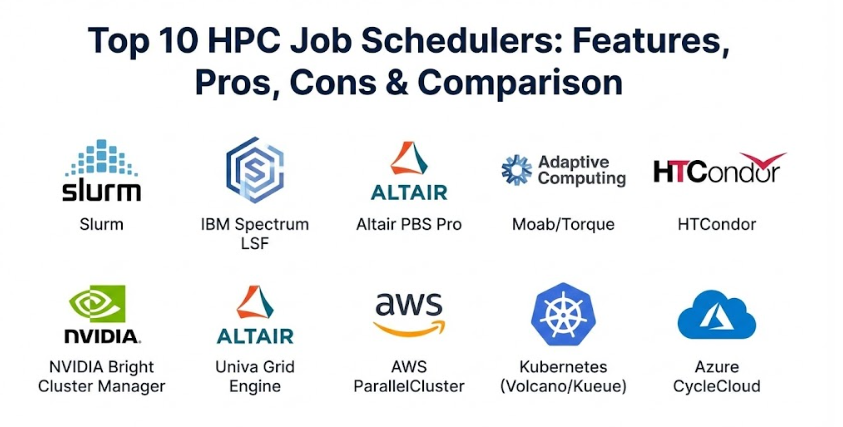
Top 10 HPC Job Schedulers Tools
1 — Slurm Workload Manager
Slurm (Simple Linux Utility for Resource Management) is the undisputed heavyweight champion of the HPC world. It is an open-source, fault-tolerant, and highly scalable cluster management and job scheduling system for large and small Linux clusters.
- High Scalability: Capable of managing clusters with tens of thousands of nodes and millions of jobs.
- Extensible Plugin Architecture: Highly customizable through a variety of plugins for scheduling, logging, and authentication.
- Fair-Share Scheduling: Ensures that resources are distributed equitably based on historical usage and priority.
- Power Management: Can power down idle nodes to save electricity and wake them up when needed.
- GPU Affinity: Advanced support for binding tasks to specific GPUs, which is critical for AI workloads.
- Multi-cluster Management: Allows users to submit jobs to multiple clusters from a single interface.
Pros:
- It is open-source and free to use, backed by a massive community and professional support from SchedMD.
- Most researchers and HPC professionals are already trained on Slurm, making onboarding much easier.
Cons:
- The configuration files can be dense and difficult for beginners to master without significant trial and error.
- While it supports Windows through specialized setups, it is primarily and effectively a Linux-only tool.
Security & compliance: Supports MUNGE for authentication, SSH integration, audit logs, and highly granular Linux user/group permissions.
Support & community: Boasts the largest community in the HPC space; extensive documentation, mailing lists, and enterprise-grade support available via SchedMD.
2 — IBM Spectrum LSF
IBM Spectrum LSF (Load Sharing Facility) is a powerful enterprise-grade workload management solution. It is designed to improve productivity and resource utilization while providing a robust environment for mission-critical engineering and scientific workloads.
- Advanced License Scheduling: Can manage and enforce software license limits across the entire cluster.
- Dynamic Resource Prediction: Uses historical data to predict job runtimes and improve scheduling efficiency.
- Comprehensive GUI: Features a sophisticated web interface for both administrators and end-users to monitor jobs.
- Hybrid Cloud Bursting: Seamlessly extends on-premise workloads into IBM Cloud, AWS, or Azure when local capacity is full.
- Policy-Driven Automation: Allows for complex business rules to dictate job priorities and resource access.
Pros:
- Excellent for commercial environments where software license costs are higher than hardware costs.
- Provides high levels of stability and “one-throat-to-check” accountability with IBM’s professional support.
Cons:
- The licensing fees are substantial, making it less attractive for small academic labs or startups.
- It can feel “heavy” with a lot of proprietary components that make deep customization outside IBM’s ecosystem difficult.
Security & compliance: Features Kerberos support, full audit trails, ISO 27001 alignment, and enterprise-grade SSO integration.
Support & community: Top-tier 24/7 enterprise support from IBM; extensive professional training and certification programs are available.
3 — Altair PBS Professional
PBS Professional (Portable Batch System) is a fast, powerful workload manager designed to improve productivity, optimize utilization and efficiency, and simplify administration for HPC clusters.
- Top-Tier Resilience: Known for its “zero-fail” architecture where the scheduler can recover from almost any system interruption.
- GPU-Aware Scheduling: Deep integration with NVIDIA and AMD GPUs for high-performance AI and simulation.
- Cloud Bursting: Includes “Altair Control” for easy management of hybrid cloud resources.
- User-Defined Resources: Allows admins to create custom resource types (like “sensor access” or “specialized storage”).
- Complex Dependencies: Supports highly intricate job chains where Job B only runs if Job A succeeds with specific exit codes.
Pros:
- The user interface and command set are very consistent, which minimizes errors during job submission.
- It is highly efficient at managing “high-throughput” workloads consisting of millions of short-lived jobs.
Cons:
- The commercial version is expensive, though there is an open-source version (OpenPBS) with fewer features.
- Integration with certain niche open-source tools can sometimes require more custom scripting compared to Slurm.
Security & compliance: SOC 2 compliant, HIPAA ready, and supports full encryption for data in transit and at rest.
Support & community: Excellent global support from Altair; active community through the OpenPBS project.
4 — Adaptive Computing Moab / Torque
Moab is a rich workload management suite that usually sits on top of Torque (an open-source resource manager). Together, they provide a highly intelligent scheduling layer for complex multi-SLA environments.
- Multi-SLA Support: Can guarantee specific resource amounts to different departments or projects simultaneously.
- Future Reservation: Allows users to “book” a cluster for a specific time in the future for a live demo or urgent run.
- Dynamic Provisioning: Can trigger a node to reboot into a different operating system based on the job requirements.
- Showback and Chargeback: Detailed accounting features to show departments how much they are “spending” in compute time.
- Grid Scheduling: Can manage multiple geographically distributed clusters as a single resource pool.
Pros:
- It is perhaps the best tool for “political” environments where different departments need guaranteed access percentages.
- The “what-if” analysis tool helps admins see how policy changes will affect wait times before applying them.
Cons:
- The combination of Moab and Torque can be complex to troubleshoot because there are two distinct layers of software.
- Development has slowed down compared to the rapid pace of Slurm or specialized AI schedulers.
Security & compliance: Supports LDAP/Active Directory integration, audit logging, and secure credential passing.
Support & community: Professional support from Adaptive Computing; Torque has a legacy community but is increasingly being replaced by Slurm.
5 — HTCondor
Developed by the University of Wisconsin-Madison, HTCondor is unique because it is designed for High-Throughput Computing (HTC) rather than traditional HPC. It excels at using “scavenged” resources.
- Cycle Scavenging: Can run jobs on idle desktop workstations at night and pause them instantly when a user returns.
- ClassAds Mechanism: A flexible “matchmaking” system where jobs and machines “advertise” their requirements and capabilities.
- Checkpointing: Can save the state of a job and move it to a different machine if the original machine becomes busy.
- Massive Throughput: Optimized for running millions of independent jobs (like analyzing individual grains of sand).
- Docker Support: Strong native support for running containerized workloads across a distributed “grid.”
Pros:
- It is free and incredibly good at turning an entire office’s idle PCs into a “free” supercomputer.
- It is much more resilient to network “flakiness” than traditional MPI-focused schedulers.
Cons:
- It is not the best choice for jobs that need many nodes to talk to each other at high speeds (MPI jobs).
- The ClassAd syntax is very different from other schedulers and takes time to learn.
Security & compliance: Varies. While it has strong internal security tokens, it is less focused on formal enterprise compliance like SOC 2.
Support & community: Very strong academic community; supported by the Center for High Throughput Computing (CHTC).
6 — NVIDIA Base Command Manager (formerly Bright Cluster Manager)
NVIDIA Base Command Manager is a complete solution for managing HPC and AI clusters. It goes beyond scheduling to handle the actual installation and health monitoring of the hardware.
- Full-Stack Orchestration: Manages everything from the Linux OS and drivers to the job scheduler and containers.
- Multi-Scheduler Support: Can run Slurm, PBS Pro, or Kubernetes on the same hardware simultaneously.
- GPU Health Monitoring: Deep, low-level metrics for NVIDIA GPUs, including power, temperature, and memory errors.
- Cloud Bursting: Simple wizards to extend your local cluster into AWS, Azure, or Google Cloud.
- Edge Management: Can manage small clusters at remote sites from a single central console.
Pros:
- It significantly reduces the number of “headcounts” needed to manage a large cluster because it automates the OS and driver setup.
- The interface is incredibly polished and provides a “single pane of glass” for the entire data center.
Cons:
- It is a commercial product with a cost tied to the number of nodes.
- You are somewhat locked into their way of managing the OS, which can be frustrating for highly “hands-on” Linux admins.
Security & compliance: Highly secure; includes SSO, audit logs, and is designed to meet strict enterprise and government security standards.
Support & community: Excellent professional support from NVIDIA; widely used in corporate AI labs.
7 — Univa Grid Engine (by Altair)
Grid Engine has a long history (formerly Sun Grid Engine). Now owned by Altair, it remains a staple in the life sciences and financial services industries for its reliability.
- Array Job Excellence: Superior handling of large “arrays” of similar jobs, which is common in genomic sequencing.
- Resource Quotas: Granular control over how much memory or CPU a specific user can take at any given time.
- Advanced Advance Reservations: Reliable booking of resources for high-priority windows.
- Interactive Job Support: Better-than-average support for users who need to “log in” to a compute node and work live.
- Docker/Singularity Integration: Modern support for running isolated container workloads.
Pros:
- It is a “workhorse” that is known for being extremely stable once it is configured.
- Many older pipelines in pharma and finance are built specifically for Grid Engine’s command syntax.
Cons:
- The split between the open-source version (which is outdated) and the commercial version can be confusing.
- It lacks some of the modern AI-specific “bells and whistles” found in NVIDIA-focused tools.
Security & compliance: Includes support for Kerberos, SSL, and enterprise user management systems.
Support & community: Professional support via Altair; a loyal but shrinking community compared to Slurm.
8 — AWS ParallelCluster
AWS ParallelCluster is a cloud-native tool that simplifies the deployment and management of HPC clusters on Amazon Web Services. It uses Slurm under the hood but automates the cloud infrastructure.
- Infrastructure as Code: Uses simple text files to define the cluster, and AWS handles the creation of servers and storage.
- Auto-Scaling: Automatically adds nodes when the queue is full and shuts them down when they are idle to save money.
- FSx for Lustre Integration: Seamless connection to high-speed HPC storage in the cloud.
- Elastic Fabric Adapter (EFA): Supports high-speed networking for MPI jobs in the cloud.
- Cost Tracking: Directly integrates with AWS Billing to see exactly what each research project is costing.
Pros:
- It allows a researcher to “spin up” a supercomputer in 15 minutes without buying any hardware.
- You only pay for the compute time you use, making it great for “bursty” workloads.
Cons:
- You are locked into the AWS ecosystem.
- If not configured carefully, an auto-scaling cluster can lead to a very surprise-filled credit card bill.
Security & compliance: Inherits AWS’s massive list of certifications (SOC, HIPAA, FedRAMP, etc.).
Support & community: Supported by AWS; large community of cloud-HPC researchers.
9 — Kubernetes (with Volcano or Kueue)
Standard Kubernetes is built for web apps, but with specialized additions like “Volcano” or “Kueue,” it is increasingly being used as a scheduler for modern, containerized HPC and AI workloads.
- Container Native: Built from the ground up for Docker and OCI images.
- Gang Scheduling: Ensures that all parts of a large AI training job start at the same time (all-or-nothing).
- Queue Management: Adds traditional HPC-style “queues” to the standard Kubernetes environment.
- Resource Fair-sharing: Balances workloads between different namespaces and teams.
- Unified Infrastructure: Allows a company to run their web apps and their AI training on the exact same pool of servers.
Pros:
- It is the “future” of computing for many organizations that want everything to be a container.
- It has the largest developer ecosystem in the world right now.
Cons:
- Standard Kubernetes has a “scheduling overhead” that can be slower than Slurm for millions of tiny jobs.
- It requires a different mindset (DevOps) than traditional HPC (System Admin).
Security & compliance: Extremely robust; includes RBAC, Secrets management, and is compliant with almost every major standard.
Support & community: Massive open-source community; enterprise support from Red Hat, Google, and others.
10 — Azure CycleCloud
Azure CycleCloud is Microsoft’s answer to AWS ParallelCluster. It is a tool for creating, managing, operating, and optimizing HPC clusters on Microsoft Azure.
- Graphical Cluster Builder: A very friendly web interface for designing your cluster’s “blueprint.”
- Multi-Scheduler Support: Can deploy Slurm, PBS Pro, or Grid Engine on Azure virtual machines.
- Cost Controls: Allows admins to set hard spending limits to prevent “budget blowouts.”
- Hybrid Integration: Can manage “overflow” jobs from a local data center into the Azure cloud.
- Pre-configured Templates: Optimized setups for specific software like Ansys, WRF, or GROMACS.
Pros:
- The user interface is much friendlier for non-technical users than the AWS command-line tools.
- It is the natural choice for companies already heavily invested in the Microsoft/Office 365 ecosystem.
Cons:
- Performance for very high-end MPI jobs can be dependent on specific (and expensive) Azure VM types.
- It requires a good understanding of Azure networking and storage to set up correctly.
Security & compliance: Fully integrated with Azure Active Directory and meets all major global compliance standards.
Support & community: Professional support from Microsoft; well-documented for enterprise users.
Comparison Table
| Tool Name | Best For | Platforms | Standout Feature | Rating |
| Slurm | Standard Research | Linux | Universal industry adoption | N/A |
| IBM Spectrum LSF | Commercial R&D | Linux / Win | Software license tracking | N/A |
| Altair PBS Pro | High Throughput | Linux / Win | Zero-fail architecture | N/A |
| Moab / Torque | Multi-Department | Linux | Advanced future reservations | N/A |
| HTCondor | Idle Resource Use | Linux / Win | Cycle scavenging | N/A |
| NVIDIA Bright | AI & Full Stack | Linux | Automated Driver/OS setup | N/A |
| Univa Grid Engine | Life Sciences | Linux | Genomic Array job handling | N/A |
| AWS ParallelCluster | Cloud Researchers | AWS | Auto-scaling infrastructure | N/A |
| Kubernetes | Containerized AI | Cloud / On-Prem | Unified Web/AI stack | N/A |
| Azure CycleCloud | Enterprise Cloud | Azure | Visual cluster blueprinting | N/A |
Evaluation & Scoring of HPC Job Schedulers
Selecting an HPC scheduler is a decision that will impact your organization for years. We evaluate these tools using a weighted rubric that reflects the priorities of modern data centers.
| Category | Weight | Evaluation Criteria |
| Core Features | 25% | Scheduling algorithms, GPU support, fair-share, and node management. |
| Ease of Use | 15% | Learning curve for users and complexity of admin configuration. |
| Integrations | 15% | Support for containers (Docker/Singularity), cloud bursting, and storage. |
| Security & Compliance | 10% | Authentication, audit logs, and adherence to industry standards. |
| Performance | 10% | Speed of scheduling cycle and ability to handle high-throughput. |
| Support & Community | 10% | Availability of documentation, mailing lists, and professional help. |
| Price / Value | 15% | Licensing cost vs. productivity gains and hardware savings. |
Which HPC Job Schedulers Tool Is Right for You?
The “best” tool depends entirely on your specific organizational profile and your technical goals.
Solo Users and Small Academic Labs
If you are a student or a single researcher with a small 4-node cluster, Slurm is the gold standard. It is free, and the skills you learn will be applicable if you ever move to a larger national lab. If you don’t want to manage hardware at all, AWS ParallelCluster is your best bet; you can run your job on 100 nodes for two hours and pay only for that time.
Small to Mid-Sized Businesses (SMBs)
Growing engineering firms often find the most value in NVIDIA Base Command Manager (Bright). While it costs money, it saves you from needing to hire a full-time “Linux Guru” because it automates the driver and OS setup. If your work is primarily independent (like 1,000 separate simulations), HTCondor can let you use the idle power of your office’s existing workstations for free.
Large Enterprises and Corporate R&D
For global companies where “downtime is death,” IBM Spectrum LSF or Altair PBS Professional are the winners. These tools provide the accountability and specialized license management that commercial firms require. If your company is moving toward a “Cloud First” strategy and already uses containers for everything, then a Kubernetes based stack (with Volcano) might be the most future-proof choice.
Budget-Conscious vs. Premium
- Budget: Slurm and HTCondor are the kings of free, high-quality scheduling.
- Premium: NVIDIA Bright and IBM Spectrum LSF provide the most “hands-off” experience for a price.
Frequently Asked Questions (FAQs)
1. What is the difference between a scheduler and a resource manager?
A resource manager (like Torque) keeps track of what nodes are up and down. A scheduler (like Moab) is the “brain” that decides which job goes to which node based on priority. Today, most tools like Slurm do both.
2. Can I run these schedulers on Windows?
Most are built for Linux. However, IBM LSF and Altair PBS Pro have solid Windows support. For open-source, HTCondor is the best at incorporating Windows machines.
3. Do I need a scheduler for a 2-node cluster?
Technically no, but it’s a good idea. It builds a disciplined workflow and makes it much easier to add a 3rd or 4th node later without changing how you work.
4. How does “Cloud Bursting” work?
When your local cluster is 100% busy, the scheduler “bursts” the extra jobs to the cloud (AWS/Azure). It spins up cloud servers, runs the job, and shuts them down when done.
5. What is “Fair-Share”?
Fair-share prevents one user from “hogging” the cluster. If User A runs a massive job today, the scheduler will give User B higher priority tomorrow so that everyone gets a turn over time.
6. Is Slurm really free?
Yes, the software is free under the GPL license. You only pay if you want professional support from companies like SchedMD.
7. Which scheduler is best for AI and Machine Learning?
Currently, Slurm and Kubernetes are the most popular. Slurm is better for “bare-metal” performance, while Kubernetes is better if your AI model is already in a Docker container.
8. Can I change schedulers later?
Yes, but it’s painful. Users will have to rewrite their submission scripts, and admins will have to learn a new configuration language. It’s best to choose carefully at the start.
9. What is an MPI job?
MPI (Message Passing Interface) is used for jobs that need many nodes to talk to each other constantly (like weather models). Schedulers like Slurm and PBS are specially tuned to handle these.
10. How do these tools handle “Job Dependencies”?
You can tell the scheduler: “Run Job 2 only if Job 1 finishes successfully.” This is vital for complex workflows where you need to process data before analyzing it.
Conclusion
HPC Job Schedulers are the silent engines that power modern discovery. Whether it’s Slurm running on the world’s largest supercomputers or HTCondor scavenging idle CPU cycles in a university basement, these tools ensure that our most expensive digital resources are never wasted.
Choosing the right scheduler isn’t about finding the one with the most features; it’s about finding the one that matches your team’s skills and your hardware’s purpose. If you want the industry standard that everyone knows, go with Slurm. If you want a managed, “turnkey” experience for AI, look at NVIDIA Base Command Manager. If you are purely in the cloud, use ParallelCluster or CycleCloud.
The “best” tool is ultimately the one that gets out of the way and lets your researchers and engineers focus on their work. Take the time to test a few options with a small pilot cluster, talk to your users about their script preferences, and select the traffic controller that will keep your computational traffic moving smoothly for years to come.