Introduction
Hospital Bed Management Systems are special computer programs used by hospitals to track every bed in their building. Think of it like a live map for hospital staff. It shows which beds have patients in them, which beds are being cleaned, and which ones are ready for a new person to move in. Instead of using paper lists or old whiteboards, doctors and nurses can look at a screen and see exactly what is happening across the entire hospital at that very second.
These tools are very important because hospitals are always busy. When a person comes to the emergency room and needs to stay overnight, the staff needs to find a bed quickly. Without a good system, they might spend a lot of time calling different floors to ask if any rooms are free. A bed management system stops this waste of time. It makes sure that patients move from the emergency room to a proper bed much faster. It also helps cleaning crews know exactly when a room is empty so they can go in and sanitize it right away.
In the real world, these systems are used every day to manage “patient flow.” For example, if a large number of people arrive at once due to an accident, the hospital can use the software to see if they need to open up extra wards or move stable patients to different areas. It also helps managers plan for the next day by looking at how many people are expected to go home. When choosing one of these tools, you should look for things like real-time updates, ease of use for the nursing staff, and how well it connects to the patient’s digital medical records.
Best for: This software is best for large hospitals with many floors, busy medical centers that take in a lot of emergency patients, and groups of hospitals that need to share information. It helps administrators, head nurses, and housekeeping managers the most.
Not ideal for: Small family clinics or tiny medical offices with only two or three beds. These places can usually manage just fine by talking to each other. It is also not necessary for places that only see patients for quick appointments and do not keep them overnight.
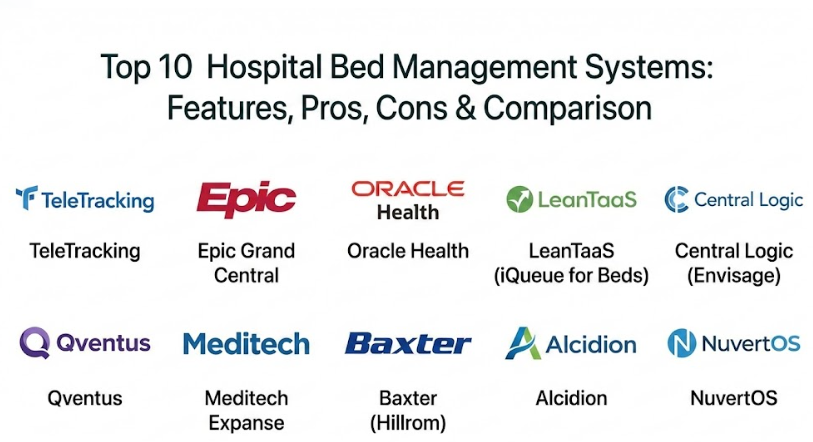
Top 10 Hospital Bed Management Systems Tools
1 — TeleTracking Capacity Management Suite
TeleTracking is a very well-known tool that acts like an air traffic control center for hospitals. It is designed to handle every part of a patient’s stay, from the moment they arrive at the front door to the moment they are wheeled out to go home.
- Key features:
- Live dashboards showing every bed in the hospital network.
- Automatic alerts for cleaning staff when a bed becomes empty.
- Tools to help move patients between different departments.
- Predictive charts that guess how many beds will be needed soon.
- Mobile apps so staff can update bed status while they are walking.
- Centralized “Command Center” view for top managers.
- Pros:
- It is very good at reducing the time patients spend waiting in hallways.
- It helps hospitals use every single bed they have, which saves money.
- Cons:
- The software is very deep and can take a long time to learn.
- It can be quite expensive for smaller hospitals to buy and set up.
- Security & compliance: HIPAA compliant, secure data encryption, and follows SOC 2 standards.
- Support & community: Offers 24/7 technical help, large online manuals, and regular training sessions for staff.
2 — Epic Grand Central
Epic is a famous name in medical software. Their bed management tool is called Grand Central. It is very popular because it is part of a much bigger system that holds all the patient’s medical information in one place.
- Key features:
- Direct connection to the patient’s digital medical chart.
- Visual floor maps that change color when a bed status changes.
- Automated cleaning requests sent to housekeeping teams.
- Tools to manage waiting lists for very busy departments like the ICU.
- Conflict detection to make sure patients are put in the right kind of room.
- Pros:
- Since it is part of the Epic system, staff don’t have to log into two different programs.
- It is very reliable and is used by many of the biggest hospitals in the world.
- Cons:
- You usually have to buy the whole Epic system to get this tool.
- The screens can sometimes look very crowded with too much information.
- Security & compliance: HIPAA and GDPR compliant with very strong data protection rules.
- Support & community: Large user community and high-quality enterprise support for big organizations.
3 — Oracle Health (Capacity Management)
Formerly known as Cerner, Oracle Health offers a powerful way to manage hospital capacity. It focuses on making sure that patients are safe and that the hospital is running as efficiently as possible.
- Key features:
- Real-time status updates for every ward and department.
- Rule-based bed assignments to pick the safest room for a patient.
- Integration with clinical monitors to track patient progress.
- Dashboards for daily planning meetings.
- Detailed reports that show where delays are happening in the hospital.
- Pros:
- Excellent at handling very complex hospital layouts with many different specialties.
- Strong focus on making sure patients are placed in the right clinical area.
- Cons:
- Setting up the system can be a long and complicated process.
- It works best if you already have a very strong IT team at the hospital.
- Security & compliance: HIPAA compliant and follows international safety standards.
- Support & community: Global support network with teams available in many different countries.
4 — LeanTaaS (iQueue for Beds)
LeanTaaS uses smart math and data to help hospitals. Their tool, iQueue for Beds, doesn’t just show what is happening now—it tries to predict what will happen tomorrow or the next day so staff can be ready.
- Key features:
- Forecasting tools that guess how many patients will arrive soon.
- Identification of “bottlenecks” where patients are getting stuck.
- Daily email reports with tips on how to improve flow.
- Simple, modern screens that are very easy to look at.
- Mobile views for managers who are always on the move.
- Pros:
- It helps staff feel less stressed by warning them about busy times before they happen.
- The interface is very modern and feels more like a smartphone app than old software.
- Cons:
- It is an “add-on” tool, so you still need another system to hold the medical records.
- It needs a lot of clean data to make its predictions accurate.
- Security & compliance: HIPAA compliant and SOC 2 Type II certified.
- Support & community: Dedicated success managers who help the hospital understand their data.
5 — Central Logic (Envisage)
Central Logic is built for hospitals that take a lot of patients from other places. If you are a large hospital that receives many transfers from smaller clinics, this tool helps you manage those requests without a hitch.
- Key features:
- Centralized intake center to manage all incoming patient requests.
- Real-time visibility into bed availability across multiple hospital sites.
- Automated workflows for doctors to talk to each other during a transfer.
- Detailed logs to track why some patients are delayed or denied.
- Dashboards that show the “level of care” available at every site.
- Pros:
- It is the best choice for large health systems with many different buildings.
- It makes the process of moving a patient from one hospital to another much safer.
- Cons:
- The features are mostly for transfers, so it might not be as good for small ward tasks.
- It can be complex to connect all the different partner hospitals together.
- Security & compliance: HIPAA compliant with secure cloud-based data storage.
- Support & community: Good training programs for staff who work in transfer centers.
6 — Qventus
Qventus is a high-tech tool that acts like a digital assistant. It sends alerts to nurses and managers on their phones when it sees a problem, such as a patient whose discharge is taking too long.
- Key features:
- Automatic alerts for delays in patient discharge or lab results.
- Suggestions on the best time to move a patient to a different unit.
- Coordination tools for teams of doctors and nurses to talk.
- Live dashboards showing exactly how long patients have been waiting.
- Predictive models for surgery schedules and bed needs.
- Pros:
- It reduces the amount of “busy work” like making phone calls to check on room status.
- It is very proactive and tells staff what to do before they even ask.
- Cons:
- Staff might find the constant phone alerts a bit annoying at first.
- It requires a very good internet connection and accurate medical data to work.
- Security & compliance: HIPAA compliant with modern encryption for mobile data.
- Support & community: Highly-rated support team that works closely with hospital leaders.
7 — Meditech Expanse Patient Flow
Meditech is a well-known name for hospitals that want a reliable system without the massive price tag of some other brands. Their Patient Flow tool is web-based and very easy to use.
- Key features:
- Real-time tracking of patient movement from admission to discharge.
- Color-coded bed boards for quick visual checks.
- Integration with nursing documentation and medical orders.
- Automated cleaning notifications for housekeeping teams.
- Reporting tools to track hospital efficiency over time.
- Pros:
- It is very cost-effective for mid-sized hospitals.
- The web interface is fast and does not require complex software to be installed on every PC.
- Cons:
- It might lack some of the “fancier” AI features found in high-end tools.
- The design is simple, which some people might find a bit plain.
- Security & compliance: HIPAA compliant and follows standard healthcare security rules.
- Support & community: Solid technical support and a large group of long-time users.
8 — Baxter (Hillrom Care Communications)
Hillrom, which is now part of Baxter, focuses on the physical bed itself. Their software connects directly to the hospital beds to provide updates that other systems might miss.
- Key features:
- Direct connection between the “smart bed” hardware and the software.
- Automatic status updates when a patient gets out of bed.
- Alerts for fall prevention and patient safety.
- Integration with nurse call systems and staff pagers.
- Tracking for other hospital equipment like IV pumps.
- Pros:
- It provides very accurate data because it comes directly from the bed sensors.
- It is excellent for hospitals that prioritize patient safety and fall prevention.
- Cons:
- It requires you to have specific hardware (smart beds) for the best results.
- Managing both hardware and software can be more work for the IT team.
- Security & compliance: HIPAA compliant with secure device-to-cloud encryption.
- Support & community: Strong on-site technical support and clinical consulting.
9 — Alcidion Miya Precision
Alcidion is a newer player that offers a very smart platform. It looks at all the data in the hospital and highlights which patients are ready to go home so beds can be freed up faster.
- Key features:
- Real-time “flow” dashboards that identify discharge barriers.
- Clinical decision support to help doctors plan patient moves.
- Mobile access for clinicians to view patient status anywhere.
- Automated notifications for multi-disciplinary teams.
- Integration with a wide variety of other hospital software.
- Pros:
- It is very good at identifying “hidden” problems that delay patient care.
- The software feels very modern and is designed for the way doctors actually work.
- Cons:
- It is a newer company, so it may not have as many local support offices yet.
- Setting up all the clinical rules can take a bit of effort.
- Security & compliance: HIPAA and GDPR compliant; ISO 27001 certified.
- Support & community: Known for having a very responsive and helpful support team.
10 — NuvertOS
NuvertOS is a modern, cloud-based system that is often called the “Brain of the Hospital.” It is an all-in-one platform that handles bed management along with everything else a hospital needs.
- Key features:
- Unified ecosystem that connects beds, pharmacy, and labs.
- AI-powered tools that help reduce patient discharge time significantly.
- Native mobile apps for administrators, doctors, and nurses.
- Fast implementation that can get a hospital running in just a few weeks.
- Clear visual bed views with real-time occupancy status.
- Pros:
- It is very fast and easy for staff to learn without long training sessions.
- There are no hidden costs for things like servers or maintenance.
- Cons:
- As a modern cloud system, it requires a very reliable internet connection.
- It might be too modern for hospitals that prefer traditional, on-premise software.
- Security & compliance: HIPAA compliant with high-level modern encryption.
- Support & community: Offers 24/7 live support and very fast response times for new users.
Comparison Table
| Tool Name | Best For | Platform(s) Supported | Standout Feature | Rating |
| TeleTracking | Large Enterprise Flow | Cloud / On-Premise | Command Center View | N/A |
| Epic Grand Central | Hospitals using Epic | On-Premise / Cloud | Native Record Sync | N/A |
| Oracle Health | Multi-Specialty Networks | Cloud / On-Premise | Safe Placement Rules | N/A |
| LeanTaaS | Predictive Forecasting | Cloud (SaaS) | AI Bed Demand Math | N/A |
| Central Logic | Transfers & Hubs | Cloud | Referral Workflows | N/A |
| Qventus | Proactive AI Alerts | Cloud (SaaS) | Real-time Mobile Alerts | N/A |
| Meditech Expanse | Mid-Market Hospitals | Web-based | Budget-friendly UI | N/A |
| Baxter (Hillrom) | Hardware Integration | Software + Hardware | Smart-Bed Connectivity | N/A |
| Alcidion | Clinical Discharge | Cloud / Web | Flow Dashboards | N/A |
| NuvertOS | Modern Unified Care | Cloud | “Brain” Integration | N/A |
Evaluation & Scoring of Hospital Bed Management Systems
To help you understand how these tools are measured, we have created a scoring system based on what hospitals care about the most.
| Evaluation Category | Weight | What it Means |
| Core Features | 25% | Real-time tracking, automated alerts, and discharge tools. |
| Ease of Use | 15% | How simple the buttons and screens are for busy nurses. |
| Integrations | 15% | How well it connects to the EHR and other systems. |
| Security & Compliance | 10% | HIPAA, data encryption, and audit logs. |
| Performance | 10% | Speed of the system and how often it stays working. |
| Support & Community | 10% | Training quality and how fast they help with problems. |
| Price / Value | 15% | Getting the best features for the money spent. |
Which Hospital Bed Management Systems Tool Is Right for You?
Choosing a tool depends on the size of your facility and your specific goals. Here is a simple guide to help you decide.
Solo Users vs SMB vs Mid-Market vs Enterprise
If you are a single hospital or a small chain, you want something that is easy to set up and does not cost millions. MocDoc or NuvertOS are great for mid-sized hospitals because they are cloud-based and very fast to start. If you are a massive “Enterprise” system with thousands of beds, you need a heavy hitter like Epic or TeleTracking because they can handle that much data at once.
Budget-Conscious vs Premium Solutions
Hospitals on a tight budget should look for “all-in-one” systems where bed management is included for no extra charge. Meditech is a very solid, budget-friendly choice. If you have a larger budget and want a “Premium” solution that uses AI to find every possible way to save time, Qventus or LeanTaaS are the best options.
Feature Depth vs Ease of Use
Some systems have hundreds of buttons and can do almost anything, but they are hard to learn. If your staff is already overworked, choose a system with a “Simple UI” like Alcidion or NuvertOS. If you have a dedicated “Flow Team” that only manages beds all day, they might prefer a high-depth system like TeleTracking.
Integration and Scalability Needs
If you plan on growing and adding more hospitals in the future, you must choose a system that can scale up. Cloud-based systems are usually better for this because you don’t have to buy more servers. Also, make sure the tool can “talk” to your existing medical records through standard languages like HL7 or FHIR.
Security and Compliance Requirements
Every hospital must follow HIPAA rules. Make sure the tool you pick has a long history of being secure. Check for things like “Single Sign-On” (SSO), which lets staff use one password for everything, and “Audit Logs,” which keep a record of every person who looks at a patient’s data.
Frequently Asked Questions (FAQs)
1. What is a hospital bed management system?
It is a software tool that tracks which beds are full, empty, or being cleaned. It helps hospital staff move patients into rooms faster and keeps everything organized on a live screen.
2. Does this software replace the medical record system?
No. It usually works alongside the Electronic Health Record (EHR). The EHR holds the patient’s medical history, while the bed management system focuses on where the patient is physically located.
3. How does it help nursing staff?
Nurses can see exactly which rooms are ready for new patients without having to walk down the hall or call other floors. It reduces their workload and lets them focus on patient care.
4. Can this software help with cleaning?
Yes. When a patient leaves, the system automatically tells the cleaning crew (housekeeping) that the room is ready. This means rooms get cleaned much faster.
5. Is it hard to set up?
Cloud-based systems are usually faster to set up, often taking only a few weeks. Large enterprise systems can take several months because they need to be connected to many different departments.
6. Do we need special hardware like sensors?
Most systems work on regular computers and tablets. However, some “Real-Time Location Systems” (RTLS) use small tags on beds and equipment to track them automatically.
7. Is patient data safe in the cloud?
Yes. Modern cloud systems use very high-level encryption and follow strict HIPAA rules to make sure no unauthorized person can see the data.
8. Can it help during a busy flu season?
Absolutely. It can show managers when the hospital is almost full so they can open extra beds or change staffing levels to handle the extra patients.
9. What is the most common mistake when buying these?
The biggest mistake is buying a system that is too complicated. If it takes too many clicks to update a bed status, the staff won’t use it, and the information will be wrong.
10. How much does it cost?
The price varies based on the size of the hospital. Most systems charge a monthly fee per bed or a flat yearly fee for the whole hospital. It is best to ask for a custom quote.
Conclusion
Managing beds in a hospital is one of the most important tasks for keeping patients safe and happy. When a hospital runs smoothly, patients don’t have to wait in hallways, and staff members don’t feel overwhelmed. A good bed management system is the key to making this happen.
Choosing the right tool depends on what matters most to your facility. If you are a very large hospital that needs deep data, a leader like TeleTracking or an integrated module in Epic is often the best choice. If you are a mid-sized hospital looking for modern, AI-powered efficiency that is easy to use, systems like NuvertOS or Alcidion are excellent paths to take.
What matters most is picking a tool that fits into your daily routine. The “best” system is the one that your nurses and cleaning staff find easy to use every single day. By investing in the right technology, you are not just buying software—you are making your hospital a better, faster, and safer place for everyone who walks through the doors.