Introduction
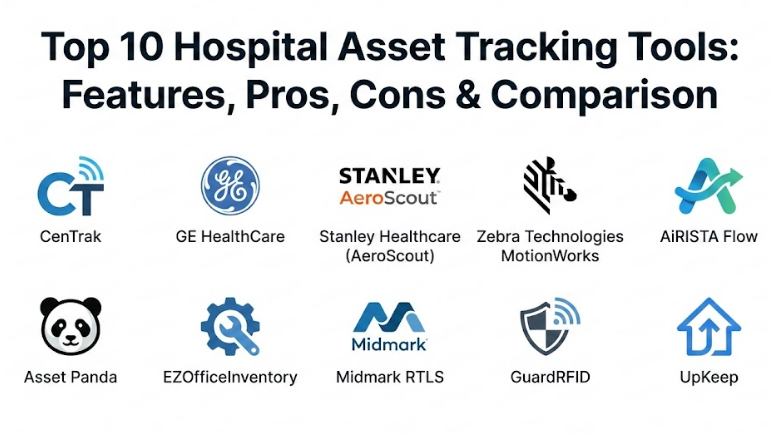
Hospital Asset Tracking Tools are specialized systems that help doctors, nurses, and hospital managers find their equipment instantly. These tools, which include names like CenTrak, GE HealthCare, and Stanley Healthcare, act as an indoor GPS for the medical facility. They work by attaching small electronic tags to equipment—like wheelchairs, IV pumps, and heart monitors—and using sensors and software to show exactly where those items are on a digital map. Instead of a nurse walking up and down hallways to find a clean ventilator, they can simply look at a computer screen or a mobile phone to see its exact location.
Managing a hospital is like running a small city where every second counts. Equipment is constantly moving between different floors, rooms, and cleaning stations. Without a tracking system, expensive machines can easily be lost, stolen, or accidentally hidden in a storage closet. This is where hospital asset tracking tools become vital. They ensure that life-saving gear is always ready for patient care, which reduces stress for the medical staff and prevents the hospital from wasting money on replacing lost items.
Real-world use cases for these tools are everywhere in healthcare. They are used to find emergency equipment during a “Code Blue,” to track the temperature of refrigerators holding vaccines, and to manage the maintenance schedule of surgical tools so they are always safe to use. By automating the inventory process, hospitals can see exactly how many machines they have and how often they are actually being used. This helps managers decide if they need to buy more equipment or if they can simply move what they already have to a busier department.
Best for: Large medical centers, multi-site hospital networks, and busy clinics that manage a lot of moving equipment. It is perfect for nursing teams, clinical engineers, and facility managers who want to save time and reduce costs.
Not ideal for: Very small private practices with only a few rooms where everything is always in plain sight. For a tiny office, a simple paper list or a basic spreadsheet is usually a better and cheaper option.
Top 10 Hospital Asset Tracking Tools
1 — CenTrak
CenTrak is a heavy-duty system built for hospitals that need “room-level” accuracy. It is designed to tell you exactly which room a piece of equipment is in, rather than just giving a general idea of the floor. It is widely used in large, complex facilities that cannot afford to waste time searching nearby rooms.
Key features:
- Uses infrared and radio signals for extreme location precision.
- Real-time maps that show every tagged item moving on a screen.
- Automated alerts if equipment is taken into a “dirty” utility room.
- Monitors the temperature of fridges for medicine and blood.
- Includes tags for infants to prevent unauthorized movement in maternity wards.
- Detailed reports that show which machines are used most often.
Pros:
- Incredibly accurate, which helps staff find gear in seconds.
- The system is very reliable even in buildings with thick walls.
Cons:
- One of the most expensive systems to install.
- Requires hardware to be placed in the ceiling of every room.
Security & compliance: HIPAA compliant, uses data encryption, and provides full audit logs for every movement.
Support & community: 24/7 technical help, on-site training for hospital staff, and a deep library of online guides.
2 — GE HealthCare Asset Performance Management
This tool is built by a company that already manufactures many medical machines. It does more than just find an asset; it looks at the “health” of your equipment to tell you if a machine is about to break or if the hospital is wasting money by owning too many devices.
Key features:
- Integrates directly with GE medical imaging and diagnostic tools.
- Predictive maintenance that warns you before a machine fails.
- Financial dashboards that help managers plan their yearly budgets.
- Mobile app for repair teams to see their daily tasks on the floor.
- Specialized tracking for high-value items like surgical robots.
- Automated inventory counts that take only a few seconds.
Pros:
- Excellent for saving money on repairs and new equipment purchases.
- A very stable system backed by a major name in healthcare.
Cons:
- The software has many features, which can feel a bit complex at first.
- Works most effectively if the hospital uses other GE products.
Security & compliance: SOC 2 Type II, ISO standards, and strict data privacy protocols.
Support & community: Dedicated enterprise support teams and a global network of technicians.
3 — Stanley Healthcare (AeroScout)
AeroScout is a popular choice because it often uses the hospital’s existing Wi-Fi network to track assets. This means you don’t always have to install as much new wiring as you would with other specialized systems.
Key features:
- Uses standard Wi-Fi signals to locate equipment across the whole facility.
- Staff badges with emergency buttons that send a location alert if a nurse needs help.
- Humidity and temperature sensors for operating rooms and labs.
- Visual maps that show where equipment is “piling up” in specific areas.
- Small, lightweight tags that are easy to stick onto wheelchairs and IV poles.
- Can be used to track patient wait times in the emergency room.
Pros:
- Generally faster to install if your Wi-Fi signal is already strong.
- A great “all-in-one” tool for tracking assets, staff, and the environment.
Cons:
- Wi-Fi signals can sometimes be less accurate than specialized systems.
- The batteries in Wi-Fi tags often need to be changed more frequently.
Security & compliance: HIPAA and GDPR compliant with secure login protocols and data protection.
Support & community: Large user community, regular training webinars, and a customer success portal.
4 — Zebra Technologies MotionWorks
Zebra is the company famous for barcodes, and MotionWorks is their professional-grade tracking platform. It is a rugged and dependable system built for busy, high-volume hospitals that need to track thousands of items.
Key features:
- Supports many different types of tags like RFID, Bluetooth, and Wi-Fi.
- Instantly counts every item in a storage room without scanning them one by one.
- Rugged handheld devices for staff to find equipment in basements or warehouses.
- Digital “fences” that set off an alarm if a machine is moved to the wrong floor.
- Durable tags that can survive being washed and sanitized many times.
- Highly customizable dashboards for different hospital departments.
Pros:
- The hardware (tags and scanners) is famous for being tough and long-lasting.
- Perfect for managing large amounts of smaller items like surgical kits.
Cons:
- Setting up the maps and logic can take a significant amount of time.
- The system might feel a bit too technical for a small medical office.
Security & compliance: ISO 27001 certified and allows for secure Single Sign-On (SSO).
Support & community: Massive global network of partners and very clear technical manuals.
5 — AiRISTA Flow
AiRISTA Flow focuses on the “flow” of the hospital. It doesn’t just find an asset; it helps you understand how equipment and people move through the building so you can make things run more smoothly and reduce delays.
Key features:
- Uses Bluetooth Low Energy (BLE) technology which is very cost-effective.
- Heatmaps that show where people and gear spend the most time.
- Automated tracking to see if staff are following hand-washing rules.
- Precise location alerts to keep staff safe in dangerous situations.
- Easy-to-use dashboards that show real-time equipment availability.
- Connects easily with existing nurse-call and alert systems.
Pros:
- Bluetooth tags are small, cheap, and very easy to replace.
- Excellent at spotting “bottlenecks” where the hospital is getting slowed down.
Cons:
- Bluetooth signals can sometimes be blocked by heavy metal doors.
- Requires many small “receivers” to be plugged in throughout the building.
Security & compliance: HIPAA compliant with secure cloud hosting and data protection.
Support & community: Offers specialized onboarding programs and a responsive technical help desk.
6 — Asset Panda
Asset Panda is a cloud-based software that is loved for its simplicity. Instead of expensive sensors in the ceiling, it uses the mobile phones and tablets that your staff are already carrying to scan and track equipment.
Key features:
- Turns any smartphone or tablet into a high-powered asset scanner.
- Unlimited user accounts so everyone in the hospital can help.
- Keeps a full history of every time a machine was fixed or moved.
- Sends automatic reminders for upcoming safety and maintenance checks.
- A simple “check-in” and “check-out” feature for shared medical gear.
- Customizable fields to track things like warranty dates and costs.
Pros:
- Extremely affordable and requires zero construction in the building.
- The interface is clean and looks like a normal modern app.
Cons:
- It is not “real-time,” meaning you have to scan the item to update its location.
- Not the best choice for finding a lost item in a life-or-death emergency.
Security & compliance: SOC 2 compliant, uses data encryption, and lets you set user permissions.
Support & community: Great chat support and a library of easy-to-follow video tutorials.
7 — EZOfficeInventory
This tool is a favorite for hospital teams that handle the day-to-day repair and maintenance of equipment. It focuses on the lifecycle of a machine while still keeping a close eye on where it is located.
Key features:
- Supports barcodes, QR codes, and RFID tags for flexible tracking.
- A full module for managing repair tickets and work orders.
- Tracks how much value a machine loses over time (depreciation).
- Mobile app for staff to reserve a machine for their next shift.
- Automated alerts for when the hospital is running low on supplies.
- Connects with popular help desk software for easier communication.
Pros:
- Very user-friendly and great for keeping equipment in top working order.
- Affordable pricing for mid-sized medical facilities.
Cons:
- Does not show a “live dot” moving on a map automatically.
- Depends on staff being disciplined enough to scan items when they move them.
Security & compliance: HIPAA ready with secure data backups and full audit logs.
Support & community: Strong online documentation and quick email responses.
8 — Midmark RTLS
Midmark is a company that focuses entirely on the “clinical” experience. Their system is designed to be invisible to the patient while providing massive benefits to the medical staff to help them work more efficiently.
Key features:
- High-precision sensors that know exactly which room an asset is in.
- Automated updates to “Clean/Dirty” status for medical equipment.
- Tracks how much time a doctor spends with each patient.
- Helps manage patient flow to reduce long wait times in the clinic.
- Silent alerts ensure the hospital environment stays quiet and peaceful.
- Integrates with patient records to show which gear was used.
Pros:
- Specifically built for the “rhythm” of a busy clinic or surgery center.
- Highly accurate, which prevents false alarms and wasted searching.
Cons:
- Requires professional installation and can be a significant investment.
- Mostly focused on patient areas rather than general storage or logistics.
Security & compliance: HIPAA compliant and built on enterprise-grade security protocols.
Support & community: Offers on-site consulting and long-term partnership support.
9 — GuardRFID
As the name suggests, this tool is built for safety and security. While it tracks wheelchairs and pumps perfectly, it is famous for its ability to keep the most vulnerable patients, like newborns, safe.
Key features:
- Specialized “Infant Protection” system for maternity departments.
- Integration with hospital doors to lock them if an asset is stolen.
- Active RFID technology for very strong and reliable signals.
- Small, waterproof tags that can be sanitized easily.
- Real-time alerts sent directly to the hospital security team.
- Tracks high-risk patients who might wander out of a safe zone.
Pros:
- The highest level of security for equipment and people.
- Highly reliable signals that aren’t easily blocked by thick walls.
Cons:
- The hardware is specialized and can be more expensive than average.
- Requires a dedicated network to be installed throughout the whole facility.
Security & compliance: ISO certified and HIPAA compliant with advanced encryption.
Support & community: 24/7 technical help and dedicated engineers to assist with set-up.
10 — UpKeep
UpKeep is a maintenance tool first and a tracking tool second. It is perfect for the people who fix the machines. While it tracks where things are, its main goal is to make sure every piece of hospital gear is working perfectly.
Key features:
- Staff can take a photo of a broken machine to start a repair request.
- Full digital history of every fix a machine has ever had.
- Tracks how much money is spent on parts and labor for each machine.
- A mobile app that works even when there is no Wi-Fi.
- “Barcode lookup” that shows the instruction manual for any device.
- Sends alerts when a machine is reaching the end of its life.
Pros:
- The best way to reduce equipment breakdowns and sudden failures.
- Incredibly easy for non-technical people to use on their phones.
Cons:
- It is not a real-time location system (it won’t “find” a lost wheelchair).
- Location is only updated when a worker scans the item during a check.
Security & compliance: SOC 2 compliant with secure cloud storage and user roles.
Support & community: Huge community of facility managers and modern training videos.
Comparison Table
| Tool Name | Best For | Platform(s) Supported | Standout Feature | Rating |
| CenTrak | Exact Room Accuracy | Web, Mobile, On-Prem | High-Precision Sensors | 4.6 / 5 |
| GE HealthCare | Budget & Lifecycle | Web, Mobile | Predictive Maintenance | 4.4 / 5 |
| Stanley Healthcare | Wi-Fi Environments | Web, Mobile | Staff Safety Buttons | 4.5 / 5 |
| Zebra MotionWorks | Large Inventories | Web, Handheld, Mobile | Rugged Hardware Tags | 4.4 / 5 |
| AiRISTA Flow | Hospital Workflow | Web, Mobile | BLE Flow Analytics | 4.3 / 5 |
| Asset Panda | Small Clinics | Web, iOS, Android | Smartphone Scanning | 4.2 / 5 |
| EZOfficeInventory | Repair & Checkout | Web, Mobile | Service History Logs | 4.4 / 5 |
| Midmark RTLS | Clinical Efficiency | Web, Mobile | Patient Flow Maps | 4.5 / 5 |
| GuardRFID | Security & Infants | Web, On-Prem | Door Lock Integration | 4.7 / 5 |
| UpKeep | Maintenance Teams | Web, Mobile, Offline | Photo-based Work Orders | 4.5 / 5 |
Evaluation & Scoring of Hospital Asset Tracking Tools
Choosing a tool requires looking at several different factors. We have evaluated these systems using a weighted scoring rubric that represents what most hospitals value most.
| Criteria | Weight | What We Evaluated |
| Core Features | 25% | Does the tool offer real-time tracking, accuracy, and inventory depth? |
| Ease of Use | 15% | Can a nurse or technician learn to use the software in 10 minutes? |
| Integrations | 15% | How well does it talk to the hospital’s main computers and repair logs? |
| Security & Compliance | 10% | Is it HIPAA compliant? Does it have SOC 2 or ISO certifications? |
| Performance | 10% | Is the system reliable? How long do the tag batteries last? |
| Support | 10% | Is there quality documentation and 24/7 human support? |
| Price / Value | 15% | Does the time and money saved justify the initial investment? |
Which Hospital Asset Tracking Tool Is Right for You?
Selecting a tool isn’t about finding the “best” one—it’s about finding the one that fits your hospital’s specific rhythm. Here is how to think through the decision:
Solo Users vs SMB vs Mid-Market vs Enterprise
If you are a single practitioner or a small clinic (Solo/SMB), you should avoid complex hardware systems. Focus on software like Asset Panda or EZOfficeInventory that lets you use your existing phones. If you are a mid-market clinic with several departments, a Wi-Fi system like Stanley Healthcare is a great middle ground. For massive enterprises with thousands of beds, you need the “clinical grade” accuracy of CenTrak or GE HealthCare.
Budget-Conscious vs Premium Solutions
If money is tight, Bluetooth (BLE) systems are much cheaper than infrared or active RFID systems. Software-only tools are the most budget-friendly. “Premium” solutions like GuardRFID or Midmark cost more upfront but provide specialized safety and workflow features that can prevent major losses.
Feature Depth vs Ease of Use
Do you have a dedicated IT team to manage the system? If so, you can handle the “feature depth” of a system like Zebra MotionWorks. If your staff is already burnt out and just needs something simple to find a wheelchair, choose a tool that focuses on a clean, simple map and easy search bars like UpKeep.
Security and Compliance Requirements
If you are a maternity hospital or a memory care center, security is your main driver. You should look for systems that offer infant protection and wander management. If you are a specialized surgery center, you might care more about compliance and making sure every surgical kit is tracked and sterilized.
Frequently Asked Questions (FAQs)
1. What exactly is a “tag” in hospital asset tracking?
A tag is a small electronic device (about the size of a coin or a car key) that you stick onto a piece of equipment. It sends out a tiny signal that tells the system where it is.
2. Does the system work through thick walls and floors?
Yes, most systems are designed to work in buildings with thick concrete walls. Some use Wi-Fi, while others use radio waves or infrared signals to ensure accuracy.
3. Will these signals mess up our medical machines?
No. These tools are “medical grade,” meaning they are tested to ensure they do not interfere with things like heart monitors, X-ray machines, or ventilators.
4. How much time does a tracking system actually save?
On average, a good tracking system can save a nurse about 30 to 60 minutes per shift that they would usually spend just looking for equipment or supplies.
5. Is the system hard to install?
Software-only systems take almost no time. Systems that require “gateways” or sensors in the ceiling can take a few weeks to set up across a whole hospital.
6. Can we track medicine with these tools?
While you don’t tag every pill, you can tag the carts and fridges where medicine is kept to ensure they stay at the right temperature and don’t go missing.
7. What happens if a tag’s battery dies?
The software will usually send an automatic alert to the maintenance team a few weeks before the battery dies, so it can be replaced without the system going down.
8. Can patients see the tracking data?
No. The maps and location data are kept on a secure network that only authorized hospital staff can access to protect patient privacy.
9. Can these tools help during a hospital audit?
Yes. Instead of walking around with a clipboard to count every wheelchair, you can just print a report that shows exactly what you have and where it is.
10. Do we have to track every single item at once?
Not at all. Most hospitals start by tracking their 100 most expensive or most “lost” items and then add more categories over time as they get comfortable.
Conclusion
In the end, the “best” hospital asset tracking tool is the one that your staff will actually use. Whether you choose a high-tech system that knows every room or a simple app that lets you scan a barcode, the goal is the same: to stop wasting time searching and start spending more time caring.
When choosing, remember that accuracy and ease of use are the most important factors. A system that is too hard to use will be ignored, and a system that isn’t accurate will be ignored even faster. Look for a partner that understands the fast-paced world of healthcare and can help you grow as your hospital expands.