Introduction
Healthcare Interoperability APIs are digital bridges that allow different medical software systems to talk to each other. In the past, health data was often locked in “silos”—meaning a hospital’s records couldn’t easily be read by a private clinic or a pharmacy. Healthcare Interoperability APIs, specifically those using standards like HL7 (Health Level Seven) and FHIR (Fast Healthcare Interoperability Resources), change this by providing a common language and a secure way to move data. HL7 is an older messaging standard that has been used for decades, while FHIR is a modern, web-based standard that works much like the technology behind your favorite social media or banking apps. Together, they ensure that a patient’s medical history, lab results, and prescriptions are available to the right doctor at the right time.
The importance of these tools cannot be overstated. They reduce medical errors caused by missing information, save time for clinicians who would otherwise be chasing paper records, and empower patients to access their own health data through mobile apps. In the real world, these APIs are used for “Patient Access” (letting patients see their data), “Care Coordination” (ensuring a specialist knows what a primary doctor did), and “Research” (gathering large sets of data to find new cures). When choosing an API tool, you should look for how well it supports different versions of FHIR, how easily it connects to major Electronic Health Record (EHR) systems, and how it handles high volumes of data without slowing down.
Best for: These tools are essential for digital health startups, hospital IT departments, and health insurance companies (payers). Developers building patient-facing apps or doctors looking to sync data across multiple facilities benefit the most. Not ideal for: Small independent clinics with a single software system that doesn’t need to share data externally, or organizations that only deal with non-clinical data like simple scheduling without medical records.
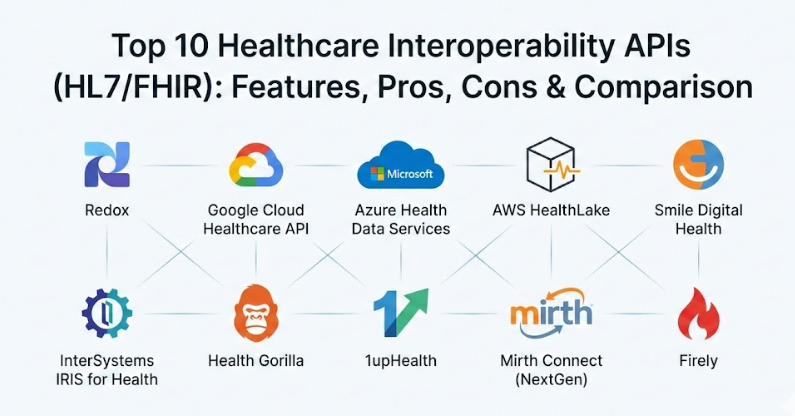
Top 10 Healthcare Interoperability APIs (HL7/FHIR) Tools
1 — Redox
Redox is a specialized platform designed to simplify the complex world of healthcare data integration. It acts as a single point of connection for developers who need to speak to hundreds of different hospital systems without building a new interface for each one.
- Standardized Data Models: It turns messy data from various hospitals into a clean, consistent format.
- Broad EHR Support: It offers pre-built connections to major medical record systems like Epic, Cerner, and Allscripts.
- Bi-directional Exchange: You can both read data from a hospital and write new information back into their system.
- Event-Based Alerts: It can notify your app immediately when a patient is admitted or discharged.
- Scalable Infrastructure: Designed to handle a few records or millions of transactions with ease.
- Developer Sandbox: Provides a safe environment for testing your code before going live.
Pros:
- Reduces the time it takes to connect to a hospital from months to weeks.
- Offers a “single API” approach, so you don’t have to learn different standards for every new partner.
Cons:
- Can be more expensive for small startups compared to building your own basic server.
- As a middleman, you are dependent on their platform staying up and running.
Security & compliance: HIPAA compliant, SOC 2 Type II certified, and uses end-to-end encryption for all data in transit and at rest.
Support & community: Offers dedicated implementation managers, extensive technical documentation, and a responsive developer support team.
2 — Google Cloud Healthcare API
Google Cloud’s offering is a powerful, managed service that helps organizations store and manage healthcare data in a way that is ready for big data analysis and artificial intelligence.
- Native FHIR Support: Includes a managed FHIR store that handles the heavy lifting of data storage.
- HL7 v2 Ingestion: Easily takes in older HL7 messages and stores them securely.
- De-identification Tools: Can automatically strip personal details from records so they can be used for safe research.
- Integration with AI: Seamlessly connects to Google’s machine learning tools to help predict patient outcomes.
- Global Scale: Uses Google’s worldwide network to ensure your data is available quickly anywhere.
- DICOM Support: Handles medical images like X-rays and MRIs alongside text records.
Pros:
- Incredible performance for searching through massive amounts of patient data.
- Very strong tools for organizations looking to use data for research or AI projects.
Cons:
- The complexity of Google Cloud can be overwhelming for teams without a dedicated cloud engineer.
- Pricing can be hard to predict as it is based on usage, storage, and data transfer.
Security & compliance: HIPAA eligible, ISO certified, and includes robust audit logs to track every time data is accessed.
Support & community: Enterprise-grade support is available through Google Cloud, alongside a large community of cloud developers.
3 — Azure Health Data Services
Microsoft Azure provides a comprehensive suite of tools for healthcare data, focusing heavily on enterprise security and integration with the familiar Microsoft ecosystem.
- FHIR Service: A fully managed repository for FHIR data that scales automatically.
- SMART on FHIR: Built-in support for the standard that allows third-party apps to run inside medical record systems.
- Power BI Integration: Makes it easy to turn health data into visual charts and dashboards for managers.
- Data Mapping: Tools to help convert older data formats into modern FHIR resources.
- Role-Based Access: Precise control over who can see or change specific pieces of information.
- High Availability: Built to ensure that medical records are always accessible, even during server issues.
Pros:
- Perfect for organizations already using Microsoft tools like Office or Teams.
- Excellent compliance tools that make it easier to pass audits.
Cons:
- Setting up the full environment can be time-consuming.
- Some advanced features require a higher level of Azure subscription.
Security & compliance: HIPAA and HITRUST compliant, with SOC 1, 2, and 3 certifications.
Support & community: Extensive documentation and 24/7 technical support for enterprise customers.
4 — AWS HealthLake
Amazon Web Services (AWS) offers HealthLake as a “data lake” specifically for health information, making it easy to store, transform, and analyze records at a massive scale.
- Automatic Transformation: It can take unstructured data (like doctor’s notes) and try to turn them into structured FHIR data.
- Integrated Analytics: Works directly with AWS tools to find trends in patient populations.
- Bulk Data Import: Optimized for moving millions of records into the cloud very quickly.
- Natural Language Processing: Uses AI to read medical text and identify things like medications or diagnoses.
- Searchable Indices: Allows doctors to search for specific medical conditions across all their patient files.
Pros:
- Great for “Population Health,” where you need to look at thousands of patients at once.
- Saves time on manual data entry by using AI to read notes.
Cons:
- Requires a good understanding of the AWS environment to set up correctly.
- The “automatic” data cleaning still often requires a human to double-check the work.
Security & compliance: HIPAA eligible and integrates with AWS Identity and Access Management (IAM) for tight security.
Support & community: Backed by AWS’s massive support network and a growing community of healthcare developers.
5 — Smile Digital Health
Smile Digital Health is built on the famous HAPI FHIR open-source library and provides a professional, enterprise-grade version for large organizations.
- Complete FHIR Server: Supports all versions of the FHIR standard natively.
- Terminology Services: Helps translate different medical codes (like pharmacy codes vs. lab codes) so they match.
- Master Patient Index: Ensures that “John Smith” in one system is correctly linked to “John Q. Smith” in another.
- Cloud or On-Premise: Can be installed on your own servers or in the cloud.
- Real-time Processing: Handles data updates instantly as they happen at the bedside.
Pros:
- Deeply rooted in the FHIR community with very high standards compliance.
- Extremely flexible and can be customized to fit very specific hospital workflows.
Cons:
- The interface can feel more “technical” and less “modern” than some cloud-native competitors.
- Requires a specialized team to manage if you choose the on-premise version.
Security & compliance: SOC 2 Type II, ISO 27001, and HIPAA compliant.
Support & community: Offers top-tier professional support from the creators of HAPI FHIR.
6 — InterSystems IRIS for Health
InterSystems is a veteran in the healthcare space, providing a high-performance database and integration engine used by some of the largest hospitals in the world.
- Multi-Model Database: Can store FHIR data, SQL tables, and documents all in one place.
- FHIR SQL Builder: Allows data scientists to use standard SQL language to query complex FHIR data.
- High-Speed Ingestion: Can process thousands of medical transactions per second without slowing down.
- Legacy Transformation: Excellent at converting very old medical records into modern formats.
- Built-in Analytics: Includes tools to build dashboards directly within the database platform.
Pros:
- Proven reliability in the most demanding hospital environments.
- Handles both modern FHIR and older standards (like HL7 v2 and CDA) better than almost anyone else.
Cons:
- Licensing costs can be significant for smaller organizations.
- The learning curve is steep due to the sheer number of features.
Security & compliance: HIPAA compliant with advanced encryption and comprehensive auditing.
Support & community: 24/7 world-class support and a very experienced global user community.
7 — Health Gorilla
Health Gorilla focuses on creating a “National Provider Network” that makes it easy to get a complete picture of a patient’s health from various sources across the country.
- Record Retrieval: Can pull data from labs, hospitals, and pharmacies nationwide.
- Identity Matching: Uses advanced logic to make sure medical records belong to the right person.
- Lab Ordering: Allows doctors to order tests and receive results directly within the API.
- Clinical Alerts: Notifies providers when a patient has a new test result or hospital visit.
- Developer Friendly: Provides clear, simple APIs that follow modern web standards.
Pros:
- The best choice for apps that need to “find” patient data from many different places.
- Great for diagnostic workflows (labs and imaging).
Cons:
- Focused primarily on the US market and its specific networks.
- Access to certain data depends on the patient giving permission.
Security & compliance: HIPAA compliant, SOC 2 Type II, and HITRUST certified.
Support & community: Provides a dedicated developer portal and hands-on onboarding support.
8 — 1upHealth
1upHealth is a cloud-native platform that gained fame for being one of the first to focus entirely on the “Patient Access” and “Payer” mandates.
- Payer-to-Payer Exchange: Specifically designed to help insurance companies share data as required by law.
- Bulk FHIR Support: Can move large groups of patient data for analytics or reporting.
- Patient App Portal: Tools to help patients connect their own data to apps securely.
- EHR Connectivity: Links to thousands of medical facilities across the country.
- Managed Infrastructure: They handle the servers so you can focus on building your app.
Pros:
- Leader in meeting government regulations for health insurance companies.
- Very fast to set up for basic patient data access.
Cons:
- Pricing can be high for large-scale data moves.
- Less focused on “internal” hospital workflows compared to tools like InterSystems.
Security & compliance: HIPAA compliant and SOC 2 Type II certified.
Support & community: Good documentation and a helpful support team for technical integration.
9 — Mirth Connect (NextGen Connect)
Mirth Connect is the most famous “Swiss Army Knife” of healthcare integration. It is an open-source engine used to route and transform data between different systems.
- Visual Workflow Builder: You can map data from one system to another using a drag-and-drop interface.
- Protocol Support: Handles HL7 v2, v3, FHIR, DICOM, XML, and even simple text files.
- Custom Scripting: Allows developers to write custom code to handle unique or difficult data problems.
- Multi-Platform: Runs on Windows, Linux, or in the cloud.
- Message Tracking: Lets you see exactly where a message went and if it failed along the way.
Pros:
- The basic version is free (open source) and incredibly powerful.
- Unmatched flexibility—if data can be moved, Mirth can move it.
Cons:
- Requires a lot of manual setup and “expert” knowledge to use effectively.
- The open-source version lacks some of the advanced security and management features of the paid version.
Security & compliance: HIPAA compliant settings are available, but you must configure them correctly yourself.
Support & community: Huge community of users and commercial support available through NextGen.
10 — Firely
Firely is a European-based company that provides a suite of professional tools and servers built by the people who help write the FHIR standards.
- Firely Server: A high-performance, compliant FHIR server that is easy to deploy.
- Forge: A tool for creating custom FHIR “profiles” (templates for specific data needs).
- Compliance Validation: Automatically checks if your data follows the FHIR rules correctly.
- Training and SDKs: Provides the software libraries that many other developers use to build FHIR apps.
- Cross-Version Support: Easily handles different versions of FHIR at the same time.
Pros:
- Extremely high technical quality and standards compliance.
- Great tools for developers who want to build their own custom FHIR solutions.
Cons:
- Smaller presence in the US compared to giants like Google or Microsoft.
- Some tools are more focused on “building” rather than being a “plug-and-play” network.
Security & compliance: Compliant with major international standards, including GDPR and HIPAA.
Support & community: Excellent technical documentation and direct access to FHIR experts.
Comparison Table
| Tool Name | Best For | Platform(s) Supported | Standout Feature | Rating |
| Redox | Quick Hospital Integration | Cloud (SaaS) | Single API for 400+ EHRs | N/A |
| Google Cloud | Big Data & AI Research | Google Cloud | Built-in AI & De-id tools | N/A |
| Azure Health | Microsoft Ecosystem Users | Microsoft Azure | Seamless Power BI Sync | N/A |
| AWS HealthLake | Population Health Analytics | Amazon AWS | NLP for doctor’s notes | N/A |
| Smile Digital | Large Enterprise FHIR | Cloud / On-prem | Built by HAPI FHIR team | N/A |
| InterSystems | Mission-Critical Hospitals | Cloud / On-prem | FHIR SQL Builder | N/A |
| Health Gorilla | Nationwide Data Search | Cloud (SaaS) | Access to national networks | N/A |
| 1upHealth | Health Insurance (Payers) | Cloud (SaaS) | Government Compliance focus | N/A |
| Mirth Connect | Custom Data Routing | Any (Java-based) | Visual Workflow Designer | N/A |
| Firely | FHIR Standards Compliance | Cloud / On-prem | Standard-setting expertise | N/A |
Evaluation & Scoring of Healthcare Interoperability APIs
The following table evaluates these tools based on a weighted rubric to help you see where each category excels.
| Evaluation Criteria | Weight | What We Look For |
| Core Features | 25% | Support for FHIR R4/R5, HL7 v2, and data transformation. |
| Ease of Use | 15% | Quality of the developer portal, documentation, and setup speed. |
| Integrations | 15% | Number of pre-built connections to EHRs and third-party apps. |
| Security | 10% | Certifications like SOC 2, HIPAA, and advanced encryption. |
| Performance | 10% | Latency, uptime, and ability to handle bulk data. |
| Support | 10% | Response times, community forums, and training options. |
| Price / Value | 15% | Transparency of cost and return on investment for the user. |
Which Healthcare Interoperability API Tool Is Right for You?
Choosing the right tool depends heavily on your specific role and the size of your organization. There is no “one size fits all” answer in healthcare.
Solo Users & Small Startups
If you are a lone developer building a new health app, look for tools with a low barrier to entry. Mirth Connect is excellent because the open-source version is free, allowing you to experiment. Redox is also a great choice if you have a little bit of budget but need to get connected to a hospital as fast as possible without hiring an entire integration team.
SMB & Mid-Market
Medium-sized health tech companies or regional hospitals should focus on balance. Health Gorilla is fantastic if your primary goal is finding patient records across the country. If you are building a product and want to keep it modern, Firely or Smile Digital Health provide excellent servers that you can grow with.
Enterprise & Large Health Systems
For giant hospital networks or nationwide insurance companies, reliability and scale are everything. InterSystems IRIS for Health is the “gold standard” for high-volume, mission-critical data. If your organization is already “all-in” on a cloud provider, sticking with Azure, Google, or AWS makes the most sense because of how well these APIs integrate with the rest of your IT infrastructure.
Budget vs. Feature Depth
If cost is your biggest concern, open-source options like Mirth or the basic HAPI FHIR library are the winners, but remember you will pay for them in “human hours” for setup and maintenance. If you have the budget and want to save time, a managed service like 1upHealth or Redox is worth the investment because they handle all the difficult background work for you.
Frequently Asked Questions (FAQs)
1. What is the main difference between HL7 and FHIR?
HL7 is an older standard that uses a specific message format to send data step-by-step. FHIR is the modern version that uses RESTful APIs (like the rest of the internet), making it much faster and easier for modern apps to use.
2. Do these tools store patient data or just move it?
It depends. Some tools like Azure or Smile act as a “Repository” and store the data. Others, like Redox, act as a “Bridge” that moves data from one place to another without keeping a permanent copy.
3. Are all these tools HIPAA compliant?
While the tools are designed to be HIPAA compliant, it is up to the user to configure them correctly. Most commercial versions come with a Business Associate Agreement (BAA) to help you meet your legal duties.
4. Can I use these APIs to connect to any EHR?
Most can connect to major systems like Epic or Cerner. However, smaller, specialty EHRs might require more custom work or a tool like Mirth Connect to build a custom interface.
5. How long does it take to implement a healthcare API?
For a simple app using a cloud API, it might take a few weeks. For a large hospital integration connecting multiple legacy systems, it could take several months of testing and mapping.
6. What is “SMART on FHIR”?
It is a framework that allows a health app to run directly inside a doctor’s medical record screen. It handles the “login” part so the doctor doesn’t have to sign in to two different systems.
7. Do I need a specialized developer to use these?
For cloud-based APIs (like Google or AWS), a standard web developer can often learn them quickly. For deeper hospital integrations (like InterSystems), you may need someone with specific healthcare data experience.
8. Can these tools handle medical images?
Yes, several tools like Google Cloud and InterSystems support DICOM, which is the international standard for medical images like X-rays and ultrasounds.
9. Is my data safe in the cloud?
Cloud providers like Microsoft and Amazon spend billions on security. For most organizations, storing data in a properly configured healthcare cloud is actually safer than keeping it on a local office server.
10. What happens if the API standard changes?
These tools are built to be “backward compatible.” This means they can usually talk to older versions of HL7 while still supporting the newest versions of FHIR as they are released.
Conclusion
In summary, the world of healthcare is moving rapidly toward a future where data is open, accessible, and secure. Choosing a Healthcare Interoperability API is one of the most important decisions a health tech leader can make. Whether you need the massive scale of Google Cloud, the nationwide network of Health Gorilla, or the specialized integration power of Redox, the goal remains the same: putting the right information in the hands of those who need it.
When making your choice, remember that the “best” tool isn’t always the one with the most features. It is the one that fits your specific budget, technical skill level, and long-term goals. Focus on standards compliance, security, and ease of use to ensure your project succeeds. Interoperability is no longer just a luxury—it is a requirement for providing modern, high-quality patient care.