Introduction
A Graph Database Platform is a specialized data management system designed to treat relationships between data points as “first-class citizens.” While traditional relational databases (SQL) organize data into rigid tables, rows, and columns, graph databases use a flexible structure of nodes (entities like people or products), edges (the relationships between them), and properties (details about both). This architecture allows the database to store and navigate complex, interconnected data models with incredible speed, as it doesn’t need to perform resource-heavy “JOIN” operations to find connections.
In our increasingly connected digital economy, graph databases are vital for uncovering non-obvious patterns. They allow businesses to map out social networks, optimize global supply chains, and detect sophisticated fraud rings in real-time. Unlike other database types, graph platforms excel at “deep link analysis,” where the goal is to understand how entities are related across multiple “hops” of connection.
Key Real-World Use Cases
- Fraud Detection: Identifying “fraud rings” by spotting clusters of accounts that share the same phone numbers, addresses, or IP addresses.
- Recommendation Engines: Providing highly personalized “You might also like” suggestions by analyzing the interests of similar users in real-time.
- Network & IT Operations: Mapping complex IT infrastructures to perform root-cause analysis during outages or security breaches.
- Knowledge Graphs: Powering AI and LLMs (Large Language Models) by providing a structured, interconnected “brain” of factual information.
What to Look For (Evaluation Criteria)
When selecting a graph platform, you should evaluate it based on these four pillars:
- Native vs. Non-Native Storage: Does it use a storage engine built specifically for graphs (faster for deep traversals) or is it a “layer” on top of a relational database?
- Query Language: Does it support industry standards like Cypher, Gremlin, or the new ISO GQL?
- Scalability: Can the database handle horizontal scaling (sharding) as your data grows to billions of nodes and edges?
- Developer Ecosystem: Are there mature drivers for your preferred programming languages and good visualization tools for exploring the graph?
Best for:
Graph Database Platforms are best for Data Architects, Cybersecurity Analysts, and AI Engineers working in industries like FinTech, Logistics, and Social Media. They are ideal for mid-to-large enterprises that deal with highly interconnected data where the “relationship” is as valuable as the data itself.
Not ideal for:
They are not ideal for standard accounting or simple CRUD applications where data is mostly flat and independent. If you only need to generate monthly sales reports or store customer lists without complex linking, a traditional SQL or Document database will be more cost-effective and simpler to manage.
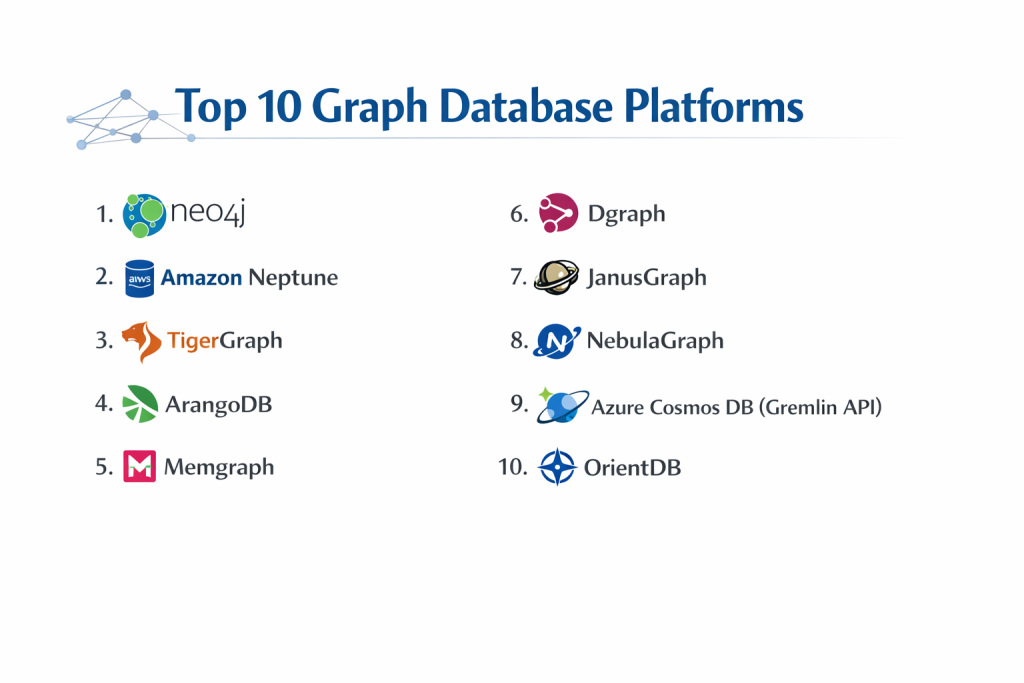
Top 10 Graph Database Platforms
1 — Neo4j
Neo4j is the undisputed pioneer and market leader in the graph space. Known for its native graph processing engine and the intuitive Cypher query language, it is the standard for both community projects and enterprise-grade knowledge graphs.
- Key features:
- Native Graph Storage: Designed from the metal up to handle graph traversals without indexes.
- Cypher Query Language: A declarative, visual-style language that is easy for humans to read.
- AuraDB: A fully managed cloud service with auto-scaling and high availability.
- Graph Data Science (GDS) Library: Built-in algorithms for pathfinding, centrality, and community detection.
- Bloom: A powerful visual exploration tool for non-technical business users.
- ACID Compliance: Ensures high data integrity for transactional workloads.
- Pros:
- The largest community and talent pool in the world for graph technology.
- Superior performance for deep, multi-hop queries due to native storage.
- Cons:
- Licensing for the Enterprise edition can be very expensive for smaller firms.
- Can be memory-intensive when running complex graph algorithms on massive datasets.
- Security & compliance: Includes RBAC (Role-Based Access Control), fine-grained security at the node/relationship level, and encryption at rest. Compliant with SOC 2, ISO 27001, and HIPAA.
- Support & community: Exceptional. Offers Neo4j University, a massive GitHub presence, and 24/7 global enterprise support.
2 — Amazon Neptune
Amazon Neptune is a fast, reliable, and fully managed graph database service built by AWS. It is a popular choice for teams already embedded in the AWS ecosystem who need a “zero-ops” solution.
- Key features:
- Multi-Model Support: Supports both Property Graphs (Gremlin/openCypher) and RDF (SPARQL).
- Serverless Option: Automatically scales capacity up or down based on application demand.
- High Availability: Automatically replicates data across three Availability Zones.
- Neptune Analytics: An in-memory engine for analyzing tens of billions of relationships in seconds.
- AWS Integration: Seamless connection with IAM, CloudWatch, and S3 for data loading.
- Global Databases: Enables low-latency reads and disaster recovery across AWS regions.
- Pros:
- Virtually zero management overhead; AWS handles patching, backups, and scaling.
- Predictable performance for highly concurrent read workloads with up to 15 read replicas.
- Cons:
- Extreme platform lock-in; it is impossible to run Neptune outside of AWS.
- Write-heavy workloads can sometimes lead to throttling if not tuned correctly.
- Security & compliance: Uses AWS IAM for authentication, VPC for network isolation, and KMS for encryption. Fully compliant with PCI DSS, HIPAA, and GDPR.
- Support & community: Standard AWS support tiers; extensive documentation but a smaller niche community than Neo4j.
3 — TigerGraph
TigerGraph is a “distributed” graph database designed specifically for massive scale and high-performance analytics. It is often the top choice for “Big Data” graph use cases like global fraud detection.
- Key features:
- Massively Parallel Processing (MPP): Executes graph queries across multiple CPU cores and nodes simultaneously.
- GSQL Language: A powerful, Turing-complete language that looks like SQL but performs graph logic.
- Distributed Architecture: Native sharding allows the graph to scale to petabytes of data.
- Real-time Deep Link Analytics: Capable of performing 10+ hop queries in milliseconds.
- GraphRAG Integration: Specialized features for enhancing Generative AI with graph context.
- Hybrid Cloud: Can be deployed on-premise or as a managed cloud service.
- Pros:
- Unmatched speed for complex, analytical queries on extremely large graphs.
- Efficient data compression reduces the hardware footprint compared to other platforms.
- Cons:
- GSQL has a steeper learning curve than Cypher or SQL.
- The platform can be complex to configure for distributed multi-node clusters.
- Security & compliance: Supports RBAC, LDAP/AD integration, and encryption at rest/transit. Managed cloud is SOC 2 compliant.
- Support & community: High-quality enterprise support; growing community with a strong focus on data science and AI.
4 — ArangoDB
ArangoDB is a “multi-model” database that combines graph, document, and key-value capabilities into a single engine. It is perfect for developers who want the flexibility of JSON with the power of graph relationships.
- Key features:
- AQL (ArangoDB Query Language): A unified language for querying documents and graphs together.
- SmartGraphs: Optimizes distributed graph data to minimize network hops during queries.
- ArangoSearch: Integrated full-text search engine for finding nodes based on text content.
- Microservices Friendly: Very lean and easy to run in Docker or Kubernetes.
- Satellite Collections: Replicates small datasets to all nodes for faster JOIN-less performance.
- Pros:
- Simplifies the tech stack by replacing three different databases with one.
- Excellent web-based UI for visualizing data and testing queries.
- Cons:
- Being a multi-model database, it may not be as fast as “pure” native graph engines for extreme traversals.
- The community is smaller, leading to fewer third-party libraries and tools.
- Security & compliance: Offers LDAP, encryption, and audit logging. ArangoGraph (managed) is SOC 2 and HIPAA compliant.
- Support & community: Known for very responsive customer support and a helpful community on Slack.
5 — Memgraph
Memgraph is an “in-memory first” graph database designed for real-time streaming data. It is highly compatible with the Neo4j ecosystem, making it a great alternative for low-latency needs.
- Key features:
- In-Memory Architecture: Keeps all data in RAM for sub-millisecond query response times.
- Neo4j Compatible: Supports the Cypher query language and Bolt protocol.
- Streaming Integration: Connects directly to Kafka and Redpanda for real-time data ingestion.
- MAGE Library: A collection of open-source graph algorithms (Memgraph Advanced Graph Extensions).
- C++ Core: Built for maximum efficiency and predictable performance.
- Pros:
- The fastest choice for real-time applications like dynamic pricing or live fraud alerts.
- Very easy transition for developers already familiar with Neo4j.
- Cons:
- Data size is limited by the amount of available RAM (which can be expensive).
- Smaller ecosystem of enterprise-ready visualization tools compared to the leaders.
- Security & compliance: Supports SSL/TLS and basic authentication. Enterprise version adds RBAC and audit logs.
- Support & community: Very developer-focused; strong documentation and an active Discord community.
6 — Dgraph
Dgraph is a native, distributed graph database that uses GraphQL as its primary interface. It is built for the modern web, focusing on ease of use for application developers.
- Key features:
- GraphQL Native: You can generate a backend API directly from your graph schema.
- Distributed & Sharded: Designed to scale horizontally across hundreds of servers.
- DQL (Dgraph Query Language): A powerful version of GraphQL with graph-specific features.
- Automated Backups: Integrated cloud management for data safety.
- Search Engine Built-in: Includes advanced full-text and geospatial search features.
- Pros:
- The best choice for web developers who already love GraphQL.
- Very low latency for “one-hop” or “two-hop” queries typical in social apps.
- Cons:
- The project has faced some corporate stability challenges in the past, though the community remains active.
- Can require significant RAM compared to disk-based databases.
- Security & compliance: Managed “Dgraph Cloud” offers SOC 2 and standard encryption. Self-hosted security is user-managed.
- Support & community: Strong presence on G2 and GitHub; active community forum for troubleshooting.
7 — JanusGraph
JanusGraph is a highly scalable, open-source graph database under the Linux Foundation. It is a “composable” database, meaning it plugs into other tools for storage and search.
- Key features:
- Storage Flexibility: Can use Cassandra, HBase, or Google Bigtable as the “backend” storage.
- Search Integration: Plugs into Elasticsearch or Solr for complex text searching.
- TinkerPop Standard: Native support for the Gremlin query language.
- Massive Scalability: Built for graphs with hundreds of billions of edges.
- Open Source: Entirely free under the Apache 2.0 license.
- Pros:
- No vendor lock-in; you can switch your storage or search engines easily.
- Completely free for any scale if you have the expertise to manage it.
- Cons:
- High operational complexity; you have to manage the graph engine plus the storage engine.
- No official “managed cloud” version (though some 3rd parties provide it).
- Security & compliance: Relies on the security features of the backend storage (e.g., Cassandra’s RBAC).
- Support & community: Community-led; support is primarily through mailing lists, Stack Overflow, and the Linux Foundation.
8 — NebulaGraph
NebulaGraph is an open-source, distributed graph database specifically designed for “Internet-scale” data. It is very popular among large tech companies in Asia.
- Key features:
- Shared-Nothing Architecture: Every node is independent, allowing for linear horizontal scaling.
- nGQL Language: A SQL-like language with graph extensions (supports openCypher as well).
- RocksDB Storage: Uses the high-performance RocksDB engine for reliable disk storage.
- Snapshots: Allows for point-in-time recovery without downtime.
- NebulaGraph Explorer: A visualized tool for data import and exploration.
- Pros:
- Proven to handle trillions of edges in production at companies like Snapchat and Binance.
- Excellent performance for high-concurrency read/write environments.
- Cons:
- The nGQL query language is powerful but has a learning curve.
- Documentation and community support are improving but have historically been less English-centric.
- Security & compliance: Offers RBAC, LDAP, and TLS. Enterprise version is hardened for large-scale security needs.
- Support & community: Growing global community; professional support available via NebulaGraph Enterprise.
9 — Azure Cosmos DB (Gremlin API)
Azure Cosmos DB is Microsoft’s multi-model cloud database. Its Gremlin API allows users to treat their data as a graph while benefiting from Azure’s global reach.
- Key features:
- Turnkey Global Distribution: Replicate your graph across any Azure region with a click.
- Guaranteed Low Latency: 99.999% availability and <10ms latency SLAs.
- Multi-Model: Access the same data as a document (SQL API) or a graph (Gremlin API).
- Autoscale: Dynamically adjusts throughput to save money during quiet hours.
- Azure Integrated: Direct integration with Azure Functions, Data Factory, and Power BI.
- Pros:
- The best choice for existing Microsoft Azure customers.
- Industry-leading service level agreements (SLAs) for uptime and speed.
- Cons:
- Gremlin support can sometimes feel like a “second-class citizen” compared to the SQL/Document API.
- Costs can become unpredictable if “Request Units” (RUs) are not carefully monitored.
- Security & compliance: World-class. Compliant with HIPAA, HITRUST, SOC 1/2/3, and FedRAMP.
- Support & community: Backed by Microsoft’s enterprise support; vast documentation but limited graph-specific community resources.
10 — OrientDB
OrientDB is another multi-model veteran that was one of the first to combine Document and Graph features. It remains a solid choice for “hybrid” operational applications.
- Key features:
- Multi-Model Engine: Handles document, graph, key-value, and object models.
- SQL-like Syntax: Uses a modified SQL for graph traversals, making it easy for SQL veterans.
- Multi-Master Replication: Every node in a cluster can handle both reads and writes.
- Studio Web Console: A built-in tool for managing schemas and running queries.
- Lucene Integration: Powerful full-text indexing out of the box.
- Pros:
- Very familiar for developers coming from a relational (SQL) background.
- Consolidates multiple data needs into one platform to reduce infrastructure “sprawl.”
- Cons:
- The community has slowed down in recent years compared to Neo4j or ArangoDB.
- Cluster management and distributed tuning can be complex for beginners.
- Security & compliance: Includes RBAC, audit logs, and standard encryption features.
- Support & community: Managed by SAP (CallidusCloud); professional support is available for enterprise customers.
Comparison Table
| Tool Name | Best For | Platform(s) Supported | Standout Feature | Rating (Gartner) |
| Neo4j | Enterprise Knowledge Graphs | Cloud, On-Prem, Mac/Win/Lin | Native Graph & Cypher | 4.6 / 5 |
| Amazon Neptune | AWS-Native Cloud Apps | AWS Cloud Only | Fully Managed Multi-Model | 4.4 / 5 |
| TigerGraph | High-Scale Analytics | Cloud, On-Prem, Linux | MPP Parallel Processing | 4.5 / 5 |
| ArangoDB | Document/Graph Hybrid | Cloud, Docker, Linux | Multi-Model Flexibility | 4.5 / 5 |
| Memgraph | Real-time Streaming | Linux, Docker, Cloud | In-Memory Speed | N/A |
| Dgraph | GraphQL-Based Apps | Cloud, Kubernetes, Linux | Native GraphQL API | 4.4 / 5 |
| JanusGraph | Open-Source Customization | Linux (Cassandra/HBase) | Composable Architecture | N/A |
| NebulaGraph | Internet-Scale Data | Cloud, Linux, Docker | Shared-Nothing Sharding | N/A |
| Azure Cosmos DB | Global Azure Apps | Azure Cloud Only | Global Distribution SLA | 4.5 / 5 |
| OrientDB | SQL-Friendly Hybrid | Windows, Linux, Docker | Multi-Model SQL Syntax | N/A |
Evaluation & Scoring of Graph Database Platforms
| Category | Weight | Score (1-10) | Evaluation Criteria |
| Core Features | 25% | 9.2 | Native storage, query language power, and multi-hop speed. |
| Ease of Use | 15% | 8.5 | GUI tools, documentation, and query language readability. |
| Integrations | 15% | 8.8 | Availability of SDKs and cloud ecosystem maturity. |
| Security | 10% | 9.0 | RBAC, encryption, and regulatory certifications (HIPAA, SOC). |
| Performance | 10% | 9.4 | Latency for deep traversals and horizontal scaling capacity. |
| Support | 10% | 8.2 | Community activity, enterprise response times, and training. |
| Price / Value | 15% | 7.9 | TCO (Total Cost of Ownership) and free tier availability. |
Which Graph Database Platform Is Right for You?
Small to Mid-Market vs. Enterprise
For Startups and SMBs, speed to market is everything. Neo4j Aura or ArangoGraph (managed) are ideal because they allow you to start for free and avoid managing servers. Large Enterprises with massive datasets and strict compliance needs should look at TigerGraph or NebulaGraph for their horizontal scaling and MPP capabilities.
Budget and Value
If you are budget-conscious, JanusGraph or the Neo4j Community Edition offer world-class power for free, provided you have the engineering talent to host them. If you prefer a “pay-as-you-go” model to avoid large upfront costs, Amazon Neptune (Serverless) is a great way to align costs with your actual usage.
Technical Depth vs. Simplicity
If your team are SQL veterans, OrientDB or ArangoDB will feel most familiar. If you want the most graph-native depth and the best visualization tools, Neo4j remains the gold standard. For Frontend/API developers, Dgraph’s native GraphQL approach is the simplest way to get up and running.
Integration and Scalability Needs
If you need global scale and are already on a specific cloud, Azure Cosmos DB or Amazon Neptune are the obvious choices due to their integrated nature. If you need to scale to trillions of edges on-premise or in a private cloud, NebulaGraph is a specialized leader in that category.
Security and Compliance Requirements
For highly regulated industries like Banking or Healthcare, the managed services from AWS, Azure, and Neo4j are the most secure “out of the box.” They provide the SOC 2 and HIPAA certifications that audit teams require.
Frequently Asked Questions (FAQs)
1. Is a Graph database faster than SQL?
For queries involving relationships (like “find friends of friends”), yes—often thousands of times faster. For simple row-based reporting, SQL is usually better.
2. Can I use SQL queries in a Graph database?
Usually no, but some multi-model databases like ArangoDB and OrientDB have “SQL-like” languages that make the transition easier.
3. What is “Native” vs “Non-Native” graph storage?
Native storage is built specifically for graphs (very fast for connections). Non-native stores data in tables or documents and “pretends” it’s a graph (easier to build but slower for deep queries).
4. How much do graph databases cost?
Open-source versions are free. Managed cloud services usually start around $50-$100 per month for small instances and can go into the thousands for massive enterprise clusters.
5. Do I need a special server for a graph database?
Graph databases are memory-hungry. You don’t need a special type of server, but you generally need more RAM than a standard web server would require.
6. What is the most popular query language for graphs?
Cypher is currently the most popular and widely supported, followed by Gremlin and the emerging ISO GQL standard.
7. Can I move my data from SQL to a Graph database?
Yes, most platforms have ETL (Extract, Transform, Load) tools to help you turn your relational tables into nodes and edges.
8. Is Neo4j better than Amazon Neptune?
Neo4j has better graph-native features and a larger community. Neptune is better for teams who want a fully managed service that integrates deeply with other AWS tools.
9. Are graph databases ACID compliant?
Most modern enterprise graph databases (like Neo4j, TigerGraph, and Neptune) are fully ACID compliant to ensure data reliability.
10. What is a “Knowledge Graph”?
A knowledge graph is a way of storing facts and their relationships (e.g., “Paris” is the “Capital” of “France”) to help AI understand the world more like a human does.
Conclusion
The “best” graph database isn’t a one-size-fits-all answer—it depends on your specific data model and business goals. If you need unrivaled community support and native power, Neo4j is your starting point. If you are building a global cloud application on a deadline, Amazon Neptune or Azure Cosmos DB offer the path of least resistance. For those tackling the world’s largest data challenges, the distributed power of TigerGraph or NebulaGraph is essential.
Graph technology is no longer a “niche” tool; it is a fundamental part of the modern AI and data stack. By choosing a platform that matches your team’s technical depth and your company’s scalability needs, you can unlock insights that are simply invisible in a traditional database.