Introduction
Geofencing tools are special digital services that allow businesses to create a virtual “fence” or boundary around a specific real-world location. Think of it like drawing an invisible circle around a store, a park, or even an entire city on a digital map. When a person with a mobile device enters or leaves this invisible area, the software can trigger a specific action. For example, it might send a discount coupon to their phone, alert a manager that a delivery truck has arrived, or track how long a worker stayed at a job site. This technology relies on GPS, cellular data, and Wi-Fi to know exactly where a device is located in relation to the virtual boundary you have set up.
These tools are very important because they help businesses talk to their customers or manage their teams at exactly the right time and place. Instead of sending a random message in the middle of the night, a business can send a helpful notification right when a customer is walking past their front door. It makes marketing feel more like a personal service and less like an annoying advertisement. In the world of logistics, it helps companies keep track of expensive equipment and ensure that drivers are staying on their planned routes. When choosing a geofencing tool, you should look at how accurate the location tracking is, how much it drains a phone’s battery, and how easy it is to connect with the apps you already use.
Best for: Geofencing tools are most helpful for retail store owners who want to bring more people into their shops, and for delivery companies that need to track their fleet. They are also great for construction companies that want to automate time-tracking for workers on different sites. Marketing managers at large brands and security professionals also benefit greatly from these systems.
Not ideal for: These tools may not be necessary for businesses that operate entirely online and do not have physical locations or mobile staff. If your customers never need to visit a physical spot and you don’t have any physical goods to move, the cost of geofencing might not be worth it. Additionally, very small businesses with only one location and a very small local audience might find simple social media posts more effective than setting up complex virtual boundaries.
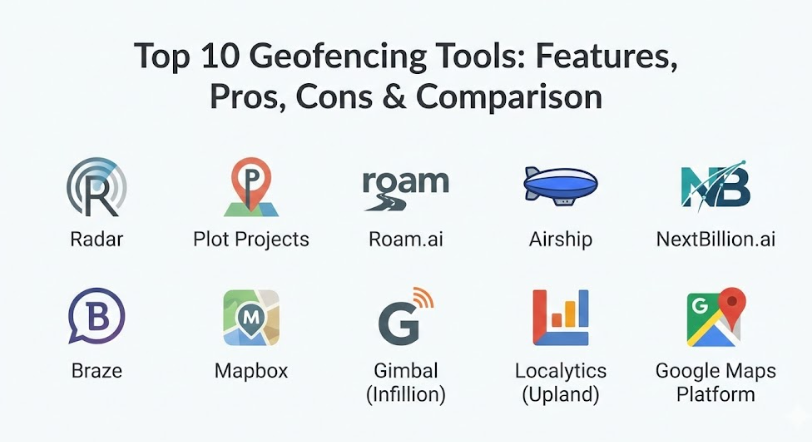
Top 10 Geofencing Tools
1 — Radar
Radar is an all-in-one location platform that helps developers build location-based features into their apps very quickly. It is designed to be developer-friendly, meaning it is easy to set up for people who write code. It is used by many famous brands to handle everything from curbside pickup notifications to checking if a user is in a specific state for legal reasons.
- Key features:
- Precise geofencing that works even when the app is in the background.
- “Trip Tracking” to tell exactly when a customer will arrive at a store.
- Points of Interest (POI) data to quickly find nearby restaurants or shops.
- Beacons support for even more accuracy when someone is inside a building.
- Fraud detection to make sure people aren’t faking their location.
- Region monitoring to track when users cross city or state lines.
- Easy-to-use dashboard for non-technical team members to see data.
- Pros:
- It is very famous for being “battery efficient,” so it won’t kill a user’s phone.
- The setup process is very fast compared to building a location system from scratch.
- Cons:
- The free version is quite limited, so growing businesses will need to pay.
- It can take some time to learn all the different “layers” of data it offers.
- Security & compliance: Offers enterprise-grade security including SOC 2 Type 2, GDPR compliance, and data encryption both at rest and in transit.
- Support & community: Provides very clear documentation, a dedicated Slack community for developers, and professional support for large companies.
2 — Plot Projects
Plot Projects is a geofencing tool that focuses heavily on marketing and mobile notifications. It is built to help retailers and marketers send the right message at the right time. It is designed to be simple enough that a marketing team can use it without needing a computer programmer for every single change.
- Key features:
- High-accuracy geofences that trigger instantly when a boundary is crossed.
- Built-in analytics to see how many people actually entered a store after a message.
- Easy integration with popular email and marketing software.
- “Marketplace” of pre-drawn boundaries for thousands of popular malls and stores.
- Notification scheduling so you don’t bother people late at night.
- Battery-saving technology that keeps the phone’s GPS usage low.
- Heatmaps to show where your app users spend most of their time.
- Pros:
- It is very specialized for marketing, so the features are exactly what retailers need.
- You can set it up to send messages even if the user does not have a Wi-Fi connection.
- Cons:
- It might not be the best choice for complex logistics or industrial tracking.
- Customizing the reports can sometimes be a bit confusing for new users.
- Security & compliance: Compliant with GDPR and focuses heavily on user privacy and data protection.
- Support & community: Offers excellent onboarding support and has a helpful blog with tips for location-based marketing.
3 — Roam.ai
Roam.ai is a location SDK (Software Development Kit) that prides itself on being extremely accurate while using very little battery power. It is designed for apps that need to track movement constantly, such as fitness apps, delivery services, or social apps that show where friends are located.
- Key features:
- Customizable tracking modes to balance accuracy and battery life.
- “Always-on” location tracking that stays active in the background.
- Distance-based triggers instead of just time-based ones.
- Offline tracking that saves location data and uploads it once a signal is found.
- Real-time location sharing features for delivery and logistics.
- Geofence management for thousands of active boundaries at once.
- Simple API that works with both Android and iOS devices.
- Pros:
- The battery management is some of the best in the industry for “always-on” tracking.
- It provides very smooth location paths instead of “jumping” from spot to spot.
- Cons:
- It is a more technical tool that requires a developer to implement correctly.
- It lacks some of the pre-built marketing templates found in other tools.
- Security & compliance: Data is encrypted and they follow standard privacy regulations like GDPR.
- Support & community: Good technical documentation and direct email support for developers.
4 — Airship
Airship is a massive platform for mobile engagement, and their geofencing tools are just one part of a much larger system. They focus on the entire “customer journey,” using location to trigger push notifications, in-app messages, and even emails.
- Key features:
- Location-targeted push notifications that look professional on any device.
- “Mobile Wallet” integration for sending coupons to Apple or Google wallets.
- Real-time automation based on where a user is and what they are doing.
- Segmentation tools to send different messages to different types of customers.
- In-depth testing (A/B testing) to see which messages work best.
- Predictive AI that helps guess when a user is likely to visit a store.
- Cross-channel messaging so you can reach users on various platforms.
- Pros:
- It is an incredibly powerful tool for large companies with millions of users.
- The “Mobile Wallet” features are excellent for digital loyalty programs.
- Cons:
- It is very expensive and likely out of reach for small businesses.
- The platform is so big that it can be overwhelming for a small marketing team.
- Security & compliance: High-level enterprise security including SOC 2, HIPAA options, and global privacy compliance.
- Support & community: Comprehensive enterprise support, training webinars, and a large library of resources.
5 — NextBillion.ai
NextBillion.ai is built specifically for companies that handle logistics, mapping, and heavy-duty transport. Their geofencing is designed to handle “complex” shapes, like the specific yard of a warehouse or a winding port area, rather than just simple circles on a map.
- Key features:
- Custom map layers so you can see your own private roads or sites.
- Large-scale geofencing that can handle tens of thousands of vehicles.
- “Polygon” geofences that let you draw very specific shapes for boundaries.
- Route optimization that works alongside your geofenced areas.
- Real-time alerts for “entry” and “exit” of supply chain assets.
- High-performance processing that doesn’t slow down with a lot of data.
- API-first design for easy integration into existing logistics software.
- Pros:
- It is the best choice for heavy industry and complex delivery networks.
- Allows for much more detail than a standard “circle” geofence.
- Cons:
- Not designed for simple retail marketing or “coupon” style geofencing.
- Requires a significant amount of technical knowledge to set up and maintain.
- Security & compliance: Focuses on secure data handling for large corporate clients; ISO and GDPR compliant.
- Support & community: Offers dedicated technical account managers for large enterprise customers.
6 — Braze
Braze is a top-tier customer engagement platform. Like Airship, it uses geofencing as a way to trigger bigger marketing campaigns. It is known for being very “human,” helping brands talk to people in a way that feels natural and timely.
- Key features:
- “Geofence Sets” that allow you to group multiple locations together easily.
- Real-time data streaming to see exactly how users are interacting with your sites.
- Integration with beacons for high-accuracy tracking inside buildings.
- Personalized messaging that uses a customer’s name and favorite products.
- Frequency capping so you don’t send too many messages to the same person.
- Multi-step “Canvas” tool to plan out a long series of customer interactions.
- Detailed reporting on how geofences impact actual sales.
- Pros:
- The user interface is very modern and beautiful, making it fun to use.
- It is great at combining location data with other data, like what a person last bought.
- Cons:
- Very high price point that is meant for large, successful brands.
- The setup can be very long and requires a dedicated team to manage it.
- Security & compliance: Meets all major standards including SOC 2 Type 2, GDPR, and CCPA.
- Support & community: “Braze Academy” offers great training, plus they have a huge user community.
7 — Mapbox
Mapbox is a platform that gives developers the “building blocks” to create their own custom maps and location features. Instead of a finished app, it provides the tools to build exactly what you want. Its geofencing is used by apps like Snapchat and Weather Underground.
- Key features:
- Completely customizable maps that match your brand’s colors and style.
- High-speed geofencing that can track movement in real-time.
- Global map data that is updated constantly by millions of users.
- “Boundary” data for zip codes, cities, and neighborhoods already built-in.
- Offline maps so your geofences can still work without a data connection.
- Tools for building both mobile apps and web-based maps.
- Advanced search features to help users find locations within your geofence.
- Pros:
- It gives you 100% control over how your maps and fences look and act.
- It is very fast and can handle a huge amount of traffic.
- Cons:
- You have to build the features yourself; it’s not a “plug and play” tool.
- If you aren’t careful with your code, the costs can go up quickly as you grow.
- Security & compliance: Strong commitment to privacy and data security; ISO 27001 certified.
- Support & community: Massive developer community and very detailed technical guides.
8 — Gimbal (Infillion)
Gimbal is a pioneer in the location space, famous for combining geofencing with physical “beacons.” It focuses on “macro” (large areas) and “micro” (very small areas) location data to give the most complete picture possible of a customer’s journey.
- Key features:
- Industry-leading accuracy that can tell exactly which aisle a person is in.
- Arrival detection for curbside pickup that is extremely reliable.
- Proprietary beacons that work seamlessly with their geofencing software.
- Deep analytics on “dwell time” (how long someone stays in one spot).
- Integration with advertising platforms to show ads to people who visited your store.
- Privacy-first approach that anonymizes data to protect users.
- Easy management of thousands of physical and virtual locations.
- Pros:
- The combination of beacons and geofencing provides unmatched accuracy.
- Excellent for physical stores that want to track movement inside the building.
- Cons:
- Managing physical beacons adds another layer of work and hardware cost.
- The platform can feel a bit dated compared to newer cloud-native tools.
- Security & compliance: Follows strict industry standards for location data privacy.
- Support & community: Solid professional services team to help with large-scale hardware deployments.
9 — Localytics (Upland)
Localytics is a mobile app marketing and analytics tool. It uses geofencing to help app owners understand where people are using their app and to send them messages that match their physical location.
- Key features:
- Simple geofence setup that doesn’t require a lot of technical skill.
- Integration between location data and in-app behavior data.
- Automated push notification triggers for entering or exiting areas.
- Goal tracking to see if a geofence message led to a specific action.
- Audience segmentation based on location history (e.g., “Frequent Travelers”).
- Rich push notifications that can include images or buttons.
- Detailed “Uninstall” tracking to see if location messages are annoying people.
- Pros:
- It is very good at showing you the “why” behind the location data.
- Great for mid-sized companies that want a balance of features and ease of use.
- Cons:
- It is not as powerful for logistics or “non-marketing” use cases.
- Sometimes the data can take a little while to show up in the reports.
- Security & compliance: Compliant with major data privacy laws like GDPR.
- Support & community: Offers a knowledge base and email-based customer support.
10 — Google Maps Platform
Google Maps is the most famous mapping tool in the world. Their platform allows developers to use Google’s own data to build geofencing features. Because almost everyone already uses Google Maps, it feels very familiar and is incredibly reliable.
- Key features:
- Access to the world’s most accurate and detailed map data.
- “Geofencing API” that allows for standard boundary triggers.
- Street View integration to see exactly what a location looks like.
- Distance Matrix API to calculate travel times between points.
- Huge database of millions of “Places” that you can use as centers for your fences.
- Works perfectly across almost every device and operating system.
- Massive scale—if Google can’t handle your traffic, nobody can.
- Pros:
- Most developers already know how to use Google’s tools.
- The map data is usually more accurate than any other source.
- Cons:
- The pricing can be very confusing and expensive for high-volume apps.
- Google doesn’t offer a “marketing dashboard,” so you have to build your own.
- Security & compliance: Top-tier global security and compliance as you would expect from Google.
- Support & community: The largest developer community in the world; endless tutorials available online.
Comparison Table
| Tool Name | Best For | Platform(s) Supported | Standout Feature | Rating |
| Radar | All-in-one location | iOS, Android, Web | Developer Efficiency | N/A |
| Plot Projects | Retail Marketing | iOS, Android | Pre-built Malls List | N/A |
| Roam.ai | Logistics & Fitness | iOS, Android | Low Battery Drain | N/A |
| Airship | Large Enterprise | iOS, Android, Web | Mobile Wallet Support | N/A |
| NextBillion.ai | Heavy Industry | Web, Mobile API | Custom Map Layers | N/A |
| Braze | Human Engagement | iOS, Android, Web | “Canvas” Campaign Planner | N/A |
| Mapbox | Custom Map Design | iOS, Android, Web | Total Visual Control | N/A |
| Gimbal | In-Store Accuracy | iOS, Android, Beacons | Beacon Integration | N/A |
| Localytics | Mid-market Marketing | iOS, Android | Behavior Analytics | N/A |
| Google Maps | General Reliability | iOS, Android, Web | Global Data Coverage | N/A |
Evaluation & Scoring of Geofencing Tools
To help you decide which tool is the best fit, we have used a weighted scoring system. This system looks at the most important parts of a geofencing tool and gives them a score based on how much they matter to the average user.
| Criteria | Weight (%) | Description of Importance |
| Core Features | 25% | How well it handles geofencing, alerts, and basic location triggers. |
| Ease of Use | 15% | How simple the dashboard is and how much coding is required. |
| Integrations | 15% | How well it talks to other software like Shopify, Salesforce, or Slack. |
| Security | 10% | Encryption levels and compliance with privacy laws like GDPR. |
| Performance | 10% | How fast it reacts and how much it drains the phone’s battery. |
| Support | 10% | The quality of help docs, training, and the customer service team. |
| Price / Value | 15% | Whether the features you get are worth the money you spend. |
Which Geofencing Tool Is Right for You?
Choosing the right tool depends mostly on what you want to achieve and how much help you have from technical experts. If you are a solo user or a small business just starting out, you might want to look for a tool that has a “plug and play” marketing dashboard. Tools like Plot Projects or Localytics are great because they are built for marketers, not just programmers. They allow you to set up your first “virtual fence” and start sending messages without needing to write a single line of code.
For mid-market companies and growing brands, the focus usually shifts to how well a tool integrates with the rest of your business. If you already use a big marketing platform, choosing a tool like Braze or Airship makes a lot of sense. Even though they are more expensive, they allow you to connect your location data with your email, social media, and customer support. This creates a “seamless” experience where the customer feels like the brand really knows who they are and what they need.
Enterprises and industrial companies have very different needs. If you are managing thousands of trucks or a massive construction site, you need a tool that is built for “scale” and “accuracy.” NextBillion.ai or Roam.ai are the top choices here. They don’t care as much about sending “coupons”; instead, they focus on making sure every single movement is recorded accurately and that the system never crashes, even when tracking ten thousand vehicles at the same time.
Finally, think about your budget versus your technical skills. If you have a team of developers who want to build something unique, Mapbox or the Google Maps Platform are the best options because they give you the most “raw power.” However, if you want something that works right out of the box and you have a healthy budget, a specialized platform like Radar is often the best “middle ground” that provides both power and ease of use.
Frequently Asked Questions (FAQs)
1. Does geofencing drain a phone’s battery quickly?
It depends on the tool. Modern tools like Radar and Roam.ai use special technology to minimize battery drain, but older or poorly coded systems can definitely use a lot of power.
2. How accurate is geofencing technology?
Usually, it is accurate within 20 to 50 meters. If you need more accuracy (like knowing exactly which room someone is in), you will need to use “beacons” alongside the geofencing software.
3. Do users need to have their GPS turned on for it to work?
Yes, the user’s phone must have location services enabled. Most apps also require the user to give permission for the app to track their location “always” or “while using the app.”
4. Can I use geofencing for people who don’t have my app?
No, geofencing requires an app to be installed on the phone to work. If a person doesn’t have your app, the “virtual fence” won’t know they are there.
5. Is geofencing legal and private?
Yes, but you must follow laws like GDPR. This means you must tell users you are tracking them and get their clear permission before you start.
6. Can a geofence be any shape?
Most simple tools use circles because they are easy to calculate. Advanced tools like NextBillion.ai or Mapbox allow for “polygons,” which are custom shapes you draw yourself.
7. Does geofencing work indoors?
GPS signals are often weak inside buildings. For indoor tracking, most companies use a combination of geofencing and Wi-Fi or Bluetooth beacons for better results.
8. What is the difference between a geofence and a beacon?
A geofence is a virtual boundary on a map that can be very large. A beacon is a small physical device you place in a room to track people in a very small area.
9. How much do geofencing tools usually cost?
Small tools can be free for a few users, while professional marketing platforms can cost thousands of dollars per month. Most charge based on how many users you have.
10. Can I set up geofencing myself?
If the tool has a “dashboard,” you can set up the boundaries yourself. However, you will usually need a developer to put the tool’s “SDK” or code into your mobile app first.
Conclusion
In summary, geofencing is a powerful way for modern businesses to connect the digital world with the physical world. By creating virtual boundaries around important locations, you can send helpful messages to customers, keep track of valuable assets, and make your business run much more smoothly. Whether you are a local shop owner trying to get more foot traffic or a global logistics manager tracking a fleet of ships, there is a tool on this list that can help you reach your goals. The technology has come a long way, and today’s tools are much better at saving battery life and providing accurate data than they were in the past.
When you are ready to choose a geofencing tool, remember that the “best” one is simply the one that fits your specific needs. Don’t be swayed by fancy features you will never use; instead, focus on accuracy, ease of use, and how well it fits into your current team’s skills. Start with a clear goal—like increasing store visits by 10%—and then test a few different tools to see which one delivers the best results. By putting the customer’s needs first and using location data responsibly, you can build a more personal and successful business.