Introduction
Forum moderation tools are digital solutions designed to help community managers and administrators keep their online discussion spaces safe, organized, and productive. At their core, these tools act as a filter and a monitor for user-generated content. They use a mix of automated rules and manual controls to detect spam, prevent harassment, and ensure that every conversation follows the rules of the community. In the early days of the internet, moderation was done entirely by hand, which was a slow and stressful process. Today, modern moderation software uses smart technology to do the heavy lifting, allowing human moderators to focus on building relationships rather than just deleting bad posts.
Keeping an online space healthy is very important because a toxic environment can drive away good members and damage a brand’s reputation. Forum moderation tools are used in many real-world situations, such as a video game company managing a player forum, a brand hosting a customer feedback community, or a hobbyist group growing from a few hundred members to thousands. When you are looking for a tool, you should evaluate it based on how well it catches spam, how easy it is for your team to use, and whether it can handle a sudden surge of new posts. You want a system that is strong enough to stop bad actors but flexible enough not to silence your best contributors.
Best for: These tools are a perfect fit for community managers, trust and safety teams, and forum owners in industries like gaming, education, software, and consumer brands. They are essential for any company that wants to host a public or private discussion space where user safety and brand image are a top priority.
Not ideal for: A very small, private group with only ten members who already know each other likely does not need a dedicated moderation tool. Additionally, if you are only using social media platforms like X or Facebook, you may find that their built-in tools are sufficient, and a separate third-party forum tool might add unnecessary complexity to your workflow.
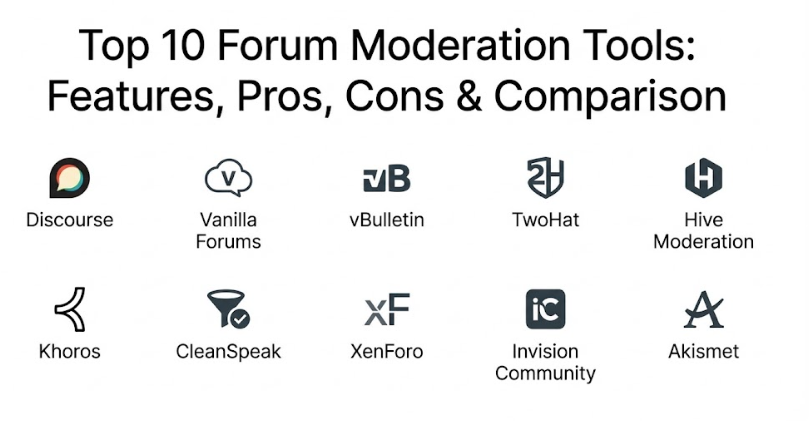
Top 10 Forum Moderation Tools
1 — Discourse
Discourse is a modern, open-source forum platform that was built from the ground up with civil discussion in mind. It is designed for communities that want a clean, mobile-friendly interface and a system that rewards positive behavior. Discourse is unique because it uses a “trust level” system that grants volunteers more power as they prove themselves helpful. It is used by some of the biggest tech companies in the world because it is powerful, scalable, and very easy to customize.
- Key features:
- Trust Level System: Automatically grants permissions to users as they participate positively.
- Dynamic Notifications: Alerts moderators and users in real-time when they are mentioned or replied to.
- Akismet Integration: Uses one of the world’s best spam filters to stop junk posts before they appear.
- Flagging System: Allows the community to flag inappropriate content for quick moderator review.
- Mobile-Responsive Design: Works perfectly on phones without needing a separate app download.
- Admin Dashboard: Provides a very detailed look at community health and moderator activity.
- Staff Action Logs: Keeps a record of every change a moderator makes to ensure accountability.
- Pros:
- Self-Policing: The trust system allows the community to help moderate itself, saving the owner a lot of time.
- Constant Updates: Because it is open-source and popular, it receives security and feature updates very frequently.
- Cons:
- Hosting Complexity: If you host it yourself, it requires more technical knowledge than a simple website.
- Interface Change: Long-time forum users might find the “infinite scroll” style different from traditional page-based forums.
- Security & compliance: Supports SSO (Single Sign-On), two-factor authentication, and is GDPR compliant.
- Support & community: Has a massive user community at Meta.Discourse, excellent documentation, and paid enterprise support.
2 — Vanilla Forums
Vanilla Forums is a professional-grade community platform that focuses on helping brands build deep connections with their customers. It is designed for businesses that need a forum that looks and feels like an extension of their own website. Vanilla is famous for its “Reaction” system, which allows users to engage without always having to write a long post. It offers a very high level of control for moderators, allowing them to ban “trolls” silently or set up sophisticated workflows for handling reported content.
- Key features:
- Advanced Reputation Engine: Allows users to earn badges and points for helping others.
- Customizable Moderation Queues: Lets you decide exactly which types of posts need human approval.
- Troll Management: Includes features like “Jail” and “Sink” to handle difficult users without causing drama.
- Gamification Tools: Helps keep members active through rewards and public recognition.
- Private Communities: Allows for “gated” spaces that only certain members can access.
- In-depth Analytics: Shows which topics are trending and how fast moderators are responding to flags.
- Brand Integration: Easily matches the colors, fonts, and style of your company’s main site.
- Pros:
- Business Focused: Everything is designed to make your brand look good and your customers feel heard.
- Ease of Use: The administrative side is very polished and easy for a non-tech person to navigate.
- Cons:
- Cost: The professional versions can be quite expensive compared to basic forum software.
- Limited Free Version: The open-source version lacks many of the advanced tools found in the paid plans.
- Security & compliance: SOC 2 Type II compliant, GDPR ready, and offers secure data encryption.
- Support & community: Enterprise plans include a dedicated success manager and 24/7 technical support.
3 — vBulletin
vBulletin is one of the oldest and most trusted names in the forum world. It is designed for people who want a traditional, “classic” forum experience with deep power under the hood. While it has been around for decades, the newer versions have updated features for modern moderation. It is built for communities that have a massive amount of history and need a tool that can store and organize millions of posts without slowing down. It is the backbone of many of the internet’s largest and most famous discussion boards.
- Key features:
- Hierarchical Permissions: Allows for very complex layers of moderators and administrators.
- Built-in SEO Tools: Helps your forum show up in search results without needing extra plugins.
- Human Verification: Includes tools like CAPTCHA and question-based signups to stop bots.
- Post Reporting: A simple and effective system for users to send bad content to the mod team.
- Moderator Task List: Gives mods a central place to see all pending approvals and reports.
- Database Reliability: Proven to handle huge amounts of data and thousands of simultaneous users.
- Subscription Management: Allows you to charge for access to certain parts of the forum.
- Pros:
- Deep Customization: You can change almost any part of the software if you have a little technical help.
- Familiarity: Most long-term internet users already know exactly how to use a vBulletin forum.
- Cons:
- Design: The older look can feel a bit “clunky” compared to modern apps like Discord or Slack.
- Paid License: Unlike some competitors, you have to buy a license to use the software.
- Security & compliance: Offers standard encryption and regular security patches for its core code.
- Support & community: A large community of long-time users and a dedicated official support ticket system.
4 — TwoHat (Community Sift)
TwoHat is a specialized moderation tool that works on top of other platforms. It is designed for high-traffic apps and forums, particularly those that involve children or sensitive topics. It is a world leader in “automated” moderation, using artificial intelligence to understand not just the words being said, but the intent behind them. This tool is for organizations that are too large to moderate by hand and need a system that can scan thousands of messages every second.
- Key features:
- Multi-Layered Filtering: Categorizes content into different levels of risk (e.g., hate speech, bullying).
- User Reputation Scoring: Tracks user behavior over time to identify chronic troublemakers.
- Linguistic Analysis: Understands slang, “leetspeak,” and attempts to bypass filters.
- Image & Video Moderation: Automatically detects inappropriate visual content.
- Global Language Support: Moderates conversations in dozens of different languages and dialects.
- Customizable Playbooks: Allows you to set your own rules for what is allowed in your community.
- Real-time Reporting: Shows instant data on how much bad content is being stopped.
- Pros:
- Scalability: It can handle the volume of the world’s largest social networks and games.
- Safety Focus: It is specifically built to protect vulnerable users and stop serious online harm.
- Cons:
- Enterprise Only: This is not a tool for a small hobbyist forum; it is built for large companies.
- Integration Required: It is an API-based tool, meaning you need developers to connect it to your forum.
- Security & compliance: Highly secure, SOC 2 compliant, and adheres to strict global data privacy laws.
- Support & community: Enterprise-level support with dedicated engineers and safety consultants.
5 — Hive Moderation
Hive Moderation is another high-tech tool that focuses on using AI to make moderation faster and more accurate. It is designed for digital platforms that want to “outsource” their automated filtering to a specialized service. Hive is famous for its very accurate image recognition, but it is also excellent at scanning text for spam and toxicity. It is a great choice for a forum owner who wants to keep their moderation team small by having the AI do 90% of the work.
- Key features:
- Pre-trained AI Models: Comes ready to detect things like nudity, violence, and hate speech immediately.
- Text & Audio Scanning: Can moderate written posts and even voice chat if needed.
- Automated Spam Detection: Identifies and blocks bot-generated content with high precision.
- Dashboard Analytics: Provides clear charts on why content was blocked and who is posting it.
- Low Latency: Scans content so fast that users don’t even notice a delay in their posts appearing.
- Feedback Loop: Allows you to “teach” the AI by correcting its mistakes over time.
- Ease of Integration: Offers simple APIs that work with almost any modern web platform.
- Pros:
- Accuracy: One of the most accurate automated systems available today.
- Reduced Human Cost: Saves a massive amount of money by reducing the number of human moderators needed.
- Cons:
- Pricing: Uses a “pay-as-you-go” model based on volume, which can get expensive for busy forums.
- Less “Community” Feel: It focuses purely on filtering, not on building community relationships.
- Security & compliance: Enterprise-grade security and ISO 27001 certification.
- Support & community: Comprehensive developer documentation and 24/7 technical support for business clients.
6 — Khoros Communities
Khoros (formerly known as Lithium) is a giant in the world of customer engagement. It is designed for “Global 2000” companies that need to manage millions of customer interactions across forums and social media. Khoros is a very deep platform that includes tools for moderation, analytics, and even “social listening.” It is built for teams where moderation is a full-time professional job, providing them with a “command center” to manage every conversation.
- Key features:
- Unified Moderation Desktop: One screen to manage posts from your forum and all your social channels.
- Advanced User Permissions: Highly granular control over what every moderator can see and do.
- Content Archiving: Automatically saves and organizes old posts for legal or compliance reasons.
- Peer-to-Peer Support Tools: Encourages users to help each other, reducing the load on your staff.
- Gamification & Badging: A very deep system for rewarding your most helpful community members.
- Crisis Management Tools: Helps your team respond quickly to negative PR or community issues.
- Integration with CRM: Connects your forum data directly to tools like Salesforce.
- Pros:
- All-in-One Power: You don’t need five different tools; Khoros does almost everything.
- Expertise: They have decades of experience helping the world’s biggest brands.
- Cons:
- Complexity: It is a massive system that requires significant training to master.
- Very High Cost: Generally only affordable for large corporations.
- Security & compliance: Top-tier security, HIPAA compliance options, and SOC 2 Type II certification.
- Support & community: Offers dedicated strategic consulting and a private community for its clients.
7 — Bespoke (CleanSpeak)
CleanSpeak is a moderation tool that is designed to be “invisible” to the user while being very powerful for the moderator. It is built for forums, games, and chat apps that need to filter out profanity and personal information in real-time. It is famous for its “Blacklist” and “Whitelist” management, allowing you to be very specific about which words are allowed. It is a great choice for organizations that need a tool that is easy to understand and quick to implement.
- Key features:
- Real-time Profanity Filtering: Stops bad words the instant a user tries to post them.
- PII Detection: Automatically hides things like phone numbers and home addresses for safety.
- Warning & Ban System: Integrated tools for sending automated warnings to users who break rules.
- Moderation Workflow: A simple “inbox” style system for human moderators to review flagged content.
- Shadow Banning: Allows you to let a troll post without anyone else seeing it, so they don’t know they are banned.
- Multilingual Filters: Specific filters for different languages that understand local slang.
- Historical Search: Easy tools to find old posts by a specific user or containing a certain word.
- Pros:
- Clarity: The interface is very straightforward and does not require a tech degree to use.
- Focus on Privacy: Excellent at stopping users from sharing sensitive personal data.
- Cons:
- Less Advanced AI: While good at word-matching, it may not be as smart as some AI-only tools.
- Niche Tool: It is primarily a filter, so you still need a forum platform to go with it.
- Security & compliance: Secure API connections and compliant with major data privacy standards.
- Support & community: Good technical support and clear documentation for developers.
8 — XenForo
XenForo is a premium forum platform created by the original designers of vBulletin. It is designed for people who want the power of a classic forum but with a much more modern and “snappy” feel. XenForo is famous for its “Media Gallery” and its very smooth user experience. The moderation tools are built directly into the core, making them very fast and easy to use. It is a favorite for community owners who want a high-quality product that they can own and host themselves.
- Key features:
- Inline Moderation: Allows mods to check multiple posts and take action (like move or delete) all at once.
- User Change Logs: Tracks every change made to a user’s account for security.
- Spam Cleaner: A “one-button” tool to delete all posts by a spammer and ban them instantly.
- Warning System: Allows mods to give users “points” for bad behavior, leading to automatic bans.
- User Reports Queue: A dedicated page for mods to see and discuss every reported post.
- Moderator Permissions: Very clear settings for what different levels of staff can do.
- Mobile Optimized: The admin and moderator pages work great on tablets and phones.
- Pros:
- Performance: It is extremely fast and can handle very busy forums without lag.
- Huge Plugin Library: If the core doesn’t do what you want, there is likely a community-made plugin that does.
- Cons:
- Upfront Cost: You must pay for a license and a yearly fee for updates.
- Self-Hosted: Like Discourse, you are responsible for keeping your server running and secure.
- Security & compliance: Regularly updated for security; supports two-factor authentication and HTTPS.
- Support & community: A very active official community where you can get help from other owners.
9 — Invision Community
Invision Community is a “suite” of tools that includes a forum, a blog system, a gallery, and even a commerce store. It is designed for groups that want to build a complete social destination, not just a message board. The moderation tools are very deep and are designed to manage content across all these different areas. It is a great choice for organizations that want everything in one package and need a very professional level of support.
- Key features:
- Centralized Mod Control Panel: One place to manage reports from the forum, blog, and gallery.
- Automated Rules Engine: Set up “if this, then that” rules (e.g., “if a user gets 3 flags, hide their post”).
- Member History: See every flag, warning, and post a user has ever made on one screen.
- Support Request System: Allows your community members to open “help tickets” with your team.
- Group Management: Easily move users between different roles based on their behavior.
- Bulk Management Tools: Delete or move thousands of posts at once for cleanup.
- Integration with Major Apps: Connects easily with Facebook, X, and LinkedIn.
- Pros:
- All-In-One: It is the most complete community suite on the list.
- Polished Experience: Everything looks very modern and works together perfectly.
- Cons:
- Complexity: Because it has so many features, it can be overwhelming at first.
- Cost: It is a premium product with a price tag to match.
- Security & compliance: SOC 2 and GDPR compliant; offers very strong security for its hosted versions.
- Support & community: Excellent official support and a large community of “Invision Power” fans.
10 — Akismet
While Akismet is not a “full” forum platform, it is perhaps the most important moderation tool for anyone running a forum. It is an automated spam-fighting service that was originally built for WordPress but now works with almost every forum platform. It is designed to be the “first line of defense,” stopping 99% of spam before a human ever sees it. It is a “set it and forget it” tool that is essential for keeping your database clean and your moderators happy.
- Key features:
- Global Spam Database: Learns from millions of websites to identify new spam patterns instantly.
- History of Actions: Shows exactly which posts were blocked so a moderator can check for mistakes.
- Automatic Filtering: Silently deletes or hides junk posts without the admin having to do anything.
- Discard Feature: Completely blocks the most obvious spam so it never even touches your database.
- Linguistic Analysis: Looks at more than just keywords to find “sneaky” spam.
- Low False Positives: Very accurate at telling the difference between a real user and a bot.
- Easy API: Can be added to almost any forum software with just a simple “API key.”
- Pros:
- Time Saver: It does the work of ten human moderators when it comes to stopping spam.
- Affordable: They have free plans for small sites and very fair pricing for businesses.
- Cons:
- Spam Only: It won’t help you stop bullying or off-topic posts; it only stops junk and ads.
- Requires Internet: Since it’s a cloud service, your forum must be able to talk to their servers.
- Security & compliance: Trusted by millions of sites; follows strict data privacy rules.
- Support & community: Solid documentation and email support from the team at Automattic.
Comparison Table
| Tool Name | Best For | Platform(s) Supported | Standout Feature | Rating |
| Discourse | Modern/Tech Communities | Web, Mobile | Trust Level System | 4.8 / 5 |
| Vanilla Forums | Customer Brands | Web, Mobile | Troll Management Tools | 4.7 / 5 |
| vBulletin | Classic Forums | Web | Traditional Power | 4.3 / 5 |
| TwoHat | Global Apps/Games | API | High-Speed Safety AI | 4.9 / 5 |
| Hive Moderation | Visual Platforms | API | Image/Video Recognition | 4.8 / 5 |
| Khoros | Large Enterprise | Web, Social | Multi-Channel Desktop | 4.6 / 5 |
| CleanSpeak | Safety/PII Filter | API | Real-time Privacy Filter | 4.5 / 5 |
| XenForo | Performance/Ease | Web | Inline Moderation Tools | 4.7 / 5 |
| Invision Comm. | Complete Suites | Web | Automated Rules Engine | 4.6 / 5 |
| Akismet | Pure Spam Defense | API/Plugin | Global Spam Intelligence | 4.9 / 5 |
Evaluation & Scoring of Forum Moderation Tools
We have scored these tools based on a “weighted rubric” to ensure we are recommending the best value for your community.
| Category | Weight | Why It Matters |
| Core Features | 25% | The basic ability to ban, delete, move, and filter content effectively. |
| Ease of Use | 15% | A tool is only good if your moderation team actually enjoys using it. |
| Integrations | 15% | How well it fits into your existing tech stack and social channels. |
| Security | 10% | Protecting your user data and preventing hackers from taking over. |
| Reliability | 10% | The software should never crash during a busy community event. |
| Support | 10% | How fast can you get help if the system has a problem? |
| Price / Value | 15% | Is the cost worth the time and stress saved for your team? |
Which Forum Moderation Tool Is Right for You?
Choosing the right tool is a big decision that depends on your specific needs. Here is a simple guide to help you decide.
- Solo Users & Small Groups: If you are a single person running a hobby forum, start with Discourse or XenForo. They have great built-in tools that don’t require an extra budget. Always add Akismet to save yourself from spam.
- Mid-Market & Brands: If you are a growing company, Vanilla Forums or Invision Community are excellent. They offer professional support and a “polished” look that builds trust with your customers.
- Large Enterprises: For massive organizations, Khoros or TwoHat are the standard. They can handle millions of users and offer the high-level security your legal team will require.
- Budget-Conscious: If you are watching your spending, Discourse (open source version) is the most powerful “free” option, though you still have to pay for your own hosting.
- Safety First: If your community involves children or very sensitive topics, investing in a specialized AI tool like TwoHat or Hive is a must to prevent serious safety issues.
Frequently Asked Questions (FAQs)
1. Can I moderate a forum by myself?
Yes, but only if you have the right tools. A tool like Akismet can stop almost all spam, and automated rules in software like Discourse can handle 80% of the daily cleanup. However, as you grow past 1,000 members, you will likely need to find a few volunteer moderators to help you.
2. What is “Automated Moderation”?
This is when the software takes action without a human involved. For example, if a user posts a banned word, the software can automatically hide the post and send the user a warning. This is essential for keeping forums clean 24/7.
3. Do I need to be a “tech person” to use these tools?
Not necessarily. Tools like Vanilla Forums and Invision Community are designed for “regular” business people. However, if you choose a “self-hosted” tool like XenForo or open-source Discourse, you will need someone who understands how to manage a web server.
4. How much do these tools cost?
It ranges from free (open source) to tens of thousands of dollars a year for enterprise systems. Most mid-sized brands can expect to pay between $50 and $200 per month for a high-quality hosted forum.
5. What is “Shadow Banning”?
This is a moderation trick where a user thinks their post is visible, but in reality, no one else can see it. It is very effective against trolls because they don’t get the attention they want, so they usually leave quietly.
6. Is my user data safe in these tools?
If you choose a reputable tool like the ones on this list, your data is very safe. Look for terms like “SOC 2” or “GDPR compliant” to ensure the company follows the best security practices.
7. Can these tools handle multiple languages?
Yes, many modern tools like TwoHat and Hive are built specifically to understand slang and “bad words” in dozens of different languages.
8. What is the biggest mistake community owners make?
The biggest mistake is being “too strict” or “too lazy.” If you delete everything, people will stop talking. If you delete nothing, the forum becomes a mess. The goal is to find a middle ground where people feel safe but free.
9. Can I switch from one tool to another later?
Yes, but it can be difficult. Most tools have “importers” that help you move your users and posts, but you will almost always lose some formatting or small details during the move. It is best to choose carefully from the start.
10. How do I find good volunteer moderators?
The best way is to look at your most active and helpful members. If someone is always answering questions and following the rules, they are usually a great candidate for a moderator role.
Conclusion
Choosing the right forum moderation tool is one of the most important decisions you will make as a community leader. A good tool doesn’t just delete bad posts; it creates a space where your members feel safe to share, learn, and connect. When your moderators have the right technology, they aren’t stressed out by spam and trolls, which means they can spend their time being the friendly face of your community.
There is no single “best” tool for everyone. The right choice depends on your budget, your technical skills, and who your community members are. Whether you choose a classic platform like vBulletin or a high-tech AI system like TwoHat, the key is to be consistent and fair with your rules. Start with a clear plan, pick the tool that matches your goals, and watch your community thrive.