Introduction
FinOps Chargeback Tools are helpful software programs that let a company take its massive cloud bill and break it down into smaller pieces. Imagine a company has one big credit card bill for Amazon, Google, or Microsoft cloud services. Without these tools, nobody knows which team spent what amount of money. These tools act like a smart accountant. They look at the “tags” or labels on the cloud resources and say, “Team A spent this much on their website,” and “Team B spent that much on their research.” This process of sending a specific bill to the department that used the service is called a chargeback.
Using these tools is important because it stops people from wasting money. When a team knows they have to pay for what they use out of their own budget, they are much more careful. It builds a culture where everyone is responsible for the cloud spend. In the real world, big banks, online shops, and software companies use these tools to make sure their finance teams aren’t guessing where the money is going. When looking for a tool, you should look at how easy it is to set up, if it can handle different cloud providers at the same time, and if the reports are simple enough for a non-technical manager to understand.
Best for
These tools are best for finance managers, cloud engineers, and department heads in large companies or fast-growing businesses. They are perfect for organizations that use more than one cloud provider and have many different teams working on different projects. Industries like finance, healthcare, and technology find them most useful because their cloud bills are usually the most complex.
Not ideal for
They are not ideal for very small startups that only have one or two people working in the cloud. If your monthly bill is very small, it is easier to just look at the basic report provided by Amazon or Google for free. They are also not a great fit for companies that don’t have a dedicated person to manage the “tags” on their resources, as the tools need those labels to work correctly.
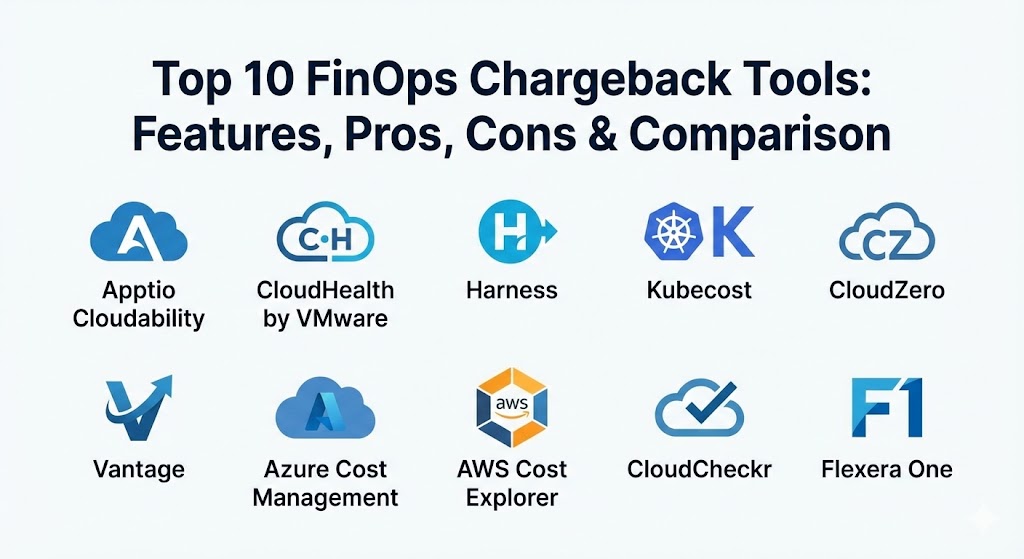
Top 10 FinOps Chargeback Tools
1 — Apptio Cloudability
Apptio Cloudability is a very powerful tool that helps big companies manage their cloud money. It is built to handle huge amounts of data and can show exactly how much each team is spending across many different clouds.
- Key features:
- A very clear dashboard that shows all your cloud costs in one view.
- Automated reports that send bills to different departments every month.
- Smart suggestions on how to save money by turning off unused services.
- Support for “mapping” costs to specific business units or products.
- Tools to help predict how much you will spend in the future.
- Deep integration with other finance software used by large corporations.
- Pros:
- It is extremely detailed and can find even the smallest hidden costs.
- The tool is very stable and can handle the data of the world’s largest companies.
- Cons:
- It is a very complex tool and takes a long time to learn how to use it.
- The price can be quite high compared to some simpler alternatives.
- Security & compliance: This tool meets high standards like SOC 2 and is compliant with GDPR. It uses strong encryption to keep your financial data secret.
- Support & community: They offer professional support for big businesses and have a large library of training videos and documents.
2 — CloudHealth (by VMware)
CloudHealth is one of the most famous tools in the FinOps world. It is designed to give companies a complete look at their cloud health, focusing heavily on both cost and security.
- Key features:
- Policy-driven automation that can alert you if a team spends too much.
- Detailed chargeback and showback reports for internal billing.
- Support for a wide range of cloud providers and hybrid setups.
- Asset tracking to see every single thing you are paying for in the cloud.
- Integration with security tools to find risks while saving money.
- Customizable dashboards for different types of users (finance vs engineering).
- Pros:
- It is a “one-stop shop” for both cost management and cloud security.
- The reporting features are very flexible and can be shaped to fit any business.
- Cons:
- Some users find the interface to be a bit old-fashioned and slow to navigate.
- Setting up the initial rules and policies can take a lot of manual work.
- Security & compliance: Fully compliant with ISO and SOC 2. It provides audit logs so you can see who changed what in the system.
- Support & community: They have a massive user community and offer dedicated account managers for larger clients.
3 — Harness Cloud Cost Management
Harness is a tool that focuses heavily on developers. It tries to show engineers the cost of their code as they are building it, rather than waiting for the end of the month.
- Key features:
- Real-time cost tracking that shows spend by the hour.
- Unique “idle cost” detection that finds resources that are running but doing nothing.
- Deep support for Kubernetes and container costs.
- Automated “clean up” tools that can turn off test systems when not in use.
- Simple chargeback views for engineering leads.
- Integration with the developer’s main tools for building software.
- Pros:
- It speaks the language of developers, making them more likely to use it.
- The “auto-stopping” feature can save a lot of money on development environments.
- Cons:
- It might not be as detailed for the finance department as tools like Apptio.
- It is most useful for companies that are heavily focused on software development.
- Security & compliance: Uses SSO and secure encryption for data. It follows major privacy rules like GDPR.
- Support & community: They have a very active online community and provide great technical documentation for engineers.
4 — Kubecost
Kubecost is a specialist tool. It is built specifically for companies that use Kubernetes, which is a popular way to run modern software but can be very hard to track for costs.
- Key features:
- Real-time cost monitoring specifically for container environments.
- Ability to split shared costs (like a single large server) between multiple teams.
- Simple alerts when a specific part of your system starts spending too much.
- Open-source core, which means you can try a basic version for free.
- Suggestions on how to resize your systems to save money.
- Clear views for both engineers and finance managers.
- Pros:
- It is the best tool on the market for understanding Kubernetes costs.
- It can be installed directly into your own systems for better privacy.
- Cons:
- It is not a complete cloud tool; it mainly focuses on containers.
- You might need a second tool to handle your other cloud costs.
- Security & compliance: Because it can run inside your own network, it is very safe. It supports standard enterprise security features.
- Support & community: There is a huge community of users and a very helpful support team for the paid version.
5 — CloudZero
CloudZero is a modern tool that thinks about cloud costs in terms of “units.” For example, it can show you exactly how much you spent on “one customer” or “one feature.”
- Key features:
- Automatically groups costs into “Business Dimensions” without needing perfect tags.
- Real-time anomaly detection that finds spending spikes immediately.
- Simple, colorful dashboards that are easy for anyone to read.
- Connects cloud spend to the specific parts of your product.
- Tools to help engineers see their own spend without asking finance.
- Support for many different cloud platforms and software services.
- Pros:
- It is much easier to set up than the older, more complex tools.
- It helps companies understand if their product is actually profitable.
- Cons:
- Some of the “automated” grouping might need manual fixing at the start.
- It might be too modern or “simple” for very traditional finance teams.
- Security & compliance: SOC 2 compliant and follows all standard data safety protocols. It does not need “write” access to your cloud.
- Support & community: They offer “FinOps as a Service,” where their experts help you manage your costs every month.
6 — Vantage
Vantage is a newer tool that has become very popular because it is very fast and has a beautiful, simple design. It is built for teams that want to get started in minutes.
- Key features:
- A “one-click” setup that connects to your cloud accounts very quickly.
- Beautiful charts that show your spend over time with clear labels.
- Support for many “SaaS” tools like Snowflake and Datadog, not just clouds.
- Simple “Per-Team” dashboards for easy chargeback and showback.
- Automated savings suggestions that are easy to follow.
- A very fast search bar to find specific costs quickly.
- Pros:
- It is likely the most “user-friendly” tool on this entire list.
- It shows costs from many different services in one single place.
- Cons:
- It might not have the “deep” enterprise features that a massive bank needs.
- Some of the more advanced reporting can be limited.
- Security & compliance: They take security very seriously and are SOC 2 compliant. Data is always encrypted.
- Support & community: They have a very active Slack community where users can talk directly to the developers.
7 — Azure Cost Management (Native Tool)
This is the built-in tool that comes with Microsoft Azure. It is a good starting point for any company that primarily uses Microsoft’s cloud.
- Key features:
- It is already built into the Azure portal, so there is nothing to install.
- It is free for most users to see their basic Azure spend.
- Tools to set budgets and get alerts when you are close to the limit.
- Basic chargeback features using Azure “Tags” and “Resource Groups.”
- Integration with Power BI for making custom charts.
- Support for seeing some AWS costs if you connect the two clouds.
- Pros:
- You don’t have to pay extra for the basic version of this tool.
- It has the most accurate data for Azure because it comes from Microsoft.
- Cons:
- It is not very good at handling other clouds like Google or specialized software.
- The interface can be a bit confusing for people who aren’t familiar with Azure.
- Security & compliance: It follows all of Microsoft’s world-class security and compliance rules.
- Support & community: Supported directly by Microsoft with a massive library of help documents.
8 — AWS Cost Explorer (Native Tool)
This is the official tool from Amazon Web Services. It is the first tool most people use when they start trying to manage their cloud bills.
- Key features:
- Simple graphs that show your monthly and daily spend.
- Filters that let you look at costs by service, region, or tag.
- Forecasts that guess how much you will spend by the end of the month.
- A tool called “Cost Categories” that helps with basic chargebacks.
- Savings Plans recommendations to help you lower your bill.
- Easy access directly from the main AWS console.
- Pros:
- It is free and already available for every AWS user.
- The data is the “source of truth” for your Amazon bill.
- Cons:
- It only works for AWS, so it won’t help you if you use other clouds.
- It lacks the advanced automation and billing features of paid tools.
- Security & compliance: Follows all Amazon’s strict security standards and is fully compliant.
- Support & community: Huge amount of online documentation and support from Amazon’s global team.
9 — CloudCheckr (Spot by NetApp)
CloudCheckr is a very robust tool that focuses on “the three pillars”: cost, security, and compliance. It is built for companies that need to be very careful.
- Key features:
- Over 600 different “checks” that look for waste or security holes.
- Very detailed billing reports that can handle complex multi-cloud setups.
- Automated “healing” that can fix certain problems without a human.
- Support for government-level security requirements.
- Tools to manage “Reserved Instances” to save large amounts of money.
- Clear views for managed service providers who handle many clients.
- Pros:
- It is excellent for industries that have very strict legal rules.
- It provides a lot of extra value by finding security risks at the same time.
- Cons:
- The interface is very dense and can be hard to look at for long periods.
- It can be a bit slow to update when cloud providers release new services.
- Security & compliance: Very high level, including HIPAA and specialized government certifications.
- Support & community: They provide excellent professional support and training for their users.
10 — Flexera One
Flexera is a massive company that has been helping businesses manage software for decades. Their cloud tool is part of a much larger system for managing all company technology.
- Key features:
- Combines cloud costs with the cost of traditional software on your own servers.
- A “Cloud Management Platform” that can help you actually deploy services.
- Automated policies that can stop unauthorized spending immediately.
- Very deep analysis of “SaaS” spending (like Salesforce or Microsoft 365).
- Integration with “IT Service Management” tools like ServiceNow.
- Professional-grade chargeback reports for large finance departments.
- Pros:
- It is the best choice for companies that want to see “all” their tech spend in one place.
- It has a very long history of serving the world’s largest businesses.
- Cons:
- It is a very large and “heavy” tool that requires a team to manage it.
- It is likely too expensive and complex for most small or medium businesses.
- Security & compliance: Meets all major enterprise standards like SOC 2 and ISO.
- Support & community: They offer high-end consulting and professional services to help you set up the tool correctly.
Comparison Table
| Tool Name | Best For | Platform(s) Supported | Standout Feature | Rating |
| Apptio | Large Enterprises | Multi-Cloud | Deep Financial Mapping | N/A |
| CloudHealth | Multi-Cloud Teams | Multi-Cloud / Hybrid | Security & Cost Balance | N/A |
| Harness | Developers | Multi-Cloud / K8s | Developer-First UI | N/A |
| Kubecost | Kubernetes Users | Kubernetes / Cloud | Container-Specific Spend | N/A |
| CloudZero | SaaS Businesses | Multi-Cloud / SaaS | Unit Cost (Cost per Cust) | N/A |
| Vantage | Fast Growth Startups | Multi-Cloud / SaaS | Easiest Setup | N/A |
| Azure Cost Mgmt | Azure-Only Users | Azure / Basic AWS | Native & Free | N/A |
| AWS Cost Exp | AWS-Only Users | AWS | Native & Free | N/A |
| CloudCheckr | Regulated Industry | Multi-Cloud | Security Checks | N/A |
| Flexera One | Massive Corporations | Multi-Cloud / IT | All-in-One Tech Spend | N/A |
Evaluation & Scoring of FinOps Chargeback Tools
| Criteria | Weight | What it means |
| Core features | 25% | Can it actually do the billing and department mapping correctly? |
| Ease of use | 15% | Can a regular manager understand the screens and reports? |
| Integrations | 15% | Does it connect to all the clouds and finance tools you use? |
| Security | 10% | Does it keep your billing data safe and follow the law? |
| Performance | 10% | Is the tool fast and does it handle large amounts of data? |
| Support | 10% | Can you get a human to help you if something breaks? |
| Price / Value | 15% | Is the money you save worth the price of the software? |
Which FinOps Chargeback Tools Tool Is Right for You?
Choosing the right tool is about finding a balance between how much you spend and how much time you have to manage the software.
If you are a solo user or have a very small team, you should stick with the native tools like AWS Cost Explorer or Azure Cost Management. They are free and already inside your account. You can learn the basics of “tagging” your resources there without spending any extra money.
For small and medium businesses (SMBs) that use more than one cloud, Vantage or CloudZero are the best choices. They are very fast to set up and don’t require you to be a finance expert. Vantage is great if you want a beautiful look, while CloudZero is better if you want to know how much each customer costs you.
Mid-market companies that have many engineers and developers should look at Harness or Kubecost. These tools speak to developers and help them care about costs without it feeling like “boring finance work.” Harness is better for general use, while Kubecost is a must-have if you use Kubernetes.
Large enterprises and massive banks need the “heavy hitters” like Apptio Cloudability, CloudHealth, or Flexera One. These tools are built to handle billions of rows of data and have the security certificates that big companies require. If you have a very large and traditional finance department, Apptio is likely your best bet.
Lastly, consider security and compliance. If you are in a field like healthcare or government, CloudCheckr is a top choice because it looks for security risks while it looks at your money. Always pick a tool that grows with your business so you don’t have to switch to a new one next year.
Frequently Asked Questions (FAQs)
1. What is the difference between showback and chargeback?
Showback is just showing a team their bill to let them know how they are doing. Chargeback is actually taking that money out of their specific department budget.
2. Do I really need a tool if I only use one cloud?
Not necessarily. The tools provided by Amazon or Google for free are quite good. You only really need a separate tool if your bill is very large or very complicated.
3. Is it hard to set up these tools?
Simple tools like Vantage take about 10 minutes. Large enterprise tools like Apptio can take several months to set up correctly with all your finance rules.
4. How do these tools save money?
They find “zombie” resources that are running but not used, suggest smaller (cheaper) versions of servers, and help you get discounts for “committing” to a cloud for a year.
5. What is “tagging” and why does it matter?
Tagging is like putting a name tag on everything you buy in the cloud. If you don’t put a label like “Project: Website” on a server, no tool in the world can tell you who should pay for it.
6. Can these tools handle Google Cloud too?
Yes, most of the paid tools on this list work perfectly with Amazon, Microsoft, and Google all at the same time.
7. Are these tools safe to connect to my bank or cloud?
Yes. These tools usually only have “read-only” access. This means they can see the bill, but they cannot delete your website or spend your actual money.
8. Can I see the cost of individual customers with these tools?
Some of them, like CloudZero, are built specifically for this. They can tell you exactly how much cloud money you spent to support “Customer A” vs “Customer B.”
9. How much do these tools cost?
Most charge a small percentage of your total cloud bill (usually between 1% and 3%). Others charge a flat fee based on how many “resources” you are tracking.
10. What is a “Reserved Instance” and does a tool help with it?
A Reserved Instance is like a “bulk discount” where you pay upfront for a lower price. Most of these tools help you figure out exactly how many you should buy to save the most money.
Conclusion
In simple terms, a FinOps chargeback tool is about making sure that everyone in a company knows what they are spending and why. There is no one “perfect” tool for everyone. If you want simplicity and speed, you might pick Vantage. If you have a massive, complex company with many moving parts, Apptio or CloudHealth will be your best friends.
The most important thing to remember is that the tool is only half of the solution. You also need a team that cares about the data and is willing to use it to make better decisions. Start with a clear goal—like wanting to show each department their monthly spend—and pick the tool that makes that specific job the easiest. By doing this, you will save money, reduce stress, and build a much healthier business.