Introduction
Emergency Services Records Management (RMS) is the primary digital system used by police, fire, and medical teams to collect, store, and analyze information from their daily operations. At its heart, this software acts as a highly secure digital filing cabinet that replaces the old way of using paper folders and manual logs. When a call comes in and responders head to the field, every detail—from the time they arrived to the actions they took—needs to be documented. The RMS makes this possible by providing a structured way to enter data about incidents, evidence, personnel, and equipment. It is the central nervous system of any public safety agency, ensuring that vital information is never lost and is always accessible to the people who need it to make life-saving decisions.
The importance of a high-quality records system cannot be overstated. In the real world, these tools are used to track criminal patterns in a neighborhood, manage the maintenance schedules of multi-million dollar fire trucks, and ensure that medical patients receive the correct follow-up care. They are also vital for legal reasons, as they provide the official record of an agency’s actions during a crisis. Without a reliable RMS, an agency might struggle with lost evidence, failed audits, or a lack of transparency with the public. When choosing a tool in this category, users should look for systems that are easy to use in high-stress environments, offer strong mobile access, and connect perfectly with dispatch software. They should also look for tools that make it simple to share data with other neighboring agencies so that everyone is working together.
By moving away from physical paperwork and toward a modern digital system, emergency responders can spend more time in their communities and less time at a desk. This shift not only improves the morale of the staff but also increases the overall safety of the public. These records are not just data points; they represent the history of a community’s safety and the hard work of the men and women who protect it. A good system feels invisible and helps a responder do their job without getting in the way.
- Best for: These tools benefit law enforcement officers, fire chiefs, emergency medical technicians (EMTs), and city administrators the most. They are perfect for mid-to-large departments that need to meet national reporting standards and want to use data to improve their response times. Small agencies looking to move away from spreadsheets will also see a massive benefit in organization.
- Not ideal for: They may not be necessary for very small volunteer groups that handle only a few calls a month and do not have the budget for a complex software subscription. In those cases, a basic digital form might be an easier alternative. They are also not a great fit for organizations that lack a reliable internet connection or the staff needed to keep the digital records updated.
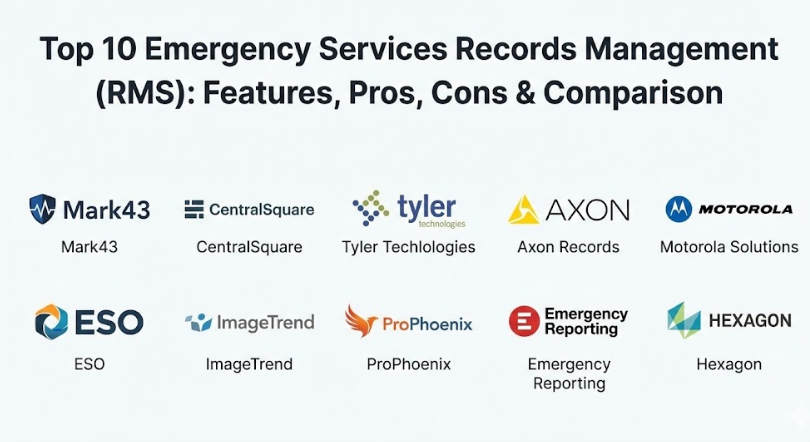
Top 10 Emergency Services Records Management (RMS) Tools
1 — Mark43
Mark43 is a modern, cloud-based platform designed specifically for law enforcement and emergency responders to manage their reports and data. It was built to solve the problem of slow, old-fashioned software that forced officers to spend hours typing in a station. Instead, Mark43 provides a fast, web-based experience that feels as easy to use as a modern social media site. This tool is a favorite for agencies that want to get rid of their physical servers and move everything to a secure cloud environment. It focuses on reducing the “paperwork headache” so that responders can focus on their actual mission.
- Key features:
- A fully cloud-based system that works on any device with an internet connection.
- Native integration with Computer-Aided Dispatch (CAD) for seamless data transfer.
- Automated reporting that checks for errors before a report is submitted.
- Built-in tools for tracking evidence and property securely.
- Advanced search capabilities that help investigators find connections between cases.
- Regular software updates that happen automatically without any downtime.
- Mobile-friendly interface for writing reports while sitting in a vehicle.
- Pros:
- The interface is incredibly clean and easy for new staff to learn without long training sessions.
- Because it lives in the cloud, it is very easy to share information with other departments across the state.
- Cons:
- The cost can be quite high compared to older, on-premise systems.
- Agencies must have a very reliable internet connection to get the most out of it.
- Security & compliance: Mark43 uses top-tier encryption and is fully compliant with CJIS (Criminal Justice Information Services) standards and SOC 2 audits.
- Support & community: They offer 24/7 technical support, a dedicated success manager for each agency, and an online academy for staff training.
2 — CentralSquare Public Safety RMS
CentralSquare is a massive platform that provides a suite of tools for police, fire, and medical teams to manage their entire lifecycle of records. It is designed to handle the heavy demands of large municipal departments that need to track everything from a simple traffic stop to a complex fire investigation. The system is known for its ability to handle huge amounts of data without slowing down, making it a reliable choice for big cities. It brings together several different tools into one unified platform, making it easier for administrators to see the “big picture” of their department’s performance.
- Key features:
- A unified database that connects police and fire records for better collaboration.
- Advanced analytics tools that help predict where incidents might happen next.
- Mobile reporting tools that allow responders to work from the field.
- Comprehensive evidence management with barcode scanning and tracking.
- Automated compliance reporting for national safety databases.
- Customizable dashboards for chiefs and managers to see real-time stats.
- Integrated training records to track staff certifications and history.
- Pros:
- It is one of the most robust systems on the market, capable of handling very complex data needs.
- The integration between the CAD and the RMS is very stable and reliable.
- Cons:
- The software can feel a bit complex and “heavy” for smaller departments.
- Implementing the system can take a long time due to its size and many features.
- Security & compliance: This tool meets all federal security requirements and provides detailed audit logs to track who accessed what information.
- Support & community: They have a very large user community and offer extensive on-site training and professional support services.
3 — Tyler Technologies (New World / Enterprise RMS)
Tyler Technologies offers a deep and detailed records management system that is built to last for decades. It is designed for agencies that want a system they can customize to their specific local laws and procedures. Tyler has a long history in the public safety world and is known for creating software that is very reliable and consistent. Their “Enterprise” version is specifically meant for high-volume agencies that need a lot of power and many different users working at the same time. It focuses on stability and ensuring that data is never lost, even during a system crash.
- Key features:
- Highly customizable forms and report templates to fit local needs.
- Integrated document management for storing photos, videos, and PDFs.
- Powerful “Master Indices” that keep track of every person, vehicle, and address.
- Built-in mapping tools to visualize where calls and incidents are occurring.
- Comprehensive personnel and equipment management for fire departments.
- Automated state and federal reporting tools to save time on admin work.
- Secure data sharing through a regional data exchange network.
- Pros:
- The level of customization is excellent, allowing an agency to make the software their own.
- It is a very stable platform with a long track record of reliability in the field.
- Cons:
- The user interface can look a bit old-fashioned compared to newer cloud apps.
- Training new staff can take longer because there are so many settings and options.
- Security & compliance: Tyler Technologies follows strict CJIS protocols and offers various secure hosting options, including private cloud and on-site.
- Support & community: They offer a massive annual user conference, a detailed online knowledge base, and 24/7 technical help.
4 — Axon Records
Axon Records is a modern platform that is part of the same ecosystem as the famous body cameras and Tasers used by police. It is designed to be the “home” for all digital data, including body camera footage and incident reports. What makes this tool special is its focus on “video-first” reporting, where an officer can use their camera footage to help build their report faster. It is a very forward-thinking tool that aims to eliminate the need for an officer to type the same information over and over again. It is perfect for modern departments that are already using Axon cameras.
- Key features:
- Deep integration with body-worn camera footage for easy evidence attachment.
- AI-assisted writing that helps pull data from the camera into the report.
- A clean, modern interface that works perfectly on tablets and laptops.
- Cloud-native architecture that allows for instant sharing with prosecutors.
- Streamlined workflow that moves a report from the field to a supervisor for approval.
- Integrated evidence management that tracks physical and digital items.
- Automatic redaction tools to protect privacy in shared video files.
- Pros:
- It saves an incredible amount of time by linking video and reports automatically.
- The interface is very easy to use and feels like the modern technology we use in our daily lives.
- Cons:
- It works best if you are already using other Axon products, which can be expensive.
- Some agencies might find the “AI” features to be a bit of a learning curve for older staff.
- Security & compliance: Axon is a leader in digital security, offering SOC 2 compliance and high-level encryption for all video and text data.
- Support & community: They offer excellent onboarding programs and a very responsive customer support team available at all hours.
5 — Motorola Solutions (PremierOne / Spillman)
Motorola Solutions provides some of the most famous records management tools in the world, including the Spillman and PremierOne systems. These tools are designed for agencies that need a “mission-critical” system that will never fail, no matter what happens. They are built to be the “everything” tool for a department, handling everything from jail management to fire inspections. Motorola focuses on providing a system that is incredibly fast and can handle high-speed data searches during an active crisis. It is a top choice for large state and county agencies that manage multiple departments at once.
- Key features:
- Integrated jail and prisoner management for county sheriff departments.
- Real-time data sharing between dispatchers and officers in the field.
- Advanced “Involvements” tracking that links people, places, and things across cases.
- Comprehensive fire and EMS records for departments that handle medical calls.
- Automated data backups and disaster recovery to ensure data is always safe.
- Built-in analytics and crime mapping tools for leadership.
- Powerful search engine that can look through millions of records in seconds.
- Pros:
- The reliability is world-class; it is a system that agencies trust with their lives.
- The ability to manage a jail and a police force in one tool is a huge benefit for sheriffs.
- Cons:
- The software can be very expensive to purchase and maintain over time.
- It often requires significant IT staff to manage the servers and the complex setup.
- Security & compliance: Motorola meets all national security standards and offers some of the most secure data storage options in the industry.
- Support & community: They have a massive global support network and offer professional consulting to help agencies set up their workflows.
6 — ESO (Fire and EMS Focus)
ESO is a specialized records management platform that was built primarily for fire departments and emergency medical services. Unlike other tools that focus on police, ESO focuses on the “patient” and the “fire scene.” It is designed for paramedics and firefighters who need to document medical care and fire incidents with extreme accuracy. The tool is famous for its “electronic patient care reports” (ePCR) which help medical teams track a patient’s health from the moment they are picked up until they arrive at the hospital. It is a very data-heavy tool that helps agencies improve their medical care.
- Key features:
- Best-in-class electronic patient care reports for medical responders.
- Automated fire incident reporting that meets all national fire standards.
- Integrated personnel management to track training and certifications.
- Advanced “Health Data Exchange” that lets medics share records with hospitals.
- Mobile-first design that works perfectly on rugged tablets in the back of an ambulance.
- Detailed analytics to help fire chiefs improve their department’s response times.
- Built-in equipment and drug tracking for medical supplies.
- Pros:
- It is the best tool on the market for departments that care about medical and fire data.
- The interface is designed for use in the field, with big buttons and easy menus for gloved hands.
- Cons:
- It does not have the law enforcement features (like jail or case management) found in other tools.
- The medical-heavy focus might be more than what a basic fire department needs.
- Security & compliance: ESO is fully HIPAA compliant to protect patient privacy and meets all national standards for fire reporting.
- Support & community: They have a very active user community and host one of the best annual conferences for fire and EMS data experts.
7 — ImageTrend
ImageTrend is a powerful, data-driven platform that provides records management for fire, EMS, and emergency preparedness teams. It is designed for agencies that want to use “big data” to solve problems in their community. The platform is very flexible and can be used for everything from tracking a virus outbreak to managing a city’s fire inspections. ImageTrend is known for its beautiful dashboards and its ability to turn thousands of reports into a simple graph that a city council can understand. It is a great choice for agencies that want to prove their value to their local government.
- Key features:
- Highly visual dashboards that show real-time emergency trends in the city.
- Comprehensive “Fire RMS” for managing inspections, hydrants, and equipment.
- Mobile patient care reports that work even when there is no Wi-Fi.
- Integrated community health tools to track non-emergency patient visits.
- Advanced “Data Mart” that allows for custom reporting and deep analysis.
- Automated email alerts for specific types of incidents or data errors.
- Secure portal for hospitals to view incoming patient information.
- Pros:
- The reporting and visualization tools are among the best in the public safety industry.
- It is a very flexible tool that can grow with an agency as they add more services.
- Cons:
- Setting up the complex custom reports can take a lot of time and training.
- The system can feel a bit “data-heavy” for responders who just want to enter a quick report.
- Security & compliance: ImageTrend follows all HIPAA and federal data safety rules and offers secure cloud-hosting options.
- Support & community: They offer excellent training webinars and have a very helpful customer support team that understands fire and EMS needs.
8 — ProPhoenix
ProPhoenix is a fully integrated software suite that is designed to bring police and fire departments together under one digital roof. It is built for agencies that want their responders to share information instantly without having to use two different systems. ProPhoenix is known for being a “complete” solution, meaning it includes CAD, RMS, and mobile tools all in one package. This makes it a great choice for smaller cities and towns that want one company to handle all their technology needs. It focuses on making sure that if a police officer and a firefighter go to the same call, they can see each other’s data.
- Key features:
- A single database for both law enforcement and fire/EMS records.
- Integrated “Warrants and Civil Process” management for police.
- Comprehensive “Fire Inspection” and “Hydrant” tracking for fire teams.
- Mobile reporting that works on laptops and mobile phones in the field.
- Automated state and federal reporting to ensure compliance.
- Built-in personnel management and training history tracking.
- Secure internal messaging system for responders to communicate.
- Pros:
- The integration between police and fire is seamless, which is rare in this industry.
- It is a very cost-effective way to get a full suite of public safety software.
- Cons:
- The interface is functional but can feel a little cluttered compared to newer cloud-only apps.
- Smaller agencies might find it has more features than they will ever actually use.
- Security & compliance: ProPhoenix is CJIS compliant and uses secure, encrypted methods to store and share sensitive records.
- Support & community: They provide on-site implementation help and offer a dedicated support line for technical emergencies.
9 — Emergency Reporting (by ESO)
Emergency Reporting is a cloud-based system that was built specifically for fire departments to manage their day-to-day operations. It is designed to be very simple and easy to use, even for volunteer firefighters who don’t spend all day in front of a computer. The tool focuses on “compliance,” making sure that the department meets all the rules for fire incident reporting and equipment maintenance. It is a very affordable option for agencies that want to move away from paper but don’t need the complex features of a massive city-wide system. It is now part of the ESO family, which gives it even more power.
- Key features:
- Very simple interface for fire incident reporting (NFIRS).
- Comprehensive equipment and inventory management for fire trucks.
- Integrated training and certification tracking for all firefighters.
- Built-in tools for managing fire inspections and permits in the city.
- Easy-to-read dashboards that show the department’s “readiness” at a glance.
- Mobile-friendly design that works on any phone or tablet.
- Automatic data backups to the cloud every few minutes.
- Pros:
- It is one of the easiest tools to set up and start using within just a few days.
- The focus on compliance makes it very hard to forget a required report.
- Cons:
- It is only for fire departments and doesn’t have police or medical-heavy features.
- The reporting is excellent for compliance but not as deep for advanced “big data” analysis.
- Security & compliance: It meets all national fire data standards and uses secure cloud encryption to protect agency information.
- Support & community: They have a very friendly support team and offer a “knowledge base” full of helpful videos for new users.
10 — Hexagon (OnCall Records)
Hexagon provides a high-end records management solution that is part of their “OnCall” public safety suite. It is designed for large, complex agencies that need a lot of automation and real-time data. Hexagon is a global leader in sensors and data, so their RMS is very focused on providing “situational awareness.” This means it helps responders see what is happening right now as well as what happened in the past. It is a very powerful tool that is often used by large transit police, state agencies, and international public safety groups. It focuses on taking massive amounts of data and making it useful for the people on the front lines.
- Key features:
- Real-time reporting that allows a dispatcher to see a report as it is being typed.
- Highly advanced mapping and visualization tools for crime and incident analysis.
- Comprehensive case management with task lists and due dates for detectives.
- Integrated evidence tracking with barcode support and secure storage logs.
- Mobile app that provides a “common operating picture” for all responders.
- Automated reporting for national and international safety standards.
- Deep integration with Hexagon’s world-class CAD and mapping systems.
- Pros:
- It is an incredibly powerful tool for situational awareness and real-time data.
- The ability to see live data and past records on the same map is very helpful.
- Cons:
- The cost is very high and it is intended for large, well-funded organizations.
- The setup process is very technical and requires professional installation.
- Security & compliance: Hexagon meets all global security certifications and offers some of the most advanced data protection in the world.
- Support & community: They offer a global support network, professional training, and a deep library of technical resources for IT managers.
Comparison Table
| Tool Name | Best For | Platform(s) Supported | Standout Feature | Rating |
| Mark43 | Modern Cloud Agencies | Web, Mobile | Clean, modern web-first design | 4.8 / 5 |
| CentralSquare | Large Municipalities | Web, Desktop, Mobile | Unified police and fire database | 4.5 / 5 |
| Tyler Tech | High Customization | Desktop, Mobile, Cloud | Deeply customizable local forms | 4.4 / 5 |
| Axon Records | Video-Focused Police | Web, Mobile | Integration with body-worn cameras | 4.7 / 5 |
| Motorola (Spillman) | Sheriff & Jail Mgmt | Desktop, Web, Mobile | Integrated jail management | 4.6 / 5 |
| ESO | Medical-Heavy EMS | Web, Mobile | Patient care (ePCR) excellence | 4.9 / 5 |
| ImageTrend | Data Visualization | Web, Mobile | Beautiful trends and dashboards | 4.8 / 5 |
| ProPhoenix | Joint Police & Fire | Desktop, Web, Mobile | Full CAD/RMS integration suite | 4.3 / 5 |
| Emergency Reporting | Fire Dept Compliance | Web, Mobile | Simple, easy-to-use cloud setup | 4.7 / 5 |
| Hexagon (OnCall) | Global & State Groups | Web, Desktop, Mobile | Real-time situational awareness | 4.5 / 5 |
Evaluation & Scoring of Emergency Services Records Management (RMS)
We evaluate these tools using a specific set of rules to ensure they are being judged fairly. This rubric focuses on what actually matters to a responder in the field and a chief in the office.
| Category | Weight | Key Considerations |
| Core features | 25% | Incident reporting, evidence tracking, and personnel management. |
| Ease of use | 15% | Interface simplicity and how fast a responder can finish a report. |
| Integrations & ecosystem | 15% | Connections with body cameras, CAD, and state databases. |
| Security & compliance | 10% | CJIS compliance, HIPAA rules, and data encryption. |
| Performance & reliability | 10% | System uptime and how fast the search engine works. |
| Support & community | 10% | Quality of training and 24/7 technical help for crises. |
| Price / value | 15% | The balance between monthly cost and the time saved by staff. |
Which Emergency Services Records Management (RMS) Tool Is Right for You?
Choosing the right records system depends mostly on the size of your agency and what kind of calls you handle most often. A big city police department has very different needs than a small rural fire station.
Solo users and small departments (SMB) should look for systems that are simple to set up and don’t require an IT team. If you are a small fire department, Emergency Reporting is likely your best bet because it is affordable and easy to learn. If you are a small police department looking to modernize, Mark43 offers a cloud-based setup that doesn’t require any expensive on-site servers. These tools allow you to focus on your community instead of managing software updates.
Mid-market and large agencies need more power and better data sharing. If you are a county sheriff managing a jail and a patrol force, Motorola Solutions (Spillman) or CentralSquare are the industry leaders. They have the “muscle” to handle large amounts of data and can connect many different departments together. For agencies that are very focused on medical calls, ESO or ImageTrend will provide the data you need to improve patient survival rates and prove your impact to the city council.
Enterprise and global organizations require the highest level of security and real-time situational awareness. Hexagon and Tyler Technologies are built for these heavy-duty environments. They offer the customization and the scale needed to manage state-wide networks or massive transit systems. These tools are expensive and take time to implement, but they offer the most control over your data.
Always consider your budget and your existing technology. If you already have Axon body cameras, then Axon Records is a natural choice. If you want a single system for both police and fire, ProPhoenix is an excellent integrated choice. It is always a good idea to talk to neighboring agencies and see what they use, as sharing data is much easier if you are on the same or similar platforms. Take the time to request a demo and have your field responders try the software; after all, they are the ones who will be using it in the middle of a stressful shift.
Frequently Asked Questions (FAQs)
1. What is an RMS in the context of emergency services?
It stands for Records Management System. It is the software used to document every detail of an incident, including who was there, what happened, and any evidence that was collected.
2. Why can’t we just use paper or spreadsheets?
Paper and spreadsheets are hard to search and easy to lose. Modern RMS tools are secure, searchable, and help departments meet national standards for reporting that are often required to receive grant money.
3. Does an RMS connect to our 911 dispatch software?
Most professional RMS tools connect directly to your CAD (Computer-Aided Dispatch). This allows information from the 911 call to automatically fill in parts of your report, saving you time.
4. Is our data safe in the cloud?
Yes, modern cloud systems like Mark43 use very high-level encryption and are often more secure than a physical server sitting in a damp basement at a police station. They meet strict federal security rules (CJIS).
5. How long does it take to switch to a new RMS?
For a small agency, it might take a few weeks. For a large city, it can take several months or even a year to move all the old data and train hundreds of employees on the new system.
6. Can medical responders use a police RMS?
They can, but they often prefer a specialized “Fire/EMS” RMS like ESO. These systems have specific medical forms (ePCR) that a standard police system might lack.
7. Do these systems work on mobile phones?
Most modern systems have mobile apps or web-based versions that work on tablets and smartphones. This allows responders to finish their paperwork without having to drive back to the station.
8. Can an RMS help us solve crimes?
Yes. By searching through thousands of records, investigators can find patterns, such as the same vehicle being seen at multiple crime scenes, which helps them catch suspects faster.
9. Are these systems expensive?
They can be. Most charge a monthly or yearly fee based on the number of users or the size of the department. However, the time they save on paperwork often pays for the software itself.
10. What happens to our old data when we switch?
Most companies offer “data migration” services. They take the information from your old software and move it into the new one so you don’t lose any of your department’s history.
Conclusion
Choosing the right Emergency Services Records Management (RMS) tool is a decision that will impact your department for many years. These systems are far more than just “report writers”; they are the foundation of a modern, data-driven public safety agency. Whether you are looking for the simplicity of a cloud-based system like Mark43 or the massive power of an enterprise platform like Motorola, the goal remains the same: to make the documentation process faster and more accurate. By freeing up your responders from the burden of slow paperwork, you are giving them more time to serve their community and save lives.
When you begin your search, remember that the “best” tool is simply the one that fits your department’s specific culture and needs. A system that is too complex will only lead to frustration in the field, while a system that is too simple might not give you the data you need for your annual reports. Take the time to involve your staff in the process, as their feedback from the field is more valuable than any marketing brochure. Look for a partner who offers excellent support and training, as the transition to a new system is always a big undertaking.
In the end, the right RMS will become a silent partner in your department’s success. It will help you prove your value to the public, protect your staff in court, and provide the insights needed to make your community a safer place to live. Take a deep breath, look at your department’s goals, and pick a system that will help you move into the future with confidence. Your records are the story of your agency’s impact—make sure you have the right tool to tell it.