Introduction
eDiscovery Software (Electronic Discovery) refers to the process and tools used to identify, collect, and review electronic information for use as evidence in legal cases. This data, known as Electronically Stored Information (ESI), includes everything from standard Word documents to hidden metadata, Slack conversations, and deleted files.
These tools are essential because they allow legal teams to handle massive datasets that would be impossible to review manually. By using advanced search algorithms and artificial intelligence, eDiscovery software helps find the “needle in the haystack”—the specific document that proves or disproves a claim—while ensuring the data is handled in a way that is legally defensible.
Key Real-World Use Cases
- Litigation Support: Organizing and reviewing evidence for active lawsuits.
- Internal Investigations: Checking company emails to investigate claims of workplace harassment or fraud.
- Regulatory Compliance: Responding to government audits or data requests (such as GDPR or CCPA requests).
- Mergers & Acquisitions: Reviewing vast amounts of corporate data during the “due diligence” phase.
Evaluation Criteria
When choosing an eDiscovery tool, you should look for processing speed (how fast it can ingest data), search accuracy, Ease of review interface, and cost predictability.
Best for: Large law firms, corporate legal departments, government agencies, and specialized forensic investigators. It is ideal for organizations dealing with high volumes of data and complex legal requirements.
Not ideal for: Individual solo practitioners with very small, straightforward cases, or businesses that only need to find a single old email once a year. In these cases, standard built-in search tools in Microsoft 365 or Google Workspace may be enough.
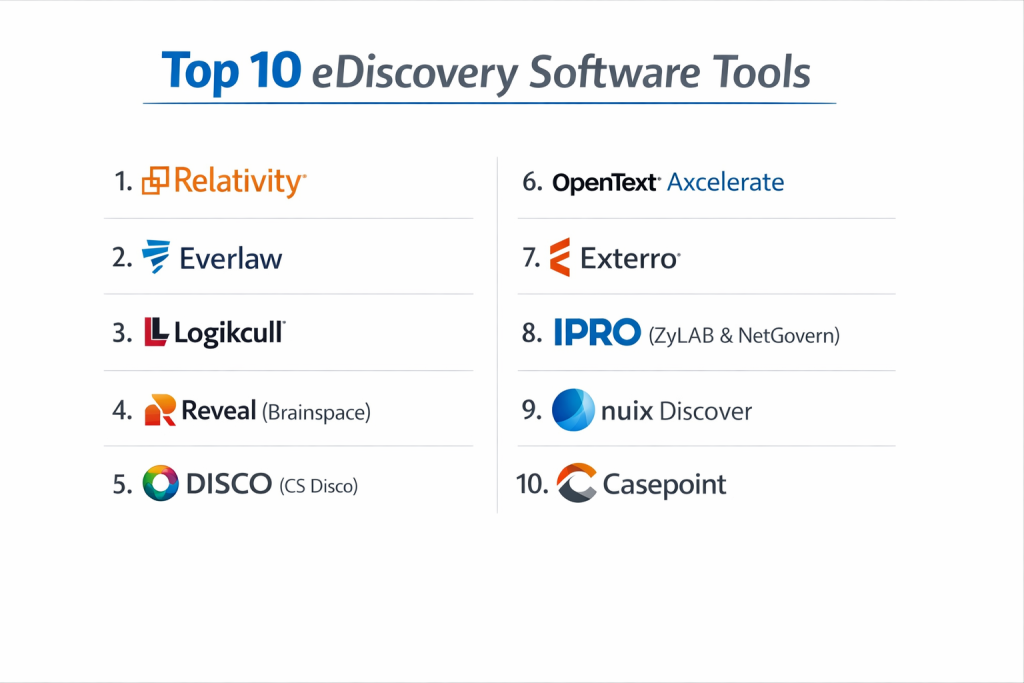
Top 10 eDiscovery Software Tools
1 — Relativity
Relativity is the industry giant. Known for its “RelativityOne” cloud platform, it is the most widely used eDiscovery tool by big law firms and global corporations.
- Key Features:
- Active Learning: An AI engine that learns from your reviewers to find relevant documents faster.
- Sentiment Analysis: Can detect “angry” or “suspicious” tones in chat messages.
- Structured Analytics: Groups similar documents together to save review time.
- Direct Collection: Pulls data directly from Microsoft 365, Slack, and Google Workspace.
- End-to-End Platform: Handles everything from legal holds to final production.
- Pros:
- The most powerful and customizable tool on the market.
- Huge ecosystem of experts and certified consultants available.
- Cons:
- Extremely high learning curve; usually requires a dedicated admin.
- Pricing can be complex and expensive for smaller projects.
- Security & Compliance: SOC 2 Type II, ISO 27001, GDPR, HIPAA, and FedRAMP authorized.
- Support & Community: World-class support, a massive user community, and extensive training through Relativity University.
2 — Everlaw
Everlaw is known for its modern, fast, and user-friendly interface. It is a cloud-native platform that focuses on making the review process as intuitive as possible.
- Key Features:
- Storybuilder: A tool to help lawyers build a narrative and prepare for trial within the software.
- Instant Processing: Data is ready for review almost immediately after upload.
- Clustering: A visual map that shows how all documents in a case are related.
- Predictive Coding: Uses machine learning to rank documents by relevance.
- Collaboration Tools: Integrated messaging and task assignment for legal teams.
- Pros:
- The interface is much more modern and “easy on the eyes” than older tools.
- Transparent, predictable pricing based on data volume.
- Cons:
- Some advanced users find it less customizable than Relativity.
- Not as many third-party apps or integrations compared to the market leader.
- Security & Compliance: SOC 2 Type II, HIPAA, GDPR, and FedRAMP.
- Support & Community: Excellent documentation and highly rated 24/7 customer support.
3 — Logikcull
Logikcull focuses on “Instant Discovery.” It is designed for teams that want to start their own eDiscovery project in minutes without needing a team of consultants.
- Key Features:
- Drag-and-Drop Upload: Simply drop your files into the browser to start.
- Automatic Culling: Automatically removes duplicates and system files to save space.
- Cull-only Pricing: You only pay for the data you actually keep for review.
- Voice/Video Transcription: Automatically turns audio files into searchable text.
- Legal Hold Automation: Sends and tracks hold notices to employees.
- Pros:
- Incredibly simple to use; no training required for basic tasks.
- Great for small-to-mid-sized firms that need to move fast.
- Cons:
- Lacks some of the ultra-deep AI features needed for multi-million document cases.
- Can get expensive if your “culling” isn’t efficient.
- Security & Compliance: SOC 2 Type II, HIPAA, and GDPR compliant.
- Support & Community: Fast chat support and a very helpful “Logikcull Academy.”
4 — Reveal (including Brainspace)
Reveal has become a powerhouse by merging with Brainspace. It offers some of the most advanced visual analytics in the industry.
- Key Features:
- Brainspace Visualizations: Stunning “cluster maps” to see your data at a high level.
- Multi-lingual AI: Can translate and analyze documents in over 100 languages.
- Image Recognition: Identifies what is inside photos (e.g., money, guns, signatures).
- Social Graphs: Shows a web of who was talking to whom most frequently.
- Flexible Deployment: Available in the cloud or on-premise.
- Pros:
- The visual analytics are arguably the best in the business.
- Very strong at finding hidden patterns in messy data.
- Cons:
- Can be a bit “over-featured” for simple cases.
- The merger of different tools can sometimes make the interface feel inconsistent.
- Security & Compliance: ISO 27001, SOC 2, and GDPR.
- Support & Community: Strong enterprise support and a growing certification program.
5 — Disco (CS Disco)
Disco is built by lawyers for lawyers. It focuses on using high-speed cloud computing to make searching through data feel instantaneous.
- Key Features:
- Disco AI: Uses “deep learning” to suggest which documents you should look at next.
- Search Builder: A very easy-to-use search bar that understands legal concepts.
- High-Speed Ingest: Claims to be the fastest at processing large amounts of data.
- Cross-Matter AI: Can use lessons learned from one case to help with another.
- Mobile App: Allows lawyers to review documents on an iPad or phone.
- Pros:
- Extremely fast performance; no “spinning wheels” when searching.
- Very clean and focused review interface.
- Cons:
- Pricing can be higher than some “budget” alternatives.
- Lacks some of the complex “back-end” admin controls larger firms might want.
- Security & Compliance: SOC 2 Type II, HIPAA, and ISO 27001.
- Support & Community: 24/7/365 support and a dedicated “Success Manager” for accounts.
6 — OpenText Axcelerate
OpenText is a massive company, and Axcelerate is their high-end eDiscovery platform. It is built for the largest global corporations with the most complex data needs.
- Key Features:
- Predictive Filtering: Finds the “junk” data and hides it before review begins.
- Concept Search: Finds documents based on ideas, not just keywords.
- Integrated Redaction: Easily blacks out sensitive info across thousands of files.
- Global Scalability: Can handle data stored in different countries with different laws.
- End-to-End EDRM: Covers everything from data collection to final legal production.
- Pros:
- Unmatched at handling “big data” for Fortune 500 companies.
- Very strong security and compliance pedigree.
- Cons:
- The interface can feel a bit “corporate” and heavy.
- Setup and implementation take a significant amount of time.
- Security & Compliance: FedRAMP, SOC 2, HIPAA, and ISO 27001.
- Support & Community: Large-scale enterprise support with global reach.
7 — Exterro
Exterro is unique because it focuses not just on discovery, but on the entire “Legal GRC” (Governance, Risk, and Compliance) process.
- Key Features:
- Digital Forensics Integration: Built-in tools to extract data from hard drives.
- Project Management: Track deadlines and budgets for your legal team.
- Automatic Data Discovery: Scans your company network to find where data is stored.
- Privacy Management: Helps handle “Right to be Forgotten” requests.
- Smart Culling: Uses advanced logic to reduce data size before it gets to lawyers.
- Pros:
- Best choice for teams that want one tool for forensics, privacy, and discovery.
- Very strong workflow automation to reduce manual tasks.
- Cons:
- The platform is very broad, which can make it feel complex.
- Not as specialized in “AI-assisted review” as tools like Reveal.
- Security & Compliance: SOC 2, GDPR, and FedRAMP authorized.
- Support & Community: Robust professional services and a strong training curriculum.
8 — IPRO (ZyLAB & NetGovern)
IPRO (now part of Reveal, but still operating its own suite) is a classic choice for government agencies and mid-market law firms.
- Key Features:
- In-Place Search: Search data where it lives without moving it first.
- Automated Redaction: Uses patterns (like social security numbers) to hide data.
- Enterprise Governance: Helps companies delete old data they no longer need.
- Trial Presentation: Built-in tools to present evidence in a courtroom.
- On-Premise Options: Still offers a strong version for people who don’t want the cloud.
- Pros:
- Very reliable and well-established in the government sector.
- Good at handling both the “early” and “late” stages of a case.
- Cons:
- The transition since the merger has caused some confusion for users.
- Interface is functional but doesn’t feel as “modern” as Everlaw or Disco.
- Security & Compliance: SOC 2, HIPAA, and GDPR.
- Support & Community: Solid support and a long history of user documentation.
9 — Nuix Discover
Nuix is famous for having the “engine” that processed the Panama Papers. It is incredibly powerful at extracting data from “difficult” file types.
- Key Features:
- Nuix Engine: Generally considered the most powerful data processing engine in the world.
- Workstation Integration: Connects forensics directly to the review platform.
- Visual Lab: A specialized workspace for investigating complex data patterns.
- High-Volume Ingest: Can process terabytes of data per day with ease.
- Advanced Search: Supports incredibly complex “Boolean” logic.
- Pros:
- If you have “broken” or “weird” files, Nuix is the tool that can open them.
- Excellent for forensic investigators and data experts.
- Cons:
- Can be very difficult for a non-technical lawyer to use.
- Requires significant computer power (RAM/CPU) to run.
- Security & Compliance: ISO 27001 and SOC 2.
- Support & Community: Large expert community; support is highly technical.
10 — Casepoint
Casepoint is a fast-growing cloud platform that focuses on “Integrated eDiscovery”—putting the data collection and review in one place.
- Key Features:
- Casepoint AI: Built-in analytics that doesn’t require extra setup.
- Data Connectors: Fast links to Box, Dropbox, and Microsoft 365.
- Custom Reporting: Create beautiful charts to show your client the case progress.
- Collaborative Review: Real-time updates so multiple people can work on one doc.
- Legal Hold: Fully integrated system to manage custodian notifications.
- Pros:
- Very “feature-complete” for the price point.
- The system is very stable and scales well for large government contracts.
- Cons:
- Lacks the “brand name” recognition of Relativity in some legal circles.
- The mobile experience is not as polished as some competitors.
- Security & Compliance: FedRAMP Moderate, SOC 2 Type II, and HIPAA.
- Support & Community: Highly rated for its “white-glove” customer service.
Comparison Table
| Tool Name | Best For | Platform(s) Supported | Standout Feature | Rating (Gartner/Peer) |
| Relativity | Large Enterprises / Firms | Cloud & On-Prem | Huge Expert Ecosystem | 4.6 / 5 |
| Everlaw | Modern Teams / Ease of Use | Cloud-Native | Storybuilder Trial Prep | 4.8 / 5 |
| Logikcull | SMB / In-house / Speed | Cloud-Native | Instant Set-up | 4.7 / 5 |
| Reveal | Data Visualization | Cloud & On-Prem | Brainspace Analytics | 4.5 / 5 |
| Disco | High-Speed Review | Cloud-Native | Deep Learning AI | 4.7 / 5 |
| OpenText | Global Fortune 500 | Cloud & On-Prem | Global Scalability | 4.2 / 5 |
| Exterro | Forensics + Discovery | Cloud & On-Prem | Forensic Integration | 4.4 / 5 |
| IPRO | Government / Mid-Market | Cloud & On-Prem | In-Place Search | 4.3 / 5 |
| Nuix Discover | Forensic Experts | Cloud & On-Prem | Unrivaled Data Engine | 4.5 / 5 |
| Casepoint | Gov / Integrated Teams | Cloud-Native | Integrated AI Analytics | 4.6 / 5 |
Evaluation & Scoring of eDiscovery Software
To help you understand how these tools were ranked, we have evaluated them using a weighted scoring rubric.
| Category | Weight | Evaluation Rationale |
| Core Features | 25% | Ability to process, search, review, and produce documents safely. |
| Ease of Use | 15% | How quickly a new lawyer can start reviewing without a manual. |
| Integrations | 15% | Connections to Slack, Microsoft 365, and other data sources. |
| Security/Compliance | 10% | Support for HIPAA, GDPR, and FedRAMP (for government). |
| Performance | 10% | Speed of document loading and search results. |
| Support | 10% | Availability of help during late-night legal deadlines. |
| Price / Value | 15% | Fairness of pricing for the technology provided. |
Which eDiscovery Software Tool Is Right for You?
Selecting a tool depends on your organization’s specific needs and the size of your data.
Solo Users and Small Firms
If you only have a few cases a year and don’t want to hire a consultant, Logikcull is the best choice. Its “instant” setup means you can start working tonight without a sales call.
Mid-Market Law Firms
For firms that need professional-grade AI but want a friendly interface, Everlaw and Disco are the leaders. They offer high-speed searching and clear pricing that makes it easy to bill clients.
Large Enterprise & Global Firms
If you are managing petabytes of data across different continents, Relativity and OpenText are the standards. They have the “horsepower” and the security certifications required for the world’s biggest cases.
Government and Forensics
If you are a government agency or need to dig deep into hard drives, Casepoint, Exterro, and Nuix offer the specialized forensic and compliance features you need.
Frequently Asked Questions (FAQs)
1. Is eDiscovery software different from standard search?
Yes. Standard search only finds text. eDiscovery software finds “metadata” (hidden data), handles “de-duplication” (removing identical copies), and ensures the data is not changed during the search, which is required by law.
2. What is “Predictive Coding”?
It is a form of AI where a lawyer “trains” the computer by reviewing a few hundred documents. The computer then uses that knowledge to rank the remaining million documents by how likely they are to be relevant.
3. Does this software work for chat apps like Slack or Teams?
Yes. Modern eDiscovery tools like Relativity and Everlaw can reconstruct chat conversations so they look like real messages, making them much easier to read than raw data files.
4. Can I use these tools for internal HR investigations?
Absolutely. Many companies use Logikcull or Exterro specifically for HR and internal audits to find evidence of policy violations without starting a full lawsuit.
5. How much does eDiscovery software cost?
Most vendors charge based on “Gigabytes per Month.” Some also charge a fee per user. It is important to ask about “ingest fees” (cost to upload) and “production fees” (cost to export).
6. Do I need to be a tech expert to use these?
For tools like Logikcull or Everlaw, no. For Relativity or Nuix, you usually need a specialized “eDiscovery Manager” or consultant to handle the technical side.
7. What is a “Legal Hold”?
A legal hold is a formal notice sent to employees telling them not to delete any data because a lawsuit is coming. Tools like Exterro automate this so you don’t have to use manual emails.
8. Can eDiscovery software find deleted files?
Sometimes. If the data has not been overwritten, forensic-heavy tools like Nuix or Exterro can often recover deleted emails or documents.
9. Is my data safe in the cloud?
Yes, if you choose a tool with SOC 2 and ISO 27001 certifications. Most legal cloud providers have better security than a standard local law firm office.
10. What is the “EDRM”?
The Electronic Discovery Reference Model (EDRM) is a chart that shows the stages of eDiscovery: from identifying data to presenting it in court. Most software aims to cover as many of these stages as possible.
Conclusion
Choosing the right eDiscovery software is about more than just finding the most features; it is about finding a tool that fits your team’s workflow.
In 2026, the trend is toward AI-assisted review and speed. If you have a massive, complex project, the power of Relativity or Reveal is unmatched. If you value your time and want to start reviewing immediately, Everlaw and Logikcull provide a much smoother experience.
No matter which tool you choose, the goal is the same: to reduce the noise and find the truth hidden within your data as quickly and accurately as possible.