Introduction
An Edge AI Inference Platform is a specialized software and hardware ecosystem designed to run machine learning models directly on local devices rather than in a centralized cloud data center. “Inference” refers to the process where a trained AI model takes real-world data—like a video feed or sensor reading—and makes a prediction or decision. By moving this process to the “edge” (the physical location where data is generated), these platforms eliminate the need to send massive amounts of data back and forth across the internet. This results in nearly instantaneous response times, reduced bandwidth costs, and significantly improved data privacy.
These platforms are essential because many modern applications simply cannot wait for a cloud response. Real-world use cases include autonomous vehicles that must detect obstacles in milliseconds, industrial robots that need to spot defects on a high-speed assembly line, and smart security cameras that process facial recognition locally to protect user privacy. When choosing an Edge AI platform, users should evaluate hardware compatibility, support for various AI frameworks (like TensorFlow or PyTorch), power consumption efficiency, and the robustness of the remote management tools used to update models across thousands of devices.
Best for: Machine learning engineers, IoT architects, and embedded systems developers in industries like manufacturing, automotive, healthcare, and retail. It is ideal for mid-sized to enterprise-level companies that require real-time decision-making and high data security for their distributed hardware.
Not ideal for: Organizations with small datasets that do not require real-time processing, or teams that lack the technical expertise to manage physical hardware. If your AI tasks are not time-sensitive and involve processing massive batches of historical data, traditional cloud-based AI platforms are likely a more cost-effective and simpler alternative.
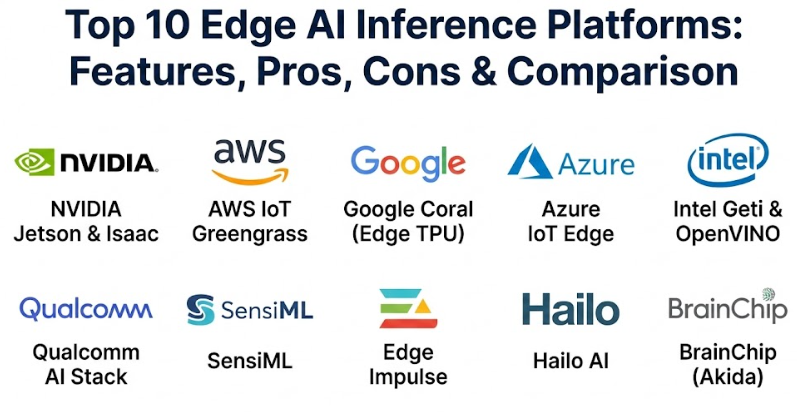
Top 10 Edge AI Inference Platforms
1 — NVIDIA Jetson & Isaac
NVIDIA Jetson is widely considered the gold standard for Edge AI, providing a powerful hardware-software combination. It is designed for developers who need server-class AI performance in a small, power-efficient form factor for robotics and autonomous machines.
- Key features:
- High-performance GPU-accelerated computing in a compact module.
- Unified software architecture across all Jetson products.
- Support for the NVIDIA Isaac platform for accelerated robotics development.
- Deep integration with TensorRT for high-speed deep learning inference.
- Wide ecosystem support for cameras, sensors, and peripheral hardware.
- Extensive libraries for computer vision and natural language processing.
- Pros:
- Unmatched processing power for complex models like generative AI and 3D vision.
- A massive developer community means you can find a solution to almost any problem online.
- Cons:
- Higher cost compared to entry-level microcontrollers.
- Can have higher power requirements than specialized low-power chips.
- Security & compliance: Includes secure boot, hardware-based disk encryption, and support for Trusted Execution Environments (TEE).
- Support & community: Industry-leading documentation, active developer forums, regular webinars, and dedicated enterprise support for large deployments.
2 — AWS IoT Greengrass
AWS IoT Greengrass is a cloud-managed service that extends AWS functionality to edge devices. it is designed for organizations that want to use the cloud for training and management but need the inference to happen locally on their own hardware.
- Key features:
- Seamless deployment of ML models trained in Amazon SageMaker.
- Local triggers and actions that work even without an internet connection.
- Support for Docker containers to simplify application deployment.
- Secure communication between local devices and the AWS cloud.
- Built-in components for common tasks like data stream management.
- Fleet-scale management for updating thousands of devices at once.
- Pros:
- If you already use AWS, the integration is incredibly smooth and efficient.
- The ability to manage and update edge models from a central console is a huge time-saver.
- Cons:
- The pricing model can become complex as you scale your device fleet.
- Some advanced features require a consistent (though intermittent) cloud connection.
- Security & compliance: SOC 1/2/3, ISO 27001, HIPAA, and GDPR compliant. Features strong mutual authentication and encryption.
- Support & community: Enterprise-grade support plans, extensive AWS training modules, and a vast global network of certified partners.
3 — Google Coral (Edge TPU)
Google Coral is a hardware and software stack for building products with local AI. It utilizes the Edge TPU, a small ASIC designed by Google that provides high-performance ML inference with very low power consumption.
- Key features:
- Purpose-built Edge TPU for running TensorFlow Lite models.
- Available in multiple form factors (USB accelerator, SoM, PCIe).
- Extremely low power consumption compared to general-purpose GPUs.
- Native support for TensorFlow Lite for streamlined model conversion.
- High-speed processing for image classification and object detection.
- Support for Debian Linux and Mentohue for easy development.
- Pros:
- It is one of the most cost-effective ways to add high-speed AI to a product.
- The power efficiency makes it perfect for battery-operated devices.
- Cons:
- It is strictly focused on TensorFlow Lite; other frameworks require extra conversion steps.
- Not intended for training models, only for running inference.
- Security & compliance: Features secure boot and standard encryption for local data storage. Specific certifications vary by final product implementation.
- Support & community: Good documentation for TensorFlow users, a solid collection of pre-trained models, and active GitHub repositories.
4 — Azure IoT Edge
Azure IoT Edge is Microsoft’s answer to distributed AI. It allows you to move your cloud workloads—including AI models, Azure services, and custom logic—to be executed right on your IoT devices.
- Key features:
- Containerized deployment of modules via Docker.
- Support for various languages including C#, Python, and Java.
- Integration with Azure Machine Learning for automated model retraining.
- Offline operation capabilities with automatic data syncing upon reconnection.
- Centralized management through the Azure Portal.
- Support for a wide range of hardware from tiny sensors to powerful gateways.
- Pros:
- Excellent for enterprises that are already standardized on the Microsoft ecosystem.
- The visual monitoring and management tools are very user-friendly.
- Cons:
- Can be overkill for small, simple projects with only a few devices.
- The initial setup and configuration can be complex for those new to Azure.
- Security & compliance: ISO 27001, SOC 2, HIPAA, and GDPR compliant. Utilizes Azure Security Center for IoT for threat monitoring.
- Support & community: Extensive Microsoft Learn documentation, global support teams, and a large partner ecosystem.
5 — Intel Geti & OpenVINO
Intel’s Edge AI strategy revolves around the OpenVINO toolkit. This platform is designed to optimize and deploy AI inference across a wide range of Intel hardware, from CPUs to integrated GPUs and specialized vision accelerators.
- Key features:
- Universal optimization for frameworks like PyTorch, TensorFlow, and Caffe.
- Model Optimizer that converts models into an intermediate representation.
- Inference Engine that maximizes performance on Intel-based hardware.
- Support for “Intel Geti,” a newer platform for building computer vision models easily.
- Deep learning workbenches for visual performance analysis.
- Extensive library of pre-optimized models in the Open Model Zoo.
- Pros:
- Allows you to get surprisingly high AI performance out of standard Intel CPUs without needing a dedicated GPU.
- Extremely flexible across different types of Intel hardware.
- Cons:
- Performance is naturally lower on older or low-power Intel chips.
- Less focused on mobile/ARM-based hardware, which is common in many IoT devices.
- Security & compliance: Supports Intel Software Guard Extensions (SGX) and standard hardware encryption protocols.
- Support & community: Well-established documentation, regular software updates, and a dedicated developer zone for Intel AI.
6 — Qualcomm AI Stack
Qualcomm is the leader in mobile chipsets, and their AI Stack is designed to optimize inference for their Snapdragon and IoT processors. It is built for developers who need high-performance AI on mobile or portable devices.
- Key features:
- Unified AI stack that works across mobile, automotive, and IoT platforms.
- Qualcomm AI Engine for distributing workloads between CPU, GPU, and DSP.
- Support for the Qualcomm Neural Processing SDK.
- Advanced power management for mobile-first applications.
- High-speed processing for 5G-linked Edge AI devices.
- Direct support for ONNX and other standard model formats.
- Pros:
- The best option for AI that needs to run on high-end smartphones or portable devices.
- Incredible power-to-performance ratio for computer vision and audio processing.
- Cons:
- The development ecosystem can feel a bit more “closed” compared to NVIDIA or Google.
- Access to some high-level tools may require specific licensing or hardware partnerships.
- Security & compliance: Features the Qualcomm Trusted Execution Environment (TEE) and hardware-backed security for biometric data.
- Support & community: Professional documentation, developer kits (HDKs), and strong engineering support for enterprise partners.
7 — SensiML
SensiML focuses on the “TinyML” segment of the market. It is a specialized platform for developers who need to run AI inference on the smallest, lowest-power microcontrollers available.
- Key features:
- Automated workflow for labeling data and building models for microcontrollers.
- SensiML Analytics Studio for cloud-based model development.
- Optimized for sensors like accelerometers, microphones, and gyroscopes.
- Extremely small memory footprint for the resulting AI code.
- Support for a wide range of silicon vendors (Intel, Nordic, QuickLogic).
- Knowledge AI for detecting anomalies and specific patterns in sensor data.
- Pros:
- Perfect for wearable devices or industrial sensors that need to run for months on a single battery.
- The automated labeling tool saves weeks of manual work for sensor-based projects.
- Cons:
- Not suitable for vision-heavy applications or complex deep learning.
- Focused on specific sensor-based niches rather than general-purpose AI.
- Security & compliance: SOC 2 compliant; focuses on protecting data at the extreme edge.
- Support & community: Very helpful technical support for embedded engineers and a solid library of tutorials.
8 — Edge Impulse
Edge Impulse is a leading development platform for machine learning on edge devices. It provides a highly visual, user-friendly end-to-end workflow from data collection to deployment.
- Key features:
- Visual “EON Compiler” that optimizes models to run in 55% less RAM.
- Built-in tools for data acquisition from mobile phones or development boards.
- Support for computer vision, audio, and vibration-based AI.
- Collaboration features for teams working on shared AI projects.
- One-click deployment to dozens of supported hardware platforms.
- Open-source C++ library output that is easy to integrate.
- Pros:
- Arguably the most user-friendly interface in the Edge AI space.
- Excellent for rapid prototyping; you can go from zero to a working model in hours.
- Cons:
- Large-scale enterprise management features are still evolving.
- The free tier has limits on storage and processing time for model training.
- Security & compliance: ISO 27001 certified; GDPR compliant. Does not store raw data unless explicitly uploaded by the user.
- Support & community: Incredible community forums, high-quality documentation, and a very popular “Edge Impulse University” series.
9 — Hailo AI
Hailo is a newer player specializing in high-performance AI processors for edge devices. Their platform is designed to provide “data center level” performance for computer vision tasks in a tiny, fanless chip.
- Key features:
- Innovative structure-aware architecture that minimizes data movement.
- Hailo Dataflow Compiler for optimizing models for their specific hardware.
- Extremely high frames-per-second (FPS) for multi-stream video analytics.
- Very low power consumption per inference operation.
- Available as an M.2 or Mini-PCIe module for easy integration.
- Supports standard frameworks like TensorFlow and PyTorch.
- Pros:
- Offers some of the best performance-per-watt in the entire industry.
- Ideal for high-end security cameras and smart city applications.
- Cons:
- As a specialized hardware vendor, the ecosystem is smaller than NVIDIA’s.
- Requires specific Hailo hardware; it is not a software-only solution.
- Security & compliance: Standard hardware encryption and secure boot support.
- Support & community: Provides an “AI Software Suite” for developers and professional engineering support for hardware integration.
10 — BrainChip (Akida)
BrainChip is a pioneer in “Neuromorphic” computing. Their Akida platform is designed to mimic the way the human brain processes information, leading to extreme efficiency and the ability to “learn” on the device itself.
- Key features:
- Event-based processing that only uses power when data changes.
- On-chip learning capability (the model can update itself at the edge).
- No need for an external CPU or memory for inference.
- Highly scalable from tiny sensors to powerful SoC integrations.
- Support for Akida MetaTF development environment.
- Ultra-low latency for sensor and voice recognition.
- Pros:
- The ability to learn on-device is a unique and powerful differentiator.
- The power efficiency is world-class due to the event-based architecture.
- Cons:
- Neuromorphic computing is a different paradigm and takes time to learn.
- The ecosystem of pre-trained models is smaller than traditional deep learning.
- Security & compliance: Varies by implementation; focus on secure, local data processing that never leaves the chip.
- Support & community: Professional documentation, an Akida development kit, and specialized support for early adopters of neuromorphic tech.
Comparison Table
| Tool Name | Best For | Platform(s) Supported | Standout Feature | Rating |
| NVIDIA Jetson | Robotics & High-end Vision | Linux (ARM) | Unmatched GPU Performance | 4.9/5 |
| AWS Greengrass | AWS Ecosystem Users | Linux, Windows | Cloud-Managed Updates | 4.7/5 |
| Google Coral | Low-power Vision | Linux, Mac, Win | Edge TPU Efficiency | 4.6/5 |
| Azure IoT Edge | Microsoft Ecosystem | Linux, Windows | Seamless Azure Integration | 4.7/5 |
| Intel OpenVINO | Universal Intel CPU/GPU | Linux, Windows | CPU Inference Optimization | 4.5/5 |
| Qualcomm Stack | Mobile & 5G Devices | Android, Linux | Best Mobile Performance | 4.6/5 |
| SensiML | TinyML & Sensors | Microcontrollers | Auto-labeling for Sensors | 4.3/5 |
| Edge Impulse | Rapid Prototyping | Cross-platform | EON Compiler Optimization | 4.8/5 |
| Hailo AI | High-speed Video | Linux, Windows | Performance per Watt | 4.5/5 |
| BrainChip | On-device Learning | Neuromorphic SoC | Event-based Architecture | 4.2/5 |
Evaluation & Scoring of Edge AI Inference Platforms
We have scored these platforms based on a weighted rubric that reflects the real-world priorities of AI developers and industrial companies.
| Category | Weight | Evaluation Criteria |
| Core Features | 25% | Performance metrics, framework support, and model optimization. |
| Ease of Use | 15% | Quality of the UI, dev tools, and onboarding experience. |
| Integrations | 15% | Connectivity to cloud services, sensors, and external hardware. |
| Security & Compliance | 10% | Encryption, secure boot, and industry certifications. |
| Performance | 10% | Latency, frames-per-second, and power efficiency. |
| Support & Community | 10% | Documentation, forum activity, and enterprise SLAs. |
| Price / Value | 15% | Cost of hardware/licensing vs. performance gained. |
Which Edge AI Inference Platform Is Right for You?
By Project Size and Experience
- Solo Users & Hobbyists: If you are just starting, Edge Impulse is the best choice. It removes the barrier of complex coding and lets you see results on your phone or a simple board in minutes.
- SMBs and Fast Prototyping: Google Coral or NVIDIA Jetson Nano are great entry points. They offer high performance for a relatively low hardware investment.
- Enterprise: Large firms should look at AWS IoT Greengrass or Azure IoT Edge. The ability to manage a “fleet” of thousands of devices from a single dashboard is more important than the raw speed of a single chip.
By Technical Requirements
- Vision-Heavy Applications: If you need to process multiple 4K video streams, go with NVIDIA Jetson or Hailo AI. They are built specifically for the massive parallel math required for video.
- Battery-Powered Sensors: If your device needs to live on a coin-cell battery, look at SensiML or BrainChip. Their “TinyML” focus ensures the AI doesn’t drain the power in a day.
- Strictly Microsoft/Amazon Shops: Don’t fight your existing infrastructure. If you use Azure, use Azure IoT Edge. If you use AWS, use Greengrass. The time saved in integration is worth more than any minor performance difference.
Budget Considerations
- Lowest Hardware Cost: Google Coral USB Accelerator is a very cheap way to add AI to an existing computer or Raspberry Pi.
- Best Performance for Price: Intel OpenVINO is technically “free” software that makes your existing (and already paid for) Intel processors work much harder for AI.
Frequently Asked Questions (FAQs)
1. What is the main difference between Edge AI and Cloud AI?
Cloud AI sends data to a central server to be processed. Edge AI processes that data locally on the device itself, leading to faster speeds and better privacy.
2. Can I train an AI model on an edge device?
Usually, no. Training takes a massive amount of power and time. Most users train in the cloud and then “deploy” the finished model to the edge device for inference. BrainChip is a rare exception that allows for some on-device learning.
3. Do these platforms require a constant internet connection?
No. One of the biggest advantages of Edge AI is that it can make decisions completely offline. You only need a connection to update the model or send summarized reports back to the cloud.
4. What is TensorFlow Lite?
It is a “diet” version of Google’s TensorFlow framework. It is optimized to run on mobile and edge devices with limited memory and processing power.
5. Is Edge AI more secure than Cloud AI?
Generally, yes. Since the raw data (like video or voice) never leaves the device, there is much less risk of that data being intercepted during transmission or leaked from a central server.
6. Can I run multiple models on a single edge platform?
Yes, most powerful platforms like NVIDIA Jetson or AWS Greengrass can run several different AI models simultaneously (e.g., one for face detection and one for voice recognition).
7. What is “Latency” in Edge AI?
Latency is the delay between data entering the system and a decision being made. In Edge AI, latency is usually measured in milliseconds, which is much faster than the seconds it might take in the cloud.
8. Do I need a GPU for Edge AI?
Not necessarily. While GPUs are faster for vision, specialized chips like Google’s TPU or even optimized standard CPUs (using Intel OpenVINO) can handle many AI tasks efficiently.
9. What happens if I want to switch platforms later?
It can be difficult because each platform has its own optimization process. Using standard formats like ONNX (Open Neural Network Exchange) can make it easier to move models between different vendors.
10. What is a “TinyML” platform?
TinyML refers to running AI on extremely low-power microcontrollers (like the ones in a microwave or a digital watch). Tools like SensiML are leaders in this specific field.
Conclusion
Choosing an Edge AI Inference Platform is a decision that will define the speed, privacy, and reliability of your smart products for years to come. There is no single “winner”; instead, there are best fits for specific problems. If you need raw power for an autonomous robot, NVIDIA Jetson is your choice. If you need to manage 5,000 smart sensors across a factory, AWS or Azure will be your best friend. If you need to build a smart wearable that lasts for months, SensiML is the way to go.
The most important thing is to start with your data and your power constraints. Once you know those two things, the right platform usually reveals itself. The world is moving away from the cloud and back to the edge—now is the perfect time to choose the platform that will lead your organization into that future.