Introduction
Drone Flight Planning Software is a digital tool that allows pilots to plan, execute, and manage drone missions automatically. Instead of using a manual controller to fly a drone by hand, this software lets you draw a path on a map, and the drone follows it exactly. These systems handle the complex parts of flying, such as keeping a steady height, taking photos at the right moments, and making sure the drone covers the entire area. Essentially, it turns a flying camera into a high-precision data collection machine that can work on its own with very little human help.
Drone flight planning is important because it takes the guesswork out of professional drone work. When a drone flies a pre-set path, the data it collects is much more accurate and consistent than anything a human could do manually. This is vital for tasks like creating 3D maps of construction sites or checking thousands of crops in a field. These tools also include safety features that check for restricted airspaces and weather conditions before the drone even takes off. By automating the flight, companies save time, reduce the risk of crashes, and get better results that can be used for serious business decisions.
In the real world, these tools are used daily in construction to track progress, in agriculture to spot thirsty plants, and in search and rescue to cover large areas quickly. They are also used for inspecting tall structures like cell towers or wind turbines where flying manually would be dangerous. When choosing a tool, users should look at how easy it is to use, whether it works with their specific drone model, and if it can work without an internet connection in remote areas. It is also important to consider if the software can process the photos into 3D models or if you need another tool for that part.
Best for:
These tools are best for professional drone pilots, land surveyors, construction managers, and farmers who need to gather high-quality data. They are perfect for medium to large companies in the engineering, mining, and energy sectors that need to manage a fleet of drones. Government agencies and public safety teams like police or fire departments also benefit greatly from the precision and speed these tools provide during emergencies.
Not ideal for:
This software is not ideal for hobbyists who just want to fly for fun or take casual photos of their backyard. If you are just learning to fly, the advanced features and costs of professional planning tools might be unnecessary. It is also not the best fit for indoor drone pilots or those flying in extremely tight spaces where GPS signals are weak, as these systems usually rely heavily on satellite data to stay on track.
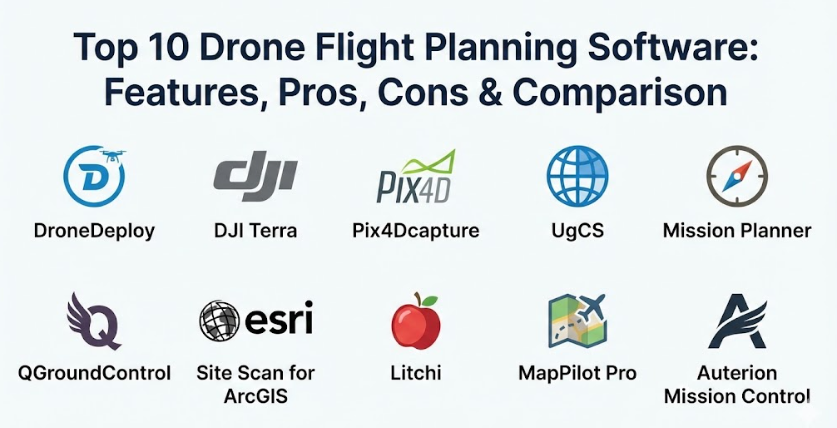
Top 10 Drone Flight Planning Software Tools
1 — DroneDeploy
DroneDeploy is a leading cloud-based platform designed to make drone mapping and flight planning as simple as possible. It is built for businesses that want a fast and easy way to turn drone photos into useful maps and 3D models.
Key features:
- One-tap flight planning where you simply highlight an area on a map.
- Instant high-resolution maps that can be viewed while the drone is still in the air.
- Automated flight paths that ensure perfect photo overlap for 3D modeling.
- Built-in tools for measuring distance, area, and volume directly on the map.
- A massive library of third-party apps that add extra functions to the software.
- Progress tracking that lets you compare maps from different days to see changes.
Pros:
- The software is incredibly user-friendly and requires very little training to get started.
- Since it is cloud-based, you can access your maps from any computer or phone anywhere.
Cons:
- It requires a monthly subscription which can be expensive for small businesses.
- You need a strong internet connection to upload large amounts of photo data to the cloud.
Security & compliance:
DroneDeploy takes security seriously and is SOC 2 Type 2 compliant. It uses high-level encryption for data storage and offers audit logs so managers can see who accessed specific maps or flight data.
Support & community:
The support system is excellent, offering a huge library of help articles and video tutorials. They have a very active user community and provide dedicated support teams for enterprise customers.
2 — DJI Terra
DJI Terra is an all-in-one software solution developed by DJI, the world’s largest drone maker. It is designed specifically to work perfectly with DJI drones to provide highly accurate mapping and inspection results.
Key features:
- Specialized flight modes like “Waypoints,” “Area,” and “Oblique” for different types of missions.
- Real-time 2D mapping that builds a map on your screen while the drone flies.
- High-speed 3D reconstruction that creates detailed digital models of buildings.
- Mission planning for specialized sensors like thermal cameras or LiDAR.
- Direct integration with DJI hardware for a seamless “plug and play” experience.
- Automated flight safety checks that warn pilots of nearby obstacles.
Pros:
- Because DJI makes both the drone and the software, the connection is very stable and reliable.
- The processing speed for creating 3D models is faster than many other tools on the market.
Cons:
- It only works with DJI drones, so you cannot use it if you have a different brand.
- The software is designed for Windows computers and does not have a version for Macs.
Security & compliance:
DJI Terra allows for completely offline processing, which is great for agencies that cannot upload sensitive data to the internet. It supports password protection for project files and follows standard data privacy rules.
Support & community:
As a DJI product, there is a massive global community of users. They offer detailed technical manuals and have service centers around the world for hardware and software help.
3 — Pix4Dcapture
Pix4Dcapture is a free mobile app that turns your drone into a professional mapping tool. It is designed to work as a bridge, helping pilots capture the right images before sending them to the Pix4D computer software for deep analysis.
Key features:
- Multiple mission types including grid, double grid, and circular for 3D objects.
- Easy-to-use interface that works on both smartphones and tablets.
- Live telemetry that shows the drone’s position, battery, and speed in real-time.
- Custom flight parameters like altitude and camera angle to get the best shots.
- Automatic photo triggering so the pilot doesn’t have to press the shutter button.
- Project management tools to keep track of different flight locations.
Pros:
- The app is free to download and use for flight planning, which lowers the entry cost.
- It is compatible with a wide range of drones from different manufacturers, not just one brand.
Cons:
- The app is just for capturing data; you still need to pay for other software to process the photos.
- Some users report that the app can be buggy on certain phone models or after updates.
Security & compliance:
Security varies depending on whether you use their cloud or local processing. They follow GDPR rules for user data and offer secure login options for their professional accounts.
Support & community:
Pix4D has one of the most knowledgeable communities in the drone world. They offer “Pix4D Training” certificates and have very detailed documentation for every feature.
4 — UgCS (Universal Ground Control Software)
UgCS is a powerful software for professional pilots who need to fly complex missions. It is famous for being able to support almost any drone brand and for its advanced “terrain following” capabilities.
Key features:
- Advanced terrain following that uses 3D maps to keep the drone at a safe height above hills.
- Support for a huge variety of drones, including custom-built ones.
- No-fly zone management that allows you to create your own restricted areas.
- Multi-node installation, meaning one pilot can control a drone while another watches the data.
- Route import tools that allow you to bring in flight paths from other programs.
- Specialized tools for LiDAR and Magnetometer sensors used in mining and science.
Pros:
- It is the best tool for flying in mountainous or hilly areas where height control is difficult.
- It offers a one-time purchase option, so you don’t have to pay a monthly fee forever.
Cons:
- The interface is quite technical and can be difficult for a beginner to learn.
- It requires a laptop to run the full version, which might be bulky in the field.
Security & compliance:
UgCS is built for professional and military use, so it offers excellent security. It can run entirely without an internet connection, keeping all flight data on your own computer.
Support & community:
They offer high-quality technical support and have a strong presence in the scientific and industrial drone communities. They provide regular software updates to add new drone models.
5 — Mission Planner
Mission Planner is a free, open-source tool that is incredibly powerful but very technical. It is the go-to software for people who build their own drones or use the ArduPilot flight system.
Key features:
- Complete control over every single setting in the drone’s computer.
- Point-and-click mission planning with hundreds of available commands.
- Live video streaming and data recording for “black box” analysis later.
- Built-in simulator to test your flight path on the computer before you fly for real.
- Support for drones, planes, rovers, and even underwater vehicles.
- Advanced scripting for users who want to write their own custom flight rules.
Pros:
- It is completely free to use and has no hidden fees or subscriptions.
- There is almost nothing this software cannot do if you have the time to learn it.
Cons:
- The design looks very old and can be very confusing for new users.
- Because it is open-source, there is no official “customer support” phone number to call.
Security & compliance:
Security is entirely up to the user. Since it is open-source, there are no cloud risks unless the user sets them up, but there is also no built-in corporate encryption or SSO.
Support & community:
The community is massive and made up of hobbyists, engineers, and developers. If you have a problem, someone on the community forums has likely already solved it.
6 — QGroundControl
QGroundControl is another open-source tool, but it features a much cleaner and more modern design than Mission Planner. it is built to be easy to use on both computers and tablets.
Key features:
- Full flight planning for both simple and complex missions.
- Easy setup for drones using the PX4 or ArduPilot flight systems.
- A clean, visual interface that makes it easy to see where the drone is going.
- Cross-platform support, meaning it works on Windows, Mac, Android, and iOS.
- Integrated map tools that allow you to download maps for use without the internet.
- Real-time flight instruments that look like a real airplane cockpit.
Pros:
- It is very easy to navigate, even for people who are not “tech experts.”
- It provides a very stable and professional-feeling experience for a free tool.
Cons:
- It does not support DJI drones as well as the native DJI apps do.
- Advanced features for specialized sensors are more limited than in UgCS.
Security & compliance:
Similar to other open-source tools, it is highly private because it does not force you to use a cloud. You have full control over where your data goes.
Support & community:
Supported by the Dronecode Foundation, it has a very professional community. They have a clear roadmap for updates and excellent online documentation.
7 — Site Scan for ArcGIS
Site Scan is a high-end tool made by Esri, the world leader in map software. It is designed for large companies that already use ArcGIS for their professional mapping and data needs.
Key features:
- Seamless integration with ArcGIS, allowing drone data to flow directly into company maps.
- Automated flight paths designed specifically for high-accuracy surveying.
- Cloud-based processing that can handle massive amounts of data from large sites.
- Advanced “fleet management” to track every drone and pilot in a company.
- Thermal and multispectral mapping for environmental and utility inspections.
- Tools for creating “Digital Twins” of entire cities or large industrial plants.
Pros:
- If your company already uses Esri software, this is the most efficient choice by far.
- The quality of the maps and the data analysis tools is world-class.
Cons:
- It is very expensive and is generally sold as an enterprise-level solution.
- It is a complex system that requires professional training to use effectively.
Security & compliance:
As an enterprise tool, it meets the highest security standards. It offers SSO (Single Sign-On), encryption, and is built to be used by government agencies with strict rules.
Support & community:
Esri provides enterprise-level support with dedicated account managers. They offer professional training courses and have a huge network of global partners.
8 — Litchi
Litchi is a favorite among prosumer pilots who use DJI drones but find the official DJI apps too limiting. It is famous for its “Waypoint” mode, which allows for incredibly smooth and cinematic flights.
Key features:
- Waypoint mode that allows you to plan complex paths on a computer and sync them to your phone.
- “Orbit” and “Focus” modes that keep the camera locked on a person or building.
- Virtual Reality (VR) mode that lets you fly while wearing goggles for a better view.
- Panorama and 360-degree photo modes that are fully automated.
- “Follow” mode that uses the drone’s computer to track a moving object.
- A web-based mission hub for planning flights on a big screen at home.
Pros:
- It is very affordable and only requires a small one-time payment.
- The waypoint features are much more powerful and easier to use than the standard DJI apps.
Cons:
- It is not a “mapping” tool in the professional sense, as it lacks 3D modeling tools.
- Using third-party apps can sometimes void your drone’s warranty if a crash happens.
Security & compliance:
Security is basic, focusing on standard app logins. It does not have the high-level enterprise security features like audit logs or SOC 2.
Support & community:
There is a very large community of “Litchi pilots” who share their flight paths online. The developers are active and provide regular updates to keep up with new phones.
9 — MapPilot Pro
MapPilot Pro is a specialized app built for pilots who need to do high-quality mapping with DJI drones. It is known for its “Terrain Awareness” and for helping pilots get the best possible photos for maps.
Key features:
- Terrain awareness that uses the drone’s sensors to stay at a constant height.
- High-resolution map overlays that help you see your project area in detail.
- Flight logging that tracks exactly how many acres you have covered.
- Multi-battery mission support that lets the drone come home, get a new battery, and finish the job.
- Custom overlap settings to ensure your 3D models come out perfectly.
- Integration with “Maps Made Easy” for fast and simple photo processing.
Pros:
- The terrain following feature is very reliable and helps prevent crashes on slopes.
- It is a very stable app that does not crash or freeze often during flights.
Cons:
- It only works on Apple iOS devices (iPhones and iPads).
- Some of the best features require a subscription or a “pro” purchase.
Security & compliance:
It provides standard data protection. Since it is often used for surveying, it is designed to keep GPS data accurate and secure within the app.
Support & community:
The team behind the app is very responsive and provides excellent technical documentation. They have a helpful online forum for troubleshooting.
10 — Auterion Mission Control
Auterion Mission Control is an enterprise-grade tool designed for government and industrial use. It is built on open standards to provide a very secure and reliable way to manage a fleet of drones.
Key features:
- A unified interface that looks the same regardless of which drone you are flying.
- Specialized missions for cargo delivery, inspection, and mapping.
- Real-time video and data streaming for remote command centers.
- Advanced safety features like automated “return to home” on low battery or signal loss.
- Full integration with the Auterion suite of drone management tools.
- Predictive maintenance alerts that tell you when your drone needs a tune-up.
Pros:
- It is extremely secure and built for high-stakes missions where failure is not an option.
- It works with a variety of professional-grade drones from different manufacturers.
Cons:
- It is not designed for the average person and is quite expensive for small teams.
- It works best within the Auterion ecosystem, which might mean buying new hardware.
Security & compliance:
This software is built with “security by design.” It includes encryption, secure communication links, and is compliant with the strict rules required by the US government.
Support & community:
Auterion offers professional support for big companies and government agencies. They provide extensive training and have a highly skilled engineering team.
Comparison Table
| Tool Name | Best For | Platform(s) Supported | Standout Feature | Rating |
| DroneDeploy | Fast, Easy Business Mapping | Web, iOS, Android | Instant Field Mapping | N/A |
| DJI Terra | High-Precision DJI Users | Windows | Ultra-Fast 3D Processing | N/A |
| Pix4Dcapture | Surveying & Photogrammetry | iOS, Android | Multiple Mission Types | N/A |
| UgCS | Complex & Hilly Terrain | Windows, Mac, Linux | Advanced Terrain Following | N/A |
| Mission Planner | Custom Builds & Experts | Windows | Total Drone Control | N/A |
| QGroundControl | Open-Source Enthusiasts | Windows, Mac, Mobile | Clean, Modern Interface | N/A |
| Site Scan | GIS & ArcGIS Users | Web, iOS | Full ArcGIS Integration | N/A |
| Litchi | Cinematic Waypoints | iOS, Android | Professional Waypoint Hub | N/A |
| MapPilot Pro | iOS Mapping Pilots | iOS | Reliable Terrain Awareness | N/A |
| Auterion | Enterprise & Gov Missions | Windows, Linux | High-Stakes Reliability | N/A |
Evaluation & Scoring of Drone Flight Planning Software
The following scoring rubric helps you understand how these tools generally perform based on the most important factors for drone operations.
| Evaluation Category | Weight | Typical Score (1-10) | Explanation |
| Core Features | 25% | 9 | Most tools now offer excellent automation and safety features. |
| Ease of Use | 15% | 7 | Cloud tools are very easy, while open-source tools can be hard. |
| Integrations | 15% | 8 | Many tools now connect directly to cloud storage and map software. |
| Security & Compliance | 10% | 8 | Enterprise tools are great; smaller apps offer only basic security. |
| Performance | 10% | 9 | Most modern apps are very stable and handle GPS data accurately. |
| Support & Community | 10% | 8 | Large brands have great support; open-source relies on forums. |
| Price / Value | 15% | 7 | Value is high for professionals but can be low for casual users. |
Which Drone Flight Planning Software Tool Is Right for You?
Choosing the right software depends on what you plan to do with your drone and how much you are willing to spend. It is a decision that involves balancing power with simplicity.
Solo Users vs. Enterprise
If you are a solo pilot or a small business just starting out, you should look for simplicity and low cost. Apps like Litchi or MapPilot Pro are great because they don’t require a huge investment. For large enterprises with many drones, a platform like Site Scan for ArcGIS or DroneDeploy is necessary. These platforms allow a manager in an office to see what every drone pilot is doing across the country and keep all the data in one safe place.
Budget-Conscious vs. Premium
If you are on a tight budget, the open-source tools like QGroundControl or Mission Planner are incredible because they are free. However, you will need to spend more time learning how to use them. If you have the budget, premium solutions like DJI Terra save you time by making the process much faster and more reliable. For most businesses, the time saved by a premium tool is worth more than the cost of the subscription.
Feature Depth vs. Ease of Use
Do you need to create a simple map, or do you need to analyze the health of crops using a multispectral camera? For simple tasks, ease of use is the most important thing. DroneDeploy is the king of making hard things look easy. For complex scientific or engineering work, you need feature depth. Tools like UgCS offer specialized flight modes that simple apps just don’t have, such as flying at a specific distance away from a sloped cliff.
Security and Scalability
For government work or sensitive industrial inspections, security is the top priority. You should choose a tool that allows for offline processing or has high-level certifications like SOC 2. Also, consider scalability. You might start with one drone today, but if you plan to have ten drones next year, you need software that can handle a fleet and multiple users without becoming a mess.
Frequently Asked Questions (FAQs)
1. Can I use this software with any drone?
No, most software is limited to specific brands. Many tools focus on DJI drones because they are the most common. Always check the software’s website for a list of “Supported Drones” before you buy it.
2. Do I need an internet connection to fly?
While planning often happens online, many professional tools allow you to download maps to your tablet so you can fly in remote areas without any internet or cell phone signal.
3. Will the drone crash into obstacles while flying a plan?
Most planning software does not “see” obstacles like trees or power lines in real-time. It follows a mathematical path. You must ensure your flight height is set higher than any nearby objects to be safe.
4. Is it legal to let the drone fly itself?
In most places, you must still have a pilot holding a controller who can take over manually at any second. This is often called “supervised automation.” Always check your local laws.
5. How long does it take for the drone to finish a mission?
It depends on the size of the area. A small 10-acre site might take 10 minutes, while a large farm could take several hours and require multiple battery changes.
6. Can I plan a flight on my computer and send it to my phone?
Yes, many professional tools like Litchi or DroneDeploy have a “Cloud Sync” feature that lets you do the hard work on a big screen at home and then open the plan on your phone at the field.
7. Does the software process the photos into 3D models?
Some platforms like DroneDeploy do both the flying and the processing. Others, like Pix4Dcapture, only handle the flying, and you need separate software to turn the photos into a map.
8. What happens if the drone loses its signal?
Professional planning software has “fail-safes.” Usually, the drone will either continue the mission and come home or immediately return to the takeoff point if it loses contact with the pilot.
9. Can I fly multiple drones at the same time?
Most standard software only controls one drone. However, advanced enterprise tools are starting to allow “swarming” or multi-drone management for very large projects.
10. How accurate are the maps made by these tools?
With a good drone and a high-quality planning tool, you can get maps that are accurate within a few centimeters. For the highest accuracy, you often need to use “Ground Control Points” on the dirt.
Conclusion
Drone Flight Planning Software has changed the way we look at the world by making high-precision aerial data accessible to everyone. By taking the human error out of flying, these tools allow us to build better buildings, grow more food, and keep our infrastructure safe. Whether you are using a free open-source tool like Mission Planner or an enterprise suite like Site Scan, the goal is the same: to make the drone work for you in the most efficient way possible.
The most important thing to remember is that the “best” software is the one that solves your specific problem without being too complicated. For most people, a balance of ease of use and reliable support is the way to go. As technology continues to improve, these tools will become even smarter, eventually allowing drones to handle almost every part of a mission from takeoff to data delivery with just a few taps on a screen.