Introduction
Digital Rights Management (DRM) refers to a set of technologies, policies, and tools that protect digital content from unauthorized access, copying, and distribution. DRM ensures that only authorized users or devices can access, share, or modify digital assets, such as eBooks, videos, music, software, documents, and other intellectual property. In a world where digital content piracy is rampant, DRM is crucial to maintain revenue, control, and intellectual property integrity.
DRM is particularly important for content creators, publishers, enterprises, and software vendors who distribute sensitive or monetized content. It enables organizations to enforce licensing policies, monitor usage, and prevent unauthorized duplication or redistribution. Additionally, DRM helps companies comply with copyright laws and industry-specific regulations.
Real-world use cases include protecting eBooks and academic content, securing streaming media for video-on-demand platforms, controlling software licensing, safeguarding confidential corporate documents, and managing enterprise content access. Effective DRM tools provide access control, encryption, monitoring, and auditing to maintain full visibility over digital assets.
When choosing DRM tools, organizations should evaluate encryption strength, access management features, integration capabilities, reporting and monitoring tools, scalability, and ease of deployment. Support for multiple platforms and compliance with standards like GDPR, SOC 2, HIPAA, or ISO is also essential.
Best for:
Content creators, publishers, enterprises, software vendors, media companies, and educational institutions that need to protect digital assets from unauthorized access and distribution.
Not ideal for:
Organizations or individuals with minimal digital content or low-value digital assets may not need DRM; standard file access permissions or simple document encryption could suffice.
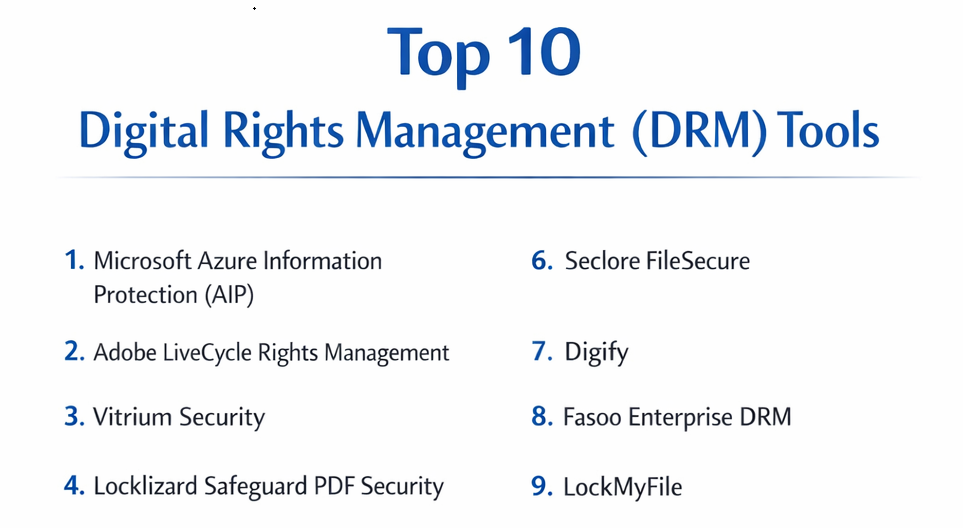
Top 10 Digital Rights Management (DRM) Tools
1 — Microsoft Azure Information Protection (AIP)
Microsoft AIP is a cloud-based DRM solution that enables organizations to classify, label, and protect sensitive documents and emails. It is designed for enterprises that need integrated data protection across Microsoft 365 and hybrid environments, ensuring that only authorized users can access confidential content.
Key features:
- Document and email classification and labeling
- Encryption and access control policies
- Rights management for internal and external users
- Integration with Microsoft 365 and Azure services
- Detailed audit logs and reporting
- Automatic classification using machine learning
Pros:
- Seamless Microsoft ecosystem integration
- Scalable for large enterprises
- Strong compliance and auditing capabilities
Cons:
- Can be complex to configure
- Premium licensing required for advanced features
- Learning curve for IT administrators
Security & compliance:
SSO, encryption, GDPR, HIPAA, ISO, SOC 2
Support & community:
Documentation, Microsoft Learn tutorials, enterprise support, community forums.
2 — Adobe LiveCycle Rights Management
Adobe LiveCycle Rights Management secures PDF documents by controlling access, copying, printing, and sharing. Designed for legal, finance, and enterprise organizations, it protects sensitive corporate and regulatory documents while enabling tracking and revocation of content access.
Key features:
- PDF encryption and access control
- User authentication and SSO support
- Dynamic policy updates and access revocation
- Tracking and auditing of document usage
- Integration with enterprise content management systems
- Supports mobile and desktop access
Pros:
- Strong PDF content protection
- Dynamic policy management
- Detailed usage tracking
Cons:
- Premium pricing
- Complex deployment
- Limited integration outside Adobe ecosystem
Security & compliance:
Encryption, SSO, GDPR, HIPAA, SOC 2
Support & community:
Adobe documentation, training webinars, enterprise support.
3 — Vitrium Security
Vitrium Security is a DRM platform designed to protect PDF, video, and image content. It is ideal for publishers, training companies, and enterprises that distribute sensitive content online, offering encryption, access control, and analytics to monitor usage and prevent piracy.
Key features:
- DRM protection for PDFs, videos, and images
- User authentication and access policies
- Encryption and watermarking
- Analytics and reporting
- Integration with LMS and CMS platforms
- Secure cloud delivery
Pros:
- Supports multiple content types
- Strong encryption and watermarking
- Usage analytics for content monitoring
Cons:
- Limited offline functionality
- Subscription-based pricing
- May require integration setup for some LMS platforms
Security & compliance:
Encryption, GDPR, SOC 2
Support & community:
Documentation, onboarding guides, and responsive support.
4 — Locklizard Safeguard PDF Security
Locklizard Safeguard provides enterprise-grade DRM for PDF content, preventing unauthorized copying, printing, or sharing. It is tailored for publishers, educational institutions, and corporate training organizations seeking high security and ease of use for document protection.
Key features:
- PDF encryption and access control
- Dynamic watermarking
- Offline document protection
- Expiry and revocation controls
- Integration with email and content management systems
Pros:
- Strong protection for offline documents
- Easy to deploy for PDFs
- Revocation and expiration controls
Cons:
- Limited to PDF files
- Licensing cost may be high for SMBs
- Setup may require IT assistance
Security & compliance:
SSO, encryption, GDPR, ISO
Support & community:
Documentation, webinars, and customer support.
5 — FileOpen Systems
FileOpen provides DRM solutions for securing PDFs, documents, and media. It is designed for publishers and corporations that need to control access, enforce usage policies, and integrate securely with distribution platforms and enterprise systems.
Key features:
- DRM for PDFs, Office files, and multimedia
- Access control and authentication
- License expiration and revocation
- Integration with cloud and on-premise systems
- Audit logs and usage tracking
Pros:
- Supports multiple file formats
- Flexible licensing and policy enforcement
- Enterprise-ready scalability
Cons:
- Advanced features require training
- Subscription pricing
- Limited analytics compared to other platforms
Security & compliance:
SSO, encryption, GDPR, SOC 2
Support & community:
Documentation, webinars, and enterprise support.
6 — Seclore FileSecure
Seclore FileSecure enables enterprises to protect sensitive files by controlling access, usage rights, and sharing policies. It is designed for finance, legal, and healthcare organizations requiring compliance and monitoring for confidential documents.
Key features:
- File encryption and usage control
- Rights management for internal and external users
- Tracking, auditing, and reporting
- Integration with Microsoft 365, SharePoint, and ECMs
- Remote revocation of access
- Multi-platform support
Pros:
- Granular control over file access
- Real-time monitoring and audit reports
- Supports both cloud and on-premise
Cons:
- High pricing for small organizations
- Setup complexity
- Advanced features require IT expertise
Security & compliance:
SSO, encryption, GDPR, HIPAA, SOC 2
Support & community:
Documentation, enterprise onboarding, support portals.
7 — Digify
Digify is a cloud-based DRM platform focusing on secure file sharing and tracking. Ideal for sales, legal, and consulting firms, Digify ensures sensitive documents are accessed only by authorized recipients while monitoring usage in real-time.
Key features:
- Secure document sharing with access control
- PDF, Word, and Excel protection
- Digital watermarking
- Expiration and revocation policies
- Tracking of document views and downloads
- Integration with cloud storage
Pros:
- Real-time tracking of document usage
- Cloud-native for easy deployment
- Simple interface for teams
Cons:
- Limited offline support
- Subscription cost for advanced features
- Integration with enterprise apps may need configuration
Security & compliance:
SSO, encryption, GDPR, SOC 2
Support & community:
Documentation, tutorials, and responsive support.
8 — Fasoo Enterprise DRM
Fasoo Enterprise DRM protects intellectual property and sensitive business documents across industries. It provides encryption, access control, and activity monitoring to safeguard content internally and externally.
Key features:
- Encryption for documents, emails, and CAD files
- Usage rights management and tracking
- Policy-based access control
- Offline access support
- Integration with ECM and ERP systems
- Audit trails and compliance reporting
Pros:
- Supports multiple file formats
- Granular access and usage control
- Enterprise-grade scalability
Cons:
- Premium pricing
- Complex setup for new users
- Advanced features may require IT training
Security & compliance:
SSO, encryption, HIPAA, GDPR, ISO
Support & community:
Documentation, training programs, and enterprise support.
9 — LockMyFile
LockMyFile provides DRM solutions to protect sensitive corporate documents, including PDFs, Office files, and images. It is designed for SMBs and enterprises that need simple yet secure file protection and usage monitoring.
Key features:
- File encryption and access control
- Usage rights and time-bound access
- Watermarking and document tracking
- Integration with email and cloud storage
- Policy-based security
Pros:
- Easy deployment for small teams
- Simple interface
- Supports multiple file types
Cons:
- Limited advanced analytics
- Best suited for SMBs
- Subscription-based licensing
Security & compliance:
SSO, encryption, GDPR
Support & community:
Documentation, email support, tutorials.
10 — Vitrium Security
Vitrium Security protects documents, images, and video content with encryption, access controls, and analytics. It is ideal for publishers, training companies, and enterprises distributing sensitive digital content online.
Key features:
- DRM for documents, videos, and images
- Encryption and access policies
- User tracking and analytics
- Watermarking
- Integration with LMS and CMS platforms
Pros:
- Multi-content support
- Cloud-based with secure delivery
- Usage analytics for monitoring
Cons:
- Limited offline functionality
- Premium subscription cost
- LMS integration requires setup
Security & compliance:
Encryption, GDPR, SOC 2
Support & community:
Documentation, tutorials, and responsive support.
Comparison Table
| Tool Name | Best For | Platform(s) Supported | Standout Feature | Rating |
|---|---|---|---|---|
| Microsoft AIP | Enterprises | Web, Desktop, Mobile | Integrated Microsoft 365 protection | N/A |
| Adobe LiveCycle | Legal & Finance | Web, Desktop | PDF encryption & access control | N/A |
| Vitrium Security | Publishers & Training | Web, Desktop | Multi-content DRM & analytics | N/A |
| Locklizard Safeguard | PDF Protection | Web, Desktop | Offline PDF protection & watermarking | N/A |
| FileOpen Systems | Enterprise Files | Web, Desktop | Flexible DRM for PDFs & Office | N/A |
| Seclore FileSecure | Enterprise | Web, Desktop | Granular rights management | N/A |
| Digify | SMBs & Consulting | Web, Desktop | Secure cloud file sharing & tracking | N/A |
| Fasoo Enterprise DRM | Enterprise | Web, Desktop | Multi-format DRM & policy control | N/A |
| LockMyFile | SMBs | Web, Desktop | Simple, secure document protection | N/A |
| Adobe Content Server | Publishing | Web, Desktop | eBook DRM & distribution | N/A |
Evaluation & Scoring of Digital Rights Management (DRM)
| Criteria | Weight |
|---|---|
| Core features | 25% |
| Ease of use | 15% |
| Integrations & ecosystem | 15% |
| Security & compliance | 10% |
| Performance & reliability | 10% |
| Support & community | 10% |
| Price / value | 15% |
Which Digital Rights Management (DRM) Tool Is Right for You?
- Solo users / SMBs: Digify, LockMyFile, Vitrium Security for cost-effective, cloud-based DRM.
- Mid-market: Adobe LiveCycle, Locklizard, FileOpen for PDF/document-centric DRM.
- Enterprise / Publishing / Legal: Microsoft AIP, Seclore, Fasoo, Adobe Content Server for advanced multi-format protection, compliance, and large-scale deployments.
- Consider file types, user volume, integration needs, offline support, and compliance requirements when selecting DRM.
Frequently Asked Questions (FAQs)
- What is DRM software?
A platform that protects digital content from unauthorized access, copying, and redistribution. - Why is DRM important?
It safeguards intellectual property, ensures licensing compliance, and prevents piracy. - Can SMBs benefit?
Yes, cloud-based DRM solutions like Digify or LockMyFile are ideal for smaller teams. - Are DRM tools secure?
Yes, most offer encryption, SSO, audit trails, and compliance with GDPR, HIPAA, and SOC 2. - Can DRM protect PDFs and eBooks?
Yes, platforms like Adobe LiveCycle and Adobe Content Server specialize in PDF and eBook DRM. - Do DRM tools integrate with cloud storage?
Many tools integrate with cloud storage, CMS, LMS, and productivity platforms. - Can access be revoked remotely?
Yes, most enterprise DRM solutions allow revocation and expiration of user access. - Are DRM tools suitable for video and images?
Yes, Vitrium and FileOpen support multi-content DRM including video, images, and documents. - Is offline access possible?
Some solutions like Locklizard provide offline protection; most cloud tools require internet. - Which DRM is best for large enterprises?
Microsoft AIP, Seclore FileSecure, and Fasoo Enterprise DRM provide scalable, enterprise-grade protection.
Conclusion
Digital Rights Management (DRM) software is essential for protecting intellectual property, controlling access, and preventing unauthorized distribution. Selecting the right DRM solution depends on content type, user volume, workflow integration, compliance requirements, and budget. Evaluating features, security, and scalability ensures reliable digital content protection across all platforms.