Introduction
Data Virtualization is a modern data management approach that allows organizations to retrieve and manipulate data without needing to know the technical details of where it is stored or how it is formatted. Unlike traditional ETL (Extract, Transform, Load) processes that physically move data into a central warehouse, data virtualization creates a “virtual” layer that sits on top of various sources—such as databases, cloud storage, and Excel files. This layer provides a single point of access, allowing users to query multiple systems as if they were one unified database.
The importance of these platforms has surged as businesses struggle with “data silos.” Instead of waiting weeks for IT to build complex pipelines, data virtualization enables real-time access to information. Key real-world use cases include creating unified “Customer 360” views, enabling agile business intelligence, and simplifying data migration during cloud transitions. When choosing a platform, evaluation criteria should include query optimization capabilities (speed), the breadth of supported data connectors, security features like row-level masking, and how easily the tool handles “schema changes” in the underlying sources.
Best for: Data Virtualization Platforms are most beneficial for Data Architects, Business Intelligence (BI) Analysts, and Chief Data Officers (CDOs) in large enterprises or mid-market companies with highly fragmented data landscapes. They are essential for industries like Finance, Healthcare, and Retail, where real-time insights from diverse sources are a competitive necessity.
Not ideal for: Small businesses with only one or two primary data sources or organizations with very low data complexity may find these tools unnecessary. In such cases, traditional point-to-point integrations or simple built-in reporting tools are often more cost-effective and easier to manage.
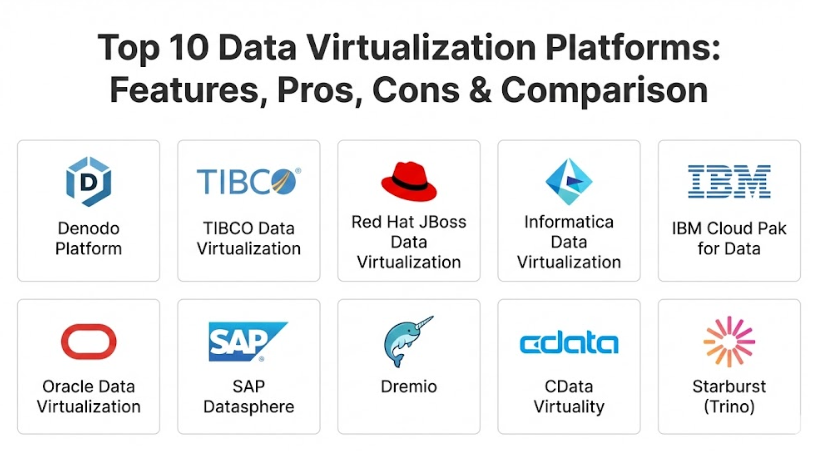
Top 10 Data Virtualization Platforms Tools
1 — Denodo Platform
Denodo is widely considered a pioneer and market leader in the data virtualization space. It is designed for large-scale enterprises that need to unify massive, heterogeneous data sets while maintaining high performance and strict governance.
- Key features:
- Advanced Dynamic Query Optimizer that chooses the fastest path to data.
- Integrated Data Catalog for easy discovery by business users.
- Automated lifecycle management and cloud deployment tools.
- Support for “Zero-Copy” data movements to minimize infrastructure costs.
- AI-based recommendations to help users find relevant data sets.
- Unified security layer for centralized access control and auditing.
- Broadest range of connectors, from legacy Mainframes to modern NoSQL.
- Pros:
- Exceptional performance even with complex queries spanning multiple global locations.
- The integrated data catalog makes it very user-friendly for non-technical analysts.
- Cons:
- It is a premium enterprise solution with a significant price tag.
- Initial setup and tuning of the optimizer can be complex for smaller teams.
- Security & compliance: SOC 2 Type II, GDPR, HIPAA, and ISO 27001; includes SSO, data masking, and granular audit logs.
- Support & community: Global 24/7 support, Denodo University for certification, and a very active community forum.
2 — TIBCO Data Virtualization (now Cloud Software Group)
TIBCO Data Virtualization is built to handle high-concurrency environments where many users need to access virtualized data simultaneously. It emphasizes a “data-as-a-service” approach for enterprise-wide consumption.
- Key features:
- Centralized virtual data layer for BI tools and applications.
- Intelligent caching to improve response times for frequently used data.
- Studio development environment for building complex data views.
- Native integration with the TIBCO analytics ecosystem (Spotfire).
- Automated discovery of data relationships across disparate systems.
- High availability and clustering for mission-critical reliability.
- Multi-cloud and hybrid deployment support.
- Pros:
- Very strong at managing large numbers of simultaneous users without performance degradation.
- Excellent development tools that allow for highly customized virtual schemas.
- Cons:
- The interface for developers can feel a bit “legacy” compared to newer SaaS tools.
- Scaling the platform requires significant administrative effort.
- Security & compliance: HIPAA, GDPR, and SOC 2 compliant; robust encryption and access controls.
- Support & community: Dedicated enterprise support, extensive documentation, and a strong global partner network.
3 — Red Hat JBoss Data Virtualization
Red Hat provides an open-source based data virtualization solution that is highly favored by organizations looking for flexibility and a developer-centric approach to data integration.
- Key features:
- Based on the popular Teiid open-source project.
- Highly extensible with custom Java-based connectors.
- Integration with Red Hat’s wider middleware and container stack (OpenShift).
- Capability to handle both relational and non-relational (NoSQL) data.
- Support for OData and SOAP/REST service generation.
- Built-in security through the JBoss Enterprise Application Platform.
- Flexible deployment as a standalone server or within a microservices architecture.
- Pros:
- No per-user licensing fees, making it a very cost-effective choice for large developer teams.
- Incredible flexibility for developers who want to write custom logic within the data layer.
- Cons:
- Requires significant Java expertise to implement and maintain effectively.
- Lacks the “polished” AI-driven features found in top-tier commercial platforms.
- Security & compliance: FIPS 140-2, GDPR, and SOC 2; inherits security from Red Hat Enterprise Linux.
- Support & community: Backed by Red Hat’s enterprise support subscriptions and the massive Teiid community.
4 — Informatica Data Virtualization
Informatica, a giant in the data management world, offers data virtualization as a key component of its Intelligent Data Management Cloud (IDMC), focusing on end-to-end data governance.
- Key features:
- Unified metadata management across virtual and physical data.
- AI-powered “CLAIRE” engine for automated data mapping.
- Integrated data quality checks within the virtualization layer.
- Seamless transition between virtualization and physical ETL if needed.
- Broad support for cloud data warehouses (Snowflake, BigQuery, Redshift).
- Centralized policy enforcement for data privacy and masking.
- High-performance parallel processing for large-scale queries.
- Pros:
- Ideal for companies already using Informatica for data quality and governance.
- The AI-driven mapping significantly reduces the manual work of connecting new sources.
- Cons:
- Can be overly complex if you only need virtualization without the full Informatica suite.
- The licensing model can be difficult to predict as your data needs grow.
- Security & compliance: SOC 2, HIPAA, GDPR, ISO 27001, and FedRAMP authorized.
- Support & community: World-class enterprise support, extensive training, and a global network of consultants.
5 — IBM Cloud Pak for Data (Watson Query)
IBM’s data virtualization technology, often referred to as Watson Query, is designed to help organizations query data across any cloud or on-premise system without moving it.
- Key features:
- Distributed query engine that processes data at the source.
- Integration with IBM Watson for AI and machine learning insights.
- Automated data discovery and classification of sensitive info.
- Unified governance through the IBM Knowledge Catalog.
- Support for “Constellation” architectures for geo-distributed data.
- Low-code interface for building virtualized data views.
- High-level encryption for data in transit and at rest.
- Pros:
- Exceptionally good at querying data in global environments where data residency is a concern.
- Deeply integrated with IBM’s AI tools, making it a great base for data science projects.
- Cons:
- Performance can be inconsistent if the network links between “constellations” are slow.
- Primarily aimed at large IBM customers; may feel “heavy” for non-IBM shops.
- Security & compliance: SOC 1/2/3, ISO 27001, HIPAA, and GDPR compliant.
- Support & community: IBM’s global support network, “IBM Community” forums, and professional services.
6 — Oracle Data Virtualization (ODV)
Oracle provides data virtualization primarily as part of its Oracle Analytics and Big Data Cloud offerings, focusing on high-performance access to Oracle and non-Oracle data.
- Key features:
- Native optimization for Oracle Autonomous Database and Exadata.
- Connectors for major cloud providers and big data platforms (Hadoop).
- Unified logical data model for all analytics reporting.
- “Push-down” optimization to run queries directly on the source systems.
- Integrated security with Oracle Identity Management.
- Support for real-time streaming data sources.
- Automated caching for high-speed dashboard performance.
- Pros:
- The best performance available for organizations that have a significant Oracle footprint.
- Simplifies the reporting layer by providing one consistent model for all business users.
- Cons:
- Customization for niche non-Oracle sources can be more difficult than with Denodo.
- Best value is realized within the Oracle ecosystem; non-Oracle users may find it restrictive.
- Security & compliance: HIPAA, GDPR, SOC 2, and ISO 27001; robust database-level security.
- Support & community: Oracle’s massive enterprise support structure and “My Oracle Support” portal.
7 — SAP Datasphere (formerly SAP Data Warehouse Cloud)
SAP Datasphere is a comprehensive data service that includes a powerful virtualization layer, specifically designed to bridge SAP and non-SAP data seamlessly.
- Key features:
- Native business context preservation (keeping SAP metadata intact).
- Virtual data modeling using a graphical “Space” concept.
- Built-in integration with SAP S/4HANA and SAP BW/4HANA.
- Market-leading support for non-SAP sources like AWS and Google Cloud.
- Integrated data catalog and governance tools.
- Semantic layer that speaks in “business terms” rather than “database terms.”
- Collaborative environment for business and IT users to build data models.
- Pros:
- Essential for SAP-heavy organizations that need to join their SAP data with external cloud data.
- The “business semantic” layer is excellent for making data understandable to executives.
- Cons:
- Higher price point compared to standalone virtualization tools.
- Most effective as a cloud-based solution; limited for purely on-premise legacy shops.
- Security & compliance: SOC 1/2/3, ISO 27001, GDPR, and HIPAA compliant.
- Support & community: SAP Support Portal, active SAP Community, and a global partner network.
8 — Dremio
Dremio is a modern “Data Lakehouse” platform that uses data virtualization principles to provide high-speed SQL access to data lakes like Amazon S3 and Azure Data Lake Storage.
- Key features:
- Powered by Apache Arrow for sub-second query performance.
- “Data Reflections” technology to accelerate queries without moving data.
- Semantic layer that provides a consistent view for all BI tools.
- Native support for open table formats like Iceberg and Delta Lake.
- Collaborative interface for sharing and documenting data sets.
- Integration with popular BI tools like Power BI and Tableau.
- Cloud-native architecture that scales automatically.
- Pros:
- Incredible speed; it makes querying a data lake feel as fast as a traditional database.
- Modern, “easy-to-use” interface that feels more like a startup tool than legacy enterprise software.
- Cons:
- Focuses primarily on “Data Lakes” and “Cloud Storage”; less focused on legacy operational databases.
- Advanced acceleration features require the paid enterprise edition.
- Security & compliance: SOC 2 Type II, GDPR, and HIPAA; supports SSO and encryption.
- Support & community: Strong documentation, Dremio University, and a fast-growing community around Apache Arrow.
9 — CData Virtuality
CData Virtuality is an agile data integration platform that combines data virtualization with automated data plumbing to ensure maximum flexibility and performance.
- Key features:
- Hybrid approach that allows for both virtualization and physical replication.
- Support for 200+ data sources through CData’s industry-standard drivers.
- Automated materialization to switch between virtual and physical as needed.
- Low-code SQL-based modeling environment.
- High-concurrency support for large-scale BI deployments.
- Native support for REST, OData, and JDBC/ODBC.
- Real-time monitoring of query performance and data health.
- Pros:
- The ability to “materialize” (physically move) data only when performance requires it is a unique and powerful feature.
- Huge range of connectors thanks to the CData driver ecosystem.
- Cons:
- Lacks the deep “AI-governance” features found in Informatica or IBM.
- The brand is smaller, meaning the user community and third-party experts are less numerous.
- Security & compliance: GDPR and SOC 2 compliant; includes standard encryption and access controls.
- Support & community: Direct support from CData engineers and clear technical documentation.
10 — Starburst (Trino)
Starburst is the enterprise-grade version of Trino (formerly PrestoSQL), designed for massive-scale distributed SQL queries across any data source.
- Key features:
- Massive Parallel Processing (MPP) engine for high-speed queries.
- “Stargate” technology for querying data across different geographic regions.
- Integrated security through Starburst Insights and Ranger.
- Connectors for nearly every modern data warehouse and data lake.
- Cost-based optimizer that handles Petabyte-scale data sets.
- Support for “Data Mesh” architectures.
- Available as a fully managed cloud service (Starburst Galaxy).
- Pros:
- Probably the most scalable tool on this list; if you have Petabytes of data, Starburst can handle it.
- Completely open standards based, avoiding vendor lock-in.
- Cons:
- Requires strong SQL and data engineering skills to manage and optimize.
- Not a “point-and-click” tool for business users; it is a high-performance engine for technical teams.
- Security & compliance: SOC 2, GDPR, HIPAA, and ISO 27001; includes advanced RBAC (Role-Based Access Control).
- Support & community: Backed by the creators of Trino with 24/7 enterprise support and a massive open-source community.
Comparison Table
| Tool Name | Best For | Platform(s) Supported | Standout Feature | Rating |
| Denodo | Large-scale Enterprise | Cloud / On-Prem | AI-powered Dynamic Optimizer | 4.6 / 5 |
| TIBCO DV | High Concurrency | Cloud / On-Prem | Data-as-a-Service architecture | 4.3 / 5 |
| Red Hat JBoss | Developer-led teams | Hybrid / Container | Teiid Open-Source Flexibility | N/A |
| Informatica | Data Governance | Cloud-native (SaaS) | CLAIRE AI-mapping engine | 4.4 / 5 |
| Watson Query | Distributed Clouds | IBM Cloud / Hybrid | Watson AI-integrated discovery | N/A |
| Oracle DV | Oracle-heavy shops | Oracle Cloud / On-Prem | Native Exadata/ADW Optimization | 4.2 / 5 |
| SAP Datasphere | SAP Ecosystems | SAP BTP (Cloud) | Semantic SAP Metadata Linking | N/A |
| Dremio | Data Lakehouse | Cloud / Hybrid | Apache Arrow Query Speed | 4.5 / 5 |
| CData Virtuality | Hybrid Agile Teams | Cloud / On-Prem | 200+ Drivers & Materialization | N/A |
| Starburst | Petabyte-scale data | Multi-Cloud / Hybrid | Trino MPP High-Scale Engine | 4.7 / 5 |
Evaluation & Scoring of Data Virtualization Platforms
Evaluating these platforms requires a balance between technical raw power and the ease with which a business can actually get value from them.
| Evaluation Category | Weight | Score (1-10) | Explanation |
| Core Features | 25% | 9.5 | The top tools are incredibly mature in their virtualization logic. |
| Ease of Use | 15% | 7.0 | These are high-level tools; they still require skilled data architects. |
| Integrations | 15% | 9.0 | Connectivity to modern cloud and legacy apps is excellent. |
| Security & Compliance | 10% | 10.0 | Security is paramount, and these tools act as the “gatekeepers.” |
| Performance | 10% | 8.5 | Query optimization is the main battleground for these vendors. |
| Support & Community | 10% | 8.0 | Major enterprise players offer excellent long-term support. |
| Price / Value | 15% | 7.5 | These are high-value but high-cost investments. |
Which Data Virtualization Platforms Tool Is Right for You?
The “best” tool is the one that fits your existing data ecosystem and your team’s skill level.
Solo Users vs SMB vs Mid-Market vs Enterprise
If you are an SMB, you likely don’t need these platforms. For mid-market companies, Dremio or CData Virtuality offer the best balance of speed and cost. Large Enterprises with global footprints and strict compliance needs should look at Denodo, Informatica, or IBM.
Budget-Conscious vs Premium Solutions
If budget is the primary driver, Red Hat JBoss (open source) is a strong choice if you have Java developers on staff. For a modern, cloud-native budget approach, Dremio offers a very competitive entry point. If performance and automation are more important than the initial check, Denodo is the premium gold standard.
Feature Depth vs Ease of Use
If you want a tool that business users can explore, Denodo and SAP Datasphere have the best “Data Catalog” and semantic features. If you need a high-performance “engine” that your data engineers will manage for you, Starburst or TIBCO are the workhorses.
Integration and Scalability Needs
Look at where your data lives. If you are 80% SAP, Datasphere is the logical choice. If your data is scattered across AWS, Azure, and on-premise silos, a “neutral” platform like Denodo or Informatica will provide the most unbiased and scalable unified layer.
Frequently Asked Questions (FAQs)
1. Does data virtualization replace my data warehouse?
No. They work together. A warehouse is for historical, stable data. Virtualization is for joining that historical data with real-time data from other systems without having to wait for a new ETL process.
2. Will data virtualization slow down my source databases?
It can if not tuned properly. However, top-tier tools use “query optimization” and “intelligent caching” to minimize the load on your source systems, often being more efficient than manual queries.
3. How is this different from a “Data Mesh”?
Data virtualization is a technology that helps you build a Data Mesh. A Data Mesh is a strategy where different departments “own” their own data, and virtualization provides the bridge to connect them.
4. Do I need to learn a new language to use these?
Most platforms use standard SQL. If you can write a SQL query, you can use almost any of these tools. Some also offer “no-code” drag-and-drop interfaces for simpler tasks.
5. Is my data safe if it’s “virtual”?
Yes. In fact, it can be safer. Instead of having data scattered in 20 different places with 20 different security rules, virtualization provides one single “checkpoint” where you can enforce security for everyone.
6. What is “Push-Down Optimization”?
This is a feature where the virtualization tool sends the heavy work (like sorting or filtering) to the source database rather than doing it itself. This keeps the network traffic low and the performance high.
7. Can data virtualization handle “Big Data”?
Yes. Tools like Starburst and Dremio are specifically designed to query Petabytes of data in Hadoop or S3 without moving a single Byte.
8. How long does it take to implement?
A basic project can be live in a few weeks. A full enterprise rollout that connects dozens of systems and defines a company-wide “Data Catalog” typically takes 6 to 12 months.
9. Can it handle real-time streaming data?
Yes. Most modern platforms can connect to Kafka or other streaming sources, allowing you to join a live “stream” of data with a “static” database table for real-time analysis.
10. What is a “Logical Data Warehouse”?
This is the modern term for using data virtualization to make a collection of different databases and cloud storage look and act like a single, unified warehouse.
Conclusion
The era of moving data just for the sake of moving it is coming to an end. Data Virtualization Platforms represent a fundamental shift in how businesses handle their most valuable asset. By decoupling the “where” and “how” of data storage from the “who” and “why” of data usage, these tools provide a level of agility that traditional ETL simply cannot match.
Whether you choose Denodo for its market-leading AI, Dremio for its cloud-native speed, or SAP Datasphere for its deep business context, the result is the same: faster insights, lower costs, and a more unified organization. Start by identifying your biggest “data silo” and see how a virtual layer can bridge that gap in a fraction of the time you’d spend building a physical pipeline.