Introduction
Data Transformation Tool is a specialized software solution used to convert data from its raw, native format into a structured, clean, and usable state. This process—often referred to as the “T” in ETL (Extract, Transform, Load)—involves filtering, joining, aggregating, and formatting data so that it can be analyzed by business intelligence tools. Instead of manually writing thousands of lines of code to fix messy spreadsheets or database entries, these tools automate the heavy lifting, ensuring that the data used for decision-making is accurate and consistent.
The importance of data transformation cannot be overstated. Without it, data remains siloed and “dirty,” leading to incorrect reports and wasted resources. Real-world use cases include a retail company merging sales data from five different countries into one currency, a healthcare provider cleaning patient records to ensure no duplicates exist, or a marketing team calculating the average customer lifetime value across multiple social media platforms. When evaluating tools in this category, users should look for ease of use (no-code vs. code-heavy), the ability to handle massive data volumes, native integrations with modern data warehouses, and robust data lineage tracking to see exactly how a number was calculated.
Best for: Data engineers, analytics engineers, and business intelligence (BI) analysts working in data-driven companies of all sizes. It is particularly essential for sectors like e-commerce, finance, and technology where real-time insights are a competitive requirement.
Not ideal for: Very small businesses that only use a single software (like an all-in-one accounting app) and have no need to combine data from different sources. If your data is simple and stays in one place, basic built-in reporting is often a better, cheaper alternative.
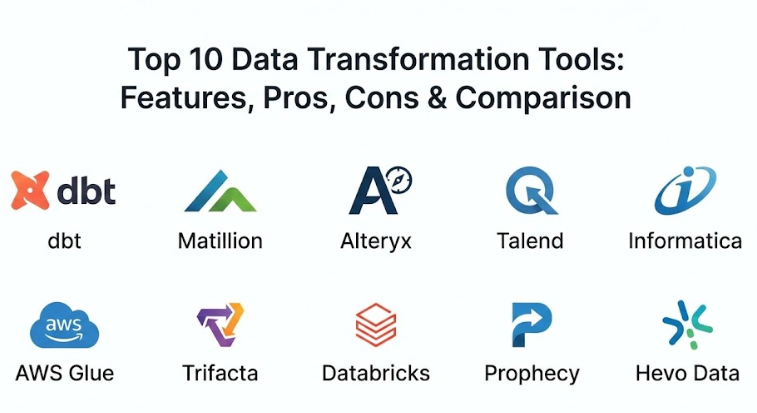
Top 10 Data Transformation Tools
1 — dbt (data build tool)
dbt is the industry standard for modern analytics engineering. It allows anyone who knows SQL to build, document, and test data transformation pipelines directly inside their data warehouse.
- Key features:
- Native SQL-based modeling that feels familiar to analysts.
- Integrated testing framework to ensure data quality before deployment.
- Automated documentation generation that maps out data lineage.
- Version control integration with Git for collaborative development.
- Support for “modular” code using macros and Jinja.
- Modular architecture allowing for incremental data loads.
- Native support for BigQuery, Snowflake, Redshift, and Databricks.
- Pros:
- Empowers analysts to do the work traditionally reserved for data engineers.
- The open-source version provides incredible power without a high entry price.
- Cons:
- It does not “extract” or “load” data; it only transforms data already in the warehouse.
- Requires a good understanding of SQL and version control.
- Security & compliance: SOC 2 Type II, SSO support, and integration with enterprise identity providers.
- Support & community: One of the largest and most active Slack communities in the data world, extensive online courses, and professional services.
2 — Matillion
Matillion is a cloud-native ETL/ELT platform designed specifically for teams that want a visual, drag-and-drop experience while still maintaining the power of high-performance data warehouses.
- Key features:
- Low-code, visual interface for building complex data pipelines.
- Hundreds of pre-built connectors for popular SaaS apps and databases.
- High-performance push-down architecture that uses the warehouse’s power.
- Real-time monitoring and alerting for pipeline failures.
- Collaborative environment with project-based permissions.
- Support for Python and SQL scripts within visual workflows.
- Pros:
- Perfect for teams that want to build pipelines fast without writing custom code.
- Very easy to scale as your data volume grows.
- Cons:
- The pricing model can be complex as it is based on “credits” or usage.
- Some users find the interface a bit more rigid than pure code-based tools.
- Security & compliance: SOC 2, HIPAA, GDPR, and ISO 27001 compliant.
- Support & community: High-quality technical support, a dedicated customer success manager for enterprise, and a growing library of templates.
3 — Alteryx
Alteryx is a leader in “analytic process automation.” It is designed for business users and analysts who need to perform advanced data preparation and spatial analytics without needing a degree in computer science.
- Key features:
- “Designer” tool with over 200 drag-and-drop tools for data prep.
- Advanced predictive and spatial analytics modules.
- Ability to output data directly to Tableau, Power BI, and other BI tools.
- Automated data profiling to identify “dirty” data instantly.
- Support for R and Python code for data science workflows.
- Governance and scheduling features for enterprise-wide use.
- Pros:
- Exceptionally easy for non-technical business users to master.
- Great for complex “data blending” from many different file types.
- Cons:
- One of the most expensive tools in the category.
- Traditionally an on-premise desktop application, though cloud versions are evolving.
- Security & compliance: SOC 2, ISO 27001, and robust audit logging.
- Support & community: Massive “Alteryx Community” with weekly challenges and a very responsive support team.
4 — Talend (Qlik)
Talend is an enterprise-grade data integration platform that offers a massive range of features, from simple data cleaning to complex “big data” streaming and governance.
- Key features:
- Open-source core with a powerful enterprise studio.
- Data quality and profiling tools built directly into the interface.
- “Data Stewardship” module to involve business users in data cleaning.
- Support for real-time data streaming and API management.
- Massive library of 900+ connectors.
- Multi-cloud and hybrid deployment support.
- Pros:
- A very complete “end-to-end” solution for large-scale data governance.
- Flexible enough to handle both batch and real-time data.
- Cons:
- The software is very heavy and has a steep learning curve.
- The interface can feel a bit dated compared to modern cloud-first apps.
- Security & compliance: ISO 27001, SOC 2, GDPR, and HIPAA compliant.
- Support & community: Professional enterprise support, extensive certification programs, and a global partner network.
5 — Informatica Data Management Cloud
Informatica is a long-standing giant in the data world. Their cloud platform is an industrial-strength solution designed for the world’s largest organizations with the most complex data needs.
- Key features:
- AI-powered data discovery and metadata management (CLAIRE engine).
- Integrated data quality, privacy, and governance.
- Massive scale capability for petabyte-level data processing.
- Advanced “mapping” features for complex transformations.
- Support for multi-cloud and multi-hybrid environments.
- Low-code visual development for rapid pipeline creation.
- Pros:
- The most powerful tool for “Global 2000” companies with complex compliance needs.
- Deeply reliable and stable for mission-critical data pipelines.
- Cons:
- Extremely high cost and complex licensing.
- Overkill for startups or mid-market companies.
- Security & compliance: FedRAMP, SOC 2, ISO 27001, HIPAA, and GDPR.
- Support & community: Extensive premium support, global training centers, and a highly professional user base.
6 — AWS Glue
AWS Glue is a fully managed, serverless data integration service that makes it easy for developers to prepare and load data for analytics within the Amazon Web Services ecosystem.
- Key features:
- “Data Catalog” that automatically finds and stores metadata.
- Serverless execution (no servers to manage).
- Supports both visual drag-and-drop and custom Python/Scala code.
- Integration with AWS Lake Formation for building data lakes.
- Automatic “Schema Discovery” for unstructured data.
- Job bookmarks to track state and prevent re-processing.
- Pros:
- Seamlessly integrates with S3, Redshift, and Athena.
- Pay-as-you-go pricing can be very cost-effective for irregular workloads.
- Cons:
- Can be difficult to debug when things go wrong.
- Users can feel “locked in” to the AWS ecosystem.
- Security & compliance: HIPAA, PCI DSS, SOC 1/2/3, ISO 27001, and FedRAMP.
- Support & community: Standard AWS support plans and a massive library of developer documentation.
7 — Trifacta (Alteryx)
Trifacta is a “data wrangling” tool that focuses on the human element of data cleaning. It uses an intelligent interface to suggest the best ways to clean your data as you look at it.
- Key features:
- “Predictive Transformation” that suggests steps based on your data patterns.
- Visual data profiling with interactive histograms and charts.
- No-code interface that is accessible to anyone who can use Excel.
- Support for cloud data warehouses like Snowflake and BigQuery.
- Collaborative workspaces for sharing recipes and datasets.
- Automated data quality checks on every run.
- Pros:
- The fastest way for a non-technical person to clean a messy dataset.
- The “visual” nature of the tool makes it very easy to trust the results.
- Cons:
- Less powerful for extremely complex data engineering logic.
- Now part of Alteryx, which has changed its pricing and packaging.
- Security & compliance: SOC 2, HIPAA compliant, and GDPR.
- Support & community: Good documentation and a helpful user community focused on data science.
8 — Databricks (Delta Live Tables)
Databricks is built on Apache Spark and is the premier platform for “Data Lakehouses.” Their Delta Live Tables feature simplifies the process of building reliable data transformation pipelines at massive scale.
- Key features:
- Support for SQL, Python, Scala, and R.
- Automatic infrastructure management (autoscaling).
- Integrated data quality monitoring and expectations.
- “Medallion Architecture” support (Bronze/Silver/Gold data layers).
- Real-time and batch processing on the same platform.
- High-performance Spark engine under the hood.
- Pros:
- The best choice for companies that have a lot of unstructured data (images, text).
- Incredibly fast for massive datasets that break traditional tools.
- Cons:
- Requires a high level of technical skill (especially for Spark tuning).
- Cost can spiral quickly if clusters are not managed carefully.
- Security & compliance: SOC 2, ISO 27001, HIPAA, GDPR, and FedRAMP.
- Support & community: Large open-source Spark community and premium enterprise support.
9 — Prophecy.io
Prophecy is a modern, “low-code” data engineering platform that provides a visual interface for building Spark and Airflow pipelines while generating clean, open-source code in the background.
- Key features:
- Visual drag-and-drop that generates high-quality Spark code (Scala/Python).
- Native integration with Git for true software engineering practices.
- Automated testing and deployment pipelines.
- Searchable metadata and data lineage.
- Support for converting legacy ETL (like Informatica) to Spark.
- Collaboration between visual users and code-heavy users.
- Pros:
- Solves the “black box” problem of most visual tools by showing you the code.
- Excellent for teams migrating from old legacy systems to the cloud.
- Cons:
- Newer to the market than giants like Informatica or Talend.
- Focused primarily on the Spark ecosystem.
- Security & compliance: SOC 2 Type II and encryption at rest/transit.
- Support & community: Highly responsive technical team and a growing user base.
10 — Hevo Data
Hevo is a no-code data pipeline platform that focuses on simplicity and speed, making it an excellent choice for startups and mid-market companies that need to sync data without a team of engineers.
- Key features:
- Fully automated, no-code data pipelines.
- Real-time data streaming from 150+ sources.
- Visual “Models” for transforming data after it lands in the warehouse.
- Automated schema mapping and error handling.
- Pre-built transformation templates for common use cases.
- Low-latency data syncing for near real-time reporting.
- Pros:
- One of the easiest tools to set up and start using in minutes.
- Very affordable pricing for companies with moderate data volumes.
- Cons:
- Less flexible for extremely complex, multi-stage transformations.
- Transformation features are not as deep as dbt or Matillion.
- Security & compliance: SOC 2, HIPAA, GDPR, and ISO 27001.
- Support & community: 24/7 live chat support and a very helpful knowledge base.
Comparison Table
| Tool Name | Best For | Platform(s) Supported | Standout Feature | Rating |
| dbt | SQL-savvy analysts | Cloud, On-Premise | SQL-based modeling & tests | 4.8/5 |
| Matillion | Visual Cloud ETL | SaaS (Cloud) | Push-down cloud architecture | 4.5/5 |
| Alteryx | Business User Prep | Windows, Cloud | Advanced Spatial Analytics | 4.6/5 |
| Talend | End-to-End Governance | Cloud, On-Premise | Open-source flexibility | 4.2/5 |
| Informatica | Global Enterprise | Cloud, Hybrid | AI-powered data discovery | 4.3/5 |
| AWS Glue | AWS Ecosystem Users | SaaS (Cloud) | Serverless execution | 4.1/5 |
| Trifacta | Visual Wrangling | SaaS (Cloud) | Predictive data cleaning | 4.4/5 |
| Databricks | Big Data & AI | Cloud | Spark-powered Lakehouse | 4.7/5 |
| Prophecy | Visual-to-Code Spark | Cloud, Hybrid | Visual Spark code generation | 4.5/5 |
| Hevo Data | Simple No-Code Pipelines | SaaS (Cloud) | Near real-time syncing | 4.4/5 |
Evaluation & Scoring of Data Transformation Tools
To help you choose, we have evaluated these platforms using a weighted scoring rubric that reflects the needs of a modern data team.
| Criterion | Weight | Scoring Logic |
| Core Features | 25% | Depth of transformation logic, testing frameworks, and lineage tracking. |
| Ease of Use | 15% | Intuitiveness of the interface and the technical skill required to start. |
| Integrations | 15% | Number of connectors and how well it talks to modern warehouses. |
| Price / Value | 15% | Return on investment based on productivity gains vs. monthly cost. |
| Security | 10% | Compliance certifications and data encryption standards. |
| Performance | 10% | Speed of processing and ability to handle large data spikes. |
| Support | 10% | Quality of documentation and responsiveness of technical help. |
Which Data Transformation Tool Is Right for You?
The “best” tool depends entirely on your team’s technical background and where your data lives.
Solo Users and SMBs
If you are a solo analyst or part of a small startup, your time is your most valuable asset. Hevo Data is excellent if you want a “set it and forget it” solution. If you know SQL and want to build a professional-grade data stack on a budget, the open-source version of dbt is the gold standard. It allows you to build exactly what you need without high licensing fees.
Mid-Market and Scaling Companies
For teams with 5 to 20 people in the data department, you need collaboration and speed. Matillion is a fantastic choice if your team prefers a visual layout. If your company is very heavy on business users who need to clean their own data for marketing or finance, Alteryx or Trifacta are the best options because they require almost no training to get started.
Enterprise and Global Leaders
If you are managing data for a multi-billion dollar company, you need governance and scale. Informatica and Talend are the safest bets for complex regulatory requirements. However, if your enterprise is moving toward a “modern data stack” on the cloud, Databricks or dbt Enterprise are the modern favorites that provide massive scale with high-quality engineering standards.
Feature Depth vs. Ease of Use
If you need to do very complex math or data science (like predicting churn or analyzing images), Databricks is the clear winner. If you just need to clean up some dates and names and merge some spreadsheets for a dashboard, Trifacta or Hevo will be much faster and less frustrating.
Frequently Asked Questions (FAQs)
1. What is the difference between ETL and ELT?
ETL (Extract, Transform, Load) transforms data before it reaches the warehouse. ELT (Extract, Load, Transform) loads the raw data first and then uses the warehouse’s power to transform it. Most modern cloud tools (like dbt and Matillion) use ELT.
2. Do I need to know how to code to use these tools?
Not necessarily. Tools like Hevo and Alteryx are “no-code.” However, knowing SQL is extremely helpful for tools like dbt, and Python is useful for Databricks.
3. Can I use these tools with Excel?
Yes, most of these tools can ingest Excel files and clean them up. However, their primary purpose is to help you move away from manual Excel work toward automated database reporting.
4. How much do data transformation tools cost?
It varies widely. Some are free (open-source dbt), some are pay-as-you-go (AWS Glue), and some can cost over $50,000 per year (Informatica/Alteryx).
5. Is my data safe with these cloud providers?
Yes, if you choose tools with SOC 2 or ISO 27001 certifications. These tools use bank-level encryption and do not “see” your data—they just process it.
6. What is “Data Lineage”?
Data lineage is a map that shows you exactly where a piece of data came from and every change that happened to it. This is vital for debugging and for proving to auditors that your numbers are correct.
7. Can these tools handle real-time data?
Yes, tools like Hevo, Talend, and Databricks are excellent for real-time streaming data. Others, like dbt, are primarily built for “batch” processing (running every hour or once a day).
8. Do these tools help with GDPR compliance?
Yes. Many have “data masking” features that can automatically hide sensitive information like names or emails during the transformation process.
9. How long does it take to implement a new tool?
A no-code tool can be running in 30 minutes. An enterprise platform like Informatica can take 6 months to fully integrate with all your company systems.
10. Can I build my own tool instead?
You can write custom Python scripts, but it is very difficult to maintain as you grow. These tools provide the “boring” stuff like error alerts, documentation, and security so you can focus on the data itself.
Conclusion
Data transformation is the engine room of the modern data stack. Without it, your beautiful dashboards are just colorful charts built on a foundation of messy, unreliable numbers.
If you are just starting, prioritize ease of use and cost. If you are a technical team, prioritize code quality and version control. There is no “perfect” tool—only the tool that fits your current team and your data volume. Take the time to run a “Proof of Concept” with two or three of these tools using your own messy data, and see which one makes your life easier.