Introduction
Data Pipeline Orchestration Tools are the conductors of the modern data world. In simple terms, they are software platforms that automate the scheduling, monitoring, and management of complex data workflows. A typical data pipeline involves moving data from a source (like a database), transforming it (cleaning or calculating totals), and loading it into a destination (like a data warehouse). Orchestration tools ensure that these steps happen in the right order, at the right time, and that if something fails halfway through, the right people are alerted immediately. They replace brittle, manual scripts with robust, visual, and automated systems.
These tools are essential because modern businesses deal with hundreds of different data sources that must sync perfectly to provide accurate reports. Key real-world use cases include Real-time Analytics (updating dashboards every minute), Machine Learning Operations (training models on new data daily), and Regulatory Compliance (ensuring data is archived and audited correctly). When choosing an orchestration tool, you should evaluate its ability to handle “Directed Acyclic Graphs” (DAGs), its library of pre-built connectors, the quality of its error-handling mechanisms, and how easily it scales as your data volume grows.
Best for: These tools are indispensable for Data Engineers, Data Scientists, and Analytics Lead in mid-market to large enterprises. Industries that rely on high-velocity data, such as E-commerce, Finance, and SaaS, find the most value. Not ideal for: Small businesses with simple, static data needs that can be handled by a single “plug-and-play” ETL tool or individuals who only need to move a single spreadsheet once a week.
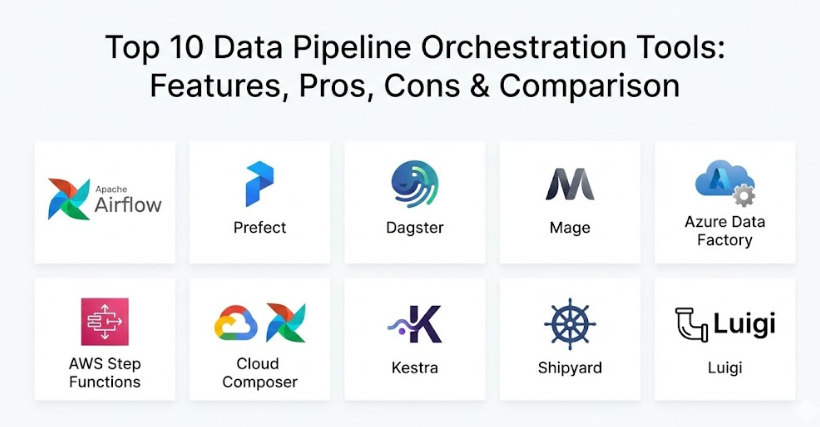
Top 10 Data Pipeline Orchestration Tools
1 — Apache Airflow
Apache Airflow is the industry standard for programmatic workflow orchestration. Developed by Airbnb, it allows users to define their data pipelines as Python code, providing ultimate flexibility for complex logic.
- Python-Based DAGs: Workflows are written in pure Python, allowing for dynamic pipeline generation.
- Extensive Operator Library: Hundreds of pre-built “operators” for connecting to AWS, Google Cloud, Azure, Snowflake, and more.
- Scalable Architecture: Uses a modular design with executors (like Celery or Kubernetes) to handle massive workloads.
- Rich User Interface: A detailed dashboard to visualize DAGs, monitor progress, and retry failed tasks.
- Backfilling Capability: Easily reruns historical data through the pipeline if logic changes.
- Active Open Source Community: Constant updates and a vast library of third-party plugins.
Pros:
- The most flexible tool available; if you can code it in Python, Airflow can orchestrate it.
- Massive ecosystem means you can find a solution or a pre-built connector for almost any problem.
Cons:
- Requires strong Python knowledge and can be difficult for non-technical users to manage.
- Setting up and maintaining your own Airflow infrastructure (servers and databases) is complex.
Security & compliance: Supports SSO, RBAC (Role-Based Access Control), encryption for secrets, and is SOC 2 compliant via managed providers.
Support & community: Huge global community, excellent documentation, and enterprise support available through companies like Astronomer.
2 — Prefect
Prefect is a modern orchestration engine that emphasizes “negative engineering”—the idea that the tool should handle all the things that could go wrong so you don’t have to. It is designed to be highly intuitive and developer-friendly.
- Functional API: Turns any Python function into a tracked task with a simple decorator.
- Prefect Cloud: A managed service that handles the “brain” of the orchestration while your data stays in your infrastructure.
- Dynamic Mapping: Automatically scales tasks based on the number of inputs received at runtime.
- First-Class Orchestration: Handles retries, logging, and caching out of the box with minimal configuration.
- Hybrid Model: Ensures your sensitive data never leaves your private network.
- Real-time UI: Provides a clean, modern interface for monitoring flow runs and states.
Pros:
- Much easier to learn and faster to deploy than Airflow for most modern data teams.
- The hybrid execution model is excellent for companies with strict data privacy requirements.
Cons:
- The ecosystem of pre-built connectors is smaller than Airflow’s.
- Transitioning between major versions (like 1.0 to 2.0) has historically required significant code changes.
Security & compliance: SOC 2 Type II compliant, GDPR ready, and supports SSO and API key management.
Support & community: Very active Slack community, high-quality documentation, and premium enterprise support.
3 — Dagster
Dagster is an orchestration platform built for the entire data development lifecycle—from local development and testing to deployment and monitoring. It focuses heavily on “Software Defined Assets.”
- Software-Defined Assets: Focuses on the data being produced rather than just the tasks being run.
- Built-in Testing: Allows users to run and test pipelines locally without a full production setup.
- Integrated Catalog: Keeps track of data assets, their versions, and their lineage automatically.
- Rich Metadata Engine: Captures detailed information about every run, such as the number of rows processed.
- Strong Typing: Catches errors early by defining the expected data types for task inputs and outputs.
- Dagster Cloud: Provides serverless or hybrid deployment options with a high-end management UI.
Pros:
- The “asset-based” approach makes it much easier to understand the actual business value of the data being moved.
- Incredible developer experience with tools specifically designed for local debugging.
Cons:
- It introduces a new mental model (Assets) that can take time for teams used to traditional “Task” orchestration.
- Pricing for the cloud version can scale quickly for high-frequency pipelines.
Security & compliance: SOC 2 compliant, supports SSO, encryption, and granular permissions.
Support & community: Dedicated technical support for cloud customers and a growing, highly technical community.
4 — Mage
Mage is an open-source tool that bills itself as a modern replacement for Airflow. It focuses on speed, ease of use, and a “low-code” experience that still allows for deep technical customization.
- Notebook-style UI: Allows users to build pipelines using an interactive interface similar to Jupyter notebooks.
- Multi-language Support: Write different steps of the same pipeline in Python, SQL, or R.
- Instant Feedback: See data previews at every step of the pipeline during development.
- Modular Code: Promotes the reuse of blocks (code snippets) across different pipelines.
- Built-in Templates: Rapidly start with pre-configured patterns for common data movements.
- Collaborative Environment: Multiple users can work on the same pipeline simultaneously with git integration.
Pros:
- Extremely fast to build and visualize pipelines compared to writing code in a standard editor.
- The ability to mix SQL and Python natively in one pipeline is a huge time-saver for analysts.
Cons:
- As a newer tool, it has fewer enterprise-level features and a smaller community than the “Big Three.”
- Some advanced orchestration features (like complex backfilling) are still being refined.
Security & compliance: Basic user authentication and role management; Varies / N/A for high-end enterprise certifications currently.
Support & community: Very responsive Slack community and a fast-growing library of YouTube tutorials.
5 — Azure Data Factory (ADF)
Azure Data Factory is a cloud-native integration service for creating, scheduling, and orchestrating data workflows within the Microsoft ecosystem.
- Visual UI: A drag-and-drop interface that requires zero coding for basic data movements.
- 90+ Connectors: Seamlessly connects to almost any data source, whether on-premise or in the cloud.
- Integration Runtime: Allows the tool to reach into private networks to pull data securely.
- Mapping Data Flows: Visually design data transformation logic without writing Spark code.
- CI/CD Integration: Built-in support for Azure DevOps and GitHub for version control.
- Azure Ecosystem: Perfect integration with Synapse, Databricks, and Power BI.
Pros:
- The best choice for companies already “all-in” on Microsoft Azure.
- Very accessible for “Citizen Data Engineers” who prefer visual tools over pure coding.
Cons:
- Debugging complex visual workflows can be more difficult than debugging a script.
- It can feel restrictive for engineers who want to use advanced Python libraries or custom logic.
Security & compliance: HIPAA, HITRUST, SOC 1/2/3, ISO certified, and GDPR compliant.
Support & community: Enterprise-grade support from Microsoft and a massive global user base.
6 — AWS Step Functions
AWS Step Functions is a serverless orchestrator that makes it easy to coordinate distributed applications and data pipelines using AWS services.
- Serverless Execution: No servers to manage; you only pay for the transitions between steps.
- Visual Workflows: Define logic using JSON-based Amazon States Language and visualize it in the console.
- Direct AWS Integration: Connects natively to Lambda, S3, Glue, EMR, and SageMaker.
- Error Handling: Built-in try/catch/finally logic to handle failures gracefully.
- Long-running Tasks: Can manage workflows that last for up to a year.
- High Reliability: Automatically scales to handle millions of concurrent executions.
Pros:
- Incredible reliability and zero maintenance overhead—it just works.
- Very cost-effective for “event-driven” pipelines that don’t run 24/7.
Cons:
- Learning the “Amazon States Language” (JSON) to define complex logic can be tedious.
- Not ideal for non-AWS environments; it is very much a “walled garden” tool.
Security & compliance: HIPAA eligible, SOC compliant, and integrates with AWS IAM for fine-grained security.
Support & community: World-class AWS support and a huge library of online documentation.
7 — Google Cloud Composer
Google Cloud Composer is a fully managed workflow orchestration service built on Apache Airflow. It provides the power of Airflow with the ease of a managed cloud service.
- Managed Airflow: Google handles the installation, updates, and scaling of the Airflow environment.
- Google Cloud Integration: Pre-configured to work perfectly with BigQuery, Dataflow, and Vertex AI.
- One-Click Scaling: Easily add more workers to your environment via the Google Cloud console.
- Integrated Logging: Uses Google Cloud Logging and Monitoring for deep visibility into task failures.
- Hybrid Connectivity: Can orchestrate tasks across cloud and on-premise environments.
- Python Flexibility: Supports the full range of Airflow Python operators.
Pros:
- The best way to use Airflow if your data lives primarily in Google BigQuery.
- Removes the “maintenance headache” of managing your own Airflow servers.
Cons:
- Updates to the latest Airflow versions can sometimes lag behind the open-source release.
- Like all managed services, it is more expensive than running basic Airflow yourself.
Security & compliance: ISO 27001, SOC 2/3, HIPAA compliant, and integrates with Google Cloud IAM.
Support & community: Backed by Google Cloud support and the global Airflow community.
8 — Kestra
Kestra is an event-driven, cloud-native orchestrator that uses YAML to define pipelines. It aims to bridge the gap between low-code ease and high-code power.
- YAML-Based Definition: Define complex pipelines in simple, readable YAML files.
- Visual Editor: A built-in web editor that allows you to see the pipeline update in real-time as you write code.
- Rich Plugin Ecosystem: Hundreds of plugins for data, cloud, and messaging platforms.
- Event-Driven: Can trigger pipelines based on webhooks, file arrivals, or schedule.
- High Performance: Built on Kafka and Elasticsearch to handle high-frequency data at scale.
- No Dependencies: Everything is packaged into a single binary, making it very easy to install.
Pros:
- The use of YAML makes it accessible to both engineers and data analysts.
- The “instant preview” visualizer is one of the best in the market.
Cons:
- Newer tool with a smaller community and fewer third-party tutorials.
- Some enterprise features are locked behind the paid “Enterprise” edition.
Security & compliance: SSO, RBAC, and secret management are available in the enterprise version.
Support & community: Active community on Slack and professional support for enterprise customers.
9 — Shipyard
Shipyard is a “low-code” orchestration platform designed specifically for data teams who want to build and scale pipelines without managing infrastructure or writing boilerplate code.
- No-Code Blueprints: Pre-built templates for moving data between popular SaaS tools and databases.
- Infrastructure-less: Shipyard handles all the servers; you just bring your scripts or use their blocks.
- Multi-language: Supports Python, SQL, Bash, and Node.js scripts.
- Deep Visibility: Provides a “Log-first” view to see exactly what happened in every step of a run.
- Automatic Retries: Intelligent failure handling to ensure pipelines complete successfully.
- GitHub Integration: Syncs your custom scripts directly from your repository.
Pros:
- The fastest tool for “Lean” data teams who don’t want to hire a dedicated data engineer to manage Airflow.
- Very easy to connect a variety of random SaaS tools (like HubSpot or Slack) to your data warehouse.
Cons:
- Less flexible for extremely complex, custom-coded engineering logic than Airflow or Dagster.
- Pricing is based on “vCPU hours,” which can be hard to predict for varying workloads.
Security & compliance: SOC 2 Type II compliant and supports secure secret management.
Support & community: Personalized onboarding and a responsive customer success team.
10 — Luigi
Luigi is one of the “original” data orchestrators, developed by Spotify. While it has been overtaken by Airflow in popularity, it remains a solid, lightweight choice for many Python-heavy teams.
- Dependency Management: Excellent at handling complex “Chain of Command” tasks.
- Visualizer: Simple web dashboard to see the progress of running tasks.
- Python Focus: Everything is defined in Python, emphasizing simplicity and readability.
- Hadoop Integration: Strong built-in support for MapReduce and HDFS tasks.
- File-based Logic: Specifically designed to manage tasks that produce files as outputs.
- Lightweight: Very easy to install and run without a complex cluster setup.
Pros:
- Much simpler to understand and debug for small, straightforward Python projects.
- It is “battle-tested” and extremely stable, having been around for over a decade.
Cons:
- Lacks the advanced UI and “dynamic” features of modern tools like Prefect or Mage.
- The community is slowly shrinking as users migrate to Airflow and Dagster.
Security & compliance: Varies / N/A; primarily relies on the security of the host server and basic Python practices.
Support & community: Mature documentation and a helpful community on GitHub and mailing lists.
Comparison Table
| Tool Name | Best For | Platform(s) Supported | Standout Feature | Rating |
| Apache Airflow | Complex Engineering | Cloud / On-prem | Programmatic Flexibility | N/A |
| Prefect | Modern Data Teams | Cloud / Hybrid | “Negative Engineering” Focus | N/A |
| Dagster | Asset-Centric Teams | Cloud / Hybrid | Software-Defined Assets | N/A |
| Mage | Collaborative Low-code | Cloud / Docker | Notebook-style UI | N/A |
| Azure Data Factory | Microsoft Users | Microsoft Azure | 90+ Native Connectors | N/A |
| AWS Step Funct. | Serverless Apps | Amazon AWS | Zero Maintenance / Reliability | N/A |
| Cloud Composer | Google Cloud Users | Google Cloud | Managed Airflow Ecosystem | N/A |
| Kestra | YAML-based Devs | Cloud-Native | Instant Visual YAML Editor | N/A |
| Shipyard | Lean Data Teams | Cloud (SaaS) | No-code Blueprints | N/A |
| Luigi | Simple Python Tasks | Linux / Unix | Lightweight Stability | N/A |
Evaluation & Scoring of Data Pipeline Orchestration Tools
We have evaluated these tools using a weighted rubric to reflect what matters most to modern data organizations.
| Evaluation Category | Weight | What We Look For |
| Core Features | 25% | Quality of DAG management, scheduling, and backfilling. |
| Ease of Use | 15% | How quickly a new engineer or analyst can build a pipeline. |
| Integrations | 15% | Depth and number of pre-built connectors to common data sources. |
| Security & Compliance | 10% | Support for SSO, RBAC, and data privacy certifications (SOC 2). |
| Performance | 10% | Impact on system resources and ability to scale to high volumes. |
| Support & Community | 10% | Quality of documentation and availability of community help. |
| Price / Value | 15% | Transparent pricing and a high return on investment. |
Which Data Pipeline Orchestration Tool Is Right for You?
The “best” tool depends on your team’s technical skills and the cloud ecosystem you already use.
Solo Users vs SMB vs Mid-Market vs Enterprise
- Solo Users/Small Startups: Start with Mage or Shipyard. They allow you to get results in hours without needing to manage servers or write thousands of lines of code.
- Mid-Market: Prefect or Dagster are the sweet spots. They offer a modern developer experience that allows your team to grow quickly without the complexity of Airflow.
- Global Enterprise: Apache Airflow (via a managed provider like Astronomer) or the native cloud tools (Azure Data Factory, AWS Step Functions) are the safest bets for massive scale and compliance.
Budget-Conscious vs Premium Solutions
If budget is your main concern, open-source Luigi or Kestra are great. However, for most companies, the “hidden cost” of an engineer spending weeks fixing a broken server is higher than the monthly cost of a managed service like Shipyard or Prefect Cloud.
Feature Depth vs Ease of Use
If you have a team of highly skilled Python engineers who need to build custom, dynamic logic, Airflow is the only choice. If you have a team of data analysts who use SQL and want to build their own pipelines, Mage or Azure Data Factory will make them much more productive.
Integration and Scalability Needs
Always work backward from your data destination. If you are moving data into Snowflake, check which tool has the best Snowflake operator. If you plan to move from 1,000 to 1,000,000 rows, ensure your tool supports Kubernetes or serverless scaling.
Frequently Asked Questions (FAQs)
1. Is Airflow still the best tool for everyone?
Not necessarily. While Airflow is the most powerful, it is also the most complex. Many modern teams are finding that tools like Prefect or Dagster are much easier to maintain and faster to build with.
2. Can I use these tools for real-time data?
Orchestrators are typically “Batch” focused (running every hour or day). While some like Mage or Kestra can handle high frequencies, for true “Real-time” (millisecond) data, you would usually use a tool like Apache Kafka alongside an orchestrator.
3. What is a “DAG”?
DAG stands for Directed Acyclic Graph. It is a fancy way of saying a list of tasks that move in one direction and never loop back on themselves. It is the core concept behind almost all pipeline tools.
4. Do I need to know how to code to use these tools?
For “Code-first” tools like Airflow or Dagster, yes. For “Low-code” tools like Azure Data Factory or Shipyard, you can build many things using just a mouse and a keyboard.
5. How much do these tools cost?
Open-source tools are free to download, but you pay for the servers to run them. Managed “Cloud” versions typically start around $200–$500 per month and scale based on your usage.
6. Can I orchestrate tasks across different clouds?
Yes. Tools like Airflow, Prefect, and Shipyard are “Cloud Agnostic,” meaning they can pull data from AWS and load it into Google Cloud in the same pipeline.
7. What happens if a task fails?
Most professional orchestrators have “Automatic Retries.” You can tell the tool to wait 5 minutes and try again. If it fails three times, it can send an alert to Slack or email.
8. Is my data safe in these tools?
Most orchestrators only handle the “Metadata” (the instructions). The actual data stays within your secure databases or cloud storage. Always check for SOC 2 compliance for the managed version.
9. Can these tools handle data transformation?
Most orchestrators just “trigger” the transformation. They might tell a SQL database to run a script or tell a Spark cluster to clean data. Some, like Mage and Dagster, allow you to write transformation code directly in the tool.
10. How long does it take to learn these tools?
A low-code tool like Shipyard can be learned in a day. A complex programmatic tool like Airflow can take several weeks or even months to master fully.
Conclusion
To wrap up, the “best” data pipeline orchestration tool is the one that removes the most friction from your team’s day. If your engineers are spending all their time fixing servers, move to a managed cloud service. If your analysts are waiting weeks for data engineers to build pipelines, move to a low-code platform.
When making your final choice, prioritize visibility and reliability. You want a tool that makes it obvious when something has failed and easy to see how to fix it. Data is the fuel for modern business, and your orchestration tool is the engine that keeps it flowing. Start with a small pilot project, test the error-handling features, and ensure the tool scales with your vision before committing to a long-term contract.