Introduction
Data Center Infrastructure Management (DCIM) is a category of software designed to bridge the gap between a building’s facilities and its IT equipment. In the past, the people managing power and cooling rarely talked to the people managing servers and software. DCIM changes that by providing a “single pane of glass” view. It collects data from power strips, cooling units, and servers to show exactly how much energy is being used, how much space is left in a rack, and which parts of the data center might be getting too hot. Essentially, it is the nervous system of the data center, turning thousands of sensors into a visual map that helps managers make smart decisions.
This software is vital because data centers have become too complex to manage with spreadsheets. the demand for high-density computing—driven by AI and massive data processing—means that one mistake in cooling or power can lead to millions of dollars in downtime. DCIM helps prevent these disasters through real-time monitoring and “what-if” planning. When choosing a tool, users should evaluate how well it integrates with existing hardware, the quality of its 3D visualization, its ability to generate sustainability reports (like PUE), and the ease of its mobile access.
- Best for: Data center managers, facilities engineers, and IT operations teams in large enterprises, colocation providers, and telecommunications companies. It is especially beneficial for organizations that need to meet strict ESG (Environmental, Social, and Governance) energy-saving goals.
- Not ideal for: Small businesses with only one or two server closets or “cloud-native” startups that do not own any physical hardware. For these users, basic environment monitors or cloud-native observability tools are often more than enough.
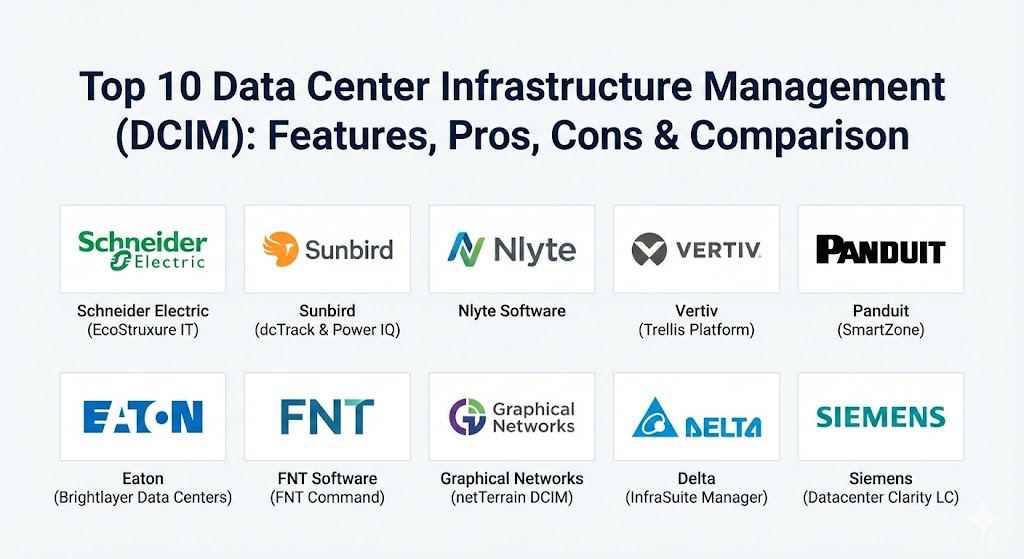
Top 10 Data Center Infrastructure Management (DCIM) Tools
1 — Schneider Electric (EcoStruxure IT)
Schneider Electric is a global giant in power management, and EcoStruxure IT is their modern, cloud-based DCIM platform. It is designed to be a “next-generation” tool that focuses heavily on mobile access and big data analytics to predict when hardware might fail.
- Key Features:
- Cloud-based monitoring that allows you to see all your data centers from a single phone app.
- Benchmarking features that compare your data center’s performance to thousands of others globally.
- Public API for easy integration with IT service management tools like ServiceNow.
- Automated sustainability reporting to track carbon footprint and energy efficiency.
- Predictive analytics that use machine learning to identify potential cooling or battery failures.
- Inventory management with 3D floor plans and rack-level detail.
- Pros:
- Excellent mobile experience that lets engineers troubleshoot issues from anywhere.
- Fast setup because it is cloud-based, requiring minimal on-site server installation.
- Cons:
- The subscription-based pricing can become expensive as you add more devices.
- Some users may have privacy concerns about sending their data center metrics to a public cloud.
- Security & compliance: SOC 2 Type II, GDPR compliant, SSO integration, and end-to-end encryption for all sensor data.
- Support & community: Top-tier global support, a dedicated online learning academy, and a massive network of certified partners.
2 — Sunbird (dcTrack & Power IQ)
Sunbird has built a reputation for being one of the easiest DCIM tools to use. They focus on two main products: dcTrack for managing assets and space, and Power IQ for managing energy and environmental sensors.
- Key Features:
- Industry-leading 3D visualization that shows a “digital twin” of your entire data center floor.
- Automated “search and find” feature for finding the best place to put a new server based on power and cooling.
- Massive library of pre-built models for thousands of different server and rack types.
- Zero-configuration analytics dashboards that work right out of the box.
- Smart “change management” that tracks every move, add, or change in the data center.
- Deep integration with smart power strips (PDUs) from almost any brand.
- Pros:
- Very fast learning curve; most people can learn the basics in just a few hours.
- Extremely flexible reporting that lets you create custom charts without needing to write code.
- Cons:
- Requires a bit more manual work to set up the initial “digital twin” map.
- The high level of detail can sometimes feel overwhelming for very small data centers.
- Security & compliance: SSO support, AES-256 encryption, detailed audit logs, and ISO 27001 readiness.
- Support & community: Excellent documentation, a very active user community, and helpful onboarding “success” managers.
3 — Nlyte Software
Nlyte is a powerhouse in the DCIM world, focusing on the entire “lifecycle” of a server—from the day it is purchased to the day it is recycled. It is a very mature product that is popular with government agencies and very large banks.
- Key Features:
- Advanced workflow management that assigns tasks to technicians when equipment needs to be moved.
- Automated discovery of IT assets that scans the network to find new servers.
- Integration with “Building Management Systems” (BMS) to control lights and air conditioning.
- Detailed financial reporting to help calculate the total cost of ownership for every server.
- Support for “Edge” computing, managing many small server locations at once.
- Highly customizable dashboards for different roles (e.g., one for the CEO, one for the technician).
- Pros:
- The workflow engine is excellent for keeping large teams organized and preventing mistakes.
- Very strong security features, making it a top choice for high-security environments.
- Cons:
- The interface can feel a bit “industrial” and dated compared to newer cloud-based tools.
- Can be quite expensive and complex to implement for the first time.
- Security & compliance: HIPAA, GDPR, SOC 2, and specialized government certifications (like FedRAMP).
- Support & community: Professional enterprise support with dedicated account teams and extensive technical guides.
4 — Vertiv (Trellis Platform)
Vertiv is a leader in cooling and power hardware, and their Trellis platform is built to handle the most demanding “hyperscale” data centers. It is a modular system, meaning you only buy the parts you need.
- Key Features:
- Holistic view of both “white space” (IT racks) and “gray space” (UPS and cooling systems).
- Real-time thermal mapping that shows hot spots before they become dangerous.
- Inventory management that tracks every cable and connection point.
- Module-based design (Trellis Inventory, Trellis Site Manager, etc.) for flexibility.
- High-performance data engine that can handle millions of data points every minute.
- Mobile app for on-the-floor hardware checks.
- Pros:
- Unmatched at managing the “Facility” side of things, like massive chillers and battery banks.
- Very stable and reliable, even when managing multiple locations around the world.
- Cons:
- The modular setup can make the initial purchase and licensing feel complicated.
- It is a heavy-duty tool that requires a significant amount of training to master.
- Security & compliance: Secure LDAP, SSO, encrypted communications, and audit trails.
- Support & community: Global presence with local support in almost every country and a strong expert network.
5 — Panduit (SmartZone)
Panduit is famous for cables and physical infrastructure, and their SmartZone software is designed to manage the “physical layer.” It is particularly good at showing how everything is physically plugged in.
- Key Features:
- Detailed connectivity mapping that shows exactly which cable goes to which port.
- Environmental monitoring for temperature, humidity, and water leaks.
- Automated documentation for audits and compliance checks.
- Integration with Panduit’s “smart” cabinets that have built-in security locks.
- Power path visualization to show exactly where power comes from for every server.
- Support for hybrid environments (part cloud, part data center).
- Pros:
- The best choice for teams that are worried about “cable mess” and physical connectivity.
- Very strong at tracking the physical security of racks (who opened which door and when).
- Cons:
- The software features are not as “deep” as Sunbird or Nlyte when it comes to IT analytics.
- Works best if you are already using Panduit hardware.
- Security & compliance: SSO, encrypted data storage, and detailed physical access logs.
- Support & community: Solid technical support and a wealth of white papers on physical layer management.
6 — Eaton (Brightlayer Data Centers)
Eaton is a world leader in power quality, and their Brightlayer platform focuses on ensuring that power never goes out. It is a great tool for managing UPS (uninterruptible power supply) systems and power distribution.
- Key Features:
- Advanced power quality monitoring that spots tiny electrical spikes or dips.
- Remote monitoring of batteries to tell you exactly when they need to be replaced.
- Integration with “Virtualization” software (like VMware) to automatically shut down servers during a power failure.
- Cybersecurity-hardened firmware for all connected devices.
- Sustainability dashboards that track energy waste.
- Simple, clean interface that focuses on “health scores.”
- Pros:
- Excellent for disaster recovery planning; it knows exactly how much battery time you have left.
- Very user-friendly for people who are focused on “Electrical” and “Power” safety.
- Cons:
- Not a full “asset management” tool; it is less focused on server software or disk space.
- The interface can be limited if you want to do complex 3D floor planning.
- Security & compliance: UL 2900-1 cybersecurity certification, GDPR, and encrypted communication.
- Support & community: 24/7 technical assistance and a massive global service network for physical repairs.
7 — FNT Software (FNT Command)
FNT Command is a unique tool because it treats the data center as a “service.” It is built for companies that want to manage everything—from the fiber optic cables in the street to the software on the server—in one place.
- Key Features:
- End-to-end management of “Standardized IT Services.”
- Deep focus on cable management and network infrastructure.
- Detailed signal tracing to show exactly how data moves through a building.
- Strong support for “Colocation” businesses that rent space to others.
- Workflow automation for service requests.
- Multi-tenant support (keeping different customers’ data separate).
- Pros:
- Incredibly thorough; it is the most detailed “inventory” tool on this list.
- Perfect for companies that manage their own fiber networks and buildings.
- Cons:
- It is very “German-engineered”—meaning it is extremely detailed but can be very hard to learn.
- The setup process can take months because of the amount of data it can hold.
- Security & compliance: ISO 27001, SOC 2, and high-level role-based access control.
- Support & community: Strong European presence, professional training academy, and enterprise support.
8 — Graphical Networks (netTerrain DCIM)
If you are a visual person, netTerrain is designed for you. It focuses on making the most beautiful and logical diagrams possible, moving away from “spreadsheets” entirely.
- Key Features:
- Automated network discovery that draws your network for you.
- High-quality logical diagrams that show how different systems are connected.
- Easy “drill-down” feature: start at a map of the world and click all the way down to a single chip.
- Very flexible licensing that is more affordable for mid-sized companies.
- Open API that allows you to pull data from almost any other software.
- Simple “drag and drop” floor planning.
- Pros:
- One of the most affordable options that still feels like a “premium” tool.
- Excellent for creating documentation that you can actually show to executives.
- Cons:
- Does not have the deep “power analytics” or “thermal mapping” of Vertiv or Schneider.
- The automation features are not as advanced as the higher-priced tools.
- Security & compliance: SSO, encrypted connections, and standard audit logs.
- Support & community: Very responsive support team and a great library of tutorial videos.
9 — Delta (InfraSuite Manager)
Delta is a global provider of power and thermal management, and their InfraSuite Manager is a simple, effective tool for managing their hardware and others.
- Key Features:
- Real-time monitoring of power, cooling, and environment on one screen.
- PUE (Power Usage Effectiveness) energy analysis that updates instantly.
- Support for video surveillance integration (see the person standing in front of the rack).
- SMS and Email alerts for any “out-of-range” sensors.
- Easy-to-read “Energy Dashboard.”
- Lightweight software that doesn’t need a massive server to run.
- Pros:
- Very straightforward and doesn’t have a lot of “bloat” or unnecessary features.
- Excellent choice for teams that want a “set it and forget it” monitoring system.
- Cons:
- The interface looks a bit basic and isn’t as polished as Sunbird.
- Fewer integrations with IT tools like Jira or ServiceNow.
- Security & compliance: Varies / N/A (Standard password and role protection).
- Support & community: Good technical support and a solid network of hardware experts.
10 — Siemens (Datacenter Clarity LC)
Siemens is a world leader in building technology, and Datacenter Clarity LC uses their “Product Lifecycle Management” (PLM) tech to create a true “Digital Twin” of a data center.
- Key Features:
- Advanced “Digital Twin” technology that simulates airflow and heat in 3D.
- Integration with Siemens “Desigo” building management systems.
- Computational Fluid Dynamics (CFD) built right into the software.
- High-level asset tracking for every single bolt and cable.
- Predictive maintenance for cooling fans and pumps.
- Scalable from a single room to hundreds of locations.
- Pros:
- The most powerful “Simulation” tool on the list; it can predict problems before you even build the room.
- Backed by one of the largest engineering companies in the world.
- Cons:
- Extremely complex; you will likely need a professional consultant to help you set it up.
- Requires a lot of computer power just to run the 3D simulations.
- Security & compliance: ISO 27001, GDPR, and very strict enterprise security protocols.
- Support & community: World-class enterprise support and a global team of data center experts.
Comparison Table
| Tool Name | Best For | Platform(s) Supported | Standout Feature | Rating |
| Schneider EcoStruxure | Mobile/Cloud users | Cloud, Web, Mobile | Predictive fail analytics | N/A |
| Sunbird dcTrack | Visual asset management | Web, On-Premise | 3D Digital Twin | N/A |
| Nlyte Software | Complex Workflows | On-Premise, Cloud | Lifecycle task mgmt | N/A |
| Vertiv Trellis | Hyperscale facilities | On-Premise, Web | White & Gray space view | N/A |
| Panduit SmartZone | Cable & Port mapping | On-Premise, Web | Connectivity tracking | N/A |
| Eaton Brightlayer | Power & Battery health | Cloud, Web | Disaster recovery auto | N/A |
| FNT Command | Telco & Colocation | On-Premise, Web | End-to-end IT Services | N/A |
| netTerrain DCIM | Mid-market diagrams | Web, On-Premise | Logical network maps | N/A |
| Delta InfraSuite | Simple environment | Web, On-Premise | Video camera integration | N/A |
| Siemens Clarity | Advanced simulations | On-Premise, Web | Built-in CFD cooling sim | N/A |
Evaluation & Scoring of Data Center Infrastructure Management (DCIM)
To help you decide, we have evaluated these tools based on a weighted rubric. This rubric reflects what modern data center managers care about.
| Evaluation Category | Weight | Description |
| Core Features | 25% | Capacity planning, 3D visualization, and power/thermal monitoring depth. |
| Ease of Use | 15% | How quickly a new employee can learn the tool and how clean the UI is. |
| Integrations | 15% | How well it talks to ServiceNow, Jira, and various hardware brands. |
| Security & Compliance | 10% | Presence of SOC 2, ISO 27001, and robust audit trails. |
| Performance | 10% | How fast it handles real-time data from thousands of sensors. |
| Support | 10% | The availability of global technical help and high-quality manuals. |
| Price / Value | 15% | Whether the ROI is clear based on energy savings and uptime. |
Which [Data Center Infrastructure Management (DCIM)] Tool Is Right for You?
Choosing a DCIM tool is a major decision that will affect your team for years. Here is a practical guide to help you narrow it down.
Solo Users vs SMB vs Mid-market vs Enterprise
- Solo/Small Closets: You probably don’t need a full DCIM. Look at simple environment monitors with built-in web pages from companies like AVTECH or Eaton.
- SMB (Mid-market): netTerrain or Delta InfraSuite are excellent. They give you the visual map you need without the “enterprise” complexity or price tag.
- Large Enterprise: Schneider Electric or Sunbird are the leaders here. They can handle thousands of racks and provide the high-level reporting your bosses will want to see.
- Global/Hyperscale: Vertiv Trellis and Siemens are built for this scale, managing massive power and cooling systems that smaller tools can’t touch.
Budget-conscious vs Premium Solutions
- Budget: netTerrain offers a very fair pricing model that allows you to grow slowly.
- Premium: Sunbird and Nlyte are premium choices. They cost more, but they save you hundreds of hours through automation and highly detailed asset libraries.
Feature Depth vs Ease of Use
- If you want depth (detailed airflow simulations and custom code), Siemens and FNT are the strongest.
- If you want ease of use (a tool that looks like a modern app and is easy to click through), Sunbird and Schneider are the clear winners.
Integration and Scalability Needs
If you already use a specific cloud (like Azure or AWS) or a specific service desk (like ServiceNow), Schneider Electric and Nlyte have the most “pre-built” connectors to make your life easy.
Frequently Asked Questions (FAQs)
1. How long does it take to implement a DCIM tool?
It depends on your data. If you have clean spreadsheets, it can take 2-4 weeks. If you have to manually count every server and cable, it can take 3-6 months to get a perfect “digital twin.”
2. Can DCIM actually save my company money?
Yes. By showing you “zombie servers” (servers that are turned on but doing no work), you can save 10-20% on your power bill. It also prevents expensive downtime by spotting “hot spots” early.
3. Do I need to buy sensors for every rack?
For the best results, yes. You should have at least one temperature sensor at the top, middle, and bottom of each rack. Most modern power strips (PDUs) have these sensors built-in.
4. Is cloud-based DCIM safe?
Yes, modern cloud DCIMs like EcoStruxure use the same level of encryption as banks. However, if you are a government agency, you may still be required to use an “On-Premise” version.
5. What is PUE, and can DCIM track it?
PUE stands for Power Usage Effectiveness. It is a ratio of how much power goes to IT equipment versus cooling/lights. Almost all modern DCIM tools track this automatically.
6. Can DCIM manage “Edge” locations?
Yes. Tools like Schneider and Nlyte are specifically designed to manage hundreds of tiny “mini” data centers in different cities from one central screen.
7. Does DCIM replace a Building Management System (BMS)?
No. A BMS manages the whole building (elevators, lights, front door). DCIM focuses specifically on the “Data Center” part. Most good DCIMs will “talk” to the BMS to share data.
8. What is the biggest mistake people make with DCIM?
Buying a tool that is too complex for their team. If the tool is too hard to use, the data will become “stale” (outdated) because the technicians won’t want to update it.
9. Can DCIM help with “Carbon Footprint” reporting?
Absolutely. This is a huge trend . Most tools now have a dedicated “Sustainability” tab that tells you exactly how much CO2 your data center is producing.
10. What is a “Digital Twin”?
In DCIM, a Digital Twin is a perfect 3D virtual copy of your data center. When you move a server in the software, it should exactly match what the technician does on the physical floor.
Conclusion
Choosing the right Data Center Infrastructure Management (DCIM) tool is about more than just managing servers; it is about future-proofing your business. As we rely more on AI and cloud services, the physical “room” where the data lives becomes the most important asset you own.
The key takeaway is that the “best” tool is the one your team will actually use. If you have a highly technical engineering team, they will love the simulation power of Siemens or Vertiv. If you have a fast-moving IT team that needs to find space for new servers today, they will prefer the simplicity of Sunbird or the mobile flexibility of Schneider Electric.
No matter which one you choose, the goal is to move away from guesswork and toward “Data-Driven” decisions. By having a clear view of your power, cooling, and assets, you can run a data center that is safer, greener, and much more efficient.