Introduction
Customer panel management tools are specialized digital systems that help businesses build and look after a group of people who are ready to share their thoughts and opinions. Instead of finding new people to talk to every time you have a question, these tools let you create a loyal community of customers or users that you can contact whenever you need feedback. These platforms act as a central home for your research participants, keeping track of their contact details, how often they have answered surveys, and what kind of rewards they have earned for their time. By having all this information in one organized place, companies can quickly get answers to important questions without the stress of starting from scratch every time.
Using these tools is very important because the quality of your business decisions depends on how well you understand your customers. When you have a managed panel, you can be sure that the people giving you advice are actually the people using your products. This leads to much more accurate data than asking random strangers on the internet. Furthermore, these platforms help you avoid “survey fatigue” by making sure you don’t ask the same person too many questions in a short period. This keeps your community happy and willing to help for a long time. In the real world, these tools are used to test new product ideas, track how people feel about a brand over several months, or even get quick reactions to a new advertisement before it goes live on television.
When you are looking for the right tool, you should look for features that make it easy to group people based on their interests or habits. You also want a system that handles rewards automatically, so you don’t have to spend hours mailing out gift cards. Security is another huge factor; you need to be sure that the private information of your customers is kept safe and that the tool follows global privacy laws. Finally, look for a platform that connects easily to the other software your team already uses, like your email system or your customer database. A good tool should feel like a helpful assistant that makes your research faster and your data cleaner.
Best for:
These tools are the best choice for research teams, product managers, and marketing departments in medium to large companies. They are especially useful in industries like retail, technology, and healthcare where understanding the “why” behind customer behavior is vital. If your organization conducts research more than once a month and has a large base of users to talk to, these platforms will save you a massive amount of time and money.
Not ideal for:
These platforms are not a good fit for very small startups that only have a handful of customers, as a simple email or a basic free survey tool would be enough for them. They are also not ideal for companies that only need to do one-off research projects every few years. If you don’t have a plan to talk to your customers regularly, the cost and effort of setting up a full panel management system might not be worth it compared to hiring an outside agency for a single project.
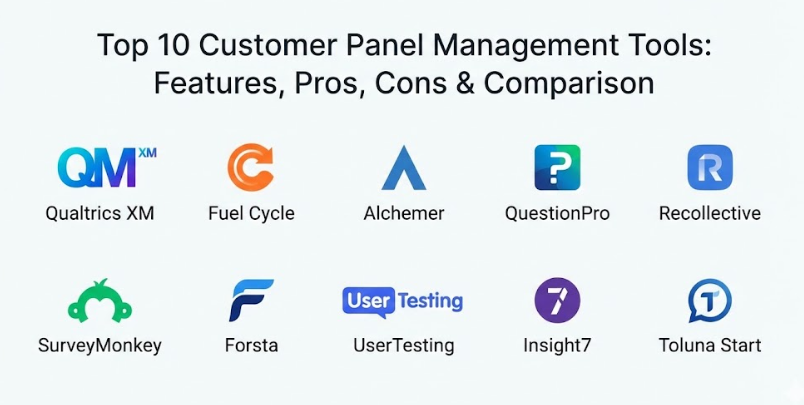
Top 10 Customer Panel Management Tools
1 — Qualtrics XM (Research Services)
Qualtrics is a very powerful and well-known platform that offers deep features for managing large groups of research participants. It is designed for big organizations that need to handle thousands of people across different countries and languages. The software is famous for its “Research Core,” which provides very detailed ways to group your members and track their health over time. It is a “heavyweight” tool that provides everything an expert researcher could possibly need to get high-quality data.
Key Features:
- Advanced segmentation that lets you group people by very specific habits or traits.
- Automated incentive management to handle rewards and gift cards without manual work.
- Panel health tracking to see which members are active and which are getting tired.
- Multi-channel communication, including email, SMS, and mobile app notifications.
- Deep integration with major customer databases and CRM systems.
- High-level reporting that turns raw data into beautiful, easy-to-read charts.
- Sophisticated screening tools to make sure only the right people join your panel.
Pros:
- It is incredibly stable and can handle a massive volume of data without slowing down.
- The reporting features are among the best in the world, making it easy to show results to bosses.
Cons:
- The price is very high, which makes it hard for smaller teams to afford.
- It is a very complex system that takes a lot of time to learn and set up correctly.
Security & Compliance: Offers top-tier security with SOC 2, GDPR, and HIPAA compliance. It uses strong encryption and provides detailed audit logs for everything that happens in the system.
Support & Community: Provides excellent enterprise-level support with dedicated account managers and a massive online library of training videos and articles.
2 — Fuel Cycle
Fuel Cycle is a modern platform that focuses on building an active “community” rather than just a list of names. It feels more like a social network for your customers, where they can talk to each other and interact with your brand in a friendly way. It is designed for companies that want to keep their customers engaged over the long term and get “always-on” insights. It is a great choice if you want to move away from boring surveys and toward real conversations.
Key Features:
- A private community portal where members can see news, take polls, and join discussions.
- Mobile-first design so members can give feedback easily from their phones.
- “Gamification” features like badges and points to keep people excited about helping.
- Integrated qualitative tools for live video chats and focus groups.
- A massive marketplace of partner apps that you can plug into the platform.
- Automated recruiting tools to help you find new members from your existing website.
- Detailed member profiles that update automatically based on their activity.
Pros:
- It is much better at keeping people interested and engaged than a standard survey tool.
- The platform looks very modern and professional, which helps your brand look good.
Cons:
- It requires more daily management than a simple database tool because of the community features.
- The cost can be high if you want to use all the different partner apps in their marketplace.
Security & Compliance: Fully compliant with GDPR and CCPA. It uses secure cloud hosting and offers SSO for easy and safe logging in.
Support & Community: They offer very hands-on onboarding and have a strong community of users who share tips on how to run a successful research group.
3 — Alchemer (formerly SurveyGizmo)
Alchemer is a flexible and friendly tool that provides a great balance between power and ease of use. It is a favorite for teams that need to get research done quickly without dealing with a very difficult or corporate-feeling system. The platform is built to be “customer-centric,” meaning everything is designed to make the experience better for the person answering the questions. It is a very reliable tool that works well for teams of all sizes.
Key Features:
- A very intuitive drag-and-drop builder for creating surveys and panel forms.
- Highly customizable portals that you can brand with your own logos and colors.
- Advanced logic and branching that makes surveys feel smart and relevant.
- Automated workflows that can trigger emails or alerts based on a member’s answer.
- Easy reward management with integrated gift card providers.
- Detailed tracking of member history and previous interactions.
- Strong integration with common business tools like Slack and Microsoft Teams.
Pros:
- It is much easier to learn than the giant enterprise systems, so you can start faster.
- The pricing is more flexible, which makes it accessible to mid-sized companies.
Cons:
- It might not have some of the very deepest qualitative tools like live video focus groups.
- The reporting, while good, is not quite as “flashy” as some of the more expensive competitors.
Security & Compliance: Meets high security standards, including GDPR and ISO certifications. It uses encryption to protect all data during transfer and at rest.
Support & Community: Known for having very helpful and “human” customer support. They provide a wealth of documentation and clear guides for beginners.
4 — QuestionPro (Communities)
QuestionPro offers a dedicated “Communities” tool that is built specifically for panel management. It is a very comprehensive system that includes everything from recruitment to rewards. One of its standout features is its focus on “longitudinal” research, which is just a fancy way of saying it is great at tracking how people’s opinions change over many months or years. It is a sturdy and reliable choice for teams that want a professional system at a fair price.
Key Features:
- A specialized mobile app called “Communities” for members to stay connected.
- Built-in discussion boards and “ideation” tools for brainstorming with customers.
- Automated rewards and point systems to keep engagement high.
- Advanced sampling tools to pick exactly the right people for a specific survey.
- “Member Health” dashboards that show you who is at risk of leaving the panel.
- Multi-language support for running research in different countries.
- Easy recruitment tools, including social media integration and QR codes.
Pros:
- It provides a lot of “enterprise-level” features without the massive price tag of some competitors.
- The mobile app is very well-designed and helps get much higher response rates.
Cons:
- The interface in the admin area can sometimes feel a bit cluttered with too many buttons.
- Some of the more advanced features take a bit of technical knowledge to set up perfectly.
Security & Compliance: Fully compliant with GDPR, HIPAA, and SOC 2. It offers secure data centers and strong privacy controls for all member information.
Support & Community: They offer 24/7 support and have a very active blog and webinar series to help users learn about the latest research trends.
5 — Recollective
Recollective is a unique platform that focuses on “qualitative” research, which means it is all about getting deep, descriptive stories from people. It is designed to be a “digital research lab” where you can run long-term projects that involve photos, videos, and detailed journals. It is a great choice if you want to understand the “daily life” of your customers rather than just getting numbers and percentages. It feels very interactive and creative.
Key Features:
- Video journals and screen recording tools for seeing how people use your products.
- Interactive “image markup” where members can click on a photo to say what they like.
- Task-based projects that guide members through a series of activities over several days.
- Live video focus groups with built-in recording and transcription.
- A very beautiful and clean member interface that works on any device.
- Social features that allow members to “like” or comment on each other’s ideas.
- Detailed analysis tools for finding themes in thousands of open-ended comments.
Pros:
- It is the best tool for getting deep, emotional insights that numbers can’t show.
- The platform is very flexible and can be used for everything from one-day chats to year-long communities.
Cons:
- It is not as strong for running massive surveys with thousands of people as other tools.
- The “story-based” data takes much more time for a researcher to read and analyze.
Security & Compliance: Fully GDPR compliant and uses secure cloud infrastructure. It offers detailed permission settings to keep member data private and safe.
Support & Community: They offer high-touch professional services to help you design your projects. Their documentation is very clear and visual.
6 — SurveyMonkey (Momentive)
SurveyMonkey is perhaps the most famous survey tool in the world, and their enterprise version provides solid features for managing a customer panel. It is a very safe and reliable choice because almost everyone already knows how to use it. While it might not have all the “social” features of a community tool, it is excellent for teams that want a fast, clean, and professional way to talk to their customers.
Key Features:
- A massive library of pre-written questions to help you build surveys faster.
- Easy recruitment from your own email lists or website pop-ups.
- Strong “branching logic” that makes surveys feel personal and relevant.
- Detailed member tracking to see who has answered and who hasn’t.
- Integrated rewards through popular gift card platforms.
- Excellent mobile app for managing your research while on the go.
- Simple and clean reporting that is easy to export to PowerPoint or Excel.
Pros:
- It is so easy to use that your team will need almost zero training to get started.
- It is a very “trusted” name, which makes people feel safe when they join your panel.
Cons:
- It is more of a “survey-first” tool, so the community features are quite basic.
- The cost for the enterprise version can add up quickly as you add more members.
Security & Compliance: Enterprise-grade security with SOC 2 and GDPR compliance. It uses strong encryption and offers SSO for secure access.
Support & Community: Provides 24/7 email support and a massive community of users. Their online help center is one of the most detailed in the industry.
7 — Forsta (formerly Confirmit & FocusVision)
Forsta is a massive, enterprise-level platform that was created by joining several major research companies together. It is built for the world’s biggest brands that need a “full-suite” solution for everything from surveys to video research to deep data science. It is a very technical and powerful platform that is designed to handle the most complex research projects imaginable. It is the “professional’s choice” for those who do research every single day.
Key Features:
- A very deep panel management system that handles complex recruitment and health tracking.
- “Video insights” tools that allow you to analyze hours of footage for key moments.
- Massive data processing power for organizations with millions of customers.
- Advanced qualitative tools for digital ethnography and “shop-alongs.”
- Seamless connection between “survey data” and “video data” in one place.
- Sophisticated reporting dashboards that can be customized for different departments.
- Multi-channel feedback, including voice, text, and digital interactions.
Pros:
- It is one of the most powerful research systems ever built; it has no limits.
- The quality of the data analysis is very deep, finding patterns that other tools might miss.
Cons:
- It is very expensive and is only really suitable for massive corporations.
- The system is very complex and almost always requires an expert to manage it.
Security & Compliance: Meets the highest global security standards, including ISO and GDPR. It offers dedicated cloud hosting and maximum data protection.
Support & Community: They provide high-level professional services and a dedicated global support team for their enterprise clients.
8 — UserTesting (Participant Management)
UserTesting is famous for helping companies see how people use their websites and apps. While it is best known for its “own” panel of people, it also provides great tools for you to manage your own customers as a research panel. It is a great choice if your research is focused on “UX” (User Experience) and you want to see video of your customers actually using your digital products.
Key Features:
- Video-first research that lets you see and hear your customers as they browse your site.
- “Self-service” panel management for your own users and customers.
- Automated scheduling for live video interviews with your panel members.
- “Highlight reels” that let you clip together the most important parts of several videos.
- Mobile app testing for seeing how people use your app on their actual phones.
- Advanced screening to make sure you are talking to the exact right customer.
- Integration with design tools like Figma and Adobe XD.
Pros:
- Seeing a customer’s face and hearing their voice is much more powerful than just reading a survey.
- The platform is very fast, letting you get feedback in hours rather than days.
Cons:
- It is primarily a video tool, so it is not as good for running massive quantitative surveys.
- The cost is high, especially if you want to talk to a large number of people.
Security & Compliance: Fully compliant with GDPR and SOC 2. It uses secure video hosting and ensures that all participant data is kept private.
Support & Community: They offer excellent training and a massive “University” where you can learn how to be a better UX researcher.
9 — Insight7
Insight7 is a newer, smart platform that uses modern technology to help you find “insights” in your customer feedback automatically. It acts like a digital brain that reads all your survey answers and interview transcripts and tells you what the most important themes are. It is designed for teams that have a lot of data but don’t have enough time to read it all. It is a very fast and efficient tool for a modern world.
Key Features:
- Automated “theme finding” that identifies the biggest problems and desires of your panel.
- Smart transcription for video and audio interviews with your customers.
- A central “repository” for keeping all your research in one searchable place.
- “Sentiment analysis” that tells you if people are generally happy or frustrated.
- Easy tools for grouping people based on the specific feedback they have given.
- Simple reporting that summarizes thousands of words into a few key points.
- Fast integration with other survey tools to pull in your existing data.
Pros:
- It saves a massive amount of time by doing the “reading” and “analysis” for you.
- The platform is very simple and doesn’t require you to be a data expert to use it.
Cons:
- Because it is newer, it might not have as many deep database management features as older tools.
- It works best with descriptive feedback (text/voice) rather than just numbers.
Security & Compliance: Compliant with GDPR and uses secure cloud storage. It ensures that all data is encrypted and that your customer’s privacy is respected.
Support & Community: They offer very personalized support and are constantly adding new features based on what their users ask for.
10 — Toluna Start
Toluna is a massive global research company, and Toluna Start is their platform that lets you manage your own panel or use their millions of members. It is a very professional and “high-speed” platform that is built for teams that need to get research done across different countries very quickly. It is a great “hybrid” choice if you want to manage your own customers but also occasionally need to talk to people who have never heard of you.
Key Features:
- A very professional panel management system with deep recruitment tools.
- Real-time dashboards that show your research results as they come in.
- Global reach, with the ability to run research in over 70 different countries.
- Integrated qualitative and quantitative tools in one single interface.
- Sophisticated member grouping based on hundreds of different traits.
- Automated rewards and incentive tracking for your panel members.
- High-level reporting that is ready for big business presentations.
Pros:
- It is one of the fastest global systems; you can get results from all over the world in a day.
- The platform is very sturdy and can handle millions of data points without any trouble.
Cons:
- The interface is very “professional” and might take a little time to learn for a beginner.
- The cost can be high, particularly for global projects with many different languages.
Security & Compliance: Meets the highest global standards, including ISO and GDPR. It uses enterprise-grade security to protect all information.
Support & Community: They provide excellent global support and have experts in almost every country to help you with your research.
Comparison Table
| Tool Name | Best For | Platform(s) Supported | Standout Feature | Rating (TRN) |
| Qualtrics XM | Massive Enterprise | Web / Mobile | Unmatched Data Depth | 4.8 / 5 |
| Fuel Cycle | Social Communities | Web / Mobile | Social Interaction Portal | 4.7 / 5 |
| Alchemer | Mid-Sized Teams | Web / Mobile | Customer-Centric Workflow | 4.6 / 5 |
| QuestionPro | Longitudinal Tracking | Web / Mobile | Communities Mobile App | 4.5 / 5 |
| Recollective | Deep Qualitative | Web / Mobile | Digital Ethnography Tasks | 4.6 / 5 |
| SurveyMonkey | Fast & Simple | Web / Mobile | World’s Easiest Interface | 4.4 / 5 |
| Forsta | Professional Insights | Web / Mobile | Video Analysis Suite | 4.7 / 5 |
| UserTesting | UX & Video Feedback | Web / Mobile | Live Video Highlights | 4.5 / 5 |
| Insight7 | Automated Themes | Web | Smart AI Data Analysis | 4.4 / 5 |
| Toluna Start | Global Speed | Web | Integrated Global Panel | 4.6 / 5 |
Evaluation & Scoring of Customer Panel Management Tools
To give you an honest look at these tools, we have used a weighted scoring system based on what matters most for a successful research project.
| Evaluation Category | Weight | What We Look For |
| Core Features | 25% | Recruitment, segmentation, rewards, and health tracking. |
| Ease of Use | 15% | Dashboard design, navigation, and learning curve for new teams. |
| Integrations | 15% | Connection to CRM, Slack, and other vital business software. |
| Security & Compliance | 10% | GDPR, ISO status, encryption, and privacy controls. |
| Performance | 10% | System speed, uptime, and reliability with large datasets. |
| Support & Community | 10% | Documentation quality, onboarding, and human support. |
| Price / Value | 15% | Return on investment and lack of hidden fees. |
Which Customer Panel Management Tools Tool Is Right for You?
Choosing the right tool is a big decision, and you should start by thinking about how much research you plan to do. If you are a solo user or part of a small team that just needs quick answers, SurveyMonkey or Alchemer are likely your best bets. They are very easy to learn and won’t overwhelm you with too many buttons you don’t need. They help you stay professional without requiring a huge budget.
For mid-market companies that want to build a real community, Fuel Cycle or QuestionPro are excellent choices. These tools provide a “home” for your customers and help you keep them interested over a long time. They offer a great balance between deep features and a friendly, modern feel that your customers will appreciate. If your research is more about “why” people do things, Recollective is the clear winner for deep, descriptive stories.
If you are a large enterprise or a global corporation, you need the heavy lifting of Qualtrics XM, Forsta, or Toluna Start. These systems are built for “big data” and can handle the complex security and legal needs of a massive company. They are expensive, but they provide a level of insight and security that smaller tools simply cannot match. They are a solid investment in the long-term knowledge of your company.
Finally, think about the type of data you want. If you want video and audio feedback, UserTesting is the gold standard. If you have too much data and need a digital brain to help you read it, Insight7 will be a lifesaver. Always remember that the best tool for you is the one that fits your team’s actual habits and your company’s actual budget.
Frequently Asked Questions (FAQs)
1. What is the difference between a survey tool and a panel management tool?
A survey tool is just for asking questions. A panel management tool is a database that remembers who your customers are, tracks their history, and helps you keep them interested over the long term.
2. Is it safe to store my customer’s information in these tools?
Yes, most professional tools use high-level encryption and follow strict laws like GDPR to keep your data safe. Always look for certifications like “SOC 2” to be sure.
3. How many people do I need for a good customer panel?
It depends on your company. Some smaller teams find that 200 people is enough, while massive global companies might have over 10,000 people in their panels.
4. How do I get people to join my panel?
You can invite people from your email list, put a pop-up on your website, or even use QR codes in your physical stores. Most tools provide simple links to help you recruit.
5. Do I have to pay people to be on a panel?
Yes, it is common to offer “rewards” like gift cards or points to show that you value their time. Most tools handle this automatically for you.
6. Can I use these tools on my phone?
Yes, most modern platforms have very good mobile apps for both the person running the research and the customer giving the feedback.
7. How long does it take to set up a full panel?
A simple panel can be ready in a few days. A complex system for a large company might take a few weeks to get exactly right.
8. Can these tools help me find people if I don’t have customers yet?
Some tools, like Toluna Start and UserTesting, have their own “external” panels that you can pay to talk to.
9. What is “survey fatigue”?
This is when people get bored or annoyed because they are asked too many questions. Panel management tools help prevent this by tracking how often you talk to each person.
10. Do I need a data expert to use these tools?
Simple tools like SurveyMonkey don’t require any special training. However, very complex enterprise systems like Forsta usually require a professional researcher to manage them.
Conclusion
Finding the right customer panel management tool is about matching the platform to the way your team works. There is no such thing as a “perfect” tool that works for every single company. A small local startup has very different needs than a global technology giant. The key is to find a system that makes your research faster, your data cleaner, and your customers happier to help.
When you start your search, remember to focus on ease of use and the quality of human support. A powerful tool is only useful if your team actually knows how to use it. Take your time, use the free trials, and involve your team in the decision. By picking the right partner today, you are making an investment in the long-term success of your brand. Every insight you get from your panel is a step toward making a product that your customers will truly love.