Introduction
CPQ stands for Configure, Price, Quote. In the world of manufacturing, it is a specialized software tool that helps sales teams and engineers create accurate quotes for complex, custom-made products. Imagine a customer wants to buy a heavy-duty industrial crane. They need to choose the height, the lifting capacity, the type of motor, and specific safety features. Instead of a salesperson spending days checking manuals and spreadsheets to see if those parts fit together and how much they cost, CPQ software does it instantly. It ensures that the “configuration” is physically possible, calculates the “price” based on current material costs, and generates a professional “quote” document for the customer.
This tool is vital because manufacturing today is all about customization. Customers want products tailored to their needs, but they also want quotes quickly. If a manufacturer takes a week to provide a price, they might lose the deal to a faster competitor. CPQ software reduces errors—like quoting a part that is out of stock or technically incompatible—and protects profit margins by ensuring every discount and cost is accounted for. Key use cases include guided selling for new sales reps, 3D product visualization for customers, and automatic generation of “Bills of Materials” (BOM) for the factory floor. When evaluating these tools, you should look for powerful configuration engines, seamless integration with your ERP (Enterprise Resource Planning) system, and a user-friendly interface for your sales team.
Best for: CPQ for manufacturing tools are a game-changer for sales engineers, operations managers, and executive leadership in mid-to-large-scale manufacturing firms. They are especially beneficial for industries like automotive, aerospace, heavy machinery, and medical devices where products are highly complex. Not ideal for: Small businesses that sell simple, “off-the-shelf” products with fixed prices, or companies where every single order is a completely unique invention that requires new engineering from scratch for every line item.
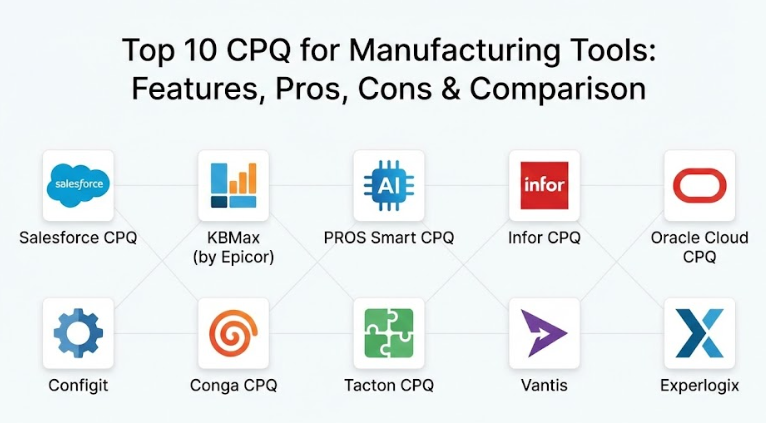
Top 10 CPQ for Manufacturing Tools
1 — Salesforce CPQ
Salesforce CPQ is a cloud-native solution built directly on the world’s leading CRM platform. It is designed to bridge the gap between sales and finance, making it a powerhouse for companies that already use Salesforce for their customer data.
- Product Bundling: Easily groups related parts and services together to encourage larger orders.
- Guided Selling: Asks sales reps a series of questions to lead them to the perfect product configuration.
- Advanced Approval Workflows: Automatically routes high-discount quotes to managers for quick sign-off.
- Contracted Pricing: Remembers specific price agreements for long-term customers.
- Renewals & Amendments: Simplifies the process of changing an order or renewing a service contract.
- Real-time Accuracy: Ensures that the price on the quote always matches the current price in the system.
Pros:
- It lives inside your CRM, so sales reps don’t have to learn a new system or switch windows.
- The reporting and forecasting capabilities are world-class, giving managers a clear view of the pipeline.
Cons:
- Implementation is complex and usually requires hiring a specialized consultant.
- For very heavy engineering needs, it may require additional “Product Configurator” add-ons.
Security & compliance: SOC 2 Type II, ISO 27001, GDPR, and HIPAA compliant with top-tier encryption.
Support & community: Massive “Trailblazer” community, extensive documentation, and tiered professional support plans.
2 — KBMax (by Epicor)
KBMax is famous for its “Visual” approach to CPQ. It allows users to see a 3D model of the product change in real-time as they select different options. It is perfect for manufacturers of highly visual products like furniture, vehicles, or complex machinery.
- 3D Product Configurator: Provides an interactive 3D view that updates instantly as options are selected.
- Snap Rules Engine: A unique “no-code” way to build complex engineering rules using visual blocks.
- Auto-generated CAD Drawings: Automatically creates technical drawings (like SolidWorks files) when a quote is made.
- BOM Generation: Instantly creates a Bill of Materials for the production team.
- Augmented Reality (AR): Let customers see how a machine would look in their actual factory via a smartphone.
- Omnichannel Selling: Can be embedded on your website so customers can configure products themselves.
Pros:
- The visual “wow factor” helps close deals by letting customers see exactly what they are buying.
- It bridges the gap between sales and engineering better than almost any other tool.
Cons:
- Setting up high-quality 3D models and complex rules requires a significant upfront time investment.
- It can be more expensive than basic, text-based CPQ solutions.
Security & compliance: SOC 2 Type II compliant with robust data encryption and audit logs.
Support & community: Strong onboarding support and technical documentation focused on engineering-heavy users.
3 — PROS Smart CPQ
PROS is an enterprise-grade tool that uses Artificial Intelligence to help manufacturers set the perfect price. It is designed for large, global companies dealing with volatile material costs and complex global pricing strategies.
- AI-Driven Pricing: Analyzes market data to suggest the price most likely to win the deal while keeping profits high.
- High-Scale Performance: Can handle quotes with thousands of line items without slowing down.
- Constraint-Based Configuration: Prevents sales reps from selecting incompatible parts.
- Dynamic Cart: Updates pricing instantly as parts are added or removed.
- Integration Hub: Connects deeply with major ERPs like SAP and Microsoft Dynamics.
- Omnichannel Pricing: Ensures a customer gets the same price whether they buy online or via a rep.
Pros:
- Excellent for companies that need to manage “dynamic pricing” based on fluctuating costs of steel, oil, or electronics.
- The AI recommendations help new sales reps price like experienced veterans.
Cons:
- The user interface is powerful but can feel more “corporate” and less intuitive than some modern apps.
- Requires a lot of data to make the AI features truly effective.
Security & compliance: ISO 27001, SOC 2, and GDPR compliant with extensive security auditing.
Support & community: Enterprise-level support with dedicated account managers and global coverage.
4 — Infor CPQ
Infor CPQ is built specifically with manufacturers in mind, focusing on the “Quote-to-Manufacture” process. It is a highly integrated solution that works best when paired with Infor’s own ERP systems.
- Visual Configuration: Supports 2D and 3D images to guide the configuration process.
- Detailed BOMs: Creates highly accurate instructions for the factory floor, including routing and labor steps.
- Automated Document Generation: Produces professional proposals, submittals, and installation guides.
- Dealer Portals: Allows outside sales agents and dealers to log in and create their own quotes.
- Price Logic: Handles complex tiered pricing, discounts, and regional currency conversions.
- Integration with Infor OS: Benefits from the broader Infor ecosystem for data sharing.
Pros:
- Truly understands the manufacturing workflow, from the sales call to the welding torch.
- Very strong at handling the “engineering” side of the quote, not just the “sales” side.
Cons:
- If you don’t use Infor ERP, the integration process can be more challenging.
- The mobile experience is functional but not as polished as some competitors.
Security & compliance: SOC 1 & 2, ISO 27001, and HIPAA compliant.
Support & community: Extensive knowledge base and Infor Concierge for personalized support.
5 — Oracle Cloud CPQ
Oracle Cloud CPQ is a heavy-duty, highly scalable platform designed for the world’s largest enterprises. It is built to handle the most complex configurations and global sales teams imaginable.
- Powerful Configuration Engine: Can handle millions of possible product combinations.
- Subscription Management: Excellent for manufacturers moving toward “as-a-service” business models.
- Deal Management: Provides insights into deal health and historical pricing trends.
- Global Support: Supports dozens of languages, currencies, and local tax laws natively.
- Flexible UI: Can be customized to match your company’s branding and workflow perfectly.
- Oracle Ecosystem: Deeply integrated with Oracle CRM and ERP.
Pros:
- Unmatched scalability; it never crashes, no matter how large the quote or the company.
- The “Deal Management” feature is excellent for protecting margins at an executive level.
Cons:
- Often requires a long implementation timeline and specialized IT staff.
- Can be very costly for mid-sized companies that don’t need all the “bells and whistles.”
Security & compliance: World-class security with SOC 2, ISO 27001, and FedRAMP certifications.
Support & community: Global 24/7 support and a massive network of implementation partners.
6 — Configit
Configit is unique because it uses “Virtual Tabulation” technology. Instead of checking rules one by one, it looks at the entire product possibilities at once. It is designed for manufacturers with the most extreme configuration complexity.
- Virtual Tabulation: A patented technology that ensures 100% accurate configurations in milliseconds.
- Configuration Lifecycle Management (CLM): Manages product configurations from engineering to sales to service.
- No-Error Guarantee: It is mathematically impossible to create an invalid configuration in their system.
- Offline Capability: Allows sales reps to configure complex products even without an internet connection.
- API-First Design: Easy to build custom apps or websites on top of the Configit engine.
- High-End Engineering Support: Handles deep dependencies that crash other CPQ tools.
Pros:
- The most powerful engine for manufacturers where one wrong part choice can cost millions.
- Excellent at syncing engineering data with sales data so they are always “in the loop.”
Cons:
- It is a “pure” configuration tool, meaning you might need other software for the “document generation” part.
- It is highly technical and requires an engineering-minded team to set up.
Security & compliance: ISO 27001 compliant with high-level data integrity protocols.
Support & community: High-touch technical support and specialized training for system architects.
7 — Conga CPQ (formerly Apttus)
Conga CPQ is known for its flexibility and its ability to handle the “Contract” side of the deal just as well as the “Quote” side. It is a great choice for companies where legal terms are as important as the price.
- Unified Commerce: Handles CPQ, Contract Lifecycle Management (CLM), and Digital Documents.
- Max AI: An AI assistant that helps reps find the best products and prices.
- Complex Promotions: Can handle very intricate seasonal discounts or “buy-one-get-one” deals.
- Visual Configuration: Includes 2D and 3D visualization capabilities.
- Excel Integration: Allows users to manage data in a familiar Excel-like interface inside the app.
- Partner Communities: Makes it easy for outside distributors to quote your products.
Pros:
- Best-in-class for managing the legal contracts that often accompany large manufacturing orders.
- Very flexible and can be adapted to almost any weird or unique business process.
Cons:
- Can be slower than some “cloud-only” competitors due to its massive feature set.
- The administration interface is complex and requires significant training.
Security & compliance: SOC 2 Type II, ISO 27001, and GDPR compliant.
Support & community: Active user group and a wide range of managed services available.
8 — Tacton CPQ
Tacton is a European-based leader that focuses specifically on “Design-to-Order” manufacturing. It is a favorite for companies that sell modular products like power plants or complex medical imaging machines.
- Constraint-Based Solver: Solves the entire configuration at once, allowing for “automatic” optimization.
- Visual Configuration: High-quality 2D and 3D visuals that help customers understand their order.
- CAD Automation: Directly generates technical files for production without human intervention.
- Sustainability Insights: Can calculate the carbon footprint of a product as it is being configured.
- Step-by-Step Guidance: Makes it impossible for a new rep to make a mistake.
- Cloud-First Architecture: Fast, modern, and accessible from any device.
Pros:
- The “Sustainability” feature is a major differentiator for companies meeting green regulations.
- Very strong at handling “modular” engineering where parts must fit together in specific ways.
Cons:
- Most of their support and community are based in Europe, which may affect time zones for some.
- It is a premium product with a price tag to match.
Security & compliance: ISO 27001 and GDPR compliant with strict data privacy controls.
Support & community: Highly professional technical support and a growing global user base.
9 — Vantis (formerly FPX)
Vantis offers a “Platform Independent” CPQ. This is ideal for manufacturers who use a mix of different CRM and ERP systems across different divisions and need one tool to unite them all.
- Multi-Platform Support: Works equally well with Salesforce, Microsoft Dynamics, or SAP.
- Guided Buying: A consumer-like interface for distributors and end-customers.
- Massive Catalog Support: Can handle catalogs with millions of SKUs without lagging.
- Advanced Document Engine: Creates highly detailed, branded proposals in PDF or Word.
- Integration Maturity: One of the oldest and most reliable sets of ERP connectors in the industry.
- Rule Logic: Uses a powerful “Enterprise Rule Engine” that is easy to maintain.
Pros:
- Perfect for large, multi-national companies that have “messy” IT environments.
- Very reliable and stable, even with huge volumes of users and data.
Cons:
- The interface can feel a bit dated compared to newer, flashy startups.
- It lacks some of the “built-in” AI features found in PROS or Salesforce.
Security & compliance: SOC 2 Type II compliant with standard enterprise encryption.
Support & community: Dedicated customer success teams and a deep technical library.
10 — Experlogix
Experlogix is the “Gold Standard” for companies using Microsoft Dynamics 365. It is built to look and feel exactly like a Microsoft product, making it very easy for Microsoft-heavy teams to adopt.
- Embedded Experience: It sits directly inside Microsoft Dynamics, appearing as part of the native app.
- Visual Configurator: Supports 2D and 3D product previews.
- Complex Rules: Can handle thousands of variables and dependencies with ease.
- Automatic BOMs: Pushes data directly into the Dynamics ERP for immediate production.
- Portal Options: Allows customers and partners to quote themselves via a web portal.
- No-Code Rule Builder: Engineers can update rules without needing a software developer.
Pros:
- If you use Microsoft Dynamics, this is almost always the easiest tool to implement and use.
- It is very fast and doesn’t feel like a “bolt-on” addition to your system.
Cons:
- It is heavily tied to the Microsoft ecosystem; if you switch to Salesforce or Oracle, you’ll have to switch CPQs.
- The reporting is good but relies heavily on Microsoft’s Power BI for advanced views.
Security & compliance: ISO 27001 and SOC 2 compliant, following Microsoft’s strict security standards.
Support & community: Excellent support with a deep understanding of Microsoft environments.
Comparison Table
| Tool Name | Best For | Platform(s) Supported | Standout Feature | Rating |
| Salesforce CPQ | Salesforce Users | Salesforce | Integrated CRM Experience | N/A |
| KBMax | 3D Visualization | Cloud (Agnostic) | 3D Visual Rules Engine | N/A |
| PROS Smart | AI-Driven Pricing | Cloud (Agnostic) | AI Pricing Guidance | N/A |
| Infor CPQ | Infor ERP Users | Infor Cloud | Engineering-to-Shop Floor | N/A |
| Oracle CPQ | Global Enterprises | Oracle / Agnostic | Massive Scale & Deal Mgmt | N/A |
| Configit | Extreme Engineering | Cloud / API | Virtual Tabulation Tech | N/A |
| Conga CPQ | Contract Focus | Salesforce / Cloud | Legal & Contract Synergy | N/A |
| Tacton CPQ | Modular Design | Cloud (Agnostic) | Sustainability Tracking | N/A |
| Vantis | Multi-IT Systems | Platform Agnostic | Deep Integration Connectors | N/A |
| Experlogix | MS Dynamics Users | Microsoft Dynamics | Native Microsoft Experience | N/A |
Evaluation & Scoring of CPQ for Manufacturing
When we evaluate CPQ tools for the manufacturing sector, we use a weighted system. Manufacturing has higher needs for “Configuration” and “ERP Integration” than a standard software company might.
| Evaluation Criteria | Weight | What We Look For |
| Core Features | 25% | Ability to handle complex rules, BOM generation, and visualization. |
| Ease of Use | 15% | How intuitive it is for sales reps and how easy it is for engineers to update rules. |
| Integrations | 15% | How well it talks to CRM and ERP systems (SAP, Oracle, Dynamics). |
| Security & Compliance | 10% | Certifications like SOC 2 and the ability to protect sensitive pricing data. |
| Performance | 10% | Speed of the configuration engine, especially for large quotes. |
| Support & Community | 10% | Quality of documentation and availability of technical help. |
| Price / Value | 15% | Does the cost of the software pay for itself in saved time and errors? |
Which CPQ for Manufacturing Tool Is Right for You?
Choosing a CPQ tool is a long-term commitment. You aren’t just buying software; you are building a digital version of your factory’s rules.
Small to Mid-Market (SMB)
If you are a smaller manufacturer with a limited IT team, look for “Ease of Use.” KBMax is great because the visual rules are easy to understand. Experlogix is a no-brainer if you already use Microsoft tools. Avoid the “Enterprise Giants” like Oracle or Archer unless you have a dedicated team to manage them.
Large Enterprise
If you have thousands of sales reps across the globe, you need “Scale.” Oracle Cloud CPQ and Salesforce CPQ are the safest bets because they can grow with you. If your products are so complex that they usually crash standard computers, Configit is the specialized engine you need.
Engineering-Heavy vs. Sales-Heavy
Does your salesperson just click a few buttons, or does the quote need to generate a 100-page technical manual? For sales-heavy teams, PROS and Salesforce are excellent. For engineering-heavy teams that need CAD files and BOMs, Tacton, Infor, or KBMax are better choices.
Budget-Conscious vs. Premium
If you are on a tight budget, look for tools that offer a “Standard” version you can start with. Some cloud tools allow you to pay per user. However, remember that with CPQ, you often get what you pay for. A “cheap” tool that creates wrong configurations will cost you much more in factory rework than a “premium” tool would have cost.
Frequently Asked Questions (FAQs)
1. How long does it take to implement CPQ for manufacturing?
A typical implementation takes between 4 to 9 months. It depends on how many “rules” your products have and how clean your current data is.
2. Does CPQ replace my ERP?
No. CPQ sits “in front” of your ERP. CPQ handles the sales and configuration, and then it sends the final “BOM” to the ERP to start the actual building process.
3. Can my customers use CPQ on my website?
Yes, many of these tools (like KBMax and Infor) have “Self-Service” portals where customers can configure and price products themselves without talking to a rep.
4. What is the biggest mistake people make when buying CPQ?
Trying to put every single “edge case” into the system at once. It’s better to automate the 80% of orders that are common first, then add the rare ones later.
5. Do I need to be a programmer to set up the rules?
Many modern tools are “No-Code” or “Low-Code,” meaning an engineer can set them up. However, for very complex logic, you might still need someone with technical skills.
6. Is my data safe in a cloud CPQ?
Yes. These companies spend millions on security. Your pricing and engineering secrets are often safer in their “Fort Knox” data centers than on your local office server.
7. Can CPQ handle multiple currencies?
Yes, almost all enterprise CPQ tools can automatically convert prices based on current exchange rates for global sales teams.
8. Will CPQ make my sales team redundant?
No. It frees them from being “order takers” and allows them to be “consultants.” They can spend more time talking to customers and less time doing math.
9. Can CPQ generate 3D drawings?
Yes, tools like KBMax and Tacton can automatically generate CAD files (like SolidWorks or AutoCAD) directly from a sales quote.
10. How much does CPQ software cost?
It varies widely. Expect to pay anywhere from $50 to $200 per user, per month, plus an upfront implementation fee that can range from $20,000 to over $100,000.
Conclusion
To wrap things up, choosing the right CPQ tool for your manufacturing business is about finding the balance between “Sales Speed” and “Engineering Accuracy.” If your sales reps can quote faster and more accurately than your competitors, you will win more business. If those quotes turn into perfect instructions for your factory, your profit margins will soar.
When you start your search, don’t just look at the price tag. Look at how well the tool integrates with your current systems and whether your team will actually enjoy using it. There is no “perfect” tool for everyone, but there is a perfect tool for your specific factory. Take your time, do a demo, and ensure the tool can handle your most complex product before you sign the contract.