Introduction
Collections Automation Tools are specialized software solutions designed to streamline and modernize the Accounts Receivable (AR) process. In simple terms, these tools help businesses get paid faster by automating the tedious task of following up on unpaid invoices. Instead of an accounting team manually checking spreadsheets and sending individual emails to late payers, these systems handle the heavy lifting. They track which invoices are due, send out polite reminders, and offer customers easy ways to pay online. By removing the manual “grunt work,” these tools allow finance teams to focus on high-value tasks rather than chasing small payments.
The importance of these tools cannot be overstated in today’s economy. Cash flow is the lifeblood of any business, and delays in receiving payments can halt growth or even lead to business failure. Automated collections ensure consistency—reminders are sent on time, every time—which significantly reduces the “Days Sales Outstanding” (DSO). Real-world use cases include managing subscription billing cycles, handling high-volume retail invoices, and orchestrating complex B2B payment schedules. When evaluating these tools, users should look for strong integration with their current accounting software, ease of setting up “workflow rules,” and the availability of a self-service payment portal for customers.
Best for: Finance managers, AR specialists, and CFOs in mid-market to enterprise-level companies benefit most. Industries with high transaction volumes or complex billing, such as SaaS, manufacturing, and professional services, see the highest return on investment. Not ideal for: Solo entrepreneurs with only one or two clients, or very small businesses with a low volume of invoices that can be managed easily through a basic, free accounting app.
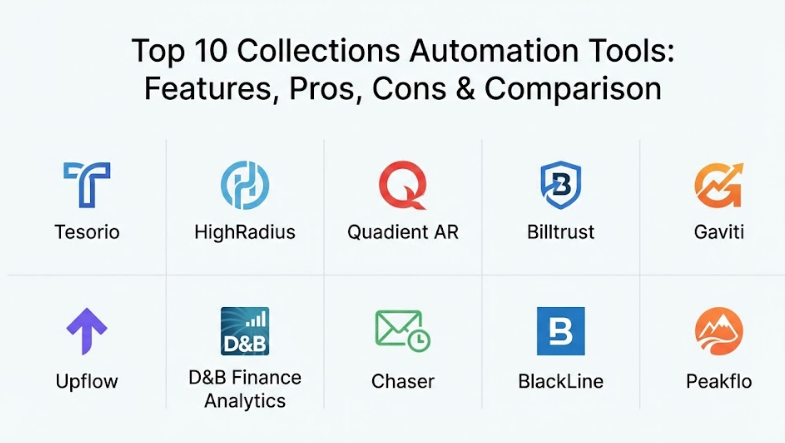
Top 10 Collections Automation Tools
1 — Tesorio
Tesorio is a high-growth platform that focuses on “Cash Flow Performance.” It is designed for mid-market and enterprise finance teams that want to use data to predict when they will get paid and automate their outreach accordingly.
- Connected Accounting: Syncs directly with major ERPs to provide a real-time view of your cash position.
- Predictive Analytics: Uses historical data to forecast future cash flow and identify “at-risk” invoices.
- Automated Dunning: Sends customized, polite email sequences based on customer behavior.
- Centralized Communication: Tracks all emails and notes in one place so the team stays on the same page.
- Tagging & Workflow: Allows users to tag specific customers for special handling or disputes.
- Performance Dashboards: Provides clear charts showing DSO trends and team productivity.
Pros:
- The interface is very modern and easy to navigate compared to traditional accounting software.
- Predictive features help finance teams act proactively rather than just reacting to late payments.
Cons:
- Setting up complex workflows can take some time during the initial onboarding.
- It is a premium tool, which might be out of reach for very small startups.
Security & compliance: SOC 2 Type II certified, GDPR compliant, and uses enterprise-level encryption for all data syncs.
Support & community: Offers a dedicated success manager for enterprise accounts, extensive online documentation, and regular webinars.
2 — HighRadius
HighRadius is a global leader in AI-powered finance software. Their collections module is built for large enterprises that need to manage thousands of customers across different regions and currencies.
- AI-Driven Prioritization: Automatically ranks which customers to call first based on their likelihood to pay.
- Global Support: Handles multiple languages, currencies, and complex organizational structures.
- Self-Service Portals: Allows customers to view invoices, raise disputes, and pay through a secure link.
- Automated Correspondence: Generates and sends notices via email, mail, or fax based on rules.
- Dispute Management: Streamlines the process of resolving issues with incorrect or damaged goods.
- Advanced Integration: Features deep, pre-built connectors for SAP, Oracle, and Microsoft Dynamics.
Pros:
- The AI engine is incredibly powerful for identifying hidden patterns in late payments.
- Extremely scalable for giant companies with millions of transactions.
Cons:
- The software is very complex and usually requires a significant implementation period.
- Can be overwhelming for smaller teams who don’t need all the “enterprise-grade” bells and whistles.
Security & compliance: HIPAA compliant, ISO 27001 certified, SOC 1 & 2 Type II, and GDPR compliant.
Support & community: Provides 24/7 global support, an extensive “HighRadius University” for training, and an active user community.
3 — Quadient AR (formerly YayPay)
Quadient AR is a cloud-based solution that aims to make the collections process more predictable and collaborative. It is well-regarded for its visual dashboards and ease of use for the average finance professional.
- Customer Portal: A white-labeled portal where customers can see their full statement and pay instantly.
- Workflow Automation: Drag-and-drop builder for creating “if-this-then-that” reminder sequences.
- CRM-style Communication: Keeps a full history of every interaction with a customer.
- Credit Risk Assessment: Monitors the financial health of your customers to warn you of potential defaults.
- DSO Tracking: Real-time visibility into your average collection time.
- Payment Integration: Supports various payment gateways for credit cards and ACH transfers.
Pros:
- Very intuitive user interface that requires minimal training for new staff.
- Excellent at bridging the gap between sales and finance teams through shared data.
Cons:
- Some users have reported that the reporting engine could be more customizable.
- Mobile functionality is limited compared to the desktop version.
Security & compliance: SOC 2 Type II, GDPR, and PCI DSS compliant for secure payment processing.
Support & community: Strong onboarding support, a comprehensive knowledge base, and responsive email/phone support.
4 — Billtrust
Billtrust is a comprehensive “Order-to-Cash” platform that focuses heavily on the electronic delivery of invoices and simplified payment options to speed up the cycle.
- Multi-channel Delivery: Sends invoices via email, AP portals, or physical mail automatically.
- Business Payments Network: Connects with large buyers to simplify B2B electronic payments.
- Automated Reminders: Flexible rules for sending follow-ups at specific intervals.
- Machine Learning Matching: Automatically matches incoming payments to the correct invoices.
- Credit Application Digitization: Speeds up the process of onboarding new customers with credit.
- Detailed Analytics: Tracks payment trends and identifies bottlenecks in the approval process.
Pros:
- The Business Payments Network significantly reduces the friction of B2B transactions.
- Very strong at handling the “Invoicing” side of the house alongside the collections.
Cons:
- The platform feels like a collection of different modules that are sometimes priced separately.
- Not as focused on the “human outreach” side as tools like Tesorio or Quadient.
Security & compliance: SOC 1 & 2, PCI DSS Level 1, HIPAA compliant, and ISO 27001 certified.
Support & community: High-touch enterprise support, dedicated account managers, and annual user conferences.
5 — Gaviti
Gaviti is a specialized AR collections tool that is designed to be “plug-and-play” for mid-market companies. It focuses on being easy to implement while delivering a high impact on cash flow.
- Quick Integration: Works with almost any ERP or accounting software without a long setup time.
- Automated Workflow Sequences: Pre-set templates for reminders that you can customize.
- Performance Tracking: Measures how each member of your collections team is performing.
- Call Task Management: Generates a daily “To-Do” list for calls that can’t be handled by email.
- Multi-language Support: Allows you to send reminders in your customer’s native language.
- Statement Generation: Automatically attaches full statements to reminder emails.
Pros:
- One of the fastest implementation times in the industry.
- Very cost-effective for mid-sized businesses that need a dedicated collections tool.
Cons:
- Lacks some of the advanced AI and forecasting features found in HighRadius.
- The visual reporting is clean but less detailed than some enterprise competitors.
Security & compliance: SOC 2 Type II, GDPR, and uses standard 256-bit encryption for data.
Support & community: Excellent customer service, personalized onboarding, and a helpful online help center.
6 — Upflow
Upflow is a modern, design-focused AR tool that emphasizes the “Customer Experience.” It is particularly popular among B2B SaaS companies that want their collections process to feel professional and branded.
- Branded Emails: Ensures all reminders look like they come from your brand, not a robotic system.
- Real-time Collaboration: Allows different departments (like Sales) to leave notes on customer accounts.
- Interactive Timelines: Shows a clear history of when invoices were sent, opened, and paid.
- One-click Payments: Embeds payment links directly in emails for frictionless settling of bills.
- Aging Reports: Simple, beautiful visual representations of which invoices are overdue.
- Automated Tasks: Assigns follow-up tasks to specific team members automatically.
Pros:
- The most user-friendly and visually appealing tool on this list.
- Great for maintaining a positive relationship with customers even when they are late.
Cons:
- May lack some of the “deep” accounting features required by heavy manufacturing or complex retail.
- Pricing is based on your monthly revenue, which can become expensive as you grow.
Security & compliance: SOC 2 Type II, GDPR, and ISO 27001 compliant.
Support & community: Offers proactive customer success, great documentation, and a growing network of finance peers.
7 — Dun & Bradstreet Finance Analytics (formerly Receivables Intelligence)
D&B combines their world-famous credit data with automation software. This tool is unique because it tells you who to worry about before they even miss a payment.
- D&B Credit Scores: Integrated scores show you the risk level of every customer in your system.
- AI Prioritization: Uses D&B’s data to tell your team exactly who to call first.
- Automated Dunning: Standard reminder workflows for low-risk customers.
- Risk Monitoring: Alerts you if a customer’s credit score drops suddenly.
- Segmentation: Groups customers by risk level so you can treat high-risk clients differently.
- Comprehensive Reporting: Deep insights into how credit risk is impacting your cash flow.
Pros:
- Having world-class credit data built directly into your collections tool is a massive advantage.
- Excellent for companies that deal with large, risky contracts.
Cons:
- The interface can feel a bit more “traditional” and data-heavy.
- You are paying for the data as much as the software, which can be pricey.
Security & compliance: SOC 2 Type II, ISO 27001, and HIPAA compliant.
Support & community: Professional consulting services, global support, and extensive industry research.
8 — Chaser
Chaser is a market leader for small-to-medium businesses (SMBs) using software like Xero, QuickBooks, or Sage. It focuses on making automated emails look exactly like a person sent them.
- Human-like Automation: Removes the “Sent by Chaser” footer and allows for customized “From” names.
- Automatic Thank You Notes: Sends a polite note once an invoice is paid, which improves relationships.
- Credit Checking: Allows you to check the credit of new customers directly inside the app.
- Collections Service: If a debt is truly stuck, you can “hand off” the invoice to their professional collections agency.
- Consolidated Reminders: If a customer has 5 late invoices, it sends 1 polite email, not 5.
- Task Management: Tells your team exactly when it’s time to pick up the phone.
Pros:
- Very affordable and specifically built for the SMB market.
- The “humanized” emails have a much higher response rate than standard robotic notices.
Cons:
- Not designed for the complexity of global enterprises with custom ERPs.
- Some features (like the agency service) have additional costs.
Security & compliance: SOC 2 Type II, GDPR compliant, and uses secure API tokens for connections.
Support & community: High-quality blog, helpful webinars, and a very responsive support team.
9 — BlackLine
BlackLine is a heavyweight in the “Financial Close” space, but their AR automation module is highly respected for its ability to handle complex reconciliation and cash application.
- Intelligent Cash Application: Automatically matches payments to invoices, even with partial payments.
- Workflow Automation: Orchestrates the entire collections process based on company policy.
- Dispute Resolution: Built-in tools for tracking and resolving billing arguments.
- Unified Finance Platform: Part of a larger system that handles the entire month-end close.
- Detailed Audit Logs: Keeps a perfect record of every action for compliance and audit purposes.
- Global Scalability: Used by many of the world’s largest companies for cross-border AR.
Pros:
- Best for companies that want to automate their entire accounting department, not just collections.
- The “Cash Application” feature is among the best in the world.
Cons:
- Very high price point and long implementation cycle.
- Might be too much “software” for a company only looking to fix a simple collections problem.
Security & compliance: ISO 27001, SOC 1, 2, & 3 Type II, and PCI DSS compliant.
Support & community: 24/7 global support, an annual user conference, and a massive community of CPAs.
10 — Peakflo
Peakflo is an emerging player that focuses on the Southeast Asian and emerging markets, providing a modern, simple approach to collections for fast-growing startups.
- WhatsApp Integration: Allows you to send payment reminders via WhatsApp, where many customers are most active.
- Self-Service Portal: Simple interface for customers to view and pay bills.
- AI Collections Agent: Suggests the best time and channel to reach out to a customer.
- ERP Sync: Deep integrations with regional and global accounting software.
- Consolidated Statements: Easily sends a single view of all outstanding items.
- Team Productivity Tracking: Shows how many emails and calls each team member is completing.
Pros:
- Very innovative features like WhatsApp reminders that other legacy tools lack.
- Excellent for companies operating in regions where email isn’t the primary communication tool.
Cons:
- Smaller user community compared to giants like HighRadius or Billtrust.
- Some advanced enterprise features are still in the development pipeline.
Security & compliance: SOC 2 Type II and GDPR compliant.
Support & community: Responsive live chat support and customized onboarding for growing teams.
Comparison Table
| Tool Name | Best For | Platform(s) Supported | Standout Feature | Rating |
| Tesorio | Cash Flow Forecasting | NetSuite, Sage Intacct | Predictive Payor Analytics | N/A |
| HighRadius | Global Enterprises | SAP, Oracle, MS Dynamics | AI-Driven Prioritization | N/A |
| Quadient AR | Collaborative Teams | Cloud (Agnostic) | Workflow Drag-and-Drop | N/A |
| Billtrust | Order-to-Cash | ERP Agnostic | Business Payments Network | N/A |
| Gaviti | Mid-Market SMBs | Cloud (Agnostic) | 2-Week Implementation | N/A |
| Upflow | B2B SaaS Startups | QuickBooks, Xero, NetSuite | Branded Customer Experience | N/A |
| D&B Finance | Credit Risk Management | Cloud (SaaS) | Integrated D&B Credit Data | N/A |
| Chaser | Small Businesses | Xero, QuickBooks, Sage | Humanized Email Reminders | N/A |
| BlackLine | Large Scale Reconciliation | ERP Agnostic | Intelligent Cash Application | N/A |
| Peakflo | Emerging Markets | Cloud / Mobile | WhatsApp Reminder Support | N/A |
Evaluation & Scoring of Collections Automation Tools
To help you decide, we have scored these tools based on seven critical factors that determine the success of an automation project.
| Category | Weight | Evaluation Criteria |
| Core Features | 25% | Quality of dunning, payment portals, and task management. |
| Ease of Use | 15% | How quickly your team can learn and use the system daily. |
| Integrations | 15% | Depth of connection with your existing ERP or accounting software. |
| Security & Compliance | 10% | Certifications like SOC 2, HIPAA, and data encryption standards. |
| Performance | 10% | Reliability of data syncing and speed of the interface. |
| Support & Community | 10% | Quality of documentation, support response, and training. |
| Price / Value | 15% | Return on investment based on DSO reduction vs. software cost. |
Which Collections Automation Tool Is Right for You?
Selecting a tool depends on your current software stack, the volume of your invoices, and your specific growth goals.
Solo Users vs. SMB vs. Mid-Market vs. Enterprise
- Solo Users: You likely don’t need a dedicated automation tool. Stick to the basic reminder settings inside QuickBooks or Xero.
- SMBs (1-10 staff): Chaser or Upflow are your best bets. They are affordable, easy to set up, and focus on the “human” touch.
- Mid-Market (10-50 staff): Gaviti or Tesorio provide the power you need to manage thousands of invoices without the enterprise price tag.
- Enterprise (50+ staff): HighRadius, Billtrust, or BlackLine are built for your scale and complexity.
Budget-Conscious vs. Premium Solutions
If budget is your primary concern, look at Chaser or Gaviti. They offer clear, predictable pricing. If you are a high-revenue company where a 1-day reduction in DSO is worth millions, a premium solution like HighRadius is a worth the high cost.
Feature Depth vs. Ease of Use
If you want a tool that “just works” out of the box with zero training, Upflow is the winner. If you need a tool that allows you to build incredibly complex, multi-stage rules for different types of customers, Archer or HighRadius offer the depth you require.
Integration and Scalability Needs
Always check if the tool has a “Native Integration” for your ERP. For example, if you use NetSuite, Tesorio and Quadient AR have excellent relationships with that ecosystem. If you plan to expand globally, ensure the tool handles different tax laws and languages.
Frequently Asked Questions (FAQs)
1. Will these tools upset my customers?
Actually, the opposite is usually true. Most customers forget to pay because they are busy, not because they are avoiding you. Automated, polite reminders that include a “Pay Now” link actually make their lives easier.
2. How long does implementation take?
For SMB tools like Chaser, it can take 15 minutes. For mid-market tools like Gaviti, it takes about 2 weeks. For enterprise giants like HighRadius, expect 3 to 6 months of planning and data mapping.
3. Do these tools handle credit card processing?
Most of them do not process the money themselves; instead, they integrate with “Payment Gateways” like Stripe, Adyen, or PayPal. You will still need a merchant account.
4. Can I customize the email templates?
Yes. Every tool on this list allows you to change the wording of your reminders. You can make them as polite or as firm as you want, depending on how late the invoice is.
5. What is DSO and why does it matter?
DSO stands for Days Sales Outstanding. It is the average number of days it takes your company to get paid after a sale. Lowering your DSO from 45 days to 35 days can put a massive amount of “found money” back into your bank account.
6. Is my data safe in these cloud platforms?
Yes, these companies use the same level of security as big banks. Look for the SOC 2 Type II certification, which means an independent auditor has verified their security practices.
7. Can these tools send reminders via SMS?
Some of them can. Peakflo is a leader in this, and many enterprise tools can be configured to send SMS alerts through third-party integrations like Twilio.
8. Do these tools replace my current accounting software?
No. They sit “on top” of your accounting software (like QuickBooks or SAP). Your accounting software is the “Brain,” and the automation tool is the “Assistant” that does the work.
9. What happens if a customer disputes an invoice?
Most professional tools have a “Dispute” button. If a customer clicks it, the automation stops immediately so a human can step in and resolve the issue.
10. How much do these tools cost?
Pricing varies wildly. SMB tools start at around $100/month. Mid-market tools range from $1,000 to $3,000/month. Enterprise solutions are usually “custom quote” based and can cost tens of thousands per year.
Conclusion
In conclusion, automating your collections process is no longer an “optional” luxury; it is a competitive necessity. Whether you choose the human-centric approach of Chaser, the AI-driven power of HighRadius, or the visual simplicity of Upflow, the goal is the same: to get paid for the hard work you have already done.
When choosing a tool, remember that the “best” one is the one that your team will actually use and that connects seamlessly with your current systems. Start by identifying your biggest pain point—is it human error, high invoice volume, or risky customers?—and use that as your north star. By choosing the right partner, you can turn your AR department from a cost center into a cash-flow-generating machine.