Introduction
Cloud spend governance tools are helpful software programs that let businesses keep track of their cloud computing bills. When a company uses services like remote storage, website hosting, or virtual databases, it is very easy for the costs to grow much faster than expected. These tools act like a smart financial advisor for your digital infrastructure. They look at every single penny spent on the cloud, find where money is being wasted, and suggest ways to save. For example, if a company has a large server running that no one is using, a governance tool will flag it so the team can turn it off and stop paying for it.
Managing cloud costs is one of the biggest challenges for modern businesses. In the past, companies bought physical servers once and used them for a long time. Now, cloud bills change every minute based on how much data you use or how many people visit your site. This “pay-as-you-go” system is great for flexibility, but it often leads to “bill shock” at the end of the month. Cloud spend governance tools are important because they bring order to this chaos. They provide a clear view of where every dollar goes, allowing teams to set budgets, get alerts when spending is too high, and make sure that every department is staying within its limits.
Key real-world use cases for these tools include finding “zombie” resources that are left running by mistake, resizing over-powered servers that are more expensive than they need to be, and predicting how much the cloud bill will be next month. When you are looking for a tool, you should check for a few simple things. First, does it work with all the different cloud providers you use? Second, is it easy for a human to read the charts and reports? Third, does it allow you to set up automatic rules that stop spending before it gets out of control? Finally, you want a tool that has a helpful support team so you can get answers quickly.
Best for: These tools are a perfect fit for financial managers, cloud architects, and operations teams at medium to large companies. They are especially helpful for businesses in industries like software development, online retail, and digital media where cloud use is very high.
Not ideal for: They might not be needed for a solo developer or a very small business that only has one small website. If your monthly cloud bill is very low and easy to understand on its own, the cost of a governance tool might be higher than the savings it provides.
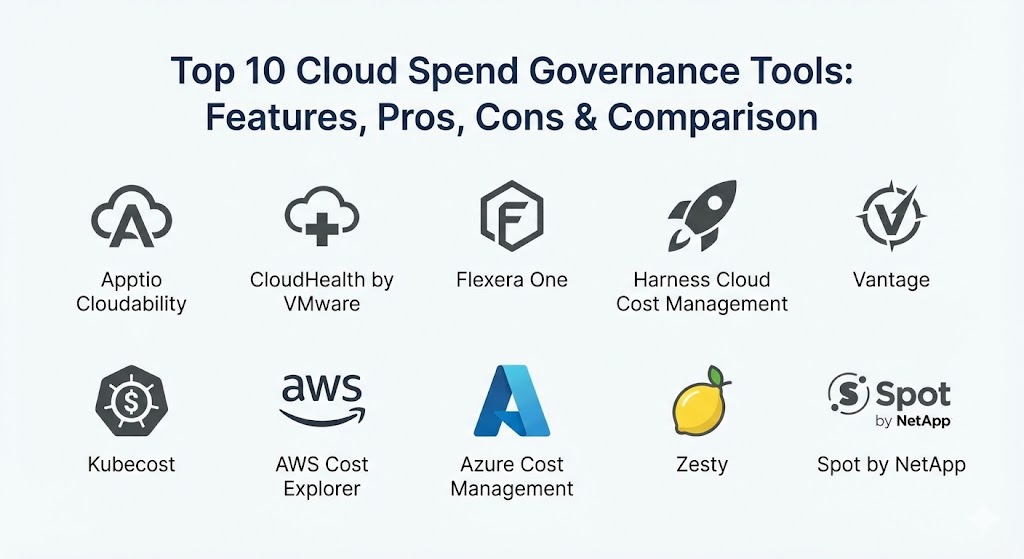
Top 10 Cloud Spend Governance Tools
1 — Apptio Cloudability
Apptio Cloudability is a professional platform designed to help large teams master the “FinOps” process. It focuses on bringing together the people who build software and the people who manage the money so they can make better decisions together.
Key features:
- It provides a very clear “True Cost” view that includes all hidden fees and discounts.
- It uses smart math to predict how much you will spend in the future.
- It offers a “Rightsizing” feature that tells you if your servers are too big or too small.
- It allows you to group costs by specific teams, products, or departments.
- It features a budget alert system that sends an email as soon as spending looks too high.
- It helps you manage “Reserved Instances” which are special discounts for long-term use.
Pros:
- It is excellent for very large companies with complex bills.
- The reports are very professional and easy to show to company leaders.
- It handles multiple different cloud providers in one single dashboard.
Cons:
- The interface can be a bit complicated for a beginner to learn.
- It is a premium tool and can be more expensive than some other options.
Security & compliance: SSO, data encryption, SOC 2, and GDPR compliant.
Support & community: High-quality professional support and a deep library of guides for learning.
2 — CloudHealth by VMware
CloudHealth is a very well-known tool used by many big corporations to manage their cloud health and wealth. It is designed to provide a “big picture” view while also letting you dig deep into the tiny details of your spending.
Key features:
- It offers a centralized dashboard to see all your cloud services at once.
- It includes an “Automated Policy” engine to take action when rules are broken.
- It provides deep insights into how to improve your security and your costs at the same time.
- It helps you track your progress against your yearly financial goals.
- It features very detailed tagging to make sure every cost is assigned to the right person.
- It integrates with many other business tools for a smooth workflow.
Pros:
- It is extremely stable and reliable for massive datasets.
- The automation features can save a lot of manual work for the IT team.
- It is backed by a very large and famous technology company.
Cons:
- It can feel a bit “heavy” and slow to set up at first.
- Finding specific settings in the menus can sometimes be a challenge.
Security & compliance: SOC 2, HIPAA, and ISO certifications are standard.
Support & community: Extensive customer support and a global community of expert users.
3 — Flexera One
Flexera focuses on “IT Asset Management,” which means it looks at all your software and cloud services as a whole. It is great for companies that want to manage their cloud bills alongside their traditional software licenses.
Key features:
- It provides a unified view of both cloud costs and software license costs.
- It includes a “Cloud Cost Optimization” engine that finds wasted money instantly.
- It offers very strong governance tools to stop departments from spending too much.
- It helps you prepare for audits so you can prove you are following the rules.
- It features a “What-If” analysis to help you plan for changes in your business.
- It works very well for hybrid environments where some data is in the cloud and some is on-site.
Pros:
- It is the best choice if you need to manage more than just the cloud.
- The data it provides is very accurate and reliable for financial planning.
- It helps prevent “shadow IT” where people buy services without permission.
Cons:
- It is a very large platform and might be more than a small team needs.
- The price is not listed publicly, so you have to talk to their sales team.
Security & compliance: Strong enterprise security including SSO and audit logs.
Support & community: Comprehensive professional support and onboarding services.
4 — Harness Cloud Cost Management
Harness is unique because it is built for developers. It tries to show the people who write code exactly how much their work is costing the company in real-time.
Key features:
- It provides “Continuous Efficiency” by showing costs inside the developer’s workspace.
- It offers an “Auto-Stopping” feature that turns off idle servers automatically.
- It includes a very simple “Cloud Cost Dashboard” that anyone can understand.
- It focuses heavily on Kubernetes, which is a popular way to run modern software.
- It provides “Root Cause Analysis” to show exactly why a bill suddenly went up.
- It allows for “What-If” scenarios to see the cost of a new project before it starts.
Pros:
- It is the most “human” and easy-to-use tool for technical teams.
- The auto-stopping feature can save a huge amount of money almost instantly.
- It makes developers feel responsible for the budget in a positive way.
Cons:
- It is not as deep into traditional financial reporting as Apptio or CloudHealth.
- It is best for modern, “cloud-native” companies and might not fit older systems as well.
Security & compliance: SOC 2, GDPR, and data encryption are included.
Support & community: Very active community and helpful technical support via chat and email.
5 — Vantage
Vantage is a modern and very fast-growing tool that focuses on simplicity and speed. It is designed to be set up in minutes rather than weeks.
Key features:
- It connects to your cloud accounts in just a few clicks.
- It provides a very clean and beautiful interface that is easy on the eyes.
- It offers “Autopilot” for managing discounts on AWS automatically.
- It includes a “Community Dashboards” feature to see how others are saving money.
- It supports almost every modern cloud service, not just the big three.
- It provides clear “Anomalies” alerts for when spending acts strangely.
Pros:
- It is the fastest tool to get up and running on this list.
- The pricing is very transparent and easy for a small team to understand.
- The user experience is much better than the “old-school” enterprise tools.
Cons:
- It might lack some of the very complex reporting needed by a global bank.
- It is a newer company, so it has a shorter track record than VMware or IBM.
Security & compliance: SOC 2 Type II compliant and uses secure, read-only access.
Support & community: Responsive support team and a very helpful public roadmap.
6 — Kubecost
As the name suggests, Kubecost is built specifically for companies that use Kubernetes. It is the best tool for understanding the complicated costs of “containers.”
Key features:
- It provides real-time cost visibility down to the individual “pod” level.
- It helps you see how much each specific developer or project is spending.
- It offers “Cost Allocation” which is very difficult to do manually in Kubernetes.
- It provides “Savings Recommendations” specifically for container environments.
- It can be run entirely inside your own network for maximum privacy.
- It integrates with “Prometheus,” a popular tool that developers already use.
Pros:
- It is the world leader for managing Kubernetes costs.
- It provides a level of detail that general cloud tools simply cannot reach.
- There is a free version available for small teams.
Cons:
- It only works for Kubernetes, so you still need other tools for the rest of your cloud.
- It is quite technical and requires a good understanding of how containers work.
Security & compliance: Varies / N/A (It is often run on your own servers, so you control the security).
Support & community: Very strong open-source community and professional support for paid users.
7 — AWS Cost Explorer (Native Tool)
This is the built-in tool provided by Amazon Web Services. It is the starting point for anyone using the Amazon cloud.
Key features:
- It is built directly into your AWS account, so there is nothing to install.
- It provides a 12-month view of your past spending and a 12-month forecast.
- It includes “Savings Plans” and “Reserved Instance” reports.
- It allows you to filter your costs by service, region, or usage type.
- It is completely free to use for basic reporting.
- It provides a simple API so you can pull the data into your own spreadsheets.
Pros:
- It is free and already waiting for you in your dashboard.
- The data comes directly from the source, so it is 100% accurate.
- It is very reliable and never has connection issues with your account.
Cons:
- It only works for AWS; it cannot see your costs on other clouds.
- The interface is a bit “robotic” and can be boring to look at.
Security & compliance: Follows all of Amazon’s world-class security and compliance rules.
Support & community: Standard AWS support and an endless amount of help available online.
8 — Azure Cost Management + Billing (Native Tool)
This is the native tool for Microsoft Azure users. It is designed to help you stay in control of your spending across the Microsoft cloud ecosystem.
Key features:
- It provides a single view for all your Azure and Microsoft 365 costs.
- It includes a very powerful “Budget” tool that can trigger automated actions.
- It offers “Cost Analysis” views that let you slice and dice your data.
- It works perfectly with the “Azure Advisor” to give you saving tips.
- It is free for all Azure customers to use.
- It integrates deeply with “Power BI” for advanced data charts.
Pros:
- It is the best choice if your company is 100% focused on Microsoft.
- It is very easy to turn on and requires zero setup.
- It provides great visibility into how your licenses are being used.
Cons:
- It is not a good choice if you use multiple clouds like AWS or Google.
- Some of the more advanced reports can be slow to load.
Security & compliance: Follows all of Microsoft’s strict security and legal standards.
Support & community: Full support from Microsoft and a massive global user base.
9 — Zesty
Zesty is a modern tool that focuses on “Automation.” Instead of just telling you where to save money, it actually goes in and does the work for you.
Key features:
- It offers “Commitment Management” that buys and sells discounts automatically.
- It includes a “SmartDisk” feature that shrinks or grows your storage as needed.
- It focuses on “Zero-Touch” savings, meaning you don’t have to click anything.
- It provides a clear dashboard to show exactly how much money it has saved you.
- It works in the background without slowing down your websites or apps.
- It helps you avoid over-paying for resources that you aren’t using.
Pros:
- It saves more time than almost any other tool because it is automatic.
- It can save a massive amount of money on “storage” costs specifically.
- The team is very helpful and makes sure the automation is safe for your business.
Cons:
- Some people might feel nervous about letting a tool change their servers automatically.
- It is focused on specific areas (like storage and compute) and isn’t a “full” reporting suite.
Security & compliance: SOC 2 compliant and uses limited-access permissions.
Support & community: Very responsive support team and a focus on customer success.
10 — Spot by NetApp
Spot is a powerful tool that focuses on using “Spare Capacity” in the cloud to save money. It helps you run your software on the cheapest possible servers without letting them crash.
Key features:
- It focuses on “Spot Instances,” which can be up to 90% cheaper than regular servers.
- It uses AI to predict when a cheap server might be taken back by the cloud provider.
- It automatically moves your software to a new server before the old one turns off.
- It includes “Ocean,” a tool specifically for managing Kubernetes costs.
- It provides a “Eco” feature for managing long-term cloud commitments.
- It offers very detailed “Spend Analysis” reports for the whole company.
Pros:
- The potential for savings is huge—often much higher than other tools.
- It makes using “unreliable” cheap servers feel very safe and stable.
- It is a very professional tool built for high-performance teams.
Cons:
- It can be complex to set up and requires some technical skill.
- It is mostly focused on “compute” costs and might miss other areas like “databases.”
Security & compliance: Enterprise-grade security with SOC 2 and ISO certifications.
Support & community: Professional enterprise support and a very large group of corporate users.
Comparison Table
| Tool Name | Best For | Platform(s) Supported | Standout Feature | Rating |
| Apptio Cloudability | Large Enterprises | Multi-cloud | True Cost financial view | N/A |
| CloudHealth | Global Corporations | Multi-cloud | Automated policy engine | N/A |
| Flexera One | Software + Cloud mgmt | Multi-cloud / Hybrid | Hybrid environment view | N/A |
| Harness | Developer Teams | Multi-cloud | Auto-stopping idle resources | N/A |
| Vantage | Fast-growing Startups | Multi-cloud (many) | 5-minute setup time | N/A |
| Kubecost | Kubernetes Users | Kubernetes | Deep “pod-level” details | N/A |
| AWS Cost Explorer | Basic AWS Users | AWS only | Native and free | N/A |
| Azure Cost Mgmt | Microsoft Shops | Azure / M365 | Deep Microsoft integration | N/A |
| Zesty | Hands-off Savings | AWS / Azure | Automatic storage scaling | N/A |
| Spot by NetApp | Compute Optimization | Multi-cloud | 90% savings via Spot servers | N/A |
Evaluation & Scoring of Cloud Spend Governance Tools
We have scored these tools based on a simple weighted system. A score of 100 means the tool is perfect in that specific area.
| Category (Weight) | Native Tools (AWS/Azure) | Enterprise Tools (Apptio/VMware) | Modern/Automation Tools (Vantage/Zesty) |
| Core features (25%) | 70 | 95 | 85 |
| Ease of use (15%) | 75 | 65 | 95 |
| Integrations (15%) | 60 | 90 | 95 |
| Security (10%) | 100 | 95 | 90 |
| Performance (10%) | 95 | 85 | 90 |
| Support (10%) | 90 | 95 | 90 |
| Price / value (15%) | 100 | 70 | 85 |
| Total Weighted Score | 83 | 85 | 89 |
Which Cloud Spend Governance Tool Is Right for You?
Choosing a tool depends on the size of your company and how much effort you want to put into saving money.
Solo Users and Very Small Businesses
If you are working alone or have a very small team, stick with the native tools provided by AWS or Azure. They are free, they are already there, and they provide all the basic information you need. You don’t need a fancy paid tool until your bill starts getting complicated.
Startups and Fast-Growing Teams
If you are part of a startup that is growing quickly, you should look at Vantage or Harness. These tools are easy to set up and they provide “quick wins” by turning off resources that aren’t being used. They are built for speed, just like your business.
Large Enterprises and Banks
For giant companies with thousands of employees, Apptio Cloudability, CloudHealth, or Flexera One are the best choices. They provide the deep, boring financial reports that your accounting department loves. They also have the highest level of security and compliance to keep your data safe.
Focus on Automation
If you don’t have much time and just want the tool to “handle it,” Zesty or Spot by NetApp are fantastic. They act like a robot worker that constantly looks for ways to lower your bill so you don’t have to do it yourself.
Frequently Asked Questions (FAQs)
What exactly is cloud spend governance?
It is a set of rules and tools used to make sure a company is not wasting money in the cloud. It helps track costs and keep everyone within their budget.
Are these tools expensive?
Most third-party tools charge a small percentage of your total cloud bill (usually between 1% and 3%). Native tools from AWS and Azure are free for basic use.
Can a tool actually turn off my website?
Only if you tell it to. Most tools start by just “viewing” your costs. If you turn on “Automation,” they can change your servers, but you can set strict rules to keep your site safe.
How much can I save with these tools?
Many companies find they can save between 20% and 40% on their cloud bill just by following the advice given by these tools.
What is FinOps?
FinOps stands for “Financial Operations.” it is the practice of bringing finance and engineering teams together to take responsibility for cloud costs.
Do these tools work with Google Cloud?
Yes, almost all the third-party tools on this list work perfectly with Google Cloud, AWS, and Azure.
What is “Rightsizing”?
Rightsizing is the process of looking at a server and deciding if it is too big for the job it is doing. If it is, the tool suggests a smaller, cheaper server.
Can I manage my Microsoft 365 costs here?
Yes, tools like Azure Cost Management and Flexera One are very good at tracking costs for office software like Microsoft 365.
Is it safe to give these tools access to my cloud account?
Yes. Professional tools use “Read-Only” access or “Cross-Account Roles” which are very secure and do not give them access to your private customer data.
What are “Zombie Resources”?
These are cloud services that someone turned on for a test and then forgot to turn off. They sit there doing nothing while the bill keeps growing.
Conclusion
Cloud spend governance is no longer just a “nice to have”—it is a necessity for any business that wants to stay profitable in the digital world. The “best” tool for you depends on your specific needs. If you want simplicity and speed, a modern tool like Vantage is a great partner. If you need deep enterprise reports, Apptio is the way to go. And if you are running complex containers, Kubecost is your best bet.
The most important thing is to start tracking your costs today. Cloud bills are designed to grow, but with the right tool and a bit of attention, you can make sure that every dollar you spend is helping your company grow too. By turning your cloud bill into a clear and manageable map, you can focus on building great products instead of worrying about the next surprise invoice.