Introduction
Clinical terminology management tools are special computer programs that help hospitals and clinics keep their medical words and codes organized. In the medical world, doctors use many different names for the same illness or medicine. One computer might call a sickness “High Blood Pressure,” while another uses a code like “12345.” These tools act like a master dictionary. they make sure every computer in the hospital uses the same name and the same code for the same thing. This helps prevent mistakes and makes sure that when a patient goes to a new doctor, their records make perfect sense.
Managing medical words is a very important job. If a hospital does not use a tool like this, their data becomes a big mess. Imagine if one doctor writes down a diagnosis using one set of words and the pharmacy uses a different set of words. The patient might get the wrong medicine or the insurance company might not pay the bill. Terminology management tools solve this by taking all those different words and linking them to one official standard.
These tools are important because they help healthcare teams share information safely. When everyone uses the same medical language, the data is “clean.” Clean data is easier to study. It helps researchers find cures for diseases and helps hospital leaders see how well their clinics are working. Without these tools, people would have to spend thousands of hours fixing mistakes by hand, which is very slow and hard to do.
Key Real-World Use Cases:
- Sharing Records: Making sure that when you move to a new city, your new doctor understands your old medical records.
- Lab Results: Ensuring that blood test results from different labs all look the same in the doctor’s computer.
- Billing: Helping the hospital send the right codes to insurance companies so they get paid correctly and quickly.
- Finding Patterns: Helping scientists look at thousands of patient records to see if a new medicine is working well.
Evaluation Criteria:
When you are looking for one of these tools, you should check a few things. First, does it have all the “standard” lists of medical words already inside it? Second, is it easy to use for people who are not computer experts? Third, does it work well with the software your hospital already uses? Finally, you should see if it is fast and if it keeps a clear history of every change made.
Best for:
- Large health systems and big hospital networks that have a lot of data to manage.
- People who build medical software and need a built-in dictionary.
- Groups that do medical research and need very accurate data.
- Insurance companies that need to check medical codes for thousands of people.
Not ideal for:
- Very small doctor offices that only have a few patients and use simple paper files.
- Groups that never share their data with other hospitals or the government.
- Teams that do not have any IT staff to help set up a new computer system.
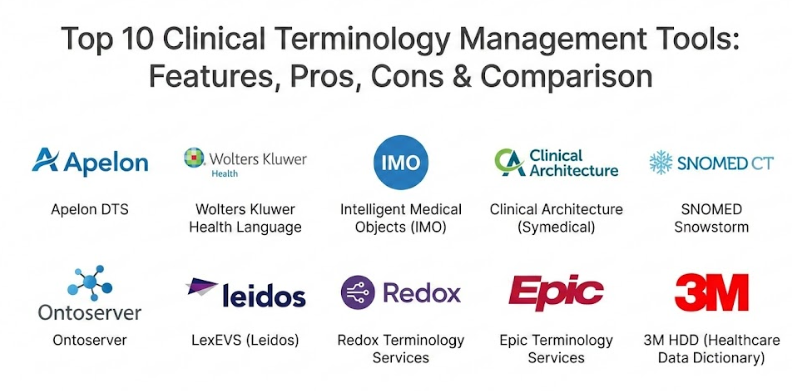
Top 10 Clinical Terminology Management Tools
1 — Apelon DTS
Apelon DTS is a very powerful tool that helps large groups manage their medical lists. It is known for being “open,” which means people can change it and build on it to fit their own needs. It is great for big projects that need to be customized.
- Key Features:
- A central place to store every medical word and code used by the group.
- It comes with many standard lists like SNOMED and ICD already inside.
- It lets users create their own special lists for their specific clinic.
- It has a way to map “local” words to “official” words easily.
- Multiple people can work on the lists at the same time without making mistakes.
- It keeps a history of who changed what and when it happened.
- Pros:
- It is very flexible and can be changed to do exactly what you need.
- It is very strong and can handle a huge amount of data without slowing down.
- Cons:
- It is hard to set up and you will need a smart computer team to help.
- The screens look a bit old and might take some time to learn.
- Security & Compliance: It uses audit logs to track changes and has strong rules for who can log in. It follows HIPAA rules to keep patient data private.
- Support & Community: There is a big group of people who use this tool and help each other. They also offer professional help if you pay for it.
2 — Wolters Kluwer Health Language
This tool is a big favorite for groups that need to clean up messy data. It is very good at taking words that don’t match and fixing them automatically. It is designed to be very professional and easy to scale up.
- Key Features:
- A smart engine that fixes messy medical data automatically.
- A huge library of medical words that are already mapped together.
- Special tools to help with reporting to the government.
- It works in the cloud, so you don’t have to buy big servers.
- Easy screens that make it simple to search for a specific medical code.
- It helps with tracking things like social needs and nutrition.
- Pros:
- It is very fast at cleaning up thousands of records at once.
- The screens are easy to look at and simple to understand.
- Cons:
- It can be expensive for smaller teams to buy.
- It has so many features that it might be more than you actually need.
- Security & Compliance: It has top-level security certificates and follows all the major rules for data safety like SOC 2 and GDPR.
- Support & Community: They give you a specific person to help you get started and offer help at any time of the day or night.
3 — Intelligent Medical Objects (IMO)
IMO is very famous because it focuses on the words doctors actually say. Instead of making a doctor memorize a long number, they can just type “sore throat” and the tool finds the right code in the background.
- Key Features:
- A dictionary that uses the same words that doctors and nurses use every day.
- It plugs directly into most hospital computer systems.
- It automatically finds the right billing and medical codes for you.
- It helps keep the “problem list” in a patient’s chart neat and tidy.
- It updates itself automatically so you always have the newest codes.
- It helps fix old records that have mistakes in them.
- Pros:
- It saves doctors a lot of time and keeps them from getting frustrated.
- It is very accurate at guessing what the doctor meant when they typed a note.
- Cons:
- It mostly works inside other software, so you can’t always use it on its own.
- It can be a bit limited if you want to build your own very complex lists.
- Security & Compliance: It is fully compliant with HIPAA and uses very strong encryption to keep data safe from hackers.
- Support & Community: They have a lot of customers and offer many videos and guides to show you how to use it.
4 — Clinical Architecture (Symedical)
Symedical is like a “smart brain” for medical words. It uses clever computer logic to do the hard work of matching words together. This is a great choice for groups that have a lot of different data sources that don’t match.
- Key Features:
- An automated system that learns how to match words over time.
- It can handle many different ways of spelling the same medical word.
- A web portal where you can download the newest global standards.
- Tools for teams to vote on and approve new medical terms.
- It helps group patients together for big health studies.
- It provides a way for other apps to ask it for medical codes instantly.
- Pros:
- The automation saves people from doing boring work by hand.
- It is very good at handling very large and complex data projects.
- Cons:
- It takes some time to learn how the “smart brain” logic works.
- You need a clear plan for your data before you start using it.
- Security & Compliance: It has high-level security audits and lets you see exactly who looked at the data.
- Support & Community: They have a training school to teach you how to use the software and hold regular meetings for users.
5 — SNOMED Snowstorm
Snowstorm is a free tool made by the people who own the world’s biggest list of medical terms. It is simple, fast, and stays perfectly up to date with the official standards.
- Key Features:
- It is built specifically to hold the SNOMED medical list.
- It uses the newest technical standards for sharing medical data.
- You can search through millions of medical terms very quickly.
- It can handle different languages like Spanish or French.
- It is a “light” program that doesn’t need a super-powerful computer.
- It updates itself whenever the official medical list changes.
- Pros:
- It is free for many people to use, which saves a lot of money.
- It is always the first tool to get the newest official updates.
- Cons:
- It is mostly for one specific list and doesn’t handle others as well.
- It doesn’t have a lot of pretty screens for clicking; it’s mostly for technical users.
- Security & Compliance: The security is basic but strong, and it depends on how you set it up in your own office.
- Support & Community: There is a global group of experts who use this and answer questions online.
6 — Ontoserver
Ontoserver is a very fast tool from Australia that is now used all over the world. It is famous for being very “modern” and for helping different hospital systems talk to each other without any lag.
- Key Features:
- It uses the best modern standards for medical data sharing.
- It can search through huge lists of words in less than a second.
- It makes it easy to share your lists with other hospitals.
- It supports all the major medical lists like LOINC and ICD.
- It has a simple dashboard for managing different versions of your lists.
- It is built to never crash, even when a lot of people use it at once.
- Pros:
- It is incredibly fast and doesn’t make users wait.
- It follows the newest rules perfectly, so your data stays standard.
- Cons:
- The cost can be a bit confusing for people in different countries.
- You need to understand some technical rules to use all the best features.
- Security & Compliance: It follows HIPAA rules and uses modern “keys” to make sure only the right people can see the data.
- Support & Community: The people who made it are very helpful and there is a growing group of users to talk to.
7 — LexEVS
LexEVS is a tool used by scientists and researchers. It is great for looking at very deep and complex lists of words, like those used in cancer research or DNA studies. It is free and open for everyone.
- Key Features:
- It can handle very complex “family trees” of medical words.
- It has a powerful search for finding how two different words are related.
- It is very fast at getting information out of big databases.
- It can bring in words from many different file types.
- It is built for big research centers that have millions of data points.
- Other programs can connect to it to get data for research.
- Pros:
- It is extremely powerful for deep scientific study.
- It is free to use, which is great for schools and researchers.
- Cons:
- It is very difficult to install and use if you are not a computer expert.
- The screens are not very easy to look at and feel a bit old-fashioned.
- Security & Compliance: It is built for government research, so it has very strict rules for keeping data safe.
- Support & Community: It is managed by a community of scientists who help each other out online.
8 — Redox Terminology
Redox is a company that specializes in making medical computers talk to each other. Their terminology tool is a cloud service. This means you don’t have to install anything on your own computer; you just use theirs over the internet.
- Key Features:
- You just “rent” the service over the internet instead of buying it.
- There is no need for you to host or fix the server yourself.
- It instantly changes old medical codes into the new ones for you.
- It helps find patient information and medical words in real-time.
- It has great guides for people who are building their own medical apps.
- It connects to a huge network of other hospitals and clinics.
- Pros:
- It is the easiest and fastest way to get started.
- You only pay for what you actually use, which can save money.
- Cons:
- You have less control over the data because it is on someone else’s computer.
- It is not the best choice if you want to make your own very custom word lists.
- Security & Compliance: It has the highest security ratings and follows every major rule for keeping data safe.
- Support & Community: Their support team is very friendly and they have a modern group of users who chat online.
9 — Epic Terminology
If a hospital already uses the Epic system for patient records, they usually use Epic’s built-in terminology tool. It is designed to work perfectly with their existing software without any extra steps.
- Key Features:
- It is already built into the main hospital computer system.
- It gets automatic updates for all the important medical and billing codes.
- It lets clinics create their own shortcuts for writing notes.
- It helps the hospital send reports to the government automatically.
- It keeps all the different clinics in the same hospital system using the same words.
- It helps share data with other hospitals that also use Epic.
- Pros:
- You don’t have to set up any new software if you already use Epic.
- Doctors see the updates right away while they are working.
- Cons:
- You can only use it if you are already an Epic customer.
- It is hard to change it to work with other, non-Epic software.
- Security & Compliance: It has world-class security and follows every rule to keep patient records private.
- Support & Community: They have a huge team of people to help and a private website where users share tips.
10 — 3M HDD
3M is a very famous company that has been doing medical coding for a long time. Their tool is like a giant library that has almost every medical word ever used. It is a very solid and professional choice for big businesses.
- Key Features:
- Access to one of the biggest lists of medical words in the world.
- It focuses on the “idea” behind a word, not just the spelling.
- It has special tools for pharmacy, lab, and hospital codes.
- It helps clean up very old records from many years ago.
- It has a very strict process for adding new words to the list.
- It works perfectly with 3M’s other tools for hospital billing.
- Pros:
- It has more pre-made content than almost any other tool.
- It is excellent for making sure the hospital gets paid correctly.
- Cons:
- The software can feel very “heavy” and slow to move through.
- It is one of the most expensive tools you can buy.
- Security & Compliance: It meets the highest global standards for security and is used by many large governments.
- Support & Community: They offer expert training and have offices all over the world to help you.
Comparison Table
| Tool Name | Best For | Platforms | Main Benefit | Rating |
| Apelon DTS | Big Gov Projects | Own Server | You can change anything | N/A |
| Health Language | Large Hospitals | Cloud | Fixes messy data fast | 4.6 |
| IMO | Regular Doctors | Built-in | Uses natural words | 4.8 |
| Symedical | Automation | Cloud/Hybrid | Smart matching brain | 4.7 |
| Snowstorm | Tech Developers | Cloud | Free and official | N/A |
| Ontoserver | Modern Systems | Cloud | Very, very fast | 4.5 |
| LexEVS | Scientists | Own Server | Deep research use | N/A |
| Redox | App Builders | Internet API | Very easy to start | 4.4 |
| Epic Services | Epic Users | Epic System | Already built-in | 4.6 |
| 3M HDD | Big Billing Depts | Own Server | Giant word library | 4.5 |
Evaluation & Scoring of Clinical Terminology Management Tools
We look at these tools using a few different “scores.” Here is how we decide which ones are the best for a standard project.
| What we check | Importance | What it means |
| Basic Features | 25% | Does it have all the words and can it map them? |
| Ease of Use | 15% | Is it easy for a regular person to use? |
| Connecting | 15% | Does it talk to other hospital computers? |
| Safety | 10% | Is the data safe from hackers? |
| Speed | 10% | Does it work fast without crashing? |
| Help | 10% | Is there someone to call if it breaks? |
| Cost | 15% | Is it a good deal for the price? |
Which Clinical Terminology Management Tool Is Right for You?
Choosing a tool is all about finding the right “fit” for your specific team. You don’t want to buy a giant, expensive system if you are just one person, but you also don’t want a free tool that is too hard to use.
Solo Users vs. Big Companies
If you are working alone or in a very small startup, look at Redox or Snowstorm. These are easy to use and don’t cost much to get started. If you are a giant hospital with thousands of beds, you will need a powerful system like Health Language or Symedical to handle all that information.
Low Budget vs. High Quality
If you don’t have much money, the open-source tools like Apelon or LexEVS are great because the software itself is free. But remember, you will need to pay for a smart person to run them. If you have the money, buying a “premium” tool like IMO is often better because it saves you from having to do so much work yourself.
Simple to Use vs. Deep Features
Some tools are like a simple search box. They are easy to use and don’t require much training. IMO and Ontoserver are like this. Other tools are very deep and have a lot of buttons and settings. These are for “power users” who want to control every little detail. LexEVS is a good example of a “power user” tool.
Safety and Growing
If you are worried about the government rules, make sure the tool has a “HIPAA” certificate. Also, think about the future. Will the tool still work if your hospital grows to double its size? Cloud tools like Redox are usually the best at growing with you.
Frequently Asked Questions (FAQs)
1. What does this tool actually do?
It is like a big, smart dictionary that makes sure every computer in the hospital uses the same words and codes for medical problems.
2. Is it better than a spreadsheet?
Yes. Spreadsheets are easy to mess up and they don’t update themselves. These tools are built to be safe and always have the newest medical words.
3. Does it come with the lists of words already?
Most of the tools you pay for come with the lists already inside. For the free tools, you usually have to go find the lists and put them in yourself.
4. Will this help the hospital get paid?
Yes. If the medical codes are correct, the insurance company can understand the bill and pay it much faster.
5. How hard is it to set up?
It depends. A simple cloud tool can be ready in a few days. A big system for a whole hospital can take many months to set up correctly.
6. Do I need to know SNOMED?
You don’t need to be an expert, but it helps to know that it is the main list of medical words used by doctors.
7. Can I add my own special words?
Yes, most of these tools have a way for you to add your own “local” words that only your clinic uses.
8. Is my data safe in the cloud?
Usually, yes. Big companies spend a lot of money on security, so your data is often safer there than on a single computer in your office.
9. What if the internet goes out?
Some tools work on your own office computer so they don’t need the internet. Others work in the cloud and need the internet to function.
10. Why are some tools free and others expensive?
Free tools usually need a very smart person to set them up and fix them. Expensive tools are easier to use and come with a team of people to help you.
Conclusion
Picking the best tool for medical words is about knowing what your team needs. You should not just pick the one with the most buttons or the one that costs the most. Instead, think about your daily work. If your doctors are frustrated by looking up codes, pick a tool that uses simple, natural words. If you have a lot of messy data from old records, pick a tool that is good at cleaning up.
The most important thing is that the tool makes your data clear and safe. When your data is clean, patients are safer and the hospital runs better. Take your time, look at the different options, and pick the one that fits your budget and your team’s skills.