Introduction
Choosing the right way to handle digital files from body cameras is a major decision for any organization that values safety and truth. When we talk about body camera evidence management, we are referring to the specialized software systems that collect, store, and organize the video and audio recorded by officers or security staff. These systems do much more than just save a file; they ensure that the video cannot be changed, track who has viewed it, and make it easy to find specific moments when they are needed for a case. Without a system like this, a department would just have a pile of loose files that could be lost, deleted, or challenged in a courtroom.
The importance of these tools cannot be overstated. In today’s world, having a clear and honest record of events protects both the public and the people wearing the cameras. It provides a level of accountability that was never possible before. Without a solid management system, a mountain of video data can quickly become a mess that is impossible to search or use effectively. These systems provide what professionals call the “chain of custody.” This simply means they prove the video is original and hasn’t been tampered with from the moment it was recorded until it is shown in court. This is vital when a video needs to be used to resolve a complaint or prove what happened during a high-pressure incident.
There are many ways these tools are used in the real world. Police departments use them to document arrests and interactions with citizens. Security teams in hospitals or shopping centers use them to record incidents or medical emergencies. Even emergency medical teams and fire departments are starting to use them to show what happened during a rescue or to help train new staff. When you are looking for a tool, you should look for how easy it is to use, how well it keeps data safe, and whether it can automatically blur faces to protect the privacy of innocent people caught on camera. You also want to make sure the software is fast and doesn’t crash when you are trying to upload a long video.
Best for: These tools are a perfect fit for law enforcement agencies, private security firms, and large organizations like transit authorities, hospitals, or university campuses. They are designed for anyone who needs to maintain a strict legal record of video events and manage a large fleet of cameras across many different users and locations.
Not ideal for: Small hobbyists, solo creators, or tiny businesses with only one or two cameras may find these systems too complex and expensive. If you just need to save a video of your front door or a single office lobby, a simple cloud storage service or a basic hard drive setup might be a better and cheaper choice than a full evidence management platform.
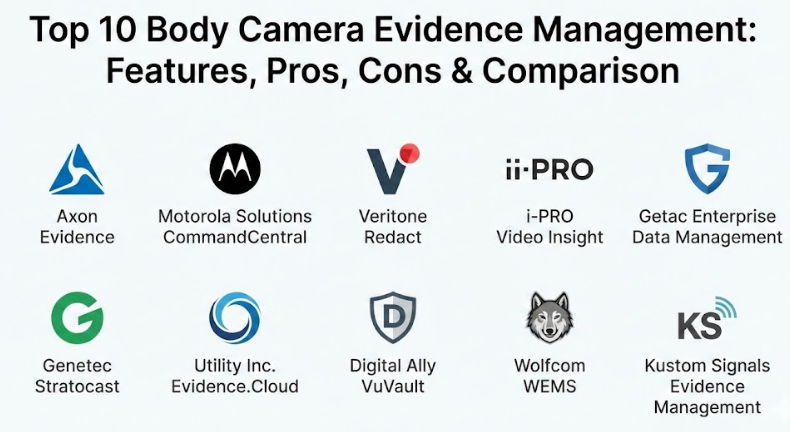
Top 10 Body Camera Evidence Management Tools
1 — Axon Evidence
Axon Evidence is widely considered the leader in the industry. It is a cloud-based platform that works seamlessly with their popular body cameras to automatically upload and organize footage without the user having to do much manual work. It is designed to be a “set it and forget it” system where the technology does the heavy lifting so officers can stay focused on their jobs.
Key features:
- Automatic Uploads: Footage goes straight from the camera or dock to the cloud once it is plugged in.
- Smart Redaction: Uses technology to quickly find and blur out faces, license plates, and other private info.
- Case Management: Groups all related videos, photos, and documents into one digital folder for easy access.
- Unlimited Storage Options: Offers plans where you don’t have to worry about running out of space as you grow.
- Audit Trails: Keeps a permanent record of every person who views, downloads, or touches a file.
- Transcription: Automatically turns spoken words in the video into written text for reports.
- Mobile App: Allows officers to add notes or categorize a video while they are still in the field.
Pros:
- The interface is very clean and easy for officers to learn without hours of training.
- It integrates perfectly with other tools like Tasers and in-car systems to provide a full picture.
- The system is incredibly reliable and rarely experiences any downtime or technical glitches.
Cons:
- The pricing is often higher than many other options on the market, which can be tough for small towns.
- It works best with Axon hardware, which can limit your choices if you want to use different cameras.
- Some advanced features require higher-priced subscription tiers that may not be in every budget.
Security & compliance: This system is built to meet very high government security standards, including CJIS and ISO certifications. It uses strong encryption to keep data safe while it travels over the internet and while it sits in storage.
Support & community: They offer extensive online training and have a very large community of users who share tips. Their customer support is available around the clock for urgent issues.
2 — Motorola Solutions CommandCentral Evidence
This tool is part of a larger suite of software designed to help public safety agencies manage everything from 911 calls to digital files. It focuses on breaking down “data silos” so that all information is in one place rather than being spread across different computers. It is built for agencies that want all their information to talk to each other.
Key features:
- Source-Agnostic Ingestion: Can accept video from almost any brand of camera or even a citizen’s phone.
- Geospatial Mapping: Shows exactly where a video was recorded on a map for better context.
- Community Portals: Allows citizens to securely upload their own videos to help police with a case.
- Workflow Automation: Automatically moves files through the system based on the rules your agency sets.
- Secure Sharing: Lets you send evidence to prosecutors with a simple, secure link that tracks everything.
- Search Tools: Allows users to find video based on the date, the officer, or even the location it was filmed.
- Integrations: Connects directly with dispatch and record systems to save time on data entry.
Pros:
- Great for agencies that already use other Motorola radio or dispatch products as everything fits together.
- The focus on gathering evidence from the public is a big help for solving crimes in the community.
- It offers a very high level of customization so you can set it up exactly how your department works.
Cons:
- Can feel overwhelming because it has so many different modules and parts to learn.
- Setting it up to work perfectly with non-Motorola systems can take some time and technical help.
- The initial setup cost can be high depending on how many features you decide to turn on.
Security & compliance: Fully compliant with CJIS standards. It uses digital signatures to prove that a video has never been edited or changed since it was recorded.
Support & community: Provides a massive library of documentation and a dedicated enterprise support team for large deployments and technical troubleshooting.
3 — Veritone Redact
Veritone is a bit different because it focuses heavily on the power of smart automation. While it manages evidence, its main goal is to help staff sort through hours of video to find what matters and protect privacy. It is an excellent choice for agencies that have a lot of public records requests and need to blur videos quickly.
Key features:
- Automated Redaction: One of the fastest tools for finding and blurring out sensitive information in a video.
- Smart Search: Allows you to search for specific objects or people across all your videos at once.
- Cloud-Native: Built to run in the cloud so you can access it from any computer with an internet connection.
- Transparent Audit Logs: Tracks every single change made to a file, including those made by the software.
- Multi-Media Support: Handles audio files, images, and text documents alongside your video files.
- Privacy Controls: Allows you to set who can see the “original” video and who can only see the “blurred” version.
- Reporting: Gives you detailed data on how much time and money you are saving by using automation.
Pros:
- Saves a massive amount of time for staff who have to prepare video for public release or court.
- The search functions are more advanced than traditional systems that only use tags or labels.
- It is very easy to scale up if you suddenly have a huge increase in video data.
Cons:
- It is more of a specialized tool for redaction than a “do-it-all” management system for everything.
- The automated features can sometimes require a human to check them to make sure they are perfect.
- It may require a separate system if you need advanced features for managing hardware or docks.
Security & compliance: Adheres to SOC 2 and CJIS requirements. Data is encrypted and access is strictly controlled through role-based permissions.
Support & community: Offers good onboarding and a helpful technical support team, though the user community is smaller than the biggest players.
4 — i-PRO Video Insight
This is a versatile video management software that often gets used for both body cameras and standard building security cameras. It is known for being open and flexible, allowing organizations to use many different types of hardware. This makes it a popular choice for schools or hospitals that already have many cameras.
Key features:
- Unified Platform: Manages body cams and fixed building cameras in the same software window.
- Scalable Architecture: Works well for a single small building or a whole city-wide network.
- Automated Backup: Can be set to copy video to multiple locations so you never lose a file.
- Mobile App: Allows supervisors to view live video or recorded clips from their phone or tablet.
- Low Cost of Ownership: Often has a simpler pricing model without a lot of hidden monthly fees.
- User Permissions: Lets you decide exactly which cameras each employee is allowed to watch.
- Health Monitoring: Alerts you if a camera stops working or if a server is running out of space.
Pros:
- You aren’t locked into using just one brand of camera, which gives you more freedom.
- Very reliable and doesn’t require a constant high-speed internet connection for local viewing.
- The software is known for being “lightweight,” meaning it doesn’t slow down your computer.
Cons:
- The user interface looks a bit older and more “technical” compared to modern cloud apps.
- Does not have as many “smart” automated features built-in by default as some competitors.
- You may need to manage your own servers, which requires having an IT person on staff.
Security & compliance: Supports Active Directory for easy logins and offers full encryption for files. Compliance varies based on how the agency sets it up locally.
Support & community: Known for having very solid documentation and a helpful network of local dealers and installers who can come to your office.
5 — Getac Enterprise Data Management
Getac is famous for making “rugged” computers for the military and police, and their evidence software is built with that same focus on reliability. It provides a straightforward way to manage the life of a video file without being too complicated. It is built to work in the toughest environments.
Key features:
- Dashboard Overview: Gives a quick look at your storage levels and the health of all your cameras.
- Browser-Based Access: No need to install heavy software on every computer; just use a web browser.
- Customizable Retention: Set different rules for how long to keep different types of video before they delete.
- Simple Redaction: Easy-to-use tools to blur out what needs to be hidden for privacy.
- Secure Ingestion: Ensures that data is moved from the camera to the server without any files getting lost.
- Group Management: Organizes officers into teams or squads for easier file management.
- Search Filters: Quickly find videos by the officer’s name, the date, or the specific device used.
Pros:
- Very stable and rarely crashes, which is vital when you are dealing with important evidence.
- The system is easy to navigate even for people who are not experts with computers.
- It handles large files very well without making the computer lag or freeze.
Cons:
- Fewer “bells and whistles” compared to the high-end platforms that use a lot of automation.
- Integration with third-party software like dispatch systems can be more limited.
- The design is very functional but might feel a bit basic for those used to modern apps.
Security & compliance: Supports Single Sign-On (SSO) and provides detailed audit logs. It is designed to meet standard government security protocols for data handling.
Support & community: They provide good direct support and are very responsive to any issues, especially regarding hardware.
6 — Genetec Stratocast
Genetec is a big name in the security world, and Stratocast is their cloud-based solution. It is designed to be very easy to set up, making it a good choice for organizations that don’t have a big IT department or a lot of computer servers. It is all about making security simple and accessible.
Key features:
- No Server Needed: Everything is stored and managed in the cloud, so you don’t have to buy hardware.
- High Uptime: They guarantee that the system will be available almost 100% of the time when you need it.
- Hybrid Options: Can work with your local servers if you want to keep some data in your own building.
- Fast Deployment: You can get a new camera running and connected in just a few minutes.
- Regular Updates: New features and security patches are added automatically without you doing anything.
- Video Sharing: Makes it easy to send clips to other people securely without using USB drives.
- Centralized View: See all your cameras from different locations in one single dashboard.
Pros:
- Extremely easy to manage because there is no hardware or software for you to maintain yourself.
- Great for smaller agencies that want high-level security without the headache of a complex system.
- You can start small with just a few cameras and add more as your organization grows.
Cons:
- You are very dependent on having a good internet connection to see or upload your videos.
- Monthly subscription costs can add up over time as you add more cameras and more storage.
- It may not have all the deep “police-specific” features that some specialized tools offer.
Security & compliance: Uses very high levels of encryption and undergoes regular security testing by outside experts to ensure everything is safe.
Support & community: Access to a large global support network and a wealth of online learning materials and videos.
7 — Utility Inc. Evidence.Cloud
Utility takes a unique approach by using specialized smartphones as body cameras. Their management software, Evidence.Cloud, is built to take advantage of all the sensors inside a phone, like GPS and movement trackers. This allows for a much smarter way of recording.
Key features:
- Policy-Based Recording: The camera can start recording automatically if a siren goes off or an officer runs.
- Real-Time Map: Shows where every officer is and lets a supervisor see their live video in a crisis.
- Smart Redaction: Blurs faces and screens automatically using technology to save time for staff.
- Secure Mobile Upload: Video can be sent to the cloud immediately over a cell network from the field.
- Encrypted Communication: Allows for safe messaging between officers and their dispatch center.
- Auto-Tagging: Uses GPS data to automatically label videos with the correct address or location.
- Remote Management: Supervisors can change camera settings or start a recording from miles away.
Pros:
- The “automatic triggers” mean officers don’t have to remember to hit record during a stressful event.
- The live-streaming feature is excellent for keeping officers safe and helping supervisors stay aware.
- Because it uses cellular data, there is no need to wait until the end of a shift to upload video.
Cons:
- The hardware is quite different from a traditional camera, which some officers might not like.
- Requires a strong and reliable cellular data plan to get the most out of all the features.
- The system can be more complex to set up initially compared to a simple “plug and play” dock.
Security & compliance: CJIS compliant with strong encryption for all data. The management portal is highly secure and tracks every single action taken by any user.
Support & community: They provide very hands-on help during the setup phase and offer regular training sessions for their customers.
8 — Digital Ally VuVault
Digital Ally provides a solid, dependable system that is often chosen by agencies that need both in-car video and body cameras to work together as one unit. It is a practical tool that focuses on doing the basics very well and at a fair price.
Key features:
- Synchronized Playback: Watch the body camera and the car camera at the exact same time in one view.
- Flexible Storage: You can choose to store your data in the cloud or on your own local server.
- Case Linking: Easily attach any video to a specific case number or incident report.
- Basic Redaction: Simple tools to blur out the identity of victims, bystanders, or children.
- Detailed Reporting: Generates logs that show how often cameras are used and who is watching the video.
- User Groups: Organize your staff by department or rank to control who has access to what.
- File Protection: Prevents files from being deleted by accident or by someone without permission.
Pros:
- Very cost-effective for departments that are on a tight budget but still need high quality.
- The “linked” recording between car and body cameras is a big time-saver for investigators.
- It is a very “honest” system that is easy to understand without a lot of complicated jargon.
Cons:
- The software feels a bit more basic and less “fancy” than some of the newer cloud apps.
- It does not have as many automated features for managing huge amounts of data for large cities.
- The redaction tools are manual, which can take more time if you have a lot of video to blur.
Security & compliance: Provides all the necessary security features like password protection and audit logs to keep evidence safe. Compliance depends on your setup.
Support & community: Offers reliable technical support and has a long history of working with police departments.
9 — Wolfcom WEMS
Wolfcom’s Evidence Management System (WEMS) is designed to be a “one-stop-shop” for all types of digital evidence. It isn’t just for video; it is for photos, audio recordings, and documents from any source. It is built to be a central hub for everything an investigator might need.
Key features:
- Universal Ingestion: Works with almost any digital file type, including photos from a digital camera.
- User-Friendly Dashboard: Shows your most recent files and any important alerts on the main screen.
- Case Folders: Keeps everything organized by incident so you don’t have to search in multiple places.
- Permission Levels: Gives you total control over exactly what each person is allowed to see or do.
- Scalable: Can be used by a tiny office with three people or a large department with hundreds.
- Notes & Tags: Allows users to add detailed descriptions to any file to make searching easier later.
- Cloud or Local: You can choose where to host the system based on what works for your IT team.
Pros:
- Very flexible and doesn’t force you into one specific way of working or one brand of hardware.
- The price is often more competitive, especially for small to medium-sized groups.
- Being able to put photos and documents in the same folder as the video is very helpful.
Cons:
- Lacks some of the high-end automation and “smart” search found in much more expensive tools.
- The interface is functional and works well, but it isn’t as modern-looking as some competitors.
- You may need to do more manual work to organize files if you don’t use their specific cameras.
Security & compliance: Meets CJIS standards and uses high-grade encryption to protect sensitive data from hackers or unauthorized access.
Support & community: Provides good documentation and helpful email and phone support for their users.
10 — Kustom Signals Evidence Management
Kustom Signals is a veteran in the law enforcement world. Their evidence management system is focused on being a reliable and uncomplicated tool for busy people. It is built for those who want a system that just works without needing to be a computer expert.
Key features:
- Local or Cloud: You can choose where your data lives based on your budget and your security needs.
- Simple Search: Find videos by the date, the officer’s name, or a specific case number in seconds.
- Expirable Links: Send a video to a lawyer that only works for a few days for extra security.
- Device Health Monitoring: Tells you if a camera is having trouble, needs a software update, or needs a charge.
- Easy Interface: Designed to be used with very little training so officers can get back to work.
- Automated Retention: Automatically deletes old, unimportant videos to save space and money.
- Secure Logs: Tracks every single time a video is played or shared to ensure the truth is protected.
Pros:
- They understand the specific needs of law enforcement very well because they have been in the industry a long time.
- The choice between local and cloud storage is great for organizations that are planning for the long term.
- The customer service is known for being very helpful and speaking in plain language.
Cons:
- Does not have the advanced smart search or automated redaction of the top-tier, more expensive tools.
- The system is a bit more manual than the “fully automated” cloud platforms used by huge cities.
- It works best with their own hardware, which might not fit every situation.
Security & compliance: Offers robust security controls and detailed audit trails to maintain the chain of custody and meet legal requirements.
Support & community: Well-known for having excellent customer service and providing long-term stability for their clients.
Comparison Table
| Tool Name | Best For | Platform(s) Supported | Standout Feature | Rating |
| Axon Evidence | Large Agencies | Cloud | Advanced Smart Redaction | N/A |
| Motorola CommandCentral | Full Public Safety Suite | Cloud / Hybrid | Community Upload Portal | N/A |
| Veritone Redact | Privacy & Speed | Cloud | High-Speed Automation | N/A |
| i-PRO Video Insight | Mixed Camera Systems | Local / Cloud | Unified CCTV & Body Cam | N/A |
| Getac Enterprise Data | Reliability & Simplicity | Cloud / Hybrid | Rugged System Focus | N/A |
| Genetec Stratocast | SMBs / Low IT Support | Cloud | Fast & Easy Setup | N/A |
| Utility Evidence.Cloud | Live Awareness | Cloud | Automatic Trigger Recording | N/A |
| Digital Ally VuVault | Budget-Conscious | Local / Cloud | Sync with In-Car Video | N/A |
| Wolfcom WEMS | Multi-Media Evidence | Local / Cloud | Universal File Support | N/A |
| Kustom Signals | Straightforward Use | Local / Cloud | Flexible Storage Options | N/A |
Evaluation & Scoring of Body Camera Evidence Management
| Criteria | Weight | Content & Evaluation |
| Core Features | 25% | This looks at how well the tool handles uploading, searching, and keeping files organized over many years. |
| Ease of Use | 15% | This evaluates how simple and clear the software is for a busy person to use without getting frustrated. |
| Integrations | 15% | This measures how well the tool connects to other systems like 911 dispatch, car cameras, or legal records. |
| Security & Compliance | 10% | This ensures the tool meets all legal standards like CJIS and uses strong encryption to keep data private. |
| Performance | 10% | This looks at how fast the system is and whether it stays running without crashes or slow-down periods. |
| Support & Community | 10% | This evaluates the quality of the help you receive and the resources available when you have a question. |
| Price / Value | 15% | This considers whether the features and reliability you get are worth the money you are paying. |
Which Body Camera Evidence Management Tool Is Right for You?
Finding the “perfect” tool is really about looking at your specific situation and what you need most. If you are a single user or a very small security company, you probably don’t need a system that has every single automated feature. You should focus on ease of use and low cost. Look for tools that offer a simple pricing model so you don’t get stuck with a giant bill for features you never use. A cloud-based tool like Genetec might be perfect because you don’t have to buy any servers or hire an IT expert to set it up.
For a medium-sized department, the choice often comes down to cloud vs. local storage. Cloud storage is much easier to manage because the company handles all the updates and backups for you, but it has a monthly fee that never goes away. Local storage means you own the servers and there is no monthly fee for the space, but you have to pay to fix them if they break and you need a safe place to keep them. Think about whether your internet connection is fast enough to upload hours of video every day before you choose a cloud-only plan. If your internet is slow, a local system might be better.
If you are a large organization or a major city police force, integration and scalability are the most important things to look for. You need a system that can handle thousands of cameras and millions of files without slowing down or making it hard to find what you need. You will also want a tool that connects to your existing records software so that everything is organized automatically by case number. For these large users, paying more for advanced automated redaction like what Axon or Veritone offers is often worth it because it saves your staff thousands of hours of manual work every year.
Finally, always keep security and compliance at the top of your list. No matter how big or small you are, if the video isn’t stored in a way that is legally sound, it won’t help you when you need it most. Make sure any tool you pick has a clear “audit log” that shows every single time someone looked at a file. This protects you from claims that the video was messed with. Always ask for a trial or a demo so your team can try the software before you sign a long contract.
Frequently Asked Questions (FAQs)
What is CJIS compliance and why is it important for my agency?
CJIS is a set of security rules created by the FBI to protect sensitive information. It is important because it ensures your evidence is handled in a way that is safe and will be accepted by a judge in court.
Can I use these management systems with any brand of camera?
Some systems are “open,” meaning they work with many different brands, while others are “closed” and work best with their own cameras. Always check if the software is compatible with your hardware before buying.
How long should I keep my body camera videos before deleting them?
This depends on your local laws and what happened in the video. Most systems let you set rules to keep important evidence forever while automatically deleting “non-event” videos after 30 or 90 days to save space.
Is cloud storage better than keeping data on my own local server?
Cloud storage is usually easier and more reliable because the company manages everything for you. Local servers give you more control and can be cheaper in the long run, but they require more work from your IT team.
What is redaction and how does it protect people’s privacy?
Redaction is the process of blurring out faces, license plates, or private documents in a video. It protects the privacy of innocent people who were recorded but aren’t part of the actual incident being investigated.
What happens if my internet connection goes down while I am uploading?
A good evidence system will simply pause the upload and start it again right where it left off once your internet is back. The video stays safely on the camera or the dock until the upload is 100% finished.
Do these tools track who has watched a specific video file?
Yes, any professional system has a permanent “audit trail.” This is a list that shows the name of every person who viewed, shared, or changed a file, along with the exact time they did it.
Can I share evidence with lawyers or the media without giving them my password?
Yes, these platforms allow you to create a secure, password-protected link. You can send this link to someone, and they can see only that one specific video without having access to anything else in your system.
How much do these evidence management systems usually cost?
The price varies a lot based on what you need. Some charge a monthly fee per camera, while others charge for how much storage you use. It can range from a few dollars to over a hundred dollars per month for each user.
Can a body camera video be edited or changed by an officer?
In a professional system, the “original” video can never be changed or edited. If someone needs to blur a face or cut a clip, the system saves that as a “new” version, so the original proof is always kept safe.
Conclusion
Managing body camera footage is a big job that carries a lot of responsibility, but having the right tool makes it much easier and safer. The most important thing is to find a balance between security, ease of use, and what you can afford. You want a system that protects the truth and keeps your data safe without making the daily work of your staff too complicated or slow.
When you are making your final choice, remember that the most expensive tool with the most features isn’t always the best one for your specific team. Think about how many cameras you have, who will be using the software every day, and whether you have the IT staff to manage your own servers. Taking the time to look at several different options and asking for a hands-on demo will save you a lot of stress and money in the future.
At the end of the day, a good evidence management system is about building trust between your organization and the community you serve. It ensures that when someone asks “what really happened?”, you can provide a clear, honest, and secure answer that everyone can rely on. Focus on finding a tool that fits your daily routine and helps you stay focused on your main mission of keeping people safe and upholding the truth.