Introduction
Asset discovery is the foundational step of effective IT management. In the past, companies could keep track of their hardware using a simple spreadsheet because everything was physically located in one building. Today, networks are borderless. With the rise of cloud computing and remote work, assets are constantly joining and leaving the network from all over the world. Asset discovery tools use various methods—like network “pinging,” agent-based tracking, and API integrations—to find these assets in real-time. This is important because “shadow IT” (unauthorized devices or apps) is a major security risk; if a hacker finds an old, forgotten server that isn’t being patched, they can use it as a doorway into the entire company.
Beyond security, these tools are vital for financial health. Companies often waste thousands of dollars on software licenses for employees who have left or on cloud servers that are running but doing no work. By providing a clear inventory, discovery tools help managers cut unnecessary costs and prepare for audits. They also help IT teams troubleshoot problems faster, as they can immediately see exactly what hardware a user is calling about.
Key Real-World Use Cases:
- Security Audits: Finding unauthorized devices that shouldn’t be on the network.
- Cloud Migration: Cataloging all existing servers and apps before moving them to the cloud.
- Software License Management: Identifying exactly how many copies of an app are installed to avoid overpaying.
- Vulnerability Management: Checking which devices are running old, dangerous versions of software.
Evaluation Criteria:
When choosing a tool, look for “agentless” scanning, which allows you to find devices without installing software on them first. It is also important to consider how well the tool handles cloud environments like AWS or Azure. Look for a tool that provides “deep” data—not just the name of a device, but its serial number, RAM, and even the last time a user logged in. Finally, ensure it integrates easily with your existing helpdesk or security software.
Best for:
- IT Managers and System Administrators: Who need to keep the network organized and running smoothly.
- Security Professionals (CISO/Security Analysts): Who need to find and secure every entry point to the network.
- Large Enterprises: Companies with thousands of devices across multiple global locations.
- Managed Service Providers (MSPs): Who manage networks for many different clients at once.
Not ideal for:
- Very Small Businesses: If you only have five employees and five laptops, a simple manual list is likely enough.
- Offline Businesses: Companies that do not use a shared network or cloud services.
- Home Users: General consumers do not need enterprise-level scanning for a few personal gadgets.
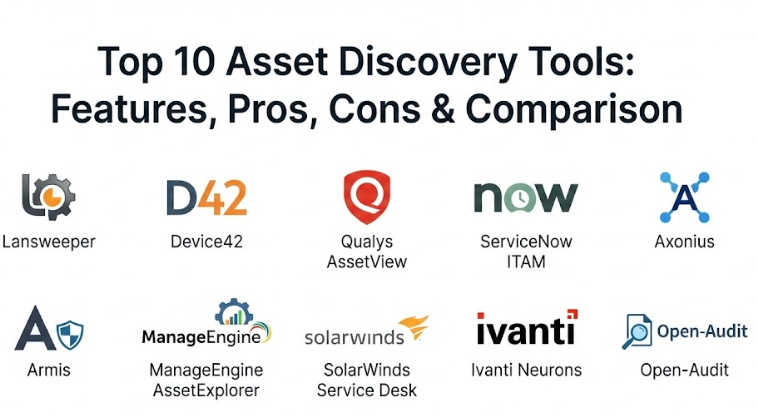
Top 10 Asset Discovery Tools
1 — Lansweeper
Lansweeper is a very popular, comprehensive IT asset management platform that specializes in deep, agentless discovery. It is designed to find everything on a network—from computers and servers to printers, switches, and even specialized industrial equipment—without requiring you to install any software on those devices.
- Key Features:
- Deep scanning for hardware, software, and user information.
- Agentless technology that finds devices automatically as they connect.
- Specialized discovery for cloud, virtual, and mobile assets.
- Automated software license tracking and compliance reports.
- A built-in helpdesk that uses the asset data to help solve tickets.
- Detailed dashboards that show the “health” and age of all equipment.
- Pros:
- It is incredibly good at finding “mystery” devices that other tools miss.
- The automated reporting saves hours of manual work during audits.
- It provides a massive amount of data for a very reasonable price.
- Cons:
- The interface can feel a bit cluttered because there is so much information.
- Setting up very complex network scans can take some time to get right.
- Security & Compliance: Supports SSO, data encryption, and detailed audit logs. It helps with GDPR and HIPAA compliance by identifying old or unpatched systems.
- Support & Community: Offers a massive online knowledge base, a very active user forum, and responsive email support for professional users.
2 — Device42
Device42 is a powerful “Single Source of Truth” for IT infrastructure. It is designed for medium to large companies that have a mix of old-school physical servers and modern cloud environments. It focuses heavily on how different assets are connected to each other.
- Key Features:
- Automated discovery of physical, virtual, and cloud infrastructure.
- Visual dependency mapping to show which apps run on which servers.
- Detailed IP address management (IPAM) to keep the network organized.
- Software license management with “last used” tracking.
- Integration with almost all major cloud providers and IT tools.
- Password and secret management for secure access to assets.
- Pros:
- The dependency maps are a lifesaver when planning a big move to the cloud.
- It is very fast at scanning large, complex networks.
- It combines many different tools (like IP tracking and asset lists) into one.
- Cons:
- It is a premium product with a price tag that might be too high for small teams.
- The learning curve is steep because the tool is so powerful and deep.
- Security & Compliance: Fully SOC 2 compliant. Offers role-based access control and encrypted data storage.
- Support & Community: Provides dedicated onboarding, extensive technical documentation, and 24/7 support for enterprise clients.
3 — Qualys AssetView
Qualys is a giant in the security world, and their AssetView tool is built for security-first discovery. It is a cloud-based platform that provides a 360-degree view of your assets, focusing on which ones are at risk of being hacked.
- Key Features:
- Continuous, real-time discovery of all global IT assets.
- High-speed search that lets you find any device in seconds.
- Integration with Qualys vulnerability scanning to show which assets have holes.
- Lightweight “Cloud Agents” for tracking assets that aren’t on the office network.
- Dynamic tagging to group assets automatically by location or department.
- Global view that works across office, home, and cloud environments.
- Pros:
- It is arguably the best tool if your main goal is security and risk management.
- Because it is cloud-based, you don’t have to manage your own servers to run it.
- The search function is incredibly fast, even with millions of assets.
- Cons:
- It is less focused on “IT inventory” (like serial numbers) and more on “security.”
- The pricing is modular, meaning costs can add up as you add more features.
- Security & Compliance: Meets the highest global security standards, including ISO 27001 and FedRAMP. Fully GDPR and HIPAA ready.
- Support & Community: Offers professional training certifications, a large user community, and 24/7 enterprise-grade support.
4 — ServiceNow ITAM
ServiceNow is the world’s leading platform for IT operations, and their Asset Management (ITAM) module is the choice for many Fortune 500 companies. It connects discovery data directly into the company’s business workflows.
- Key Features:
- Native discovery that feeds directly into the ServiceNow CMDB.
- Automated lifecycle tracking from “ordered” to “retired.”
- Deep integration with the ServiceNow helpdesk and change management.
- Specialized tools for managing high-cost software from Oracle and Microsoft.
- Cloud insights to help reduce waste in AWS and Azure.
- Mobile app for checking asset data on the go.
- Pros:
- It is a “one-stop shop” for everything IT—from discovery to the helpdesk.
- The automation is incredibly powerful; for example, it can “reclaim” a license automatically if an employee quits.
- Cons:
- It is very expensive and is generally only for large enterprises.
- It usually requires a dedicated team of experts to set up and manage.
- Security & Compliance: World-class security with SOC 1, SOC 2, and global privacy certifications.
- Support & Community: Massive global ecosystem of partners, trainers, and a huge “Now Community” for help.
5 — Axonius
Axonius takes a unique approach called “Cybersecurity Asset Management.” Instead of just scanning the network, it connects to all your other tools (like your antivirus, your cloud, and your helpdesk) to find the gaps between them.
- Key Features:
- 400+ pre-built integrations to pull data from every tool you already use.
- Automated “gap analysis” to find devices that are missing security software.
- Query-based search to find very specific groups of assets.
- Automated enforcement actions (like alerting IT when a device is seen for the first time).
- No network scanning required; it uses the data you already have.
- Unified view of users, devices, and cloud accounts in one place.
- Pros:
- It finds the “blind spots” that traditional network scanners miss.
- It is very easy to set up because you are just connecting it to your existing apps.
- It provides a very clear picture of your security “health.”
- Cons:
- It relies on your other tools having good data; if your antivirus is broken, Axonius might miss things.
- It is a specialized security tool and might not replace a traditional IT inventory tool.
- Security & Compliance: SOC 2 Type II certified. Helps with continuous compliance for standards like CIS and NIST.
- Support & Community: Highly rated customer success teams and a modern, digital-first support experience.
6 — Armis
Armis is a “passive” discovery platform designed specifically for the modern world of IoT (Internet of Things) and unmanaged devices. It is great for hospitals, factories, and offices that have many “non-computer” devices like smart cameras or medical pumps.
- Key Features:
- Completely passive discovery that doesn’t “poke” or slow down the network.
- Real-time monitoring of device behavior to find hacked gadgets.
- Specialized for IoT, OT (Industrial), and medical (IoMT) devices.
- Automated threat detection and device “quarantine” if a risk is found.
- No agents or hardware installation required in many cases.
- Global “Knowledge Base” of millions of device profiles for easy identification.
- Pros:
- It is safe for sensitive environments (like hospitals) where a traditional scan might crash a machine.
- It is the best tool for seeing “unmanaged” devices that don’t have a screen or keyboard.
- Cons:
- It is a high-end security tool and might be overkill for a basic office.
- The advanced features come with a premium enterprise price tag.
- Security & Compliance: ISO 27001 certified and GDPR compliant. Excellent for meeting strict medical and industrial safety rules.
- Support & Community: Expert-level support for complex industrial and medical environments.
7 — ManageEngine AssetExplorer
ManageEngine is known for making powerful IT tools that are easy for small and mid-sized businesses to use. AssetExplorer provides a clean, simple way to track your hardware and software throughout their entire lifespan.
- Key Features:
- Multi-method discovery including agent-based and agentless scans.
- Complete software license management with compliance alerts.
- Purchase order and contract management to track costs.
- Automated scanning for remote assets using a “scanning agent.”
- Integration with ManageEngine ServiceDesk Plus for easy ticket solving.
- Simple, easy-to-read reports that can be scheduled to your email.
- Pros:
- It is very affordable and perfect for mid-sized companies.
- The setup is simple and you can be scanning your network in an hour.
- It covers the “business” side (money/contracts) just as well as the “tech” side.
- Cons:
- The interface can feel a bit old-fashioned compared to modern cloud apps.
- It might struggle with the massive scale of a global Fortune 100 company.
- Security & Compliance: Supports SSO and basic audit logs. Compliant with standard data privacy rules.
- Support & Community: Very helpful online community and 24/5 phone and email support.
8 — SolarWinds Service Desk (Asset Management)
SolarWinds is a staple in IT departments. Their discovery tool is part of their modern service desk, making it very easy for IT technicians to see exactly what equipment a user has while they are helping them.
- Key Features:
- Automated discovery of hardware and software via a “Discovery Agent.”
- Integration with SolarWinds’ famous network monitoring tools.
- Risk detection for out-of-date software or unauthorized apps.
- Simple asset lifecycle tracking from arrival to disposal.
- Relationship mapping between users and their devices.
- Cloud discovery for basic tracking of cloud instances.
- Pros:
- If you already use SolarWinds for monitoring, this fits in perfectly.
- It is built for the “front-line” IT worker to make their life easier.
- The user interface is clean, modern, and very easy to navigate.
- Cons:
- It is not as “deep” in cloud or IoT discovery as specialized tools like Device42 or Armis.
- Some advanced features require other SolarWinds products to work best.
- Security & Compliance: SOC 2 Type II compliant and offers strong encryption and user access controls.
- Support & Community: Massive “Thwack” community for user help and professional enterprise support.
9 — Ivanti Neurons for Discovery
Ivanti Neurons is a modern, “self-healing” platform that uses automation to find and fix assets before a human even knows there is a problem. It is designed for the “Everywhere Workplace” where users are all over the world.
- Key Features:
- Real-time discovery that works across home networks and public Wi-Fi.
- Automated data normalization to clean up messy names and codes.
- AI-powered “bots” that can find and fix common device issues.
- Integration with Ivanti’s world-class patch management software.
- Unified view of assets across cloud, edge, and traditional data centers.
- Spend intelligence to help find and cut wasted software costs.
- Pros:
- Excellent for managing remote workers who never come into the office.
- The “self-healing” features can save your IT team a lot of boring work.
- It cleans up your data so it’s easy to read and use in reports.
- Cons:
- It is a large, complex platform that can take a while to master.
- The pricing is based on a “platform” model which can be expensive for small teams.
- Security & Compliance: Fully compliant with global security standards and helps automate HIPAA/GDPR reporting.
- Support & Community: Global professional support and a strong network of certified consultants.
10 — Open-Audit (by FirstWave)
Open-Audit is a great choice for companies that want a lightweight, simple tool that just works. It focuses on the “basics”—finding what is on the network and what is inside those devices.
- Key Features:
- Simple, script-based discovery that finds Windows and Linux devices.
- Tracking of hardware changes (like if a user steals a stick of RAM).
- Basic software license tracking and compliance.
- Clean, simple web interface for viewing reports.
- Ability to run as a virtual machine for quick setup.
- Support for tracking non-networked assets via manual entry.
- Pros:
- It is very lightweight and won’t slow down your network.
- It is one of the most cost-effective professional tools on the market.
- Great for teams that want a “no-nonsense” inventory list.
- Cons:
- It lacks the advanced “dependency mapping” or “IoT behavior” of expensive tools.
- The user interface is functional but very basic and plain.
- Security & Compliance: Varies based on implementation; supports basic secure logins and audit trails.
- Support & Community: Community-supported version available, with professional support for paid users.
Comparison Table
| Tool Name | Best For | Platforms Supported | Standout Feature | Rating |
| Lansweeper | General IT Inventory | Windows, Linux, Mac, Cloud | Agentless Scanning | 4.6 |
| Device42 | Cloud Migration | Cloud, On-Prem, Virtual | Dependency Mapping | 4.5 |
| Qualys AssetView | Security Teams | Cloud-Native | High-Speed Security Search | 4.7 |
| ServiceNow ITAM | Large Enterprises | Global Enterprise | Workflow Automation | 4.3 |
| Axonius | Finding Security Gaps | 400+ Integrations | Connector-Based Discovery | 4.8 |
| Armis | IoT & Medical/Industrial | IoT, OT, IoMT | Passive Behavior Monitoring | 4.6 |
| ManageEngine | SMB/Mid-Market | Windows, Linux, Cloud | Affordable Lifecycle | 4.4 |
| SolarWinds | Service Desk Teams | Cloud, Windows, Linux | Helpdesk Integration | 4.5 |
| Ivanti Neurons | Remote Workforces | Edge, Cloud, Home | AI Self-Healing | 4.6 |
| Open-Audit | Simple Inventory | Windows, Linux | Lightweight & Simple | 4.1 |
Evaluation & Scoring of Asset Discovery Tools
The table below evaluates these tools based on a weighted rubric to help you understand where each tool shines.
| Criteria | Weight | Evaluation Focus |
| Core Features | 25% | Scanning depth, accuracy, and asset variety. |
| Ease of Use | 15% | Interface design and setup complexity. |
| Integrations | 15% | Ability to talk to other IT and security software. |
| Security | 10% | Data safety, SSO, and compliance readiness. |
| Performance | 10% | Scanning speed and impact on network health. |
| Support | 10% | Quality of help docs, training, and community. |
| Price / Value | 15% | Overall cost relative to the features provided. |
Which Asset Discovery Tool Is Right for You?
Choosing the right tool is about matching the software to the specific “pain” you are trying to solve.
Solo Users vs. SMB vs. Mid-market vs. Enterprise
If you are a solo consultant managing a few clients, a simple tool like Open-Audit is likely enough. For small-to-mid-sized companies, Lansweeper or ManageEngine offer the best balance of power and price. If you are a global enterprise with a massive budget and a need for complex automation, ServiceNow or Ivanti are the gold standards.
Budget-conscious vs. Premium Solutions
If you are on a tight budget, Open-Audit and Lansweeper provide incredible data for a low cost. If money is less of an issue and you want to ensure your security is perfect, “Premium” security-focused tools like Axonius or Armis provide a level of visibility that cheaper tools simply cannot match.
Feature Depth vs. Ease of Use
If you want a tool that “just works” out of the box with very little training, SolarWinds and ManageEngine are your best bets. However, if you are planning a complex project like moving a data center to the cloud, you will need the “deep” features of Device42, even if it takes longer to learn.
Integration and Scalability Needs
Think about what other tools you use. If you are a “Microsoft shop” or use ServiceNow for your helpdesk, choose the tool that integrates natively with those platforms. Also, consider the future; if you plan on adding thousands of IoT devices or remote workers, choose a tool like Armis or Ivanti that is built specifically for those modern challenges.
Frequently Asked Questions (FAQs)
1. What is the difference between asset discovery and asset management?
Discovery is the “finding” part (the software looks at the network and finds a laptop). Management is the “doing” part (you track the laptop’s warranty, assign it to a user, and decide when to replace it).
2. Does “agentless” discovery mean I don’t have to install anything?
Yes. The discovery tool uses existing network “languages” (like SNMP or WMI) to talk to devices and get information without needing any special software installed on the device itself.
3. Will these tools slow down my network?
Most professional tools are designed to be “network friendly.” Passive tools like Armis don’t affect the network at all, while scanning tools like Lansweeper can be scheduled to run during quiet times.
4. Can these tools find my cloud servers in AWS or Azure?
Yes. Modern discovery tools use “APIs” to log into your cloud accounts and pull a list of all your virtual servers and databases automatically.
5. Why can’t I just use a spreadsheet?
A spreadsheet is out of date the second you finish it. People buy new gadgets, software updates itself, and employees leave. These tools update your inventory automatically every single day.
6. Do I need an IT expert to run these?
For small-to-mid-sized tools, a general IT person can handle it. For big enterprise systems like ServiceNow, you might need someone with specialized training.
7. Are these tools safe for patient data (HIPAA)?
Yes, as long as the tool itself is secure (using encryption and SSO). These tools actually help with compliance by showing you which devices don’t have security software.
8. Can these tools find smart devices (IoT)?
Yes, but some are better than others. Tools like Armis are built specifically for IoT, while traditional tools like ManageEngine might just see them as “unknown devices.”
9. How long does a network scan take?
For a small office, it might take 15 minutes. For a global company with thousands of locations, a full “deep scan” can take several hours, but “quick scans” for new devices can happen in real-time.
10. What happens if a device is offline during a scan?
If a device is truly offline (turned off), the scanner won’t see it. This is why “Agent-based” tools (like Ivanti) are useful for remote workers, as the device will “check-in” the moment it turns on and gets internet.
Conclusion
Asset discovery is no longer an optional “extra” for IT teams—it is the foundation of a secure and efficient business. You cannot fix a server you don’t know exists, and you cannot secure a device you can’t see. Whether you choose a simple inventory tool or a high-end security platform, the goal is the same: to turn the “unknown” parts of your network into a clear, manageable map.
When choosing your tool, don’t get distracted by the longest list of features. Instead, pick the tool that solves your most pressing problem today, whether that is passing an audit, stopping hackers, or cutting your software bill. By gaining visibility into your digital world, you take the first and most important step toward total control of your IT future.