Introduction
AI usage control tools are systems that help a company watch over and manage how its workers use artificial intelligence. Imagine your office just started using a powerful new tool that can write emails or fix computer code. While these tools are very helpful, they can also be risky if someone accidentally shares a secret password or private customer information with them. AI usage control tools act like a smart guard that sits between the worker and the AI. They check every message to make sure it is safe, keep track of how much money is being spent on AI, and make sure the AI is giving fair and helpful answers.
These tools are important because they protect a business from data leaks and help it follow new laws about digital safety. In the real world, a hospital might use them to ensure patient records are never typed into a public chatbot, or a bank might use them to prove that their AI isn’t making unfair decisions about loans. When you are looking for a tool, you should check how easy it is for your team to use, if it works with the AI you already have, and if it gives you clear reports that are easy to understand.
Best for: Large companies, banks, hospitals, and any business that handles private data. It is a great fit for IT managers and security teams who need to oversee many different AI programs at once.
Not ideal for: Single freelancers or very small teams of two or three people. If you only use one AI tool once in a while, you can usually just manage it yourself using the privacy settings already inside that tool.
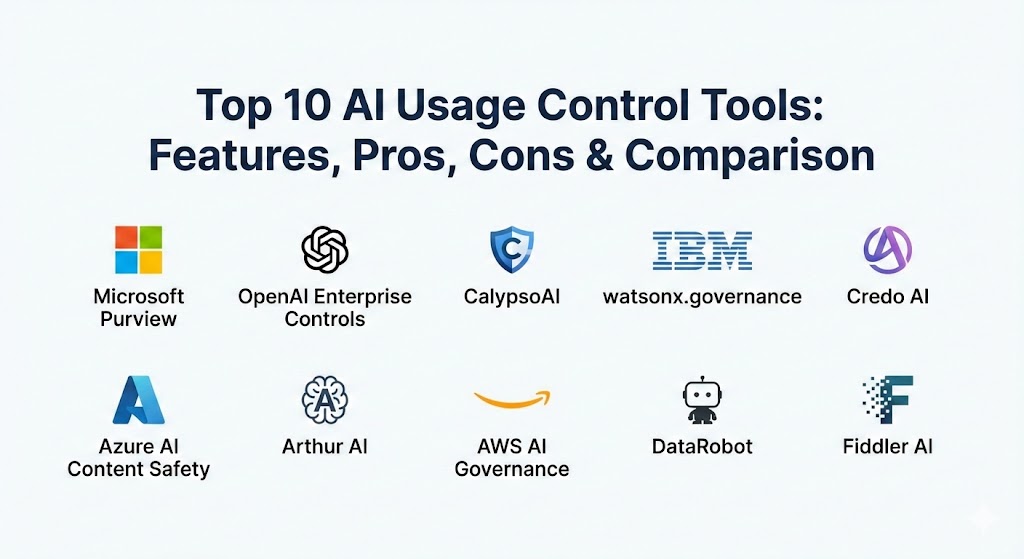
Top 10 AI Usage Control Tools
1 — Microsoft Purview
Microsoft Purview is a large set of tools that helps businesses find and protect their data. Since many companies already use Microsoft for their email and documents, this tool is designed to fit right in and help them manage how their employees use AI without needing to install brand-new software.
- Key features:
- Finds sensitive data like credit card numbers in AI conversations automatically.
- Shows a simple map of which teams are using AI the most.
- Lets you create a list of “off-limits” topics that the AI shouldn’t talk about.
- Works perfectly with the office tools your team already uses every day.
- Saves a history of AI use so you can review it later if there is a problem.
- Helps you follow global privacy rules with pre-made checklists.
- Pros:
- Very easy to start using if you already have a Microsoft business account.
- Gives you one single place to manage all your data security, not just AI.
- Cons:
- The settings can be very confusing because there are so many options.
- You often have to pay for a more expensive plan to get the best AI features.
- Security & compliance: SOC 2, GDPR, HIPAA, and ISO 27001. It uses strong encryption to keep data hidden.
- Support & community: Great help guides, a huge community of users to ask for advice, and professional support for big companies.
2 — OpenAI Enterprise Controls
These are the management tools built directly into the professional version of the most famous AI chatbot. It is designed for businesses that want to give their staff the best AI tools while making sure the company’s private information stays private.
- Key features:
- An easy dashboard for a manager to add or remove users.
- A “no training” rule that keeps your company’s data from being used to teach the public AI.
- Limits on how much each person can use the AI to keep costs low.
- Ready-to-use templates so the whole team can use AI in the same way.
- Detailed records of when and how the AI was used.
- One-click login that works with your company’s existing passwords.
- Pros:
- The fastest way to manage the world’s most popular AI.
- It feels very natural because the controls are built right into the chatbot.
- Cons:
- It only controls one specific brand of AI, so it won’t help with others.
- The reports are simple and might not be enough for very strict security teams.
- Security & compliance: SOC 2 Type II compliant with high-level data protection.
- Support & community: Direct help for large businesses and a very useful online help center.
3 — CalypsoAI
CalypsoAI is a specialized safety tool that acts like a “firewall” for artificial intelligence. It watches every message as it is sent to the AI and checks every answer that comes back to make sure everything is safe and follows your company rules.
- Key features:
- Blocks sensitive secrets from being sent to the AI in real-time.
- Scans messages for hidden viruses or bad computer code.
- Works with almost any AI brand, so you aren’t stuck with just one.
- Lets you write your own rules for what your team can say to the AI.
- Keeps a very detailed diary of every AI talk for safety reviews.
- Shows exactly where the AI got its facts from.
- Pros:
- Great at stopping workers from using “secret” AI tools that the company hasn’t approved.
- Very proactive—it stops mistakes before they actually happen.
- Cons:
- Because it checks every message, it might make the AI answer just a tiny bit slower.
- It is a separate tool that you have to learn how to use.
- Security & compliance: Built for very high-security jobs; supports GDPR, HIPAA, and SOC 2.
- Support & community: Expert technical help and very clear guides for setting up safety rules.
4 — IBM watsonx.governance
This tool is for companies that need to be very careful and organized with their AI. It helps you oversee how AI is built and used from start to finish, making sure it stays accurate and doesn’t become biased or unfair over time.
- Key features:
- Sends an alert if the AI starts giving weird or wrong answers.
- Checks the AI to make sure it is treating everyone fairly.
- Creates “fact sheets” that explain exactly what an AI model does.
- Requires a manager to approve an AI tool before it is allowed to be used.
- Connects to large company databases very easily.
- Explains why the AI chose one answer over another.
- Pros:
- The best choice for banks or insurance companies that have to follow strict laws.
- Can handle a massive amount of work for the world’s biggest companies.
- Cons:
- It is a very technical tool that usually needs a computer expert to run it.
- It can be expensive and takes a while to set up correctly.
- Security & compliance: Meets the highest global standards, including ISO and SOC 2.
- Support & community: Access to professional helpers and technical support at any time.
5 — Credo AI
Credo AI is a platform that helps managers and technical teams work together on AI safety. It focuses on turning complicated laws into simple task lists so everyone knows they are using AI the right way.
- Key features:
- A shared workspace where the legal team and IT team can talk.
- Automated tests to see if an AI tool is safe enough to use.
- A main list that shows every single AI project happening in the company.
- Rules that update themselves when new AI laws are passed.
- Gives every AI project a “safety score” so you can see risks easily.
- Makes it easy to create reports for the big bosses or government inspectors.
- Pros:
- Excellent at making the paperwork and “rules” side of AI much easier.
- Focuses on making sure people are responsible for what the AI does.
- Cons:
- It is more of a management tool and doesn’t actually block messages in real-time.
- Smaller teams might find it has too many features they don’t really need.
- Security & compliance: SOC 2 Type II certified and follows the best international safety standards.
- Support & community: Offers special advice services and a great online library of help articles.
6 — Azure AI Content Safety
This is a service from a major cloud company that helps people building their own AI apps keep them safe. It is very good at spotting and blocking mean, violent, or inappropriate words and pictures.
- Key features:
- Checks text for hidden bullying or toxic language.
- Scans pictures to make sure they are okay for a professional office.
- Lets you choose how “strict” you want the safety filters to be.
- Works in many different languages for teams all over the world.
- Alerts you right away if someone tries to trick the safety system.
- Easy for a computer programmer to add to any company app.
- Pros:
- Very affordable because you only pay for what you actually use.
- The safety filters are very smart and don’t make many mistakes.
- Cons:
- Focuses on “content” (words/pictures) and not on things like cost or data secrets.
- You need to know how to write computer code to set it up.
- Security & compliance: Part of a global cloud network with almost every security badge possible.
- Support & community: Lots of tutorials for developers and a huge group of experts to help.
7 — Arthur AI
Arthur AI is a monitoring tool that keeps a close eye on how well your AI is working. It is famous for its “firewall” that stops people from tricking the AI and catches the AI when it starts making things up.
- Key features:
- A “firewall” that stops “prompt injection” (tricking the AI into breaking rules).
- Watches the AI’s accuracy every single day.
- Lets you compare two different AIs to see which one is safer.
- Keeps track of how much each AI talk is costing you in real-time.
- Alerts you if the AI starts acting biased or unfair.
- Gives different teams their own custom dashboards to look at.
- Pros:
- Very good at protecting against the newest and sneakiest AI security threats.
- Uses great-looking charts that make it easy to see how things are going.
- Cons:
- The advanced safety features can be hard to set up and need a technical person.
- It is a high-end tool, so it might be too expensive for small budgets.
- Security & compliance: SOC 2 compliant with options to keep all your data on your own servers.
- Support & community: Strong technical guides and a helpful team of customer success managers.
8 — AWS AI Governance
This is a set of tools from a giant cloud provider that helps businesses keep their AI projects organized. It gives managers “one big screen” to see every AI tool they own and decide who is allowed to use them.
- Key features:
- One main dashboard to see all your AI models in one place.
- Decide exactly which workers can use which specific AI tools.
- Stops an AI automatically if it starts failing safety checks.
- Connects perfectly with many other building and data tools.
- Helps you see exactly which departments are spending the most on AI.
- Records every single change made to an AI system for safety.
- Pros:
- The best choice for teams that are already building their own AI in the cloud.
- Very reliable and can handle a massive amount of data without breaking.
- Cons:
- It has so many buttons and options that it can be very scary for beginners.
- It only manages the AI tools that are on its own cloud platform.
- Security & compliance: Includes every major certification like HIPAA and SOC.
- Support & community: World-class help for businesses and thousands of free online videos.
9 — DataRobot
DataRobot is an “all-in-one” shop for AI. It helps you make the AI, use it, and—most importantly—make sure it follows the rules. It is designed to take the “boring” parts of AI safety and do them for you automatically.
- Key features:
- Writes safety and rule reports for you automatically.
- Constantly checks if the AI is still working correctly as the world changes.
- Includes tools to find and fix unfairness in AI decisions.
- A central hub to manage AIs made by different teams or brands.
- Deploys AI with just one click while doing a safety check first.
- Helps data experts and business managers talk to each other.
- Pros:
- Saves you a huge amount of time by doing the paperwork for you.
- A great choice if you want one single tool to do everything for your AI.
- Cons:
- It is a very big system, which might be “too much” if you only need a simple filter.
- Usually costs more than buying a smaller, more specific tool.
- Security & compliance: SOC 2 Type II and ready for strict global privacy laws.
- Support & community: Has its own “University” to teach you how to use it.
10 — Fiddler AI
Fiddler AI is a tool that helps you “see inside” the AI’s brain. It is focused on “explaining” why an AI gave a certain answer, which is very important for making sure you stay in control.
- Key features:
- Gives a detailed explanation for every single decision the AI makes.
- Watches out for “hallucinations” (when the AI makes things up).
- Makes sure no group of people is being treated unfairly by the AI.
- Shows the whole path a conversation took through different AI steps.
- Sends an alert if the AI’s performance drops or a rule is broken.
- Works easily with other big data and cloud systems.
- Pros:
- Unmatched at explaining the “why” behind an AI’s behavior.
- Very good at managing complex systems where many AIs are working together.
- Cons:
- The reports are very technical and might be hard for a regular manager to read.
- It is better at “watching” than “blocking” bad messages as they happen.
- Security & compliance: SOC 2 certified and built to keep data very private.
- Support & community: Active forums for developers and helpful online classes.
Comparison Table
| Tool Name | Best For | Platform(s) Supported | Standout Feature | Rating |
| Microsoft Purview | Office users | Cloud | Data Protection | 4.6 / 5 |
| OpenAI Enterprise | ChatGPT users | Cloud | Native Controls | 4.7 / 5 |
| CalypsoAI | Real-time safety | Multi-cloud | Prompt Firewall | 4.5 / 5 |
| IBM watsonx | Banks/Insurance | Cloud / On-premise | AI Fact Sheets | 4.4 / 5 |
| Credo AI | Managing rules | Cloud | Safety Workspace | 4.3 / 5 |
| Azure AI Safety | Developers | Cloud | Word/Image Filters | 4.5 / 5 |
| Arthur AI | Reliability | Cloud | Safety Firewall | 4.4 / 5 |
| AWS AI Governance | Cloud builders | Cloud | Main Dashboards | 4.3 / 5 |
| DataRobot | End-to-end teams | Cloud / On-premise | Auto-Compliance | 4.6 / 5 |
| Fiddler AI | Explaining AI | Cloud | Deep Monitoring | 4.2 / 5 |
Evaluation & Scoring of AI Usage Control Tools
| Category | Weight | Score (1-10) | What we look for |
| Core Features | 25% | 8.5 | Can it block leaks and keep the AI safe? |
| Ease of Use | 15% | 7.0 | Is it simple for a regular person to use? |
| Integrations | 15% | 8.0 | Does it work with the apps you already have? |
| Security | 10% | 9.0 | Does it have the best safety certificates? |
| Performance | 10% | 8.5 | Is it fast and reliable? |
| Support | 10% | 8.0 | Is the help team fast and useful? |
| Price / Value | 15% | 7.5 | Is it worth the money you spend? |
Which AI Usage Control Tool Is Right for You?
Choosing a tool depends on how big your company is and what you are most worried about.
Company Size
If you are an individual, you don’t need these tools—just be careful what you type. Small businesses should look for simple tools like OpenAI Enterprise or Azure AI Content Safety because they are easy to set up. Medium-sized companies should look at CalypsoAI if they want to block secrets from being shared. Huge corporations with many AI projects need something like IBM watsonx or DataRobot to keep everything in order.
Budget
If you have very little money, use the free or cheap filters that come with your cloud provider (like AWS or Azure). If you have a large budget, dedicated tools like Arthur AI or CalypsoAI give you the absolute best protection that cheap tools might miss.
Technical Skill
If you want something simple, Microsoft Purview is great because it feels like the Office software you already know. If you are a technical expert, you might prefer Fiddler AI because it gives you tons of data and scientific explanations, even if it is harder to learn.
Frequently Asked Questions (FAQs)
1. What is an AI prompt firewall?
It is a safety layer that checks what you type into an AI before the AI sees it. If you try to share a secret password, the firewall stops the message so the secret doesn’t leak out.
2. Can these tools stop the AI from lying?
Some tools, like Arthur AI, can spot when an AI is “hallucinating” (making things up). They flag these answers so you can check them before you use them.
3. Will these tools make the AI slow?
Usually, no. They are very fast and only add a tiny fraction of a second to the time it takes for the AI to answer. You won’t even notice it.
4. Are they expensive?
It depends. Some small filters cost just a few cents, while big systems for thousands of workers can cost a lot of money every month.
5. Do I need to be a coder to use these?
Some tools are built for regular business managers and use simple charts. Others are for developers and require writing some computer code.
6. Do these tools follow the law?
Yes, many (like IBM and Credo AI) are built specifically to help companies follow new international laws about AI safety.
7. How do they track AI costs?
They count every question your team asks the AI and show you a report of how much money each department is spending.
8. Can they stop the AI from training on my data?
Yes. Most professional tools have a simple switch you can turn off so the AI company never sees your data for training.
9. What is AI bias detection?
It is a feature that checks if the AI is being unfair to certain groups of people. The tool alerts you if the AI’s answers show a pattern of being mean or unfair.
10. What is the most common mistake when picking a tool?
Picking a tool that only works with one brand of AI when your company actually uses many different ones. Always check for flexibility.
Conclusion
Managing AI is a very important part of modern business. AI usage control tools give you the peace of mind to use these powerful new technologies without worrying about secrets leaking or costs getting out of control. Whether you need a simple filter for bad words or a massive system to manage a hundred AI projects, there is a tool on this list for you.
The best tool is the one that solves your biggest problem. If you are worried about safety, go with a firewall. If you are worried about rules, go with a governance platform. By picking the right tool today, you can stop worrying about the risks and start enjoying all the helpful things AI can do for your business.