Introduction
Evidence Chain-of-Custody Tools are specialized software platforms designed to automate this tracking process, ensuring that every time a piece of evidence is touched, moved, or viewed, a permanent and unchangeable log is created.
These tools are important because they eliminate human error. Traditional paper logs are easily lost, altered, or forged. Modern digital CoC tools use timestamps, digital signatures, and sometimes blockchain technology to create an “immutable” record. Key real-world use cases include managing thousands of digital files in a cyber-forensics lab, tracking physical biological samples in a criminal investigation, or maintaining the integrity of sensitive HR documents during a corporate internal audit. When choosing a tool, users should look for ease of use in the field, robust mobile support, strict compliance with local and federal laws, and the ability to integrate with existing laboratory or case management systems.
- Best for: Law enforcement agencies (local, state, and federal), digital forensics laboratories, corporate legal departments, private investigators, and cybersecurity incident response teams. It is essential for any organization that must prove the integrity of their data or physical assets in a court of law or during a regulatory audit.
- Not ideal for: Small businesses with no legal or regulatory reporting requirements, or casual users who just need basic file storage. If your “evidence” doesn’t have a high risk of being challenged in a legal setting, standard cloud storage or basic project management software may be a more cost-effective alternative.
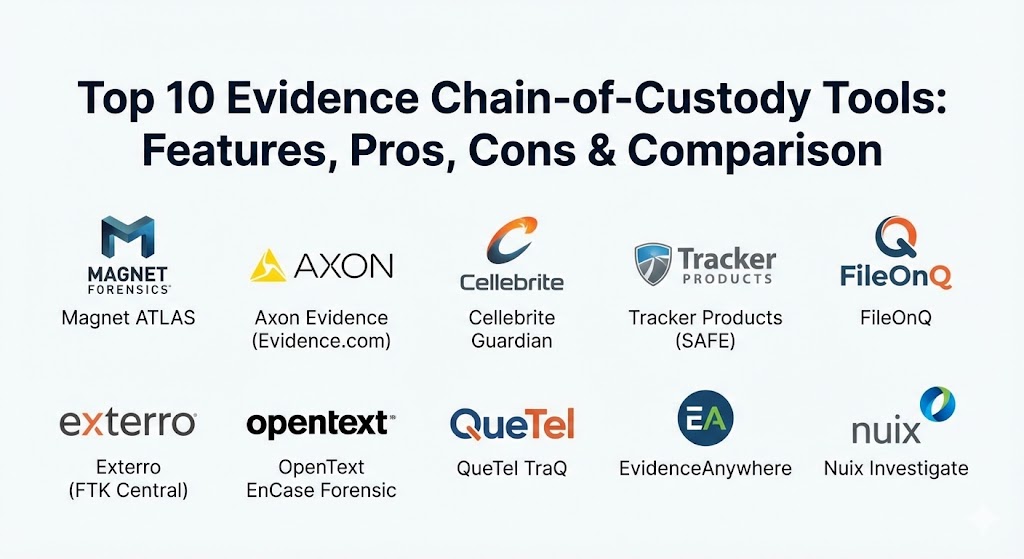
Top 10 Evidence Chain-of-Custody Tools
1 — Magnet ATLAS
Magnet ATLAS is a case management and evidence tracking platform built by Magnet Forensics. It is specifically designed to help digital forensics teams manage their workload while maintaining a flawless, audit-ready chain of custody for every device and file they process.
- Key Features:
- Real-time tracking of all digital and physical evidence.
- Automated audit logs that record every user interaction.
- Role-based access control to ensure only authorized personnel view evidence.
- Visual dashboards for tracking case progress and evidence locations.
- Detailed reporting for court testimony and internal audits.
- Collaboration tools for multi-departmental investigations.
- Integration with Magnet AXIOM for seamless forensic processing.
- Pros:
- Extremely user-friendly interface that reduces the learning curve for new investigators.
- Built by a company that understands the specific pressures of digital forensics.
- Cons:
- Can be expensive for smaller agencies with limited budgets.
- Heavily optimized for digital evidence; physical evidence features are robust but secondary.
- Security & compliance: SSO support, CJIS compliant, AES-256 encryption, and detailed audit logs.
- Support & community: Top-tier documentation, 24/7 technical support, and a massive community of forensic professionals.
2 — Axon Evidence (Evidence.com)
Axon Evidence is perhaps the most widely used evidence management system in the world. Originally built for body-camera footage, it has expanded into a massive cloud-based ecosystem that handles everything from CCTV video to digital documents.
- Key Features:
- Automated ingestion of body-cam, dash-cam, and interview room footage.
- Cloud-based storage with infinite scalability.
- Advanced redaction tools to protect bystander privacy.
- Secure sharing portals for prosecutors and defense attorneys.
- Chain-of-custody tracking for every view, download, and share.
- Mobile app for capturing evidence in the field.
- Integration with CAD and RMS systems.
- Pros:
- Unmatched scale; it is built to handle petabytes of data for the world’s largest cities.
- The “sharing” feature significantly speeds up the legal discovery process.
- Cons:
- High recurring costs due to the cloud-storage model.
- Users can feel “locked in” to the Axon ecosystem of hardware.
- Security & compliance: CJIS, SOC 2 Type II, HIPAA, GDPR, and FedRAMP authorized.
- Support & community: 24/7 global support, Axon Academy training, and a huge user base in law enforcement.
3 — Cellebrite Guardian
Cellebrite Guardian is a comprehensive solution for managing the digital evidence lifecycle. It is particularly strong in handling the massive amounts of data extracted from mobile devices, which is the specialty of the parent company, Cellebrite.
- Key Features:
- Direct ingestion of UFED (mobile) extraction files.
- Secure, web-based review platform for non-technical investigators.
- Automatic CoC logging for every step of the mobile forensic process.
- Secure evidence sharing with external stakeholders.
- Advanced search and filtering across multiple cases.
- Policy-based data retention and deletion.
- Audit trails that meet international ISO standards.
- Pros:
- If your lab uses Cellebrite for mobile extractions, this is the most logical choice.
- The browser-based viewer is excellent for allowing detectives to see evidence without needing forensic software.
- Cons:
- Proprietary focus makes it slightly less flexible for non-Cellebrite data.
- The interface can be complex for those not familiar with mobile forensic terminology.
- Security & compliance: SOC 2, GDPR, ISO 27001, and CJIS compliant.
- Support & community: Extensive training through Cellebrite University and active global support.
4 — Tracker Products (SAFE)
Tracker Products offers “SAFE,” a highly flexible evidence management system that excels at tracking both physical and digital evidence. It is a favorite for agencies that need a “one-stop-shop” for everything in their property room.
- Key Features:
- Smartphone app for barcoding and tracking evidence on the go.
- Customizable workflows to match specific agency SOPs.
- Automatic alerts for evidence that is due for disposal or return.
- Digital signature capture for transfers of custody.
- Advanced reporting for inventory audits.
- Support for multiple locations and storage zones.
- Public portal for property return requests.
- Pros:
- Excellent at physical inventory; the barcoding system is very mature.
- Highly customizable; you can build the system to fit your department, rather than changing your department to fit the system.
- Cons:
- Digital evidence storage features are not as “native” as specialized forensic tools.
- Setup can be time-consuming due to the high level of customization available.
- Security & compliance: CJIS compliant, AES-256 encryption, and SSO availability.
- Support & community: Active blog, helpful webinars, and a very responsive support team.
5 — FileOnQ
FileOnQ is a veteran in the evidence management space, known for providing incredibly stable and audit-proof systems. They focus on the “Foundational” aspects of evidence, ensuring that the CoC is never even slightly questionable.
- Key Features:
- Full lifecycle management from the crime scene to the courtroom.
- Highly secure “Evidence Vault” for digital assets.
- Barcoding and RFID support for physical evidence tracking.
- Integration with lab management and records management systems.
- Automated notification system for disposals and reviews.
- Mobile data entry for officers in the field.
- Audit-ready reports available with a single click.
- Pros:
- The system is “hardened” for legal scrutiny; it is built for the courtroom first.
- Exceptional customer service and onboarding for large agencies.
- Cons:
- The user interface can feel a bit traditional compared to newer “SaaS” startups.
- Can be complex to integrate with very modern, cloud-only systems.
- Security & compliance: CJIS compliant, FIPS 140-2 encryption, and detailed access logs.
- Support & community: Professional on-site training and dedicated support engineers.
6 — Exterro (FTK Central)
Exterro acquired the famous FTK (Forensic Toolkit) and integrated its CoC features into FTK Central. This is a heavyweight tool used by the world’s largest law firms and corporate legal departments.
- Key Features:
- Unified platform for forensics, e-discovery, and evidence management.
- Remote collection capabilities for corporate laptops and mobile devices.
- Collaborative review for legal teams and investigators.
- Immutable audit logs for all forensic images and files.
- Integration with HR and IT systems for internal investigations.
- Advanced processing power for massive datasets.
- Template-based reporting for different legal jurisdictions.
- Pros:
- The absolute gold standard for corporate “legal hold” and internal investigations.
- Allows non-forensic experts (like HR or lawyers) to safely review evidence.
- Cons:
- Extremely expensive; it is priced for big business and major legal firms.
- Requires significant training to use all the advanced e-discovery features.
- Security & compliance: SOC 2 Type II, ISO 27001, GDPR, and HIPAA compliant.
- Support & community: Extensive enterprise support and a large network of certified examiners.
7 — OpenText EnCase Forensic
EnCase is often the first name people learn in digital forensics. While its primary function is analysis, its evidence management and CoC logging are deeply ingrained in its architecture, providing a “court-vetted” record.
- Key Features:
- Forensic-grade imaging with built-in CoC verification.
- Comprehensive logging of every action taken by the examiner.
- Support for over 25,000 different mobile device profiles.
- Integration with EnCase Endpoint Security for corporate use.
- Automated report generation with CoC details included.
- Advanced decryption and password recovery capabilities.
- Network-based evidence collection.
- Pros:
- Unrivaled courtroom pedigree; judges and lawyers are intimately familiar with EnCase reports.
- Deeply technical; it can find evidence that simpler tools might miss.
- Cons:
- Steep learning curve; it is professional-grade software for experts.
- The interface can feel cluttered and intimidating for general investigators.
- Security & compliance: Varies by version; high-level encryption and audit logs are standard.
- Support & community: Massive training ecosystem and global user community.
8 — QueTel TraQ
QueTel is a specialized provider focusing on property and evidence tracking for medium to large law enforcement agencies. Their “TraQ” system is known for being logical and very difficult to “break.”
- Key Features:
- Paperless evidence intake using kiosks or mobile devices.
- Strict “Cradle-to-Grave” tracking for physical assets.
- Integrated digital evidence management (Digital TraQ).
- Automated follow-ups for officers to clear out old evidence.
- Barcoding and labeling for all items and locations.
- Inventory “spot-check” features for property room managers.
- Integration with most major police RMS systems.
- Pros:
- Very strong at the “Logistics” of evidence; it manages the physical property room better than most.
- Excellent automation for the disposal process, which is where many agencies struggle.
- Cons:
- The digital evidence side isn’t as feature-rich as Magnet or Axon.
- The mobile app is functional but lacks some of the modern “polish” of newer competitors.
- Security & compliance: CJIS compliant and supports secure SSO.
- Support & community: Strong reputation for listening to user feedback for new features.
9 — EvidenceAnywhere
EvidenceAnywhere is a modern, cloud-native platform that focuses on making the chain of custody accessible yet secure. It is a great choice for agencies that want to move away from local servers entirely.
- Key Features:
- 100% cloud-based architecture with no local hardware required.
- Simplified uploading for body-cam and smartphone footage.
- Instant digital chain-of-custody generation.
- Secure link sharing for external partners with time-limited access.
- Real-time notifications for case updates.
- Intuitive, “Google-like” search across all cases.
- Pay-as-you-go pricing model.
- Pros:
- Fastest implementation time; you can be up and running in days.
- Very modern UI that feels like a consumer app, making it easy to use for all staff.
- Cons:
- Being cloud-only might be a dealbreaker for agencies with strict local-data laws.
- Lacks some of the deep “forensic analysis” tools found in EnCase or Magnet.
- Security & compliance: GDPR, SOC 2, and high-level cloud encryption.
- Support & community: Excellent chat and email support; modern documentation.
10 — Nuix Investigate
Nuix is the “Big Data” tool of the investigative world. When you have millions of emails, documents, and chat logs to sort through while maintaining a CoC, Nuix is the tool you call.
- Key Features:
- High-speed processing of massive, multi-terabyte datasets.
- Visual “Link Analysis” to show relationships between people and evidence.
- Collaborative review for hundreds of simultaneous users.
- Immutable audit logs for data ingestion and export.
- Support for almost every known file type.
- AI-powered categorization of images and documents.
- Integration with legal review platforms.
- Pros:
- Nothing else handles “Scale” as well as Nuix; it is the choice for international fraud and terror cases.
- The visual link analysis is incredibly powerful for finding patterns.
- Cons:
- Extremely high price point; it is an elite tool for elite budgets.
- Requires a very powerful computer infrastructure to run effectively.
- Security & compliance: ISO 27001, SOC 2, and HIPAA compliant.
- Support & community: Global user group and professional service teams available for complex setups.
Comparison Table
| Tool Name | Best For | Platform(s) Supported | Standout Feature | Rating |
| Magnet ATLAS | Digital Forensics Teams | Windows, Web | Forensic Workflow Focus | N/A |
| Axon Evidence | Law Enforcement (Video) | Cloud / SaaS | Massive Scalability | N/A |
| Cellebrite Guardian | Mobile Evidence Labs | Web / SaaS | UFED Native Integration | N/A |
| Tracker (SAFE) | Physical & Digital Mix | Web, iOS, Android | High Customization | N/A |
| FileOnQ | Audit-Ready Security | Windows, Web | Hardened Court-Pedigree | N/A |
| Exterro (FTK) | Corporate & Legal | Windows, Cloud | Remote Corporate Collection | N/A |
| OpenText EnCase | Technical Examiners | Windows | Universal Court Vetting | N/A |
| QueTel TraQ | Property Room Mgrs | Windows, Web, Mobile | Automated Disposal Workflows | N/A |
| EvidenceAnywhere | Small-Mid Agencies | Cloud / SaaS | Modern, Simple Interface | N/A |
| Nuix Investigate | Huge Datasets / Fraud | Windows, Server | Big Data Link Analysis | N/A |
Evaluation & Scoring of Evidence Chain-of-Custody Tools
Choosing a CoC tool is a high-stakes decision. To help, we have evaluated these tools using a weighted rubric that reflects the priorities of modern investigative teams.
| Evaluation Category | Weight | Description |
| Core Features | 25% | Reliability of audit logs, digital signatures, and CoC reporting. |
| Ease of Use | 15% | How quickly officers and detectives can learn and use the tool daily. |
| Integrations | 15% | Connectivity with RMS, CAD, and forensic analysis software. |
| Security & Compliance | 10% | Adherence to CJIS, SOC 2, GDPR, and FedRAMP standards. |
| Performance & Reliability | 10% | System uptime and speed when handling large files or datasets. |
| Support & Community | 10% | Availability of training, technical help, and a user community. |
| Price / Value | 15% | Long-term ROI compared to the cost of acquisition and storage. |
Which Evidence Chain-of-Custody Tool Is Right for You?
Selecting a tool requires you to balance your technical needs with your organizational constraints. Here is a practical guide for different scenarios.
Solo Users vs SMB vs Mid-market vs Enterprise
- Solo Investigators / Small Firms: Look at EvidenceAnywhere or Magnet ATLAS. These tools allow you to manage a high volume of data without needing a dedicated IT department.
- Small to Mid-Sized Agencies: Tracker SAFE or QueTel offer the best balance. They handle physical property rooms effectively while providing modern digital tracking features.
- Large Law Enforcement / Federal: Axon Evidence or Cellebrite Guardian are the standards for this scale. They offer the cloud storage and high-speed ingestion required for thousands of officers.
- Corporations & Global Firms: Exterro FTK or Nuix Investigate are your best options. They focus on the specific needs of “e-discovery” and internal corporate governance.
Budget-conscious vs Premium Solutions
If budget is the primary concern, Tracker SAFE offers great value due to its modular pricing. If you have a larger budget and need the highest possible reliability and technical depth, Magnet ATLAS or Axon are worth the investment for the time they save.
Feature Depth vs Ease of Use
If you need Feature Depth (meaning you want to analyze code and recover deleted data while tracking it), OpenText EnCase is the clear winner. If you need Ease of Use (so that a patrol officer can enter evidence in 30 seconds), Axon or EvidenceAnywhere are much better choices.
Integration and Scalability Needs
For those already using Axon cameras or Cellebrite mobile kits, staying within those ecosystems is almost always the right move for the sake of “Integrations.” For those building a lab from scratch, Magnet ATLAS offers the best multi-tool connectivity.
Security and Compliance Requirements
If you are a government agency in the United States, CJIS compliance is non-negotiable. Ensure that any cloud tool you choose (like Axon or EvidenceAnywhere) explicitly states they meet CJIS and FedRAMP requirements.
Frequently Asked Questions (FAQs)
1. Why can’t I just use Excel or Google Sheets for my chain of custody?
Excel is not “audit-proof.” A user can delete a row, change a date, or edit a name without leaving a permanent record of who made the change and why. In court, an Excel sheet can be easily challenged as unreliable. CoC tools use “immutable” logs that cannot be edited.
2. What is “Hashing” in digital evidence?
Hashing is like a digital fingerprint for a file. When a file is collected, a tool creates a “Hash Value” (a long string of numbers and letters). If even one pixel of a photo or one letter of a document changes, the hash will change, proving the evidence was tampered with.
3. Do these tools track physical evidence like drugs or weapons?
Yes, many of them (like Tracker SAFE and FileOnQ) are excellent at this. They use barcoding and RFID tags to track the location of a physical item from the crime scene to the property room shelf.
4. Can I share evidence securely with a lawyer using these tools?
Yes. Most modern systems (especially Axon and Cellebrite Guardian) have “Discovery Portals.” You can send a secure, time-limited link to a lawyer so they can view the evidence without you needing to burn a DVD or mail a thumb drive.
5. Is my data safe if the software company gets hacked?
Most CoC tools use high-level encryption (AES-256) and multi-factor authentication (MFA). Enterprise tools also undergo SOC 2 audits to prove their security. Always check the company’s security certifications before buying.
6. How much do these tools typically cost?
Pricing varies wildly. Small cloud-based tools might cost a few hundred dollars a month. Enterprise systems for large cities can cost millions of dollars over a multi-year contract, especially when including cloud storage.
7. Can these tools recover deleted files?
Forensic-focused tools like EnCase and FTK can recover deleted data. Once recovered, the tool then creates the CoC record for that new file. General management tools like Tracker SAFE usually do not have recovery features.
8. What happens if I lose internet access in the field?
Most mobile apps for these tools have an “Offline Mode.” You can scan evidence and capture signatures, and the app will automatically sync with the secure cloud once you are back in range.
9. Do I need to be a computer expert to use these?
The analysis tools (EnCase, FTK) require expert training. However, the management tools (Axon, Tracker) are designed for “General Users” and are usually as easy to use as any other smartphone app.
10. What is a “Legal Hold”?
In the corporate world, a legal hold is an order to preserve all data related to a specific issue. Tools like Exterro FTK are specifically designed to automate this, ensuring that employees cannot delete emails or files once a hold is in place.
Conclusion
Choosing an Evidence Chain-of-Custody Tool is fundamentally about building trust. Whether you are a police officer or a corporate security manager, your job is to tell a story of what happened—and to prove that the story is true. These tools provide the “Digital Truth” that supports your investigation, protecting your reputation and the rights of those involved.
The most important thing to remember is that the “best” tool depends on what you are tracking. If your day is filled with body-cam video, Axon is the standard. If you are a technical expert digging into hard drives, Magnet or EnCase will be your best friend. If you are managing a physical property room filled with boxes, Tracker SAFE or QueTel are the right choices. Ultimately, the right tool is the one that fits into your daily workflow without making your job harder, while providing the bulletproof audit trail that the legal system demands.