Introduction
Digital Forensics and Incident Response (DFIR) suites are sets of professional software tools used to investigate what happened during a computer hack or a digital crime. Think of these suites like a high-tech detective kit for the digital world. When a company gets hacked, or when a person is suspected of doing something wrong on a work computer, experts use these tools to look through the “fingerprints” left behind in the files and memory. These suites help investigators find out who did it, how they got in, and what they took.
DFIR suites are important because they allow experts to look at data that has been hidden or deleted. Without these tools, a hacker could steal important secrets and leave no trace behind. By using a DFIR suite, a company can stop an active attack in its tracks and then gather evidence that can be used in a court of law.
Key real-world use cases include looking into employee theft, finding out how ransomware got into a network, and helping lawyers in big court cases find important emails or documents. When choosing one of these tools, you should look at how well it handles different types of devices, how fast it can search through large amounts of data, and if the evidence it finds will be accepted by a judge. You also want to make sure it is easy for your team to use without making mistakes that could ruin the investigation.
Best For:
These tools are best for cybersecurity experts, police officers who work on digital crimes, and IT managers at large companies. They are very useful in industries like banking, government, and law where keeping data safe is the most important thing.
Not Ideal For:
These tools are not ideal for small businesses that do not have a dedicated security person. They can be very expensive and hard to learn. For a small shop, it is often better to hire an outside expert only when a problem happens rather than trying to use these complex suites themselves.
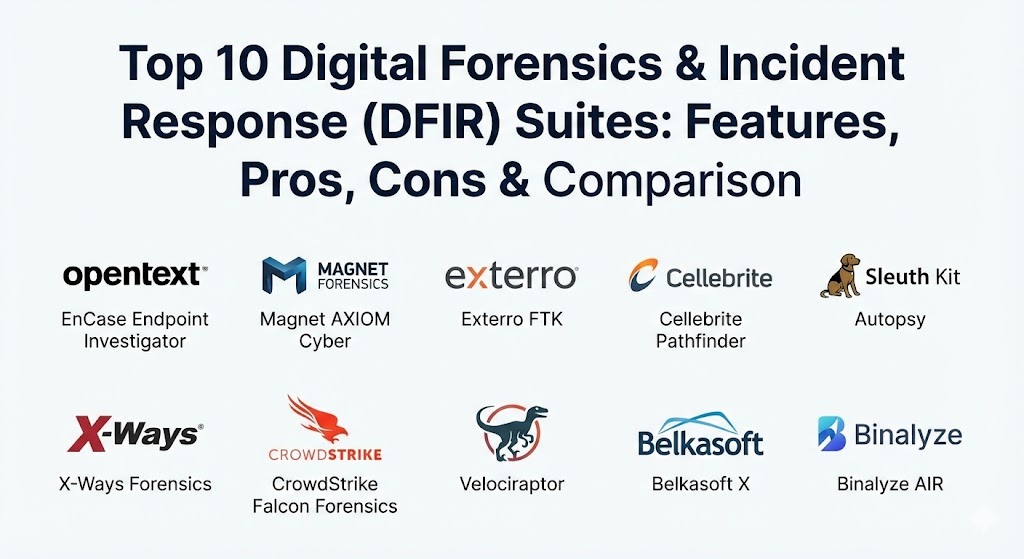
Top 10 Digital Forensics & Incident Response (DFIR) Suites Tools
1 — EnCase Endpoint Investigator
EnCase is one of the oldest and most trusted names in the digital forensics world. It is built to help experts look at many different computers across a whole company network at the same time without having to touch each individual machine.
- Key Features:
- Allows you to look at computers over a remote network connection.
- Creates a perfect digital copy of a hard drive that cannot be changed.
- Can search through thousands of computers at once to find specific files.
- Works with many different operating systems like Windows and Linux.
- Keeps a very detailed log of everything the investigator does.
- Can find data that was hidden in parts of the computer usually ignored by software.
- Built to handle large enterprise networks with thousands of devices.
- Pros:
- It is very well-known by judges and lawyers, so the evidence is usually trusted.
- It is excellent for big companies that have workers in many different offices.
- Cons:
- It can be very hard to learn and requires a lot of training.
- The software can feel slow when you are working on a single computer.
- Security & compliance: Supports SSO, uses strong encryption for data storage, and provides full audit logs.
- Support & community: Very good professional training is available, and there is a large group of experienced users to ask for help.
2 — Magnet AXIOM Cyber
Magnet AXIOM is loved by many experts because it is very easy to use compared to older tools. It is great at taking data from computers, cloud accounts like Google Drive, and mobile phones and putting it all into one clear story.
- Key Features:
- Combines data from phones, computers, and the cloud in one view.
- Automatically finds things like chat messages and internet history.
- Has a very simple screen that makes it easy to see what happened.
- Can recover deleted pictures and messages very well.
- Allows you to see a timeline of exactly what a person did.
- Works with remote computers to collect evidence quietly.
- Features “Artificial Intelligence” tools to find specific types of pictures automatically.
- Pros:
- It saves a lot of time because it finds the important data for you.
- The screen is very easy to understand, even if you aren’t a master expert.
- Cons:
- It can take up a lot of computer power and memory to run.
- Some of the more advanced features can be expensive to add.
- Security & compliance: GDPR and SOC 2 compliant; features secure evidence containers.
- Support & community: Excellent customer support and a very helpful online forum for users.
3 — Exterro FTK (Forensic Toolkit)
FTK is known for being extremely fast. It is designed to search through massive amounts of data in a very short amount of time. It is a favorite for teams that have to solve a case quickly.
- Key Features:
- Uses a database to make searching for files almost instant.
- Can handle very large files that would crash other software.
- Allows many investigators to work on the same case at the same time.
- Includes tools to break passwords on encrypted files.
- Can look through “live” computer memory to find active hacks.
- Automatically sorts files by type, like documents or emails.
- Built to work on a powerful server to speed up the work.
- Pros:
- It is much faster at searching than almost any other tool.
- It is great for big teams where people need to share their findings.
- Cons:
- The setup can be very complicated because it needs a database.
- The look of the software is a bit old and can be confusing.
- Security & compliance: ISO and SOC 2 compliant; features granular user permissions.
- Support & community: Good technical support and a strong history in the police community.
4 — Cellebrite Pathfinder
While many tools focus on computers, Cellebrite is the leader in mobile phones. Pathfinder is their tool that takes all the data from phones and shows how different people are connected to each other.
- Key Features:
- Best-in-class at getting data out of locked iPhones and Androids.
- Maps out who was talking to whom and when.
- Can show a person’s path on a map using GPS data from their phone.
- Combines data from many different phones into one big picture.
- Uses smart tools to find pictures of weapons, drugs, or money.
- Can look at data from cloud backups like iCloud.
- Very good at finding deleted chat messages from apps like WhatsApp.
- Pros:
- If you need to get into a phone, this is the tool that usually works.
- It creates very good visual maps that are easy to show in a meeting.
- Cons:
- It is very expensive and usually only bought by police or big firms.
- It only focuses on mobile devices, not on server networks.
- Security & compliance: High-level encryption and strict audit logs for chain of custody.
- Support & community: Excellent training programs and a very elite user group.
5 — Autopsy (with Sleuth Kit)
Autopsy is a famous open-source tool. This means it is free to use. It is used by many people who are just starting out in forensics or by companies that have a small budget.
- Key Features:
- Completely free to download and use.
- Can find deleted files on hard drives and USB sticks.
- Shows you the internet history and recent files of a user.
- You can add extra “plugins” to make it do more things.
- Very easy to install on a regular Windows computer.
- Can search for specific keywords across a whole hard drive.
- Good for looking at simple computer files and pictures.
- Pros:
- You cannot beat the price because it costs zero dollars.
- It is a great way to learn how forensics works.
- Cons:
- It does not have as many advanced features as the paid tools.
- It can be slower when you are looking at very large hard drives.
- Security & compliance: Varies; it is up to the user to keep the data safe.
- Support & community: A very large community of people who write guides and help for free.
6 — X-Ways Forensics
X-Ways is known for being a very small and “lean” tool. It doesn’t need a powerful computer to run, and it is very fast. It is preferred by experts who want total control over every little detail.
- Key Features:
- Can run from a USB stick without being installed on the computer.
- Very fast and doesn’t use much computer memory.
- Shows you exactly what is happening inside every file.
- Can find data that was hidden in the tiny gaps between files.
- Very good at looking at raw data without any “fancy” distractions.
- Highly stable and rarely crashes.
- Can recover data from damaged or broken hard drives.
- Pros:
- It is very efficient and works well on older laptops.
- It gives the expert total control over how they look at the data.
- Cons:
- It is very difficult to learn because it is not very “friendly.”
- The menus can be very crowded and hard to navigate.
- Security & compliance: Very secure; doesn’t leave “footprints” on the computer being checked.
- Support & community: Very smart user community but can be a bit strict with new users.
7 — CrowdStrike Falcon Forensics
CrowdStrike is a modern tool that works in the cloud. It is built to help companies respond to a hack while it is still happening, allowing them to see what the hacker is doing right now.
- Key Features:
- Collects data from thousands of computers in seconds via the cloud.
- Shows a live view of the “incident” as it happens.
- Built-in tools to stop a hacker from moving to other computers.
- Automatically finds common signs of a hack.
- Easy to use for a team that is already using CrowdStrike for protection.
- Stores evidence in a secure cloud so it can’t be deleted by a hacker.
- Very good for investigations that happen across many different countries.
- Pros:
- It is incredibly fast at stopping a hack.
- You don’t have to go to the office; you can do everything from home.
- Cons:
- It only works if you already have the CrowdStrike software installed.
- It is not a “deep” forensic tool for solving old crimes as much as active ones.
- Security & compliance: SOC 2, HIPAA, and GDPR compliant; very high security.
- Support & community: Professional enterprise support and a huge community of users.
8 — Velociraptor
Velociraptor is an open-source tool used for finding hacks across many computers at once. It is a favorite for “hunting” for bad guys who might be hiding in a network.
- Key Features:
- Completely free and open-source.
- Allows you to ask a question to every computer in your company at once.
- Can collect files and logs from thousands of devices very quickly.
- Very flexible; you can write your own “hunts” to find new threats.
- Lightweight and doesn’t slow down the computer it is checking.
- Keeps a history of what happened on the network over time.
- Great for finding the small traces that a hacker leaves behind.
- Pros:
- It is extremely powerful for being a free tool.
- It allows for very creative and deep investigations.
- Cons:
- You need to be very good at coding and computers to use it well.
- It doesn’t have a “polished” look like the expensive tools.
- Security & compliance: N/A; depends on how it is set up by the user.
- Support & community: Very active developer community on GitHub and Discord.
9 — Belkasoft X
Belkasoft is an all-in-one tool that is designed to be a “Swiss Army knife.” It can look at computers, mobile phones, cloud accounts, and even memory chips all in the same window.
- Key Features:
- Works on almost every type of device you can find.
- Automatically finds and decodes chat messages from hundreds of apps.
- Includes a powerful timeline that shows all events in order.
- Can find hidden data in “SQLite” databases, which apps use a lot.
- Very simple and clean screen that is easy to navigate.
- Built-in tools for looking at live computer memory.
- Excellent at finding evidence of digital asset (crypto) use.
- Pros:
- It is a great “one tool for everything” solution.
- It is very good at finding messages and social media data.
- Cons:
- It might not be as “deep” as a tool that only focuses on one thing.
- Can be a bit slow when searching through very large files.
- Security & compliance: GDPR compliant; features strong internal data protection.
- Support & community: Good customer service and clear documentation for users.
10 — Binalyze AIR
Binalyze AIR is a newer tool that focuses on speed and automation. It is designed to gather all the evidence from a computer in less than 10 minutes, which is much faster than traditional tools.
- Key Features:
- Collects evidence from a computer almost instantly.
- Can be set to start working automatically when a hack is detected.
- Very easy-to-use web screen for managing cases.
- Can look at many different computers at once via the network.
- Automatically creates a report of the most important findings.
- Built to work with other security tools to stop attacks.
- Very lightweight and easy to install across a company.
- Pros:
- It is the fastest tool for getting the basic facts of a case.
- It is great for teams that want to automate their security.
- Cons:
- It is not meant for “deep” forensics where you spend weeks on one file.
- It is a newer company, so it has a smaller community.
- Security & compliance: SOC 2 compliant; focuses on secure remote data collection.
- Support & community: Responsive support and a growing list of training videos.
Comparison Table
| Tool Name | Best For | Platform(s) Supported | Standout Feature | Rating (TrueReview) |
| EnCase | Large Enterprises | Windows, Linux | Remote Investigation | 4.6 / 5 |
| Magnet AXIOM | All-in-one use | Windows, Mobile, Cloud | Easy-to-use screen | 4.8 / 5 |
| Exterro FTK | Fast Searching | Windows, Server | Speed and Database | 4.5 / 5 |
| Cellebrite | Mobile Phones | Mobile, Cloud | Unlocking Phones | 4.9 / 5 |
| Autopsy | Learning/Free | Windows, Linux | Completely Free | 4.4 / 5 |
| X-Ways | Technical Experts | Windows, Portable | Very Lightweight | 4.7 / 5 |
| CrowdStrike | Stopping Live Hacks | Cloud, Windows, Mac | Live Incident Response | 4.8 / 5 |
| Velociraptor | Network Hunting | All (Open Source) | Querying many computers | N/A |
| Belkasoft X | Social Media/Chat | Windows, Mobile | Chat App Decoding | 4.6 / 5 |
| Binalyze AIR | Speed/Automation | Windows, Mac, Linux | 10-minute collection | 4.5 / 5 |
Evaluation & Scoring of DFIR Suites
We have evaluated these tools based on what matters most to a professional investigator. Each category is weighted to show its importance in a real case.
| Category | Weight | What we looked for |
| Core Features | 25% | Can it find deleted data and handle many devices? |
| Price / Value | 15% | Is the cost fair for what the tool can do? |
| Ease of Use | 15% | Is the screen simple or will users get confused? |
| Integrations | 15% | Does it work with other cloud and security tools? |
| Security & Compliance | 10% | Does it keep evidence safe and follow laws? |
| Performance | 10% | Is it fast and stable when handling big files? |
| Support & Community | 10% | Can you get help if you are stuck in a case? |
Which DFIR Suite Tool Is Right for You?
The best tool depends on the kind of work you do and how much money you have to spend.
Solo Users vs. SMBs vs. Enterprises
If you are just one person learning, Autopsy is the best place to start because it is free. For a small or medium business (SMB), Magnet AXIOM is great because it is easy to use and does almost everything. Large enterprises should use EnCase or CrowdStrike because they are built to handle thousands of computers across different cities.
Budget-Conscious vs. Premium
If you have no budget, Autopsy and Velociraptor are world-class free tools. If you have a professional budget, paying for Magnet AXIOM or Belkasoft is worth it because they save you hours of manual work. For high-end phone work, Cellebrite is expensive but often the only tool that can do the job.
Feature Depth vs. Ease of Use
If you want something that is very simple, Binalyze AIR and Magnet AXIOM are the winners. If you are a very technical expert and want to see every single bit of data yourself, X-Ways and FTK offer the most depth even if they are harder to learn.
Frequently Asked Questions (FAQs)
1. What is digital forensics?
It is the process of finding, preserving, and looking at digital evidence to find out what happened on a computer or phone.
2. Can these tools find files that were deleted?
Yes. Most of these tools can look at the “empty” space on a hard drive to find data that was deleted but not yet overwritten by new files.
3. Is incident response different from forensics?
Incident response is about stopping an attack while it is happening. Forensics is usually about looking at what happened after the attack is over.
4. Do I need to be a programmer to use these?
For some tools like Velociraptor, yes. For others like Magnet AXIOM, you just need to know how to use a regular computer.
5. Are these tools legal to use?
Yes, but you must have permission to look at the computer. Using them on a computer you don’t own without permission could be illegal.
6. Can these tools unlock an encrypted computer?
Some tools like FTK have built-in password crackers, but if the password is very strong, it might still be impossible to get in.
7. Why are some tools so expensive?
Because they are built to be trusted in a court of law and they are updated every day to stay ahead of hackers.
8. Can I use these tools on a Mac?
Yes. Most of the top suites like EnCase, Magnet, and Binalyze work very well with Mac computers.
9. What is a “chain of custody”?
It is a log that proves exactly who had the evidence at every moment. DFIR tools help keep this log automatically.
10. How long does a forensic search take?
It can take anywhere from 10 minutes for a quick scan to several days for a deep search of a massive server.
Conclusion
Choosing the right DFIR suite is a big decision that can make the difference between solving a hack and losing your data forever. The tools we talked about today are the best in the world, and each one has a special job it does best. If you need speed, look at Binalyze. If you need to solve phone crimes, look at Cellebrite. If you want a tool that does a bit of everything and is easy to learn, Magnet AXIOM is a great choice.
The most important thing to remember is that a tool is only as good as the person using it. Even the most expensive software needs an investigator who is careful, honest, and patient. By picking the right tool and getting the right training, you can protect your company and make sure that digital criminals are caught.