Introduction
Root cause analysis tools are computer programs that help people find the real reason why a problem happened. Think of a weed in a garden. If you just cut off the top, the weed grows back. To stop it forever, you have to pull it out by the roots. These tools work the same way for businesses. When a server crashes, a factory machine breaks, or a customer is unhappy, these tools help teams look past the surface to find the “root” cause so they can fix it once and for all.
Using these tools is important because it saves a company from making the same mistakes over and over. Instead of just putting a bandage on a wound, you find out why the injury happened and prevent it. In the real world, these tools are used in many ways. IT teams use them to find out why a website went down. Factory managers use them to see why a batch of products came out wrong. Hospitals use them to understand how to keep patients safer.
When you are looking for a tool in this category, there are a few things to keep in mind. You should look for a tool that makes it easy to see data in a clear way. It should be able to connect with other software you already use. It should also be simple enough that your team doesn’t need months of training to use it. Finally, a good tool should help you create a plan to stop the problem from coming back.
Best for: These tools are most helpful for people who manage systems, like IT managers, quality control officers, and software developers. They are great for medium and large companies in fields like technology, manufacturing, and healthcare where small errors can lead to big costs.
Not ideal for: You likely do not need these tools if you are a very small business with only one or two employees and simple tasks. If your problems are easy to see and fix by just looking at them, a full software tool might be more work than it is worth.
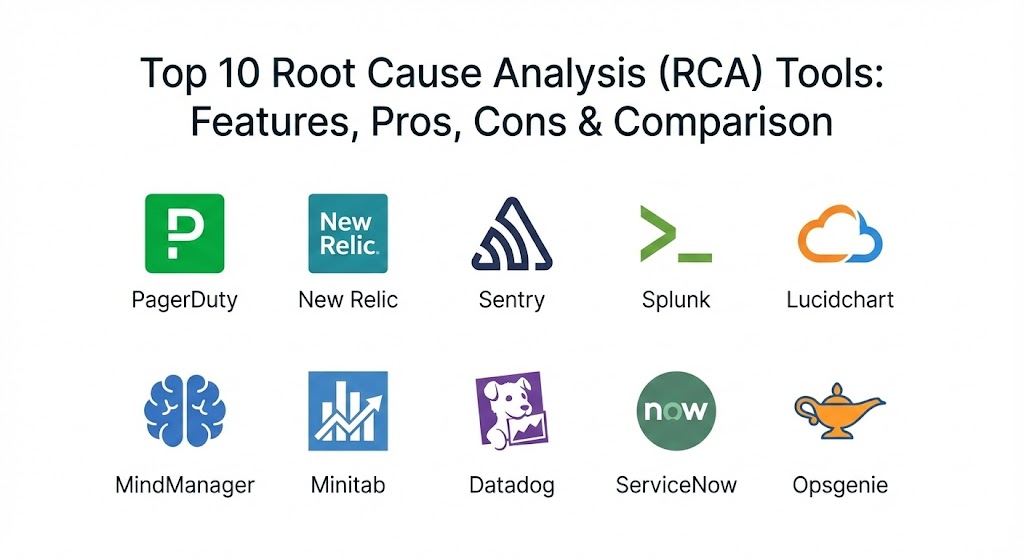
Top 10 Root Cause Analysis (RCA) Tools
1 — PagerDuty
PagerDuty is a tool that helps teams manage emergencies in their digital systems. It is designed for IT teams who need to know the moment a website or app stops working. It doesn’t just send an alarm; it helps the team talk to each other and look through data to find out exactly what broke.
- Key features:
- It sends alerts to the right person at the right time using phone calls or texts.
- It groups similar problems together so the team doesn’t get overwhelmed by too many alarms.
- It has a special “incident timeline” that shows exactly when things started to go wrong.
- It connects with many other tools to pull in data from across the whole company.
- It suggests who can help based on who fixed a similar problem in the past.
- It creates a final report that explains the cause and how to prevent it.
- Pros:
- It is very fast and reliable, ensuring that no emergency is missed.
- It is excellent at helping big teams work together without getting confused.
- Cons:
- It can be quite expensive for smaller teams that don’t have many emergencies.
- The many features can make it feel a bit complicated to set up at first.
- Security & compliance: SSO, encryption for all data, audit logs, SOC 2, and GDPR.
- Support & community: Very high-quality documentation and a large group of users online. They offer professional help for big companies and have many training videos.
2 — New Relic
New Relic is a tool that lets you look inside your software while it is running. It is like having a window into the “brain” of your computer system. It is designed for developers who want to see which part of their code is slow or causing errors.
- Key features:
- It shows a live map of how all your different software parts talk to each other.
- It highlights exactly which line of code is making a website slow.
- It can watch how real users are experiencing your app and find their problems.
- It uses smart math to find patterns in data that a human might miss.
- It stores all your logs and data in one place for easy searching.
- It provides a simple dashboard that shows the health of your whole system.
- Pros:
- It gives a very deep level of detail that helps find technical roots very quickly.
- It works well for companies that use cloud systems like Amazon or Google.
- Cons:
- The way they charge money can be confusing and sometimes gets expensive.
- It collects so much data that it can sometimes feel hard to find the one thing you need.
- Security & compliance: SSO, encryption, audit logs, SOC 2, GDPR, and HIPAA.
- Support & community: They have a very helpful user forum and detailed guides. They also provide professional support for business customers.
3 — Sentry
Sentry is a tool that focuses on finding bugs and errors in software code. It is built for programmers who want to know the second their code fails. It captures a “snapshot” of what was happening at the moment of the crash so the developer can see the root cause immediately.
- Key features:
- It sends a message to the team the moment a user sees an error on their screen.
- It shows the exact path the data took before it caused a crash.
- It can tell which version of the software caused the problem.
- It groups many similar crashes into one “issue” to keep things tidy.
- It integrates with tools where developers write code to make fixing fast.
- It shows how many users are being bothered by a specific bug.
- Pros:
- It is very easy to add to a project and starts working right away.
- It makes it much easier for developers to fix bugs without asking users for more info.
- Cons:
- It is mostly for code errors and isn’t as good for physical or factory problems.
- If a site has a lot of bugs, the tool can send too many notifications.
- Security & compliance: SSO, data encryption, SOC 2, and GDPR.
- Support & community: Excellent open-source community and very clear documentation. They offer direct help for paying members.
4 — Splunk
Splunk is a powerful tool for searching through massive amounts of data “logs.” Logs are like a diary that every computer keeps. Splunk is designed for security experts and IT managers who need to dig through millions of lines of data to find the root of a security hack or a system failure.
- Key features:
- It can read data from almost any kind of computer, server, or machine.
- It has a very powerful search bar that works like a search engine for your data.
- It creates beautiful charts and graphs to help you see trends.
- It can set up alerts that trigger when something unusual happens in the data.
- It is very good at handling huge amounts of information at once.
- It includes special apps for security, IT health, and business goals.
- Pros:
- It is one of the most powerful tools in the world for finding facts in big data.
- It is very flexible and can be used for almost any kind of analysis.
- Cons:
- It is known for being very expensive for companies with a lot of data.
- You need to learn a specific way of typing searches to get the best results.
- Security & compliance: SSO, encryption, audit logs, SOC 2, GDPR, HIPAA, and ISO.
- Support & community: Huge community and many professional experts you can hire. They offer very detailed training classes.
5 — Lucidchart
Lucidchart is a visual tool that helps people draw diagrams. While it is not an “automated” scanner, it is used by almost every RCA expert to build “Fishbone” diagrams or “5 Whys” maps. It is designed for teams who want to brainstorm together to see how a problem grew.
- Key features:
- It has a very easy “drag and drop” way to build diagrams.
- It includes special templates specifically for root cause analysis.
- Multiple people can work on the same drawing at the exact same time.
- It can connect to live data to update the shapes automatically.
- It integrates with tools like Slack and Microsoft Teams.
- It allows you to leave comments on specific parts of a diagram.
- Pros:
- It makes complex problems much easier to understand by turning them into a picture.
- It is very simple to use and doesn’t require any technical computer skills.
- Cons:
- It doesn’t find the problem for you; you have to know the facts first.
- The free version is quite limited in how many shapes you can use.
- Security & compliance: SSO, encryption, SOC 2, and GDPR.
- Support & community: Very good help center and many pre-made templates you can use for free.
6 — MindManager
MindManager is a tool that helps you organize thoughts using “mind maps.” It is designed for managers and planners who need to see the big picture. In root cause analysis, it is used to map out all the different things that could have gone wrong to see how they are all linked.
- Key features:
- It lets you create complex maps of ideas starting from a central problem.
- You can attach files, links, and notes to any part of the map.
- It has a special view that turns your ideas into a timeline.
- It allows you to prioritize which causes are the most likely.
- It can turn a finished analysis into a task list for the team.
- It works on both computers and mobile devices.
- Pros:
- It is excellent for “brainstorming” sessions where you have a lot of messy ideas.
- It helps you see connections between different departments that you might have missed.
- Cons:
- It can feel a bit cluttered if the map gets too large.
- It is a paid tool and might be expensive if you only need it occasionally.
- Security & compliance: Basic encryption and audit logs; varies by version.
- Support & community: Good documentation and professional support for business users.
7 — Minitab
Minitab is a tool used for “statistical analysis,” which is just a fancy way of saying “math on data.” It is the top choice for factory managers and engineers who want to find the root cause of a defect in a physical product.
- Key features:
- It has special tools for “Six Sigma,” which is a famous way of making things perfectly.
- It can create very detailed math charts like “Pareto” and “Control” charts.
- It helps you find out if a change in the factory actually fixed the problem.
- It can predict when a machine might break in the future based on past data.
- It includes an assistant that helps you pick the right math test for your problem.
- It handles very large spreadsheets of data very quickly.
- Pros:
- It is the most accurate tool for finding problems in physical manufacturing.
- It is trusted by engineers all over the world for its precision.
- Cons:
- It is very difficult to use if you do not understand math or statistics.
- The interface looks a bit like an old spreadsheet program and is not very modern.
- Security & compliance: Standard enterprise security; GDPR compliant.
- Support & community: Excellent training materials and a very professional support team.
8 — Datadog
Datadog is a modern tool that watches your whole cloud system. It is designed for companies that use many different web services at once. It pulls in data from servers, databases, and apps to help you see the “root” of a slowdown across the whole company.
- Key features:
- It provides one single screen to see every part of your digital business.
- It uses smart “watchdogs” that find unusual activity automatically.
- It can trace a single customer’s request as it moves through all your systems.
- It has a very fast search for looking through logs.
- It allows you to build custom dashboards for different teams.
- It connects to almost every popular web service in the world.
- Pros:
- It is very good at showing how a problem in one area is actually caused by another area.
- It is updated very often with new features and better ways to see data.
- Cons:
- Because it does so much, it can take a long time to set it up perfectly.
- The cost can go up very quickly if you have a lot of different things to watch.
- Security & compliance: SSO, encryption, SOC 2, HIPAA, and GDPR.
- Support & community: Great documentation and a very active community of cloud experts.
9 — ServiceNow
ServiceNow is a giant platform for big companies to manage their work. Its “Incident and Problem Management” part is built to help very large teams keep track of why things go wrong. It is designed for businesses that need a very formal way to do root cause analysis.
- Key features:
- It keeps a very detailed record of every problem and how it was fixed.
- It forces the team to follow a specific set of steps for every analysis.
- It can automatically assign tasks to different departments to fix the root cause.
- It includes a “knowledge base” so people can see how problems were fixed in the past.
- It provides high-level reports for company leaders to see trends.
- It integrates with almost all other major business software.
- Pros:
- It is the best tool for making sure a big company actually follows through on its fixes.
- it is very professional and helps keep everything organized in one place.
- Cons:
- it is extremely complex and usually requires a special team just to manage it.
- It is very expensive and only meant for very large organizations.
- Security & compliance: Very high. Meets almost every major global security and privacy law.
- Support & community: Huge ecosystem of experts and professional support companies.
10 — Opsgenie
Opsgenie is a tool from a company called Atlassian. It is built to handle the “people” part of an emergency. It helps teams talk to each other and stay organized while they are trying to find the root cause of a system failure.
- Key features:
- It manages the “on-call” schedule so the right person is always alerted.
- It has a built-in “incident room” where the team can chat and share data.
- It can send alerts through many different ways, including apps, calls, and email.
- It creates a timeline of who did what during the problem.
- It integrates perfectly with other popular tools like Jira and Confluence.
- It provides reports on how fast the team is at finding and fixing roots.
- Pros:
- It is very affordable for teams that are already using other Atlassian products.
- it is very simple to use and doesn’t get in the way during an emergency.
- Cons:
- It is not as deep at “analyzing” data as tools like Splunk or New Relic.
- It is mostly for the communication part of the analysis.
- Security & compliance: SSO, encryption, SOC 2, and GDPR.
- Support & community: Great help guides and a very large group of users who use Jira.
Comparison Table
| Tool Name | Best For | Platform(s) Supported | Standout Feature | Rating |
| PagerDuty | IT Emergencies | Cloud / Mobile | Smart Alert Grouping | N/A |
| New Relic | Code Performance | Cloud / Web | Live Code Mapping | N/A |
| Sentry | Software Bugs | All Platforms | Error Snapshots | N/A |
| Splunk | Big Data Search | Cloud / Private | Powerful Log Search | 4.5/5 |
| Lucidchart | Visual Diagrams | Web Browser | Real-time Collaboration | 4.8/5 |
| MindManager | Brainstorming | Windows / Mac | Visual Idea Mapping | N/A |
| Minitab | Factory / Engineering | Windows / Web | Advanced Math Tools | N/A |
| Datadog | Cloud Health | Cloud / Web | Whole System View | 4.7/5 |
| ServiceNow | Big Company Workflow | Cloud / Web | Formal Task Tracking | 4.3/5 |
| Opsgenie | Team Communication | Cloud / Mobile | Incident Chat Rooms | N/A |
Evaluation & Scoring of Root Cause Analysis (RCA) Tools
We have evaluated these tools based on a specific scoring system. We look at how well they do their job, how easy they are to use, and if they are worth the money.
| Category | Weight | Score (Out of 10) | Notes |
| Core Features | 25% | 9/10 | Most of these tools are the best in the world at what they do. |
| Ease of Use | 15% | 7/10 | Some tools like Splunk and ServiceNow are quite hard to learn. |
| Integrations | 15% | 9/10 | Almost all of them talk to other popular software easily. |
| Security & Compliance | 10% | 10/10 | These are professional tools that take safety very seriously. |
| Performance | 10% | 9/10 | They are built to handle lots of data without slowing down. |
| Support & Community | 10% | 8/10 | Most have great guides, but human help can be expensive. |
| Price / Value | 15% | 6/10 | Many of these tools are very expensive for smaller teams. |
Which Root Cause Analysis (RCA) Tool Is Right for You?
Choosing the right tool depends on your budget and what kind of problems you are trying to solve.
- Solo Users and Small Teams: If you are working alone or in a small group, you should start with Lucidchart. It is cheap and helps you organize your own thoughts without being too technical. If you are a developer, the free version of Sentry is also a great start.
- Budget-Conscious Teams: Look for tools that have a “free tier” or are priced by how much you use them. Opsgenie and Sentry are often more affordable for teams that don’t have a huge budget.
- Feature Depth vs Ease of Use: If you want the most powerful tool and don’t mind spending months learning it, Splunk is the way to go. If you want something you can start using today, Lucidchart or PagerDuty are much easier to pick up.
- Mid-Market Companies: For a growing company, Datadog or New Relic are excellent. They grow with you and can watch almost everything in your digital business as you add new parts.
- Enterprise and Big Business: If you work at a massive company with thousands of people, you almost certainly need ServiceNow or a professional setup of Splunk. These tools provide the order and the formal rules that big companies need to stay safe.
- Manufacturing and Engineering: If you are building physical things like cars or medical tools, don’t use IT tools. You need Minitab. It is the only tool on the list that truly understands the math needed for factory production.
Frequently Asked Questions (FAQs)
1. What is the difference between RCA and a simple fix?
A simple fix is like wiping up a puddle of water. Root cause analysis is finding the leaky pipe and fixing it so the puddle doesn’t come back. RCA is about permanent solutions.
2. Do I need to be a computer expert to use these tools?
Not for all of them. Tools like Lucidchart are just for drawing and are very easy. However, tools like Splunk or Minitab require a lot of technical knowledge about data and math.
3. Are these tools expensive?
They can be. Many offer a free version for small projects, but for a whole company, they can cost thousands of dollars every month. Always check the pricing carefully before you start.
4. Can these tools find the problem automatically?
Some can. Tools like Datadog and New Relic use “AI” to find unusual things in your data. But even the best tool usually needs a human to look at the results and make the final decision.
5. How long does it take to do a root cause analysis?
For a simple bug, it might take 30 minutes. For a major factory error or a huge website crash, it could take several days of looking through data and talking in meetings.
6. Is my data safe in these tools?
Yes. These are professional business tools. They use very strong encryption and follow strict laws like GDPR to make sure your private company data stays secret.
7. Can I use more than one tool at the same time?
Yes, most companies do. You might use Datadog to find a problem, PagerDuty to alert the team, and Lucidchart to draw the final Fishbone diagram.
8. What is a Fishbone diagram?
It is a drawing that looks like a fish skeleton. The “head” is the problem, and the “bones” are all the different reasons why it might have happened. It is a classic way to do an RCA.
9. What happens if the tool finds the wrong cause?
This can happen if the data is messy. This is why a human should always check the work. The tool is there to help you, not to replace your own thinking.
10. Do these tools work on mobile phones?
Many of them do. PagerDuty, Opsgenie, and Datadog all have great apps so you can start looking for a root cause even if you are not at your desk.
Conclusion
Finding the root of a problem is the only way to make sure it never bothers your business again. Whether you use a visual tool like Lucidchart to draw out your thoughts, or a powerful data machine like Splunk to search through logs, the goal is the same: stop the surface problems and fix the deep ones.
When you are choosing the “best” tool, remember that it depends on your specific needs. A factory manager needs the math of Minitab, while a software developer needs the error snapshots of Sentry. The best approach is to start with a tool that fits your current skills and your biggest problems. As your company grows, you can add more powerful tools to your workbench. By taking the time to find the root cause today, you are building a much stronger and more successful business for the future.