Introduction
Shadow IT discovery tools are special software programs that help a company find all the apps and websites their employees are using without permission. Think of a big office where everyone is working on different tasks. Sometimes, an employee might find a new tool online to help them work faster, like a file-sharing site or a notes app, and start using it without telling the technology department. While this helps them work, it creates a “shadow” because the company doesn’t know the app is being used. These discovery tools act like a flashlight, shining a light into those dark corners to see exactly what software is running on the company network.
Finding these hidden apps is important for two main reasons: safety and money. If an employee puts secret company data into an app that isn’t secure, hackers could steal it. Also, many companies waste money by paying for one software while employees are using a different, hidden one. Real-world use cases include identifying dangerous apps that might leak data, finding “zombie” accounts that are costing money but aren’t being used, and making sure everyone is following the official rules for digital safety. When picking a tool, you should look at how well it connects to your current systems, how easy it is to read the reports, and if it can find apps even when people are working from home.
Best for: These tools are most helpful for technology managers, security officers, and finance teams in medium to large businesses. They are perfect for companies that have many employees using cloud software and want to make sure their data is safe while keeping costs low.
Not ideal for: You likely do not need these tools if you have a very small team where everyone works in the same room and uses only three or four basic apps. In those cases, just asking everyone what they use is much cheaper and faster than buying a complex discovery tool.
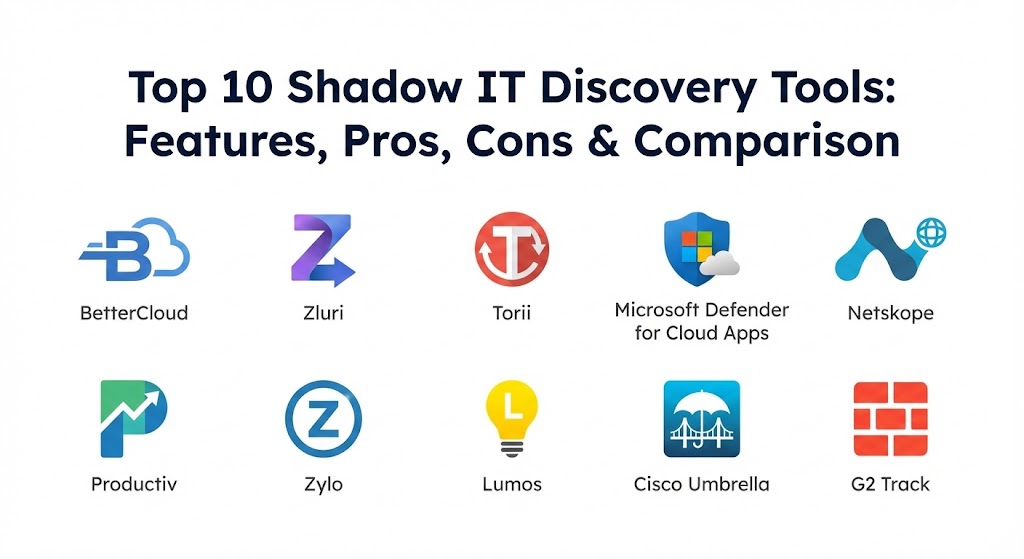
Top 10 Shadow IT Discovery Tools
1 — BetterCloud
BetterCloud is a very well-known platform that helps companies manage many different cloud apps from one single place. It is designed for businesses that use a lot of different software and want to automate the way they find and control those apps.
Key features
- Automated discovery: It automatically finds new apps as soon as an employee logs into them using their work email.
- Workflows: You can set up “if this, then that” rules to automatically block dangerous apps.
- Alert system: It sends a message to the tech team if it sees something suspicious happening.
- File security: It looks inside apps to see if any private files are being shared with the public.
- User management: It helps you quickly add or remove people from all company apps at once.
- Detailed reporting: It gives you a clear list of every app found and who is using it.
Pros
- It saves a huge amount of time by doing the “detective work” automatically.
- The tool is very good at showing you exactly how much an app is being used, so you can stop paying for it if it’s ignored.
Cons
- It can be quite expensive for smaller companies that are just starting out.
- The setup process can be a bit long because it has so many features to turn on.
Security & compliance: This tool offers strong security including SSO, data encryption, and audit logs. It is compliant with major rules like SOC 2 and GDPR.
Support & community: They provide very detailed help guides and have a support team for businesses. There is also a large group of users who share tips and best ways to use the tool.
2 — Zluri
Zluri is a modern tool that focuses on discovering every single piece of software in a company. It is designed for teams that want a very clear and simple view of their digital landscape.
Key features
- Browser extensions: It can find apps by seeing what employees use in their web browsers.
- SSO integration: It connects to your login systems to see what apps people are opening.
- Financial tracking: It can look at company spending to find apps that were paid for but never officially approved.
- Renewal calendar: It tells you when a software contract is about to end so you can decide to keep it or cancel it.
- App library: It maintains a huge list of known apps to help identify even the most obscure tools.
- Employee portal: It allows employees to request new apps officially so they don’t have to hide them.
Pros
- The user interface is very clean and easy to understand even for people who aren’t tech experts.
- It is excellent at finding “free” apps that don’t show up on a credit card bill but still pose a security risk.
Cons
- Some employees might feel uncomfortable with browser extensions being installed.
- It works best for cloud-based apps and might miss older software installed directly on a computer.
Security & compliance: Zluri uses high-level encryption and is compliant with GDPR, SOC 2, and HIPAA for medical data safety.
Support & community: They offer great onboarding help for new customers and have a very responsive support team that can be reached via chat.
3 — Torii
Torii is a tool that emphasizes “real-time” discovery. It wants to show you what is happening right now, rather than making you wait for a weekly report.
Key features
- Real-time detection: It alerts you the very second a new, unauthorized app is used.
- Cost analysis: It calculates exactly how much money you are wasting on hidden or duplicate apps.
- Browser agents: It uses light tools on computers to watch for app usage patterns.
- ERP connection: It can connect to your business planning software to find hidden costs.
- Usage data: It shows you not just if an app is used, but how often and for how long.
- Security scores: it gives every discovered app a safety grade so you know which ones to worry about first.
Pros
- It is very fast and responsive, which is great for high-speed technology companies.
- It makes it very easy to see which departments are spending the most on unapproved tools.
Cons
- The amount of data it provides can be overwhelming for a small team to handle.
- It requires a bit more technical skill to connect all the different data sources.
Security & compliance: Offers SOC 2 Type II compliance and ensures all data is encrypted while it moves across the internet.
Support & community: They provide professional customer success managers for larger clients and have an extensive library of tutorials.
4 — Microsoft Defender for Cloud Apps
This tool is built by Microsoft and is perfect for companies that already use Microsoft 365. It is a “Security Broker” that sits between your employees and the cloud.
Key features
- Cloud Discovery: It scans your network logs to see which cloud services are being visited.
- Risk assessment: It uses a massive database to tell you if a hidden app is dangerous or safe.
- Data protection: It can stop sensitive files from being uploaded to unapproved websites.
- Threat detection: It looks for hackers who might be using your cloud apps to steal data.
- Conditional access: You can set rules that only allow certain apps to be used from “safe” locations.
- Integration: It works perfectly with other Microsoft security tools you might already have.
Pros
- If you already pay for Microsoft, you might already have access to this tool, making it “free” or very cheap.
- It is extremely powerful and can handle very large companies with thousands of workers.
Cons
- It can be very complicated to set up and usually requires a professional IT expert.
- It is mostly focused on security and isn’t as good at tracking the financial side of apps.
Security & compliance: As a Microsoft product, it meets almost every global standard including ISO, GDPR, and HIPAA.
Support & community: They offer massive amounts of documentation and have a global support team available 24/7.
5 — Netskope
Netskope is a tool that focuses heavily on the “Security” part of discovery. It is built for companies that deal with very sensitive information and cannot afford any mistakes.
Key features
- Deep inspection: It looks at the actual data being sent to apps, not just the name of the app.
- Granular control: You can allow an app but block certain actions, like “No downloading” or “No sharing.”
- Global network: It uses its own fast network to watch traffic without slowing down your internet.
- Web filtering: It blocks dangerous websites before employees can even click on them.
- Data loss prevention: It is one of the best tools for making sure secrets stay inside the company.
- Mobile protection: It works even when employees are using their phones or tablets on the go.
Pros
- It provides the best protection for data-heavy companies like banks or hospitals.
- The tool can see “inside” the traffic to find hidden dangers that other tools miss.
Cons
- It is a very “heavy” tool that can be difficult for a small team to manage.
- Because it watches everything, some employees might feel it is too invasive.
Security & compliance: It is a leader in security and is compliant with SOC 2, ISO, and many other international rules.
Support & community: They offer high-level professional support and have a community of security experts who use the tool.
6 — Productiv
Productiv is a discovery tool that cares about how “engaged” people are with their software. It is designed to help businesses make better choices about what apps to buy.
Key features
- Engagement tracking: It shows you if people are actually using the features of the apps they have.
- SaaS Intelligence: It uses data to tell you if a different app might be a better choice for your team.
- Real-time discovery: It finds hidden apps through logins and browser activity.
- Collaboration tools: It shows you which apps are helping people work together the most.
- Automated renewals: It simplifies the process of deciding which software to keep each year.
- Benchmarking: It compares your app usage to other similar companies to see how you are doing.
Pros
- It is the best tool for companies that want to make sure their employees are happy and productive.
- It focuses more on “helping” and “improving” rather than just “blocking” and “policing.”
Cons
- It might not be as strong at blocking advanced hackers as some of the security-focused tools.
- The pricing can be a bit tricky to understand for a first-time buyer.
Security & compliance: They are SOC 2 compliant and follow strict GDPR rules for user privacy.
Support & community: They provide excellent customer success support and have a very helpful user forum.
7 — Zylo
Zylo is a giant in the world of SaaS management. It is designed for very large corporations that spend millions of dollars on software and need to get a handle on it.
Key features
- Financial discovery: It scans your credit card and bank records to find every penny spent on software.
- Inventory management: It creates a giant master list of every app used across the whole company.
- License optimization: It tells you if you have “extra” seats for a software that you don’t need.
- Contract center: It keeps all your legal documents and software contracts in one digital folder.
- Sentiment surveys: It actually asks employees if they like the apps they are using.
- Detailed analytics: It provides very deep reports for the finance department.
Pros
- It is the most powerful tool for finding hidden costs and saving money on a large scale.
- The surveys are a great way to make sure employees feel heard and respected.
Cons
- It is likely too big and complex for a company with only 50 or 100 employees.
- You need to give it access to your financial records, which some companies might not want to do.
Security & compliance: They follow enterprise-grade security standards and are SOC 2 Type II compliant.
Support & community: They provide dedicated account managers for large clients and have professional training programs.
8 — Lumos
Lumos is a newer kind of discovery tool. It wants to replace “Shadow IT” with an “App Store” for your company, where employees can get what they need easily and safely.
Key features
- Self-service portal: Employees can go to a company website to “buy” or request the apps they want.
- Automatic access: As soon as a request is approved, the tool automatically sets up the account.
- Discovery through SSO: It finds the apps that weren’t requested through the portal by watching logins.
- Permissions management: It makes sure people only have access to the parts of an app they need for their job.
- Time-based access: You can give someone access to an app for just one day or one week.
- Audit readiness: It keeps a perfect record of who has access to what, which is great for legal reviews.
Pros
- It reduces the reason for “Shadow IT” because it makes getting official apps so easy.
- It is excellent for making sure that former employees lose access to apps immediately.
Cons
- It works best if you are willing to change the way your company requests software.
- It is a newer tool, so it might not have as many connections to obscure apps as the older giants.
Security & compliance: They are SOC 2 Type II compliant and follow GDPR and HIPAA rules closely.
Support & community: They have a very modern and helpful support team that responds quickly to questions.
9 — Cisco Umbrella
Cisco Umbrella is a tool that works at the “Network level.” This means it sees everything that leaves your office or your employee’s laptop before it even reaches the internet.
Key features
- DNS discovery: it looks at the “address book” of the internet to see which apps are being visited.
- Shadow IT reports: It provides a simple list of every cloud service it sees on your network.
- Security filtering: It automatically blocks known “bad” websites and apps.
- Simple setup: Since it works at the network level, you don’t have to install something on every single app.
- Global view: It shows you what is happening in all your office locations around the world in one view.
- Threat intelligence: It uses Cisco’s massive knowledge of hackers to keep your team safe.
Pros
- It is very easy to turn on for a whole company at once.
- It finds apps that employees might use without even logging in, just by visiting the website.
Cons
- It doesn’t give you as much detail about what is happening inside the app as other tools.
- It isn’t very good at tracking the costs or licenses of the apps it finds.
Security & compliance: Being a Cisco product, it meets all major security standards and is highly trusted by governments.
Support & community: They offer professional 24/7 support and have a massive amount of documentation and online help.
10 — G2 Track
G2 Track is a tool built by the people who run the famous G2 software review website. It uses their knowledge of software to help you manage your own.
Key features
- Financial mapping: It connects to your accounting tools to find every software payment.
- User sentiment: It shows you how other people in the world like the apps your employees are using.
- Usage tracking: It looks at browser data and SSO to see who is actually using the tools.
- Budget planning: It helps you see how much your software costs will grow in the next few years.
- Compliance alerts: It tells you if an app being used has a bad reputation for safety.
- Vendor management: It helps you keep track of all the different companies you pay for software.
Pros
- It is a great choice for companies that want to know the “quality” of the software they are finding.
- It is very good at identifying what an app actually does so you can find duplicates easily.
Cons
- It might not be as strong at “active blocking” as the more expensive security tools.
- It relies heavily on financial data, so it might miss free apps that don’t cost anything.
Security & compliance: They are SOC 2 compliant and ensure that your financial data is handled very carefully.
Support & community: They provide solid customer support and have a great blog with lots of software advice.
Comparison Table
| Tool Name | Best For | Platform(s) Supported | Standout Feature | Rating |
| BetterCloud | Automation | Web / SaaS | Automated “If-Then” Rules | 4.7 / 5 |
| Zluri | Simple Discovery | Web / SaaS | browser extension tracking | 4.8 / 5 |
| Torii | Real-time Visibility | Web / SaaS | Instant app alerts | 4.6 / 5 |
| MS Defender | Microsoft Users | Windows / Azure | Built into MS 365 | 4.5 / 5 |
| Netskope | Deep Security | All Platforms | Inspecting data inside apps | 4.7 / 5 |
| Productiv | Team Productivity | Web / SaaS | Engagement analytics | 4.5 / 5 |
| Zylo | Large Enterprises | Web / SaaS | Financial record scanning | 4.6 / 5 |
| Lumos | Employee Requests | Web / SaaS | Internal App Store | 4.8 / 5 |
| Cisco Umbrella | Network Security | All Platforms | DNS-level discovery | 4.4 / 5 |
| G2 Track | Budget & Reviews | Web / SaaS | G2 Review integration | 4.3 / 5 |
Evaluation & Scoring of Shadow IT Discovery Tools
We evaluated these tools by looking at how well they do their job and how easy they are to use. We give more “weight” or importance to the features that matter most for finding hidden apps.
| Evaluation Category | Weight | What We Look For |
| Core Features | 25% | Can it find hidden apps? Does it show how much they cost? |
| Ease of Use | 15% | Is the website clean? Can a regular person read the reports? |
| Integrations | 15% | Does it connect to banks, browsers, and login systems? |
| Security & Compliance | 10% | Is the tool itself safe? Does it help with rules like GDPR? |
| Performance | 10% | Does it work fast? Does it slow down the company’s internet? |
| Support & Community | 10% | Is there a manual? Can you call someone for help? |
| Price / Value | 15% | Is it worth the money? Does it help save more than it costs? |
Which Shadow IT Discovery Tools Tool Is Right for You?
Choosing the right tool depends on your specific needs and the size of your company.
By Company Size and Type
- Solo Users & Very Small Teams: As mentioned before, you likely don’t need a professional tool. A simple spreadsheet is enough to keep track of what you use.
- Small to Mid-Market Businesses (SMBs): Zluri or Torii are great choices. They are easy to set up and provide very clear views of what is happening without needing a giant security team.
- Large Corporations: Zylo or Netskope are built for the big leagues. They can handle thousands of employees and provide the deep data that big bosses need to see.
- Microsoft-focused Companies: If your whole office uses Word, Excel, and Teams, then Microsoft Defender for Cloud Apps is the most natural and easiest choice for you.
Based on Your Budget
- Budget-conscious: If you want to save money, look for tools like Cisco Umbrella or G2 Track. They focus on the basics and are often more affordable for growing companies.
- Premium solutions: If you have a large budget and want the absolute best safety, Netskope and BetterCloud are worth the investment because they offer the most protection for your data.
Feature Depth vs. Ease of Use
If you want a tool that is very easy to use and looks nice, choose Lumos or Zluri. If you don’t mind a tool that is a bit harder to learn but provides a massive amount of data, BetterCloud or MS Defender are better choices.
Security and Integration Needs
If you are in a field like Healthcare or Finance, you MUST choose a tool with the highest security, like Netskope or Microsoft Defender. If you want a tool that helps with the financial side, like taxes and budgeting, Zylo and G2 Track are the better options.
Frequently Asked Questions (FAQs)
1. Is Shadow IT always a bad thing?
Not always. It usually means an employee is trying to be more productive. However, it is dangerous because the company hasn’t checked if the app is safe.
2. How do these tools find apps I didn’t tell them about?
They look at three main things: your company’s bank and credit card bills, your login systems (like Google or Microsoft), and what websites your browsers visit.
3. Do these tools slow down my computer?
Most modern tools are very “light” and run in the background. You usually won’t even notice they are there while you are working.
4. Can these tools see my private messages?
Most professional tools are built to protect privacy. They only see the name of the app and how much it is used, not your personal conversations or private photos.
5. How long does it take to set up a discovery tool?
For a simple cloud-based tool, you can see results in as little as 30 minutes. More complex tools for large companies might take a few days to connect everything.
6. Will this tool tell me how much money I can save?
Yes, most of these tools have a “Savings” dashboard that shows you where you are paying for two apps that do the same thing.
7. Can these tools automatically delete hidden apps?
Some can! Tools like BetterCloud can automatically block access or remove an account if it sees a dangerous app being used.
8. Do I need to install something on every laptop?
Not always. Some tools only look at your network or your login systems, so you don’t have to touch any individual laptops.
9. Are these tools hard to learn?
The modern ones (like Zluri and Torii) are built like modern websites and are very easy. The security-heavy ones (like Netskope) require more training.
10. What is the biggest mistake companies make with these tools?
Buying a tool and then never looking at the reports. These tools only work if you take action on the hidden apps they find for you.
Conclusion
Finding and managing Shadow IT is a big part of keeping a modern company safe and successful. As we have seen, there is no single “best” tool, but there is a right one for every business. Whether you need the heavy security of Netskope, the cost-saving power of Zylo, or the simple and clear view of Zluri, these tools provide the “flashlight” you need to see what is happening in your digital office.
When you make your choice, remember to think about why you need the tool. If your goal is safety, pick a security-focused tool. If your goal is saving money, pick a finance-focused tool. The most important thing is to start shining that light so you can protect your data and your budget.
Using one of these tools is a great way to respect your employees’ need for good software while also keeping the company safe. We recommend trying a demo of a few different tools to see which one fits your company’s style and needs the best.