Introduction
A SaaS Management Platform is a specialized tool that helps a company keep track of all the different software subscriptions they pay for. Think of it like a master control center for every app your team uses, from email and chat tools to complex design or accounting software. These platforms help IT and finance teams see exactly what is being used, how much it costs, and who has access to it. Instead of guessing which apps are worth the money, these tools give you a clear picture of your digital workspace.
In the past, a company might have only used a few big software programs. Today, even a small business might use dozens of different apps. This leads to a problem often called “Shadow IT,” where employees sign up for tools without telling the IT department. This can be dangerous for security and very expensive if you are paying for seats that nobody uses. A SaaS management platform solves this by automatically finding every subscription in your company, uncovering hidden costs, and making sure your data stays safe.
Key use cases include “offboarding” employees, where the tool automatically removes their access to every single app at once, and “renewal management,” which alerts you before a contract automatically renews. When choosing a tool, you should look for how many integrations it has (can it talk to all your apps?), how easy the dashboard is to read, and whether it can actually take action—like deleting accounts—for you.
Best for:
These tools are best for IT Managers, Chief Information Officers (CIOs), and Finance Directors in growing companies. They are especially helpful for mid-market and large enterprise businesses that find it impossible to track software manually in a spreadsheet. Any industry that handles sensitive data, like healthcare or finance, will benefit greatly from the security features these platforms provide.
Not ideal for:
A SaaS management platform might be too much for a tiny startup with only five employees and three apps. In those cases, a simple list is usually enough. They are also not ideal for companies that do not use “Software as a Service” (SaaS) and instead still run all their programs on physical servers inside their own building.
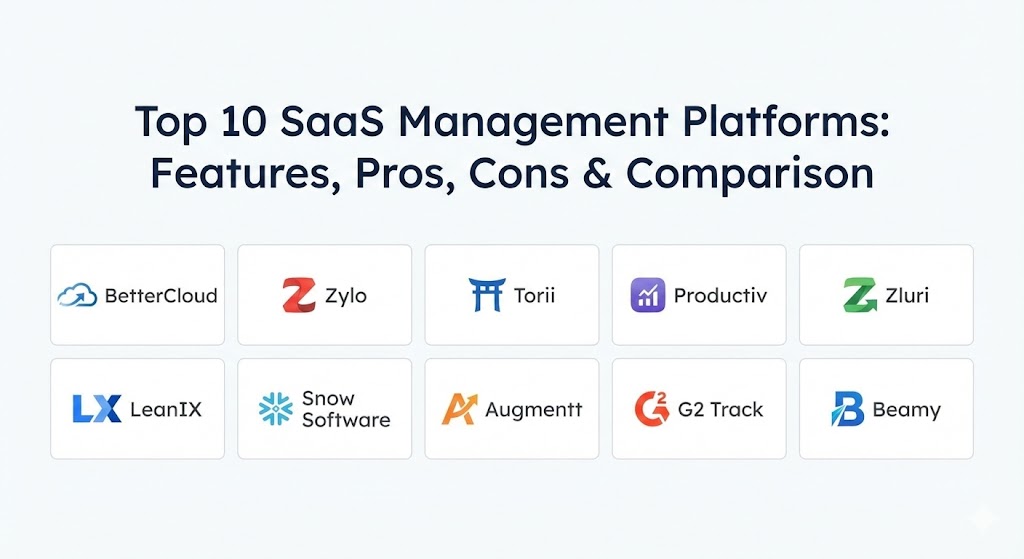
Top 10 SaaS Management Platforms Tools
1 — BetterCloud
BetterCloud is one of the most established names in the industry. It focuses heavily on “operations,” which means it is built to help IT teams automate the boring, repetitive tasks of managing user access across many different apps.
- Key features:
- Automated workflows for hiring and letting go of employees.
- Deep security alerts that tell you if someone is sharing files unsafely.
- Centralized place to change settings for many apps at once.
- Detailed reporting on how often employees actually log into their tools.
- Ability to find “Shadow IT” by scanning your company’s records.
- Advanced search to find specific users or files across the whole system.
- Pros:
- It is incredibly powerful for automating complex tasks that would take humans hours to do.
- The security features are very deep and help find risks that other tools might miss.
- Cons:
- It has a steeper learning curve and can be difficult to set up initially.
- The price is higher than many other options, making it a premium choice.
- Security & compliance: SOC 2 Type II, GDPR, and HIPAA compliant. It uses high-level encryption and supports SSO for all users.
- Support & community: Offers a very large knowledge base, a dedicated community for IT professionals, and professional support plans for large businesses.
2 — Zylo
Zylo is a platform that puts a heavy focus on the financial side of software. It is designed to help companies find every dollar they are spending on apps and identify where they can save money during contract negotiations.
- Key features:
- “Discovery Engine” that finds apps by looking at accounting and expense data.
- A library of benchmark data to show you if you are paying too much compared to other companies.
- Detailed calendar that tracks when every software contract is about to renew.
- Usage tracking to show which employees are actually using their paid seats.
- Centralized hub for employees to see which apps the company already pays for.
- Pros:
- Excellent for finance teams who want to lower their software budget.
- The data on “Shadow IT” is very accurate because it looks at the actual money being spent.
- Cons:
- It is not as strong at “taking action” (like automatically deleting accounts) as some competitors.
- The setup requires giving the tool access to your financial records, which some teams may find sensitive.
- Security & compliance: SOC 2 Type II and GDPR compliant. They take data privacy very seriously and offer audit logs.
- Support & community: Known for having very helpful customer success managers and clear documentation for new users.
3 — Torii
Torii is known for its beautiful and simple user interface. It aims to provide a “balanced” approach, offering great tools for both saving money and automating IT tasks without being too difficult to use.
- Key features:
- Very fast discovery of apps through many different connection points.
- Advanced automation “playbooks” that are easy to build with a drag-and-drop tool.
- Real-time updates on app usage and costs.
- A “Browser Extension” that helps find apps that don’t have a direct connection.
- Tools for managing contract renewals and negotiations.
- Automated alerts for when new apps are found in the system.
- Pros:
- The interface is very clean and easy for a regular person to understand.
- It balances IT automation and financial savings better than almost anyone else.
- Cons:
- Some of the most advanced automation features are only available on higher-priced plans.
- It might not have as many niche integrations as the very large enterprise players.
- Security & compliance: ISO 27001, SOC 2 Type II, and GDPR compliant.
- Support & community: Provides excellent onboarding support and a very responsive help desk.
4 — Productiv
Productiv focuses on “SaaS Intelligence.” It goes beyond just seeing if someone logged in; it tries to see how much they are actually using the features of an app to determine its true value.
- Key features:
- Deep engagement analytics that show exactly how people use their software.
- Benchmarking tools to compare your app usage with other similar companies.
- Automation for managing license “downgrades” (moving someone to a cheaper plan if they don’t use premium features).
- Collaboration tools for IT and Finance to work on budgets together.
- A customized “App Store” for employees to request new software.
- Pros:
- Provides the most detailed look at how people actually work within their apps.
- Very strong at helping you decide which software is actually making your team more productive.
- Cons:
- It can be more expensive than basic tracking tools.
- The amount of data it provides can be overwhelming for smaller teams.
- Security & compliance: SOC 2, HIPAA, and GDPR compliant.
- Support & community: Offers professional onboarding and a library of guides for maximizing ROI.
5 — Zluri
Zluri is a fast-growing platform that boasts one of the largest libraries of direct integrations in the world. It is designed to be a “one-stop shop” for discovering, managing, and securing all your apps.
- Key features:
- Discovery via five different methods, including desktop agents and browser extensions.
- A massive library of over 800 direct integrations with popular apps.
- Automated “offboarding” that removes users from dozens of apps in one click.
- Renewal management with automated reminders and task lists.
- Security audits that show which apps have access to your most sensitive data.
- Pros:
- Because it has so many integrations, it can see almost every app you might own.
- It is very fast to set up compared to older enterprise tools.
- Cons:
- The user interface can sometimes feel a bit crowded because of all the data.
- Newer features are still being polished and may occasionally have small bugs.
- Security & compliance: SOC 2 Type II, ISO 27001, GDPR, and HIPAA compliant.
- Support & community: Offers 24/7 support and a very detailed knowledge base for developers.
6 — LeanIX
LeanIX is traditionally a tool for “Enterprise Architecture,” but its SaaS management module is excellent for large companies that need to see how their software fits into their overall business plan.
- Key features:
- Visual maps showing how different apps are connected to each other.
- Tracking of “obsolete” technology that needs to be replaced.
- Cost tracking and budget planning for giant corporations.
- Surveys to ask employees how they feel about the tools they use.
- Detailed look at the “technical debt” or risk of every app.
- Pros:
- Best-in-class for understanding the long-term strategy of your software.
- Excellent for very large companies with thousands of employees.
- Cons:
- It is likely too complex and slow for a small or medium business.
- It requires a dedicated person to manage the data and keep it accurate.
- Security & compliance: ISO 27001, SOC 2, and GDPR compliant.
- Support & community: Provides high-end enterprise support and specialized consulting services.
7 — Snow Software
Snow Software is a veteran in the field of “Asset Management.” Their SaaS platform is a great choice for companies that want to manage their cloud apps and their physical computers in the same place.
- Key features:
- Combined view of all software, whether it’s in the cloud or on a laptop.
- Automated discovery of “Shadow IT” through network scanning.
- Detailed reports on license compliance to avoid legal fines.
- Integration with major cloud platforms like Amazon and Microsoft.
- Tools to help optimize spending on very expensive enterprise software.
- Pros:
- Very reliable and trusted by many of the world’s biggest organizations.
- Great for companies that still have a mix of old and new technology.
- Cons:
- The interface can feel a bit dated compared to modern startups.
- It is built for experts, so it might be difficult for a beginner to use.
- Security & compliance: SOC 2 Type II and GDPR compliant.
- Support & community: Offers global support teams and a massive network of professional partners.
8 — Augmentt
Augmentt is specifically designed for “Managed Service Providers” (MSPs)—companies that manage technology for many other smaller businesses. It is built to be used by one team to watch over many different clients.
- Key features:
- Multi-tenant dashboard that shows data for many different companies at once.
- Simple tools for auditing security settings across many apps.
- Usage reports to prove the value of the software being managed.
- Discovery of “Shadow IT” and risky app permissions.
- Automated alerts for security threats or unusual spending.
- Pros:
- The only major tool built specifically for companies that help other businesses.
- It is very affordable and easy to scale as you add more clients.
- Cons:
- It lacks some of the deep “individual employee” features of tools like BetterCloud.
- Not the best fit if you are only managing software for your own single company.
- Security & compliance: GDPR compliant and uses secure data silos for every client.
- Support & community: Offers specialized training for MSPs and a dedicated support desk.
9 — G2 Track
G2 is famous for being a review site, and their “Track” tool uses their massive database of software information to help you manage your own subscriptions and spending.
- Key features:
- Finds apps by looking at your company’s bank and credit card statements.
- Benchmarking data pulled from thousands of reviews on the G2 website.
- Sentiment analysis to show how happy employees are with their tools.
- Centralized place to store all your software contracts and files.
- Visual charts showing where your software budget is going.
- Pros:
- It is very good at showing you if your team actually likes the apps you pay for.
- The price is very competitive, making it a good choice for mid-sized teams.
- Cons:
- It doesn’t have the deep IT automation found in tools like Torii or BetterCloud.
- Relies heavily on financial data, which might not show apps that are free.
- Security & compliance: SOC 2 Type II and GDPR compliant.
- Support & community: Provides a simple help center and responsive email support.
10 — Beamy
Beamy is a platform that focuses on “Governance.” It is built for large, complex companies—especially in Europe—that need to make sure every app follows strict legal and security rules.
- Key features:
- Automated “risk assessment” for every new app found in the company.
- Detailed workflows for getting an app approved by legal and IT.
- A customized “App Catalog” for employees to choose safe software.
- Tracking of data sovereignty (where the data is physically stored).
- Dashboards that show the overall “security health” of the company.
- Pros:
- Excellent for companies that have to follow very strict laws like GDPR.
- It helps build a culture of “safe” software use throughout the company.
- Cons:
- It is more of a “check and balance” tool than a “do the work” tool.
- The community and support are primarily focused on the European market.
- Security & compliance: Fully GDPR compliant with a focus on data privacy laws.
- Support & community: Offers high-touch consulting and support for European enterprise clients.
Comparison Table
| Tool Name | Best For | Platform(s) Supported | Standout Feature | Rating |
| BetterCloud | Advanced IT Automation | Web, Cloud | Powerful Workflows | 4.8 / 5 |
| Zylo | Finance & ROI Tracking | Web, API | Financial Discovery | 4.7 / 5 |
| Torii | Balanced Ease of Use | Web, Mobile | Automated Playbooks | 4.9 / 5 |
| Productiv | Engagement Analytics | Web, Cloud | Feature Usage Data | 4.8 / 5 |
| Zluri | Wide Integrations | Web, Mobile | 800+ Direct Links | 4.7 / 5 |
| LeanIX | Strategic Planning | Web, On-Prem | Architecture Mapping | 4.5 / 5 |
| Snow Software | Mixed Tech (Cloud/PC) | Web, Cloud | Compliance Auditing | 4.4 / 5 |
| Augmentt | MSPs & IT Services | Web, Cloud | Multi-Client View | 4.3 / 5 |
| G2 Track | Sentiment & Spending | Web, Cloud | Employee Happiness | 4.4 / 5 |
| Beamy | Governance & Privacy | Web, Cloud | Risk Workflows | 4.5 / 5 |
Evaluation & Scoring of SaaS Management Platforms
To help you compare these tools fairly, we have evaluated them using a weighted scoring system based on what professional teams need most.
| Criteria | Weight | Focus Areas |
| Core Features | 25% | Discovery, renewal management, and offboarding tools. |
| Ease of Use | 15% | Dashboard clarity and the time it takes to learn the tool. |
| Integrations | 15% | How many apps it connects to and how deep the links are. |
| Security & Compliance | 10% | Certifications like SOC 2 and the ability to find data risks. |
| Reliability | 10% | System uptime and accuracy of the data found. |
| Support | 10% | Quality of documentation and customer service speed. |
| Price / Value | 15% | Whether the cost of the tool is justified by the savings. |
Which SaaS Management Platforms Tool Is Right for You?
The right choice depends on your specific goal: are you trying to save money, automate IT work, or fix security risks?
Solo Users vs SMB vs Mid-Market vs Enterprise
- Solo/Micro Businesses: You likely do not need a full platform yet. Stick to a simple spreadsheet until you have more than 15-20 employees.
- SMBs (20-200 employees): Look for Torii or G2 Track. They are easier to manage without a large, dedicated IT team.
- Mid-Market (200-1,000 employees): Zluri and Zylo are great choices that can handle the increased complexity without being too slow to set up.
- Enterprise (1,000+ employees): BetterCloud, LeanIX, and Productiv are designed for the massive scale and deep reporting that large corporations require.
Budget-Conscious vs Premium Solutions
If you are on a tight budget, G2 Track and Augmentt are often more affordable. However, if you are wasting thousands of dollars a month on unused software, a premium tool like BetterCloud or Zylo will often pay for itself by finding those savings for you.
Feature Depth vs Ease of Use
If you want the most “power” and don’t mind a technical setup, BetterCloud is the leader. If you want something that your team will actually enjoy using every day because it’s simple, Torii is widely considered to have the best user experience.
Integration and Scalability Needs
Always check if the tool integrates with your primary systems (like Google Workspace or Microsoft 365). If you plan to grow very fast, pick a tool like Zluri or Productiv that is designed to grow with you.
Frequently Asked Questions (FAQs)
1. What exactly is a SaaS Management Platform?
It is a tool that discovers every software subscription in your company, tracks how much they cost, sees if people are actually using them, and helps IT manage user access.
2. How do these tools find “Shadow IT”?
They usually look at three places: your company’s email system (to see sign-up emails), your financial records (to see payments), and sometimes a browser extension that tracks which websites employees visit.
3. Will this tool help me save money?
Yes. Most companies find that about 30% of their software seats are never used. These tools help you find those seats so you can cancel them.
4. How long does it take to set up?
Simple tools can be ready in a few days. Large enterprise platforms that need to connect to many complex systems can take several weeks or even a few months to fully tune.
5. Is my company’s data safe?
Yes, professional platforms are highly regulated. Look for the “SOC 2 Type II” certification, which is the gold standard for proving that a company keeps your data secure.
6. Can these tools delete an employee’s access automatically?
Yes, tools like BetterCloud, Torii, and Zluri are famous for “Offboarding.” When an employee leaves, the tool can automatically remove them from 50+ apps at once.
7. What is the difference between SaaS management and Asset management?
Asset management usually tracks physical things like laptops and desks. SaaS management tracks only cloud-based software subscriptions.
8. Do I need a full-time person to run this?
For a mid-sized company, one person can manage the tool as part of their job. For a giant enterprise with thousands of apps, you might need a dedicated “SaaS Manager.”
9. Can I manage free apps too?
Yes. Many “free” apps are the biggest security risks because IT doesn’t know they are being used. These platforms will find them just like the paid ones.
10. Does it matter if I use Mac or PC?
No. Because these tools are “cloud-based” and manage “cloud-based” apps, they work perfectly regardless of what computers your employees use.
Conclusion
Managing software doesn’t have to be a headache of messy spreadsheets and surprise bills. A SaaS management platform gives you the power to see exactly what is happening in your digital workspace. Whether you choose BetterCloud for its deep automation, Zylo for its financial insights, or Torii for its simple and clean design, you are taking a massive step toward a more organized and secure business.
The “best” tool is the one that fits your current team size and solves your biggest problem—whether that’s a shrinking budget or a messy hiring process. By picking one of these top 10 platforms, you are ensuring that your company’s software is working for you, rather than just costing you money.