Introduction
Secrets Scanning Tools are specialized security software designed to find and protect sensitive information that might have been accidentally left in a company’s code or digital files. These “secrets” often include things like passwords, API keys, encryption tokens, and private certificates. In the fast-paced world of software development, it is very common for a developer to hardcode a password into a script just to get a test working, only to forget to remove it before the code is shared or pushed to a public repository. A secrets scanning tool acts as an automated safety net, constantly searching through every line of code, every commit history, and every configuration file to identify these hidden keys before a hacker can find them.
The importance of these tools cannot be overstated. An exposed secret is like a master key to your digital front door; once an attacker has it, they can bypass almost all other security measures, leading to massive data breaches, service outages, and legal trouble. Key real-world use cases include preventing credentials from leaking into public GitHub repositories, auditing old codebases for forgotten passwords, and ensuring that CI/CD pipelines are “clean” before deployment. When choosing a tool in this category, users should evaluate it based on its accuracy (avoiding false alarms), the speed of its scans, and how well it integrates with the tools their developers are already using, like GitHub, GitLab, or Bitbucket.
- Best for: Security engineers, DevOps teams, and software developers at organizations ranging from small startups to massive global enterprises. They are essential in industries like finance, healthcare, and technology where data privacy is a top priority.
- Not ideal for: Individual hobbyists building simple, non-sensitive applications that don’t use external APIs or databases. Organizations that use exclusively “no-code” platforms may also find these tools less useful than standard cloud security monitors.
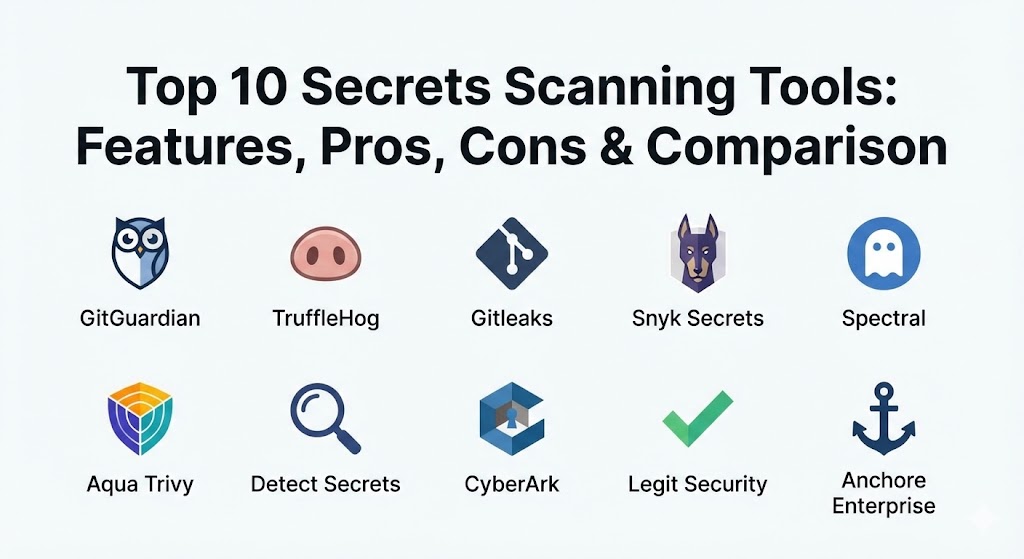
Top 10 Secrets Scanning Tools
1 — GitGuardian
GitGuardian is one of the most well-known names in the secrets security space. It is designed to provide real-time monitoring for both public and private codebases, focusing heavily on helping developers find and fix leaks as soon as they happen.
- Key Features:
- Identifies over 350 different types of secrets including API keys and tokens.
- Provides real-time alerts for every commit and pull request.
- Deep history scanning to find secrets buried in old versions of code.
- Automated incident response workflows to help teams remediate leaks.
- Collaboration dashboard for security and development teams.
- Public monitoring to see if your company’s secrets appear on the public web.
- “Honeytoken” support to plant fake secrets that trap attackers.
- Pros:
- Extremely high accuracy with a very low number of false alarms.
- The user interface is very clean and easy for non-security experts to understand.
- Cons:
- The professional features can be expensive for very large teams.
- Initial setup for massive organizations with thousands of repositories can take time.
- Security & compliance: SSO, SOC 2 Type II, GDPR, HIPAA, and ISO 27001.
- Support & community: Excellent documentation, a dedicated success team, and a very active technical blog.
2 — TruffleHog
TruffleHog is a powerful open-source tool that has become a staple for security professionals. It is famous for its ability to dig deep into a project’s history to find secrets that were deleted long ago but still exist in the Git database.
- Key Features:
- Scans Git repositories, local files, S3 buckets, and Docker images.
- Uses entropy-based detection to find “random” looking strings like encryption keys.
- Supports custom regular expressions (regex) for finding specific secret formats.
- Verifies if a found secret is still “active” by checking it against the provider’s API.
- Fast CLI-based scanning for local development workflows.
- Enterprise version available for automated, large-scale monitoring.
- Pros:
- The ability to “verify” secrets is a game-changer for reducing noise.
- Being open-source makes it highly customizable and accessible for any budget.
- Cons:
- The open-source version lacks the polished dashboard of commercial tools.
- Entropy-based scanning can sometimes flag random strings that aren’t actually secrets.
- Security & compliance: Varies (Standard open-source; Enterprise version is SOC 2 compliant).
- Support & community: Massive community support on GitHub and active Slack channels.
3 — Gitleaks
Gitleaks is a lightweight and incredibly fast secrets scanner that is primarily used as a Command Line Interface (CLI) tool. It is often integrated directly into a developer’s local workflow to catch secrets before they are ever committed.
- Key Features:
- Fast scanning of Git repositories, directories, and files.
- Can be used as a pre-commit hook to block secrets from leaving a developer’s computer.
- Highly customizable configuration using a simple TOML file.
- Supports SARIF output for easy integration with GitHub security tabs.
- Detections based on regex and high-entropy analysis.
- Support for “uncommitted” file scanning.
- Pros:
- One of the fastest tools available, making it perfect for CI/CD pipelines.
- Very simple to set up and use without needing a complex server.
- Cons:
- It is a “point-in-time” scanner, meaning it doesn’t provide the continuous monitoring of a SaaS platform.
- Reporting is mostly text-based, which might not suit managers or auditors.
- Security & compliance: Varies / N/A (Fully local execution is possible).
- Support & community: Very popular on GitHub with a large number of contributors and clear manuals.
4 — Snyk Secrets
Snyk is a giant in the developer security world, and their secrets scanning capability is part of their broader “Snyk Code” platform. It is designed to be a one-stop-shop for finding vulnerabilities and secrets in the same scan.
- Key Features:
- Integrated directly into the IDE (where developers write code).
- Scans source code, dependencies, and container images.
- Policy-based enforcement to block builds that contain secrets.
- Rich reporting and analytics for security managers.
- Centralized dashboard for tracking all security risks.
- Automated fix suggestions for certain types of vulnerabilities.
- Pros:
- Excellent for teams that already use Snyk for vulnerability scanning.
- The IDE integration helps developers fix issues while they are still working on the code.
- Cons:
- Secrets scanning is just one part of a large platform, which can feel bulky if you only need one feature.
- The free version has limits on how many scans you can run each month.
- Security & compliance: SOC 2 Type II, ISO 27001, and GDPR compliant.
- Support & community: Top-tier enterprise support and a huge library of educational materials.
5 — Spectral (by Check Point)
Spectral focuses on being a developer-first security platform. It uses “AI-driven” detection to find not just secrets, but also security misconfigurations and other risky patterns in code and infrastructure.
- Key Features:
- Blazing fast scanning engine that can process millions of lines of code in seconds.
- Detects secrets, PII (personal data), and infrastructure-as-code (IaC) errors.
- Provides actionable remediation guidance directly to the developer.
- A massive library of pre-built detectors that is updated daily.
- Seamlessly integrates with Jenkins, GitLab, GitHub, and more.
- Allows for custom “Rules-as-Code” to fit your specific company needs.
- Pros:
- Incredibly fast performance that never slows down the development process.
- The broad focus on “misconfigurations” makes it very useful for cloud security.
- Cons:
- The advanced AI features are part of a premium paid plan.
- The user interface is powerful but can take a few days to fully master.
- Security & compliance: Enterprise-grade security backed by Check Point; SOC 2 and GDPR ready.
- Support & community: Strong professional support and detailed technical documentation.
6 — Aqua Trivy
Trivy is a very popular all-in-one security scanner for cloud-native applications. While many people know it for finding bugs in software packages, it is also highly capable of finding secrets in container images and Git repos.
- Key Features:
- Scans container images, Kubernetes clusters, and Git repositories.
- Extremely lightweight and designed to be run in a CI/CD pipeline.
- Detects secrets, vulnerabilities, and IaC misconfigurations.
- Simple “single binary” installation with no complex dependencies.
- Produces easy-to-read JSON and table reports.
- Highly active open-source community.
- Pros:
- The best choice for teams that are heavily focused on containers and Kubernetes.
- Completely free and open-source for the standard version.
- Cons:
- Does not provide a centralized management dashboard in the open-source version.
- Alerting and incident management must be set up manually using other tools.
- Security & compliance: Varies (Enterprise version through Aqua Security is fully compliant).
- Support & community: Massive community and extensive GitHub support.
7 — Detect Secrets (by Yelp)
Originally created by the team at Yelp, Detect Secrets is a tool built with the philosophy of “shifting left.” It is designed to work as a pre-commit tool to ensure that secrets never enter the codebase in the first place.
- Key Features:
- Language-agnostic detection based on heuristics and regex.
- Baseline management to help teams ignore “old” secrets and focus on “new” ones.
- Fast and lightweight CLI that developers can run locally.
- Easy integration with Git pre-commit hooks.
- Plugin-based architecture to allow for custom detection logic.
- Focuses on preventing the “leakage” rather than just finding it later.
- Pros:
- The “baseline” feature is perfect for large, old codebases with many existing issues.
- Very low impact on developer speed.
- Cons:
- Requires developers to actively use the CLI tool.
- Lacks a visual dashboard or automated rotation features.
- Security & compliance: Varies / N/A (Standard open-source).
- Support & community: Well-documented on GitHub and widely used in the DevOps community.
8 — CyberArk Secrets Manager (Scanning)
CyberArk is a giant in the identity and access management world. While they are famous for “storing” secrets, they have powerful scanning features to help companies move their secrets into their secure vaults.
- Key Features:
- Discovers hardcoded secrets across the entire enterprise network.
- Automated onboarding of found secrets into a secure CyberArk Vault.
- Enterprise-wide reporting on secret sprawl and security risks.
- Policy-based remediation to force secret rotation.
- Deep integration with other CyberArk security tools.
- Audit-ready reports for compliance officers.
- Pros:
- The best choice for large companies that already use CyberArk for identity management.
- Focuses on “fixing” the problem by moving secrets to a safe place automatically.
- Cons:
- Very complex and expensive for a small company.
- The scanner is often part of a much larger software suite.
- Security & compliance: Top-tier; SOC 2, HIPAA, GDPR, ISO 27001, and more.
- Support & community: Professional 24/7 enterprise support and global training programs.
9 — Legit Security
Legit Security is a modern platform that focuses on “Software Supply Chain Security.” It treats secrets scanning as one part of a larger effort to keep the entire building and shipping process safe.
- Key Features:
- Real-time secrets detection in code, build logs, and CI/CD tools.
- Prioritizes leaks based on “risk” (e.g., is the secret for a production system?).
- Enforces security policies across the entire development lifecycle.
- Detects “shadow” repositories and unmanaged code.
- Provides developer-first remediation steps.
- Centralized dashboard for visibility into the whole supply chain.
- Pros:
- Excellent for seeing the “big picture” of security across many different tools.
- The risk-based prioritization helps teams focus on what matters most.
- Cons:
- It is a premium enterprise tool with a price point to match.
- Can be overkill if you only have one or two small code repositories.
- Security & compliance: SOC 2 Type II, GDPR compliant, and audit logs.
- Support & community: Dedicated account managers and high-quality technical support.
10 — Anchore Enterprise
Anchore is another major player in the container security space. Their enterprise platform includes robust secrets scanning that is designed to catch credentials hiding inside software packages and container layers.
- Key Features:
- Secrets scanning within container images and SBOMs (Software Bill of Materials).
- Policy-based gates to block “risky” containers from reaching production.
- Continuous monitoring of images in your registry.
- Detailed compliance reporting for SOC 2 and other standards.
- Integration with major CI/CD pipelines and Kubernetes.
- Automated scanning of all infrastructure components.
- Pros:
- Deeply integrated with the container lifecycle, making it very hard for a secret to slip through.
- The focus on SBOMs is great for tracking “third-party” risks.
- Cons:
- The full enterprise suite is quite complex to set up.
- The open-source version has fewer secrets-specific features.
- Security & compliance: FIPS compliant, SOC 2, and high-level enterprise audit logs.
- Support & community: Professional enterprise support and an active user base.
Comparison Table
| Tool Name | Best For | Platform(s) Supported | Standout Feature | Rating |
| GitGuardian | Large-scale monitoring | SaaS, GitHub, GitLab | Public web monitoring | N/A |
| TruffleHog | Deep history scanning | CLI, Git, S3, Docker | Automatic secret verification | N/A |
| Gitleaks | Fast CLI scans | Local, GitHub Actions | Pre-commit block | N/A |
| Snyk Secrets | IDE-integrated security | IDE, CI/CD, Cloud | Multi-security scanning | N/A |
| Spectral | High-speed AI scans | Cloud-native, IaC | AI-driven accuracy | N/A |
| Aqua Trivy | Container teams | Kubernetes, Docker | Lightweight single binary | N/A |
| Detect Secrets | Shift-left prevention | CLI, Pre-commit hooks | Baseline management | N/A |
| CyberArk | Enterprise identity | On-prem, Cloud | Auto-vaulting secrets | N/A |
| Legit Security | Supply chain safety | Build logs, CI/CD | Risk-based prioritization | N/A |
| Anchore | Container compliance | Registry, CI/CD | SBOM-level scanning | N/A |
Evaluation & Scoring of Secrets Scanning Tools
To help you decide which tool fits your team best, we have evaluated them based on a weighted system that reflects what real-world security teams care about.
| Evaluation Category | Weight | Description |
| Core Features | 25% | The number of secrets detected, historical scanning, and verification ability. |
| Ease of Use | 15% | How simple it is for a developer to start using the tool daily. |
| Integrations | 15% | Compatibility with major Git platforms, CI/CD tools, and IDEs. |
| Security & Compliance | 10% | Presence of SOC 2, HIPAA, and other vital certificates. |
| Performance & Reliability | 10% | The speed of the scanning engine and the lack of downtime. |
| Support & Community | 10% | Quality of documentation and availability of technical help. |
| Price / Value | 15% | Whether the tool provides enough security to justify the cost. |
Which Secrets Scanning Tool Is Right for You?
Choosing the right tool is all about matching the software to your company’s culture and technical stack.
Solo Users vs SMB vs Mid-market vs Enterprise
- Solo Users: If you are a single developer, Gitleaks or the open-source TruffleHog are your best options. They are free, fast, and run right on your machine.
- SMB (Small Businesses): GitGuardian or Spectral are fantastic because they provide a high-quality dashboard and automated alerts without needing a dedicated security team.
- Mid-market: Snyk Secrets or Aqua Trivy are great for teams that are already moving into containerized applications and need more structured security.
- Enterprise: CyberArk or Legit Security are the right choices for massive organizations that need to monitor thousands of employees and have strict legal audit requirements.
Budget-conscious vs Premium Solutions
- Budget-conscious: TruffleHog and Gitleaks provide incredible protection for exactly zero dollars in licensing costs. You just need the time to set them up.
- Premium: If you have a budget, GitGuardian and Spectral save your team so much time through automated fixing and “verified” alerts that they often pay for themselves quickly.
Feature Depth vs Ease of Use
- If you need Feature Depth (meaning you want to scan S3 buckets, Slack, and old history), TruffleHog is the king of depth.
- If you need Ease of Use (meaning you want your team up and running in 10 minutes), Gitleaks or GitGuardian are the clear winners.
Integration and Scalability Needs
If your team is already using GitHub Advanced Security, you might find that the built-in scanner is a good start. However, if you need to scale across GitHub, GitLab, and Bitbucket at the same time, a dedicated platform like GitGuardian or Spectral will work much better.
Frequently Asked Questions (FAQs)
1. What is secrets scanning?
Secrets scanning is the process of using automated software to find passwords, API keys, and other sensitive tokens that are hidden in your code or documentation.
2. Why should I use a scanning tool instead of a manual search?
A human can easily miss a single line in a project with thousands of files. These tools can scan millions of lines of code in seconds and look through every past version of the code, which a human simply cannot do.
3. Do these tools slow down the development process?
Most modern tools are designed to be extremely fast. If integrated as a pre-commit hook, they might add a fraction of a second to your work, which is a small price to pay for security.
4. Can these tools scan my old, deleted code?
Yes, tools like TruffleHog and Gitleaks scan the entire Git history. Even if you “deleted” a password in a newer version, it still exists in the history, and these tools will find it.
5. What is a “False Positive”?
This happens when the tool flags something as a secret (like a random string used for testing) that isn’t actually sensitive. Good tools use “verification” or AI to keep these numbers very low.
6. Do I still need a Secrets Manager if I have a scanner?
Yes! A scanner finds leaked secrets, but a Secrets Manager (like HashiCorp Vault or AWS Secrets Manager) is where you store them safely. You need both to be truly secure.
7. Should I block commits if a secret is found?
For the highest security, yes. Blocking the commit prevents the secret from ever leaving the developer’s computer. However, some teams prefer to just send an alert to avoid slowing down work.
8. Is it enough to just scan my public code?
No. Many data breaches happen because a hacker got into a “private” repository. You should treat your private code with the same level of security as your public code.
9. Can these tools fix the leak for me automatically?
Some tools can open a “Pull Request” to remove the secret, but the most important part of fixing a leak is “rotating” the secret—changing the password so the old one doesn’t work anymore.
10. What is a “Honeytoken”?
A honeytoken is a “fake” secret that you purposely leave in your code. It has no real power, but if someone tries to use it, you get an immediate alert that a hacker is looking at your code.
Conclusion
Choosing the right Secrets Scanning Tool is one of the most important things you can do to protect your digital assets. These tools act as a constant, watchful eye that prevents a simple human mistake from turning into a business-ending disaster.
The most important takeaway is that the “best” tool is the one that your developers will actually use. If a tool is too slow or has too many false alarms, developers will eventually turn it off. Start with a tool that fits naturally into your current workflow—whether that is a simple CLI tool like Gitleaks or a comprehensive platform like GitGuardian. No matter which one you choose, the goal is the same: find the secrets before the bad guys do.