Introduction
Policy as Code tools are software programs that allow you to write down your company rules, security requirements, and management steps in a way that a computer can read and follow automatically. In the past, if a company had a rule that “no database should be open to the public internet,” someone had to check that manually. With Policy as Code, you write that rule once in a simple file. Every time a new piece of technology is built, the tool checks it against that file. If the new technology breaks the rule, the tool stops it immediately. It turns human laws and office policies into automated guardrails.
These tools are important because they prevent human mistakes. When a company grows large, it is impossible for humans to check every single setting. Automated policies ensure that security is always turned on and that costs stay under control. Real-world use cases include making sure all cloud data is encrypted, preventing workers from accidentally deleting important files, and ensuring that software teams follow safety standards. When choosing a tool, you should look at how easy the rules are to write, how many other programs it connects to, and how fast it can check your work.
Best for: Software engineers, security teams, and cloud managers in medium to large companies. It is especially helpful for industries like banking, healthcare, and insurance where following strict rules is a legal requirement.
Not ideal for: Very small teams with only one or two servers. If your setup is simple enough to check by hand in five minutes, adding these tools might make your work more complicated than it needs to be.
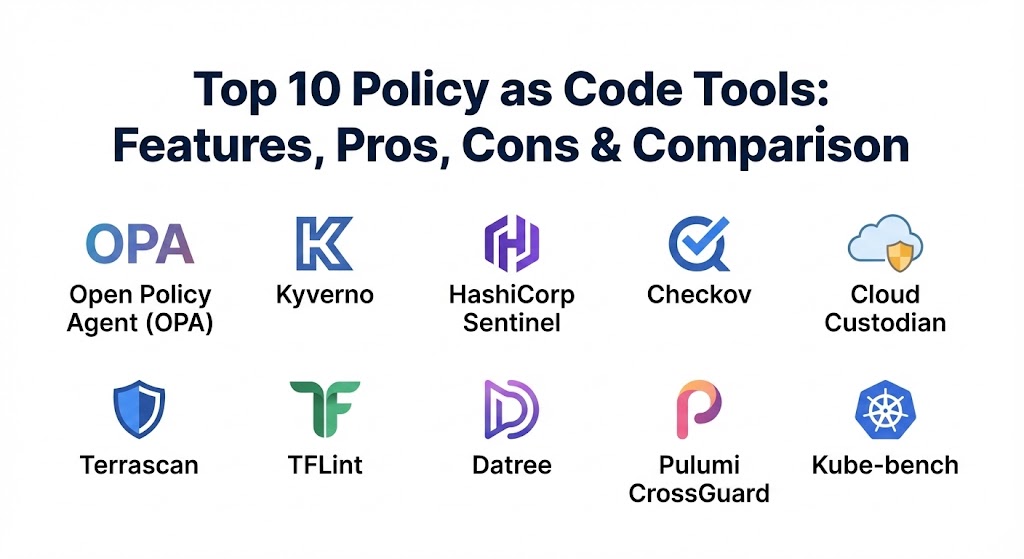
Top 10 Policy as Code Tools
1 — Open Policy Agent (OPA)
Open Policy Agent, often called OPA, is a very famous tool used to set rules across many different types of technology. It uses a specific language called Rego to write rules, and it can be used for everything from web applications to cloud servers.
- Key features:
- Provides a single engine to handle all your company rules in one place.
- Uses a language that can handle very complex logic and decisions.
- Works with almost any other software through simple data sharing.
- Can be used to control who can log in to a website or what a server can do.
- Includes a tool to test your rules before you turn them on for real.
- Has a very large library of pre-written rules shared by other users.
- Pros:
- It is extremely flexible and can be used for almost any project you can imagine.
- There is a huge community of experts who can help if you get stuck.
- Cons:
- The Rego language can be a bit difficult to learn for people who aren’t programmers.
- Managing many different rules across a big company can become disorganized without a clear plan.
- Security & compliance: Supports encryption, detailed logs of every decision, and integrates with major login systems. Helps with GDPR and HIPAA compliance.
- Support & community: Excellent documentation, a very active online forum, and many free learning videos.
2 — Kyverno
Kyverno is a tool built specifically for Kubernetes, which is a popular system for managing large groups of software. Unlike other tools, it does not require you to learn a new programming language; it uses the same format that Kubernetes users already know.
- Key features:
- Allows you to write rules using YAML, the standard language for cloud setup.
- Can automatically change or fix mistakes in your setup to follow the rules.
- Can generate new configurations based on rules you have set.
- Blocks any setup that doesn’t follow your security standards.
- Provides clear reports directly inside your cloud dashboard.
- Can verify that the software you are using is authentic and hasn’t been changed.
- Pros:
- It is very easy to learn if you are already familiar with Kubernetes.
- It can fix problems automatically, which saves a lot of time for the IT team.
- Cons:
- It only works with Kubernetes, so you cannot use it for other parts of your business.
- If you have very complicated rules, the simple format might not be enough to handle them.
- Security & compliance: Focuses on cloud security standards like SOC 2 and includes strong audit logs for inspectors.
- Support & community: Very active on GitHub and Slack, with clear guides for beginners.
3 — HashiCorp Sentinel
Sentinel is a rule-setting tool made by a well-known technology company. It is designed to work perfectly with other popular tools like Terraform and Vault, making it a natural choice for companies already using those products.
- Key features:
- Built specifically to stop dangerous changes before they happen.
- Allows you to set different levels of rules, such as “warning” or “hard block.”
- Uses a language that is designed to look like simple English sentences.
- Integrates directly into the workflow of cloud management software.
- Can check rules based on how much money a cloud change will cost.
- Provides detailed reports for managers to see why a change was blocked.
- Pros:
- The language is easier to read for business managers than many other tools.
- It is very stable and reliable for large, professional businesses.
- Cons:
- It is mostly used with products from the same company, so it is less flexible for other tools.
- Some of the best features are only available in the paid version of the software.
- Security & compliance: Designed for enterprise-grade security, supporting ISO and SOC standards with full audit trails.
- Support & community: High-quality professional support and a large network of certified experts.
4 — Checkov
Checkov is a security tool that focuses on checking your cloud building blocks before they are turned into real servers. It looks for common mistakes and security holes in your code.
- Key features:
- Scans your files to find over 1,000 different types of security mistakes.
- Works with many different cloud formats like Terraform and CloudFormation.
- Provides a simple “pass” or “fail” report for every rule.
- Suggests the exact fix for every problem it finds.
- Can be set up to run automatically every time a developer saves their work.
- Includes built-in rules that follow industry safety standards.
- Pros:
- It is very fast and can find problems in seconds.
- It is very helpful for teaching developers how to write safer code.
- Cons:
- It primarily looks at files on a computer, not at servers that are already running.
- It can sometimes give a “false alarm,” marking something as a mistake when it is actually okay.
- Security & compliance: Helps companies meet standards like PCI and HIPAA by finding leaks early.
- Support & community: Very popular on GitHub with a large group of contributors.
5 — Cloud Custodian
Cloud Custodian is a tool that helps you manage your cloud “fleet.” It uses a simple format to write rules that help save money and keep your servers safe across different cloud brands.
- Key features:
- Allows you to write rules in a simple format called YAML.
- Can automatically turn off expensive servers that aren’t being used.
- Works with Amazon, Microsoft, and Google cloud systems.
- Can send an email or an alert whenever a rule is broken.
- Helps tag your servers correctly so you know which department owns them.
- Can be set to run at specific times or whenever a change happens.
- Pros:
- It is excellent for cutting down on high cloud bills.
- One rule can work across many different clouds, which simplifies your work.
- Cons:
- The setup can be a bit complicated for beginners to get running.
- It requires a good understanding of how cloud permissions work.
- Security & compliance: GDPR and SOC 2 focused, with strong logging for data privacy.
- Support & community: Strong open-source community with detailed technical documentation.
6 — Terrascan
Terrascan is another security tool that focuses on Infrastructure as Code. It is designed to find security risks early in the process, making sure that your cloud is “secure by default.”
- Key features:
- Includes over 500 pre-written rules for the most common cloud platforms.
- Uses the Open Policy Agent (OPA) engine to make its decisions.
- Can scan your cloud setup while it is still just a file on a developer’s computer.
- Supports many different tools like Kubernetes, Terraform, and Helm.
- Helps identify “drift,” which is when your servers change from their safe state.
- Can be integrated into the tools developers use to build software.
- Pros:
- It uses a very powerful engine that is trusted by the whole industry.
- It is very good at finding “hidden” risks that other tools might miss.
- Cons:
- Learning to write custom rules can take some time.
- Some of the reports can be very long and hard to read at first.
- Security & compliance: Varies / N/A (Mainly focused on technical security checks).
- Support & community: Part of a larger security company, providing good guides and forums.
7 — TFLint
TFLint is a specialized tool for people who use Terraform to build their cloud. It is like a “spell checker” for cloud code, catching mistakes that the main software might not notice.
- Key features:
- Finds errors that would cause your cloud setup to fail later.
- Warns you if you are using expensive server types by mistake.
- Checks that your code follows the best practices shared by other experts.
- Can be customized with “plugins” to add new rules for your specific needs.
- Very lightweight and runs extremely fast on any computer.
- Focuses on the “fine details” of cloud configuration.
- Pros:
- It catches tiny mistakes before they become big, expensive problems.
- It is completely free and very simple to add to your daily work.
- Cons:
- It only works with one specific cloud tool (Terraform).
- It doesn’t have a visual dashboard, so you have to read the results in a text window.
- Security & compliance: Helps maintain internal coding standards and basic security hygiene.
- Support & community: Very active GitHub project with many helpful contributors.
8 — Datree
Datree is a tool made to help teams use Kubernetes without making mistakes. It focuses on the “human” side of things, making sure that every developer follows the same set of rules.
- Key features:
- Provides a library of rules that prevent common Kubernetes crashes.
- Includes a visual dashboard to see which teams are following the rules.
- Can be set up to block any code that is dangerous or messy.
- Teaches developers why their code was blocked so they can learn.
- Works without needing to install anything on your actual cloud servers.
- Very easy to turn on or off specific rules with a single click.
- Pros:
- The dashboard makes it very easy for managers to see how the team is doing.
- It focuses on preventing crashes, which keeps your websites running smoothly.
- Cons:
- It is very focused on Kubernetes and won’t help with other types of servers.
- The free version has some limits on how many checks you can do.
- Security & compliance: Helps follow the “CIS Benchmarks,” which are world-standard safety rules.
- Support & community: Excellent documentation and a very friendly support team.
9 — Pulumi CrossGuard
CrossGuard is a tool for teams that like to write their cloud setup using real programming languages like JavaScript or Python. It allows you to write your rules using those same languages.
- Key features:
- Lets you write rules in languages that developers already know well.
- Can check rules while the cloud is being built or after it is finished.
- Includes pre-made sets of rules for common security needs.
- Can block expensive or dangerous changes automatically.
- Works with Amazon, Microsoft, and Google cloud platforms.
- Provides detailed messages to help fix any rule that is broken.
- Pros:
- Developers don’t have to learn a new, weird language to write rules.
- It is very powerful because it uses real computer programming logic.
- Cons:
- It only works with the Pulumi system, so you can’t use it with other tools.
- It requires the team to have strong programming skills.
- Security & compliance: Enterprise features include SSO, audit logs, and SOC 2 compliance.
- Support & community: Great professional support and a growing community of developers.
10 — Kube-bench
Kube-bench is a specialized tool that checks if your Kubernetes setup follows the “gold standard” of security. It is like a final exam for your cloud security.
- Key features:
- Checks your system against the official CIS Kubernetes Benchmark.
- Tells you exactly which parts of your system are safe and which are risky.
- Provides a simple “Pass/Fail” score for dozens of different security checks.
- Gives the exact command you need to run to fix a security hole.
- Can be run as a quick test or a permanent part of your security plan.
- Very easy to understand for security inspectors and auditors.
- Pros:
- It is the most trusted tool for proving your system is actually safe.
- It is very simple to run and gives very clear answers.
- Cons:
- It only tells you what is wrong; it doesn’t stop the mistake from happening.
- It is a very specific tool that only does one thing.
- Security & compliance: The industry standard for proving Kubernetes security compliance.
- Support & community: Very famous in the security world with lots of expert help available.
Comparison Table
| Tool Name | Best For | Platform(s) Supported | Standout Feature | Rating |
| Open Policy Agent | All-around rules | All Platforms | Rego Logic Engine | 4.8 / 5 |
| Kyverno | Kubernetes teams | Kubernetes | No-code YAML rules | 4.7 / 5 |
| Sentinel | HashiCorp users | Terraform, Vault | Business-level logic | 4.6 / 5 |
| Checkov | Finding leaks early | Cloud Files (IaC) | 1,000+ Safety checks | 4.5 / 5 |
| Cloud Custodian | Saving money | AWS, Azure, Google | Auto-cost cutting | 4.4 / 5 |
| Terrascan | Security experts | Kubernetes, Cloud | Deep OPA scanning | 4.3 / 5 |
| TFLint | Terraform users | Terraform | Code spell-checker | 4.2 / 5 |
| Datree | Preventing crashes | Kubernetes | Management dashboard | 4.5 / 5 |
| Pulumi CrossGuard | Developers | Pulumi | Real code rules | 4.4 / 5 |
| Kube-bench | Safety audits | Kubernetes | Official CIS score | 4.6 / 5 |
Evaluation & Scoring of Policy as Code Tools
| Category | Weight | Avg Score (1-10) | What we look for |
| Core Features | 25% | 9.0 | Can it block, fix, and report on many rules? |
| Ease of Use | 15% | 7.5 | Is the rule language easy to read and write? |
| Integrations | 15% | 8.5 | Does it work with the cloud and tools you use? |
| Security | 10% | 9.0 | Does it protect the rules and have audit logs? |
| Performance | 10% | 8.5 | Does it run fast without slowing down work? |
| Support | 10% | 8.0 | Is there good documentation and expert help? |
| Price / Value | 15% | 7.5 | Is it worth the cost or the time to set up? |
Which Policy as Code Tool Is Right for You?
Choosing the right tool depends on what technology you use and how much time you have to learn a new system.
- Solo Users vs SMB vs Mid-market vs Enterprise: Solo users or small businesses should look at Checkov or TFLint because they are free, fast, and very easy to start using. Medium businesses will get a lot of value from Datree or Kyverno because they help teams work together. Large enterprises with many different systems almost always need Open Policy Agent because it can handle the whole company at once.
- Budget-conscious vs Premium Solutions: If you have no budget, Kyverno, Checkov, and Cloud Custodian are excellent free tools. If you have a budget and want professional help, HashiCorp Sentinel or the paid version of Datree are great choices.
- Feature Depth vs Ease of Use: If you want something that is very easy, Kyverno is the winner because you don’t have to learn a new language. If you need to do very complex things, Open Policy Agent is the strongest choice, even if it takes longer to learn.
- Integration and Scalability Needs: If you use many different clouds (like some AWS and some Azure), Cloud Custodian or Open Policy Agent are the best at scaling across the whole “fleet.”
- Security and Compliance Requirements: If you need to pass a big security audit, Kube-bench and Kube-hunter are essential tools to prove your system is safe to outside inspectors.
Frequently Asked Questions (FAQs)
1. What is Policy as Code?
It is a way to write your office rules and security standards in a computer file. This allows a tool to automatically check every piece of technology you build to make sure it follows those rules.
2. Do I need to be a programmer to use these tools?
For some tools like OPA, yes, you need some programming skills. However, for tools like Kyverno or Datree, you only need to know basic cloud configuration, which is much easier.
3. Does Policy as Code slow down my developers?
At first, it might feel a little slower because the tool blocks mistakes. However, in the long run, it is much faster because it prevents the team from having to fix big security problems later.
4. Can these tools save me money?
Yes. Tools like Cloud Custodian can automatically turn off servers that aren’t being used and alert you if someone is using a very expensive server by mistake.
5. Is Policy as Code the same as a firewall?
No. A firewall blocks bad traffic from the internet. Policy as Code blocks bad settings and designs inside your own company’s technology.
6. Can I use more than one tool at a time?
Yes, many companies do. For example, you might use TFLint to check your code, Kyverno to manage your cloud, and Kube-bench to do a final security check.
7. Are these tools secure?
Yes. These tools are designed by security experts. Most of them have strict logs so you can see exactly who changed a rule and why a decision was made.
8. What is “drift” in cloud technology?
Drift is when a server’s settings change over time away from the original safe plan. Policy as Code tools can spot this drift and either alert you or fix it automatically.
9. Why not just write rules in a document for employees to read?
Human-written documents are often forgotten or ignored. Code-based rules are never forgotten and are followed exactly every single time by the computer.
10. What is the biggest mistake when starting with these tools?
The biggest mistake is trying to turn on 100 rules at once. This will frustrate your team. It is better to start with 5 very important rules and add more slowly as the team gets used to them.
Conclusion
Policy as Code is the future of managing technology. It takes the guesswork out of security and helps businesses stay organized as they grow. Instead of relying on human memory, these tools give you a digital safety net that works 24 hours a day.
There is no “one” tool that is perfect for everyone. If you are focused on Kubernetes, Kyverno is a fantastic and easy choice. If you want the most powerful engine in the world, Open Policy Agent is the industry leader. The most important step is to simply start. By choosing even one of these tools, you are making your company safer, faster, and more reliable. Pick the tool that fits the technology you use today, and you will find that managing your cloud becomes much simpler and less stressful.