Introduction
Cloud Policy as Code Tools are software programs that let you write down the “rules” for your cloud computers in a way that looks like text or computer code. In the past, if a company wanted to make sure that no one accidentally left a database open to the whole internet, a person had to check every setting by clicking through many buttons. With these tools, you can write a simple rule once, and the software will automatically check everything for you. It is like having a digital rulebook that reads itself and tells you when a rule is broken.
These tools are very important because the cloud is very big and changes very fast. It is very easy for a human to make a small mistake that could lead to a big security problem. These tools help prevent those mistakes before they even happen. They are also useful for making sure everyone in a big company is following the same standards, which keeps things organized and safe.
Common real-world uses include stopping expensive cloud services from being turned on by mistake, making sure all data is locked away safely, and ensuring that every new project follows the laws of the country. When you are looking for a tool in this category, you should look at how easy it is to write the rules, if it works with the cloud systems you already use, and if it can fix problems automatically.
Best for: These tools are a perfect fit for people who manage cloud systems, security teams, and developers who work in large companies. They are especially helpful in industries like banking, healthcare, and government where following rules is a top priority.
Not ideal for: Small businesses that only use one or two small cloud services might find these tools too much work to set up. If your cloud setup is very simple and rarely changes, you might be better off just checking your settings by hand once in a while.
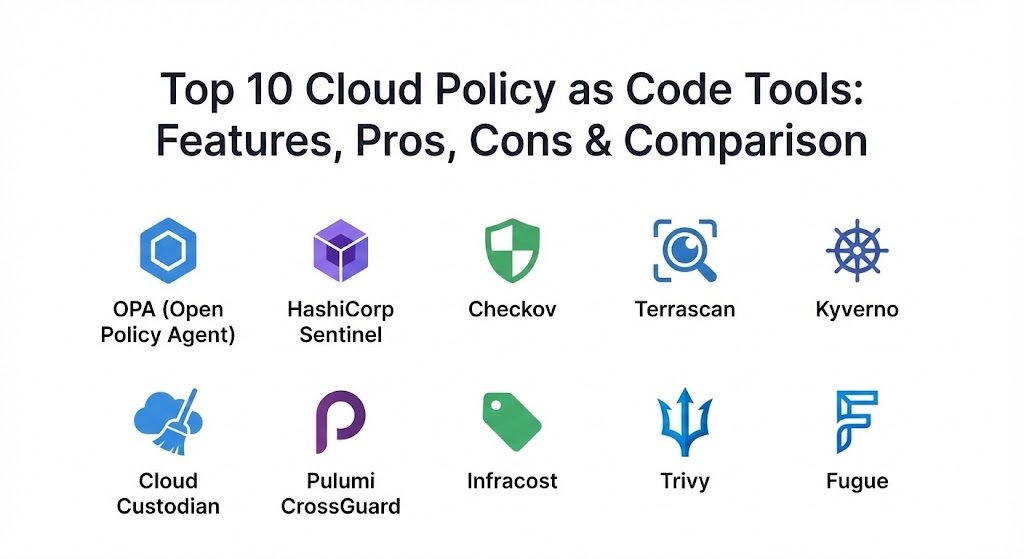
Top 10 Cloud Policy as Code Tools
1 — Open Policy Agent (OPA)
Open Policy Agent, often called OPA, is one of the most famous tools for writing rules. It is a general-purpose tool, which means it can check rules for many different things, not just the cloud. It uses a special language called Rego to write these rules.
- Key features:
- It is a single tool that works for cloud, servers, and apps.
- Uses a language called Rego that is made just for writing rules.
- It can be used as a separate service that other programs talk to.
- It has a huge library of examples that you can copy and use.
- Works with almost every major cloud provider in the world.
- It is completely free and open for anyone to see and change.
- It can run on your own computer or in the cloud.
- Pros:
- Because it is so popular, it is very easy to find help and guides online.
- It is extremely flexible and can handle very complex rules that other tools cannot.
- Cons:
- The Rego language can be very hard to learn for people who are not used to it.
- Setting it up the first time can take a lot of time and effort.
- Security & compliance: High. Supports SSO and audit logs through the platforms it connects to. It is widely used for GDPR and SOC 2 checks.
- Support & community: Very strong community on Slack and GitHub. There are many companies that offer professional help for a fee.
2 — HashiCorp Sentinel
Sentinel is a tool built by the company HashiCorp. It is designed to work perfectly with their other famous tools like Terraform. It is made specifically for big businesses that need to be very strict about their rules.
- Key features:
- It is built directly into the HashiCorp software you might already use.
- Uses a language that looks like real computer code, making it powerful.
- Can stop a cloud change before it even starts if it breaks a rule.
- Provides very clear messages when a rule is broken so you know why.
- Allows you to set “soft” rules that just give a warning and “hard” rules that stop everything.
- Works across multiple cloud providers at the same time.
- Keeps a history of every time a rule was checked.
- Pros:
- If your company already uses Terraform, this is the easiest tool to start with.
- The rules are very easy to read, almost like reading an English sentence.
- Cons:
- You have to pay for the “Enterprise” version of HashiCorp tools to use it.
- It only works with HashiCorp products, so it is not as flexible as OPA.
- Security & compliance: Enterprise-ready. Includes full audit logs, encryption, and is built for SOC 2 and ISO standards.
- Support & community: Excellent professional support from HashiCorp. Documentation is very detailed and clear.
3 — Checkov
Checkov is an easy-to-use tool that focuses on finding security mistakes in your cloud files. It is very popular with developers because it is fast and tells you exactly how to fix a problem when it finds one.
- Key features:
- Comes with over a thousand rules already written for you.
- Tells you the specific line in your file that is breaking the rule.
- It can show you a “before and after” to help you fix the mistake.
- It is very fast and can check your files in just a few seconds.
- Works with all the big cloud names like Amazon, Google, and Microsoft.
- Can be used on your own laptop or as part of a big automated system.
- It is open-source and free for anyone to download.
- Pros:
- You do not need to learn a new language; it just works out of the box.
- The advice it gives on how to fix problems is very helpful for beginners.
- Cons:
- It mostly looks at files on your computer and is not as good at checking live cloud systems.
- If you have a very large project, it can sometimes miss things that are spread across many files.
- Security & compliance: Varies. As an open-source tool, it depends on how you run it. It helps meet many compliance standards by default.
- Support & community: Very active community. It is owned by a large security company that provides professional support.
4 — Terrascan
Terrascan is a tool that helps you keep your cloud “safe from the start.” It is designed to find risks in your code before you ever turn on a cloud computer. It uses the OPA engine under the hood but makes it simpler to use.
- Key features:
- Includes over 500 rules for security and best practices.
- Can check Kubernetes, Terraform, and many other cloud systems.
- Finds “leaks” where secret passwords might be hidden in your code.
- It can be used to check your code every time you save a change.
- It produces reports that are easy for both humans and computers to read.
- It is built to be very lightweight and fast.
- It is free to use.
- Pros:
- It is very good at catching small settings that could lead to big hacks.
- It works well with many different types of cloud files, not just one.
- Cons:
- It does not have as many built-in rules as some other tools like Checkov.
- The documentation can sometimes be a bit thin for complex tasks.
- Security & compliance: N/A for the tool itself, but it helps users reach HIPAA and GDPR compliance.
- Support & community: Good community on GitHub. It is backed by a well-known tech company.
5 — Kyverno
Kyverno is a tool made specifically for Kubernetes, which is a popular way to manage cloud apps. Unlike other tools that use a new language, Kyverno uses YAML, which is a way of writing notes that almost every cloud person already knows.
- Key features:
- No new programming language to learn; just use simple notes.
- Can not only check rules but also change your settings to fix them.
- Can block bad apps from even trying to start.
- Can generate new rules automatically based on what is happening.
- It is built specifically for the unique needs of Kubernetes.
- Allows you to test your rules safely before you turn them on.
- It is a free, open-source project.
- Pros:
- It is much easier to learn than OPA because it uses familiar words and styles.
- The ability to “auto-fix” problems is a huge time saver for busy teams.
- Cons:
- It only works for Kubernetes, so you cannot use it for other parts of your cloud.
- If you have a massive system, managing all the rules can get a bit messy.
- Security & compliance: Strong. Built for high-security environments. Supports audit logs and image signing.
- Support & community: Very fast-growing community. It is part of a large cloud foundation that ensures it stays updated.
6 — Cloud Custodian
Cloud Custodian is a tool that helps you manage your cloud like a “janitor.” It can look at your live cloud system, find things that shouldn’t be there (like a server that costs too much), and turn them off or fix them automatically.
- Key features:
- Uses a simple language that looks like a list of instructions.
- Can help save a lot of money by finding unused cloud services.
- Can send emails or messages to people when they break a rule.
- Works with Amazon, Microsoft, and Google clouds.
- Can be set to run on a schedule or every time something changes.
- It is a very mature tool that has been around for a long time.
- It is free and open-source.
- Pros:
- It is one of the best tools for saving money in the cloud.
- It is very powerful at taking action, not just telling you there is a problem.
- Cons:
- The way you write the rules can be a bit confusing for new users.
- It requires a bit of setup on your cloud account to work properly.
- Security & compliance: Excellent. Used by many large companies to maintain SOC 2 and HIPAA standards.
- Support & community: Very large and helpful community. There are many blog posts and guides written by users.
7 — Pulumi CrossGuard
CrossGuard is a tool for people who use Pulumi to build their cloud. Most cloud tools use a special language, but Pulumi uses real coding languages like Python or JavaScript. CrossGuard lets you write your rules in those same languages.
- Key features:
- Use languages you already know, like Python, to write your rules.
- Can check your cloud as you are writing the code.
- Comes with pre-made groups of rules for security and law.
- Can be used to check for mistakes or to stop bad changes.
- Works with every major cloud provider.
- Allows you to share your rules easily with your whole team.
- Provides very detailed reports on what was checked.
- Pros:
- Developers love it because they do not have to learn anything new.
- It is very powerful because you can use all the features of a real coding language.
- Cons:
- It only works if you are already using Pulumi to manage your cloud.
- It can sometimes be harder for non-programmers to read the rules.
- Security & compliance: Varies. Professional versions include SSO and detailed audit logs.
- Support & community: Excellent support from the Pulumi company. Documentation is top-notch.
8 — Infracost
Infracost is a special kind of policy tool that focuses on one thing: money. It checks your cloud files and tells you exactly how much your bill will go up or down before you even spend a single penny.
- Key features:
- Tells you the cost of a cloud change in dollars and cents.
- Can block a change if it makes the bill too high.
- Works with all the main services on Amazon, Google, and Microsoft.
- Shows the cost right inside the tool where developers work.
- Can handle complex pricing for thousands of different cloud items.
- Provides a dashboard to see how your cloud costs change over time.
- Has a free version and a paid version for big companies.
- Pros:
- It is the easiest way to prevent “bill shock” at the end of the month.
- It helps developers understand how their choices affect the company’s money.
- Cons:
- It only looks at money, not security or other rules.
- The free version does not have all the rule-blocking features.
- Security & compliance: Paid version has SSO and SOC 2. It helps with “FinOps” standards.
- Support & community: Very active and friendly community. Good professional support for paid users.
9 — Trivy
Trivy is a tool that is famous for being very fast and very easy. It started as a way to check for old software with known bugs, but it can now also check for bad settings in your cloud files.
- Key features:
- Scans for old, dangerous software and bad cloud settings at the same time.
- It is incredibly fast and usually finishes in one or two seconds.
- Works with many different types of files and cloud systems.
- Can find hidden passwords and secrets in your code.
- Provides a simple “Yes/No” if your code is safe.
- It is very easy to add to any automated computer system.
- It is free for everyone to use.
- Pros:
- It is probably the easiest tool on this list to get started with.
- It does many different security checks in one single tool.
- Cons:
- It might not be as deep or detailed as a tool that only does cloud rules.
- It is mostly for finding problems, not for fixing them automatically.
- Security & compliance: High. Used by many security teams globally. It helps meet basic security standards.
- Support & community: Huge community and very active developers. Documentation is very clear.
10 — Fugue
Fugue is a professional platform that helps big companies keep their cloud safe and legal. It focuses on checking your cloud against official rulebooks like those for banks or hospitals.
- Key features:
- Checks your cloud against major laws and standards automatically.
- Can find “drift,” which is when your cloud settings change by mistake.
- Provides a visual map of your cloud to show you where the risks are.
- Can fix some security problems automatically.
- Works with Amazon, Microsoft, and Google clouds.
- Offers very professional reports for bosses and legal teams.
- Focused on keeping your cloud safe all day, every day.
- Pros:
- It is excellent for companies that have to follow very strict laws.
- The visual map makes it much easier to understand a complex cloud setup.
- Cons:
- It is a paid professional tool, so it can be expensive for small teams.
- It has a lot of features, so it takes some time to learn everything it can do.
- Security & compliance: Enterprise-grade. SOC 2 compliant, with full audit logs and SSO.
- Support & community: Top-level professional support. Very detailed documentation and training.
Comparison Table
| Tool Name | Best For | Platform(s) Supported | Standout Feature | Rating |
| OPA | General purpose rules | Almost everything | Most flexible engine | N/A |
| Sentinel | HashiCorp users | Terraform, Vault | Built-in Terraform rules | N/A |
| Checkov | Speed & fixing | AWS, GCP, Azure | 1000+ pre-made rules | N/A |
| Terrascan | Pre-cloud security | K8s, Terraform | Scans for secret leaks | N/A |
| Kyverno | Kubernetes only | Kubernetes | Uses YAML (no new code) | N/A |
| Cloud Custodian | Saving money | AWS, GCP, Azure | Auto-fix cloud problems | N/A |
| CrossGuard | Developers | Pulumi | Use Python/JS for rules | N/A |
| Infracost | Bill control | AWS, GCP, Azure | Predicts cloud costs | N/A |
| Trivy | Fast security checks | Files, Images | Super fast scanning | N/A |
| Fugue | Legal compliance | AWS, GCP, Azure | Visual cloud risk map | N/A |
Evaluation & Scoring of Cloud Policy as Code Tools
Choosing a tool is easier when you compare them side by side. We have used a weighted scoring system to evaluate how well each tool performs in different areas.
| Criteria | Weight | Explanation |
| Core features | 25% | How many rules does it have and can it fix problems? |
| Ease of use | 15% | How hard is it to learn the language and set it up? |
| Integrations | 15% | Does it work with the cloud and tools you already use? |
| Security & compliance | 10% | Does it keep your data safe and follow the law? |
| Performance | 10% | Is it fast enough to use every day without waiting? |
| Support & community | 10% | Can you find help online or from the company? |
| Price / value | 15% | Is the cost worth the features you get? |
Which Cloud Policy as Code Tool Is Right for You?
Picking the right tool depends on your team, your budget, and what you are trying to protect. Here is a simple guide to help you decide.
Solo Users and Very Small Businesses (SMB)
If you are working alone or in a tiny team, you want something that is free and works immediately. Trivy and Checkov are your best friends here. They do not require you to learn a new language, and they will give you great advice on how to stay safe without any cost.
Mid-Market and Growing Teams
As your team grows, you need more organization. Kyverno is perfect if you only use Kubernetes because it is easy for everyone to read. If you use Terraform, Terrascan or OPA are excellent choices because they help you build a solid rulebook that everyone can follow as you get bigger.
Large Enterprise and Big Companies
Big companies have more money but also more risk. You need tools that are very strong and have professional support. HashiCorp Sentinel is the top choice if you are a Terraform shop. Cloud Custodian is amazing for saving thousands of dollars across a huge company. Fugue is the best if you have lawyers and legal teams who need to see proof that you are following the rules.
Budget-conscious vs Premium Solutions
If you have zero budget, stick with OPA, Checkov, or Cloud Custodian. They are free but very powerful. If you have a budget and want to save time, paying for Pulumi CrossGuard or the enterprise versions of Infracost or Fugue will give you extra features like SSO and professional help that can save you more money in the long run.
Feature Depth vs Ease of Use
If you want to write very complicated rules that check everything, OPA is the best, but it is the hardest to learn. If you want something that just works today, Checkov or Trivy are much easier but might not be as deep as you need later on.
Frequently Asked Questions (FAQs)
1. What is “Policy as Code” in simple words?
It is a way of writing down the rules for your computer systems as text files. This lets a computer check the rules automatically instead of a human doing it by hand.
2. Do I need to be a programmer to use these tools?
For some, yes. Tools like OPA or CrossGuard require some coding. However, tools like Kyverno and Cloud Custodian use simpler notes (YAML) that are much easier to learn.
3. Will these tools slow down my work?
Usually, no. Most of these tools are very fast and finish in just a few seconds. They actually save you time because they find mistakes early, which is much faster than fixing a big problem later.
4. Are these tools free?
Many of them are “open-source,” which means they are free for anyone to use. Some have a “Pro” or “Enterprise” version that you pay for to get extra features.
5. Can I use more than one tool at the same time?
Yes! Many companies use Checkov to find mistakes in their files and OPA or Cloud Custodian to check their live cloud systems. Using a few different tools can make you even safer.
6. Which tool is the best for saving money?
Cloud Custodian and Infracost are the leaders here. Infracost tells you the price before you spend it, and Cloud Custodian can turn off expensive things you aren’t using.
7. Can these tools fix my mistakes for me?
Some can! Tools like Kyverno, Cloud Custodian, and Checkov have features that can automatically change a bad setting to a good one.
8. What happens if I break a rule?
Depending on how you set it up, the tool can either just give you a warning, send a message to your boss, or completely stop you from making the change until it is fixed.
9. Do these tools work with Amazon (AWS)?
Yes. Almost every tool on this list works with Amazon. Most also work with Google (GCP) and Microsoft (Azure).
10. What is the biggest mistake people make?
The biggest mistake is writing too many rules at once. It is better to start with five very important rules and then add more slowly as your team gets used to them.
Conclusion
In simple terms, Cloud Policy as Code Tools are like a smart safety net for your digital business. They stop human mistakes, save money, and make sure you are following the law without needing a person to watch everything 24 hours a day. There is no single “best” tool because everyone’s cloud is different.
If you want the most power and flexibility, Open Policy Agent is the industry leader. If you want something simple and fast, Checkov or Trivy are amazing. For those who want to focus on costs, Infracost is a must-have. And for big businesses with strict rules, Sentinel and Fugue provide the professional safety you need.
What matters most is that you choose a tool that your team finds easy to use. The best rulebook in the world is useless if no one reads it or follows it. By picking the right tool today, you are making your cloud safer, cheaper, and much more organized for the future.