Introduction
Secure browser isolation tools are a special kind of security software that creates a safe wall between a user’s computer and the internet. When you visit a website, the site usually sends code directly to your browser. If that website is bad, it can send hidden programs that steal your files or spy on your work. Secure browser isolation stops this by running the website on a different computer far away—usually in a secure “cloud.” It then sends a safe “picture” of the website back to your screen. This means no code from the internet ever touches your actual computer.
These tools are important because the web browser is now the most common place where hackers try to break in. Most people spend their whole workday inside a browser, and even a single click on a wrong link can cause a major problem for a whole company. By using isolation, a company can let its workers visit almost any site they need without the fear of a virus or a data leak. It turns the “wild” internet into a safe viewing experience.
Common real-world use cases include protecting employees who handle sensitive money details, securing remote workers who use their own home computers, and allowing government workers to research the web safely. When choosing a tool, users should look for things like speed (so the internet doesn’t feel slow), how easy it is to set up, and how well it works with other security programs they already use.
Best for: These tools are most helpful for IT managers, security teams, and large organizations in fields like healthcare, banking, and law. They are great for companies with many remote employees who need to stay safe while working from home.
Not ideal for: They may not be needed for a single person running a small local shop or for casual users who only visit a few well-known, safe websites. In those cases, a standard high-quality antivirus program might be enough.
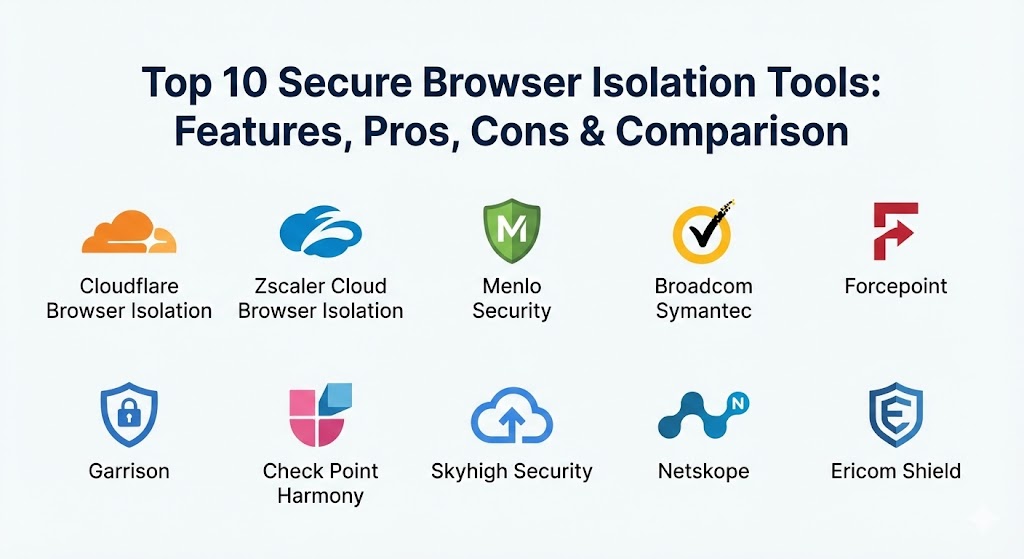
Top 10 Secure Browser Isolation Tools
1 — Cloudflare Browser Isolation
Cloudflare offers a tool that is built to be extremely fast. It uses a special technology that doesn’t just send pictures to the user, but instead sends the actual parts of the website in a way that is already cleaned of any danger. This makes the internet feel exactly like a normal browser while keeping the safety of a secure box.
- Key features:
- It runs on a massive network of servers all over the world to stay fast.
- It works without needing to install any special software on the user’s computer.
- It can automatically block users from typing passwords into suspicious sites.
- It lets administrators see exactly what sites are being visited.
- It can turn off the ability to copy, paste, or print from certain websites.
- It works easily with other “Zero Trust” security tools from the same company.
- Pros:
- The speed is excellent, and most users will not even know it is running.
- It is very easy to turn on for a whole company at once.
- Cons:
- It can be expensive if you have a very large number of workers.
- Some very complex websites might look a little strange occasionally.
- Security & compliance: Supports SSO, uses strong encryption, and provides detailed logs. It meets standards like SOC 2 and GDPR.
- Support & community: Very good documentation and a large online group of users who help each other. Professional support is available for businesses.
2 — Zscaler Cloud Browser Isolation
Zscaler provides a tool that is part of a larger “cloud security” system. It is designed for big companies that want to protect their workers no matter where they are in the world. It focuses on making sure that even if a worker goes to a very dangerous part of the web, the company network stays clean.
- Key features:
- It can isolate only the sites that look suspicious while letting safe sites run normally.
- It works perfectly with mobile phones and tablets.
- It allows users to view and edit documents in a safe “box.”
- It can hide the user’s real location and computer details from the website.
- It has a very simple dashboard for the IT team to manage everything.
- It stops files from being downloaded unless they are checked for viruses first.
- Pros:
- Great for companies that already use other security tools from this provider.
- Very strong at protecting sensitive data from being leaked by mistake.
- Cons:
- The setup can be complicated for smaller teams.
- Some users might notice a tiny delay when opening new pages.
- Security & compliance: Highly secure with SOC 2 and ISO compliance. It uses strong encryption for all data moving between the user and the cloud.
- Support & community: Offers high-level enterprise support and has many training videos to help new users get started.
3 — Menlo Security
Menlo Security is one of the oldest and most respected names in this field. They use a “zero trust” approach, which means they treat every single website as if it is dangerous. They do not try to guess which sites are good or bad; they just isolate everything to be 100% sure.
- Key features:
- It uses a unique way of “re-writing” websites so they are safe but still look perfect.
- It protects against “phishing” by making sure users don’t get tricked by fake emails.
- It works with any browser like Chrome, Safari, or Edge.
- It can stop a user from uploading files to personal cloud storage.
- It provides very deep reports on what threats were blocked.
- Pros:
- It is very reliable and has a long history of stopping attacks.
- It is great for companies that want to set a “safety first” rule for everyone.
- Cons:
- It can sometimes break the way very specific or old websites work.
- It requires a bit more management time from the IT staff.
- Security & compliance: Fully compliant with GDPR and HIPAA. It offers deep audit logs to show who did what and when.
- Support & community: Known for very helpful customer service agents and clear instructions for setup.
4 — Broadcom Symantec Web Isolation
Symantec, which is now owned by Broadcom, offers a tool that is very popular with big banks and government groups. It is built to handle a lot of traffic and to stop even the most hidden types of malware that other tools might miss.
- Key features:
- It can be used in the cloud or on a company’s own private servers.
- It integrates with famous email security tools to stop bad links in messages.
- It allows for “read-only” mode, where users can see a site but not type into it.
- It can scan all files for threats before they are shown to the user.
- It helps companies follow very strict rules about data privacy.
- Pros:
- Very powerful and can stop very advanced types of “hacking” attempts.
- Works very well for teams that are already using other Symantec products.
- Cons:
- It is quite expensive and usually meant for very large businesses.
- The interface can feel a bit old-fashioned compared to newer tools.
- Security & compliance: High levels of security including SOC 2 and government-level standards.
- Support & community: Professional enterprise support is available 24/7 for paying customers.
5 — Forcepoint Remote Browser Isolation
Forcepoint is a tool that focuses on “human-centric” security. This means it looks at how people use the web and tries to make the security fit their behavior. It is designed to be invisible so that workers can do their jobs without feeling like the computer is fighting them.
- Key features:
- It uses a “smart” system to only isolate sites that seem risky to save on computer power.
- It makes sure that images and text on a site look very sharp and clear.
- It blocks “zero-day” attacks, which are new threats that nobody has seen before.
- It allows for safe viewing of PDF files without downloading them.
- It provides a very easy way to white-list sites that the company trusts.
- Pros:
- Very easy on the user experience; it feels very much like a normal browser.
- It helps save money by not isolating every single safe site.
- Cons:
- If the “smart” system makes a mistake, a site might not be protected when it should be.
- It doesn’t have as many “extra” features as some of the bigger platforms.
- Security & compliance: Compliant with major standards like GDPR. It uses secure tunnels to move data safely.
- Support & community: Good support through a web portal and a helpful knowledge base for troubleshooting.
6 — Garrison
Garrison is a very unique tool because it uses “hardware” to stay safe. Instead of just using software code, it uses physical computer chips to separate the dangerous internet from the safe office network. This makes it one of the toughest tools on this list.
- Key features:
- It turns every website into a “video stream” that is sent to the user.
- It is almost impossible for a virus to jump across the hardware wall.
- It is built specifically for groups that handle the highest level of secrets.
- It works very well for video and high-speed motion on websites.
- It provides a very high level of “trust” because the safety is physical.
- Pros:
- It is incredibly hard to break through, even for the most skilled hackers.
- The video quality is very high, so users can watch training videos easily.
- Cons:
- It can be much more expensive than tools that only use software.
- It is mostly sold to government and military groups, so it is harder for a small business to buy.
- Security & compliance: Meets the highest government security standards.
- Support & community: Very specialized support for their high-security clients.
7 — Check Point Harmony Browse
Check Point offers a tool that lives right inside the user’s browser as an extension. It is designed to be very lightweight. It doesn’t send everything to a far-away cloud; instead, it uses a mix of local protection and cloud isolation to keep things fast.
- Key features:
- It checks every site for “phishing” tricks in real-time.
- It cleans files as they are being downloaded so they are safe to open.
- It protects the user’s passwords from being stolen by fake sites.
- It works on all the most popular browsers like Chrome and Edge.
- It gives a simple “pass or fail” report for every site visited.
- Pros:
- It is very fast because a lot of the work happens on the user’s own computer.
- It is very affordable for mid-sized companies.
- Cons:
- Because it is an extension, a very smart virus could potentially find a way around it.
- It might not be as safe as the tools that move the whole browser to the cloud.
- Security & compliance: Provides good audit logs and works with standard company login systems (SSO).
- Support & community: Large community of users and a very professional help desk.
8 — Skyhigh Security (formerly McAfee)
Skyhigh Security provides a tool that is all about “data protection.” It is designed for companies that are worried about their secret information being uploaded to the internet. It combines browser isolation with tools that watch what data is being sent out.
- Key features:
- It can automatically blur out sensitive information on a screen.
- It blocks users from uploading company files to their personal web-mail.
- It provides a very safe way to use social media at work.
- It integrates with a larger system that protects cloud apps like Office 365.
- It uses a global network to make sure users have a fast connection.
- Pros:
- Excellent for preventing “insider threats” where a worker might accidentally leak data.
- Very comprehensive and covers many different parts of a company’s security.
- Cons:
- It can be very complex to manage because it has so many settings.
- Some of the security rules can be too strict and frustrate the workers.
- Security & compliance: Top-tier compliance with SOC 2, ISO, and GDPR.
- Support & community: Offers professional training and a deep library of help articles.
9 — Netskope
Netskope is a modern security company that focuses on “SaaS” (software as a service) and web safety. Their isolation tool is built to be a part of their “Cloud Confidence Index,” which helps the IT team understand which sites are safe and which are not.
- Key features:
- It can isolate sites based on how “risky” they are according to a huge database.
- It allows users to browse the web without leaving any digital footprints behind.
- It can stop “malware” from moving from one cloud app to another.
- It provides a very clean and modern management screen for the IT team.
- It works very well for companies that use a lot of cloud tools like Slack or Box.
- Pros:
- Very smart at identifying new risks before they become a problem.
- The interface is one of the easiest to use for IT managers.
- Cons:
- It can be a bit pricey for very small teams.
- Sometimes the “risk score” for a site might be wrong.
- Security & compliance: Built with modern privacy rules in mind, fully GDPR compliant.
- Support & community: Very active online community and fast response times from their support team.
10 — Ericom Shield
Ericom Shield, which is now part of a larger technology group, focuses on making isolation affordable and simple. It is a “pure” isolation tool that aims to do one job very well: keeping the internet in a safe box away from the user.
- Key features:
- It uses “container” technology to give every user their own private safe box.
- It automatically deletes the safe box after the user is finished to stay clean.
- It can be set up very quickly without a lot of technical work.
- It allows for safe clicking on links inside emails.
- It works on any device with a browser, including old computers.
- Pros:
- Very straightforward and does exactly what it says it will do.
- A great choice for companies that want isolation without buying a huge security platform.
- Cons:
- It doesn’t have as many “fancy” extra features like data blurring or deep social media controls.
- It might not scale as easily for massive global companies with 50,000+ workers.
- Security & compliance: Varies / N/A. It provides basic encryption and logging but check for specific certifications.
- Support & community: Good documentation and personalized support for business clients.
Comparison Table
| Tool Name | Best For | Platform(s) Supported | Standout Feature | Rating |
| Cloudflare | Speed and Zero Trust | Windows, Mac, Linux, Mobile | Global network speed | 4.8 / 5 |
| Zscaler | Remote workers | All devices | Large cloud ecosystem | 4.7 / 5 |
| Menlo Security | High safety teams | All Browsers | Isolate-everything rule | 4.6 / 5 |
| Broadcom Symantec | Government/Banking | Cloud or On-site servers | Advanced threat blocking | N/A |
| Forcepoint | Ease of use | Windows, Mac | Smart isolation logic | 4.4 / 5 |
| Garrison | Military secrets | Specialized Hardware | Hardware-based wall | N/A |
| Check Point | Budget-friendly | Browser Extensions | Lightweight & Fast | 4.3 / 5 |
| Skyhigh Security | Data leak prevention | Cloud-based | Data blurring/hiding | 4.5 / 5 |
| Netskope | Cloud-heavy teams | All Browsers | Risk-based scoring | 4.6 / 5 |
| Ericom Shield | Simplicity | All Browsers | Container-based boxes | 4.2 / 5 |
Evaluation & Scoring of Secure Browser Isolation Tools
To help you choose, we have scored these tools based on what matters most to businesses. We have used a “weighted” system, meaning some things like “Features” are more important than “Price.”
| Category | Weight | Score (Out of 10) | Why it matters |
| Core Features | 25% | 9 | This tells you if the tool actually stops the bad guys. |
| Ease of Use | 15% | 8 | If it is too hard, workers will find ways to skip it. |
| Integrations | 15% | 7 | This is how well it talks to your other software. |
| Security & Compliance | 10% | 10 | This is about following laws and keeping data secret. |
| Performance | 10% | 8 | This is about speed and how clear the screen looks. |
| Support & Community | 10% | 7 | This is who you call when things break. |
| Price / Value | 15% | 6 | This is about whether the cost is worth the safety. |
Which Secure Browser Isolation Tool Is Right for You?
Picking the right tool depends on your budget, how many people you have, and how much “risk” you are willing to take.
- For Solo Users or Very Small Teams: You might not need a full enterprise tool. However, if you do want one, Check Point Harmony Browse is a good starting point because it is affordable and easy to install as an extension.
- For Small to Mid-Sized Businesses (SMBs): Ericom Shield or Forcepoint are great choices. They don’t require you to hire a huge team of experts to manage them, and they do a great job of keeping basic threats away.
- For Large Corporations: Cloudflare and Zscaler are the leaders here. They have the power to handle thousands of workers at once and they work all over the world. They also come with many other security features that large companies already need.
- For High-Security Needs (Banking, Government): Menlo Security, Broadcom Symantec, and Garrison are the best. They are built for people who cannot afford even a single mistake. Garrison is especially good if you need a “physical” wall of safety.
- Budget-Conscious Teams: If you are worried about costs, look for tools that offer “selective isolation.” This means the tool only turns on for dangerous sites, which can save you money on server costs. Check Point is often seen as a more budget-friendly option.
- Feature-Heavy Needs: If you want a tool that does everything—like stopping people from uploading secrets to their personal email and blurring out sensitive numbers on the screen—then Skyhigh Security or Netskope are your best bets.
Frequently Asked Questions (FAQs)
1. Does browser isolation make the internet slow?
It can. Because the website is running on a computer far away, it takes a tiny bit of time for the “picture” to reach your screen. However, modern tools like Cloudflare have made this so fast that most people won’t even notice.
2. Can I watch videos through an isolation tool?
Yes. Most of these tools are now good enough to handle video. However, if your internet connection is weak, the video might look a little less sharp than usual.
3. Is browser isolation better than an antivirus?
They do different jobs. An antivirus tries to find a virus after it lands on your computer. Browser isolation stops the virus from ever reaching your computer in the first place. It is a much stronger way to stay safe.
4. Can these tools work on my phone?
Yes, many of them like Zscaler and Netskope have apps or special settings that work on iPhones and Android phones to keep your mobile browsing safe too.
5. Do I have to install software on every computer?
Not always. Some tools work through a “cloud gateway,” meaning you just change a few settings and it works for everyone. Others use a simple browser extension.
6. Will it break my favorite websites?
Occasionally, yes. Some very complex sites that use a lot of custom code might not look or act exactly right when they are inside a safe box. Most tools have a “white-list” so you can let those specific sites run normally.
7. Can I still copy and paste text?
It depends on the rules your company sets. Most tools allow you to copy and paste, but your boss can turn that off for very sensitive websites to keep information safe.
8. Is browser isolation expensive?
It is usually more expensive than a basic antivirus. Most companies pay a fee for every worker, every month. However, it can be much cheaper than paying for the damage of a major hack.
9. Can hackers break through the isolation?
It is very, very difficult. Because no code from the website ever runs on your computer, a hacker would have to find a way to break out of the “safe box” in the cloud first, which is almost impossible.
10. How long does it take to set up?
For a small team, it can be done in an afternoon. For a massive company with thousands of workers, it might take a few weeks to get the settings exactly right for everyone.
Conclusion
Secure browser isolation is one of the smartest ways to stay safe on the internet. Instead of trying to guess which websites are bad, it simply puts every website in a safe container far away from your important files. While there are many different tools to choose from, the most important thing is to pick one that fits the way your team works.
If you want speed, Cloudflare is a top choice. If you want the highest level of safety for secret government work, Garrison or Menlo Security are excellent. For teams that want something simple and helpful, Check Point or Ericom are great ways to start.
No matter which tool you choose, the key insight is this: the web is a dangerous place, and your browser is the front door. Browser isolation gives you a strong, high-quality lock for that door. It allows your workers to be productive and use the whole internet without the constant fear of a digital break-in. The “best” tool isn’t always the one with the most features; it is the one that your team will actually use every day to stay safe.