Introduction
Smart contract development tools are software applications and frameworks that help people create, test, and launch programs on a blockchain. A smart contract is essentially a digital agreement that runs automatically when certain conditions are met, without needing a middleman like a bank or a lawyer. These development tools act like a digital workbench for builders. They provide the necessary environment to write code, find and fix mistakes, and safely move that code onto a blockchain where it can interact with real money and users.
Using these tools is very important because blockchain code is often “permanent.” Once you send a smart contract to a live network, it is very difficult and sometimes impossible to change it. If there is a mistake in the code, it could lead to lost funds or security holes. Development tools provide “sandboxes”—safe, private areas where you can run your code to see if it works exactly as planned before the whole world sees it. This prevents costly errors and ensures the digital agreements are fair and secure.
Key real-world use cases for these tools include building decentralized finance apps where people can lend or borrow money, creating digital art tokens known as NFTs, and making supply chain systems that track products from a factory to a store. When choosing a tool, you should look for how fast it runs, which programming languages it supports (like Solidity or Rust), how good it is at finding bugs, and whether it has a large group of other users who can help you if you get stuck.
Best for: These tools are a perfect fit for software developers, blockchain engineers, and security auditors. They are used by tiny startups building new apps, as well as large technology companies and banks that want to use blockchain to make their services faster and more transparent.
Not ideal for: You likely do not need these tools if you are just curious about how to buy or sell digital coins. They are also not necessary for business owners who just want to use a blockchain app that someone else already built. These are meant for the creators and builders of the technology, not the everyday users.
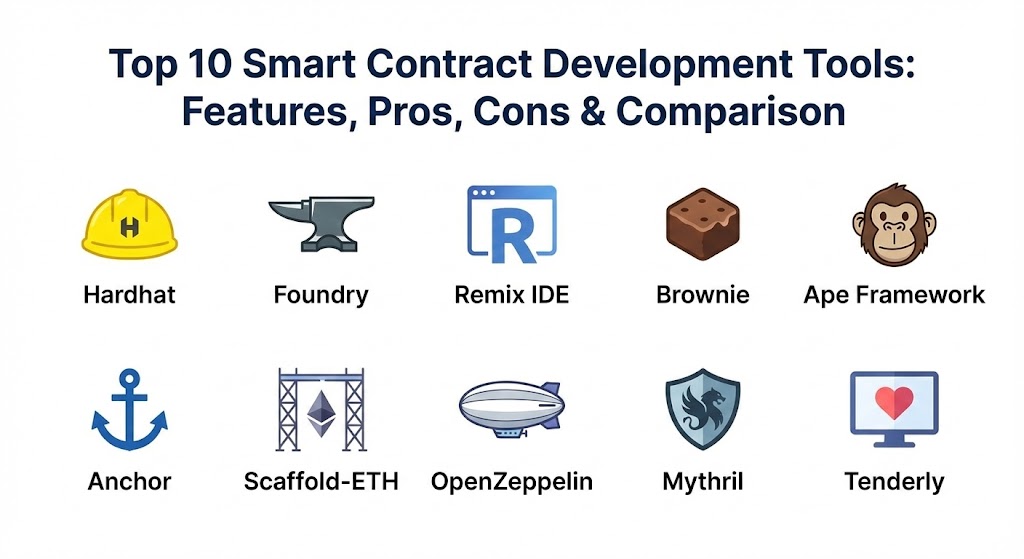
Top 10 Smart Contract Development Tools
1 — Hardhat
Hardhat is a development environment used by builders to edit, compile, and debug their blockchain programs. It is built to be flexible and is very popular with people who use the Ethereum network. It creates a local version of a blockchain on your computer so you can test your work without spending any real money.
- Key features:
- It comes with a built-in local network that gives you helpful error messages when things go wrong.
- It allows you to add “plugins” to change how the tool works based on your needs.
- You can “fork” a real network, which means you can pretend to use real-world data in your private test.
- It supports modern coding features like showing exactly which line of code caused a crash.
- It automates repetitive tasks like checking your code for simple mistakes.
- It works very well with other testing tools that developers already know and love.
- It provides a very clear history of every action the contract takes during a test.
- Pros:
- The error messages are very easy to understand, which saves a lot of time during the building process.
- It is very stable and has been used to build some of the biggest apps in the blockchain world.
- Cons:
- It can be a little slow when running a very large number of tests compared to some newer tools.
- Setting up complex configurations can feel a bit overwhelming for a brand-new learner.
- Security & compliance: Varies / N/A.
- Support & community: There is a massive community of users online. You can find many guides, videos, and forums where people answer questions quickly.
2 — Foundry
Foundry is a newer and very fast toolkit for building smart contracts. It is written in a language called Rust, which makes it perform much better than older tools. One of the most special things about Foundry is that it allows you to write your tests in the same language you use for the contracts, so you do not have to learn two different ways of coding.
- Key features:
- It is incredibly fast at running tests, often finishing in seconds what takes other tools minutes.
- It includes a tool called “Anvil” which acts as your own private blockchain on your computer.
- It has a feature called “Cast” that lets you talk to the blockchain through simple typed commands.
- You can run “fuzz tests,” which means the tool tries to break your contract by throwing random data at it.
- It does not require a complex setup process to get started.
- It provides detailed maps of how much “gas” (digital fuel) your contract uses.
- Pros:
- The speed is a huge benefit for professionals who need to test their code hundreds of times a day.
- Writing tests in the same language as the contract (Solidity) makes the whole process feel very natural.
- Cons:
- Because it is a bit newer, it might not have as many plugins as some of the older tools.
- It uses a command-line interface, which might be a bit scary for people who prefer clicking on buttons.
- Security & compliance: Varies / N/A.
- Support & community: The community is growing very fast, and the developers who build Foundry are very active in helping users online.
3 — Remix IDE
Remix is a tool that runs right in your web browser. You do not have to download or install anything to start writing blockchain code. It is often the very first tool that people use when they are learning how smart contracts work because it is so easy to access.
- Key features:
- It provides a simple text editor and a “Run” button all in one place in your browser.
- It includes built-in tools to check for security holes while you type.
- You can connect it to your digital wallet to send your code to a real network.
- It has a library of simple example contracts that you can look at and learn from.
- It shows you a visual list of all the functions in your contract that you can click to test.
- It supports many different versions of the blockchain coding language.
- Pros:
- There is zero setup time; you just open a website and start building.
- It is perfect for testing a quick idea or learning the basics without cluttering your computer.
- Cons:
- It is not great for building very large or complex projects with many different files.
- Because it runs in a browser, it can sometimes be slow or glitchy if the website has a problem.
- Security & compliance: Varies / N/A.
- Support & community: Since almost every blockchain developer started with Remix, there is a huge amount of help available online.
4 — Brownie
Brownie is a tool built for people who prefer using the Python programming language. Python is known for being very readable and easy to learn, so Brownie brings that same simplicity to the world of blockchain development.
- Key features:
- It allows you to write all your testing and automation scripts in Python.
- It includes a powerful “console” where you can interact with your code while it is running.
- It keeps a very neat record of every contract you have launched.
- It integrates with specialized tools to check for advanced security problems.
- It has a very clear and organized way of keeping your project files in the right folders.
- It works smoothly with local networks to make testing fast and free.
- Pros:
- If you already know Python, this is the most comfortable tool you can use.
- The way it displays data and errors is very clean and easy on the eyes.
- Cons:
- Most of the blockchain world uses a different language called JavaScript, so you might find fewer examples for Brownie.
- It is not updated as frequently as some of the other major tools on this list.
- Security & compliance: Varies / N/A.
- Support & community: It has a dedicated group of users, especially among those who also work with data science and traditional finance.
5 — Ape Framework
Ape Framework is another tool for Python fans, but it is built to be more modern and modular than older Python-based tools. It is designed to work with many different types of blockchains, not just Ethereum.
- Key features:
- It uses a “plugin” system that lets you choose exactly which blockchains you want to work with.
- It is built to be very easy to extend with your own custom tools.
- It handles different types of digital accounts and signatures very safely.
- It provides a very modern and clean way to write code that interacts with the blockchain.
- It has a “core” system that stays small and fast, while you add only the parts you need.
- Pros:
- It is very flexible and can grow as your project gets more complicated.
- It is built with the latest coding standards, making it very reliable.
- Cons:
- Because it is a bit more specialized, the community is smaller than Hardhat or Foundry.
- You might have to spend more time setting up plugins to get it working the way you want.
- Security & compliance: Varies / N/A.
- Support & community: The documentation is very high quality, and the small community is very helpful to newcomers.
6 — Anchor
Anchor is the main tool used for building on the Solana blockchain. While most other tools on this list are for “Ethereum-style” networks, Anchor is the “gold standard” for builders who want to create very fast apps on Solana.
- Key features:
- It provides a framework that makes writing code in the Rust language much easier.
- It automatically handles many of the complicated security checks that Solana requires.
- It creates a “client” (a way for a website to talk to the code) automatically for you.
- It uses a simple system to describe what the code does, making it easier for others to use your contract.
- It includes a set of tools to test your code locally before launching it.
- Pros:
- It makes building on Solana much safer by preventing common mistakes.
- It saves builders a huge amount of time by writing some of the “boring” parts of the code for them.
- Cons:
- You can only use it for the Solana blockchain, so it is not useful for other networks.
- Learning Rust and Anchor together is much harder than learning Solidity and Hardhat.
- Security & compliance: Varies / N/A.
- Support & community: There is a very strong community of Solana developers who use Anchor almost exclusively.
7 — Scaffold-ETH
Scaffold-ETH is not just a single tool; it is more like a “starter kit.” It gives you everything you need to build a smart contract and a website to go with it at the exact same time. It is designed to help you see your changes instantly.
- Key features:
- It provides a pre-made website that automatically shows the buttons for your contract.
- It uses Hardhat in the background to handle the blockchain part.
- It allows you to change your code and see the website update in real-time.
- It includes many “templates” for popular things like NFT stores or voting apps.
- it is built to help you “prototype” (build a quick version) of an idea very fast.
- Pros:
- It is the best tool for people who want to see a visual result of their work immediately.
- It teaches you how the blockchain part and the website part work together.
- Cons:
- It includes many different pieces, so the folder can look very messy and confusing at first.
- It might be too “heavy” if you only want to work on the contract and don’t care about a website.
- Security & compliance: Varies / N/A.
- Support & community: It is part of a famous educational group, so there are thousands of hours of video help and a very active chat group.
8 — OpenZeppelin
OpenZeppelin is famous for providing a library of “pre-written” smart contracts that are safe and have been checked by experts. They also provide a set of tools to help you manage and update your contracts after they are live.
- Key features:
- It offers “standard” code for things like creating your own digital coin or NFT.
- It includes an “Upgrades” tool that lets you fix bugs in a contract even after it is launched.
- It provides a web-based “Wizard” where you can click buttons to create a contract without typing.
- It includes specialized tools for “Defender,” which helps monitor your contract for attacks.
- All the code is heavily tested and used by almost every major project in the world.
- Pros:
- Using their pre-written code is much safer than trying to write everything from scratch.
- It is considered the most trusted name in blockchain security code.
- Cons:
- Some of their advanced monitoring tools cost money to use.
- You still need a tool like Hardhat or Foundry to actually run the code they provide.
- Security & compliance: Very high. They focus specifically on security and have many reports to prove their code is safe.
- Support & community: They have a very professional forum and excellent documentation that is easy to follow.
9 — Mythril
Mythril is a security tool used to “scan” smart contracts for hidden dangers. It doesn’t help you write the code, but it is an essential tool to use after you write it to make sure you didn’t leave any “doors open” for hackers.
- Key features:
- It uses “symbolic execution,” which is a fancy way of saying it tries every possible math path to find an error.
- It can find many different types of common blockchain vulnerabilities automatically.
- It can be used on your own computer or as part of an automated check-up system.
- It works on the raw code of the contract, so you don’t even need the original files.
- It provides a report showing exactly where the danger is and how serious it is.
- Pros:
- It finds deep problems that a human builder might easily miss.
- It is free and open-source, making high-level security available to everyone.
- Cons:
- It can take a long time to finish a scan on a complex contract.
- Sometimes it reports a problem that isn’t actually a real danger (a “false alarm”).
- Security & compliance: N/A.
- Support & community: It is a well-known tool in the security world with good technical documentation.
10 — Tenderly
Tenderly is a platform that helps you “see” inside a smart contract while it is running. It is like an X-ray machine for the blockchain. It is used for debugging (finding mistakes) and monitoring contracts once they are live.
- Key features:
- It has a “Debugger” that lets you walk through a transaction step-by-step to see where it failed.
- It offers a “Simulator” where you can test what would happen if you sent a transaction right now.
- It sends you alerts (like a text or email) if something strange happens to your contract.
- It has a very nice visual dashboard to see all your contracts in one place.
- It provides a “War Room” feature to help teams fix problems during a real-world emergency.
- Pros:
- It makes it much easier to understand why a transaction failed on a real network.
- The visual tools are much more helpful than just reading lines of text on a screen.
- Cons:
- Many of the most useful features are part of a paid plan.
- It is a web-based tool, so you have to upload your code to their platform to use it.
- Security & compliance: Offers high-level security for teams and keeps your data private.
- Support & community: They provide excellent customer support and have a very professional reputation.
Comparison Table
| Tool Name | Best For | Platform(s) Supported | Standout Feature | Rating |
| Hardhat | Professional teams | Windows, Mac, Linux | Excellent error messages | N/A |
| Foundry | Speed and Solidity fans | Windows, Mac, Linux | Blazing fast testing | N/A |
| Remix IDE | Beginners and learners | Any Web Browser | No installation needed | N/A |
| Brownie | Python developers | Windows, Mac, Linux | Clean Python scripts | N/A |
| Ape Framework | Advanced Python users | Windows, Mac, Linux | Modular plugin system | N/A |
| Anchor | Solana developers | Windows, Mac, Linux | Essential for Solana | N/A |
| Scaffold-ETH | Prototyping apps | Windows, Mac, Linux | Built-in website kit | N/A |
| OpenZeppelin | Security and Standards | Windows, Mac, Linux | Trusted pre-made code | N/A |
| Mythril | Security auditing | Windows, Mac, Linux | Deep vulnerability scans | N/A |
| Tenderly | Debugging and Monitoring | Web-based | Step-by-step transaction view | N/A |
Evaluation & Scoring of Smart Contract Tools
We have evaluated these tools based on what matters most to people who are building blockchain applications. The scores below reflect the general average across the top tools in this category.
| Evaluation Category | Weight | Score (out of 10) | Notes |
| Core Features | 25% | 9/10 | Most tools are very comprehensive now. |
| Ease of Use | 15% | 7/10 | Can be tricky to learn at first. |
| Integrations | 15% | 8/10 | Most work well together. |
| Security & Compliance | 10% | 9/10 | A major focus for all these tools. |
| Performance | 10% | 8/10 | Foundry has raised the bar for speed. |
| Support & Community | 10% | 9/10 | Very helpful global communities. |
| Price / Value | 15% | 9/10 | Most essential tools are free. |
Which Smart Contract Development Tool Is Right for You?
Choosing the right tool is a big decision that depends on your experience and what you want to build.
- Solo Users & Learners: If you are just starting, go to the Remix IDE website. You can write your first line of code in seconds. Once you feel comfortable, move to Scaffold-ETH to see how a whole app fits together.
- Small Businesses (SMBs): For small teams that need to work fast, Hardhat is a very safe choice because so many people use it and there is so much help available. It will work for almost any project you have in mind.
- Mid-Market & Professional Teams: If your team wants the absolute best performance and you are comfortable with more technical tools, Foundry is the way to go. It will save your developers hours of waiting time every week.
- Enterprise: Large companies should use Hardhat or Foundry for development, but they must also use OpenZeppelin for safe code and Tenderly to monitor their contracts 24/7 to prevent theft or errors.
- Budget-Conscious: Almost all the core tools like Hardhat, Foundry, and Mythril are completely free. You only need to pay for advanced monitoring or professional security services like those offered by Tenderly or specialized auditors.
- Security Needs: If your app will handle a lot of money, you must use Mythril to scan for bugs and OpenZeppelin to make sure you are using “industry standard” code that has already been tested.
Frequently Asked Questions (FAQs)
1. What is the most popular language for smart contracts?
Solidity is the most popular language for Ethereum and similar blockchains. For Solana, the language is usually Rust. Most of the tools listed here are built to work with Solidity.
2. Can I use these tools on a normal laptop?
Yes, most of these tools run on any standard Windows, Mac, or Linux computer. You do not need a super-powerful machine, although more memory (RAM) can help when running many tests.
3. Do I need to pay to use a blockchain when testing?
No. Tools like Hardhat, Foundry, and Remix create a “private” blockchain on your own computer. This is completely free and lets you test as much as you want.
4. How long does it take to learn these tools?
If you already know how to code, you can learn the basics of Remix in an hour. To become an expert in a professional tool like Hardhat or Foundry usually takes a few weeks of practice.
5. Is my code safe when I use these tools?
The tools themselves are safe, but they don’t automatically make your code perfect. You still need to be careful and follow good security rules to keep your contracts safe from hackers.
6. What is “gas” and do I need it for development?
Gas is the fee you pay to run code on a real blockchain. During development, the tools give you “fake” gas for free so you can test your work without cost.
7. Can I switch from one tool to another later?
Yes, most projects can be moved from one tool to another (like moving from Hardhat to Foundry). It takes a little work, but it is a very common thing for teams to do.
8. Do I need an internet connection to build smart contracts?
You need an internet connection to download the tools and to send your final code to the real blockchain. However, you can do most of your daily writing and testing while offline.
9. Are there tools for blockchains other than Ethereum?
Yes. While many focus on Ethereum, tools like Anchor are specifically for Solana, and many Python tools can work with several different types of blockchains.
10. What is a “security audit” and how do these tools help?
An audit is a professional review of your code. Tools like Mythril and OpenZeppelin help you find the easy-to-fix problems yourself so that the professional auditor can focus on the really tricky parts later.
Conclusion
Building smart contracts is an exciting way to create new things on the blockchain, but it requires the right set of tools to be successful and safe. From the simple, browser-based Remix IDE for beginners to the high-speed Foundry for experts, there is a tool for every level of experience.
The most important thing to remember is that the “best” tool is the one that makes you feel the most productive. If you like Python, go with Brownie or Ape. If you want the most help from others, choose Hardhat. And if you are building on Solana, Anchor is your primary choice. No matter which you pick, always prioritize security by using trusted code from OpenZeppelin and scanning your work with tools like Mythril. By choosing the right workbench, you can build digital agreements that are not only smart but also safe for everyone who uses them.