Introduction
A Confidential Computing Platform is a special type of secure technology that protects information while it is being used by a computer. Usually, computers are good at protecting data when it is sitting on a hard drive or moving across the internet. However, when the computer actually “thinks” or processes that data, it has to be unhidden in the computer’s memory. This is where hackers or even the people who own the big computer centers could potentially see it. Confidential computing creates a “locked room” inside the computer’s brain. Only the right software can enter this room, and everything inside stays hidden from everyone else.
Confidential computing is becoming one of the most important tools for keeping digital life safe. In the past, if you wanted a computer to analyze your private health records or bank details, you had to trust the company that owned the computer. Now, with this technology, you don’t have to trust the person—you trust the hardware itself. This “locked room” in the processor ensures that even if someone manages to break into the main computer system, they still cannot see the secrets hidden inside that special room.
This is very important for many reasons. First, it helps companies work together without showing each other their private files. For example, two banks could look for patterns of fraud together without revealing their customers’ names. Second, it allows people to use powerful cloud computers for very sensitive work, like developing new medicines or managing digital money. When picking a tool, you should look at how much it slows down the computer, how easy it is to set up, and whether it fits with the systems you already use.
Best for:
- Bankers and Financial Experts: People who need to keep money and transaction records private.
- Doctors and Scientists: Teams that work with very private patient information.
- Government Workers: Groups that handle national secrets or citizen data.
- Large Business Leaders: Companies that have valuable trade secrets they don’t want anyone to steal.
Not ideal for:
- Simple Website Owners: If you just have a basic blog or a small shop, you likely don’t need this level of high-end security.
- Public Data Users: If the information you are using is already meant for everyone to see, there is no reason to hide it in a secure room.
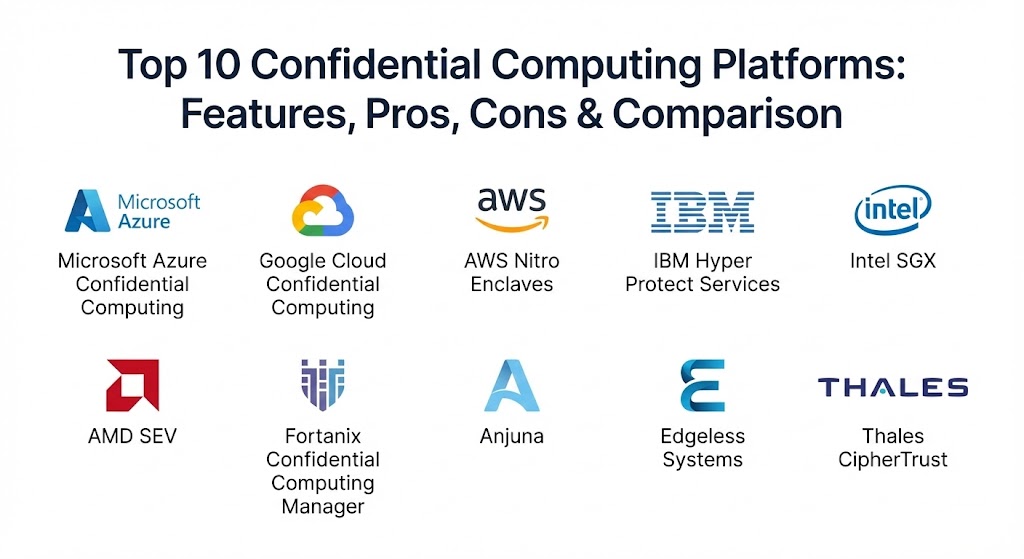
Top 10 Confidential Computing Platforms
1 Microsoft Azure Confidential Computing
This platform is a collection of services from Microsoft that helps businesses run their most private tasks in the cloud. It is designed to give you many choices for how you want to hide your data.
- Key features:
- It creates secure virtual machines that encrypt everything in the computer’s memory.
- It uses special “locked rooms” in Intel chips to hide specific pieces of code.
- It offers a digital ledger that cannot be changed, making it great for records.
- It works with containers, which are small packages of software that are easy to move.
- It has a built-in “checker” to make sure the computer is truly secure before it starts working.
- It connects easily to the security tools Microsoft already provides.
- Pros:
- It is very easy to use if your company already uses Microsoft tools.
- It gives you the most variety in the types of secure hardware you can pick.
- Cons:
- Some of the most secure options require a lot of difficult coding work.
- It can cost more than regular cloud services because the hardware is specialized.
- Security & compliance: It follows many international rules like GDPR and HIPAA. It uses high-level encryption and keeps detailed logs of who tries to access the system.
- Support & community: There is a lot of written help available, and they have a large team of experts to help big businesses get started.
2 Google Cloud Confidential Computing
Google’s platform focuses on making security simple. They want you to be able to move your work to their secure system without having to rewrite all your software.
- Key features:
- It offers “Confidential VMs” that encrypt data without you having to do anything.
- It has secure zones for analyzing data together with other companies.
- It provides secure nodes for Kubernetes, which is a popular way to run big apps.
- It handles big data tasks securely, so you can analyze huge lists of info safely.
- The hardware handles all the encryption work automatically so it doesn’t slow you down much.
- Pros:
- You don’t have to change your code, which saves a lot of time and money.
- It is very fast and doesn’t make the computer feel slow.
- Cons:
- It doesn’t give as many “fine-tuned” control options as some other tools.
- You can only use it in certain parts of the world where they have the right chips.
- Security & compliance: It meets all major safety rules and ensures that Google itself cannot see your data.
- Support & community: Google provides very clear guides and videos, and they have a strong community of technical users.
3 AWS Nitro Enclaves
Amazon’s approach is to create a completely isolated part of the computer that has no outside connections. It is like a safe that has no windows and only one tiny door.
- Key features:
- It uses a special “controller” to separate your private work from the rest of the computer.
- There is no way for even an administrator to “log in” and see what is inside.
- It has no permanent storage, so when you turn it off, everything inside vanishes.
- It connects to Amazon’s key management system to keep your digital keys safe.
- It provides a digital certificate to prove that the work is being done inside the safe.
- Pros:
- It provides one of the highest levels of isolation because it has no internet or disk access.
- It works very well with other Amazon services that many companies already use.
- Cons:
- You have to change how your software works to fit inside the enclave.
- It can be harder to get data in and out since it is so isolated.
- Security & compliance: It is very secure and meets the highest government standards for handling secret keys.
- Support & community: There are many technical guides and large events where you can learn how to use it.
4 IBM Hyper Protect Services
IBM builds its security on very powerful machines that have been used by banks for decades. They focus on giving you total control over your digital keys.
- Key features:
- It runs on special Linux servers that are built for extreme security.
- It offers a “Keep Your Own Key” system, meaning IBM can never open your files.
- The hardware will actually delete its secrets if it detects someone is physically trying to break it.
- It can run many small applications inside secure containers.
- It is designed to handle thousands of transactions per second very safely.
- Pros:
- It is the best choice for banks or groups that need the absolute highest level of physical security.
- It is incredibly reliable and almost never breaks down.
- Cons:
- It is a very specialized tool and can be more expensive than general cloud options.
- It takes more time to learn how to use these specific IBM systems.
- Security & compliance: It meets the strictest banking and government rules in the world.
- Support & community: IBM provides very high-touch support, meaning they will work closely with your team.
5 Intel SGX
Intel SGX is the actual hardware technology inside many computers that allows for these secure “locked rooms.” Many other platforms use this as their foundation.
- Key features:
- It allows a developer to pick exactly which parts of their program should be hidden.
- It protects data even if the main computer operating system is taken over by a virus.
- It can prove to a remote user that it is running the correct, unedited software.
- It is built directly into many modern computer processors.
- It allows for very precise control over how memory is used and hidden.
- Pros:
- It is the most well-known and tested technology of its kind.
- It lets you protect just a tiny piece of your data while the rest of the computer runs normally.
- Cons:
- It is difficult for programmers to use and requires a lot of extra coding work.
- If you have a lot of data, it can sometimes make the computer run slower.
- Security & compliance: This depends on how it is used, but it provides the basic hardware safety that everyone else builds on.
- Support & community: There is a huge community of researchers and developers who share their knowledge online.
6 AMD SEV
AMD’s technology is designed to protect entire virtual computers at once. It is a more “all or nothing” approach that is very easy for users to implement.
- Key features:
- It assigns a unique encryption key to every virtual machine on the server.
- The hardware handles all the encryption, so the software doesn’t have to change.
- It prevents the person managing the computer from seeing what is happening inside.
- It is designed to be very fast and handle many secure machines at the same time.
- Newer versions help prevent hackers from trying to “replay” old data to trick the system.
- Pros:
- It is very simple to turn on and doesn’t require any special programming.
- It works very well for big companies that want to secure hundreds of computers at once.
- Cons:
- If the “inner” part of the virtual computer gets a virus, the data might still be at risk.
- You need very modern and specific chips to use all the best safety features.
- Security & compliance: It provides strong hardware-based protection that satisfies most big business requirements.
- Support & community: It is supported by many of the world’s biggest technology groups.
7 Duality Technologies
Short description: Duality Technologies takes confidential computing a step further by combining it with other privacy tools, like a special kind of encrypted math called fully homomorphic encryption. It means organizations can work on shared data problems together without any single company ever seeing another’s raw files.
Key Features:
- It lets hospitals, banks, and government agencies analyze data together without exposing the underlying records to each other.
- It combines hardware-based secure rooms with encrypted computation, so information stays locked even while calculations are happening.
- It provides tools for training and running AI models on data that teams are not allowed to access directly.
- It supports secure queries across multiple organizations’ data at the same time, without moving the data anywhere.
- It connects with major cloud providers and chipmakers, so it can fit into systems companies already use.
Pros:
- It layers more than one privacy technique together, instead of relying on hardware isolation alone.
- It is built specifically for heavily regulated fields like healthcare, banking, and government.
Cons:
- Because it combines multiple techniques, there can be a slightly longer setup process than single-method tools.
- It is a specialized platform, so very small projects with simple needs may not require this level of protection.
Security & compliance: It is designed to meet strict healthcare and financial privacy regulations and has been used in government-backed cross-border research programs.
Support & community: It offers hands-on onboarding for enterprise and government teams and has been recognized by industry analysts as a leader in privacy-enhancing technology.
8 Anjuna
Anjuna provides a “wrapper” for your applications. It takes your regular software and puts it inside a secure enclave without you having to do any coding.
- Key features:
- It allows almost any Linux program to run inside a secure “locked room.”
- It automatically handles the encryption of data coming in and out.
- It works the same way on different clouds, so you don’t have to learn new tools.
- It manages your secret keys automatically so you don’t have to worry about them.
- It provides high-level security for every part of your application.
- Pros:
- It is one of the fastest ways to get an existing program into a secure environment.
- It is very easy to use for people who are not security experts.
- Cons:
- You have to pay for the Anjuna software on top of your cloud costs.
- It might add a tiny bit of extra work for the computer’s processor.
- Security & compliance: It helps you meet strict medical and financial privacy rules easily.
- Support & community: They offer very strong help for new users to get their first projects running.
9 Edgeless Systems
Edgeless Systems focuses on “open source” tools. This means anyone can look at their code to make sure there are no hidden backdoors or mistakes.
- Key features:
- They offer the world’s first “Confidential Kubernetes,” which secures whole clusters of computers.
- They provide tools for building secure apps in the Go programming language.
- All their code is open for anyone to inspect and audit.
- They focus on ensuring data is encrypted from the very first step to the very last.
- Their tools are designed to be used by modern software developers.
- Pros:
- Because it is open source, it is easier to trust that there are no hidden tricks.
- It is perfect for teams that use modern “DevOps” methods to build software.
- Cons:
- You might need a very smart technical team to set it up and manage it.
- The community is smaller than the giant companies like Microsoft or Google.
- Security & compliance: It is built to follow the strict privacy rules used in Europe.
- Support & community: They have a very active group of developers who help each other online.
10 Thales CipherTrust
Thales is a very famous name in security. Their platform focuses on managing the “keys” that open your secure data, even if that data is stored in the cloud.
- Key features:
- It allows you to keep your encryption keys in your own office while your data is in the cloud.
- It provides a single dashboard to manage security for many different places.
- It uses very high-end hardware to generate and store your secret keys.
- It helps you create reports to prove you are following the law.
- It connects traditional security with these new confidential computing tools.
- Pros:
- It is perfect for businesses that have a mix of their own servers and cloud servers.
- It gives you the best control over your encryption keys.
- Cons:
- It is mostly about the “keys” rather than the actual “compute” part.
- It can be complex if you are not already using other Thales products.
- Security & compliance: It meets the highest safety standards in the world and is used by many governments.
- Support & community: They have a massive global team and offer training for all their users.
Comparison Table
| Tool Name | Best For | Platform(s) Supported | Standout Feature | Rating |
| Microsoft Azure | Big Businesses | Azure, Hybrid | Many hardware choices | 4.7 / 5 |
| Google Cloud | Quick Setup | Google Cloud | No code changes needed | 4.6 / 5 |
| AWS Nitro | Total Isolation | Amazon AWS | No admin access at all | 4.6 / 5 |
| IBM Hyper Protect | Banks & Finance | IBM Cloud | Extreme physical safety | 4.5 / 5 |
| Intel SGX | Developers | Most Clouds | Protects tiny data bits | 4.8 / 5 |
| AMD SEV | Massive Scaling | Most Clouds | Protects whole computers | 4.7 / 5 |
| Duality Technologies | Multi-Cloud | All Clouds | One screen for all | 4.4 / 5 |
| Anjuna | Speed & Ease | Most Clouds | Secure wrapper for apps | 4.5 / 5 |
| Edgeless Systems | Open Source Fans | Multi-Cloud | Fully open and clear | 4.6 / 5 |
| Thales | Key Management | Hybrid Cloud | You keep your own keys | 4.4 / 5 |
Evaluation & Scoring of Confidential Computing Platforms
We have looked at these platforms using a simple scoring system to help you see which one fits your needs.
| Category | Weight | What it Means |
| Core Features | 25% | Does it have all the tools needed to hide data? |
| Ease of Use | 15% | Can a regular person or team set it up quickly? |
| Integrations | 15% | Does it connect to other tools you already use? |
| Security | 10% | How strong are the “locks” on the digital rooms? |
| Performance | 10% | Does it make the computer feel slow or sluggish? |
| Support | 10% | Is there someone to help if you get stuck? |
| Price / Value | 15% | Is the cost worth the extra safety you get? |
Which Confidential Computing Platform Is Right for You?
Picking the right tool depends on your situation. Here is a simple guide to help you choose.
Small Groups and Individual Developers
If you are just one person or a small team, you want something simple. Google Cloud or Azure are great because you can turn them on with just a few clicks. If you are a programmer who wants to learn the details, Intel SGX or Edgeless Systems are perfect because they let you see exactly how the security works.
Businesses with a Tight Budget
If you want to save money, AWS Nitro Enclaves or Google Cloud Confidential VMs are often the best choice. They only cost a little bit more than a regular computer in the cloud. You don’t have to buy expensive new software to get started with basic protection.
Highly Regulated Businesses (Banks and Hospitals)
If you are in a field where a mistake could lead to huge fines, you need the best. IBM Hyper Protect and Thales are the leaders for these groups. They offer the highest levels of safety and give you the most control over your secret keys, which is often required by law.
Ease of Use vs. Total Control
If you want something that “just works,” look at Anjuna or AMD SEV. They take care of the hard work for you. However, if you want total control over every single detail and don’t mind doing extra coding, Intel SGX is the gold standard.
Frequently Asked Questions (FAQs)
What is the difference between this and regular encryption?
Regular encryption hides data when it is stored on a disk. This new technology hides data while it is actually being used by the computer processor. It’s like the difference between a locked cabinet and a secret language.
Does it make my computer run slower?
Yes, usually a little bit. Because the computer has to constantly “lock” and “unlock” the data, it takes more effort. Most modern tools only slow things down by a tiny amount, like 2 to 5 percent.
Can the cloud company see my secrets?
No. If the system is set up correctly, even the company that owns the server (like Microsoft or Amazon) cannot see what is inside the secure “locked room.”
Do I have to rewrite all my software?
Not necessarily. Tools like Google Cloud Confidential VMs or Anjuna allow you to use your old software exactly as it is. Other tools like Intel SGX do require you to change your code.
Is it expensive to use these platforms?
It usually costs about 10 to 20 percent more than a regular cloud computer. For most businesses, this is a small price to pay for such high security.
What industries use this the most?
Banking, healthcare, government, and companies working with artificial intelligence are the biggest users because they have the most secrets to protect.
What is a “Trusted Execution Environment”?
This is the technical name for the secure “locked room” inside the computer chip. It is the place where all the secret work happens safely.
Is it hard to set up?
It can be. If you use a “simple” tool, it takes about an hour. If you are building a custom high-security system for a bank, it could take several months of work.
Can hackers still get in?
Nothing is 100% perfect, but this technology makes it incredibly difficult for hackers. Even if they get into the main computer, they still have to find a way into the hardware-locked room, which is much harder.
What is “remote attestation”?
This is a way for the computer to send a digital “proof” to you. It proves that the hardware is real, it’s secure, and that no one has changed your software.
Conclusion
Confidential computing is changing the way we think about digital safety. It is no longer enough to just lock your data when it’s stored; you must also lock it when it’s being used. As we have seen, there are many different tools to choose from, ranging from simple cloud options to complex hardware systems for banks.
The best choice for you depends on what you are trying to protect and how much technical skill you have. If you want a fast and easy start, Google Cloud is a winner. If you need the ultimate in physical safety, IBM is the way to go. No matter which tool you pick, using confidential computing is a smart step toward a more private and secure future. By protecting your data “in use,” you are making sure your most valuable secrets stay exactly where they belong—only with you.