Introduction
Adversarial robustness testing tools are special computer programs used to check if an Artificial Intelligence (AI) model can be tricked into making mistakes. Think of an AI model like a student taking a test. These tools are like a teacher who tries to come up with very tricky questions to see if the student really understands the subject or if they can be easily confused. In the world of technology, these “tricky questions” are called adversarial attacks. They happen when someone makes a tiny change to a piece of information—like adding a few dots to a photo or changing one word in a sentence—that a human wouldn’t notice, but causes the AI to give a completely wrong answer.
These tools are very important because we use AI for many serious jobs. For example, AI helps drive cars, find diseases in medical scans, and stop bank fraud. If a criminal can trick the AI by making a small change to a digital file, it could cause a car accident or allow someone to steal money. By using these testing tools, developers can find these weak spots and fix them before the AI is used in the real world. This makes the technology much safer and more reliable for everyone.
When you are looking for a tool to test your AI, you should check a few things. First, see if the tool works with the type of AI you are building, like one that looks at pictures or one that reads text. Second, check if it is easy to use or if you need to be an expert to understand it. Finally, look for a tool that not only finds the problems but also gives you advice on how to make your AI stronger.
Best for: These tools are most helpful for people who build AI models, such as data scientists and computer security experts. They are also great for big companies in fields like medicine, banking, and government where safety and honesty are the most important things.
Not ideal for: You probably do not need these tools if you are just making a very simple app for fun, like a basic game or a personal photo sorter. They might be too complicated and take too much time for projects where a small mistake does not cause any real harm.
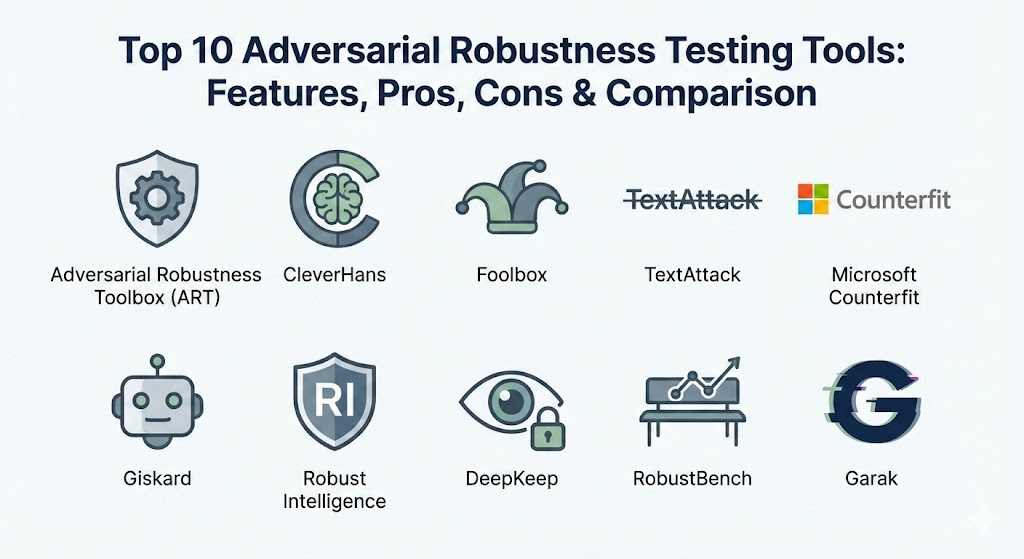
Top 10 Adversarial Robustness Testing Tools
1 — Adversarial Robustness Toolbox (ART)
The Adversarial Robustness Toolbox is a very large collection of code that helps people protect their AI models. It is built to handle many different types of data, such as images, text, and even sounds. It is famous for being one of the most complete tools available for anyone who wants to make sure their AI is as tough as possible.
- Key features:
- It works with almost all the popular ways people build AI today.
- It can simulate many different ways that a person might try to trick an AI.
- It includes special methods to help “train” the AI to be less confused by tricks.
- It can test models that look at tables of numbers, pictures, or voice recordings.
- It gives the AI a “score” to show how hard it is to trick.
- It allows users to test their models even if they don’t know exactly how the model was built.
- It is updated often by a large group of experts to keep up with new threats.
- Pros:
- It is very thorough and covers almost every kind of security test you could need.
- It is free to use and has a lot of help available from other people who use it.
- Cons:
- Because it does so many things, it can be quite hard for a beginner to learn.
- It can take a long time to run all the tests if your AI model is very big.
- Security & compliance: Varies / N/A. Since you run this on your own computer, the safety depends on how you set it up.
- Support & community: There is a lot of written help online and a big community of users who answer questions on the internet.
2 — CleverHans
CleverHans is a tool that was made to help researchers test how strong their AI is in a fair way. It is designed to be a standard test that everyone can use so that they can compare their results with others easily.
- Key features:
- It provides a simple set of tests that are known to be very effective.
- It focuses on making sure the tests give the same result every time you run them.
- It is very easy to add to projects that are already being built.
- It includes tools to help the AI learn from the tricks played on it.
- It is very small and does not slow down your computer much.
- Pros:
- It is considered a very trustworthy tool by experts and scientists.
- It is simple and does not have a lot of confusing extra parts.
- Cons:
- It is mostly built for researchers, so it might not have all the features a business wants.
- It is not as good at testing text or voice as it is at testing pictures.
- Security & compliance: Varies / N/A.
- Support & community: It has a strong group of followers in universities and many guides for people who are just starting.
3 — Foolbox
Foolbox is a Python tool that is all about finding the “breaking point” of an AI. It tries to find the smallest possible change it can make to a piece of data to make the AI fail.
- Key features:
- It has a very large list of different ways to try and trick an AI model.
- It works very well with nearly every major AI building tool.
- It automatically tries different levels of “tricky” until it finds one that works.
- it lets you see exactly how much you had to change the data to trick the AI.
- It is open for anyone to see and change if they need to.
- Pros:
- It is very fast at finding mistakes in your AI model.
- The way you talk to the computer to use it is very simple for people who know a little bit of coding.
- Cons:
- It is better at finding problems than it is at helping you fix them.
- You need to understand some math to use the most advanced parts of the tool.
- Security & compliance: Varies / N/A.
- Support & community: It has good instructions and a group of users who help keep it working well.
4 — TextAttack
TextAttack is a special tool that is only for AI models that read and write text. This is very useful for testing things like chatbots or tools that sort through emails.
- Key features:
- It can swap words or change the order of a sentence to see if the AI gets confused.
- It includes many pre-made tests specifically for the English language.
- It helps create more examples of text to help the AI learn better.
- it can test an AI even if you cannot see the code inside the AI.
- You can easily create your own “tricks” to see if the AI can handle them.
- Pros:
- It is the best tool available for anyone who is working with language and words.
- It helps make sure that chatbots don’t start saying strange or wrong things.
- Cons:
- It cannot be used for pictures or any other kind of data that is not text.
- Testing words can sometimes be slower than testing pictures.
- Security & compliance: Varies / N/A.
- Support & community: There is a helpful group of people who focus specifically on language AI who use this tool.
5 — Microsoft Counterfit
Microsoft Counterfit is a tool that looks like something a professional hacker would use. It is made for people who want to pretend to be a “bad guy” to find weaknesses in their company’s AI systems.
- Key features:
- It uses a simple text window where you type commands to run tests.
- It can test AI models that are already working on the internet.
- It can run many different types of tests one after another automatically.
- it creates reports that show exactly where the AI was tricked.
- You can add your own custom tests to it very easily.
- Pros:
- It is very good for people who already know a lot about computer security.
- It is great for testing AI that is already being used by customers.
- Cons:
- It is a bit more difficult to set up than some of the other tools.
- You need to know a lot about how computers and networks work to use it well.
- Security & compliance: It has built-in ways to keep track of who ran which test and when.
- Support & community: Since it is from Microsoft, it has very professional guides and a big company to back it up.
6 — Giskard
Giskard is a platform that helps whole teams look at their AI together. It doesn’t just look for tricks; it also looks for general mistakes and cases where the AI might be unfair to certain groups of people.
- Key features:
- It automatically scans your AI for many different kinds of common errors.
- It fits right into the daily work of a team building software.
- It has a very nice screen that shows the results in a way that is easy to read.
- It checks to make sure the AI is fair and does not discriminate.
- It allows different team members to leave comments and work together on fixes.
- Pros:
- It is very easy for anyone to use, even if they are not an expert in AI security.
- It looks for many different types of problems, not just “attacks.”
- Cons:
- The version you can use for free does not have all the best features.
- It might not find some of the very rare and complicated math tricks that other tools find.
- Security & compliance: The version for companies has high-level security features to keep data safe.
- Support & community: They have a very friendly team that helps users and answers questions quickly.
7 — Robust Intelligence
Robust Intelligence is a tool for big companies that need to protect their AI every single day. It acts like a guard that stands in front of the AI and stops bad information from getting in.
- Key features:
- It tests the AI thoroughly before it is ever used for real work.
- It has a “firewall” that blocks tricky data in real-time.
- It constantly checks the AI to make sure it doesn’t start making mistakes as it gets older.
- It works with the newest types of AI that can write stories or create art.
- It creates official papers that prove the AI follows the law.
- Pros:
- It is one of the only tools that protects the AI while it is actually working.
- It is very professional and built for the needs of huge businesses.
- Cons:
- It costs money to use, which might be hard for a single person or a small team.
- It is not as open as the free tools, so you can’t always see how it works.
- Security & compliance: Very high. It follows all the major rules that banks and hospitals have to follow.
- Support & community: It offers professional help and teachers to help your team get started.
8 — DeepKeep
DeepKeep is a tool that focuses on making sure people can trust AI. It covers the whole life of an AI model, from when it is first built to when it is retired.
- Key features:
- It has tools that try to “break” the AI to see where it is weak.
- It protects the AI from “poisoning,” which is when someone tries to give it bad information while it is learning.
- It watches for when the AI starts to get worse over time.
- It gives very clear instructions on how to fix any weak spots it finds.
- It can test AI that works in many different languages.
- Pros:
- It is excellent for companies using the very latest AI technology.
- It focuses on “trust,” which helps people feel safe using the AI.
- Cons:
- It can be a bit complicated to set up if you are not using a cloud computer.
- It is mostly for very big organizations with lots of resources.
- Security & compliance: It is very good at following rules about keeping personal information private.
- Support & community: They provide professional support and help for their business customers.
9 — RobustBench
RobustBench is like a scoreboard for AI. It is a community project where people can see which AI models are the hardest to trick in the whole world.
- Key features:
- it uses a standard set of tests to rank AI models from best to worst.
- It mostly focuses on AI that looks at and identifies pictures.
- It lets anyone upload their AI to see how it compares to others.
- It shares AI models that are already very strong so that others can use them.
- It is based on very careful research from scientists.
- Pros:
- It is the best place to find out which safety methods actually work.
- It is completely free for everyone to look at and use.
- Cons:
- It only really works for AI that looks at pictures.
- It is more of a ranking list than a tool you use to build your own app.
- Security & compliance: N/A.
- Support & community: It has a lot of support from scientists and people in universities.
10 — Garak
Garak is a newer tool that is made just for the newest kinds of AI, like the ones you can talk to. It looks for ways that people might try to trick a chatbot into saying something mean or secret.
- Key features:
- It scans chatbots for hundreds of different ways they might be tricked.
- It checks if the AI can be made to give out private information by mistake.
- It looks for cases where the AI might start making things up that aren’t true.
- It works with both free AI and private AI that companies build.
- It is very easy to run with just a few typed commands.
- Pros:
- It is built for the most popular type of AI used today (chatbots).
- It finds tricks that humans use when they talk to an AI.
- Cons:
- It only works for AI that uses words and text.
- It is quite new, so it is still being improved and changed.
- Security & compliance: Varies / N/A.
- Support & community: It has a growing group of fans who share new ways to test chatbots.
Comparison Table
| Tool Name | Best For | Platform(s) Supported | Standout Feature | Rating |
| ART | All-around safety | Python / All Major AI Tools | Huge list of tests and fixes | N/A |
| CleverHans | Standard research | Python / Major AI Tools | Reliable and fair tests | N/A |
| Foolbox | Finding small errors | Python / Nearly All Tools | Automatically finds weak spots | N/A |
| TextAttack | Words and Chatbots | Python / Text AI Tools | Best for language testing | N/A |
| Counterfit | Security Experts | Command Line / Cloud | Feels like a hacker tool | N/A |
| Giskard | Team collaboration | Python / Team Tools | Automated quality scanning | 4.8/5 |
| Robust Intelligence | Big businesses | Cloud / Private Servers | Real-time AI guard | N/A |
| DeepKeep | Trust and Safety | Enterprise Cloud | Protects AI for its whole life | N/A |
| RobustBench | Checking rankings | Web / Open Source | Global leader list for AI | N/A |
| Garak | Testing Chatbots | Python / Chatbot AI | Finds tricks in conversation | N/A |
Evaluation & Scoring of Robustness Tools
To help you understand how these tools compare, we have given them scores based on several important factors. We have split them into “Free Tools” and “Business Platforms.”
| Evaluation Category | Weight | Free Tools (Avg) | Business Platforms (Avg) |
| Core Features | 25% | 9/10 | 8/10 |
| Ease of Use | 15% | 6/10 | 9/10 |
| Integrations | 15% | 8/10 | 7/10 |
| Security & Compliance | 10% | 4/10 | 10/10 |
| Performance | 10% | 7/10 | 9/10 |
| Support & Community | 10% | 9/10 | 8/10 |
| Price / Value | 15% | 10/10 | 5/10 |
Which Tool Is Right for You?
The best tool for you depends on who you are and what you are trying to do with AI.
- Solo Users and Learners: If you are just starting to learn about AI, you should try Foolbox or CleverHans. They are free, they don’t take up much space on your computer, and there are many people online who can help you if you get stuck.
- Small Business Owners: If you have a small team, Giskard is likely your best choice. It is very easy to use, even if you are not a security expert. It helps your team work together and find general bugs as well as security problems.
- Security Experts: If your job is to find the weak spots in a company’s computer systems, you will probably like Microsoft Counterfit or Garak. These tools are built for “red teaming,” which means they are made for people who want to think like a hacker to find problems.
- Large Companies: For very big businesses that have many customers and need to follow strict laws, Robust Intelligence or DeepKeep are the right path. They offer the high-level security and official reports that a large corporation needs to stay safe.
- Scientists and Researchers: If you are doing deep research into how to make AI safer, the Adversarial Robustness Toolbox (ART) is the most powerful choice. It has the most options for testing very complex ideas.
Frequently Asked Questions (FAQs)
1. What is an adversarial attack in simple terms?
An adversarial attack is a trick played on an AI. It involves making a tiny change to something like a picture or a sentence that a human doesn’t care about, but that makes the AI get very confused.
2. Why do I need a tool for this?
You need a tool because these tricks are very hard to find on your own. These programs can try thousands of different tricks in just a few minutes to see if your AI is weak anywhere.
3. Are these tools expensive?
Many of the best tools, like ART and TextAttack, are completely free. However, if you are a big company and want extra features like real-time protection, you will have to pay for a professional service.
4. Do I need to know how to code to use these?
For the free tools, you usually need to know a little bit of the Python programming language. For the professional platforms like Giskard or Robust Intelligence, there are many parts you can use just by clicking buttons.
5. Can these tools make my AI slower?
Running the tests can take some time and power from your computer. But once the tests are done and you have fixed the problems, your AI should run at a normal speed.
6. Do these tools work on chatbots like the ones I use online?
Yes, tools like Garak and TextAttack are made specifically to test the kind of AI that uses language and conversation.
7. Can these tools fix my AI automatically?
Some tools can help you “train” your AI to be stronger, but you usually still need a human to look at the results and decide the best way to fix the model.
8. What happens if I don’t use these tools?
If you don’t test your AI, you might not know it has a weakness until a “bad guy” finds it and uses it to trick your system. This could lead to security problems or people losing trust in your app.
9. How do I pick the “best” tool?
There is no single “best” tool for everyone. You should pick based on what your AI does (like looking at pictures versus reading text) and how much money or time you have.
10. Do these tools follow safety laws?
Many of the professional tools are built specifically to help companies follow laws about data privacy and safety. They can even create the official reports that some governments require.
Conclusion
In simple terms, adversarial robustness testing tools are like safety inspectors for AI. As we use AI more and more in our daily lives, making sure it is tough enough to handle tricks and mistakes is very important. Whether you are a student just starting out or a big company building a serious application, there is a tool that can help you.
Remember that you don’t need to be an expert to start making your AI safer. Many of the free tools are a great way to learn, and the professional platforms make it easy for businesses to stay secure. The most important thing is to start testing as soon as possible. By finding and fixing weak spots early, you can build technology that is not only smart but also safe and trustworthy for everyone who uses it. The “best” tool is simply the one that meets your specific needs and helps you feel confident in your AI.