Introduction
Bias and fairness testing tools are special types of software that help people check if their computer programs are treating everyone equally. When we build smart systems, like those used to decide who gets a loan or who gets hired for a job, these systems learn from human information. Sometimes, that information contains old prejudices or unfair patterns. These testing tools act like a “fairness check” to find these hidden problems and fix them before they cause real-world harm.
It is very important to use these tools because computers do not naturally know right from wrong; they only follow the data they are given. If a computer program is biased, it might accidentally ignore great workers or deny help to people who deserve it. By using these tools, companies can make sure their technology is kind, ethical, and follows the law. This helps build trust with the people who use the software every day.
In the real world, these tools are used in many ways. For example, a hospital might use them to make sure their health app gives the same high-quality advice to people of all skin colors. A bank might use them to ensure that where someone lives doesn’t unfairly change their credit score. When looking for a tool, you should check how easy it is to understand the reports it gives, if it works with your current software, and if it provides clear steps on how to fix the unfairness it finds.
Best for: These tools are perfect for data scientists, people who manage technology products, and teams that handle legal rules. They are especially helpful for large companies in banking, healthcare, and hiring where making fair decisions is a top priority.
Not ideal for: If you are a student or a solo creator making a very simple app that doesn’t make big life decisions, you might not need these complex tools yet. They are also not needed for software that doesn’t use data to make predictions about people.
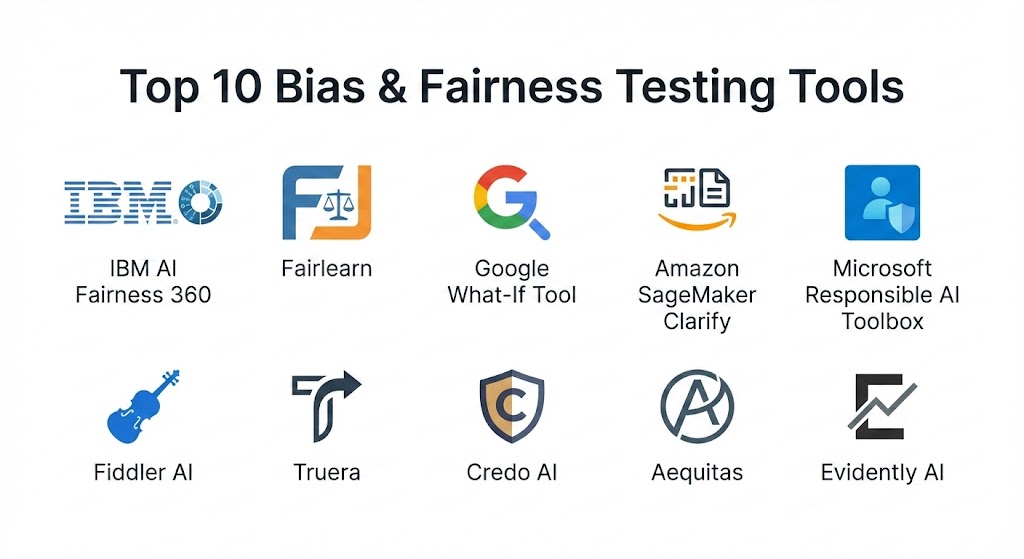
Top 10 Bias & Fairness Testing Tools
1 — IBM AI Fairness 360
This is a very well-known set of tools that is free for anyone to use. It was created by researchers to help developers find and fix bias at every step of building a computer model, from the very beginning to the final product.
- Key features:
- Provides over 70 different ways to test for fairness.
- Includes ten different methods to help “clean” the bias out of your data.
- Works with many different types of programming languages.
- Offers a simple website where beginners can try it out without any setup.
- Has many guides and tutorials to help you learn.
- Can handle many different types of information and datasets.
- Helps explain exactly where the unfairness is coming from.
- Pros:
- It is completely free and open for everyone to look at and use.
- It is backed by high-level scientific research from IBM experts.
- Cons:
- It can be quite difficult for a beginner to understand all the technical options.
- Setting it up on your own computer can take a bit of extra effort.
- Security & compliance: Varies. Since you install this on your own system, the safety depends on your company’s security.
- Support & community: Very strong. There is a large group of people online who help each other use it.
2 — Fairlearn
Fairlearn is an easy-to-use project that focuses on showing people how their models might be treating different groups unfairly. It is very popular because it uses a lot of pictures and charts to make things clear.
- Key features:
- A visual dashboard that shows fairness and accuracy at the same time.
- Special steps to help reduce bias while keeping the model smart.
- Focuses on making sure different groups of people get similar results.
- Works very well with the most common tools used by data scientists.
- Helps teams compare different versions of a model to see which is fairest.
- Provides very clear visualizations of the results.
- Pros:
- The visual charts make it very easy to explain problems to bosses or clients.
- The community is very friendly and always willing to help new users.
- Cons:
- It does not have as many advanced mathematical tests as some other tools.
- It works best with specific types of computer models and might not fit every project.
- Security & compliance: N/A. This is a library you run on your own hardware.
- Support & community: Excellent documentation and a very active group of helpful users.
3 — Google What-If Tool
This tool provides a visual way to explore how a model works without needing to write any code. It is designed for anyone who wants to “play” with data to see how small changes might lead to unfair answers.
- Key features:
- Lets you click on individual pieces of data to see how the answer changes.
- Shows how fair the model is for different groups using simple graphs.
- Requires no coding skills to do basic fairness checks.
- Allows you to compare two different models side-by-side.
- Highlights specific examples where the computer might be making a mistake.
- Works directly inside the web browser.
- Pros:
- It is great for people who prefer seeing things visually rather than reading code.
- It makes it very fast to test “what if” scenarios.
- Cons:
- It can get slow if you try to use it with a huge amount of data.
- It works best with other Google-made technology.
- Security & compliance: Depends on the cloud service you are using to run it.
- Support & community: Supported by Google with many helpful videos and written guides.
4 — Amazon SageMaker Clarify
Clarify is a built-in tool for companies that use Amazon’s cloud services. It helps find bias in the data before the computer starts learning and continues to watch for bias even after the software is being used.
- Key features:
- Automatically looks for bias in your data before you start.
- Checks for fairness once the computer model is finished.
- Provides explanations for why the computer made a certain choice.
- Can send you an alert if the software starts becoming unfair over time.
- Creates professional reports that are easy for managers to read.
- Connects perfectly with all other Amazon technology.
- Pros:
- Very convenient if your team already uses Amazon for work.
- It does a lot of the hard work automatically, saving you time.
- Cons:
- It is not free; you have to pay as part of your Amazon cloud bill.
- It is mostly meant for data that is already stored in Amazon’s systems.
- Security & compliance: Very high. It follows all major global safety and privacy rules.
- Support & community: Full professional support is available from Amazon experts.
5 — Microsoft Responsible AI Toolbox
Microsoft created this set of tools to bring fairness, error checking, and explanations into one single dashboard. It is built to help teams build technology that people can truly trust.
- Key features:
- One central place to see fairness, errors, and data facts.
- Finds which specific groups of people are seeing the most errors.
- Suggests ways to improve the software based on what it finds.
- Includes tools to see how your data is spread out.
- Can be used on your own computer or in the Microsoft cloud.
- Focuses heavily on the “why” behind every decision.
- Pros:
- It is very comprehensive; it covers almost everything you would need to check.
- The “error analysis” part is unique and very helpful for finding hidden bugs.
- Cons:
- The dashboard has so much information it can feel a bit crowded.
- You still need a good bit of technical knowledge to use it well.
- Security & compliance: Excellent, especially when used with Microsoft’s professional services.
- Support & community: Backed by Microsoft with deep documentation and expert help.
6 — Fiddler AI
Fiddler is a professional platform made for large companies. It focuses on watching computer models while they are actually working in the real world to make sure they stay fair and accurate every day.
- Key features:
- Watches for bias in real-time as the software is being used.
- Provides clear, simple explanations for every single decision.
- A central place for different teams to work on fairness together.
- Custom dashboards for different people, like bosses or engineers.
- Helps keep a record of everything the AI does for safety.
- Connects with many different types of data storage.
- Pros:
- Perfect for big companies that have many different AI systems running.
- The real-time alerts help stop problems before they get big.
- Cons:
- It is a paid tool and can be expensive for small businesses.
- It takes more time and effort to set up than the free tools.
- Security & compliance: Very high safety standards, including encryption and audit logs.
- Support & community: Provides high-quality personal support and training.
7 — Truera
Truera is a tool that helps experts look deep into complex computer programs to find out why they are making certain choices. It is great for finding the “root cause” of a bias problem.
- Key features:
- Deep technical checks to find exactly where bias starts.
- Lets you compare different versions of your model to find the fairest one.
- Works even with very complex models that are usually hard to understand.
- Provides specific advice on how to improve your data.
- Keeps track of both fairness and how well the model is working.
- Pros:
- It is very good at pinpointing the exact piece of data causing a problem.
- It helps teams fix problems much faster than doing it by hand.
- Cons:
- It is built for very technical users who understand data science well.
- It is a professional service that requires a subscription.
- Security & compliance: Follows standard enterprise safety rules and certifications.
- Support & community: Excellent professional support and training for teams.
8 — Credo AI
Credo AI is a bit different because it focuses on the “governance” or the “rules” of AI. It helps companies make sure their technology follows both the law and the company’s own ethical standards.
- Key features:
- Connects technical fairness tests to actual company policies.
- Creates reports specifically for legal and risk-management teams.
- Helps different departments talk to each other about AI safety.
- Keeps a list of all the AI models a company is using.
- Provides a simple “scorecard” for how responsible a model is.
- Pros:
- This is the best choice for companies that are very worried about laws and rules.
- It helps non-technical bosses understand if the AI is safe.
- Cons:
- It is more about “managing” than “fixing the code” itself.
- It might be too much software for a small team with only one project.
- Security & compliance: Extremely high, as it is built specifically for regulatory needs.
- Support & community: Offers expert consulting and dedicated enterprise support.
9 — Aequitas
Aequitas is a free tool created by researchers at a university. It is designed to be simple and honest, focusing on tools used for social good, government, and non-profits.
- Key features:
- Looks at “intersectional” bias, like how race and gender might overlap.
- Produces reports that are very easy to read and share.
- Specifically designed for high-stakes decisions like in schools or courts.
- Very clear about the math it uses to find unfairness.
- Easy to run on your own computer without any internet needed.
- Pros:
- It is free and very transparent about how it works.
- It is ideal for academic, social, or government-style projects.
- Cons:
- It does not have a fancy, colorful dashboard like the paid tools.
- It doesn’t have many features to help you fix the bias it finds.
- Security & compliance: Varies. It is a tool you manage yourself.
- Support & community: Good written guides but a smaller group of users.
10 — Evidently AI
Evidently AI is a tool that helps you watch over your machine learning models. It is very popular because you can use just the small pieces you need, like the fairness piece.
- Key features:
- Creates interactive reports that look like a simple website.
- Checks if your data is changing over time in a way that creates bias.
- Very easy to add to the tests you already run on your code.
- Can compare models while you are still testing them.
- Provides specific checks just for fairness and bias.
- Pros:
- The reports are very pretty and easy to show to other people.
- It is very flexible and works with almost any kind of data.
- Cons:
- The fairness part is just one small piece of the tool.
- You need to know a little bit of coding to make it work perfectly.
- Security & compliance: N/A for the free version; the paid version has standard safety features.
- Support & community: Very active online group and clear instructions.
Comparison Table
| Tool Name | Best For | Platform(s) Supported | Standout Feature | Rating |
| IBM AIF360 | Deep research and fixing bias | Python, R | Over 70 fairness metrics | N/A |
| Fairlearn | Visual charts for teams | Python | Simple visual dashboard | N/A |
| Google What-If | Exploring data without code | Web Browsers | Interactive “what-if” clicking | N/A |
| SageMaker Clarify | Amazon Cloud users | AWS | Fully automated cloud reports | N/A |
| Responsible AI | Microsoft Cloud users | Azure, Python | Finds specific group errors | N/A |
| Fiddler AI | Watching live AI systems | Cloud, SaaS | Real-time bias alerts | N/A |
| Truera | Finding the root cause | Cloud, SaaS | Deep technical diagnostics | N/A |
| Credo AI | Legal and rule-following | SaaS | Reports for legal teams | N/A |
| Aequitas | Social good and government | Python | Focuses on overlapping bias | N/A |
| Evidently AI | Simple interactive reports | Python | Easy-to-share web reports | N/A |
Evaluation & Scoring of Bias & Fairness Testing Tools
To help you choose, we have looked at these tools using a simple scoring system based on what most people need.
| Criteria | Weight | Explanation |
| Core Features | 25% | Can it find many types of bias and also help fix them? |
| Ease of Use | 15% | Is it easy for a normal person to understand the results? |
| Integrations | 15% | Does it work with the software you already use? |
| Security & Compliance | 10% | Does it keep data safe and follow legal rules? |
| Performance | 10% | Does it work fast even with a lot of information? |
| Support & Community | 10% | Is there someone to help if you get stuck? |
| Price / Value | 15% | Is it worth the money or the time you spend? |
Which Bias & Fairness Testing Tool Is Right for You?
Finding the right tool is about looking at your budget, your skills, and what you are building.
Solo Users and Students
If you are learning or working alone, start with Fairlearn or IBM AI Fairness 360. They are free and will teach you everything you need to know. If you don’t like writing code, the Google What-If Tool is a great way to see fairness in action by just clicking.
Small and Medium Businesses
If you have a small budget, using the tools already in your cloud—like Amazon SageMaker Clarify or Microsoft’s tools—is the smartest move. They are easy to turn on and don’t require you to move your data to a new place.
Large Companies and Enterprise
For big companies that have a lot to lose, you need a tool that watches your software every second. Fiddler AI and Truera are built for this. They help you stay safe and provide professional support that free tools don’t have.
Legal and Compliance Teams
If your main worry is following the law (like in a bank), Credo AI is the best choice. It creates the specific paperwork and “scorecards” that lawyers and government inspectors want to see.
Frequently Asked Questions (FAQs)
1. What is a bias testing tool in simple words?
It is a program that checks if other computer programs are being unfair to certain groups of people, like treating men differently than women.
2. Why do I need to test for fairness?
Testing ensures your software is ethical and doesn’t accidentally discriminate. It also helps you avoid getting into legal trouble for being unfair.
3. Do these tools work on their own?
No, they usually need a human to look at the results. The tool finds the problem, but a person has to decide the best way to fix it.
4. Are these tools expensive?
Many of the best ones are completely free. However, the professional versions for big companies can cost a lot of money because they include more safety and help.
5. Can I use these if I am not a programmer?
Yes. Some tools, like the Google What-If Tool, are made for people who just want to use a visual dashboard without writing any code.
6. Do these tools fix the bias automatically?
Some can suggest changes to the data to make it fairer, but you should always double-check the changes to make sure they are right.
7. Can these tools be used for chatbots?
Yes, newer tools are now helping to make sure chatbots don’t say mean or biased things to people.
8. Will using these tools slow down my website?
Usually, no. These tests are done in the background or before the software is launched, so your users won’t notice any slowdown.
9. What is the most common mistake when using these?
The biggest mistake is thinking that the tool is always right. Fairness is a human idea, so you must always use your own judgment too.
10. Which one is the easiest to start with?
Fairlearn is widely considered the easiest for people who know a little bit of code, while the Google What-If Tool is the easiest for those who don’t.
Conclusion
To sum it all up, bias and fairness testing tools are here to help us build better, kinder technology. If you are just starting your journey, the best thing to do is try out a free tool like Fairlearn or Aequitas. They provide simple charts and helpful guides that make it easy to see where your data might be hiding unfair patterns. Starting small is much better than not starting at all.
For larger companies, the choice is more about safety and following the rules. In these cases, professional platforms like Fiddler AI or Credo AI are the best partners. They give you the peace of mind that comes from knowing your technology is being watched by experts and is ready for any legal checks.
In the end, there is no single tool that is perfect for everyone. The “best” tool is simply the one that fits your team’s skills and makes your software fairer for the people who use it. By picking one of these tools today, you are taking a very important step toward making the digital world a more equal place for everyone.