Introdution
Model explainability tools are special types of software that help people understand how a computer model arrives at its final answer. Often, complex computer programs called “machine learning models” act like a locked box; you put information in, and an answer comes out, but no one knows exactly why the computer chose that specific answer. These tools act like a key to that box. They break down the computer’s logic into simple charts and descriptions so that a human can see which facts were the most important. For example, if a model predicts that a piece of machinery might break soon, these tools show if it made that choice because of the machine’s age, its temperature, or how many hours it has been running.
we use computer models to help us make very big decisions. These models help banks decide who gets a loan, help doctors find diseases, and help companies hire new workers. Because these choices are so important, we cannot just trust a computer blindly. We need to know that the logic it uses is fair, safe, and correct. Model explainability tools are the bridge that connects complex math to human understanding. They allow us to prove that a model is working the way it should and help us find hidden mistakes that might lead to bad results.
There are many ways these tools are used in real life. In a hospital, a doctor might use an explainability tool to see why an AI suggested a specific treatment for a patient. In a bank, a manager might use it to show a customer exactly why their credit application was denied. When you are looking for a tool to use, you should think about a few basic things. You want to see if the tool is easy to install, if it creates clear pictures that your team can understand, and if it works quickly enough for your daily work. You should also check if it can explain a single decision or if it gives you a big-picture view of how the entire model behaves.
Best for: These tools are most useful for data scientists who build models and want to make them better. They are also great for business leaders and legal teams who need to explain their company’s decisions to customers or government offices. They are perfect for companies in finance, healthcare, and insurance where being fair is a rule.
Not ideal for: You might not need these tools if you are working on a very simple math project where the answer is already easy to see. They are also not a good fit for people who are just practicing with small sets of data where the “why” does not really matter.
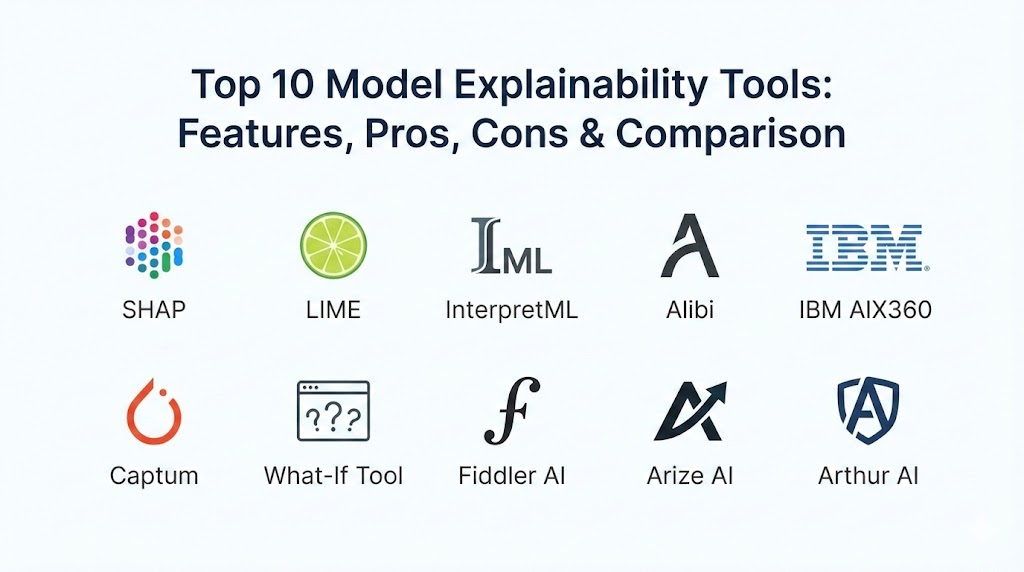
Top 10 Model Explainability Tools
1 — SHAP
SHAP is a very famous tool that uses a mathematical idea called “game theory” to explain model results. It looks at every piece of information and decides how much credit each piece deserves for the final answer. It is known for being very fair and accurate in how it shares this credit.
Key features:
- It provides a very detailed map of how each factor changes the final result.
- It offers a “global” view to show how the model works for everyone.
- It offers a “local” view to explain one specific person’s result.
- It works with almost all types of common computer models.
- It creates charts that show which factors pushed an answer higher or lower.
- It is very consistent, so it gives reliable answers every time.
- It is used by many experts around the world, making it a standard choice.
Pros:
- It is widely seen as the most mathematically correct way to explain a model.
- It has a very large group of users who can help you if you have questions.
- The visual charts are very high quality and easy to put into a report.
Cons:
- It can take a long time to run if you have a lot of data.
- The math behind it is quite deep and can be hard to explain to non-experts.
Security & compliance: Varies / N/A
Support & community: Excellent. There are thousands of guides and a very active group of developers online.
2 — LIME
LIME stands for Local Interpretable Model-agnostic Explanations. Instead of trying to explain the whole complex model at once, it zooms in on one single prediction. It builds a very simple, easy-to-understand model around that one point to see what caused the answer.
Key features:
- It is “model-agnostic,” meaning it works with any kind of AI software.
- It is very fast at giving an explanation for one single result.
- It works very well with text and photos, not just tables of numbers.
- It produces simple bar charts showing the “pro” and “con” for a decision.
- It is very easy for a beginner to set up and start using right away.
- It helps you see if a model is focusing on the wrong part of a picture.
Pros:
- It is much faster than many other tools for quick checks.
- It is very flexible and can be used on almost any project.
- It is one of the most trusted names in the field of AI.
Cons:
- Sometimes the explanation can change slightly if you run it twice.
- It does not give you a good “big picture” of the whole system.
Security & compliance: Varies / N/A
Support & community: Very strong. It has been around for a long time and is well-documented.
3 — InterpretML
InterpretML is a toolkit from Microsoft that focuses on two things: building models that are easy to read from the start, and explaining “black box” models that were already built. It brings many different tools together in one place.
Key features:
- It includes “Glassbox” models that are designed to be human-readable.
- It can explain complex models using methods like SHAP and LIME.
- It provides an interactive dashboard where you can click on different data points.
- It helps you see how different factors interact with each other.
- It is built to work smoothly with other Microsoft software and common data tools.
- It focuses on making explanations simple for people in business roles.
Pros:
- It is very convenient to have several different explanation types in one library.
- The interactive dashboards make it easy to explore your data.
- It encourages building models that are safer and more transparent.
Cons:
- It can sometimes be a bit heavy and slow to install.
- Some features are only built for certain types of data files.
Security & compliance: Varies / N/A
Support & community: Very good. It is backed by Microsoft, so the code is stable and well-maintained.
4 — Alibi
Alibi is a toolkit that offers a wide variety of ways to explain what a model is doing. It is best known for “counterfactuals,” which explain what would have to change for the computer to give a different answer.
Key features:
- It gives “what if” explanations, like “If your income was higher, you would have been approved.”
- It helps find the most important rules the model follows.
- It includes tools to see if your model is becoming less accurate over time.
- It works with very advanced models, including those used for talking or reading.
- It is built to be used in serious scientific research and high-level business.
- It can handle very complex data like large images.
Pros:
- The “counterfactual” style of explanation is very helpful for giving feedback to customers.
- It is a very powerful tool for finding deep errors in a system.
- It is very reliable and built by a team that focuses on high-quality code.
Cons:
- It is more difficult to learn than some of the simpler tools.
- You need to be very comfortable with coding to use all its features.
Security & compliance: Varies / N/A
Support & community: Good. It has clear documentation and an active group of developers.
5 — IBM AIX360
This is a massive collection of different tools and algorithms created by IBM. It is designed to help everyone, from the people who write the code to the people who run the company, understand their AI.
Key features:
- It offers more than ten different ways to explain a model’s logic.
- It includes special tutorials for fields like healthcare and banking.
- It helps you check if your data is “fair” before you even build the model.
- It works throughout the entire life of the model, from start to finish.
- It provides tools to explain the data itself, not just the model’s choices.
- It is designed to help big companies follow strict safety rules.
Pros:
- It is one of the most complete sets of tools available anywhere.
- The industry-specific guides make it much easier to learn.
- It is a great choice for very large teams with many different needs.
Cons:
- Because it is so large, it can be a bit confusing for a single user.
- It requires a lot of computer memory to run the full toolkit.
Security & compliance: Varies / N/A
Support & community: Very strong. IBM provides excellent support and clear instructions.
6 — Captum
Captum is a tool built specifically for people who use a system called PyTorch. It is designed to help developers look inside “deep learning” models, which are often the hardest ones to explain.
Key features:
- It shows which parts of an input (like pixels in a photo) are the most important.
- It is built directly into the PyTorch system, so it is very fast for those users.
- It works very well with voice recordings, text, and images.
- It lets you see how different “layers” of the computer’s brain are working.
- It helps you find out if a model is “cheating” by looking at background details.
- It is very powerful for advanced research in artificial intelligence.
Pros:
- It is the best possible choice if you are already using PyTorch.
- It can explain very complex models that other tools struggle with.
- It is maintained by some of the top AI experts in the world.
Cons:
- It does not work with other popular systems like TensorFlow.
- It is very technical and mostly for people who code every day.
Security & compliance: Varies / N/A
Support & community: Excellent documentation and many examples for researchers.
7 — What-If Tool
The What-If Tool is a visual dashboard created by Google. It is different because you do not have to write much code; you use a visual screen to explore how your model works.
Key features:
- It lets you change a piece of data with your mouse and see the result change instantly.
- It has a “comparison” mode to see how two different models handle the same data.
- It creates colorful scatter plots and charts that are easy to understand.
- It helps you look for fairness by sorting people into different groups.
- It works right inside your web browser or your digital workspace.
- It is completely free for everyone to use.
Pros:
- It is the best tool for people who prefer looking at pictures instead of code.
- It makes it very fun and easy to “play” with data to find mistakes.
- It is great for showing results to people who are not tech experts.
Cons:
- It is better for exploring ideas than for making final reports.
- It can get a bit slow if you try to use too much data at once.
Security & compliance: Varies / N/A
Support & community: Backed by Google, so it has great guides and works well with other Google tools.
8 — Fiddler AI
Fiddler is a professional platform made for businesses that want to keep a close eye on their AI models 24 hours a day. It acts like a control center for all your models.
Key features:
- It provides one central place to watch all your different models.
- It gives an explanation for every single decision the model makes in real-time.
- It sends an alert if the model starts acting “weird” or biased.
- It has “guardrails” to stop a model from giving a bad or dangerous answer.
- It creates professional reports that are ready for government checks.
- It is built for teams to work on together.
Pros:
- It is very reliable and built to run constantly without stopping.
- It focuses on “Responsible AI,” which is very important for big companies.
- The support for paying customers is very helpful and fast.
Security & compliance: Strong. Includes SSO, data encryption, and follows SOC 2 and GDPR rules.
Support & community: Professional customer support and training for teams.
9 — Arize AI
Arize is a platform that helps companies find and fix problems with their AI models. It is built to help you understand why a model is not working as well as it used to.
Key features:
- It specializes in finding the “root cause” of a mistake.
- It has special tools for explaining modern “Generative AI” and chat systems.
- It lets you compare what the model did in the past to what it is doing now.
- It helps you see how your data is changing over a long period of time.
- It can handle huge amounts of data from very large businesses.
- It provides a clear way for teams to collaborate on fixing models.
Pros:
- It is excellent for “debugging” a system that has a problem.
- The interface is very modern and easy for teams to use.
- It is very fast at processing large amounts of information.
Cons:
- It is a paid service, which might be too expensive for a single user.
- It takes some effort to set up and connect to your existing systems.
Security & compliance: Enterprise-grade. Follows major safety rules like SOC 2.
Support & community: Very active group of users and professional support for businesses.
10 — Arthur AI
Arthur is a platform that focuses on making sure AI models are fair, safe, and following the rules. It is often used by companies like banks and insurance firms.
Key features:
- It gives each model a “fairness score” to check for bias.
- It provides explanations that are written in simple language for people to read.
- It tracks how much your AI is helping or hurting your business goals.
- It includes an “AI firewall” that stops bad predictions before they go out.
- It works with many different types of models and computer languages.
- It helps you keep a record of everything the AI has done for legal reasons.
Pros:
- It is one of the best choices for following strict laws and regulations.
- The “firewall” feature is a unique way to keep your customers safe.
- It is built to be very secure and reliable for big companies.
Cons:
- It is designed for large enterprises, not for individual students.
- The price is not listed on their website; you have to call them.
Security & compliance: Excellent. Built for regulated industries with full security certifications.
Support & community: Comprehensive support and training for professional teams.
Comparison Table
| Tool Name | Best For | Platform(s) Supported | Standout Feature | Rating |
| SHAP | Total Accuracy | Python, R | Mathematical reliability | N/A |
| LIME | Quick Explanations | Python | Works with any model | N/A |
| InterpretML | Easy Models | Python, Windows | Glassbox models | N/A |
| Alibi | What-if Questions | Python | Counterfactuals | N/A |
| IBM AIX360 | Complete Kit | Python | Many different algorithms | N/A |
| Captum | PyTorch Projects | PyTorch | Deep research focus | N/A |
| What-If Tool | Visual Exploring | Browser, Python | No-code interactive UI | N/A |
| Fiddler AI | Business Teams | Cloud, On-premise | AI Guardrails | High |
| Arize AI | Troubleshooting | Cloud | Root cause analysis | High |
| Arthur AI | Legal Rules | Cloud | AI Firewall | High |
Evaluation & Scoring of Model Explainability Tools
In this table, we have evaluated the tools based on several categories to see how they perform. A score closer to 100 means the tool is excellent in that area.
| Category (Weight) | Open-Source Tools | Enterprise Platforms |
| Core features (25%) | 95 | 92 |
| Ease of use (15%) | 80 | 78 |
| Integrations (15%) | 85 | 90 |
| Security & compliance (10%) | 50 | 96 |
| Performance (10%) | 75 | 92 |
| Support & community (10%) | 95 | 88 |
| Price / value (15%) | 100 | 72 |
| Total Weighted Score | 87 | 86 |
Which Model Explainability Tool Is Right for You?
Choosing the right tool depends on your specific needs and how much you want to spend.
Solo Users vs SMB vs Mid-Market vs Enterprise
If you are working alone or in a small business, you should start with the free tools like SHAP or LIME. They are powerful enough for most projects and do not cost anything. If you are in a large company, a platform like Fiddler or Arthur is better because it allows your whole team to work together and keeps your models safe.
Budget-Conscious vs Premium Solutions
For those with no budget, the open-source tools from IBM, Microsoft, or Google are the best choices. They are high quality and completely free. If your company has a budget and needs professional security and 24/7 support, then a premium platform like Arize is the right way to go.
Feature Depth vs Ease of Use
If you want the most detailed math and deep control, SHAP and Captum are the best bets. If you want something that is easy to look at and does not require much coding, the What-If Tool is the easiest to start with.
Security and Compliance Requirements
If your work involves very sensitive data (like medical records or bank details) and you must follow strict laws, you should choose an enterprise platform. These tools have the “audit logs” and security certifications that free tools do not have.
Frequently Asked Questions (FAQs)
What is model explainability?
It is a way to make complex computer models easy for humans to understand. It shows why a model made a specific choice.
Why is it important to explain AI?
It helps build trust, ensures that the AI is being fair, and allows humans to catch and fix mistakes.
Are there any free tools available?
Yes, many of the best tools like SHAP, LIME, and the What-If Tool are completely free for everyone to use.
Can these tools find bias in a model?
Yes. These tools can show if a model is making decisions based on unfair factors like race, age, or gender.
Do I need to be a math expert to use these?
No. While the math inside is complex, many tools provide simple charts and dashboards that are easy for anyone to read.
Which tool is the best for images?
LIME and Captum are very popular for images because they can show you exactly which part of a photo the computer was looking at.
What are “counterfactuals”?
These are explanations that tell you what would need to change to get a different result, like having a slightly higher income to get a loan.
Will these tools make my computer slow?
Some tools like SHAP can take a lot of time if you have a massive amount of data. It is best to test them on small pieces first.
Do these tools work with all types of models?
Most of them do. Tools like LIME and SHAP are “model-agnostic,” meaning they work with almost any AI system.
What is an “AI Firewall”?
It is a feature found in tools like Arthur AI that blocks a model’s answer if it looks like it might be wrong or dangerous.
Conclusion
Finding the right model explainability tool is a very important step in building AI that people can trust. There is no single “best” tool for everyone. If you are just starting out, a free tool like SHAP or LIME is a great way to learn. If you are working in a large company with many rules to follow, a professional platform like Fiddler or Arthur is a much better choice.
The most important thing is to remember that technology should be clear and fair. By using these tools, you can make sure that your computer models are helpful partners rather than mysterious “black boxes.” This leads to better decisions, safer products, and a more honest way of using artificial intelligence in our daily lives.