Introduction
Ontology management tools are specialized software applications designed to create, visualize, edit, and maintain ontologies. In the world of information science, an ontology is a formal way of representing data by defining the concepts within a domain and the relationships between them. These tools allow organizations to build a “shared vocabulary,” enabling both humans and machines to understand complex data structures consistently. By using these platforms, businesses can move beyond simple databases to create “knowledge graphs” that represent real-world logic and meaning.
The importance of these tools has grown alongside the rise of artificial intelligence and big data. Without a structured ontology, data remains trapped in silos, making it difficult for AI models to draw accurate conclusions. Real-world use cases include life sciences companies mapping the relationships between genes and diseases, financial institutions tracking complex fraud patterns across global markets, and e-commerce giants building recommendation engines that understand the semantic nuances of user intent. When evaluating these tools, users should look for support for standard languages (like OWL and RDF), collaboration features, reasoning capabilities (to check for logical errors), and the ability to scale as the knowledge graph grows.
Who Benefits Most and Who Might Not Need It
Best for:
These tools are essential for Data Architects, Knowledge Engineers, Ontologists, and AI researchers. They are most beneficial for large enterprises in the pharmaceutical, aerospace, defense, and academic sectors where data complexity is extremely high. Any organization building a “Semantic Web” infrastructure or an enterprise knowledge graph will find these platforms indispensable for maintaining data integrity and interoperability.
Not ideal for:
Small businesses or startups with simple, structured data needs (like basic customer lists or sales tracking) likely do not need the complexity of an ontology management tool. If your data can be easily managed in a standard relational database or a simple spreadsheet, the steep learning curve of these platforms may be counterproductive. Additionally, developers looking for simple “keyword” search capabilities rather than deep “semantic” understanding may find basic search engines more effective.
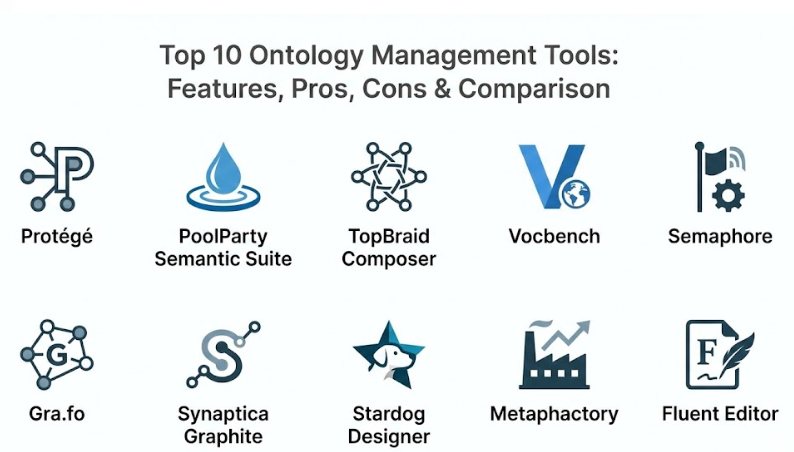
Top 10 Ontology Management Tools
1 — Protégé
Protégé is the most widely used open-source ontology editor in the world. Developed at Stanford University, it has been the industry standard for decades, offering a highly flexible environment for building intelligent systems and knowledge-based applications.
- Key features:
- Full support for the latest OWL 2 (Web Ontology Language) standards.
- Highly extensible architecture with hundreds of community-built plugins.
- Built-in reasoner support (like HermiT or Pellet) to check for logical consistency.
- Visualization tools to map out complex class hierarchies.
- Collaborative version (WebProtégé) for team-based cloud editing.
- Support for various formats including RDF/XML, Turtle, and OBO.
- Pros:
- Completely free and open-source with a massive global user base.
- The most comprehensive feature set for academic and research-heavy projects.
- Cons:
- The desktop interface can feel dated and overwhelming for beginners.
- Requires a significant understanding of description logic to use effectively.
- Security & compliance: Varies (Desktop is local; WebProtégé security depends on hosting environment).
- Support & community: Unmatched community support via mailing lists, forums, and decades of documentation.
2 — PoolParty Semantic Suite
PoolParty is a world-class enterprise platform that combines ontology management with text mining and linked data capabilities. It is designed for businesses that want to bridge the gap between unstructured content and structured knowledge.
- Key features:
- Integrated thesaurus and taxonomy management based on SKOS standards.
- AI-assisted suggestion engine for building ontology relations.
- Automatic entity extraction from documents to enrich the knowledge graph.
- Seamless integration with SharePoint and other enterprise CMS.
- Visual mapping tool for connecting internal data to the Linked Open Data cloud.
- Pros:
- Very user-friendly compared to academic tools, making it accessible to business users.
- Excellent at transforming messy company documents into organized knowledge.
- Cons:
- High enterprise licensing costs.
- Can be complex to set up for smaller, localized projects.
- Security & compliance: SOC 2, GDPR compliant, and supports SSO/LDAP integration.
- Support & community: Professional enterprise support, structured onboarding, and “PoolParty Academy” training.
3 — TopBraid Composer
TopBraid Composer (by TopQuadrant) is a professional modeling environment for developing semantic applications. It is particularly strong in the “Enterprise Knowledge Graph” space, offering deep support for data governance and metadata management.
- Key features:
- Support for SHACL (Shapes Constraint Language) for data validation.
- Visual editor for RDF, OWL, and SPARQL queries.
- Automated data mapping from relational databases to ontologies.
- Enterprise-grade version control and workflow management.
- Native support for building “Knowledge Graph” applications on top of the ontology.
- Pros:
- Exceptional for organizations that need strict data validation and governance.
- Very powerful for building actual applications, not just defining concepts.
- Cons:
- Steep learning curve for those not familiar with the Eclipse IDE environment.
- Pricing is geared toward large-scale enterprise budgets.
- Security & compliance: ISO 27001, GDPR, and robust audit logging for changes.
- Support & community: Professional technical support and detailed corporate training programs.
4 — Vocbench
Vocbench is a web-based, open-source platform for the collaborative management of ontologies, thesauri, and lexicons. It is heavily supported by the European Commission and is a top choice for public sector and multilingual projects.
- Key features:
- Native support for multilingual labels and localized ontologies.
- Advanced collaboration features with role-based access control.
- History tracking and validation workflows for every change.
- Built on the Semantic Turkey framework for high extensibility.
- Support for custom metadata and provenance tracking.
- Pros:
- The best free tool for teams working across multiple languages.
- Very strong community backing within the government and public sectors.
- Cons:
- Installation and server maintenance can be technically challenging.
- User interface is functional but lacks the “polish” of commercial competitors.
- Security & compliance: Varies (Self-hosted); supports encryption and secure audit logs.
- Support & community: Active developer community and extensive documentation provided by the European Union projects.
5 — Semaphore (by Progress)
Semaphore is an enterprise-grade semantic platform that focuses on “Intelligence and Automation.” It uses ontologies to drive better search, security, and data classification across large organizations.
- Key features:
- Model-driven classification to automatically tag documents.
- Visual ontology modeling tool for non-technical stakeholders.
- Side-by-side comparison for ontology versions.
- Natural Language Processing (NLP) integration for terminology discovery.
- Governance workflows to manage the lifecycle of a knowledge model.
- Pros:
- Highly effective at automating data security (finding PII in documents).
- Designed for scale; can handle massive enterprise taxonomies with ease.
- Cons:
- High cost of ownership.
- Primarily focused on classification rather than deep logical reasoning.
- Security & compliance: GDPR, HIPAA, and SOC 2 compliant with high-level encryption.
- Support & community: Professional global support and dedicated account management.
6 — Gra.fo
Gra.fo is a modern, web-based collaborative ontology builder. It is known for its clean, “Google Docs-like” interface, making it the most accessible tool for teams that need to brainstorm and build models quickly.
- Key features:
- Real-time collaborative editing for remote teams.
- Drag-and-drop visual modeling interface.
- Instant export to OWL and RDF formats.
- Version history with the ability to “roll back” changes easily.
- Built-in mapping for common public ontologies.
- Pros:
- The easiest tool for beginners to start building ontologies in minutes.
- No software to install; everything works in the browser.
- Cons:
- Lacks the deep logical reasoning tools found in Protégé or TopBraid.
- Limited support for extremely large-scale, complex enterprise workflows.
- Security & compliance: SOC 2, encryption at rest, and secure SSO login.
- Support & community: Fast online support and a growing library of visual tutorials.
7 — Synaptica Graphite
Graphite is a modern, cloud-based tool for managing taxonomies and ontologies. It focuses on the “Human-in-the-loop” experience, making it easy for subject matter experts to contribute to the knowledge graph.
- Key features:
- Centralized dashboard for managing linked data sets.
- Simple, form-based editing for creating concepts and relations.
- Visual relationship graphing to see how data points connect.
- API-first design for easy integration with other business apps.
- Drag-and-drop hierarchy management.
- Pros:
- Very strong focus on usability for people who aren’t “Ontologists” by trade.
- Excellent onboarding experience for new teams.
- Cons:
- Customizing advanced reasoning rules can be more difficult than in specialized tools.
- Reporting features are somewhat basic compared to enterprise giants.
- Security & compliance: SOC 2 Type II, GDPR, and secure audit trails.
- Support & community: Highly rated customer service and personalized training.
8 — Stardog Designer
While Stardog is primarily a Knowledge Graph platform, their “Designer” tool is a powerful visual environment for creating the ontologies that drive those graphs.
- Key features:
- Visual, no-code environment for mapping data sources to an ontology.
- Native integration with the Stardog Knowledge Graph database.
- Support for “Virtual Graphs” (querying data where it lives without moving it).
- Automated schema inference from existing data.
- Collaborative workflows for model review.
- Pros:
- The best choice for teams who are already planning to use Stardog as their database.
- Excellent at turning “raw data” into “semantic models” very quickly.
- Cons:
- Most powerful when used within the Stardog ecosystem; less useful as a standalone editor.
- Requires a good understanding of how graph databases function.
- Security & compliance: Enterprise-grade security, GDPR, and HIPAA ready.
- Support & community: Extensive documentation and “Stardog Academy” for professional certification.
9 — Metaphactory
Metaphactory is an end-to-end platform for building “Knowledge Graph Applications.” It includes an intuitive modeling environment for managing ontologies that directly drive the user interface.
- Key features:
- Visual modeling of OWL and SHACL schemas.
- Template-based application building on top of the ontology.
- Integrated SPARQL query builder for exploring the data.
- Support for diverse data sources including Wikidata and internal SQL databases.
- Collaborative model management for decentralized teams.
- Pros:
- Great for teams who want to build a “Search Portal” or “Dashboard” based on their ontology.
- Very strong visualization capabilities for complex relationships.
- Cons:
- The platform is broad, so mastering the ontology editor alone takes time.
- Higher cost due to the full “application building” feature set.
- Security & compliance: Varies by deployment (Cloud/On-prem); supports all major standards.
- Support & community: Professional consulting and a high-quality developer portal.
10 — Fluent Editor
Fluent Editor is a specialized tool that allows users to write ontologies using “Controlled Natural Language” (CNL). It is designed to let people write rules in a way that looks like English but acts like formal logic.
- Key features:
- CNL support for writing ontologies without learning complex code.
- Real-time reasoning and consistency checking.
- Integrated support for XML, OWL, and RDF.
- Visual “Dependency Tree” to see the logic of your rules.
- Support for SWRL (Semantic Web Rule Language).
- Pros:
- Unique approach allows business experts to “write” the ontology themselves.
- Excellent for debugging complex logic by reading it in plain English.
- Cons:
- The user community is smaller than Protégé or PoolParty.
- Not as well-suited for massive, multi-million concept taxonomies.
- Security & compliance: Varies; primarily a desktop/server-based application.
- Support & community: Direct vendor support and specialized user documentation.
Comparison Table
| Tool Name | Best For | Platform(s) Supported | Standout Feature | Rating (TrueReviewnow) |
| Protégé | Academic Research | Windows, Mac, Linux | Extensive Plugin Library | 4.8 / 5 |
| PoolParty | Enterprise Text Mining | Cloud / Web | AI Concept Suggestion | 4.7 / 5 |
| TopBraid | Data Governance | Web / Eclipse | SHACL Validation | 4.6 / 5 |
| Vocbench | Multilingual Teams | Web / Server | Public Sector Support | N/A |
| Semaphore | Auto-Classification | Cloud / On-prem | Security-First Modeling | 4.5 / 5 |
| Gra.fo | Remote Collaboration | Web / Cloud | Google Docs-style Sync | 4.6 / 5 |
| Synaptica | Taxonomy Experts | Cloud / Web | Form-Based Editing | 4.4 / 5 |
| Stardog Designer | Data Integration | Cloud / Web | No-code Data Mapping | 4.5 / 5 |
| Metaphactory | Graph Applications | Cloud / Web | UI-to-Ontology Binding | 4.7 / 5 |
| Fluent Editor | Logic Writing | Windows / Server | Natural Language Editing | N/A |
Evaluation & Scoring of Ontology Management Tools
We have evaluated these tools based on a weighted rubric to help you understand where each platform excels.
| Evaluation Category | Weight | Score (1-10) | Weighted Score |
| Core Features (OWL/RDF/Logic) | 25% | 9.0 | 2.25 |
| Ease of Use | 15% | 7.0 | 1.05 |
| Integrations & Ecosystem | 15% | 8.0 | 1.20 |
| Security & Compliance | 10% | 9.0 | 0.90 |
| Performance & Reliability | 10% | 8.5 | 0.85 |
| Support & Community | 10% | 8.5 | 0.85 |
| Price / Value | 15% | 7.5 | 1.13 |
| Total Weighted Score | 100% | N/A | 8.28 / 10 |
Which Ontology Management Tool Is Right for You?
By Role and Company Size
If you are a solo researcher or a student, Protégé is the only logical place to start. It is free, powerful, and has all the learning materials you need. For small teams looking to brainstorm, Gra.fo provides a quick, visual way to collaborate without the technical headache. For enterprises, tools like PoolParty, TopBraid, or Semaphore are necessary because they include the security, governance, and support that a large business requires.
By Budget
If you have zero budget, your best options are Protégé (for power) or Vocbench (for collaboration). If you have a mid-range budget, Synaptica Graphite or Fluent Editor offer great value. For premium budgets, PoolParty and Metaphactory offer the most advanced AI and application-building features.
By Technical Need
If your main goal is Text Mining and auto-tagging documents, PoolParty is the standout leader. If you need to Validate Data strictly for a regulated industry, TopBraid Composer with its SHACL support is the best fit. If you want to build a Full Application (like a semantic portal), Metaphactory is specifically designed for that journey.
Frequently Asked Questions (FAQs)
1. What is the difference between a taxonomy and an ontology?
A taxonomy is a simple hierarchy (like a folder structure), while an ontology defines complex relationships (e.g., “Person X owns Car Y,” and “Car Y requires Fuel Z”).
2. Can I use these tools without knowing how to code?
Some tools, like Gra.fo and Synaptica, are very visual and require no coding. However, for deep logic, some knowledge of OWL or SPARQL is usually helpful.
3. Do these tools store the actual data?
Usually no. These tools manage the schema or the model. The actual data usually lives in a “Triplestore” or a “Graph Database” like GraphDB or Stardog.
4. What is a “Reasoner”?
A reasoner is an AI engine within the tool that checks your ontology for errors, such as two rules that contradict each other.
5. How do I choose between open-source and commercial?
Open-source (Protégé) is great for power and custom plugins but lacks professional support. Commercial (PoolParty) is easier to use and offers security but costs more.
6. Can these tools handle multiple languages?
Yes, tools like Vocbench and PoolParty are excellent at managing labels and concepts in dozens of different languages simultaneously.
7. Is it possible to import data from Excel?
Most professional tools (like TopBraid and Synaptica) have specific importers to turn your spreadsheets into semantic concepts automatically.
8. What are OWL and RDF?
These are the standard “languages” of the Semantic Web. RDF is for basic statements, and OWL is for defining complex logical rules.
9. How long does it take to learn these tools?
Basic visual tools can be learned in a day. Professional tools like Protégé or TopBraid often require weeks of study to master the underlying logic.
10. Do these tools integrate with AI?
Yes, many modern tools use AI to suggest new concepts or use the ontology to help LLMs (Large Language Models) provide more accurate answers.
Conclusion
Ontology management is the secret ingredient behind the world’s most intelligent data systems. Choosing the right tool isn’t about finding the one with the most buttons; it’s about finding the one that matches your team’s skills and your data’s complexity.
If you are just starting your journey into the semantic web, start with a visual tool like Gra.fo to map out your ideas. If you are building a mission-critical enterprise knowledge graph, invest in a platform like PoolParty or TopBraid that can scale with you. Regardless of your choice, the goal remains the same: transforming disconnected data into meaningful, actionable knowledge.